ARTICLE · 944688
DeepSeek Harness 插件怎么写:Cordis 跑通
上篇讲了 DeepSeek Harness 是给模型用的"马鞍"。它的底层 Cordis,一句话概括:一切皆插件。
模型、工具、记忆,全是一块块可插拔的积木。官方内置一百多个,还留了 Plugin Store。这篇不聊概念,直接写一个能跑的工具插件——让你自己的能力进到 Harness 里。
先确认环境
Harness 跑在 Node.js 上,插件是 TypeScript 模块。
```
npx @deepseek-ai/dsh web
```
打开浏览器界面,填 DeepSeek 的 API Key,选一个工作目录。插件要在这个环境里加载,所以先保证 `dsh web` 能起。
前置:Node.js 18+、一条 `npx @deepseek-ai/dsh web` 能开界面、API Key 已填。
一个插件长什么样
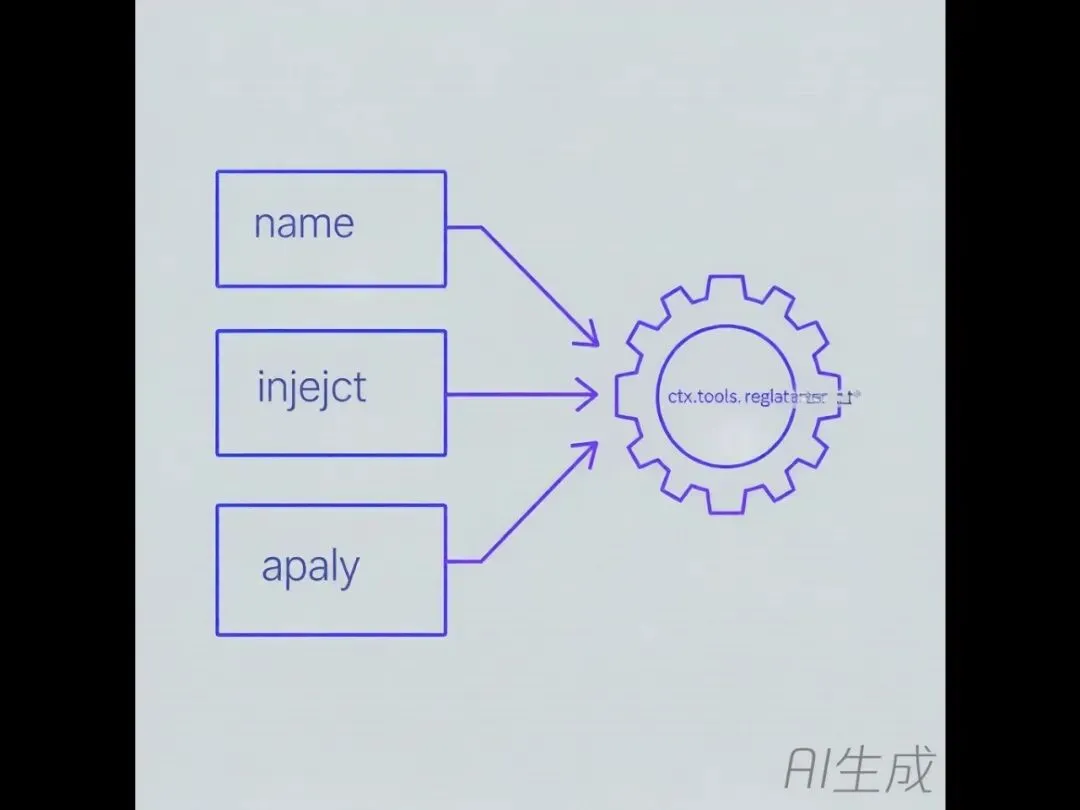
Cordis 的插件就是一个导出了三个东西的模块:
- `name`:插件名
- `inject`:要注入的服务(写工具就注入 `tools`)
- `apply(ctx)`:注册入口
最小骨架:
```ts
import type { Context } from '@deepseek-ai/cordis'
import { defineTool } from '@deepseek-ai/dsh-tools'
export const name = 'my-tool'
export const inject = ['tools']
export function apply(ctx: Context) {
// 在这里注册工具
}
```
`ctx` 是 Cordis 的上下文,工具注册走 `ctx.tools`。核心就这一行。
写一个"读工作区文件"的工具
下面是个实用例子:限定在 workspace 根目录内读文件,带长度上限,避免模型越权读系统文件。
```ts
import { readFile } from 'node:fs/promises'
import type { Context } from '@deepseek-ai/cordis'
import { defineTool } from '@deepseek-ai/dsh-tools'
export const name = 'workspace-reader'
export const inject = ['tools']
export function apply(ctx: Context) {
ctx.tools.register(defineTool({
name: 'read_workspace_file',
description: '读取工作区根目录下的一个文本文件,带长度上限。',
parameters: {
path: { type: 'string', required: true, description: '工作区相对路径,不要用根目录外的路径' },
limit: { type: 'number', description: '返回的最大字节数,由工具封顶' },
},
output: {
schema: {
type: 'object',
properties: {
path: { type: 'string' },
content: { type: 'string' },
bytes: { type: 'number' },
truncated: { type: 'boolean' },
},
required: ['path', 'content', 'bytes', 'truncated'],
additionalProperties: false,
},
render: (args, value) =>
[{ type: 'text', text: `${args.path}: ${value.bytes} bytes${value.truncated ? ' (truncated)' : ''}` }],
},
async execute(args, exec) {
const root = await ctx.workspace.root()
// 这里做路径校验,确保不超出 root
const full = resolveWithin(root, args.path)
const buf = await readFile(full, { encoding: 'utf8', signal: exec.signal })
const truncated = args.limit != null && buf.length > args.limit
const content = truncated ? buf.slice(0, args.limit) : buf
return { path: args.path, content, bytes: content.length, truncated }
},
}))
}
```
要点拆开看:
- `parameters` 是模型拿到的契约,不是文档。写清必填/可选、类型、上限。模型靠它决定怎么调用。
- `output.schema` 定义返回结构,`additionalProperties: false` 防模型乱塞字段。
- `output.render` 把结果变成界面卡片,比如 `[{ type: 'text', text: ... }]`。
- `execute(args, exec)` 里 `exec.signal` 是取消信号。用户中途停任务,靠它中止读取。
Schema 是契约,不是备注
这是最容易写错的地方。Schema 写松,模型就乱填参数。
- 必填项标 `required: true`,别靠文字"请填"。
- 枚举值用字面量约束,比如 `mode: { type: 'string', enum: ['fast', 'strict'] }`。
- 上限写死,比如摘要最长 2000 字,就在 `parameters` 里限 `maximum`。
- `additionalProperties: false`,挡掉多余字段。
契约严一点,调用错的概率低一截,调试也省事。
生命周期:卸载即注销
Cordis 的注册是"副作用式"的。插件被 dispose,它注册的工具也跟着消失。
测试时按这个顺序验:
1. 加载插件,确认工具出现在列表。
2. 调一次,确认能跑。
3. 卸载插件,确认工具从列表消失。
4. 再调,应报错"找不到工具"。
这样能确认你的注册和清理对称,不会留脏状态。长任务用 `ctx.jobs.start()` 起,任务归属自己的取消与清理。
想加护栏,用策略钩子
工具跑之前之后,Cordis 留了几个钩子:
- `tools/pre-execute`:分发前 allow / deny / ask
- `tools/execute`:包一层超时、重试、计时
- `tools/post-execute`:调整展示或拦截结果
- `tools/result`:观察最终归一化结果
要一刀切拒绝某类调用,用 `ctx.tools.guard()`。比如禁止读 `.env`、禁止出网,在这个钩子里拦。
写插件时把安全边界放在 `pre-execute` 和 `guard`,比在 `execute` 里散着判更干净。
怎么让 Harness 加载它
插件写好,放 Harness 认得的目录,或走 Plugin Store。PTC 模式(标准之上加 Code Mode SDK)下,模型还能写 TypeScript 把多个工具组合成多步操作。
加载后回界面,在工作目录里应能见到你注册的 `read_workspace_file`。把它接进对应的 Agent 预设,模型就能在拆任务时调用。
动作:
1. 插件模块放插件目录(或提交到 Plugin Store)。
2. 选含 `tools` 服务的预设(标准 / PTC / 创造)。
3. 重启 `dsh web`,确认工具出现。
4. 用上面四步生命周期法验一遍。
三个坑,写前先看
1. `inject` 漏写 `tools`,`ctx.tools` 是 undefined,注册直接崩。
2. Schema 不设 `additionalProperties: false`,模型塞意外字段,下游解析挂。
3. 不处理 `exec.signal`,用户取消任务后读取还在跑,资源空转。
DeepSeek Harness 把"写插件"变成写一块 TypeScript 积木。你定义好契约、边界和生命周期,模型就多了一双手。下一步值得盯的,是 Plugin Store 上架和图形化配置——那时普通用户也能往里装你的插件。