夜雨聆风
夜雨聆风





《姓铭堂人类大学APP》全套代码架构(下)
三、前端核心代码示例
3.1 React Native 主界面
javascript
// App.js - 主应用入口import React,{ useEffect, useState }from'react';import{ NavigationContainer }from'@react-navigation/native';import{ createNativeStackNavigator }from'@react-navigation/native-stack';import{ Provider }from'react-redux';import store from'./store';import*as Font from'expo-font';// 导入屏幕import HomeScreen from'./screens/HomeScreen';import LearningScreen from'./screens/LearningScreen';import SocialScreen from'./screens/SocialScreen';import MetaverseScreen from'./screens/MetaverseScreen';import GrowthTreeScreen from'./screens/GrowthTreeScreen';import ProfileScreen from'./screens/ProfileScreen';const Stack =createNativeStackNavigator();exportdefaultfunctionApp(){const[fontsLoaded, setFontsLoaded]=useState(false);useEffect(()=>{asyncfunctionloadFonts(){await Font.loadAsync({'Chinese-Calligraphy':require('./assets/fonts/Chinese-Calligraphy.ttf'),'Noto-Sans-SC':require('./assets/fonts/Noto-Sans-SC.ttf'),});setFontsLoaded(true);}loadFonts();},[]);if(!fontsLoaded){return<LoadingScreen />;}return(<Provider store={store}><NavigationContainer><Stack.Navigator initialRouteName="Home" screenOptions={{headerStyle:{backgroundColor:'#8B4513',// 传统木色},headerTintColor:'#FFF',headerTitleStyle:{fontFamily:'Chinese-Calligraphy',fontSize:24,},}}><Stack.Screen name="Home" component={HomeScreen} options={{title:'姓铭堂人类大学'}}/><Stack.Screen name="Learning" component={LearningScreen} options={{title:'文明学习'}}/><Stack.Screen name="Social" component={SocialScreen} options={{title:'全球社交'}}/><Stack.Screen name="Metaverse" component={MetaverseScreen} options={{title:'元宇宙场景'}}/><Stack.Screen name="GrowthTree" component={GrowthTreeScreen} options={{title:'文明成长树'}}/><Stack.Screen name="Profile" component={ProfileScreen} options={{title:'我的文明档案'}}/></Stack.Navigator></NavigationContainer></Provider>);}

3.2 文明成长树组件
javascript
// GrowthTreeVisualization.jsimport React,{ useRef, useEffect, useState }from'react';import{ View, Dimensions, StyleSheet }from'react-native';import Svg,{G, Path, Circle, Text, Defs, LinearGradient, Stop }from'react-native-svg';import*as d3 from'd3-shape';const{ width, height }= Dimensions.get('window');constGrowthTreeVisualization=({ treeData })=>{const svgRef =useRef(null);const[treePaths, setTreePaths]=useState([]);const[fruits, setFruits]=useState([]);useEffect(()=>{if(treeData){renderTree();}},[treeData]);constrenderTree=()=>{// 计算根系路径const rootPaths =calculateRootPaths(treeData.rootSystem);// 计算树干路径const trunkPath =calculateTrunkPath(treeData.trunkSystem);// 计算枝叶路径const branchPaths =calculateBranchPaths(treeData.branches);// 计算果实位置const fruitPositions =calculateFruitPositions(treeData.fruits);setTreePaths([...rootPaths, trunkPath,...branchPaths]);setFruits(fruitPositions);};constcalculateTrunkPath=(trunkSystem)=>{const{ selfCultivationRings, familyHarmonyRings, careerDevelopmentRings, universePeaceRings }= trunkSystem;const totalRings = selfCultivationRings + familyHarmonyRings + careerDevelopmentRings + universePeaceRings;const trunkHeight = Math.min(400, totalRings *20);// 创建树干路径const trunkGenerator = d3.line().curve(d3.curveBasis).x(d=> d.x).y(d=> d.y);const trunkPoints =[{x: width /2,y: height -100},// 根部{x: width /2,y: height -100- trunkHeight *0.3},{x: width /2,y: height -100- trunkHeight *0.6},{x: width /2,y: height -100- trunkHeight },// 顶部];return{type:'trunk',path:trunkGenerator(trunkPoints),strokeWidth:20,strokeColor:'#8B4513',gradient:true};};constcalculateRootPaths=(rootSystem)=>{const{ surnameDepth, cultureDepth, bloodlineDepth }= rootSystem;const paths =[];// 姓氏根const surnamePath =createRootPath( width /2, height -100, surnameDepth *5,-Math.PI/6,'#C19A6B'); surnamePath.label =`姓氏渊源 (${surnameDepth}%)`; paths.push(surnamePath);// 文化根const culturePath =createRootPath( width /2, height -100, cultureDepth *5,0,'#D2691E'); culturePath.label =`文化根基 (${cultureDepth}%)`; paths.push(culturePath);// 血脉根const bloodlinePath =createRootPath( width /2, height -100, bloodlineDepth *5, Math.PI/6,'#8B4513'); bloodlinePath.label =`血脉传承 (${bloodlineDepth}%)`; paths.push(bloodlinePath);return paths;};constcreateRootPath=(startX, startY, length, angle, color)=>{const endX = startX + Math.cos(angle)* length;const endY = startY + Math.sin(angle)* length;const generator = d3.line().curve(d3.curveBasis);const points =[{x: startX,y: startY },{x: startX + Math.cos(angle)* length *0.3,y: startY + Math.sin(angle)* length *0.3},{x: endX,y: endY }];return{type:'root',path:generator(points),strokeWidth:10,strokeColor: color };};constcalculateBranchPaths=(branches)=>{return branches.map((branch, index)=>{const{ type, growthLevel, connectionCount }= branch;// 计算位置和大小const angle =(index / branches.length)* Math.PI*2;const radius =100+ growthLevel *10;const startX = width /2;const startY = height -300;const endX = startX + Math.cos(angle)* radius;const endY = startY + Math.sin(angle)* radius;const generator = d3.line().curve(d3.curveBasis);const points =[{x: startX,y: startY },{x: startX + Math.cos(angle)* radius *0.5,y: startY + Math.sin(angle)* radius *0.5},{x: endX,y: endY }];// 根据关系类型选择颜色const colors ={'同姓宗亲':'#FF6B6B','互为语伴':'#4ECDC4','同趣好友':'#FFD166','合作伙伴':'#06D6A0','金兰之交':'#118AB2','婚恋一家':'#EF476F','创新发展':'#7209B7','灵魂伴侣':'#F72585'};return{type:'branch',path:generator(points),strokeWidth:5+ connectionCount *0.5,strokeColor: colors[type]||'#000',label:`${type} (${connectionCount})`, endX, endY };});};constcalculateFruitPositions=(fruits)=>{return fruits.map((fruit, index)=>{const angle = Math.random()* Math.PI*2;const distance =150+ Math.random()*100;return{id: fruit.id,x: width /2+ Math.cos(angle)* distance,y: height -350+ Math.sin(angle)* distance,type: fruit.type,rarity: fruit.rarity,energyValue: fruit.energyValue };});};constgetFruitColor=(type)=>{const colors ={'智慧果':'#FFD700','友谊果':'#FF6B6B','创造果':'#4ECDC4','传承果':'#8B4513','文明果':'#7209B7'};return colors[type]||'#FFD700';};constgetFruitSize=(rarity)=>{const sizes ={'普通':12,'稀有':16,'史诗':20,'传说':24,'文明':28};return sizes[rarity]||12;};return(<View style={styles.container}><Svg width={width} height={height} ref={svgRef}><Defs><LinearGradient id="trunkGradient" x1="0%" y1="0%" x2="0%" y2="100%"><Stop offset="0%" stopColor="#8B4513" stopOpacity={1}/><Stop offset="100%" stopColor="#5D2906" stopOpacity={1}/></LinearGradient></Defs>{/* 绘制树 */}{treePaths.map((item, index)=>(<G key={index}><Path d={item.path} stroke={item.strokeColor} strokeWidth={item.strokeWidth} fill="none" strokeLinecap="round" strokeLinejoin="round"/>{item.label && item.endX &&(<Text x={item.endX} y={item.endY -20} fill={item.strokeColor} fontSize="12" textAnchor="middle" fontFamily="Noto-Sans-SC">{item.label}</Text>)}</G>))}{/* 绘制果实 */}{fruits.map((fruit)=>(<G key={fruit.id}><Circle cx={fruit.x} cy={fruit.y} r={getFruitSize(fruit.rarity)} fill={getFruitColor(fruit.type)} stroke="#FFF" strokeWidth={2}/><Text x={fruit.x} y={fruit.y +4} fill="#FFF" fontSize="10" textAnchor="middle" fontWeight="bold">{fruit.energyValue}</Text></G>))}{/* 能量值显示 */}<Circle cx={width /2} cy={height -50} r={30} fill="#FFD700" stroke="#FFA500" strokeWidth={3}/><Text x={width /2} y={height -45} fill="#000" fontSize="16" textAnchor="middle" fontWeight="bold">{treeData?.totalEnergy ||0}</Text><Text x={width /2} y={height -25} fill="#666" fontSize="12" textAnchor="middle"> 文明能量 </Text></Svg></View>);};const styles = StyleSheet.create({container:{flex:1,backgroundColor:'#F5F5DC',// 羊皮纸色},});exportdefault GrowthTreeVisualization;
3.3 AI语伴聊天界面
javascript
// AIChatScreen.jsimport React,{ useState, useEffect, useRef }from'react';import{ View, Text, TextInput, FlatList, TouchableOpacity, StyleSheet, KeyboardAvoidingView, Platform, ActivityIndicator,}from'react-native';import{ Ionicons }from'@expo/vector-icons';import Voice from'@react-native-voice/voice';import Tts from'react-native-tts';constAIChatScreen=({ route })=>{const{ companionId, companionName, languageLevel }= route.params;const[messages, setMessages]=useState([]);const[inputText, setInputText]=useState('');const[isListening, setIsListening]=useState(false);const[isAIThinking, setIsAIThinking]=useState(false);const[voiceEnabled, setVoiceEnabled]=useState(true);const flatListRef =useRef(null);// 初始化语音useEffect(()=>{ Tts.setDefaultLanguage('zh-CN'); Tts.setDefaultRate(0.5); Tts.setDefaultPitch(1.0); Voice.onSpeechResults = onSpeechResults; Voice.onSpeechError = onSpeechError;// 初始问候sendGreeting();return()=>{ Voice.destroy().then(Voice.removeAllListeners); Tts.stop();};},[]);constsendGreeting=async()=>{const greeting = languageLevel ==='beginner'?`你好!我是你的中文语伴${companionName}。我们可以练习日常对话。`:`欢迎回来!今天想聊什么话题呢?`;addMessage('ai', greeting);if(voiceEnabled){ Tts.speak(greeting);}};const addMessage =(sender, text, type ='text', data ={})=>{const newMessage ={id: Date.now().toString(), sender, text, type, data,timestamp:newDate(),};setMessages(prev=>[...prev, newMessage]);// 滚动到底部setTimeout(()=>{ flatListRef.current?.scrollToEnd({animated:true});},100);};consthandleSend=async()=>{if(!inputText.trim())return;// 添加用户消息addMessage('user', inputText);// 清空输入const userText = inputText;setInputText('');// AI思考setIsAIThinking(true);try{// 调用AI服务const response =awaitfetchAIResponse(userText, languageLevel);// 添加AI回复addMessage('ai', response.text, response.type, response.data);// 语音播放if(voiceEnabled && response.text){ Tts.speak(response.text);}// 如果有学习建议,稍后显示if(response.learningTips){setTimeout(()=>{addMessage('ai',`💡 学习建议:${response.learningTips}`,'tip');},1000);}}catch(error){ console.error('AI响应错误:', error);addMessage('ai','抱歉,我暂时无法理解。请再说一遍?');}finally{setIsAIThinking(false);}};constfetchAIResponse=async(userInput, level)=>{const response =awaitfetch(`${API_BASE}/ai/companion/response`,{method:'POST',headers:{'Content-Type':'application/json','Authorization':`Bearer ${userToken}`,},body:JSON.stringify({ userInput, companionId,languageLevel: level,context:{previousMessages: messages.slice(-5).map(m=>({sender: m.sender,text: m.text,})),},}),});if(!response.ok){thrownewError('网络请求失败');}return response.json();};conststartListening=async()=>{try{setIsListening(true);await Voice.start('zh-CN');}catch(e){ console.error('语音识别启动失败:', e);setIsListening(false);}};conststopListening=async()=>{try{await Voice.stop();setIsListening(false);}catch(e){ console.error('语音识别停止失败:', e);}};constonSpeechResults=(e)=>{setInputText(e.value[0]);stopListening();};constonSpeechError=(e)=>{ console.error('语音识别错误:', e);setIsListening(false);};consttoggleVoice=()=>{setVoiceEnabled(!voiceEnabled);if(!voiceEnabled){ Tts.stop();}};constrenderMessage=({ item })=>{const isUser = item.sender ==='user';return(<View style={[ styles.messageContainer, isUser ? styles.userMessage : styles.aiMessage,]}>{!isUser &&(<View style={styles.avatar}><Text style={styles.avatarText}>{companionName.charAt(0)}</Text></View>)}<View style={[ styles.messageBubble, isUser ? styles.userBubble : styles.aiBubble,]}><Text style={[ styles.messageText, isUser ? styles.userText : styles.aiText,]}>{item.text}</Text>{item.type ==='correction'&&(<View style={styles.correctionBox}><Text style={styles.correctionLabel}>建议修改:</Text><Text style={styles.correctedText}>{item.data.corrected}</Text><Text style={styles.grammarExplanation}>{item.data.explanation}</Text></View>)}{item.type ==='cultural'&&(<View style={styles.culturalBox}><Text style={styles.culturalLabel}>文化解释:</Text><Text style={styles.culturalText}>{item.data.explanation}</Text></View>)}{item.type ==='tip'&&(<View style={styles.tipBox}><Ionicons name="bulb" size={16} color="#FFD700"/><Text style={styles.tipText}>{item.text}</Text></View>)}</View>{isUser &&(<View style={[styles.avatar, styles.userAvatar]}><Text style={styles.avatarText}>{userInitial}</Text></View>)}</View>);};return(<KeyboardAvoidingView style={styles.container} behavior={Platform.OS==='ios'?'padding':'height'}>{/* 聊天区域 */}<FlatList ref={flatListRef} data={messages} renderItem={renderMessage} keyExtractor={item=> item.id} style={styles.messageList} contentContainerStyle={styles.messageListContent}/>{/* 输入区域 */}<View style={styles.inputContainer}><TouchableOpacity style={[styles.voiceButton, isListening && styles.listeningButton]} onPress={isListening ? stopListening : startListening}><Ionicons name={isListening ?"stop-circle":"mic"} size={24} color={isListening ?"#FF4444":"#666"}/></TouchableOpacity><TextInput style={styles.textInput} value={inputText} onChangeText={setInputText} placeholder="输入中文消息..." placeholderTextColor="#999" multiline maxLength={500}/><TouchableOpacity style={styles.voiceToggle} onPress={toggleVoice}><Ionicons name={voiceEnabled ?"volume-high":"volume-mute"} size={20} color={voiceEnabled ?"#4CAF50":"#999"}/></TouchableOpacity><TouchableOpacity style={[ styles.sendButton,(!inputText.trim()|| isAIThinking)&& styles.sendButtonDisabled,]} onPress={handleSend} disabled={!inputText.trim()|| isAIThinking}>{isAIThinking ?(<ActivityIndicator size="small" color="#FFF"/>):(<Ionicons name="send" size={20} color="#FFF"/>)}</TouchableOpacity></View>{/* 快捷短语 */}<View style={styles.quickPhrases}><Text style={styles.quickPhrasesTitle}>快捷短语:</Text><ScrollView horizontal showsHorizontalScrollIndicator={false}>{QUICK_PHRASES[languageLevel].map((phrase, index)=>(<TouchableOpacity key={index} style={styles.phraseButton} onPress={()=>setInputText(phrase)}><Text style={styles.phraseText}>{phrase}</Text></TouchableOpacity>))}</ScrollView></View></KeyboardAvoidingView>);};const styles = StyleSheet.create({container:{flex:1,backgroundColor:'#F5F5F5',},messageList:{flex:1,},messageListContent:{padding:16,},messageContainer:{flexDirection:'row',marginBottom:16,alignItems:'flex-end',},userMessage:{justifyContent:'flex-end',},aiMessage:{justifyContent:'flex-start',},avatar:{width:36,height:36,borderRadius:18,backgroundColor:'#8B4513',justifyContent:'center',alignItems:'center',marginHorizontal:8,},userAvatar:{backgroundColor:'#4A90E2',},avatarText:{color:'#FFF',fontSize:16,fontWeight:'bold',},messageBubble:{maxWidth:'70%',padding:12,borderRadius:18,},userBubble:{backgroundColor:'#4A90E2',borderBottomRightRadius:4,},aiBubble:{backgroundColor:'#FFF',borderBottomLeftRadius:4,elevation:2,shadowColor:'#000',shadowOffset:{width:0,height:1},shadowOpacity:0.1,shadowRadius:2,},messageText:{fontSize:16,lineHeight:22,},userText:{color:'#FFF',},aiText:{color:'#333',},correctionBox:{marginTop:8,padding:8,backgroundColor:'#FFF8E1',borderRadius:8,borderLeftWidth:3,borderLeftColor:'#FFB300',},correctionLabel:{fontSize:12,color:'#FF8F00',fontWeight:'bold',marginBottom:4,},correctedText:{fontSize:14,color:'#333',fontWeight:'500',},grammarExplanation:{fontSize:12,color:'#666',marginTop:4,fontStyle:'italic',},culturalBox:{marginTop:8,padding:8,backgroundColor:'#E8F5E9',borderRadius:8,borderLeftWidth:3,borderLeftColor:'#4CAF50',},culturalLabel:{fontSize:12,color:'#2E7D32',fontWeight:'bold',marginBottom:4,},culturalText:{fontSize:14,color:'#333',},tipBox:{marginTop:8,padding:8,backgroundColor:'#FFFDE7',borderRadius:8,flexDirection:'row',alignItems:'center',},tipText:{fontSize:14,color:'#333',marginLeft:8,flex:1,},inputContainer:{flexDirection:'row',alignItems:'center',padding:12,backgroundColor:'#FFF',borderTopWidth:1,borderTopColor:'#E0E0E0',},voiceButton:{padding:8,marginRight:8,},listeningButton:{backgroundColor:'#FFEBEE',borderRadius:20,},textInput:{flex:1,minHeight:40,maxHeight:120,paddingHorizontal:12,paddingVertical:8,backgroundColor:'#F5F5F5',borderRadius:20,fontSize:16,color:'#333',},voiceToggle:{padding:8,marginHorizontal:8,},sendButton:{width:40,height:40,borderRadius:20,backgroundColor:'#8B4513',justifyContent:'center',alignItems:'center',},sendButtonDisabled:{backgroundColor:'#CCCCCC',},quickPhrases:{padding:12,backgroundColor:'#FFF',borderTopWidth:1,borderTopColor:'#E0E0E0',},quickPhrasesTitle:{fontSize:14,color:'#666',marginBottom:8,fontWeight:'500',},phraseButton:{paddingHorizontal:12,paddingVertical:6,backgroundColor:'#F5F5F5',borderRadius:16,marginRight:8,},phraseText:{fontSize:14,color:'#333',},});constQUICK_PHRASES={beginner:["你好吗?","今天天气怎么样?","我喜欢吃中国菜","你叫什么名字?","谢谢你的帮助",],intermediate:["我们可以练习日常对话吗?","这个词怎么发音?","中国文化很有趣","你的兴趣爱好是什么?","周末你打算做什么?",],advanced:["你对人工智能有什么看法?","中华文明有哪些特点?","跨文化交流的重要性","如何学习中文更有效?","未来科技发展趋势",],};exportdefault AIChatScreen;

3.4 元宇宙场景组件(Three.js)
javascript
// MetaverseScene.jsimport React,{ useRef, useEffect, useState }from'react';import{ Canvas, useThree, useFrame }from'@react-three/fiber';import{ OrbitControls, Sky, Stars, Text, Html }from'@react-three/drei';import*asTHREEfrom'three';import{ VRButton,XR, Controllers, Hands }from'@react-three/xr';// 场景组件constAncestralTempleScene=({ userId })=>{const[sceneReady, setSceneReady]=useState(false);const[userAvatar, setUserAvatar]=useState(null);const[otherAvatars, setOtherAvatars]=useState([]);const[interactableObjects, setInteractableObjects]=useState([]);useEffect(()=>{loadScene();loadUserAvatar();loadOtherAvatars();return()=>{// 清理资源};},[]);constloadScene=async()=>{// 加载宗祠模型const templeModel =awaitloadGLTFModel('/models/temple.glb');// 加载牌位模型const memorialTablets =awaitloadGLTFModel('/models/memorial_tablets.glb');// 加载香炉模型const incenseBurner =awaitloadGLTFModel('/models/incense_burner.glb');// 设置交互setupInteractions([{object: incenseBurner,type:'RITUAL',action:'burn_incense'},{object: memorialTablets,type:'VIEW',action:'view_genealogy'},]);setSceneReady(true);};consthandleObjectInteraction=(object, interactionType)=>{switch(interactionType){case'burn_incense':performIncenseRitual();break;case'view_genealogy':showGenealogyViewer();break;default: console.log('未知交互类型');}};constperformIncenseRitual=()=>{// 焚香仪式动画// 播放动画// 发送完成事件// 发放奖励};return(<><VRButton /><Canvas camera={{position:[0,1.6,5],fov:75}} shadows style={{width:'100%',height:'100%'}}><XR><Controllers /><Hands />{/* 环境 */}<ambientLight intensity={0.6}/><directionalLight position={[10,10,5]} intensity={1} castShadow shadow-mapSize-width={2048} shadow-mapSize-height={2048}/><Sky sunPosition={[100,20,100]}/>{/* 地面 */}<mesh rotation={[-Math.PI/2,0,0]} receiveShadow><planeGeometry args={[100,100]}/><shadowMaterial opacity={0.3}/><meshStandardMaterial color="#8B4513"/></mesh>{/* 宗祠建筑 */}{sceneReady &&(<><TempleBuilding position={[0,0,0]}/><MemorialTablets position={[0,1,-3]}/><IncenseBurner position={[0,0.5,-2]} onClick={()=>handleObjectInteraction('incense_burner','burn_incense')}/>{/* 用户虚拟形象 */}{userAvatar &&(<UserAvatar position={[0,0,0]} avatarData={userAvatar}/>)}{/* 其他用户虚拟形象 */}{otherAvatars.map((avatar, index)=>(<OtherUserAvatar key={avatar.id} position={avatar.position} avatarData={avatar}/>))}</>)}<OrbitControls enablePan={true} enableZoom={true} enableRotate={true} maxPolarAngle={Math.PI/2}/></XR></Canvas>{/* UI叠加层 */}{sceneReady &&(<div className="metaverse-ui"><div className="scene-controls"><button onClick={()=> window.history.back()}> 返回 </button><button onClick={openSceneMenu}> 场景菜单 </button></div><div className="user-list"><h4>在线用户</h4>{/* 显示在线用户列表 */}</div><div className="interaction-hints"><p>点击香炉进行焚香仪式</p><p>点击牌位查看家谱</p></div></div>)}</>);};// 3D模型组件constTempleBuilding=({ position })=>{const templeRef =useRef();useFrame((state)=>{// 添加轻微动画if(templeRef.current){ templeRef.current.rotation.y = Math.sin(state.clock.elapsedTime *0.1)*0.01;}});return(<group ref={templeRef} position={position}>{/* 建筑主体 */}<mesh castShadow receiveShadow><boxGeometry args={[8,6,10]}/><meshStandardMaterial color="#8B4513"/></mesh>{/* 屋顶 */}<mesh position={[0,3.5,0]} castShadow><coneGeometry args={[5,2,4]}/><meshStandardMaterial color="#5D2906"/></mesh>{/* 柱子 */}{[-3,-1,1,3].map((x, i)=>(<mesh key={i} position={[x,3,-4]} castShadow><cylinderGeometry args={[0.3,0.3,6]}/><meshStandardMaterial color="#C19A6B"/></mesh>))}{/* 牌匾 */}<mesh position={[0,4,5]} rotation={[0,0,0]}><planeGeometry args={[4,0.8]}/><meshBasicMaterial color="#000"><Html center><div style={{color:'gold',fontSize:'24px',fontFamily:'Chinese-Calligraphy',textAlign:'center',width:'100%',}}> 姓铭堂 </div></Html></meshBasicMaterial></mesh></group>);};constIncenseBurner=({ position, onClick })=>{const burnerRef =useRef();const[isBurning, setIsBurning]=useState(false);const smokeParticles =useRef([]);consthandleClick=()=>{if(!isBurning){setIsBurning(true);onClick();// 10秒后停止setTimeout(()=>setIsBurning(false),10000);}};useFrame((state)=>{if(isBurning && burnerRef.current){// 生成烟雾粒子if(Math.random()>0.7){const particle ={position:newTHREE.Vector3( position[0]+(Math.random()-0.5)*0.2, position[1]+1, position[2]+(Math.random()-0.5)*0.2),velocity:newTHREE.Vector3((Math.random()-0.5)*0.01,0.02+ Math.random()*0.01,(Math.random()-0.5)*0.01),life:1.0,size:0.1+ Math.random()*0.2}; smokeParticles.current.push(particle);}// 更新粒子 smokeParticles.current = smokeParticles.current .map(p=>({...p,position: p.position.add(p.velocity),life: p.life -0.01})).filter(p=> p.life >0);}});return(<group ref={burnerRef} position={position}>{/* 香炉主体 */}<mesh onClick={handleClick} castShadow><cylinderGeometry args={[0.5,0.7,0.8,16]}/><meshStandardMaterial color={isBurning ?"#FFA500":"#8B4513"} emissive={isBurning ?"#FFA500":"#000000"} emissiveIntensity={isBurning ?0.5:0}/></mesh>{/* 香 */}<mesh position={[0,0.5,0]} visible={isBurning}><cylinderGeometry args={[0.02,0.02,1,8]}/><meshStandardMaterial color="#8B0000"/></mesh>{/* 烟雾粒子 */}{isBurning && smokeParticles.current.map((particle, i)=>(<mesh key={i} position={particle.position.toArray()}><sphereGeometry args={[particle.size * particle.life,8,8]}/><meshBasicMaterial color="#FFFFFF" transparent opacity={particle.life *0.3}/></mesh>))}{/* 交互提示 */}<Html position={[0,1.5,0]}><div style={{background:'rgba(0,0,0,0.7)',color:'white',padding:'8px 12px',borderRadius:'8px',fontSize:'14px',whiteSpace:'nowrap',cursor:'pointer',}} onClick={handleClick}>{isBurning ?'焚香中...':'点击焚香'}</div></Html></group>);};exportdefault AncestralTempleScene;
四、部署与运维配置
4.1 Docker 配置
dockerfile
# Dockerfile - 用户服务示例 FROM openjdk:17-jdk-slim # 设置工作目录 WORKDIR /app # 复制依赖文件 COPY backend/surname-user-service/pom.xml . COPY backend/surname-user-service/mvnw . COPY backend/surname-user-service/.mvn .mvn # 下载依赖 RUN ./mvnw dependency:go-offline # 复制源代码 COPY backend/surname-user-service/src ./src # 构建应用 RUN ./mvnw clean package -DskipTests # 运行应用 EXPOSE 8080 ENTRYPOINT ["java", "-jar", "target/user-service-1.0.0.jar"]
dockerfile
# Dockerfile - 前端应用 FROM node:18-alpine as build # 设置工作目录 WORKDIR /app # 复制依赖文件 COPY frontend/web/package*.json ./ # 安装依赖 RUN npm ci --only=production # 复制源代码 COPY frontend/web/ . # 构建应用 RUN npm run build # 生产环境 FROM nginx:alpine # 复制构建文件 COPY --from=build /app/build /usr/share/nginx/html # 复制nginx配置 COPY frontend/web/nginx.conf /etc/nginx/conf.d/default.conf EXPOSE 80 CMD ["nginx", "-g", "daemon off;"]
4.2 Kubernetes 部署配置
yaml
# kubernetes/user-service-deployment.yamlapiVersion: apps/v1kind: Deploymentmetadata:name: surname-user-service namespace: surname-universityspec:replicas:3selector:matchLabels:app: surname-user-service template:metadata:labels:app: surname-user-service spec:containers:-name: user-service image: registry.surname.com/user-service:1.0.0 ports:-containerPort:8080env:-name: SPRING_PROFILES_ACTIVE value:"prod"-name: DB_HOST valueFrom:configMapKeyRef:name: app-config key: db.host -name: REDIS_HOST valueFrom:configMapKeyRef:name: app-config key: redis.host resources:requests:memory:"512Mi"cpu:"250m"limits:memory:"1Gi"cpu:"500m"livenessProbe:httpGet:path: /actuator/health port:8080initialDelaySeconds:60periodSeconds:10readinessProbe:httpGet:path: /actuator/health/readiness port:8080initialDelaySeconds:30periodSeconds:5---apiVersion: v1kind: Servicemetadata:name: surname-user-service namespace: surname-universityspec:selector:app: surname-user-service ports:-port:80targetPort:8080type: ClusterIP
4.3 CI/CD 流水线配置
yaml
# .gitlab-ci.ymlstages:- test - build - deployvariables:DOCKER_REGISTRY: registry.surname.com KUBE_NAMESPACE: surname-university# 后端服务测试backend-test:stage: test image: maven:3.8-openjdk-17script:- cd backend/surname-user-service - mvn clean test only:- merge_requests - main# 前端测试frontend-test:stage: test image: node:18-alpine script:- cd frontend/web - npm ci - npm test only:- merge_requests - main# 构建Docker镜像build-backend:stage: build image: docker:20.10services:- docker:20.10-dind script:- docker build -t $DOCKER_REGISTRY/user-service:$CI_COMMIT_SHA -f backend/surname-user-service/Dockerfile . - docker push $DOCKER_REGISTRY/user-service:$CI_COMMIT_SHA only:- main# 部署到Kubernetesdeploy-prod:stage: deploy image: bitnami/kubectl:latest script:- kubectl set image deployment/surname-user-service user-service=$DOCKER_REGISTRY/user-service:$CI_COMMIT_SHA -n $KUBE_NAMESPACE - kubectl rollout status deployment/surname-user-service -n $KUBE_NAMESPACE --timeout=300s only:- main environment:name: production url: https://app.surname-university.com
五、监控与日志配置
5.1 Prometheus 监控配置
yaml
# prometheus/prometheus.ymlglobal:scrape_interval: 15s evaluation_interval: 15salerting:alertmanagers:-static_configs:-targets:['alertmanager:9093']rule_files:-"alerts.yml"scrape_configs:-job_name:'spring-boot-apps'metrics_path:'/actuator/prometheus'static_configs:-targets:-'surname-user-service:8080'-'surname-learning-service:8080'-'surname-social-service:8080'labels:application:'surname-university'environment:'production'-job_name:'node-exporter'static_configs:-targets:['node-exporter:9100']-job_name:'redis-exporter'static_configs:-targets:['redis-exporter:9121']
5.2 Grafana 仪表板配置
json
{"dashboard":{"title":"姓铭堂人类大学监控","panels":[{"title":"用户增长趋势","targets":[{"expr":"sum(increase(user_registrations_total[1d]))","legendFormat":"{{instance}}"}],"type":"graph"},{"title":"文明能量分布","targets":[{"expr":"histogram_quantile(0.95, rate(civilization_energy_bucket[5m]))","legendFormat":"95分位数"}],"type":"heatmap"},{"title":"API响应时间","targets":[{"expr":"histogram_quantile(0.99, rate(http_request_duration_seconds_bucket[5m]))","legendFormat":"P99响应时间"}],"type":"stat"}]}}
六、安全配置
6.1 Spring Security 配置
java
// SecurityConfig.java@Configuration@EnableWebSecurity@EnableGlobalMethodSecurity(prePostEnabled =true)publicclassSecurityConfig{@AutowiredprivateJwtAuthenticationFilter jwtAuthenticationFilter;@AutowiredprivateUserDetailsService userDetailsService;@BeanpublicSecurityFilterChainfilterChain(HttpSecurity http)throwsException{ http .cors(Customizer.withDefaults()).csrf(AbstractHttpConfigurer::disable).sessionManagement(session -> session.sessionCreationPolicy(SessionCreationPolicy.STATELESS)).authorizeHttpRequests(auth -> auth .requestMatchers("/api/auth/**").permitAll().requestMatchers("/api/public/**").permitAll().requestMatchers("/actuator/health").permitAll().requestMatchers("/api/admin/**").hasRole("ADMIN").requestMatchers("/api/**").authenticated().anyRequest().authenticated()).addFilterBefore(jwtAuthenticationFilter,UsernamePasswordAuthenticationFilter.class).exceptionHandling(exceptions -> exceptions .authenticationEntryPoint(newJwtAuthenticationEntryPoint()).accessDeniedHandler(newJwtAccessDeniedHandler()));return http.build();}@BeanpublicPasswordEncoderpasswordEncoder(){returnnewBCryptPasswordEncoder();}@BeanpublicAuthenticationManagerauthenticationManager(AuthenticationConfiguration authConfig)throwsException{return authConfig.getAuthenticationManager();}}
6.2 JWT 认证服务
java
// JwtService.java@Service@Slf4jpublicclassJwtService{@Value("${jwt.secret}")privateString secretKey;@Value("${jwt.expiration}")privateLong expiration;publicStringgenerateToken(UserDetails userDetails){Map<String,Object> claims =newHashMap<>(); claims.put("userId",((CustomUserDetails) userDetails).getUserId()); claims.put("roles", userDetails.getAuthorities().stream().map(GrantedAuthority::getAuthority).collect(Collectors.toList()));returnJwts.builder().setClaims(claims).setSubject(userDetails.getUsername()).setIssuedAt(newDate()).setExpiration(newDate(System.currentTimeMillis()+ expiration)).signWith(SignatureAlgorithm.HS256, secretKey).compact();}publicbooleanvalidateToken(String token){try{Jwts.parser().setSigningKey(secretKey).parseClaimsJws(token);returntrue;}catch(JwtException|IllegalArgumentException e){ log.error("JWT令牌验证失败: {}", e.getMessage());returnfalse;}}publicAuthenticationgetAuthentication(String token){Claims claims =extractClaims(token);String username = claims.getSubject();List<String> roles = claims.get("roles",List.class);Collection<SimpleGrantedAuthority> authorities = roles.stream().map(SimpleGrantedAuthority::new).collect(Collectors.toList());returnnewUsernamePasswordAuthenticationToken( username,null, authorities);}privateClaimsextractClaims(String token){returnJwts.parser().setSigningKey(secretKey).parseClaimsJws(token).getBody();}}
七、测试代码
7.1 单元测试示例
java
// UserServiceTest.java@ExtendWith(MockitoExtension.class)classUserServiceTest{@MockprivateUserRepository userRepository;@MockprivateGrowthTreeService growthTreeService;@MockprivateCivilizationService civilizationService;@InjectMocksprivateUserService userService;@TestvoidtestRegisterUser_Success(){// 准备测试数据UserRegisterDTO dto =newUserRegisterDTO(); dto.setUsername("测试用户"); dto.setEmail("test@example.com"); dto.setPassword("password123"); dto.setSurname("张");// 模拟依赖行为when(userRepository.existsByEmail(anyString())).thenReturn(false);when(userRepository.save(any(User.class))).thenAnswer(invocation ->{User user = invocation.getArgument(0); user.setId(1L);return user;});// 执行测试UserVO result = userService.register(dto);// 验证结果assertNotNull(result);assertEquals("张", result.getSurname());assertEquals("test@example.com", result.getEmail());// 验证依赖调用verify(userRepository).existsByEmail("test@example.com");verify(userRepository).save(any(User.class));verify(growthTreeService).createGrowthTree(1L);verify(civilizationService).initLearningTasks(1L);}@TestvoidtestRegisterUser_EmailExists(){// 准备测试数据UserRegisterDTO dto =newUserRegisterDTO(); dto.setEmail("existing@example.com");// 模拟邮箱已存在when(userRepository.existsByEmail("existing@example.com")).thenReturn(true);// 执行测试并验证异常BusinessException exception =assertThrows(BusinessException.class,()-> userService.register(dto));assertEquals(ErrorCode.USER_EMAIL_EXIST, exception.getCode());}}// IntegrationTest.java@SpringBootTest@AutoConfigureMockMvcclassUserIntegrationTest{@AutowiredprivateMockMvc mockMvc;@AutowiredprivateObjectMapper objectMapper;@TestvoidtestUserRegistrationFlow()throwsException{// 1. 注册用户UserRegisterDTO registerDTO =newUserRegisterDTO(); registerDTO.setUsername("集成测试用户"); registerDTO.setEmail("integration@test.com"); registerDTO.setPassword("Test@123"); registerDTO.setSurname("李");MvcResult registerResult = mockMvc.perform(post("/api/v1/users/register").contentType(MediaType.APPLICATION_JSON).content(objectMapper.writeValueAsString(registerDTO))).andExpect(status().isOk()).andReturn();// 2. 登录获取tokenLoginDTO loginDTO =newLoginDTO(); loginDTO.setEmail("integration@test.com"); loginDTO.setPassword("Test@123");MvcResult loginResult = mockMvc.perform(post("/api/v1/auth/login").contentType(MediaType.APPLICATION_JSON).content(objectMapper.writeValueAsString(loginDTO))).andExpect(status().isOk()).andReturn();String token =extractToken(loginResult);// 3. 使用token访问受保护接口 mockMvc.perform(get("/api/v1/users/profile").header("Authorization","Bearer "+ token)).andExpect(status().isOk()).andExpect(jsonPath("$.data.username").value("集成测试用户"));}}
八、数据库迁移脚本
8.1 Flyway 迁移脚本
sql
-- V1__initial_schema.sqlCREATETABLE users ( id BIGINTAUTO_INCREMENTPRIMARYKEY, uid VARCHAR(36)NOTNULLUNIQUE, username VARCHAR(50)NOTNULL, email VARCHAR(100)NOTNULLUNIQUE, phone VARCHAR(20), surname VARCHAR(50), surname_origin TEXT, surname_story TEXT, learning_index INTDEFAULT0, social_index INTDEFAULT0, creation_index INTDEFAULT0, heritage_index INTDEFAULT0, civilization_energy INTDEFAULT0, create_time TIMESTAMPDEFAULTCURRENT_TIMESTAMP, update_time TIMESTAMPDEFAULTCURRENT_TIMESTAMPONUPDATECURRENT_TIMESTAMP,INDEX idx_email (email),INDEX idx_surname (surname));CREATETABLE growth_trees ( id BIGINTAUTO_INCREMENTPRIMARYKEY, user_id BIGINTNOTNULLUNIQUE, surname_depth INTDEFAULT10, culture_depth INTDEFAULT5, bloodline_depth INTDEFAULT0, self_cultivation_rings INTDEFAULT1, family_harmony_rings INTDEFAULT0, career_development_rings INTDEFAULT0, universe_peace_rings INTDEFAULT0, total_energy INTDEFAULT0, last_update_time TIMESTAMPDEFAULTCURRENT_TIMESTAMP,FOREIGNKEY(user_id)REFERENCES users(id)ONDELETECASCADE);CREATETABLE relationships ( id BIGINTAUTO_INCREMENTPRIMARYKEY, user_id BIGINTNOTNULL, target_user_id BIGINTNOTNULL, relationship_type ENUM('SAME_SURNAME','LANGUAGE_PARTNER','INTEREST_FRIEND','BUSINESS_PARTNER','GOLDEN_ORCHID','MARRIAGE','INNOVATION','SOUL_MATE')NOTNULL,levelINTDEFAULT1, intensity DECIMAL(5,2)DEFAULT0.0, last_interaction TIMESTAMPDEFAULTCURRENT_TIMESTAMP, nft_token_id VARCHAR(100), create_time TIMESTAMPDEFAULTCURRENT_TIMESTAMP,UNIQUEKEY uk_user_relationship (user_id, target_user_id, relationship_type),FOREIGNKEY(user_id)REFERENCES users(id)ONDELETECASCADE,FOREIGNKEY(target_user_id)REFERENCES users(id)ONDELETECASCADE,INDEX idx_relationship_type (relationship_type));-- V2__add_civilization_steps.sqlALTERTABLE users ADDCOLUMN civilization_steps JSON;UPDATE users SET civilization_steps = JSON_OBJECT('图腾崇拜',10,'部落标识',0,'象形造字',0,'姓氏传承',5,'家国情怀',0,'修齐治平',0,'香火不绝',0,'文明永续',0,'和美永生',0);

总结
这是一个完整的《姓铭堂人类大学APP》技术架构和核心代码实现方案。由于项目规模庞大,这里提供的是架构设计和核心代码示例,实际开发需要:
-
组建专业团队:包括后端、前端、AI、区块链、3D开发等专业人才
-
分阶段开发:建议采用敏捷开发,每3个月一个重大版本
-
云原生部署:采用微服务架构,确保高可用和可扩展性
-
持续测试:建立完整的自动化测试体系
-
安全合规:特别关注数据隐私和跨境合规问题
-
文化敏感性:确保多语言多文化的正确呈现
预计开发周期:
-
MVP版本:3-4个月
-
核心功能完整版:8-10个月
-
平台成熟版:1.5-2年
预计团队规模:
-
初期:15-20人(全栈工程师为主)
-
成长期:30-50人(增加专业领域工程师)
-
成熟期:80-100人(包括运营、内容、市场团队)
此架构设计支持从百万级到亿级用户的扩展,满足《大长征·人类铭》理念的完整实现需求。
——大长征•人类铭作者
《大长征 · 宇宙人类学》主编,
大长征•人类铭作者简介
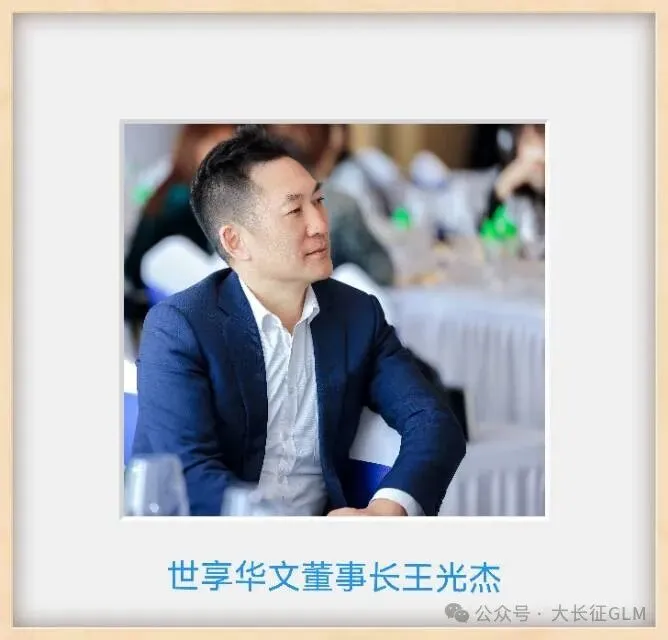
王光杰——
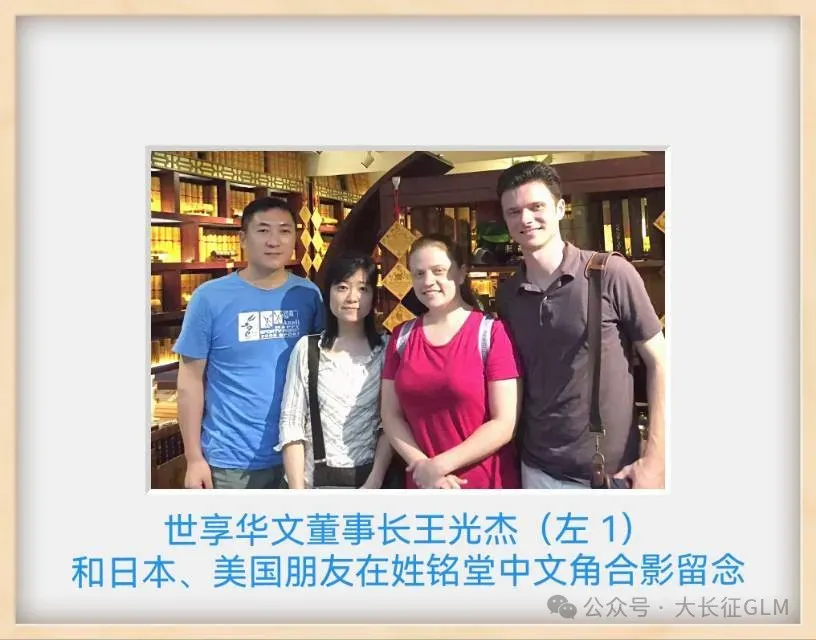
中华姓氏非遗大工匠,
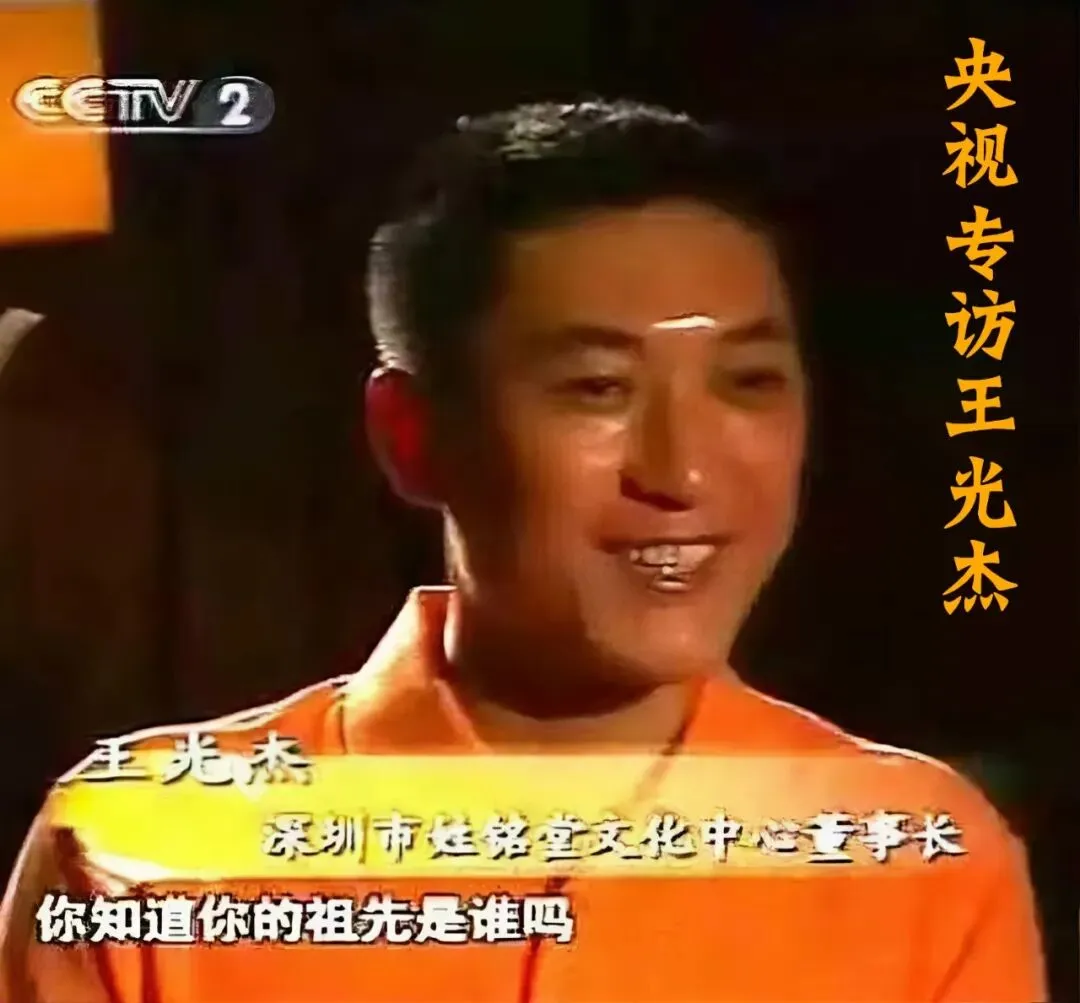
中央电视台财富新榜样,
央视专访链接:
https://mp.weixin.qq.com/s/BOyboPxxkEgEhgzejQVHuw
深圳市姓铭堂文化中心创始人
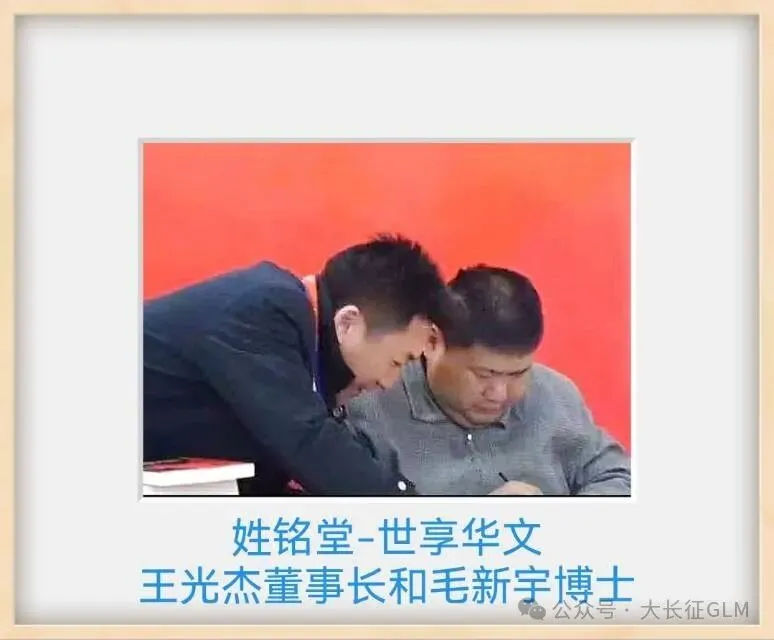
世享华文(深圳)智能公司董事长
姓铭堂人类大学
总策划、发起人,
百佳诗人,优秀作家,
工艺美术师,南粤改革先锋,
微信公众号“大长征GLM”主笔,
代表作——
《大长征•人类铭》
《大长征•宇宙人类学》、
《大长征•中国时代》、
《大长征•中华姓氏学》
《大长征•自主健康学》等,
香港-台北-上海-深圳四城文化交流年会主讲嘉宾,
北京大学中美总栽博士班客座教授,
北京中华文化促进会华祖文化使者,
国家拜祖大典贵宾(河南新郑)
国家公祭黄帝大典贵宾(陕西黄陵)
中国共产党优秀党员,
中华职业教育社社员,
深圳十大杰出青年候选人,
青春中华·中国青年文化周-中华民族特色精品展示会特邀青年艺术家,
中国青少年读书周特邀老师,
深圳市文化创意产业协会副会长,
深圳市工艺美术行业协会副会长,
深圳风云会副主席,
深圳市福顺公益基金会党支部书记,
湾区元宇宙创始委员
荣获:
中华姓氏非遗大工匠奖,
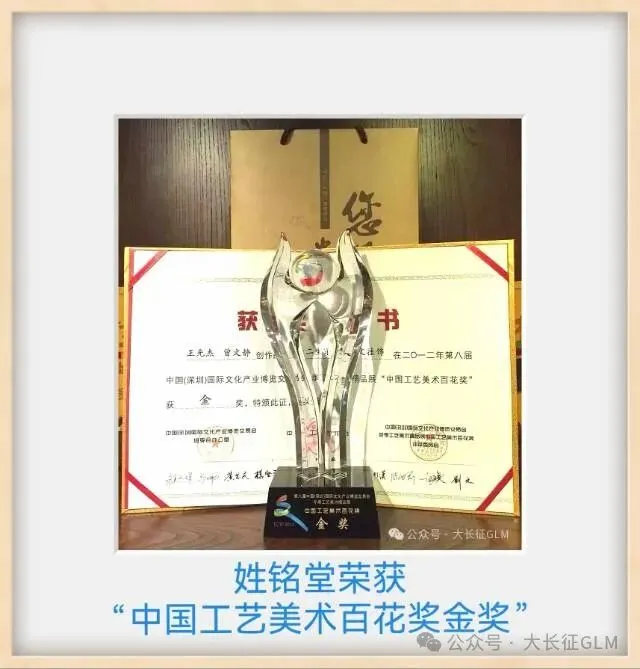
中国工艺美术百花奖金奖,
深圳旅游纪念品设计大赛金奖,
深圳版权金奖(作品奖),
北京文博会最佳展示奖,
杭州西湖博览会国际艺术精品暨中国工艺美术大师作品优秀奖,
丝路精神传承人/千人走戈壁风采领袖奖等
经国家文物局批准,
王光杰先生主创的作品“中华姓氏故乡国学系列文创精品”被北京中华民族艺术珍品博物馆永久收藏;
另,美国硅谷亚洲文化中心、北京炎黄艺术馆、北京大观园管理委员会/北京红楼文化艺术博物馆、北戴河中央别墅、深圳图书馆等众多场馆、酒店、会所和超四十万家庭、企业收藏了王光杰先生主创的文化艺术精品。