夜雨聆风
夜雨聆风





【软件】WPS Office 2019专业版(政府版)
具体方法:
1.–找到安装目录,进入office6\cfgs\
2.将oeminfo文件夹改为oeminfo.bak,即可。
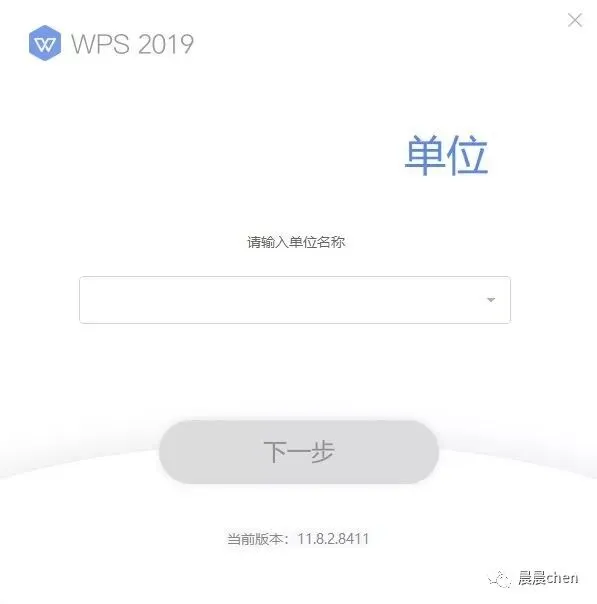
上图为安装界面(已隐去政府水印)
下面就是下载地址了,直接将下载地址复制到浏览器即可下载,enjoy:
潮州市党政机关单位:
——————-
http://wpspro.support.wps.cn/gov/guangdong/chaozhou/installation/WPS%20Office%202019%20专业版(潮州市党政机关单位).exe
——————-
WPS Office 2019 专业增强版(11.8.2.8053)
惠州市党政机关单位:
——————-
http://wpspro.support.wps.cn/gov/guangdong/huizhou/installation/WPS%20Office%202019专业版(惠州市直机关单位).exe
——————-
http://wpspro.support.wps.cn/gov/guangdong/huizhou/installation/WPS%20Office%202019专业版(惠城区直机关单位).exe
——————-
http://wpspro.support.wps.cn/gov/guangdong/huizhou/installation/WPS%20Office%202019专业版(惠阳区直机关单位).exe
——————-
http://wpspro.support.wps.cn/gov/guangdong/huizhou/installation/WPS%20Office%202019专业版(惠东县直机关单位).exe
——————-
http://wpspro.support.wps.cn/gov/guangdong/huizhou/installation/WPS%20Office%202019专业版(博罗县直机关单位).exe
——————-
http://wpspro.support.wps.cn/gov/guangdong/huizhou/installation/WPS%20Office%202019专业版(龙门县直机关单位).exe
——————-
http://wpspro.support.wps.cn/gov/guangdong/huizhou/installation/WPS%20Office%202019专业版(仲恺区直机关单位).exe
——————-
WPS Office 2019 专业版(11.8.2.7978)