乐于分享
好东西不私藏

找一个好用的pdf reader – Sioyek

找一个好用的pdf reader – Sioyek

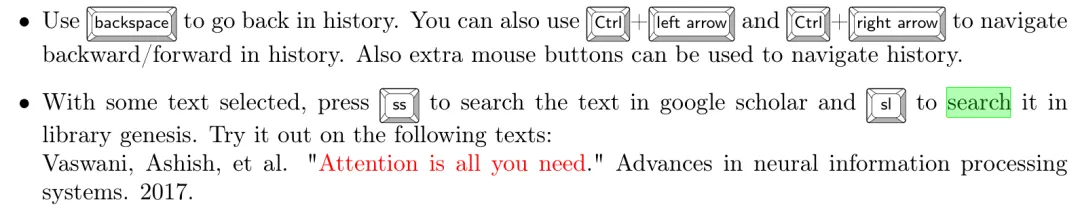
经常点连接跳到其他页面,需要一个有go back快捷键回到刚才的页面。我桌面电脑的默认pdf reader是Xreader,没有这个功能,所以要找一个好用的pdf reader
AI 给我推荐了这几款
Feature Zathura Sioyek qpdfview
Back Button Ctrl + o Backspace Ctrl + Enter
Interface Invisible (No icons) Minimalist Traditional (Tabs/Bars)
Highlighting No Yes (Very good) Rudimentary
Dark Mode Excellent (Ctrl+r) Built-in (f8) Depends on System Theme
Best Use Case Coding docs / Quick look Finance/Physics Papers General multi-tasking
Sioyek:当文件比较大(例如 james stewart calculus)有bug, 各种黑屏白屏。自定义也很麻烦,需要自己写config file。
qpdfview: 鼠标是小手pan mode, 不是select mode,不能改
Zathura: 完全不会用,没有工具栏
只能将就着用Sioyek,碰到到大pdf文档就换个软件。用了一会,真心觉得Sioyek好用!
自定义设置
这是默认设定,我不喜欢
mkdir -p ~/.config/sioyek
修改go back/foward 的快捷键
code ~/.config/sioyek/keys_user.config
# Go back in history (Alt + Left Arrow)prev_state    <A-left># Go forward in history (Alt + Right Arrow)next_state    <A-right>
修改 search
code ~/.config/sioyek/prefs_user.config
# Define Google and YouTube search URLssearch_url_g    https://www.google.com/search?q=search_url_y    https://www.youtube.com/results?search_query=# Assign non-shift middle click to Google (g)middle_click_search_engine  g# Assign shift + middle click to YouTube (y)shift_middle_click_search_engine  y

Action Result
Middle Click (on line) Opens Google Search
Shift + Middle Click(on line) Opens YouTube Search
Select + sg (on word) Precise Google Search of selection
Select + sy(on word) Precise YouTube Search of selection
本站文章均为手工撰写未经允许谢绝转载:夜雨聆风 » 找一个好用的pdf reader – Sioyek

评论 抢沙发

2 + 3 =
  • 昵称 (必填)
  • 邮箱 (必填)
  • 网址
×
订阅图标按钮