 夜雨聆风
夜雨聆风


【工具】监听剪切板的翻译小工具 | 附源码
目录
背景说明
工具下载
使用步骤
工具演示
工具源码
背景说明
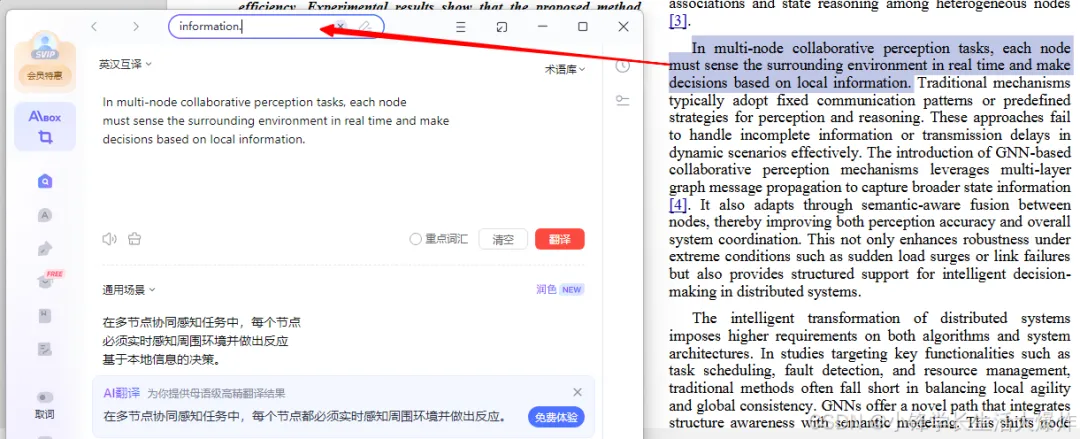
经常看英文资料的同学可能会遇到:遇到一段英文,想看他的中文,通常需要复制后再粘贴到翻译软件里,步骤多非常麻烦。如果能有什么工具,可以一键自动翻译而不需要手动打开翻译软件,那就很方便了。
工具下载
https://xfxuezhang.lanzouo.com/b01yo3m7le 密码:8fyq
https://github.com/1061700625/small_tools_v2
使用步骤
制作了一个常驻后台的剪切板翻译助手小工具。使用步骤如下:
-
启动工具后,会自动监听按键 -
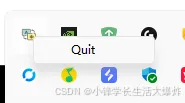
工具会自动添加托盘图标,右击图标可选择退出程序 -
鼠标选中英文文本,按下Ctrl + C + C(不松 Ctrl,连续按两次 C) -
触发工具自动读取剪切板英文内容,并进行英译中 -
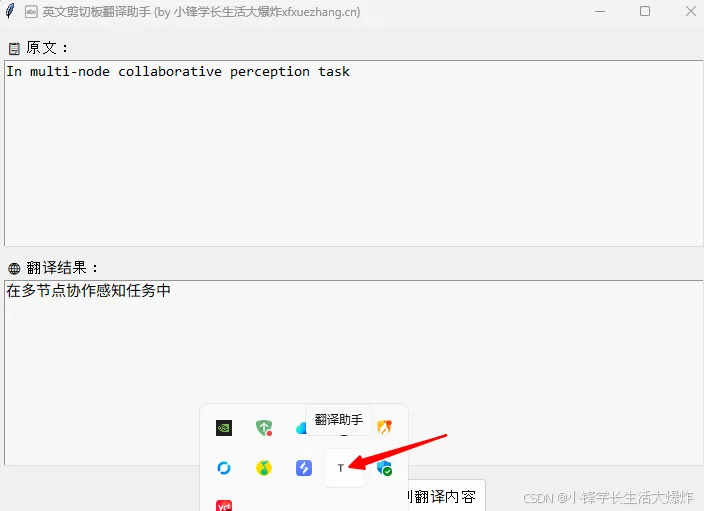
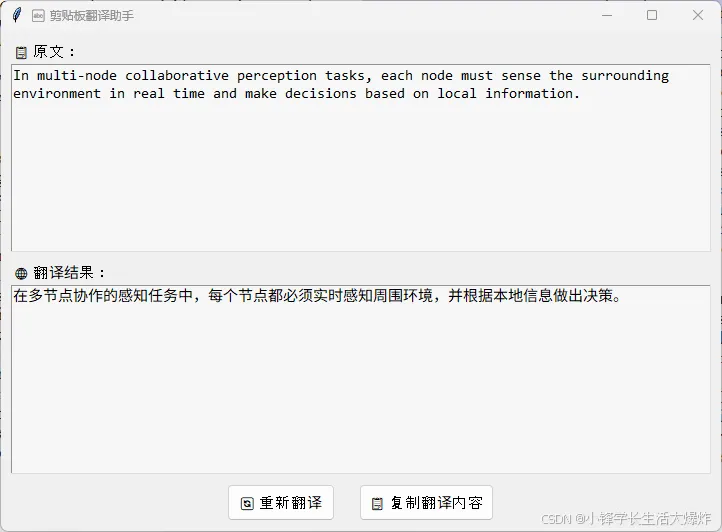
弹出一个翻译窗口: -
上半部分显示原文(可编辑) -
下半部分显示翻译结果(可编辑) -
底部支持重新翻译、复制翻译
-
按Esc键可以关闭翻译窗口
工具演示
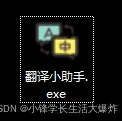
1、双击打开翻译小助手.exe
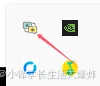
2、任务栏显示小图标表示启动成功
3、选中英文
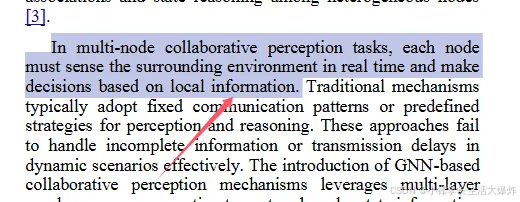
4、按下Ctrl+C+C,弹出翻译窗口
5、关闭翻译窗口,回到步骤3,重复使用
6、右击图标可退出
工具源码
先安装所需的库:
python -m venv temp.\temp\\Scripts\activatepip install pyperclip keyboard deep-translator infi.systray# pystray pillow win10toast
以下是Python源码:
import keyboardimport pyperclipimport timeimport tkinter as tkfrom tkinter import ttkfrom deep_translator import GoogleTranslatorimport reimport threadingimport osfrom infi.systray import SysTrayIconimport webbrowserimport tempfileimport urllib.request# from win10toast import ToastNotifier'''https://xfxuezhang.blog.csdn.net/article/details/148242601python -m venv temp.\temp\\Scripts\activatepip install pyperclip keyboard deep-translator infi.systray # pystray pillow win10toastnuitka --windows-console-mode=disable --onefile --enable-plugin=tk-inter --windows-icon-from-ico=favicon.ico --remove-output --enable-plugin=no-qt --noinclude-pytest-mode=nofollow --output-dir=build/ trans.py'''double_press_interval = 0.5last_c_time = 0c_press_count = 0RESOURCE_URLS = {"favicon.ico": "https://cccimg.com/down.php/5677882439758d82edccd357b2b00db7.ico","favicon.png": "https://cccimg.com/down.php/f0a755974ef6efd0cd5ff8069589e328.png"}RESOURCE_PATHS = {}# def show_startup_notification():# notifier = ToastNotifier()# notifier.show_toast(# "✅ 翻译助手已启动",# "按 Ctrl+C+C 翻译剪贴板;右键托盘图标退出;Esc 键退出",# duration=2,# threaded=True# )def ensure_resources_exist():tmp_dir = tempfile.gettempdir()for filename, url in RESOURCE_URLS.items():local_path = os.path.join(tmp_dir, filename)if not os.path.exists(local_path):try:print(f"Downloading {filename} ...")urllib.request.urlretrieve(url, local_path)print(f"Saved: {local_path}")except Exception as e:print(f"Error {filename}: {e}")local_path = NoneRESOURCE_PATHS[filename] = local_pathdef show_popup(title, message, color="#4caf50"):popup = tk.Tk()popup.title(title)popup.geometry("300x160")popup.resizable(False, False)x = (popup.winfo_screenwidth() - 300) // 2y = (popup.winfo_screenheight() - 160) // 2popup.geometry(f"+{x}+{y}")popup.attributes('-topmost', True)popup.iconbitmap(RESOURCE_PATHS.get("favicon.ico"))frame = ttk.Frame(popup, padding=20)frame.pack(fill="both", expand=True)style = ttk.Style()style.configure("TLabel", font=("Arial", 12), foreground=color)label_msg = ttk.Label(frame, text=message, wraplength=360, justify="center")label_msg.pack()ttk.Button(frame, text="确定", command=popup.destroy).pack(pady=15)popup.mainloop()def clean_broken_lines(text):text = re.sub(r'(\w+)-\n(\w+)', r'\1-\2', text)lines = text.split('\n')cleaned_lines = []for i, line in enumerate(lines):stripped = line.strip()if not stripped:continueif i < len(lines) - 1 and not re.search(r'[.!?]"?$|:$', stripped):cleaned_lines.append(stripped + ' ')else:cleaned_lines.append(stripped + '\n')return ''.join(cleaned_lines).strip()def translate(text):try:return GoogleTranslator(source='en', target='zh-CN').translate(text)except Exception as e:return f"翻译失败: {e}"def show_translation_window(original_text):def on_translate():input_text = text_input.get("1.0", tk.END).strip()translated = translate(input_text)text_output.delete("1.0", tk.END)text_output.insert(tk.END, translated)def on_copy():translated = text_output.get("1.0", tk.END).strip()pyperclip.copy(translated)win = tk.Tk()win.title("🔤 剪贴板翻译助手 (by 小锋学长生活大爆炸xfxuezhang.cn)")win.geometry("720x500")win.minsize(500, 300)x = (win.winfo_screenwidth() - 720) // 2y = (win.winfo_screenheight() - 500) // 2win.geometry(f"+{x}+{y}")win.attributes('-topmost', True)win.iconbitmap(RESOURCE_PATHS.get("favicon.ico"))win.focus_force()style = ttk.Style()style.configure("TLabel", font=("Arial", 11))style.configure("TButton", font=("Arial", 11), padding=6)text_font = ("Consolas", 11)label_input = ttk.Label(win, text="📋 原文:")label_input.pack(anchor="w", padx=10, pady=(10, 2))text_input = tk.Text(win, font=text_font, wrap="word", bg="#f7f7f7", height=10)text_input.pack(fill="both", expand=True, padx=10)text_input.insert(tk.END, original_text)label_output = ttk.Label(win, text="🌐 翻译结果:")label_output.pack(anchor="w", padx=10, pady=(10, 2))text_output = tk.Text(win, font=text_font, wrap="word", bg="#f7f7f7", height=10)text_output.pack(fill="both", expand=True, padx=10)text_output.insert(tk.END, translate(original_text))button_frame = ttk.Frame(win)button_frame.pack(pady=10)ttk.Button(button_frame, text="🔄 重新翻译", command=on_translate).pack(side="left", padx=12)ttk.Button(button_frame, text="📋 复制翻译内容", command=on_copy).pack(side="left", padx=12)win.bind('<Escape>', lambda e: win.destroy())win.mainloop()def on_key_event(event):global last_c_time, c_press_countif keyboard.is_pressed('ctrl') and event.name == 'c' and event.event_type == 'down':current_time = time.time()if current_time - last_c_time < double_press_interval:c_press_count += 1else:c_press_count = 1last_c_time = current_timeif c_press_count == 2:try:content = pyperclip.paste()# 忽略非文本(如图像)或空字符串if not isinstance(content, str) or not content.strip():print("⚠️ 剪贴板内容为空或不是文本,已忽略。")returncleaned = clean_broken_lines(content)show_translation_window(cleaned)except Exception as e:print("❌ 错误:", e)c_press_count = 0def run_systray():def on_quit(systray): os._exit(0)def open_help_page(systray): webbrowser.open("https://xfxuezhang.blog.csdn.net/article/details/148242601")menu_options = (("📘 使用说明", None, open_help_page),)systray = SysTrayIcon(RESOURCE_PATHS.get("favicon.ico"), "翻译助手", menu_options, on_quit=on_quit)systray.start()def run():try:ensure_resources_exist()keyboard.hook(on_key_event)threading.Thread(target=run_systray, daemon=True).start()show_popup("翻译助手已启动 ✅", "- 按 Ctrl+C+C 翻译剪贴板; \n- 右键托盘图标退出; \n- Esc 键关闭翻译窗口")# show_startup_notification()keyboard.wait()except Exception as e:show_popup("翻译助手异常退出 ❌", f"错误信息:{e}", color="#f44336")raiseif __name__ == "__main__":run()

