 夜雨聆风
夜雨聆风


让 OpenCode 变身超级武器:插件系统全解析

🚀 让 OpenCode 变身超级武器:插件系统全解析
你有没有想过,为什么有些开发工具用起来顺手如刀,而有些却总觉得少了点什么?
说实话,工具好不好用,不仅看基础功能,更要看能不能按你的需求定制。
OpenCode 的插件系统,就是让你把工具变成超级武器的秘密。
什么是插件系统?
简单来说,插件就是一种扩展机制。
插件允许你通过挂钩各种事件和自定义行为来扩展 OpenCode。你可以创建插件来添加新功能、集成外部服务,或修改 OpenCode 的默认行为。
这就像给你的车改装一样。
原厂车虽然好用,但如果你想加装音响、升级导航、改变颜色,就需要改装套件。
OpenCode 的插件,就是这些改装套件。
灵活的安装方式
OpenCode 提供了两种加载方式,满足不同场景需求。
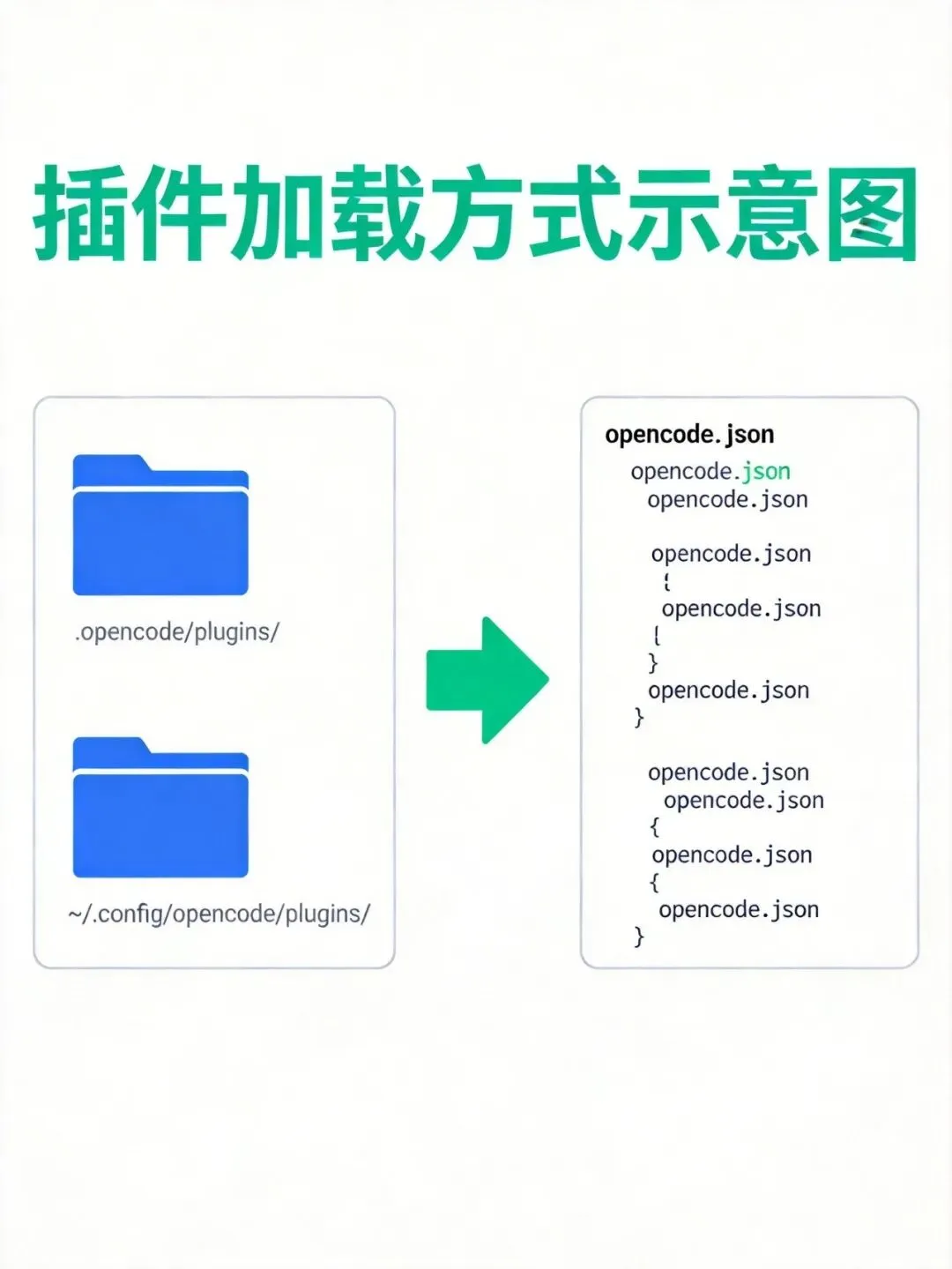
方式一:本地文件加载
把 JavaScript 或 TypeScript 文件放到插件目录里就行。
.opencode/plugins/
– 项目级插件 ~/.config/opencode/plugins/
– 全局插件
就像把扩展放到指定文件夹,启动时自动加载。
方式二:从 npm 加载
在配置文件里指定 npm 包名,OpenCode 会自动安装。
{"plugin": ["opencode-helicone-session","opencode-wakatime","@my-org/custom-plugin"]}
这就像从应用商店安装插件,一键搞定。
强大的事件系统
插件的核心能力,来自丰富的事件系统。
OpenCode 提供了 8 大类事件监听:
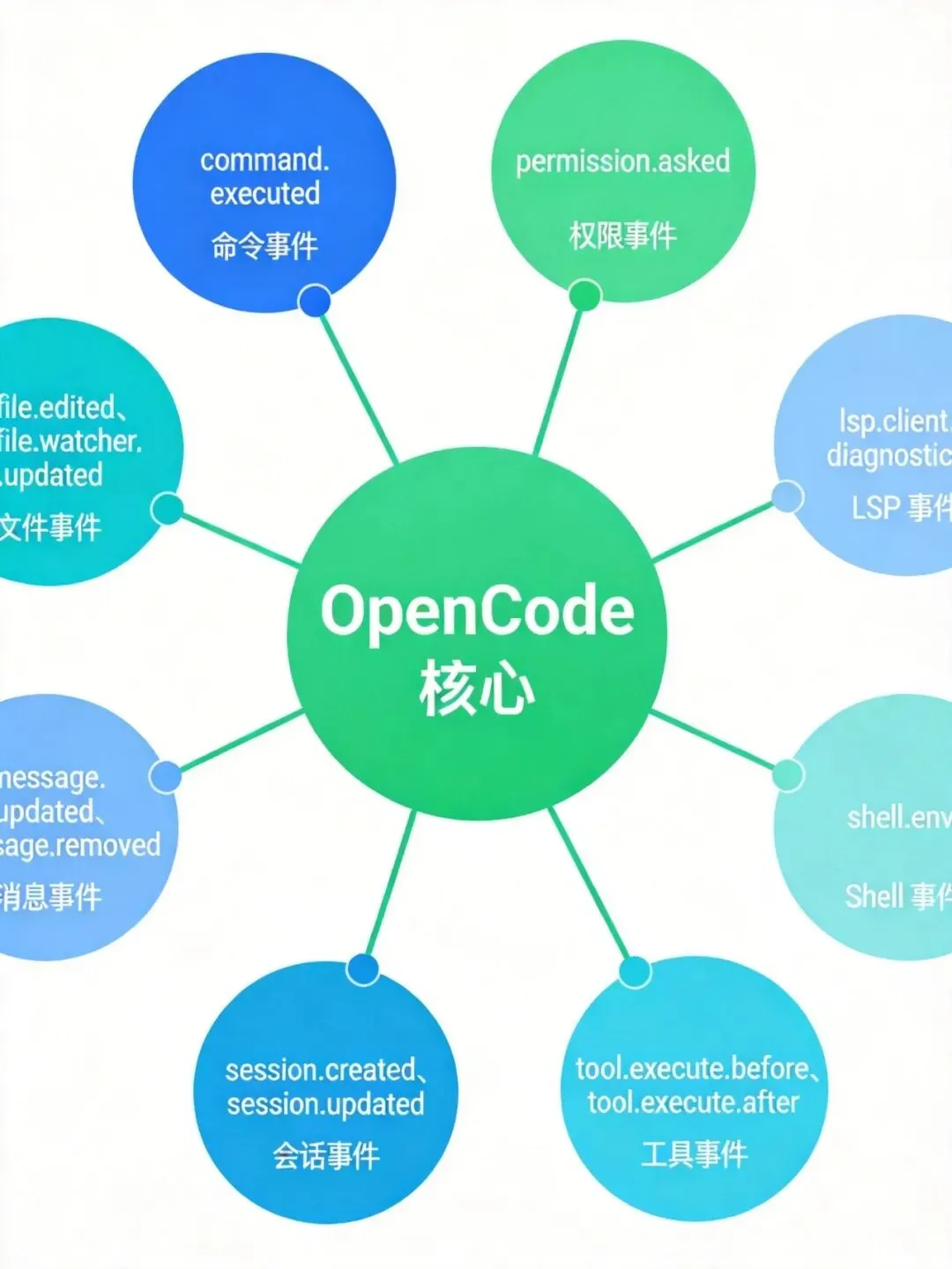
命令事件
command.executed
– 命令执行后触发
文件事件
file.edited
– 文件编辑时触发 file.watcher.updated
– 文件监听更新
消息事件
message.updated
– 消息更新 message.removed
– 消息删除
会话事件
session.created
– 会话创建 session.updated
– 会话更新 session.idle
– 会话空闲
工具事件
tool.execute.before
– 工具执行前 tool.execute.after
– 工具执行后
Shell 事件
shell.env
– Shell 环境变量
LSP 事件
lsp.client.diagnostics
– LSP 诊断信息
权限事件
permission.asked
– 权限请求 permission.replied
– 权限响应
这就像给你的工具装上了各种传感器,随时感知发生的一切。
实战示例:3 个实用插件
1. 会话完成通知
当会话空闲时自动发送系统通知。
export const NotificationPlugin = async ({ client, $ }) => { return { event: async ({ event }) => { if (event.type === "session.idle") { await $`osascript -e 'display notification "Session completed!" with title "opencode"'` } }, } }再也不用担心忘记等待任务完成了。
2. 保护 .env 文件
阻止 OpenCode 读取敏感的 .env 文件。
export const EnvProtection = async () => { return { "tool.execute.before": async (input, output) => { if (input.tool === "read" && output.args.filePath.includes(".env")) { throw new Error("Do not read .env files") } }, } }安全第一,杜绝泄露风险。
3. 注入环境变量
为所有 Shell 执行注入环境变量。
export const InjectEnvPlugin = async () => { return { "shell.env": async (input, output) => { output.env.MY_API_KEY = "secret" output.env.PROJECT_ROOT = input.cwd }, } }配置一次,处处可用。
自定义工具开发
除了监听事件,插件还能添加自定义工具。
import { type Plugin, tool } from "@opencode-ai/plugin" export const CustomToolsPlugin: Plugin = async (ctx) => { return { tool: { mytool: tool({ description: "This is a custom tool", args: { foo: tool.schema.string(), }, async execute(args, context) { const { directory, worktree } = context; return `Hello ${args.foo} from ${directory}` }, }), }, } }你的自定义工具会和内置工具一样可用。
写在最后
OpenCode 的插件系统,本质上是一个开放生态。
它不给你框框,而是给你能力。
当你能自由扩展工具时,工具就不再是工具,而是你能力的延伸。
真正的强大,不是工具本身,而是你用工具创造的无限可能。
💬 你想在 OpenCode 里实现什么功能?评论区聊聊~
如果对你有帮助,点个在看让更多人看到吧 👇

