夜雨聆风
夜雨聆风


【进阶】uni-app封装工具类js最佳实践教程,支持传参,状态更新
生命有点像一阵风,虽然我们看不见,却能感受风吹来的那一刻。 —肖纳·英尼斯-
# 序
工具类优势在于轻量级,简单易用,可复用和职责单一;它和组件用途差异例如:
工具类:不涉及渲染,只执行逻辑
组件:需要渲染页面,有生命周期开销
# 案例一
我们有文章列表,详情,搜索页;假设他们帖子更新时间都是时间戳格式;每个页面都写格式转化代码重复性很高
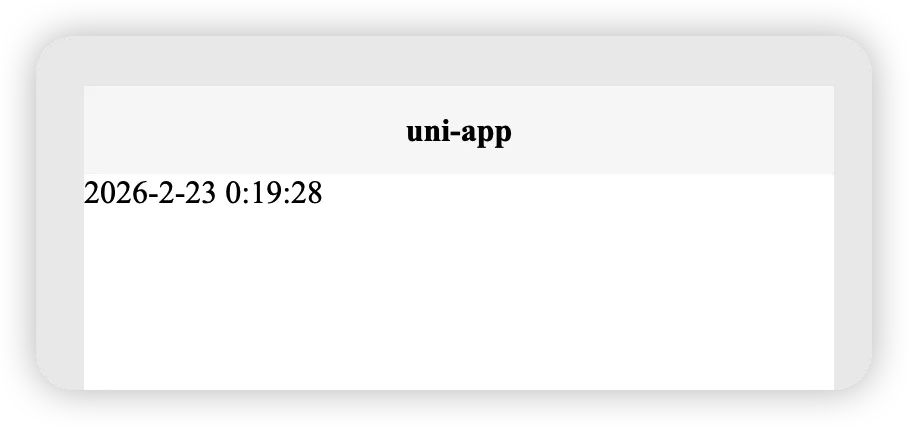
<template><viewclass="content">{{ newTime }}</view></template><script>export default {data() {return {time: '1771777168',newTime: ''}},onLoad() {this.getTime();},methods: {getTime() {// 转化time时间戳为正常日期let date = new Date(this.time * 1000);let year = date.getFullYear();let month = date.getMonth() + 1;let day = date.getDate();let hour = date.getHours();let minute = date.getMinutes();let second = date.getSeconds();this.newTime = year + '-' + month + '-' + day + ' ' + hour + ':' + minute + ':' + second;}}}</script><style></style>
转化成工具类方式,建立一个js文件
utils/time.jsexport default {formatTimestamp(timestamp) {let date = new Date(timestamp * 1000);let year = date.getFullYear();let month = date.getMonth() + 1;let day = date.getDate();let hour = date.getHours();let minute = date.getMinutes();let second = date.getSeconds();return year + '-' + month + '-' + day + ' ' + hour + ':' + minute + ':' + second;}}
页面引用
<template><viewclass="content">{{ newTime }}</view></template><script>import times from '@/utils/time.js';export default {data() {return {time: '1771777168',newTime: ''}},onLoad() {this.getTime();},methods: {getTime() {this.newTime = times.formatTimestamp(this.time);}}}</script><style></style>
# 案例二
例如我现在有ABC3个页面,每个页面都要请求一次一言API,传入不同的参数获取不同类型句子(虽然这个请求类似很奇葩)
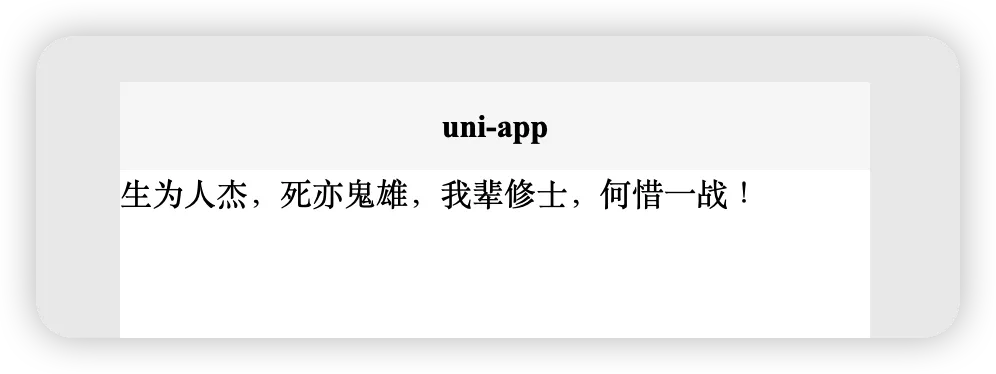
<template><viewclass="content">{{ title }}</view></template><script>export default {data() {return {title: ''}},onLoad() {this.getYi();},methods: {getYi() {const type = 'f';uni.request({url: 'https://v1.hitokoto.cn/?encode=text&c=' + type,success: (res) => {console.log(res.data)this.title = res.data;}})}}}</script><style></style>
当然我们可以使用模板组件,但介绍工具类;还是工具思路走,建立一个js文件
utils/yiyan.jsexport default {async getYiyan(type) {return new Promise((resolve, reject) => {uni.request({url: 'https://v1.hitokoto.cn/?encode=text&c=' + type,success: (res) => {resolve({ success: true, data: res.data });},fail: (err) => {reject({ success: false, data: err });}});});}}
页面引用
<template><viewclass="content">{{ title }}</view></template><script>import yiApi from '@/utils/yiyan.js';export default {data() {return {title: ''}},onLoad() {this.getYi();},methods: {async getYi() {const type = 'f';const result = await yiApi.getYiyan(type);if (result.success) {uni.showToast({title: '成功',icon: 'success'})this.title = result.data} else {uni.showToast({title: '失败',icon: 'none'})}}}}</script><style></style>