 夜雨聆风
夜雨聆风


geogebra中文文档和wps_airscript文档
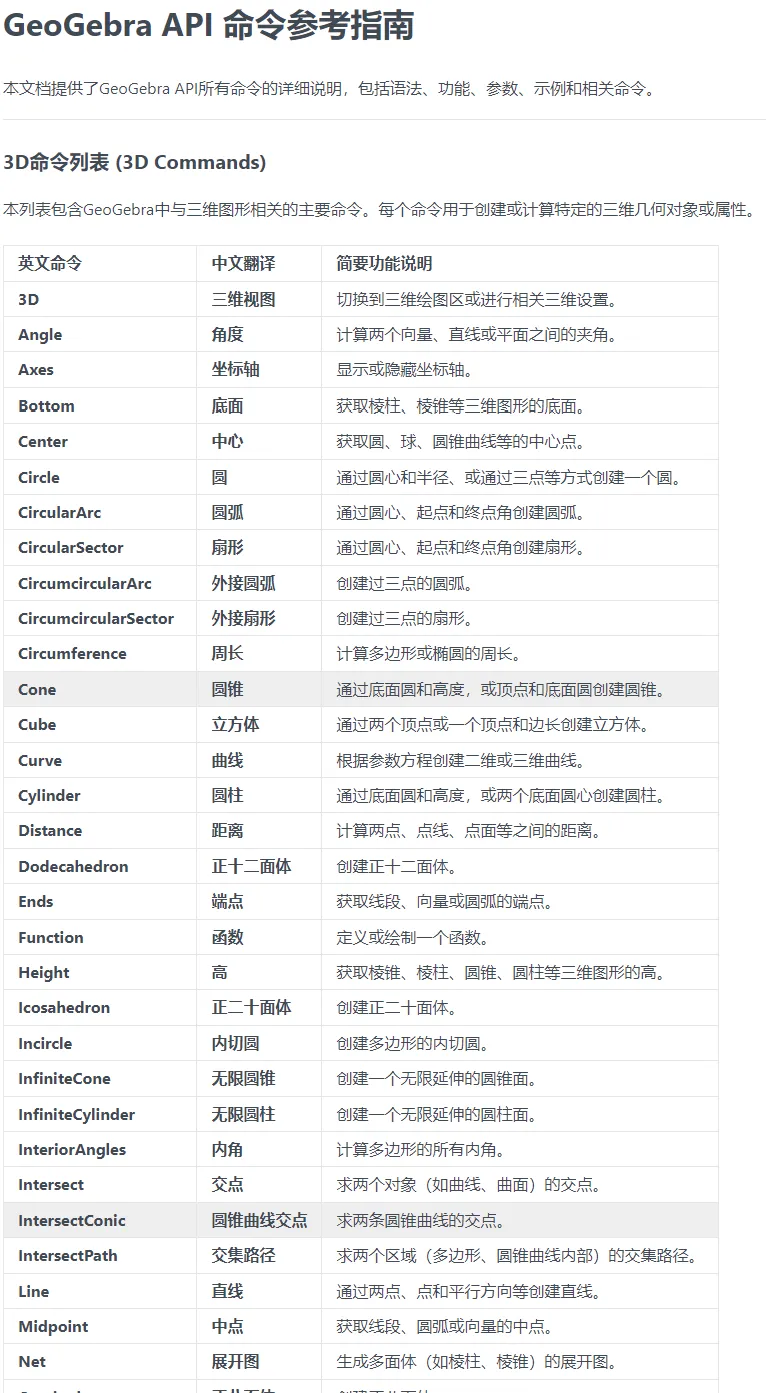
开学后需重新使用 GeoGebra 和 WPS 编写脚本,当前虽依靠 AI 生成脚本,但 AI 的局限性突出:因学习数据源庞杂,生成的脚本中大量属性 / 方法实际并不存在。
为解决这一问题,计划先爬取两款工具的官方帮助文档,具体信息如下:
-
WPS Airscript2.0 文档链接:https://airsheet.wps.cn/docs/apiV2/overview.html -
GeoGebra 英文文档链接:https://geogebra.github.io/docs/manual/en/
爬取与处理流程:
爬取文档:打开目标网页,按 F12 打开开发者工具,复制导航区域源码并保存为 TXT 文件;
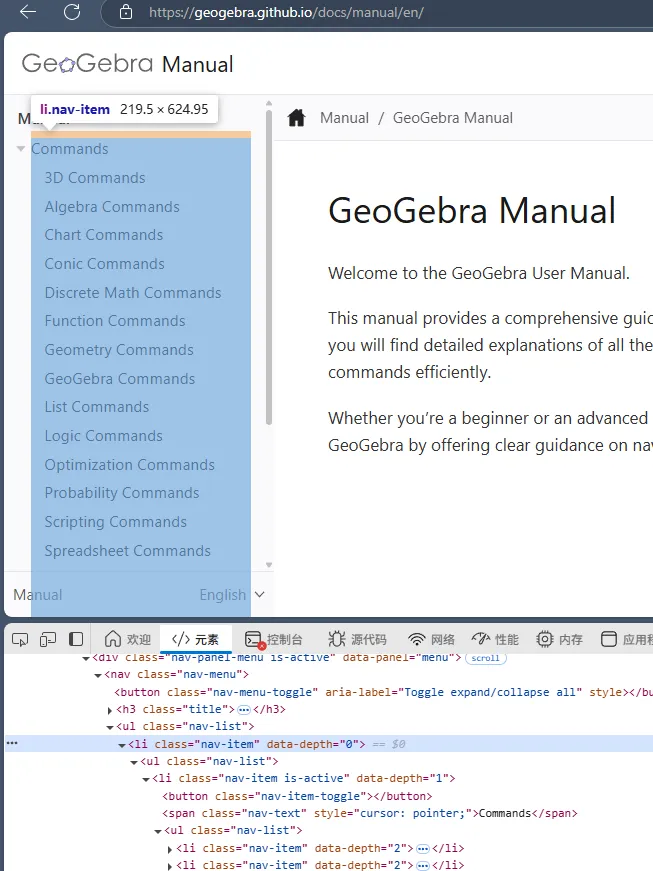
将保存的导航源码文件提供给Trae
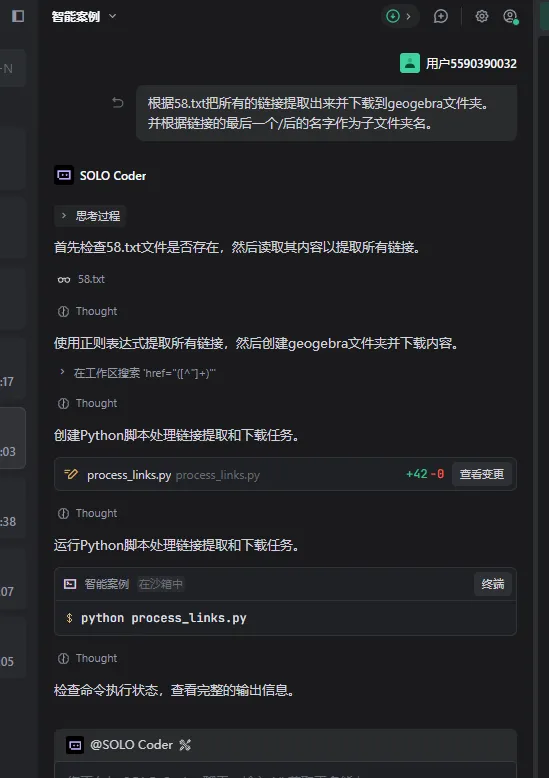
链接提取与下载:通过 Trae 提取文档内的链接并完成下载;
import reimport requestsimport jsonimport timefrom typing import Dict, List, Optionalimport os# 硅基流动API配置API_KEY = "sk-ziwdgpaq" # 请替换为您的API密钥API_URL = "https://api.siliconflow.cn/v1/chat/completions"MODEL = "deepseek-ai/DeepSeek-V3.2" # 或使用其他模型def call_siliconflow_api(prompt: str, max_retries: int = 3) -> Optional[str]:"""调用硅基流动API进行翻译和整理"""headers = {"Authorization": f"Bearer {API_KEY}","Content-Type": "application/json"}data = {"model": MODEL,"messages": [{"role": "system", "content": "你是一个专业的GeoGebra API文档翻译和整理助手。你需要将英文的GeoGebra命令文档翻译成中文,并整理成规范的格式。"},{"role": "user", "content": prompt}],"temperature": 0.3}for attempt in range(max_retries):try:response = requests.post(API_URL, headers=headers, json=data)if response.status_code == 200:result = response.json()return result['choices'][0]['message']['content']else:print(f"API调用失败,状态码: {response.status_code}, 响应: {response.text}")except Exception as e:print(f"API调用异常 (尝试 {attempt + 1}/{max_retries}): {e}")if attempt < max_retries - 1:time.sleep(2) # 等待2秒后重试return Nonedef translate_and_format_command(header: str, section_content: str) -> Optional[str]:"""使用API翻译和格式化命令文档"""# 构建提示词prompt = f"""请将以下GeoGebra命令文档翻译成中文,并整理成规范的格式。需要包含所有原始信息,确保技术术语准确。原始内容:{section_content}请按照以下格式输出(使用中文):### 语法[中文语法说明]### 功能说明[中文功能描述]### 参数说明[中文参数说明,包括每个参数的含义和类型]### 示例[中文示例说明,保留原始代码示例]### 相关命令[中文相关命令说明]请确保:1. 技术术语翻译准确2. 保持代码示例不变3. 格式清晰规范4. 保留所有重要信息"""response = call_siliconflow_api(prompt)return responsedef process_commands(content: str, headers: List[str], output_file: str):"""处理所有命令并生成文档"""# 文档头部doc_header = """# GeoGebra API 命令参考指南本文档提供了GeoGebra API所有命令的详细说明,包括语法、功能、参数、示例和相关命令。---"""with open(output_file, 'w', encoding='utf-8') as f:f.write(doc_header)total = len(headers)for i, header in enumerate(headers, 1):print(f"正在处理 [{i}/{total}]: {header}")section_content="dddd"if section_content:# 使用API翻译和格式化formatted_content = translate_and_format_command(header, header)if formatted_content:f.write(f"\n{formatted_content}\n")f.write("\n---\n") # 添加分隔线else:print(f"调用失败")# API调用失败,使用原始内容f.write(f"\n## {header}\n\n")f.write(f"{section_content}\n\n")f.write("---\n")else:f.write(f"\n## {header}\n\n")f.write("*内容提取失败*\n\n")f.write("---\n")# 添加延迟避免API限流time.sleep(1)# 每10个命令保存一次进度if i % 10 == 0:f.flush()print(f"已处理 {i}/{total} 个命令,进度已保存")def main():# 读取文件input_file = 'geogebra_api_merged.md'output_file = 'geogebra_api_reference_zh.md'print("正在读取文件...")with open(input_file, 'r', encoding='utf-8') as f:content = f.read()# 分析文件结构 - 查找所有命令标题print("正在分析文件结构...")headers = re.findall(r'^# (.+)$', content, re.MULTILINE)print(f"找到 {len(headers)} 个命令标题:")for i, header in enumerate(headers[:10], 1): # 只显示前10个print(f" {i}. {header}")if len(headers) > 10:print(f" ... 等 {len(headers)} 个命令")# 处理命令print("\n开始处理命令...")process_commands(content, headers, output_file)print(f"\n处理完成!结果已保存到 {output_file}")if __name__ == "__main__":main()
后面实际使用,效果感觉也就那样,无法做到100%正确,这样对于大部分人来说还是麻烦。

