 夜雨聆风
夜雨聆风


python操作wps在线表链接
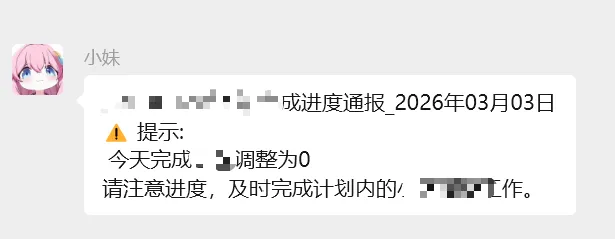
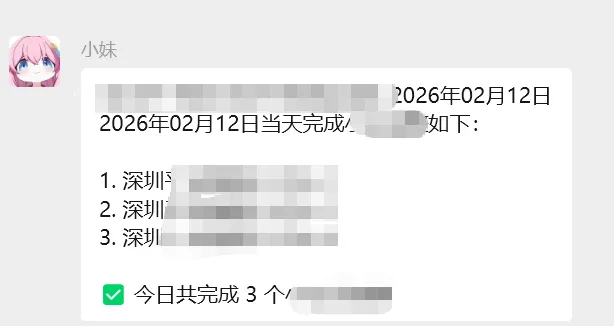
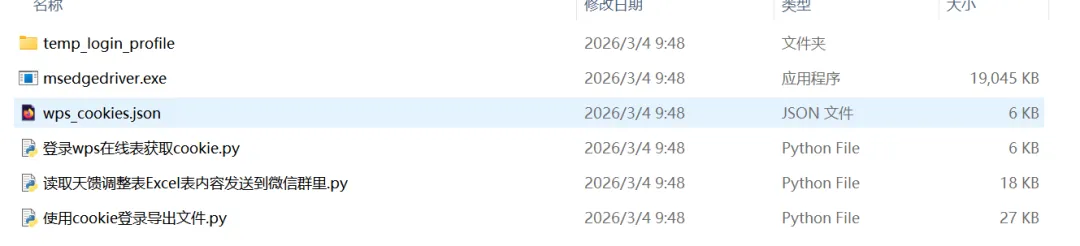
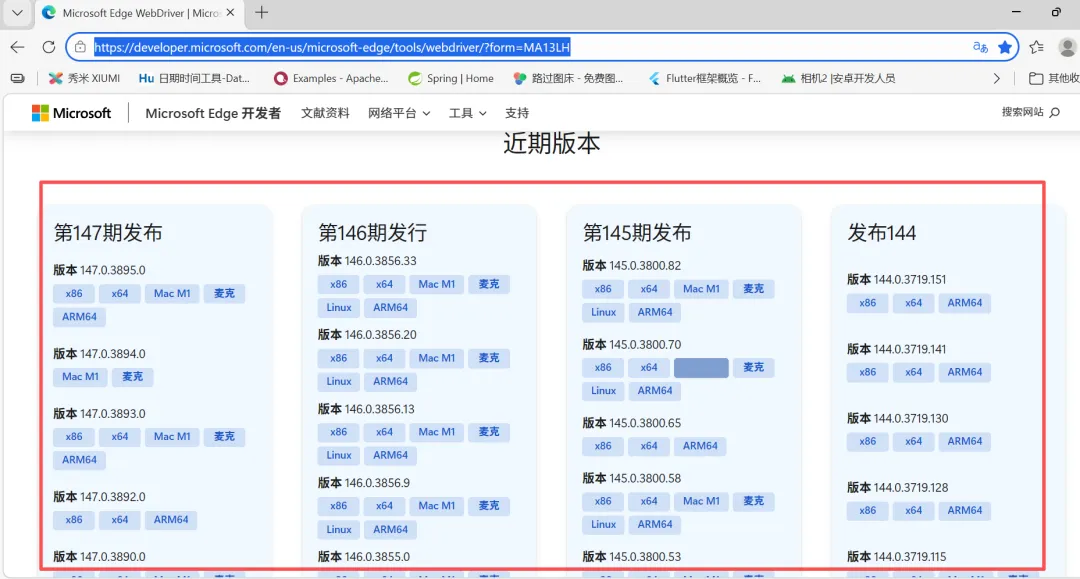
# 下载链接Microsoft Edge WebDriver | Microsoft Edge Developer1
# 3. ✅ 关键:启用无头模式(无图形界面)options.add_argument("--headless=new") # Edge 112+ 推荐使用 --headless=newoptions.add_argument("--disable-gpu") # 禁用 GPU 加速options.add_argument("--no-sandbox") # 禁用沙箱(任务计划必需)options.add_argument("--disable-dev-shm-usage") # 避免共享内存问题options.add_argument("--remote-debugging-port=9222") # 可选,便于调试
# ✅ 新增:使用独立用户数据目录(每次运行都新建)self.user_data_dir = os.path.join(os.environ['TEMP'], f"edge_profile_{int(time.time())}")os.makedirs(self.user_data_dir, exist_ok=True)options.add_argument(f"--user-data-dir={self.user_data_dir}")print(f"📁 使用独立用户数据目录: {self.user_data_dir}")
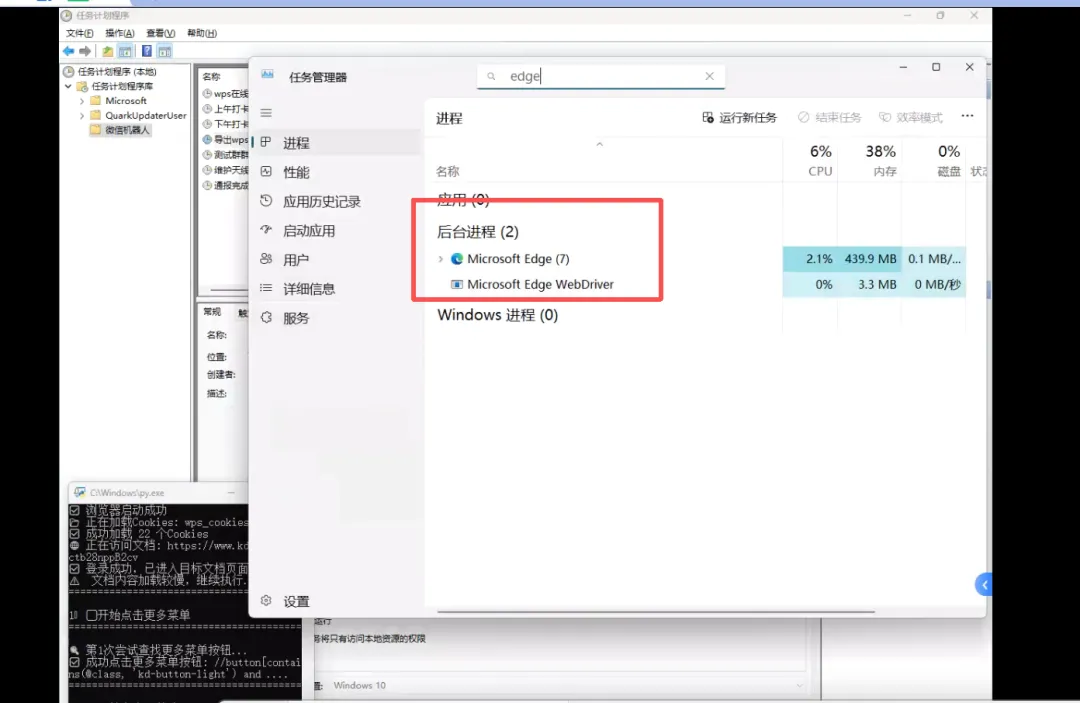
def cleanup(self):"""优化清理资源 - 确保浏览器完全关闭"""if self.driver:print("\n⏳ 正在彻底关闭浏览器...")try:# 1. 先正常退出self.driver.quit()print("✅ 已发送quit命令")except Exception as e:print(f"⚠️ 正常退出失败: {e}")# 2. 强制杀死Edge相关进程self._kill_edge_processes()# 3. 清理临时文件self._clear_temp_files()# 4. 等待进程完全结束time.sleep(2)print("✅ 浏览器清理完成")def _kill_edge_processes(self):"""强制杀死Edge相关进程"""import subprocessimport signalimport psutil # 需要安装: pip install psutilprocesses_to_kill = ["msedge.exe", # Edge主进程"msedgewebview2.exe", # Edge WebView2"msedgedriver.exe", # EdgeDriver"msedgeupdate.exe", # Edge更新进程]for proc_name in processes_to_kill:try:# 方法1: 使用taskkillsubprocess.run(f"taskkill /f /im {proc_name}",shell=True, capture_output=True)# 方法2: 使用psutil确保彻底清理for proc in psutil.process_iter(['pid', 'name']):try:if proc.info['name'] and proc.info['name'].lower() == proc_name.lower():proc.terminate() # 优雅终止time.sleep(0.5)if proc.is_running():proc.kill() # 强制终止print(f"✅ 已终止进程: {proc_name} (PID: {proc.info['pid']})")except (psutil.NoSuchProcess, psutil.AccessDenied, psutil.ZombieProcess):continueexcept Exception as e:print(f"⚠️ 终止{proc_name}时出错: {e}")def _clear_temp_files(self):"""清理临时文件和锁文件"""import tempfile# 清理Edge临时目录edge_temp_paths = [os.path.join(os.environ.get('TEMP', ''), "MicrosoftEdge*.tmp"),os.path.join(os.environ.get('TEMP', ''), "edge_headless_profile"),os.path.join(os.environ.get('LOCALAPPDATA', ''), "Temp", "MicrosoftEdge*.tmp"),]for pattern in edge_temp_paths:try:import globfor file in glob.glob(pattern):try:if os.path.isdir(file):import shutilshutil.rmtree(file, ignore_errors=True)else:os.remove(file)except:passexcept:passprint("✅ 临时文件已清理")
# 使用cookie登录导出文件.pyimport jsonimport timeimport osimport shutilfrom selenium import webdriverfrom selenium.webdriver.edge.options import Optionsfrom selenium.webdriver.edge.service import Servicefrom selenium.webdriver.common.by import Byfrom selenium.webdriver.support.ui import WebDriverWaitfrom selenium.webdriver.support import expected_conditions as ECimport tracebackclass WPSAutoExport:"""使用Cookie自动登录并执行导出流程"""def __init__(self):# 您提供的正确文档链接self.doc_url = "https://www.kdocs.cn/l/*****" #替换为你的wps在线链接self.cookie_file = "wps_cookies.json"# 导出相关配置self.default_download_dir = os.path.join(os.path.expanduser("~"), "Downloads")self.target_export_dir = r"E:\Wechat_XiaoMei_Notice\wps截图通报"self.export_filename = "天馈调整表.xlsx"self.export_file_path = Noneself.driver = None# 窗口配置self.window_mode = "maximized" # 可选: "maximized", "fullscreen", "custom"self.custom_size = (1400, 900) # 当window_mode为"custom"时使用# 等待配置self.wait_timeout = 15self.element_wait_timeout = 10# 确保目录存在os.makedirs(self.default_download_dir, exist_ok=True)os.makedirs(self.target_export_dir, exist_ok=True)def setup_browser(self):"""配置浏览器选项"""print("🔧 正在配置浏览器...")try:# 设置Edge选项options = Options()# 禁用自动化特征检测options.add_argument("--disable-blink-features=AutomationControlled")options.add_experimental_option("excludeSwitches", ["enable-automation"])options.add_experimental_option('useAutomationExtension', False)# 设置下载目录prefs = {"download.default_directory": self.default_download_dir,"download.prompt_for_download": False,"download.directory_upgrade": True,"safebrowsing.enabled": True}options.add_experimental_option("prefs", prefs)# 性能优化options.add_argument("--disable-gpu")options.add_argument("--disable-software-rasterizer")# 3. ✅ 关键:启用无头模式(无图形界面)options.add_argument("--headless=new") # Edge 112+ 推荐使用 --headless=newoptions.add_argument("--disable-gpu") # 禁用 GPU 加速options.add_argument("--no-sandbox") # 禁用沙箱(任务计划必需)options.add_argument("--disable-dev-shm-usage") # 避免共享内存问题options.add_argument("--remote-debugging-port=9222") # 可选,便于调试# ✅ 新增:使用独立用户数据目录(每次运行都新建)self.user_data_dir = os.path.join(os.environ['TEMP'], f"edge_profile_{int(time.time())}")os.makedirs(self.user_data_dir, exist_ok=True)options.add_argument(f"--user-data-dir={self.user_data_dir}")print(f"📁 使用独立用户数据目录: {self.user_data_dir}")# 指定Edge驱动路径 - 绝对路径edge_driver_path = r"E:\Wechat_XiaoMei_Notice\通报天线调整进度小区数\msedgedriver.exe"# 创建服务实例service = Service(executable_path=edge_driver_path)# 启动浏览器self.driver = webdriver.Edge(service=service, options=options)# 设置窗口大小self.set_window_size()print("✅ 浏览器启动成功")return Trueexcept Exception as e:print(f"❌ 浏览器启动失败: {e}")traceback.print_exc()return Falsedef set_window_size(self):"""设置浏览器窗口大小"""try:if self.window_mode == "maximized":# 最大化窗口self.driver.maximize_window()print("✅ 窗口已最大化")# 获取实际窗口尺寸time.sleep(0.5)window_size = self.driver.get_window_size()print(f"🪟 窗口尺寸: {window_size['width']}x{window_size['height']}")elif self.window_mode == "fullscreen":# 全屏模式self.driver.fullscreen_window()print("✅ 窗口已全屏")elif self.window_mode == "custom":# 自定义大小width, height = self.custom_sizeself.driver.set_window_size(width, height)print(f"🪟 窗口尺寸设置为: {width}x{height}")else:# 默认最大化self.driver.maximize_window()print("✅ 窗口已最大化")except Exception as e:print(f"⚠️ 设置窗口大小失败: {e}")# 尝试备用方案try:self.driver.maximize_window()print("✅ 备用方案: 窗口已最大化")except:passdef load_cookies(self):"""从文件加载Cookies"""print(f"📂 正在加载Cookies: {self.cookie_file}")if not os.path.exists(self.cookie_file):print(f"❌ 未找到Cookie文件: {self.cookie_file}")print("请先运行 wps_login_get_cookie.py 获取Cookies")return Falsetry:with open(self.cookie_file, 'r', encoding='utf-8') as f:cookies = json.load(f)# 先访问主域名以设置Cookiesself.driver.get("https://www.kdocs.cn")time.sleep(2)# 清除现有Cookiesself.driver.delete_all_cookies()# 添加Cookiescookie_count = 0for cookie in cookies:try:# 移除可能的问题字段if 'sameSite' in cookie and cookie['sameSite'] not in ['Strict', 'Lax', 'None']:del cookie['sameSite']self.driver.add_cookie(cookie)cookie_count += 1except Exception as e:print(f"⚠️ 跳过无效Cookie: {e}")continueprint(f"✅ 成功加载 {cookie_count} 个Cookies")return Trueexcept Exception as e:print(f"❌ 加载Cookies失败: {e}")traceback.print_exc()return Falsedef access_document(self):"""访问文档并检查登录状态"""print(f"🌐 正在访问文档: {self.doc_url}")# 使用Cookies访问文档self.driver.get(self.doc_url)time.sleep(5)# 检查是否登录成功current_url = self.driver.current_urlif "kdocs.cn/l/ctb28nppB2cv" in current_url:print("✅ 登录成功,已进入目标文档页面")# 等待页面加载完成try:WebDriverWait(self.driver, 10).until(EC.presence_of_element_located((By.XPATH,"//div[contains(@class, 'kdocs-content')] | //div[contains(@class, 'sheet-container')]")))print("✅ 文档内容已加载")except:print("⚠️ 文档内容加载较慢,继续执行...")return Trueelse:print("⚠️ 登录可能失败,当前页面:", current_url)# 检查是否有登录提示try:login_elements = self.driver.find_elements(By.XPATH,"//button[contains(text(), '登录')] | //div[contains(text(), '登录')]")if login_elements:print("❌ 检测到登录页面,Cookie可能已失效")return Falseexcept:passreturn True # 假设成功def smart_find_and_click(self, selectors, description, max_wait=10, retry_count=3):"""智能查找并点击元素selectors: [(selector, type), ...] type可以是 'xpath' 或 'css'description: 元素描述"""for attempt in range(retry_count):print(f"🔍 第{attempt + 1}次尝试查找{description}...")for selector, selector_type in selectors:try:if selector_type == 'xpath':element = WebDriverWait(self.driver, max_wait).until(EC.element_to_be_clickable((By.XPATH, selector)))else: # csselement = WebDriverWait(self.driver, max_wait).until(EC.element_to_be_clickable((By.CSS_SELECTOR, selector)))if element.is_displayed():# 滚动到元素位置self.driver.execute_script("arguments[0].scrollIntoView({block: 'center', behavior: 'smooth'});", element)time.sleep(0.5)# 点击元素element.click()print(f"✅ 成功点击{description}: {selector[:50]}...")time.sleep(1.5) # 等待操作完成return Trueexcept Exception as e:continueif attempt < retry_count - 1:print(f"⚠️ 第{attempt + 1}次尝试失败,等待2秒后重试...")time.sleep(2)print(f"❌ 查找{description}失败,尝试了{retry_count}次")return Falsedef click_more_menu_smart(self):"""智能点击更多菜单按钮"""print("=" * 40)print("1️⃣ 开始点击更多菜单")print("=" * 40)more_menu_selectors = [("//button[contains(@class, 'kd-button-light') and .//i[contains(@class, 'kd-icon-menu')]]", 'xpath'),("//button[contains(@class, 'kd-button') and .//i[contains(@class, 'kd-icon-menu')]]", 'xpath'),("//button[.//i[contains(@class, 'kd-icon-menu')]]", 'xpath'),("//button[contains(@class, 'kd-icon-menu')]", 'xpath'),("//button[contains(@title, '更多') or contains(@aria-label, '更多')]", 'xpath'),("//span[contains(text(), '更多')]/..", 'xpath'),("button.kd-button.kd-button-light.kd-button-lg.kd-button-icon", 'css')]return self.smart_find_and_click(more_menu_selectors, "更多菜单按钮")def click_download_option_smart(self):"""智能点击下载选项"""print("=" * 40)print("2️⃣ 开始点击下载选项")print("=" * 40)download_selectors = [("//div[contains(@class, 'menu-text') and .//span[text()='下载']]", 'xpath'),("//span[text()='下载']", 'xpath'),("//div[text()='下载']", 'xpath'),("//button[text()='下载']", 'xpath'),("//i[contains(@class, 'kd-icon-transmit_download')]/..", 'xpath'),("//div[@data-key='Download']", 'xpath'),("//div[@data-key='DownLoad']", 'xpath')]return self.smart_find_and_click(download_selectors, "下载选项")def handle_export_dialog_smart(self):"""智能处理导出对话框两种情况:1. 显示"导出为 Excel"按钮2. 显示"普通下载"按钮"""print("=" * 40)print("3️⃣ 处理导出对话框(智能识别两种按钮)")print("=" * 40)# 首先等待对话框出现print("⏳ 等待导出对话框出现...")# 检查对话框是否已经出现dialog_selectors = ["//div[contains(@class, 'export-dialog')]","//div[contains(@class, 'download-dialog')]","//div[contains(text(), '下载方式')]","//div[contains(text(), '导出方式')]"]dialog_found = Falsefor selector in dialog_selectors:try:element = WebDriverWait(self.driver, 5).until(EC.presence_of_element_located((By.XPATH, selector)))if element.is_displayed():dialog_found = Trueprint("✅ 检测到导出对话框")breakexcept:continueif not dialog_found:print("⚠️ 未检测到导出对话框,但继续尝试...")# 情况1:优先尝试"导出为 Excel"按钮print("🔍 首先尝试查找'导出为 Excel'按钮...")export_excel_selectors = [("//button[contains(text(), '导出为 Excel')]", 'xpath'),("//button[contains(@class, 'export-btn') and contains(text(), '导出')]", 'xpath'),("//button[.//span[contains(text(), '导出为 Excel')]]", 'xpath'),("//div[contains(text(), '导出为 Excel')]", 'xpath'),("/html/body/div[5]/div[4]/div/div[2]/div/div/div[2]/button", 'xpath')]for selector, selector_type in export_excel_selectors:try:if selector_type == 'xpath':element = WebDriverWait(self.driver, 5).until(EC.element_to_be_clickable((By.XPATH, selector)))else:element = WebDriverWait(self.driver, 5).until(EC.element_to_be_clickable((By.CSS_SELECTOR, selector)))if element.is_displayed():# 获取按钮文本以便确认button_text = element.text.strip() or element.get_attribute('textContent').strip()print(f"✅ 找到'导出为 Excel'按钮: {button_text}")# 点击按钮element.click()print("✅ 点击'导出为 Excel'按钮成功")time.sleep(3) # 等待导出处理return Trueexcept Exception as e:continue# 情况2:如果没找到"导出为 Excel",尝试"普通下载"按钮print("🔍 未找到'导出为 Excel'按钮,尝试查找'普通下载'按钮...")normal_download_selectors = [("//button[contains(text(), '普通下载')]", 'xpath'),("//button[contains(@class, 'kdv-button--secondary') and contains(text(), '普通下载')]", 'xpath'),("//button[.//span[contains(text(), '普通下载')]]", 'xpath'),("//button[text()='普通下载']", 'xpath')]for selector, selector_type in normal_download_selectors:try:if selector_type == 'xpath':element = WebDriverWait(self.driver, 5).until(EC.element_to_be_clickable((By.XPATH, selector)))else:element = WebDriverWait(self.driver, 5).until(EC.element_to_be_clickable((By.CSS_SELECTOR, selector)))if element.is_displayed():# 获取按钮文本以便确认button_text = element.text.strip() or element.get_attribute('textContent').strip()print(f"✅ 找到'普通下载'按钮: {button_text}")# 点击按钮element.click()print("✅ 点击'普通下载'按钮成功")time.sleep(3) # 等待下载处理return Trueexcept Exception as e:continueprint("❌ 既没找到'导出为 Excel'也没找到'普通下载'按钮")return Falsedef wait_for_download_complete(self, timeout=60, check_interval=2):"""等待下载完成"""print("⏳ 等待下载完成...")start_time = time.time()initial_files = set()# 获取初始文件列表if os.path.exists(self.default_download_dir):initial_files = set(os.listdir(self.default_download_dir))while time.time() - start_time < timeout:# 检查下载目录是否有新文件if os.path.exists(self.default_download_dir):current_files = set(os.listdir(self.default_download_dir))new_files = current_files - initial_files# 检查是否有新的.xlsx文件new_xlsx_files = [f for f in new_files if f.endswith('.xlsx')]if new_xlsx_files:print(f"✅ 检测到新下载的.xlsx文件: {', '.join(new_xlsx_files)}")# 检查文件是否完全下载完成(文件大小稳定)file_complete = Truefor filename in new_xlsx_files:file_path = os.path.join(self.default_download_dir, filename)try:size1 = os.path.getsize(file_path)time.sleep(0.5)size2 = os.path.getsize(file_path)if size1 != size2 or size1 == 0:file_complete = Falseprint(f"⚠️ 文件 {filename} 仍在下载中...")breakexcept:file_complete = Falseif file_complete:print("✅ 所有文件下载完成")return True# 检查页面是否有下载完成提示try:success_selectors = ["//div[contains(text(), '下载成功')]","//div[contains(text(), '导出成功')]","//div[contains(text(), '保存成功')]"]for selector in success_selectors:try:element = self.driver.find_element(By.XPATH, selector)if element.is_displayed():print(f"✅ 检测到成功提示: {element.text}")return Trueexcept:continueexcept:passtime.sleep(check_interval)print(f"⚠️ 等待下载超时({timeout}秒)")return Falsedef handle_exported_file(self):"""处理导出的Excel文件1. 查找下载的文件2. 复制到目标目录3. 清理下载目录"""print("\n" + "=" * 50)print("🚀 开始处理导出的Excel文件")print("=" * 50)try:# 1. 等待文件下载完成print("⏳ 等待文件下载完成...")time.sleep(3)# 2. 查找下载的文件print(f"🔍 在下载目录查找文件: {self.default_download_dir}")# 搜索所有包含"天馈调整表"的文件keyword = "天馈调整表"found_files = []if os.path.exists(self.default_download_dir):for filename in os.listdir(self.default_download_dir):if keyword in filename and filename.endswith('.xlsx'):file_path = os.path.join(self.default_download_dir, filename)if os.path.isfile(file_path):found_files.append(file_path)if not found_files:print(f"❌ 在下载目录中未找到包含'{keyword}'的xlsx文件")# 尝试查找任何.xlsx文件all_xlsx_files = []for filename in os.listdir(self.default_download_dir):if filename.endswith('.xlsx'):file_path = os.path.join(self.default_download_dir, filename)if os.path.isfile(file_path):all_xlsx_files.append(file_path)if all_xlsx_files:found_files = all_xlsx_filesprint(f"⚠️ 但找到了 {len(found_files)} 个.xlsx文件,将使用这些文件")else:print(f"📁 下载目录内容:")try:files = os.listdir(self.default_download_dir)for f in files[:10]:print(f" - {f}")except:passreturn False# 3. 找到最新下载的文件print(f"✅ 找到 {len(found_files)} 个相关文件:")for f in found_files:print(f"📄 {os.path.basename(f)}")# 按修改时间排序,取最新的文件latest_file = max(found_files, key=os.path.getmtime)print(f"📅 最新文件: {os.path.basename(latest_file)}")print(f"📁 文件路径: {latest_file}")print(f"📏 文件大小: {os.path.getsize(latest_file) / 1024:.2f} KB")# 保存文件路径self.export_file_path = latest_file# 4. 复制文件到目标目录print(f"\n🔧 复制文件到目标目录: {self.target_export_dir}")# 确保目标目录存在os.makedirs(self.target_export_dir, exist_ok=True)# 目标文件路径target_file = os.path.join(self.target_export_dir, self.export_filename)# 如果目标文件已存在,先删除if os.path.exists(target_file):print(f"⚠️ 目标文件已存在,正在删除: {os.path.basename(target_file)}")os.remove(target_file)# 复制文件shutil.copy2(latest_file, target_file)if os.path.exists(target_file):print(f"✅ 文件复制成功!")print(f"📁 源文件: {os.path.basename(latest_file)}")print(f"📁 目标文件: {os.path.basename(target_file)}")print(f"📁 目标路径: {target_file}")print(f"📏 目标文件大小: {os.path.getsize(target_file) / 1024:.2f} KB")else:print(f"❌ 文件复制失败")return False# 5. 清理下载目录print(f"\n🧹 清理下载目录...")deleted_count = 0for file_path in found_files:try:os.remove(file_path)print(f" 🗑️ 已删除: {os.path.basename(file_path)}")deleted_count += 1except Exception as e:print(f" ⚠️ 删除失败 {os.path.basename(file_path)}: {e}")print(f"✅ 清理完成,共删除 {deleted_count} 个文件")return Trueexcept Exception as e:print(f"❌ 处理导出文件时出错: {e}")traceback.print_exc()return Falsedef cleanup(self):"""清理资源"""if self.driver:print("\n⏳ 正在关闭浏览器...")time.sleep(3)self.driver.quit()print("✅ 浏览器已关闭")def run_single_attempt(self):"""单次运行完整的导出流程"""try:# 1. 设置浏览器if not self.setup_browser():return False# 2. 加载Cookiesif not self.load_cookies():return False# 3. 访问文档if not self.access_document():return False# 4. 点击更多菜单if not self.click_more_menu_smart():print("❌ 点击更多菜单失败")return False# 5. 点击下载选项if not self.click_download_option_smart():print("❌ 点击下载选项失败")return False# 6. 智能处理导出对话框if not self.handle_export_dialog_smart():print("❌ 处理导出对话框失败")return False# 7. 等待下载完成if not self.wait_for_download_complete():print("⚠️ 等待下载可能未完成,继续处理...")# 8. 处理导出的文件if not self.handle_exported_file():print("❌ 处理导出文件失败")return Falseprint("\n" + "=" * 60)print("🎉 导出流程完成!")print(f"📁 文件已保存到: {os.path.join(self.target_export_dir, self.export_filename)}")print("=" * 60)return Trueexcept Exception as e:print(f"❌ 程序执行出错: {e}")traceback.print_exc()return Falsefinally:self.cleanup()if __name__ == "__main__":print("🚀 开始WPS自动导出流程")print("=" * 60)tool = WPSAutoExport()success = tool.run_single_attempt()if success:print("\n" + "=" * 60)print("✅ 自动导出流程成功完成!")print("=" * 60)else:print("\n" + "=" * 60)print("❌ 自动导出流程失败")print("=" * 60)
# 登录wps在线表获取cookie.pyimport jsonimport timeimport osimport shutilfrom selenium import webdriverfrom selenium.webdriver.edge.options import Optionsfrom selenium.webdriver.common.by import Byfrom selenium.webdriver.support.ui import WebDriverWaitfrom selenium.webdriver.support import expected_conditions as ECclass WPSLoginToGetCookie:"""专门用于手动登录并获取Cookie的工具"""def __init__(self):self.doc_url = "https://www.kdocs.cn/l/******"self.cookie_file = "wps_cookies.json"self.driver = Nonedef setup_browser_simple(self):"""简化版浏览器配置"""print("🔧 正在配置浏览器(简化版)...")try:# 使用最基本的配置options = Options()# 移除可能导致问题的复杂配置# options.add_argument("--window-size=1400,900")# options.add_argument("--disable-blink-features=AutomationControlled")# options.add_experimental_option("excludeSwitches", ["enable-automation"])# options.add_experimental_option('useAutomationExtension', False)# 启动浏览器self.driver = webdriver.Edge(options=options)print("✅ 浏览器启动成功")# 最大化窗口self.driver.maximize_window()print("✅ 窗口已最大化")return Trueexcept Exception as e:print(f"❌ 浏览器启动失败: {e}")print("\n💡 可能的解决方案:")print("1. 检查是否已安装Microsoft Edge浏览器")print("2. 检查Edge浏览器版本")print("3. 检查是否安装了正确的EdgeDriver")print("4. 尝试以管理员身份运行Python脚本")return Falsedef manual_login_and_save(self):"""手动登录并保存Cookies"""print("=" * 60)print("🔐 请在打开的浏览器中手动登录WPS账号")print("步骤:")print("1. 在浏览器中完成登录(可能需要滑块验证)")print("2. 登录成功后,确保当前页面是目标文档页面")print("3. 确认无误后,按回车键保存Cookies")print("=" * 60)# 访问文档页面self.driver.get(self.doc_url)time.sleep(5)# 检查是否需要登录try:login_elements = self.driver.find_elements(By.XPATH,"//button[contains(text(), '登录')] | //div[contains(text(), '登录')]")if login_elements:print("⚠️ 检测到需要登录,请手动登录...")except:pass# 等待用户手动登录input("\n📌 登录完成后,请按回车键继续保存Cookies...")try:# 获取Cookiescookies = self.driver.get_cookies()# 保存到文件with open(self.cookie_file, 'w', encoding='utf-8') as f:json.dump(cookies, f, ensure_ascii=False, indent=2)print(f"\n✅ Cookies已成功保存到: {os.path.abspath(self.cookie_file)}")print(f"📄 共保存 {len(cookies)} 个Cookies")# 显示前几个重要的Cookieprint("\n📋 保存的重要Cookie:")for cookie in cookies[:3]:if 'name' in cookie and 'value' in cookie:name = cookie['name']value_preview = cookie['value'][:20] + "..." if len(cookie['value']) > 20 else cookie['value']print(f" {name}: {value_preview}")return Trueexcept Exception as e:print(f"❌ 保存Cookies失败: {e}")return Falsedef cleanup(self):"""清理资源"""if self.driver:print("\n⏳ 正在关闭浏览器...")time.sleep(2)self.driver.quit()print("✅ 浏览器已关闭")def run(self):"""运行主流程"""print("🚀 WPS手动登录获取Cookie工具")print("=" * 60)# 检查是否已有Cookie文件if os.path.exists(self.cookie_file):print(f"⚠️ 检测到已存在的Cookie文件: {self.cookie_file}")choice = input("是否覆盖?(y/n): ").strip().lower()if choice != 'y':print("❌ 已取消操作")return Falsetry:if not self.setup_browser_simple():return Falseif self.manual_login_and_save():print("\n🎉 登录和Cookie保存完成!")print("现在你可以运行 auto_export.py 来进行自动导出操作了。")return Trueelse:print("❌ 登录或保存Cookies失败")return Falseexcept Exception as e:print(f"❌ 程序执行出错: {e}")return Falsefinally:self.cleanup()if __name__ == "__main__":tool = WPSLoginToGetCookie()tool.run()

