 夜雨聆风
夜雨聆风


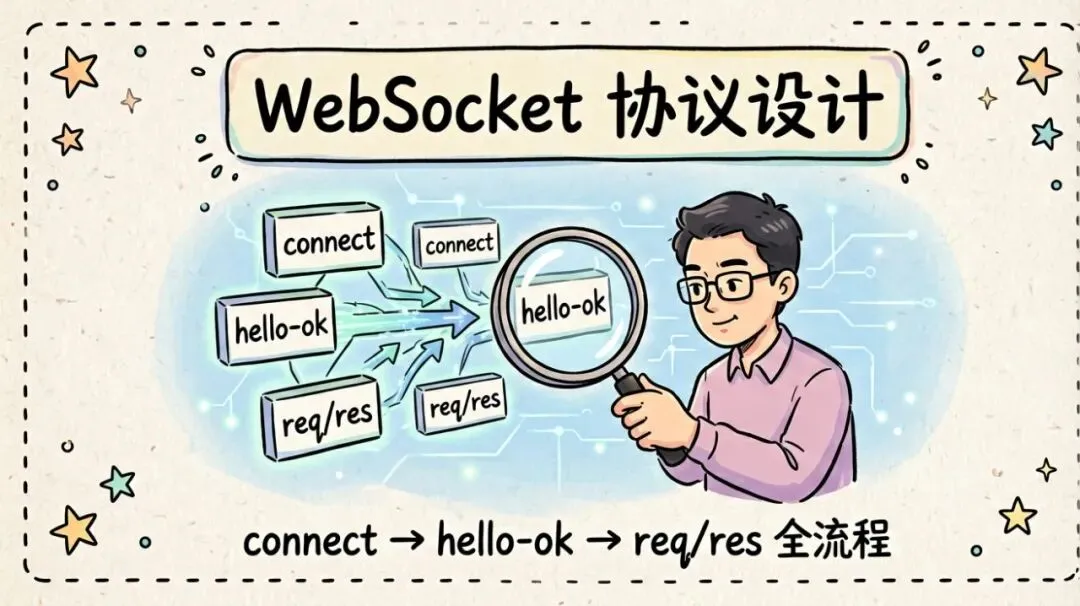
【OpenClaw 入门指南】WebSocket 协议:connect → hello-ok → req/res
模块:M1 Gateway 网关服务 | 预计阅读:35 分钟 | 难度:⭐⭐⭐
💡 导语
Alex,你可能觉得协议是”底层细节”,开发者用就行了,没必要深究。但 OpenClaw 的 Gateway 协议设计有几个特别之处:
- 1. 它是控制平面 + 节点传输的统一通道 —— CLI、Web UI、iOS/Android 节点、headless 节点,全走这一条 WebSocket
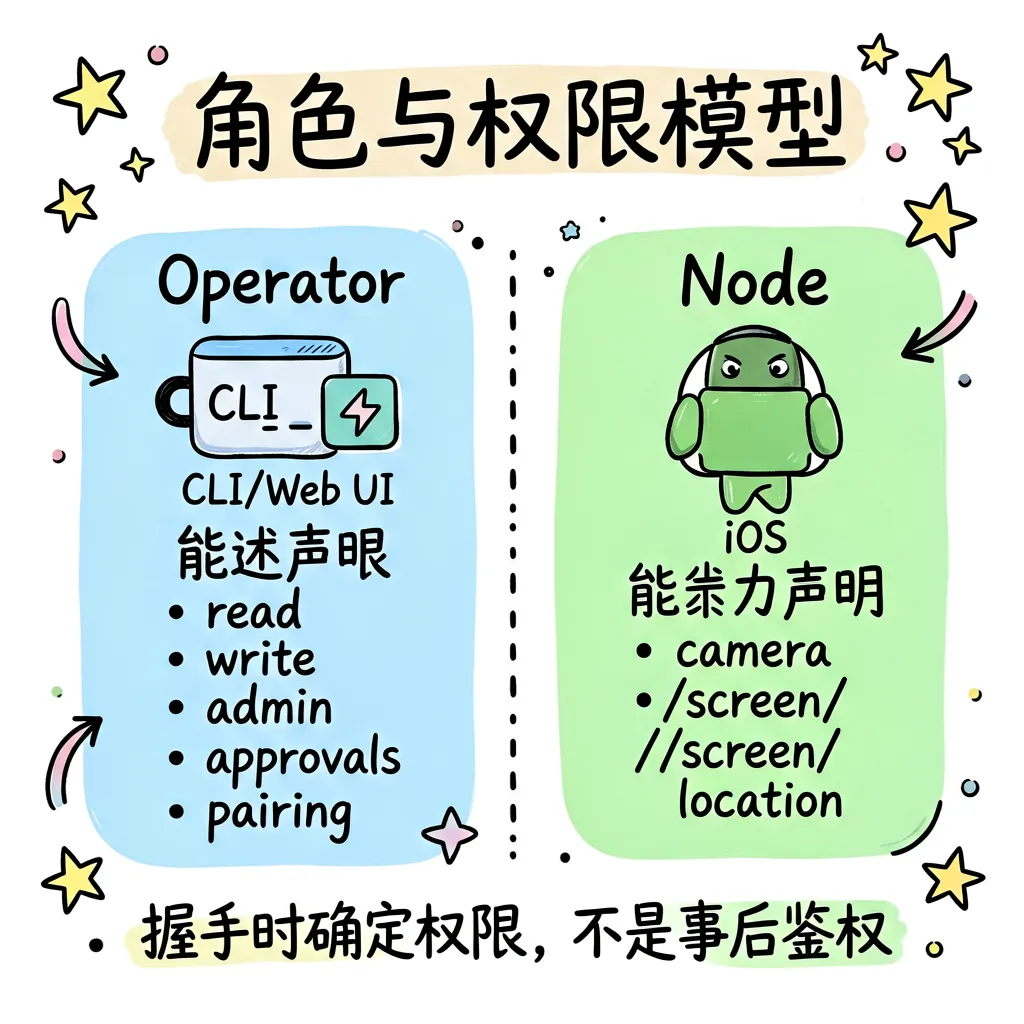
- 2. 角色和权限在握手时就确定 —— operator vs node,scopes 声明,不是事后鉴权
- 3. 协议版本协商机制 —— 客户端发 min/max,服务端回实际版本,不兼容就拒绝
- 4. 帧格式简单但功能完整 —— 只有 req/res/event 三种帧类型,却覆盖了 100+ RPC 方法
理解这个协议,你就能理解为什么 OpenClaw 能做到”一个 Gateway 管所有客户端”,也能排查连接失败、权限不足、协议不匹配等问题。
一、协议概览
1.1 传输层
- • WebSocket,文本帧,JSON 负载
- • 首帧必须是
connect请求 —— 没握手就发数据,Gateway 直接断开 - • 握手前帧大小限制 64 KiB —— 防止恶意客户端在鉴权前发大包
- • 握手后遵循
hello-ok.policy.maxPayload和maxBufferedBytes—— 通常 25 MB
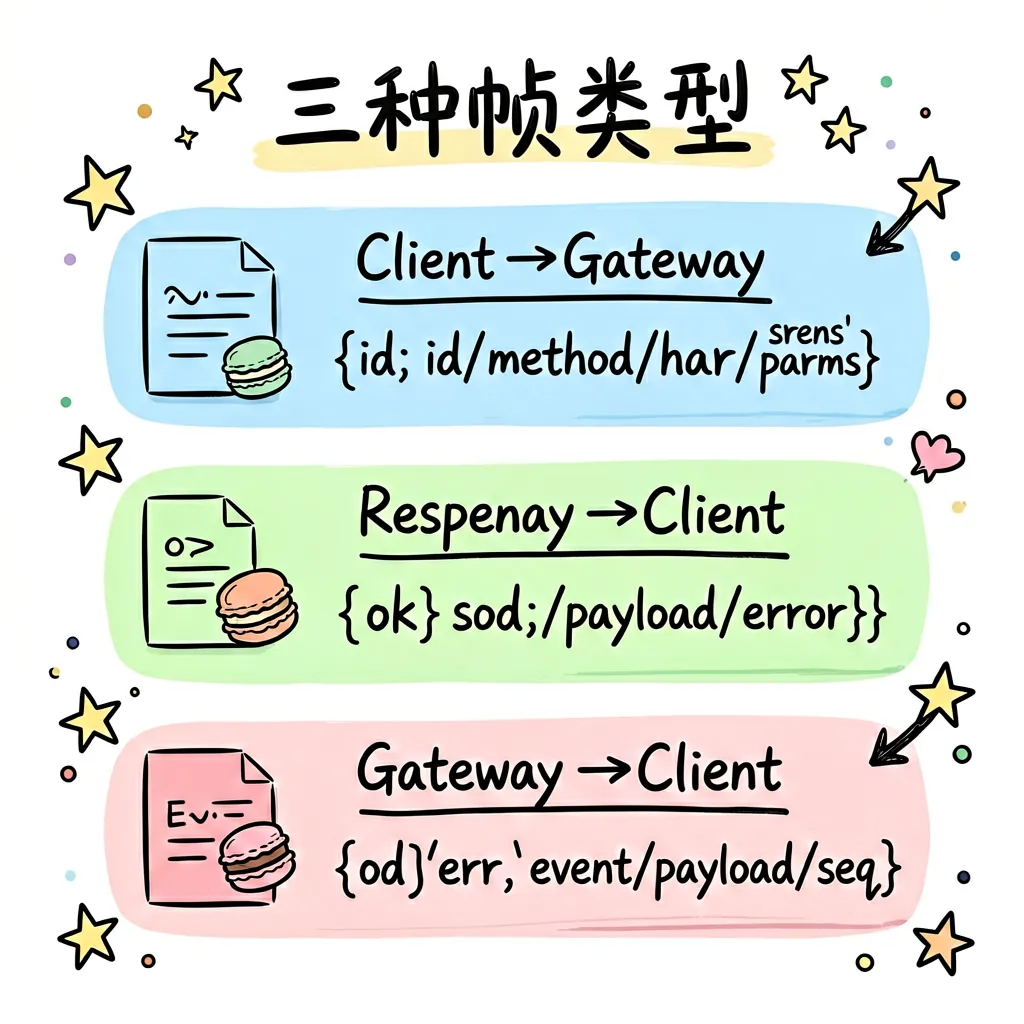
1.2 三种帧类型
| 帧类型 | 方向 | 格式 | 说明 |
|---|---|---|---|
| Request | Client → Gateway | {type:"req", id, method, params} |
带 id 用于匹配响应 |
| Response | Gateway → Client | {type:"res", id, ok, payload|error} |
ok=true/false 标识成功/失败 |
| Event | Gateway → Client | {type:"event", event, payload, seq?, stateVersion?} |
服务端主动推送 |
关键规则:有副作用的方法(写操作)需要幂等键(idempotency keys),防止重试导致重复执行。
二、握手阶段:connect → hello-ok
这是整个协议最核心的部分。一次成功的连接,必须严格按这个顺序:
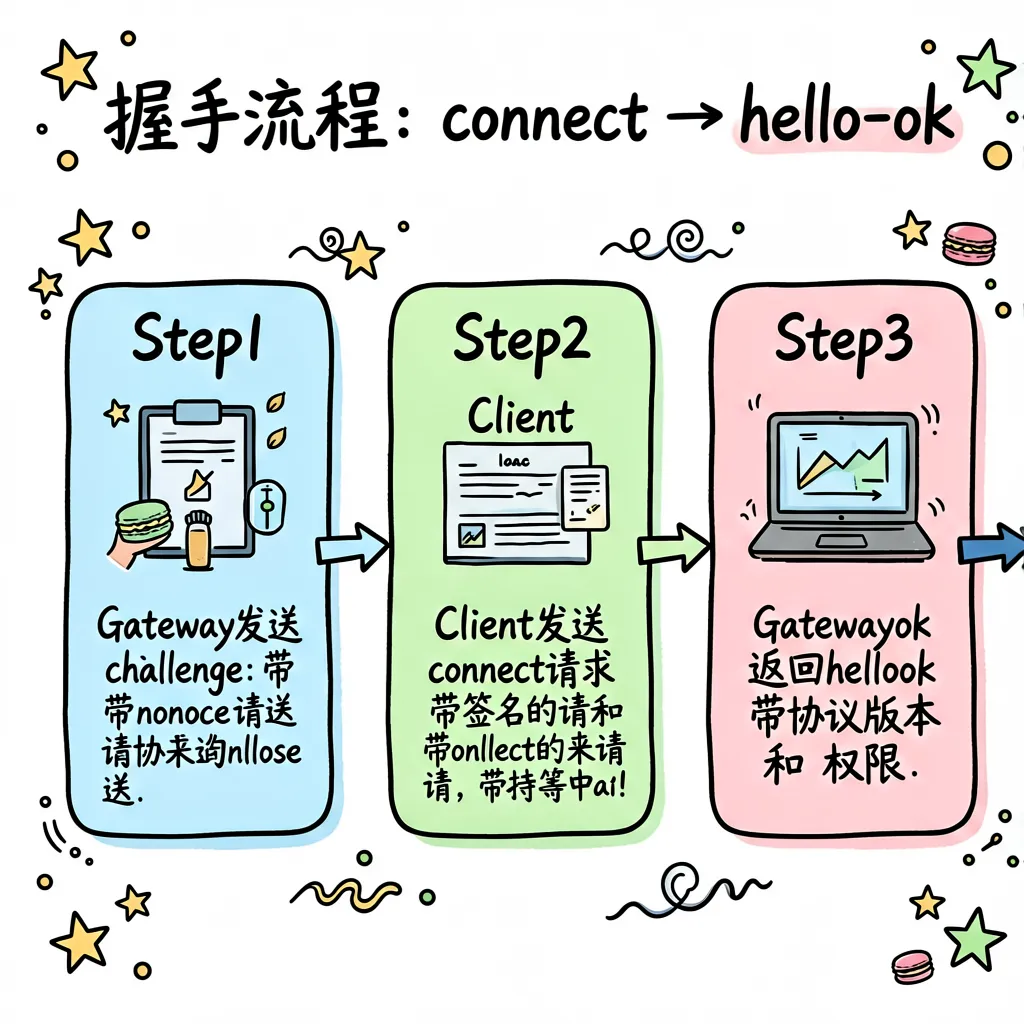
2.1 Step 1:Gateway 发送 challenge
Gateway 在 WebSocket 连接建立后,立即发送一个 connect.challenge 事件:
{
  "type": "event",
  "event": "connect.challenge",
  "payload": {
    "nonce": "随机字符串",
    "ts": 1737264000000
  }
}作用:
- • 防止重放攻击 —— 客户端必须用 nonce 签名
- • 时间戳校验 —— 防止过期请求
- • 强制客户端等待 —— 确保客户端准备好处理协议
2.2 Step 2:Client 发送 connect 请求
客户端收到 challenge 后,用私钥对 nonce 签名,发送 connect 请求:
{
  "type": "req",
  "id": "req-001",
  "method": "connect",
  "params": {
    "minProtocol": 3,
    "maxProtocol": 4,
    "client": {
      "id": "cli",
      "version": "1.2.3",
      "platform": "macos",
      "mode": "operator"
    },
    "role": "operator",
    "scopes": ["operator.read", "operator.write"],
    "caps": [],
    "commands": [],
    "permissions": {},
    "auth": { "token": "共享密钥或设备令牌" },
    "locale": "zh-CN",
    "userAgent": "openclaw-cli/1.2.3",
    "device": {
      "id": "device_fingerprint",
      "publicKey": "公钥",
      "signature": "对 nonce 的签名",
      "signedAt": 1737264000000,
      "nonce": "challenge 中的 nonce"
    }
  }
}关键字段解析:
| 字段 | 说明 | 示例 |
|---|---|---|
minProtocol / maxProtocol |
客户端支持的协议版本范围 | 当前要求 v4 |
client.id |
客户端标识 | cli、ios-node、web-ui |
client.mode |
运行模式 | operator(控制端)、node(能力端) |
role |
角色声明 | operator 或 node |
scopes |
权限范围 | operator 有 read/write/admin/approvals/pairing/talk.secrets |
caps |
能力声明(node 用) | camera、screen、location、voice |
commands |
命令白名单(node 用) | camera.snap、screen.record |
auth.token |
认证令牌 | 共享密钥或设备令牌 |
device |
设备身份 + 签名 | 必须签名 challenge nonce |
2.3 Step 3:Gateway 返回 hello-ok
如果一切正常,Gateway 返回 hello-ok:
{
  "type": "res",
  "id": "req-001",
  "ok": true,
  "payload": {
    "type": "hello-ok",
    "protocol": 4,
    "server": {
      "version": "2026.6.10",
      "connId": "conn-abc123"
    },
    "features": {
      "methods": ["health", "status", "chat.send", "models.list", ...],
      "events": ["chat", "presence", "tick", "heartbeat", ...]
    },
    "snapshot": { ... },
    "auth": {
      "role": "operator",
      "scopes": ["operator.read", "operator.write"]
    },
    "policy": {
      "maxPayload": 26214400,
      "maxBufferedBytes": 52428800,
      "tickIntervalMs": 15000
    }
  }
}关键字段解析:
| 字段 | 说明 |
|---|---|
protocol |
实际协商的协议版本(必须在客户端 min/max 范围内) |
server.version |
Gateway 版本号 |
server.connId |
连接 ID,用于追踪 |
features.methods |
该连接可调用的 RPC 方法列表 |
features.events |
该连接会收到的事件类型 |
auth.role / auth.scopes |
最终确认的角色和权限 |
policy.maxPayload |
最大帧大小(默认 25 MB) |
policy.tickIntervalMs |
心跳间隔(默认 15 秒) |
2.4 握手失败场景
场景 1:协议版本不匹配
{
  "type": "res",
  "id": "req-001",
  "ok": false,
  "error": {
    "code": "PROTOCOL_VERSION_MISMATCH",
    "message": "Server protocol 4 not in client range [1, 2]"
  }
}解决:升级客户端到支持 v4 的版本。
场景 2:认证失败
{
  "type": "res",
  "id": "req-001",
  "ok": false,
  "error": {
    "code": "AUTH_TOKEN_MISMATCH",
    "message": "Invalid token",
    "details": {
      "canRetryWithDeviceToken": true,
      "recommendedNextStep": "retry_with_device_token"
    }
  }
}解决:
- • 如果是首次连接,用共享密钥(token/password)
- • 如果已有设备令牌,用
deviceToken重试 - • 如果设备令牌过期,需要重新配对
场景 3:设备签名错误
| 错误码 | 原因 | 解决 |
|---|---|---|
DEVICE_AUTH_NONCE_REQUIRED |
缺少 nonce | 确保发送了 device.nonce |
DEVICE_AUTH_NONCE_MISMATCH |
nonce 不匹配 | 使用 challenge 返回的 nonce |
DEVICE_AUTH_SIGNATURE_INVALID |
签名格式错误 | 检查签名算法和 payload 格式 |
DEVICE_AUTH_SIGNATURE_EXPIRED |
签名时间戳过期 | 确保 signedAt 与当前时间接近 |
DEVICE_AUTH_DEVICE_ID_MISMATCH |
设备 ID 与公钥指纹不匹配 | 检查 device.id 是否正确 |
场景 4:Gateway 还在启动
{
  "type": "res",
  "id": "req-001",
  "ok": false,
  "error": {
    "code": "UNAVAILABLE",
    "details": {
      "reason": "startup-sidecars",
      "retryAfterMs": 5000
    }
  }
}解决:客户端应在 5 秒后重试,而不是报错。
三、正常通信阶段:req/res
握手成功后,客户端可以发送各种 RPC 请求。
3.1 请求格式
{
  "type": "req",
  "id": "req-002",
  "method": "chat.send",
  "params": {
    "sessionKey": "main",
    "message": "你好"
  }
}规则:
- •
id必须唯一,用于匹配响应 - •
method必须在hello-ok.features.methods列表中 - •
params格式由具体方法定义
3.2 响应格式
成功:
{
  "type": "res",
  "id": "req-002",
  "ok": true,
  "payload": {
    "messageId": "msg-123",
    "status": "accepted"
  }
}失败:
{
  "type": "res",
  "id": "req-002",
  "ok": false,
  "error": {
    "code": "INVALID_REQUEST",
    "message": "Session not found",
    "details": { "sessionKey": "main" }
  }
}
3.3 幂等性设计
有副作用的请求(如写配置、发送消息)需要幂等键:
{
  "type": "req",
  "id": "req-003",
  "method": "config.set",
  "params": {
    "path": "gateway.port",
    "value": 8080,
    "idempotencyKey": "set-port-20250617"
  }
}作用:如果客户端因为网络超时而重试,Gateway 会识别出相同的 idempotencyKey,不会重复执行。
四、事件推送阶段:event
Gateway 会主动向客户端推送事件,不需要客户端轮询。
4.1 事件格式
{
  "type": "event",
  "event": "chat",
  "payload": {
    "sessionKey": "main",
    "messageId": "msg-123",
    "deltaText": "这是",
    "replace": false
  },
  "seq": 42,
  "stateVersion": 5
}关键字段:
| 字段 | 说明 |
|---|---|
event |
事件类型(如 chat、presence、tick、heartbeat) |
payload |
事件数据 |
seq |
序列号,单调递增,用于检测丢序 |
stateVersion |
状态版本,用于客户端缓存失效 |
4.2 常见事件类型
| 事件 | 说明 | 触发条件 |
|---|---|---|
chat |
聊天消息更新 | 新消息、消息编辑、流式输出 |
session.message |
会话消息 | 订阅的会话有新内容 |
session.operation |
会话操作 | 会话状态变化(如中断) |
sessions.changed |
会话索引变化 | 新会话创建、会话删除 |
presence |
设备在线状态 | 设备连接/断开 |
tick |
心跳 | 定期发送,检测连接存活 |
heartbeat |
心跳事件 | 与 cron 相关的心跳 |
cron |
定时任务 | 任务状态变化 |
shutdown |
关闭通知 | Gateway 即将关闭 |
exec.approval.requested |
执行审批 | 需要人工确认的命令 |
node.pair.requested |
节点配对 | 新设备请求配对 |
4.3 事件权限过滤
重要:不是所有客户端都能收到所有事件。Gateway 根据 scopes 过滤:
- • Chat/Agent/Tool 事件 —— 需要
operator.read - • Plugin 广播 —— 需要
operator.write或operator.admin - • 状态/传输事件(tick、presence)—— 无限制,所有连接都能收到
示例:一个只有 operator.read 权限的客户端,不会收到 exec.approval.requested 事件(需要 operator.approvals)。
五、角色与权限模型
OpenClaw 的权限模型基于角色声明和最小权限原则:
5.1 两种角色
| 角色 | 说明 | 典型客户端 |
|---|---|---|
| operator | 控制平面客户端 | CLI、Web UI、macOS App |
| node | 能力宿主 | iOS/Android 设备、headless 节点 |
5.2 Operator 权限范围
| Scope | 权限 | 说明 |
|---|---|---|
operator.read |
读取 | 查看状态、读取配置、查看会话 |
operator.write |
写入 | 发送消息、修改配置、创建会话 |
operator.admin |
管理 | 管理用户、修改 Gateway 设置 |
operator.approvals |
审批 | 审批需要确认的操作 |
operator.pairing |
配对 | 配对新设备 |
talk.secrets |
密钥 | 访问敏感配置(如 API 密钥) |
5.3 Node 权限模型
Node 的权限是声明式的:
{
  "role": "node",
  "caps": ["camera", "screen", "location"],
  "commands": ["camera.snap", "screen.record", "location.get"],
  "permissions": {
    "camera.capture": true,
    "screen.record": true
  }
}设计原则:
- • Node 声明自己有什么能力(caps)
- • Node 声明支持哪些命令(commands)
- • 细粒度权限控制(permissions)
- • Operator 根据声明决定是否调用
🎯 总结
OpenClaw 的 WebSocket 协议设计体现了几个核心原则:
- 1. 安全优先 —— 握手即鉴权,nonce 防重放,签名防伪造
- 2. 版本协商 —— 客户端声明范围,服务端选择版本,不兼容即拒绝
- 3. 简洁强大 —— 三种帧类型覆盖 100+ RPC 方法
- 4. 权限最小化 —— 角色和 scopes 在握手时确定,事件按需过滤
- 5. 幂等安全 —— 写操作带 idempotencyKey,重试不重复执行
理解这个协议,你就能:
- • ✅ 排查连接失败、认证错误、权限不足等问题
- • ✅ 开发自定义客户端(如嵌入式设备、第三方集成)
- • ✅ 理解 Gateway 的安全模型和设计哲学
- • ✅ 优化网络性能(调整心跳间隔、帧大小等)
💬 互动话题
你在使用 OpenClaw 时遇到过哪些连接问题?是认证失败、协议版本不匹配,还是权限不足?欢迎在评论区分享你的排查经验 👇
📚 系列文章:OpenClaw 入门指南 | M1 Gateway 网关服务
上一篇:[OG_M1_001] Gateway 核心架构与设计理念
下一篇:[OG_M1_003] HTTP API 路由系统:/v1/models、/v1/chat/completions 与插件路由共存
关注「云境易贸」公众号,回复 “OpenClaw” 获取完整源码解析系列。