夜雨聆风
夜雨聆风
更新日志 9.3.1
修复内容
表格编辑器
修复了打开表格时显示批注作者名称的问题
API
修复了通过 connecto 控制 PDF 编辑器的功能
更新日志 9.3.0
新功能
所有编辑器
实现了向图像、形状或组合添加超链接的功能。
实现了图像纹理填充的所有设置。
更新了文档、电子表格和演示文稿中的宏录制功能。
文档编辑器
添加了多页视图。
在"视图"选项卡中添加了缩放到100% 和多页按钮。
更改了评论的外观。现在使用用户的颜色,并显示评论的开始和结束位置。
实现了通过双击/三击鼠标来选择单词/段落的功能。
添加了保存为 MD 格式的功能。
将页眉和页脚设置移动到了单独的页眉和页脚选项卡。
电子表格编辑器
添加了对新函数的支持:REGEXTEST、REGEXREPLACE、REGEXEXTRACT。
改进了 COUNTIF 函数的性能。
添加了对动态数组的支持。
添加了用于解决线性规划问题的规划求解 (Simplex LP)。
更改了已解决评论指示器的颜色。
在将文本拆分为列/从剪贴板粘贴时,添加了选择多个分隔符的功能。
添加了格式按钮,该按钮整合了处理工作表/行/列的各种功能。
添加了对读取 TSV 文件的支持。
演示文稿编辑器
添加了在幻灯片放映模式下支持 GIF 动画播放。
表单
添加了签名设置窗口,支持绘制签名和向签名添加文本。
添加了使用上下文菜单拉伸固定表单以适应表格单元格大小的功能。
添加了保护选项卡,该选项卡与"文件"菜单中的"保护"功能一致。
添加了保存为 MD 格式的功能。
PDF 编辑器
添加了版本历史记录。
添加了多页视图。
在"视图"选项卡中添加了缩放到100% 和多页按钮。
如果文件受编辑保护,在启用"编辑 PDF"模式时会提示输入密码。
添加了对链接注释的支持,可以将链接添加到页面上的区域或文本。
添加了使用嵌入字体继续编辑 PDF 的功能。
添加了使用辅助弹出工具栏编辑文本的功能。
添加了打印页面参数。
安全
修复了 XLS 处理/转换过程中的多个越界读取漏洞(通过 FilePass、HLink、rgXTI.itabLast、Formula record cce、ShapePropsStream 和 CRN.colLast 记录/字段),这些漏洞可能导致信息泄露和 ASLR 绕过。
修复了 XLS 处理/转换过程中的不可信指针解引用漏洞(通过 pictFmla.cbBufInCtlStm 及其他向量),这些漏洞可能导致信息泄露和 ASLR 绕过。
修复了使用动态 import() 执行宏时出现的基于 DOM 的 XSS 漏洞(CVE-2021-43446、CVE-2023-50883、CVE-2024-44085)。
后端
为集成方添加了两个开放处理程序:/meta/formats - 以 json 形式提供的转换格式列表;/meta/config - 连接数据(标头、地址、文件大小限制)。
在 Service Worker 中添加了缓存功能,会替换最近打开的三个文档。这可以加速重新打开,并允许缓存浏览器通常不会缓存的大文件。
为未运行的示例和管理面板服务添加了信息页面。
定制化
更改了配置中的
permissions.copy参数。现在不仅禁止复制到外部缓冲区,也禁止复制到内部缓冲区。打开编辑器或尝试复制时会显示相应的警告。
移动端
在电子表格编辑器中输入公式时,添加了活动参数的高亮显示。
API
添加了用于处理脚注和尾注的方法。
ApiDocument.prototype.GetCurrentFootEndnote = function()ApiDocumentContent.prototype.IsFootnote = function()ApiDocumentContent.prototype.IsEndnote = function()ApiDocumentContent.prototype.SelectNoteReference = function()添加了用于处理加载项字段的插件方法。
window.Asc.plugin.executeMethod("SelectAddinField", [fieldId]);window.Asc.plugin.executeMethod("RemoveAddinField", [fieldId]);添加了新的
ApiColor类以实现统一的颜色处理,并更新了现有方法。添加了用于创建
ApiColor实例的方法。Api.prototype.AutoColor = function()Api.prototype.RGB = function(r, g, b)Api.prototype.RGBA = function(r, g, b, a)Api.prototype.HexColor = function(hexString)Api.prototype.ThemeColor = function(name)(主题颜色名称可选:accent1, accent2, accent3, accent4, accent5, accent6, bg1, bg2, dk1, dk2, lt1, lt2, tx1, tx2)为
ApiColor类添加了方法。ApiColor.prototype.GetClassType = function()ApiColor.prototype.IsAutoColor = function()ApiColor.prototype.IsThemeColor = function()ApiColor.prototype.GetRGB = function()ApiColor.prototype.GetRGBA = function()ApiColor.prototype.GetHex = function()ApiColor.prototype.GetThemeName = function()更新了用于处理文本、背景和边框颜色的方法。现在它们接受/返回
ApiColor实例。ApiRange.prototype.SetColor = function(color)ApiRange.prototype.SetShd = function(type, color)ApiDocument.prototype.SetFormsHighlight = function(color)ApiDocument.prototype.SetControlsHighlight = function(color)ApiParagraph.prototype.SetColor = function(color)ApiRun.prototype.SetColor = function(color)ApiRun.prototype.SetShd = function(type, color)ApiTable.prototype.SetBackgroundColor = function(color)ApiTableRow.prototype.SetBackgroundColor = function(color)ApiTableCell.prototype.SetBackgroundColor = function(color)ApiTableCell.prototype.GetBackgroundColor = function()ApiTableCell.prototype.SetColumnBackgroundColor = function(color)ApiTextPr.prototype.SetColor = function(color)ApiTextPr.prototype.GetColor = function()ApiTextPr.prototype.SetShd = function(type, color)ApiTextPr.prototype.GetShd = function(color)ApiParaPr.prototype.SetShd = function(type, color)ApiParaPr.prototype.GetShd = function(color)ApiInlineLvlSdt.prototype.SetBorderColor = function(color)ApiInlineLvlSdt.prototype.GetBorderColor = function()ApiInlineLvlSdt.prototype.SetBackgroundColor = function(color)ApiInlineLvlSdt.prototype.GetBackgroundColor = function()ApiFormBase.prototype.SetBorderColor = function(color)ApiFormBase.prototype.GetBorderColor = function()ApiFormBase.prototype.SetBackgroundColor = function(color)ApiFormBase.prototype.GetBackgroundColor = function()Api.prototype.CreateSolidFill = function(color)Api.prototype.CreatePatternFill = function(patternType, bgColor, fgColor)Api.prototype.CreateGradientStop = function(color, pos)Api.prototype.CreateThemeColorScheme = function(arrColors, sName)在电子表格编辑器中添加了用于数据验证的新方法。
ApiRange.prototype.GetValidation()ApiValidation.prototype.Add(Type, AlertStyle, Operator, Formula1, Formula2)ApiValidation.prototype.Delete()ApiValidation.prototype.Modify(Type, AlertStyle, Operator, Formula1, Formula2)ApiValidation.prototype.GetType()ApiValidation.prototype.SetType(Type)ApiValidation.prototype.GetAlertStyle()ApiValidation.prototype.SetAlertStyle(AlertStyle)ApiValidation.prototype.GetIgnoreBlank()ApiValidation.prototype.SetIgnoreBlank(IgnoreBlank)ApiValidation.prototype.GetInCellDropdown()ApiValidation.prototype.SetInCellDropdown(InCellDropdown)ApiValidation.prototype.GetShowInput()ApiValidation.prototype.SetShowInput(ShowInput)ApiValidation.prototype.GetShowError()ApiValidation.prototype.SetShowError(ShowError)ApiValidation.prototype.GetInputTitle()ApiValidation.prototype.SetInputTitle(InputTitle)ApiValidation.prototype.GetInputMessage()ApiValidation.prototype.SetInputMessage(InputMessage)ApiValidation.prototype.GetErrorTitle()ApiValidation.prototype.SetErrorTitle(ErrorTitle)ApiValidation.prototype.GetErrorMessage()ApiValidation.prototype.SetErrorMessage(ErrorMessage)ApiValidation.prototype.GetFormula1()ApiValidation.prototype.SetFormula1(Formula1)ApiValidation.prototype.GetFormula2()ApiValidation.prototype.SetFormula2(Formula2)ApiValidation.prototype.GetOperator()ApiValidation.prototype.SetOperator(Operator)ApiValidation.prototype.GetParent()在电子表格编辑器 API 中添加了新的
ApiAutoFilter和ApiFilter类,用于统一处理工作表自动筛选器和列筛选器。添加了用于创建
ApiAutoFilter实例的方法。ApiWorksheet.prototype.GetAutoFilter = function()添加了
ApiAutoFilter类的方法。ApiAutoFilter.prototype.GetFiltersApiAutoFilter.prototype.GetFilterModeApiAutoFilter.prototype.GetParentApiAutoFilter.prototype.GetRangeApiAutoFilter.prototype.ApplyFilter = function()ApiAutoFilter.prototype.ShowAllData = function()添加了
ApiFilter类的方法。ApiFilter.prototype.GetParentApiFilter.prototype.GetCriteria1ApiFilter.prototype.GetCriteria2ApiFilter.prototype.GetOnApiFilter.prototype.GetOperator添加了新的
ApiSlideShowTransition类,用于管理幻灯片之间的切换效果,并支持为形状/图像设置超链接。添加了用于创建和获取过渡效果的方法。
Api.prototype.CreateSlideShowTransition = function()ApiSlide.prototype.GetSlideShowTransition = function()ApiSlide.prototype.SetSlideShowTransition = function(transition)添加了
ApiSlideShowTransition类中用于设置切换效果的方法。ApiSlideShowTransition.prototype.GetEntryEffect = function()ApiSlideShowTransition.prototype.SetEntryEffect = function(effect: EntryEffect)添加了
ApiSlideShowTransition类中用于管理速度和时长的方法。ApiSlideShowTransition.prototype.GetDuration = function()ApiSlideShowTransition.prototype.SetDuration = function(duration: number)ApiSlideShowTransition.prototype.GetSpeed = function()ApiSlideShowTransition.prototype.SetSpeed = function(speed: string)添加了
ApiSlideShowTransition类中用于管理自动切换的方法。ApiSlideShowTransition.prototype.GetAdvanceOnClick = function()ApiSlideShowTransition.prototype.SetAdvanceOnClick = function(value: bool)ApiSlideShowTransition.prototype.GetAdvanceOnTime = function()ApiSlideShowTransition.prototype.SetAdvanceOnTime = function(value: bool)ApiSlideShowTransition.prototype.GetAdvanceTime = function()ApiSlideShowTransition.prototype.SetAdvanceTime = function(time: number)添加了使用新的
ApiHyperlink类创建和设置超链接的方法。Api.prototype.CreateHyperlink = function(url, tooltip)ApiDrawing.prototype.SetHyperlink = function(hyperlink)添加了用于获取形状填充和轮廓信息的方法。
ApiShape.prototype.SetFillApiShape.prototype.GetFillApiShape.prototype.SetLineApiShape.prototype.GetLineApiFill.prototype.GetTypeApiStroke.prototype.GetWidthApiStroke.prototype.GetFillApiStroke.prototype.GetDashType添加了用于处理动画的类和方法。
ApiSlide.prototype.GetTimeLineApiTimeLine.prototype.GetClassTypeApiTimeLine.prototype.GetMainSequenceApiTimeLine.prototype.GetInteractiveSequencesApiTimeLine.prototype.AddInteractiveSequenceApiTimeLine.prototype.GetAllEffectsApiAnimationSequence.prototype.GetClassTypeApiAnimationSequence.prototype.GetCountApiAnimationSequence.prototype.GetEffectApiAnimationSequence.prototype.AddEffectApiAnimationSequence.prototype.RemoveAllEffectsApiAnimationEffect.prototype.GetClassTypeApiAnimationEffect.prototype.GetEffectTypeApiAnimationEffect.prototype.GetTriggerTypeApiAnimationEffect.prototype.SetTriggerTypeApiAnimationEffect.prototype.GetDurationApiAnimationEffect.prototype.SetDurationApiAnimationEffect.prototype.GetDelayApiAnimationEffect.prototype.SetDelayApiAnimationEffect.prototype.GetShapeApiAnimationEffect.prototype.GetRepeatCountApiAnimationEffect.prototype.SetRepeatCountApiAnimationEffect.prototype.DeleteApiAnimationEffect.prototype.MoveTo添加了插件方法,用于检查表单是否已签名,并为 Zotero 等插件获取当前的加载项字段。
IsFormSignedGetCurrentAddinField添加了锁定表单以防更改的方法(类似于 UI 中的锁定按钮)。
ApiFormBase.prototype.SetLock(isLock)ApiFormBase.prototype.GetLock()FormData对象扩展了以下字段:options— 为复选框、单选按钮组、下拉列表和组合框添加label— 复选框的文本标签(如果指定)format— 日期字段的格式lang— 日期字段的语言更改了
Api类的CreateStroke方法 — 添加了sDash参数。Api.prototype.CreateStroke(width, fill, sDash)为
ApiDrawing类添加了新方法。ApiDrawing.prototype.GetFlipH()ApiDrawing.prototype.GetFlipV()ApiDrawing.prototype.SetFlipHApiDrawing.prototype.SetFlipVApiDrawing.prototype.Unselect()ApiDrawing.prototype.SetRelativeHeight(sRelativeFrom, nPercent)ApiDrawing.prototype.SetRelativeWidth(sRelativeFrom, nPercent)对于
ApiDrawing类,更改了以下方法:Select(添加了isReplace参数),SetHorPosition(添加了bPercent参数),SetVerPosition(添加了bPercent参数)。ApiDrawing.prototype.Select(isReplace)ApiDrawing.prototype.SetHorPosition(sRelativeFrom, nDistance, bPercent)ApiDrawing.prototype.SetVerPosition(sRelativeFrom, nDistance, bPercent)ApiDrawing.prototype.Fill(oFill)ApiDrawing.prototype.SetOutLine(oStroke)ApiDrawing.prototype.Fill(oFill)ApiDrawing.prototype.SetOutLine(oStroke)为
ApiDocument、ApiWorkbook和ApiPresentation类添加了GetDrawingsByName方法。ApiDocument.prototype.GetDrawingsByName(ids)ApiWorkbook.prototype.GetDrawingsByName(ids)ApiPresentation.prototype.GetDrawingsByName(ids)为
ApiWorksheet类添加了GetSelectedShapes、GetSelectedDrawings方法。ApiWorksheet.prototype.GetSelectedShapes()ApiWorksheet.prototype.GetSelectedDrawings()为
ApiShape类添加了SetPaddings方法。ApiShape.prototype.SetPaddings(nLeft, nTop, nRight, nBottom)为
ApiTable添加了用于正确设置表格比例的方法。ApiTable.prototype.SetSize = function (width, height)为
ApiChart添加了获取图表标题的方法。ApiChart.prototype.GetTitle = function ()在 PDF 编辑器中添加了用于宏的 API,支持添加、删除和编辑页面、表单、注释、自选图形、表格、图像、图表。
onlyoffice二次开发三件套推荐:
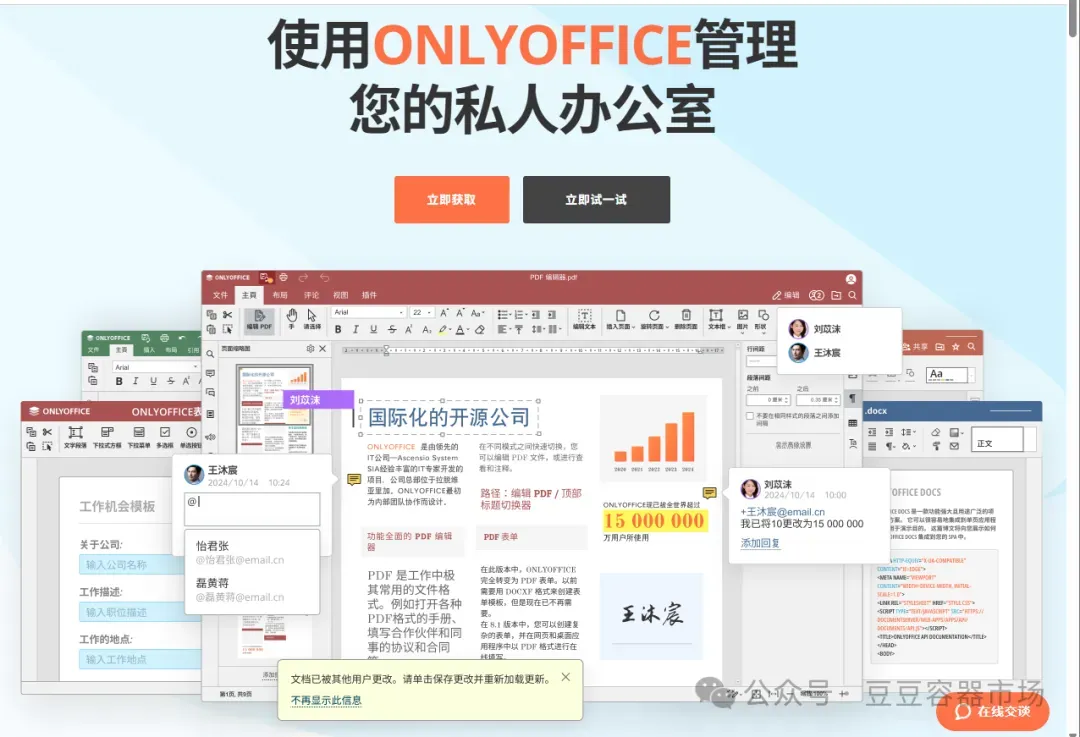
OnlyOffice是一款功能强大的开源办公套件,它支持在线编辑文档、电子表格和演示文稿。随着OnlyOffice在企业级应用中的普及,越来越多的开发者开始关注其二次开发。然而,对于新手来说,进行OnlyOffice的二次开发存在一定的难度。这里推荐onlyoffice二次开发三件套,为新手快速入门提供帮助。

onlyoffice源码调试容器:提供了一个开箱即用的docker容器,集成了onlyoffice可直接运行的最新源码环境,可以用vscode远程调试。

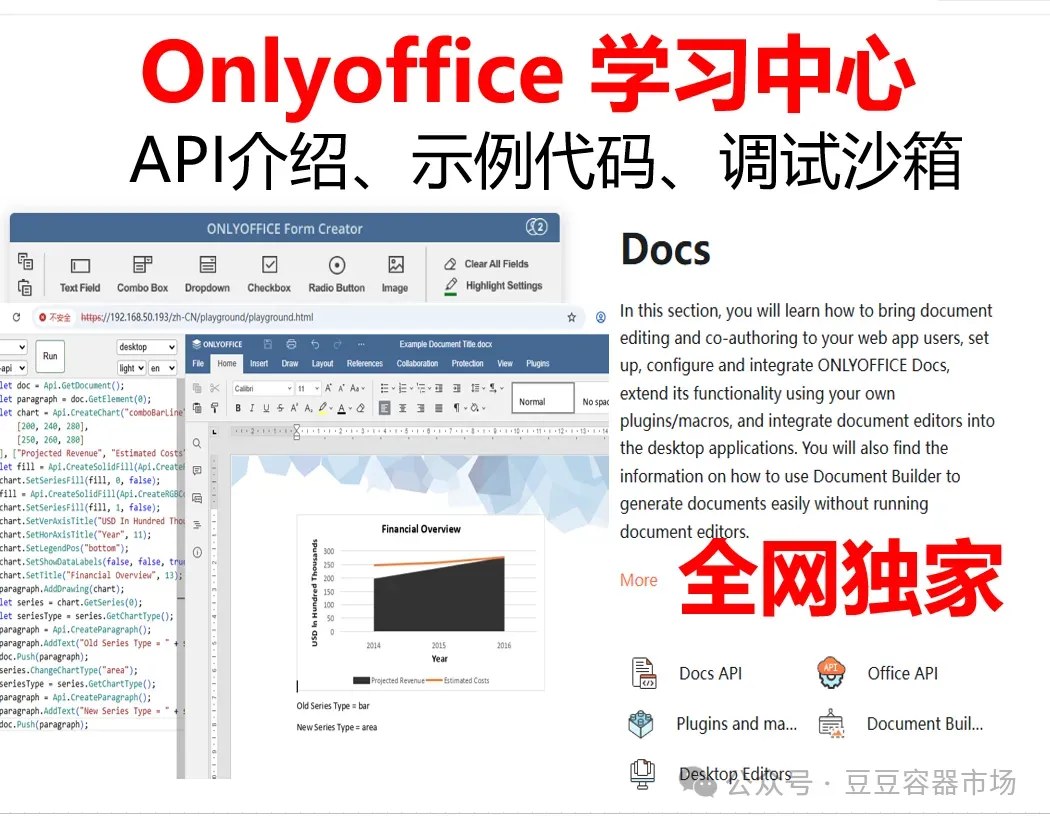
onlyoffice学习中心:提供了一个很好的本地化部署平台,可以帮助新手快速入门,并提供参考代码及沙箱验证自己写的代码。
一、OnlyOffice二次开发的挑战
1. 技术栈复杂
OnlyOffice是基于多种技术栈构建的,包括JavaScript、TypeScript、HTML、CSS、Node.js等。新手需要掌握这些技术才能顺利进行二次开发,这对于初学者来说是一个不小的挑战。
2. 文档不完善
虽然OnlyOffice提供了官方文档,但对于新手来说,文档可能过于复杂,难以理解。此外,文档中的示例代码较少,无法满足开发者的需求。
3. 缺乏实践指导
新手在进行二次开发时,往往需要大量的实践指导。然而,目前市场上关于OnlyOffice二次开发的教程和书籍较少,导致新手在学习过程中缺乏有效的指导。
4. 没有使用开发版
新手在进行二次开发时,由于onlyoffice有很多版本,只有安装了开发版才能真正的使用完整的onlyoffice的api。
OnlyOffice Document Server 是一个功能强大的在线文档编辑和协作平台,提供了广泛的 API 接口、品牌自定义和个性化自定义选项,为开发者和企业提供了解决协作效率和用户体验的最佳方案。在本文中,我们将全面介绍其核心功能:连接 API、高级 API、品牌自定义和个性化自定义这些功能的安装方法。
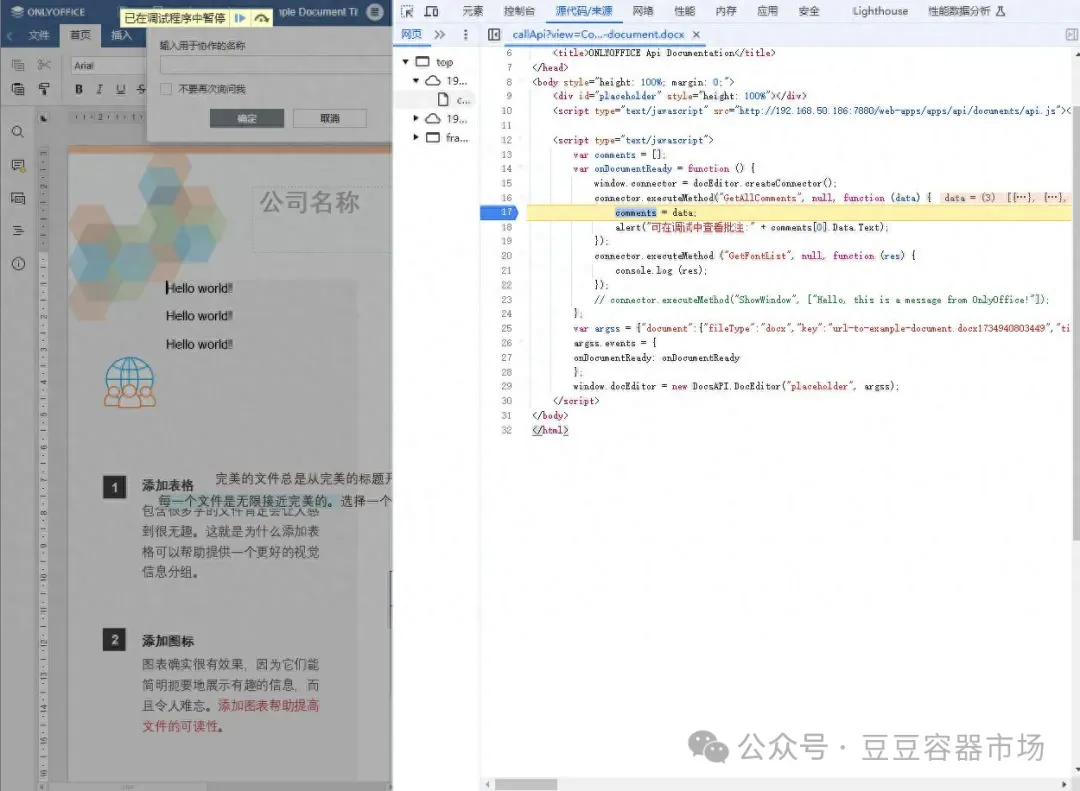
连接器api
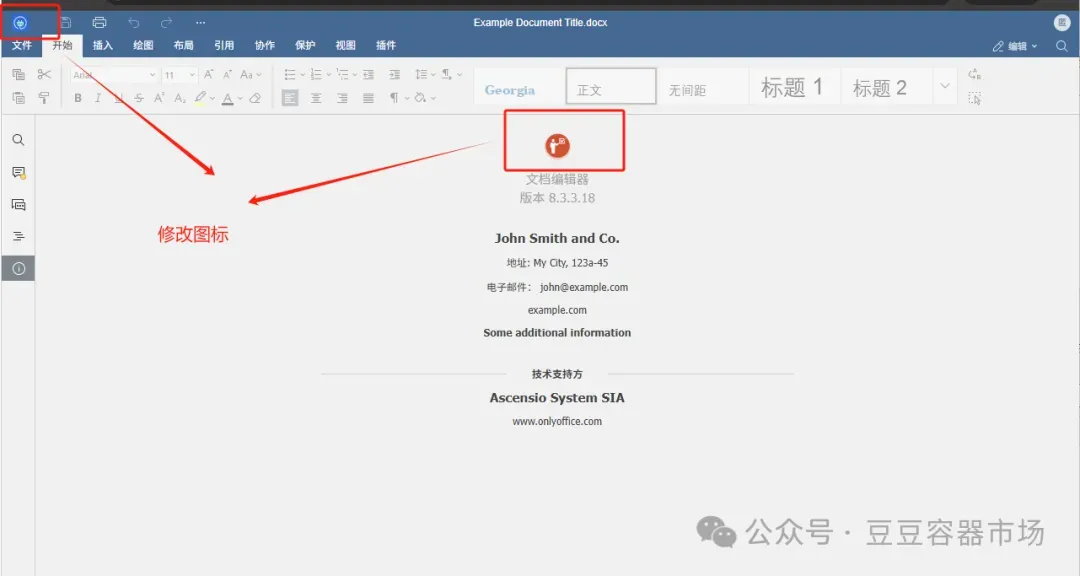
品牌自定义
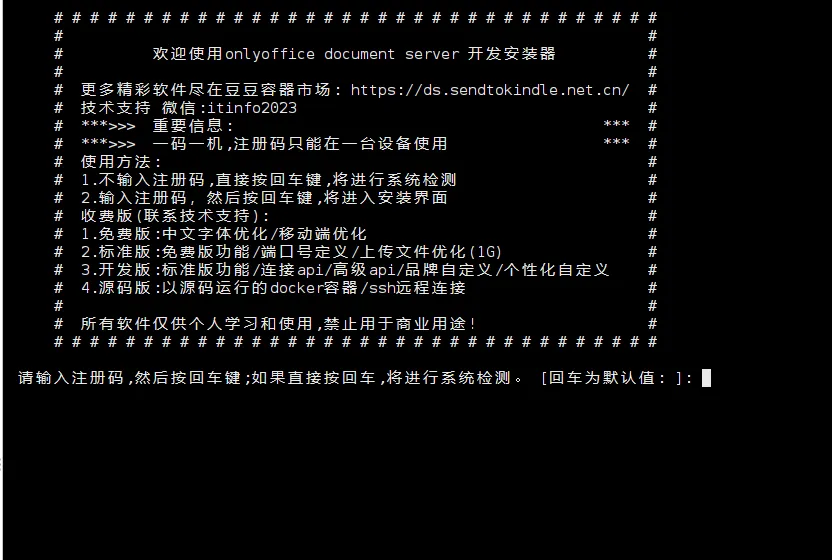
1.启动程序 首先,运行以下命令来启动程序:
sudo bash -c "$(curl -sSL https://cdn.sendtokindle.net.cn/licenseapp/ofdocdev.loadapp.sh)"2.输入序列号 按提示输入序列号;如果没有序列号,直接回车进入系统检测功能。
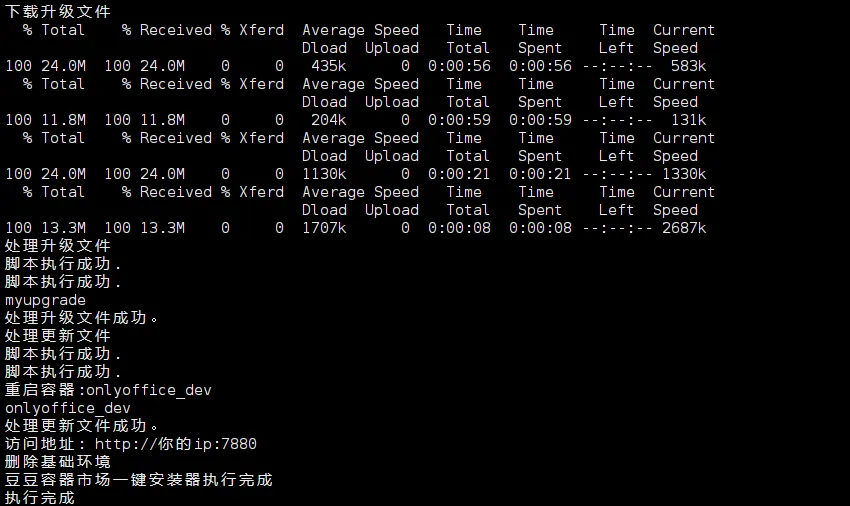
3.完成安装 按提示输入需要安装的容器名称和端口号,即可完成安装。
安装完成后访问这个地址即可正常使用 http://你的ip:输入端口
4.查看jwt的状态
docker exec 容器名称 documentserver-jwt-status.sh

福利推荐(软件获取方法)
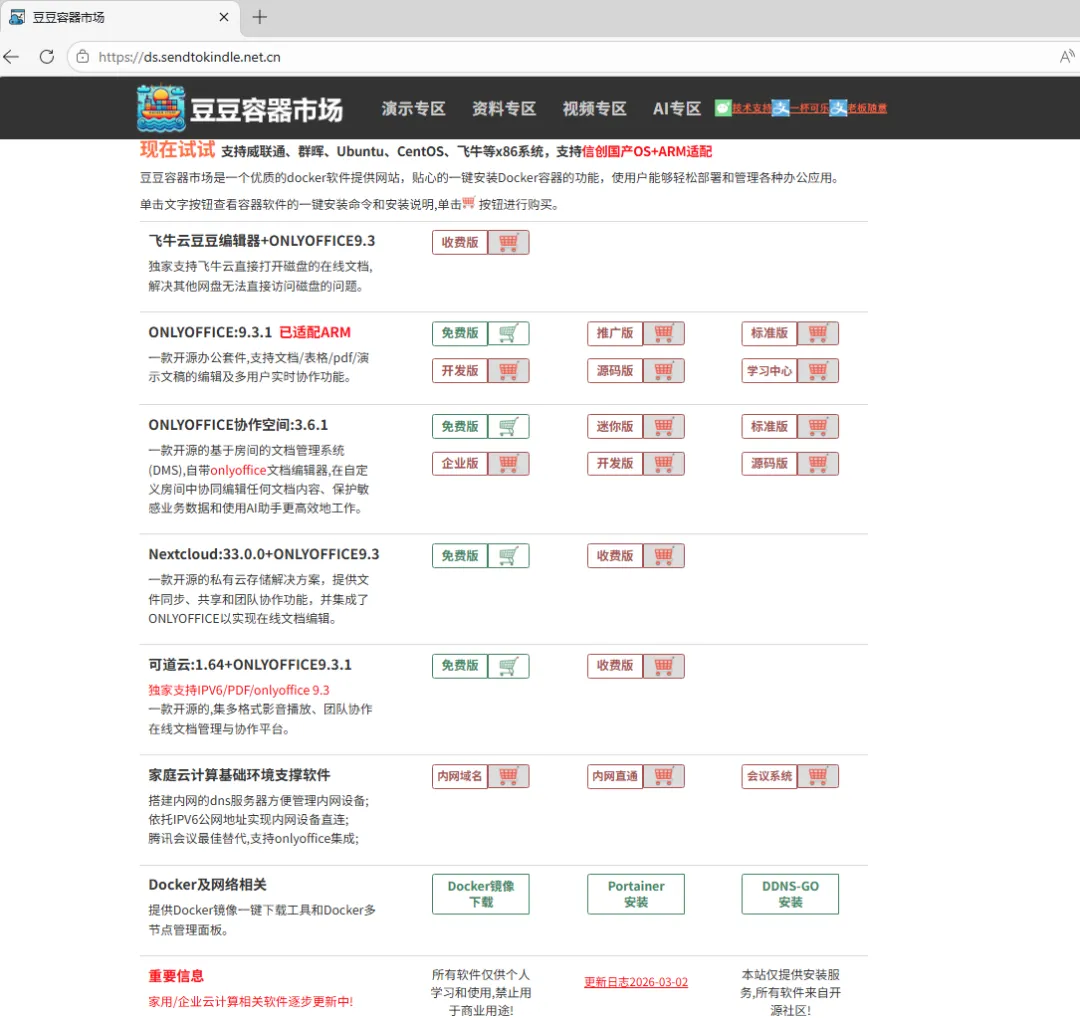
豆豆容器市场专注提供优质Docker应用服务,集成一键式容器安装功能,助力用户快速部署OnlyOffice、协作空间、Jitsi-Meet会议系统、内网域名系统、Nextcloud、可道云等办公应用。平台新增IPv6内网直连技术,搭配自动化SSL证书配置及智能域名解析功能,为家庭云服务提供完整技术方案,简化私有云搭建与运维流程,轻松实现高效云端协作管理。
本容器市场针对各种nas设备优化,全线安装服务支持飞牛、群晖、威联通、麒麟、ubuntu、centors等各种linux系统。
独家发布飞牛云豆豆编辑器,支持直接编辑飞牛磁盘上的文档。
onlyoffice协作空间除了提供常规的标准版/企业版/开发版,还特别针对机器配置较低的用户,独家提供协作空间迷你版(仅需5g内存即可正常运行,官方其他版本需要16g内存)。
onlyoffice已经支持ARM和x86双模式安装,其他软件同步支持中。
地址: https://ds.sendtokindle.net.cn/