 夜雨聆风
夜雨聆风


安装ES插件IK分词器
https://release.infinilabs.com/analysis-ik/stable/
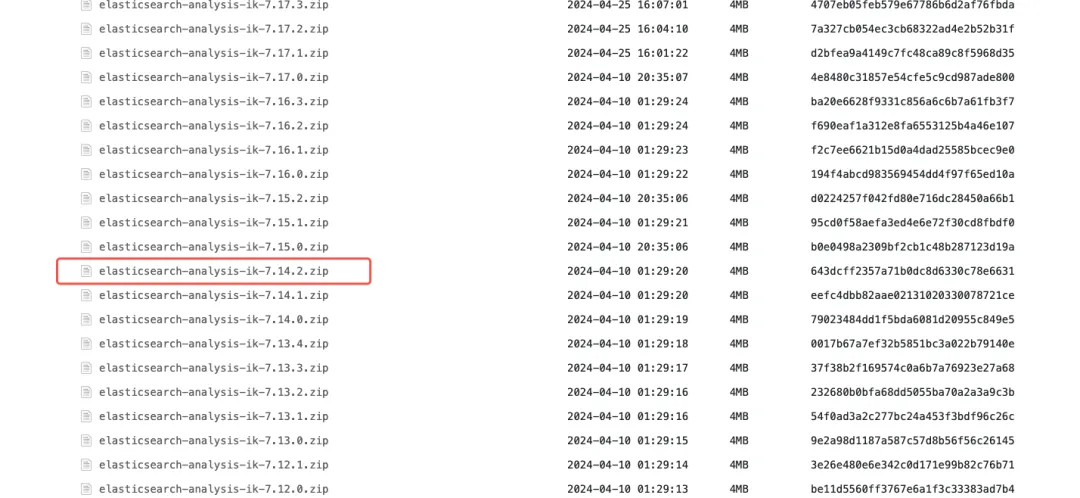
2. 把压缩解压到ES的plugins目录下的ik文件夹中,我这里的目录是
# ik的解压目录/home/es/elasticsearch-7.14.2/plugins/ik
# ik压缩包解压命令unzip elasticsearch-analysis-ik-7.14.2.zip -d /home/es/elasticsearch-7.14.2/plugins/ik
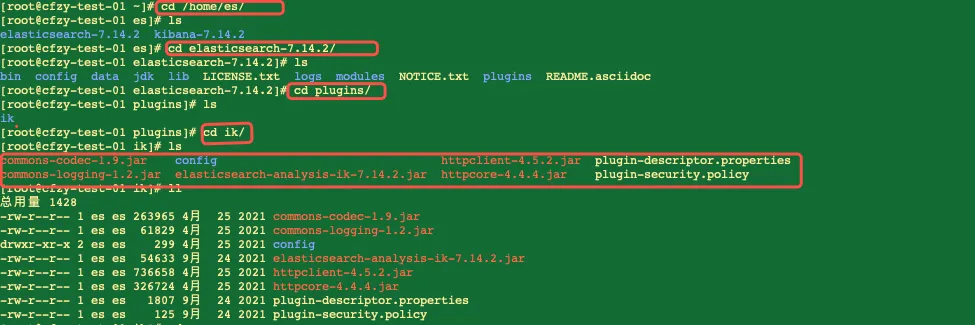
3. 重启ES,让ik分词插件生效,如果是前台启动,直接杀掉进程后重启
sudo systemctl restart elasticsearch4. 测试分词是否生效,直接发送请求,如果返回不是一个字一个字的分词,就表示ik分词插件已经生效。
## 直接发送请求curl -X POST "localhost:9200/_analyze" -H 'Content-Type: application/json' -d'> {> "analyzer": "ik_max_word",> "text": "我是中国人"> }'
## 响应结果{"tokens":[{"token":"我","start_offset":0,"end_offset":1,"type":"CN_CHAR","position":0},{"token":"是","start_offset":1,"end_offset":2,"type":"CN_CHAR","position":1},{"token":"中国人","start_offset":2,"end_offset":5,"type":"CN_WORD","position":2},{"token":"中国","start_offset":2,"end_offset":4,"type":"CN_WORD","position":3},{"token":"国人","start_offset":3,"end_offset":5,"type":"CN_WORD","position":4}]}

## 热词和定制化内容配置文件/home/es/elasticsearch-7.14.2/plugins/ik/config/IKAnalyzer.cfg.xml
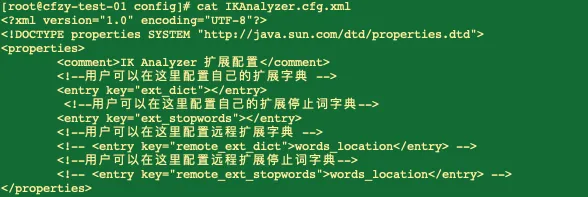
<!-- 配置远程扩展字典(核心配置) --><!-- remote_ext_dict 指向你的 HTTP 地址 --><entrykey="remote_ext_dict">http://your-server-ip:8080/dict/my_ext.dic</entry>
注意:通过Nginx更新热词文件,确保文件编码为 UTF-8,否则会不生效。

