 夜雨聆风
夜雨聆风


标文,法律性的内容导出word方案实现
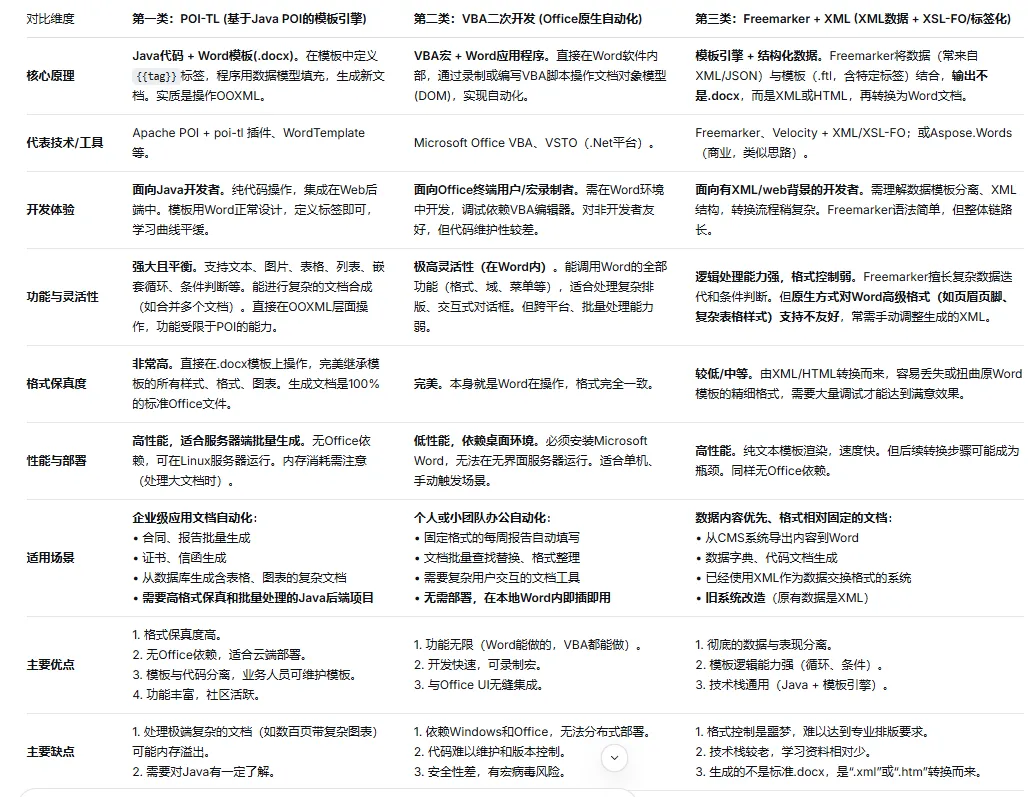
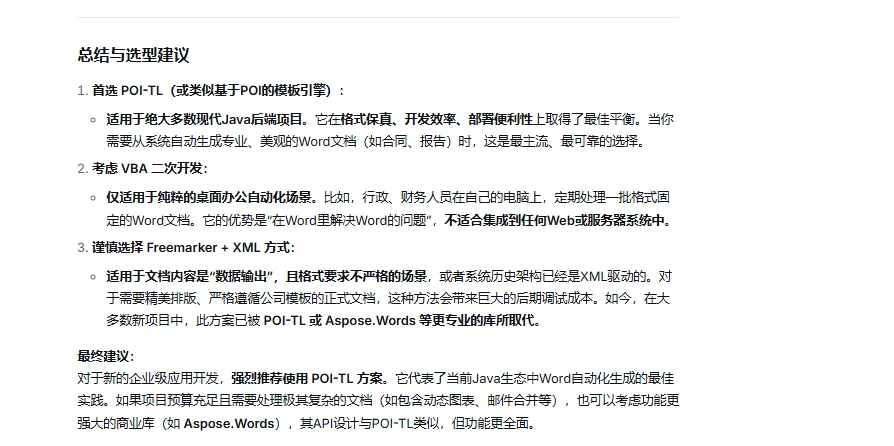
FreeMarker 本⾝不直接⽀持 Word 模板解析,核⼼原理是:先制作标准 Word ⽂档(.docx),将其
另存为 XML 格式,在 XML 中嵌⼊ FreeMarker 占位符(${变量名})、指令(循环、判断等),再通
过 FreeMarker 引擎渲染 XML,最终将渲染后的 XML 重命名为 .docx,即为动态⽣成的 Word ⽂件。
关键前提:仅⽀持 .docx 格式(2007及以上版本),不⽀持 .doc 格式(⼆进制格式,⽆法嵌⼊占位符);模板制作的核⼼是「保证 XML 结构完整,占位符嵌⼊位置正确」。
需关注导出的word在office与wps两种产品工具打开的对比效果。
步骤1:制作基础 Word ⽂档
1. ⽤ WPS/Word 新建⽂档,编辑固定内容(如标题、表格表头、落款等,即不需要动态替换的部分)。
2. 预留动态内容位置(如姓名、⽇期、表格数据、列表等),暂时⽤占位⽂本标记(如【姓名】【表格数据】),⽅便后续替换为 FreeMarker 语法。
3. 注意:避免使⽤特殊格式(如艺术字、复杂公式、嵌⼊图⽚),此类内容在 XML 中结构复杂,易导致渲染失败;如需图⽚,后续单独说明。
步骤2:将 Word 另存为 XML 格式
1. 打开制作好的 Word ⽂档,点击「⽂件」→「另存为」,选择保存类型为「Word XML ⽂档(*.xml)」,保存到本地(如 template.xml)。
2. 关键:保存时不要选择「启⽤宏的 Word XML ⽂档」,也不要压缩,选择纯 XML 格式。
步骤3:编辑 XML,嵌⼊ FreeMarker 语法
⽤记事本、VS Code 等⽂本编辑器打开保存的 template.xml,找到步骤1中标记的占位⽂本,替换为FreeMarker 占位符和指令,核⼼语法如下(重点):
3.1 基础占位符(静态⽂本替换)
⽤于替换单个静态内容(如姓名、⽇期、编号等),直接嵌⼊ ${变量名},注意:不要破坏 XML 原有的标签结构。⽰例:原 XML 中对应「姓名」的内容:<w:t>【姓名】</w:t>替换后:<w:t>${userName}</w:t>
其他⽰例:${orderNo}(订单号)、${createTime}(创建时间)、${companyName}(公司名称)
3.2 循环指令(动态表格/列表)
⽤于动态⽣成表格⾏、列表项(如订单明细、⽤⼾列表),核⼼使⽤ <#list 集合 as 元素>…</#list>
接下来进入到代码实现环节,首先第一步就是pom文件引入:
<dependency><groupId>org.springframework.boot</groupId><artifactId>spring-boot-starter-freemarker</artifactId><version>2.7.18</version></dependency><dependency><groupId>commons-io</groupId><artifactId>commons-io</artifactId><version>2.11.0</version></dependency>
第二步就是整合工具类,FreemarkerUtils工具类
package cn.xx.xx.module.bill.utils;import freemarker.template.Configuration;import freemarker.template.Template;import freemarker.template.TemplateException;import org.springframework.beans.factory.annotation.Autowired;import org.springframework.http.HttpHeaders;import org.springframework.http.HttpStatus;import org.springframework.http.MediaType;import org.springframework.http.ResponseEntity;import org.springframework.stereotype.Component;import javax.annotation.Resource;import java.io.*;import java.net.URLEncoder;import java.nio.charset.StandardCharsets;import java.time.LocalDateTime;import java.util.HashMap;import java.util.Map;@Componentpublic class FreeMarkerWordUtil {@Autowiredprivate Configuration configuration;/*** 渲染模板⽣成 Word ⽂件* @param templateName 模板名称(如 orderTemplate.ftl,放在resources/templates/word/ ⽬录下)* @param data 模板所需数据(Map 格式,key对应模板中的${变量名})* @param outputPath ⽣成 Word 的保存路径(如 D:/output/order123.docx)* @throws IOException 模板读取/⽂件写⼊异常* @throws TemplateException 模板渲染异常*/public void generateWord(String templateName, Map<String, Object> data,String outputPath) throws IOException, TemplateException {// 1. 获取模板(指定模板路径,这⾥假设模板放在 templates/word ⽬录下)Template template = configuration.getTemplate("word/" + templateName, StandardCharsets.UTF_8.name());// 2. 渲染模板,⽣成 XML 字符串(使⽤ StringWriter 接收)StringWriter stringWriter = new StringWriter();BufferedWriter writer = new BufferedWriter(stringWriter);template.process(data, writer); // 渲染数据到模板,⽣成XMLwriter.flush();String xmlContent = stringWriter.toString();// 3. 将 XML 字符串写⼊⽂件,重命名为 .docxtry (OutputStream outputStream = new FileOutputStream(outputPath);OutputStreamWriter outputStreamWriter = newOutputStreamWriter(outputStream, StandardCharsets.UTF_8)) {outputStreamWriter.write(xmlContent);outputStreamWriter.flush();}// 关闭流writer.close();stringWriter.close();}/*** 下载方式**/public ResponseEntity<byte[]> downWordFile(BasicInfoDO basicInfo) throws IOException, TemplateException {// 2. 渲染模板,⽣成 XML 字节数组Template template = configuration.getTemplate("word/contract.ftl", "UTF-8");StringWriter stringWriter = new StringWriter();Map<String, Object> data=new HashMap<>();//组装数据......template.process(data, new BufferedWriter(stringWriter));byte[] xmlBytes =stringWriter.toString().getBytes(StandardCharsets.UTF_8);// 3. 构建响应头,实现下载HttpHeaders headers = new HttpHeaders();// 设置下载⽂件名(URLEncoder.encode 处理中⽂⽂件名)String fileName = URLEncoder.encode("订单详情.docx", "UTF-8");headers.setContentDispositionFormData("attachment", fileName);headers.setContentType(MediaType.APPLICATION_OCTET_STREAM);// 4. 返回响应return new ResponseEntity<>(xmlBytes, headers, HttpStatus.OK);}/*** 文本截断 - 防止文本过长导致显示不完整*/private String truncateText(String text, int maxLength) {if (text == null) {return "-";}if (text.length() > maxLength) {return text.substring(0, maxLength) + "...";}return text;}/****/private String timeStr(LocalDateTime time){return time.getYear()+"年"+time.getMonth().getValue()+"月"+time.getDayOfMonth()+"日";}}
然后使用的时候,controller如下:
@GetMapping("/downloadWord")public ResponseEntity<byte[]> downloadWord(@RequestParam("id") Long id) throws IOException, TemplateException {//。。。。。。return freeMarkerWordUtil.downWordFile( basicInfo);}
最后效果如下:
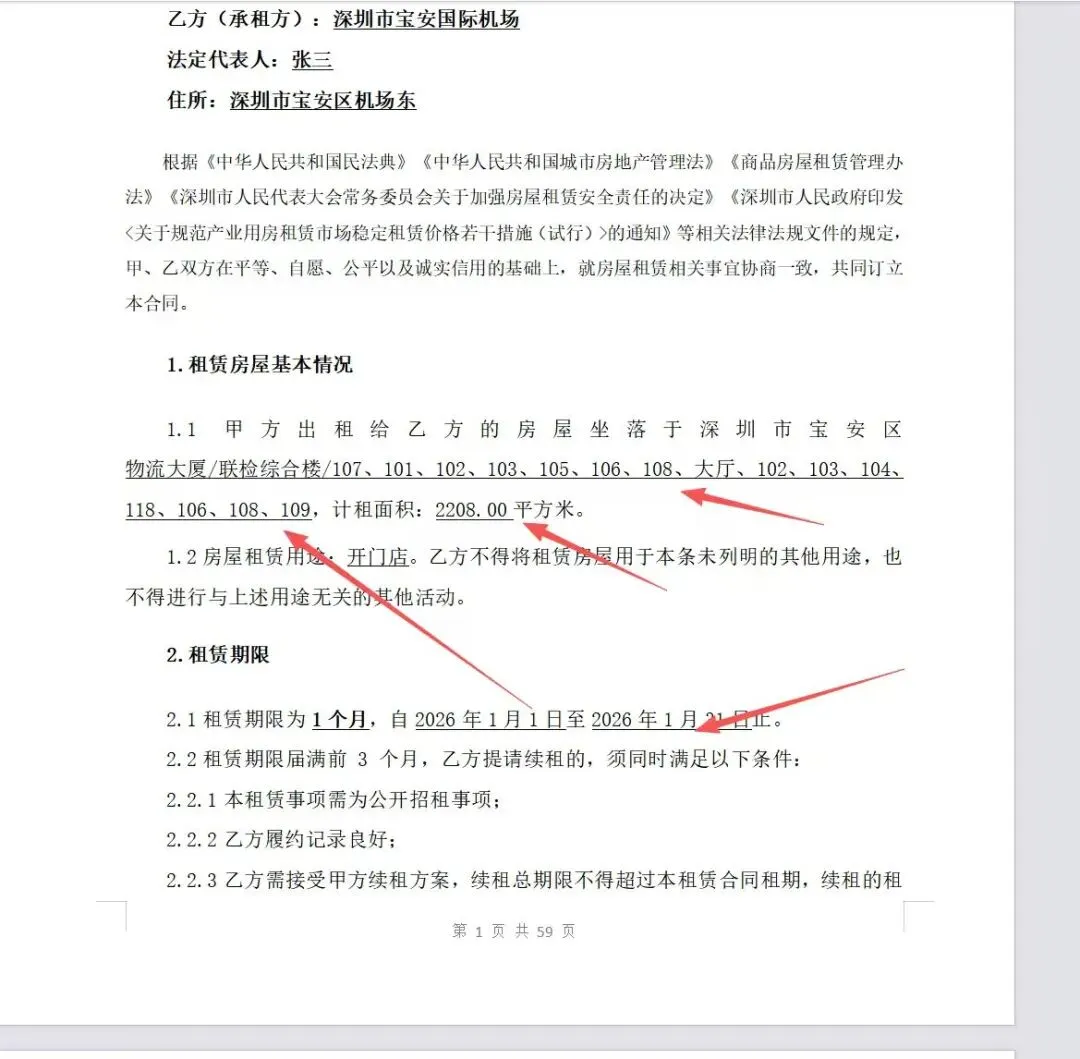
效果还可以,能够自适应。好了,本文介绍到这里就结束了,最后鸣谢@wayn,@Ic,@天空海洋等各位的指点,以上内容有借鉴并参考以上好友的观点和内容,其他读者如果有更好的也欢迎留言区进行讨论。

