 夜雨聆风
夜雨聆风


mac: vscode插件Code Runner报错:/bin/sh: node: command not found
原因:没有找到node
解决方法:
-
在终端中输入【which node】,找到node可执行文件的路径; 
-
修改vscode设置 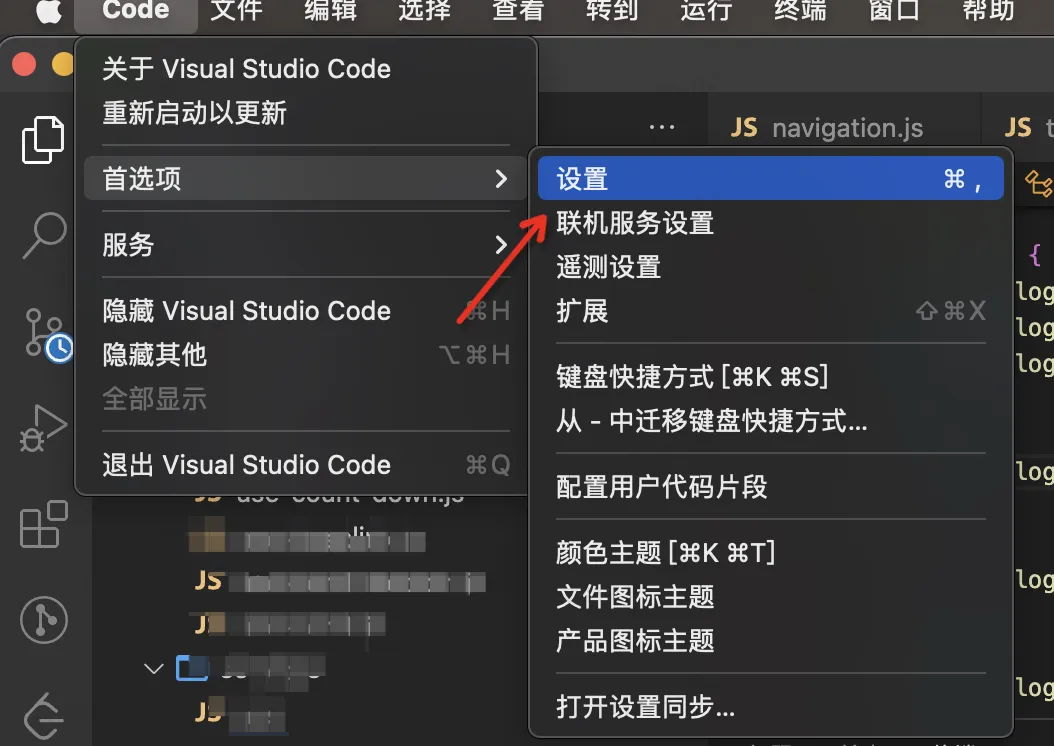
-
输入Executor Map,然后再settings.json中编辑; 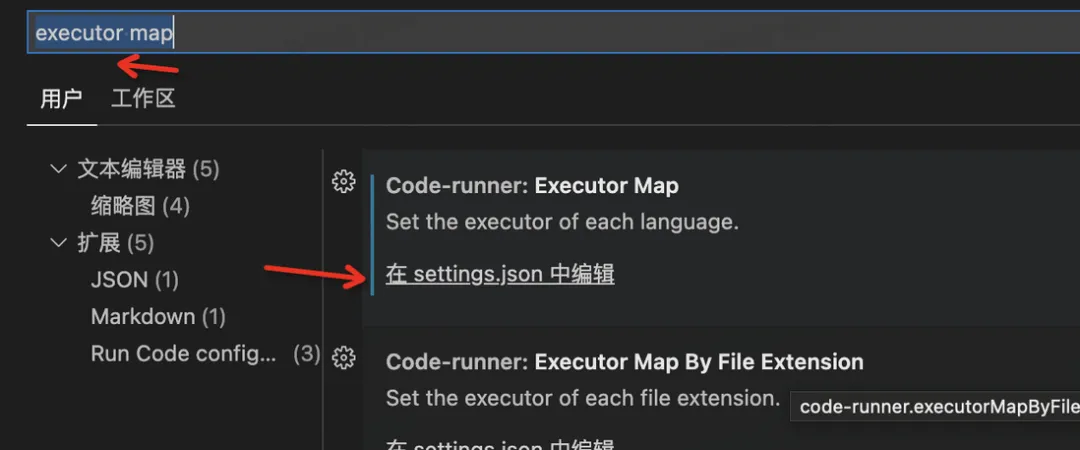
-
把node可执行文件的路径替换到这里; 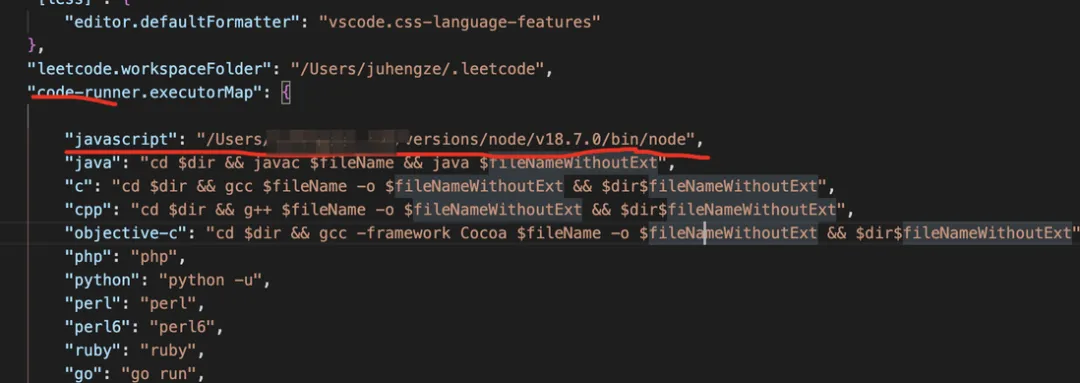
-
完成,可以舒畅的运行了~
mac: vscode插件Code Runner报错:/bin/sh: node: command not found
解决方法:

