 夜雨聆风
夜雨聆风
整个过程分 3 步:安装 OpenClaw → 运行 onboard 向导(配置 AI 模型 + 聊天渠道 + 技能 + Gateway)→ 开始使用。
npm install -g openclaw说明:这里要已经有node环境了,不然是要自己配置这个环境的。
验证安装:
openclaw --version看到版本号即安装成功。
macOS / Linux:
curl -fsSL https://openclaw.ai/install.sh | bashWindows PowerShell:
iwr -useb https://openclaw.ai/install.ps1 | iexhttps://docs.microsoft.com/zh-cn/windows/wsl/install
git clone https://github.com/openclaw/openclaw.gitcd openclawpnpm installpnpm buildopenclaw onboard向导会交互式引导你完成所有配置,包括:AI 模型、聊天渠道、技能、Hooks、Gateway 服务安装等。
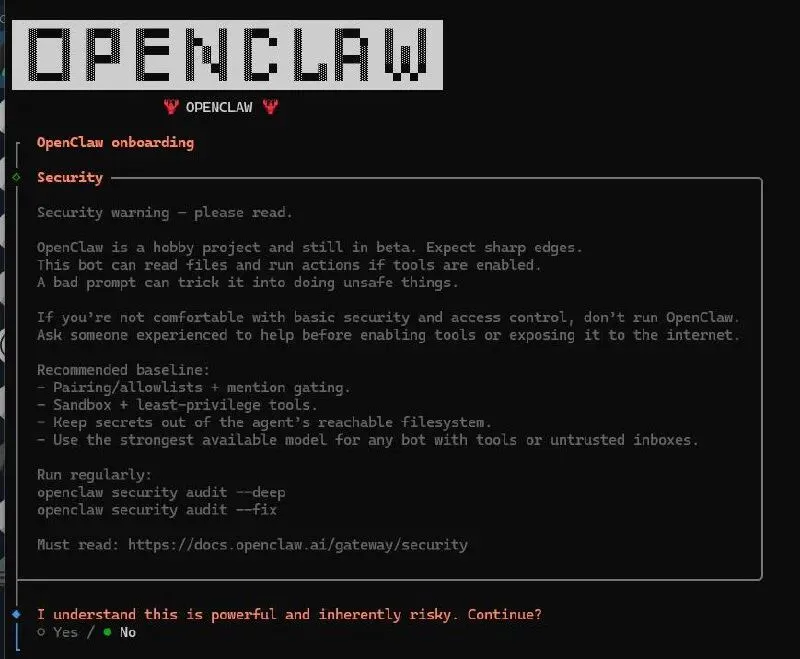
首先会显示安全警告,阅读后选择 Yes 继续。
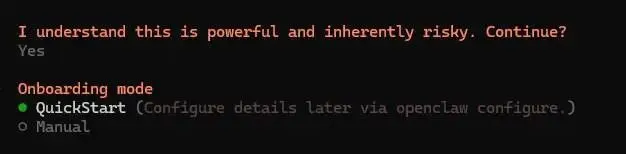
◇ Onboarding mode│ QuickStart选择 QuickStart(推荐),会自动配置网关端口(18789)、绑定地址(127.0.0.1)等默认设置。

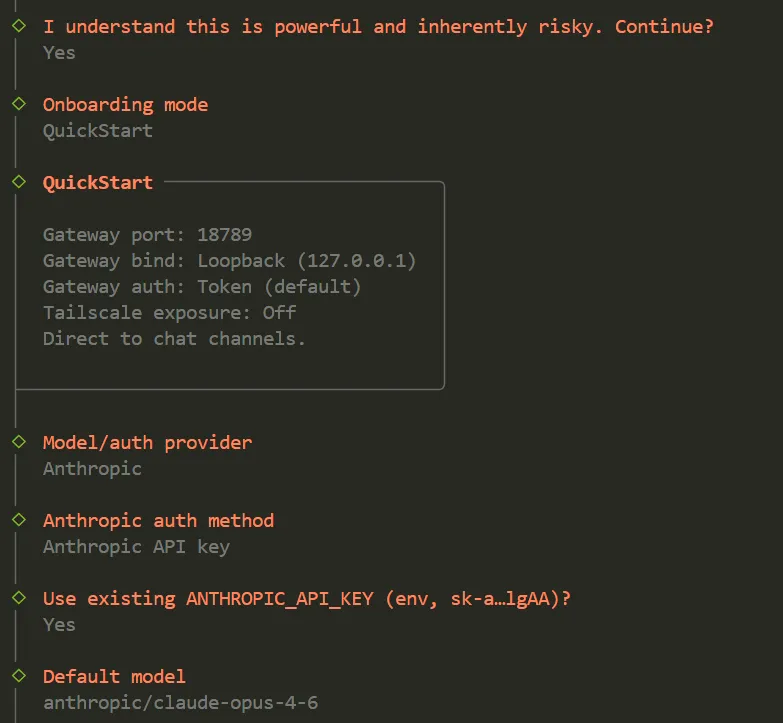
Linux 服务器:自动创建 systemd 用户服务 Mac:自动创建 LaunchAgent
接下来向导会逐一询问是否配置各技能的 API Key:
◇ Set GOOGLE_PLACES_API_KEY for goplaces? → No(没有就跳过)◇ Set GEMINI_API_KEY for nano-banana-pro? → No◇ Set NOTION_API_KEY for notion? → No◇ Set OPENAI_API_KEY for openai-image-gen? → No◇ Set OPENAI_API_KEY for openai-whisper-api? → No◇ Set ELEVENLABS_API_KEY for sag? → No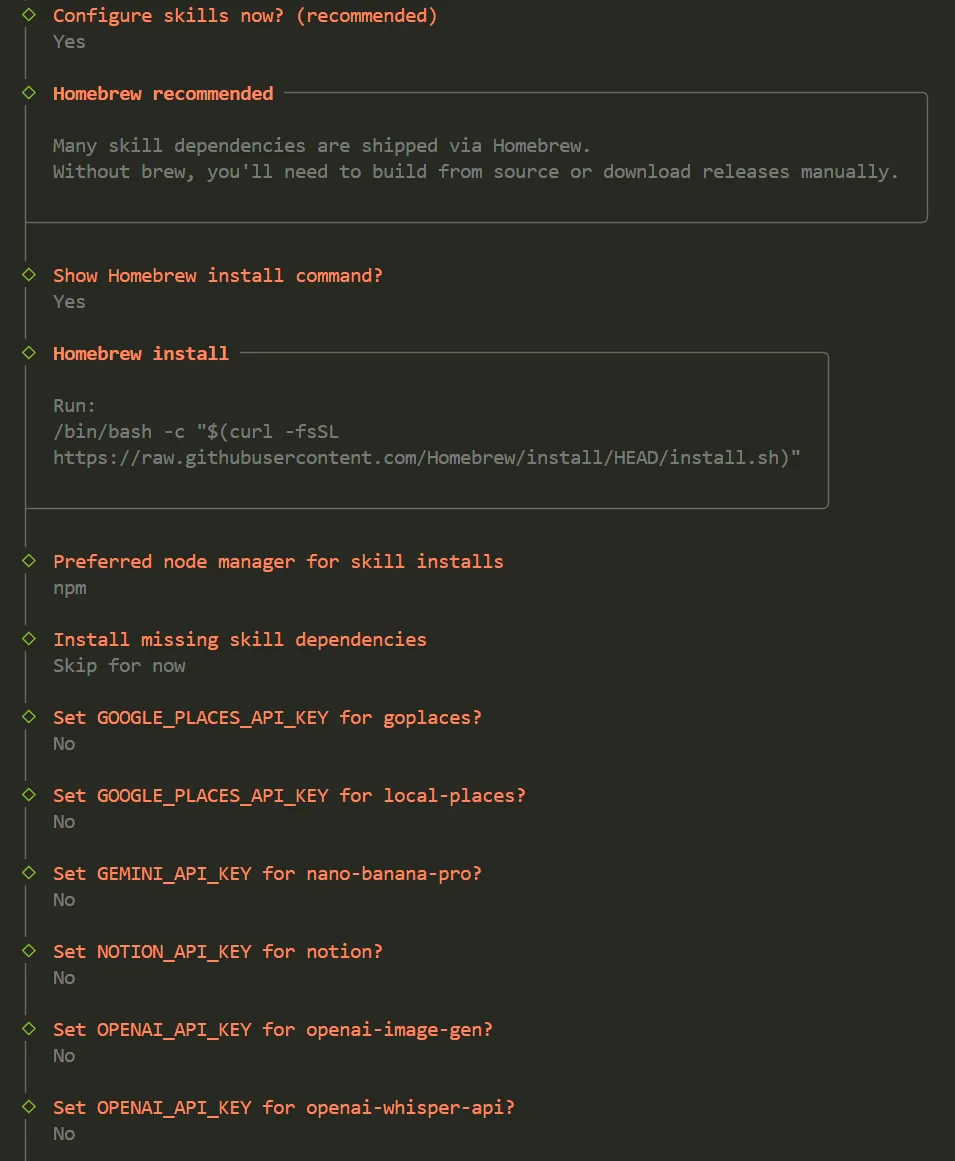
openclaw configure 随时补充。◇ Hooks ──────────────────────────────────────────────────────────╮│ ││ Hooks let you automate actions when agent commands are issued. ││ Example: Save session context to memory when you issue /new. ││ │├──────────────────────────────────────────────────────────────────╯│◇ Enable hooks?│ 🚀 boot-md, 📝 command-logger, 💾 session-memory💡 后续可通过以下命令管理 Hooks:
openclaw hooks list— 查看所有 Hooks openclaw hooks enable <name>— 启用 openclaw hooks disable <name>— 禁用
向导会自动完成以下操作(无需手动干预):
- Systemd 配置
(仅 Linux):启用 systemd lingering,防止退出登录后服务被终止 - Gateway 服务安装
:自动安装 systemd 服务,确保网关持续运行
◇ Systemd ─────────────────────────────╮│ ││ Enabled systemd lingering for root. ││ │├───────────────────────────────────────╯│◇ Gateway service installed.安装完成后,向导会自动验证 Slack 连接:
Slack: ok (2180ms)Agents: main (default)看到 Slack: ok 表示 Slack 连接成功 ✅
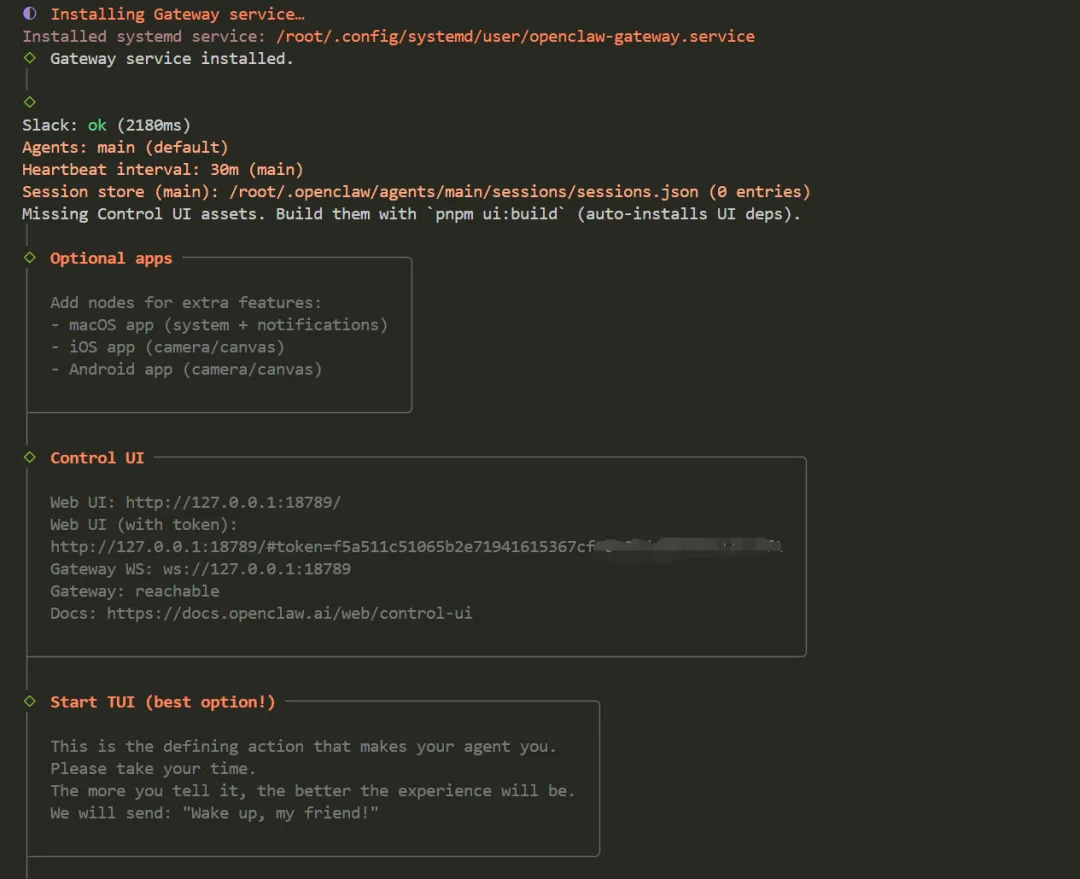
向导会显示 Web 控制面板的访问地址:
◇ Control UI ─────────────────────────────────────────────────────────────────────╮│ ││ Web UI: http://127.0.0.1:18789/ ││ Web UI (with token): http://127.0.0.1:18789/#token=xxxxx ││ Gateway WS: ws://127.0.0.1:18789 ││ │├──────────────────────────────────────────────────────────────────────────────────╯💡 记住这个地址,后续可以通过浏览器访问 Web 控制面板与 Bot 对话。 也可以随时运行 openclaw dashboard打开。
http://127.0.0.1:18789/overview
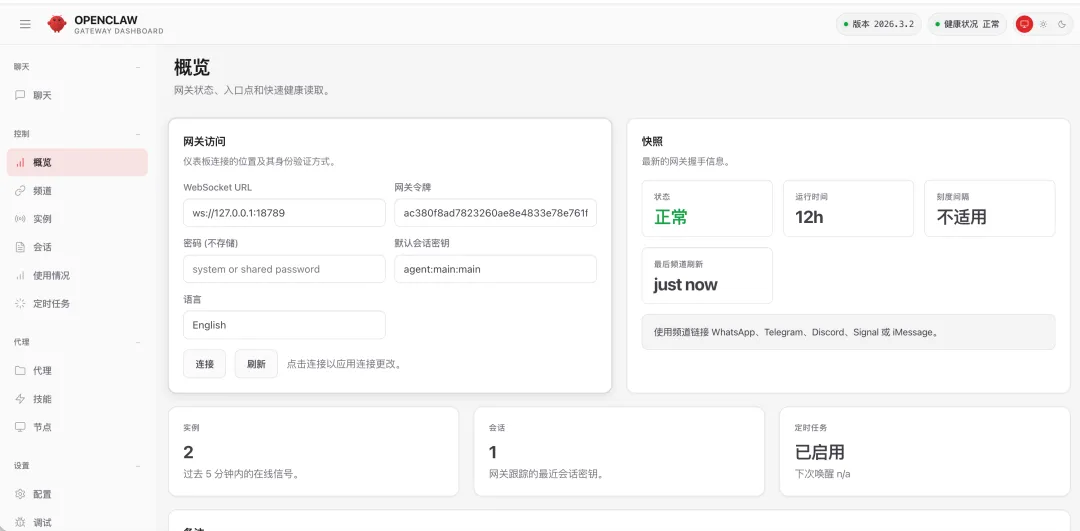
openclaw gateway status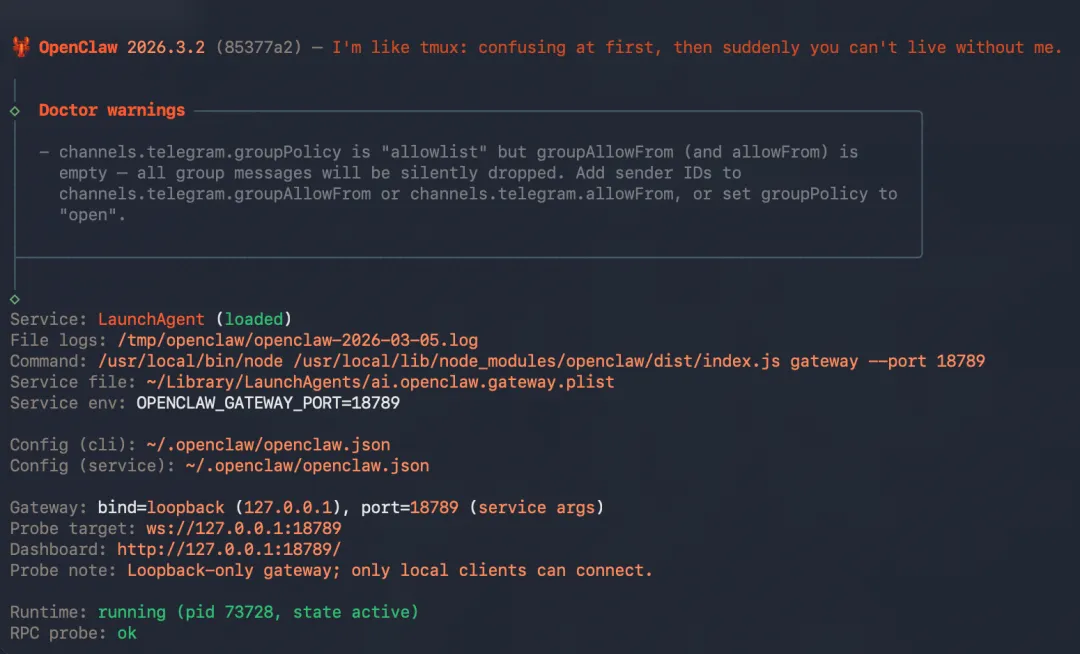
openclaw status # 查看整体状态openclaw gateway status # 查看 Gateway 运行状态openclaw health # 健康检查openclaw configure # 重新配置(修改模型、频道等)openclaw daemon restart # 重启后台服务openclaw daemon logs # 查看运行日志node -vcurl -o- https://raw.githubusercontent.com/nvm-sh/nvm/v0.40.0/install.sh | bashnvm install 22openclaw onboardopenclaw configure扫码加入OpenClaw实战营一起探索OpenClaw变现:

历史文章