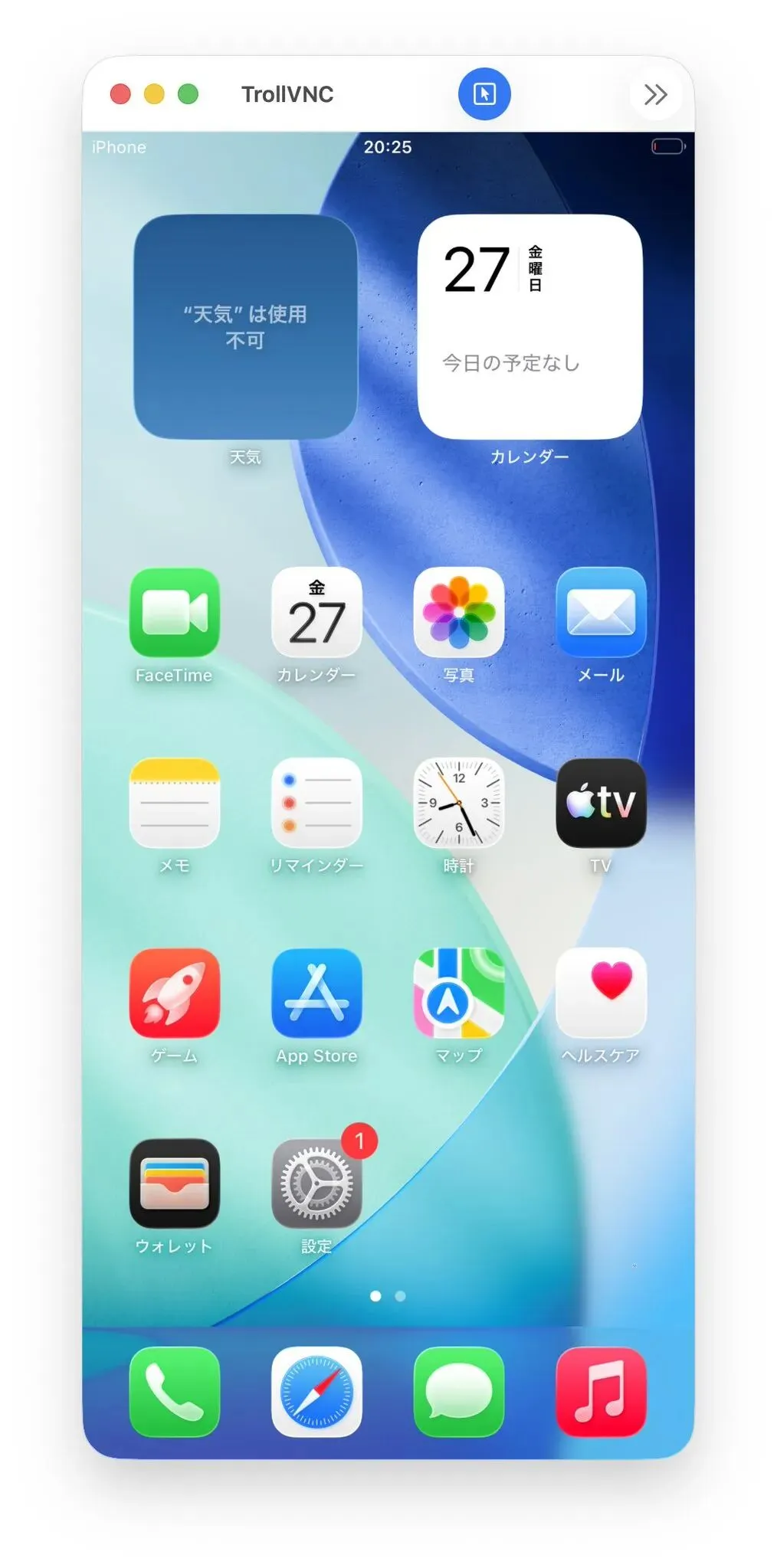
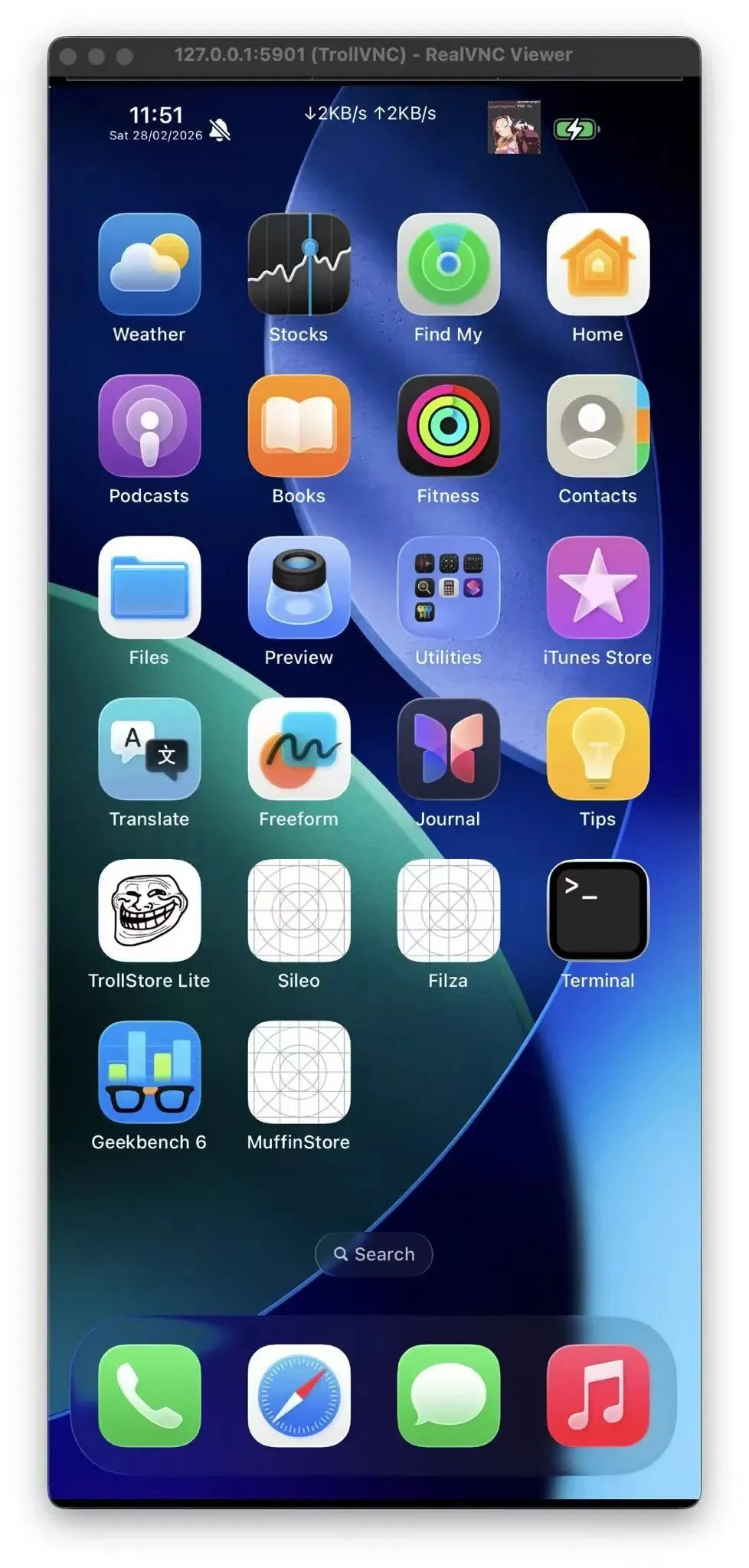
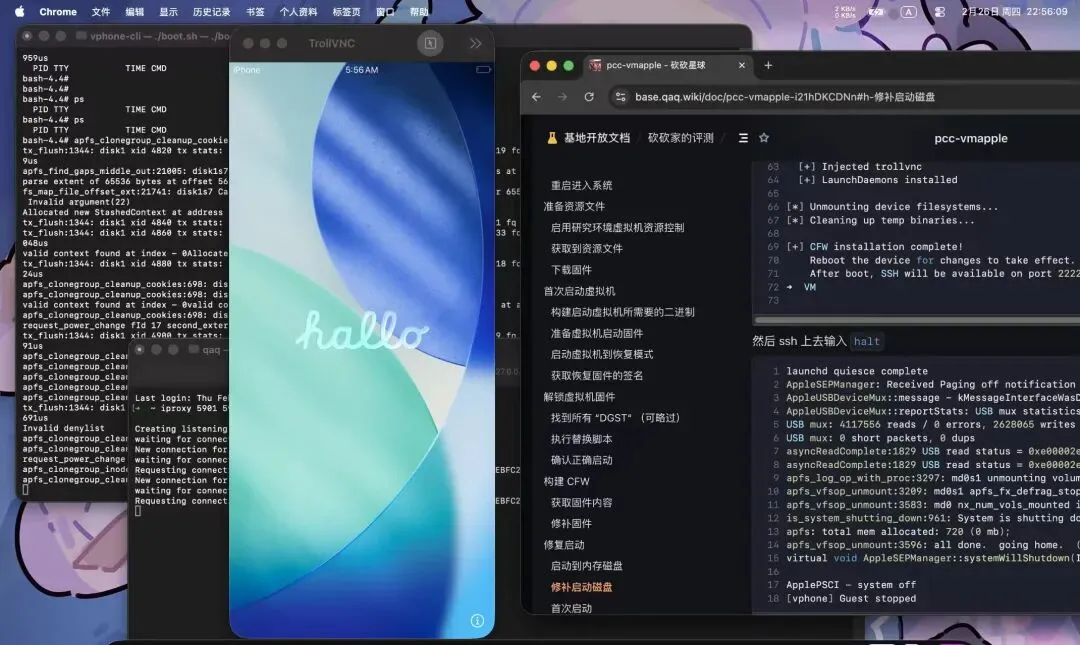
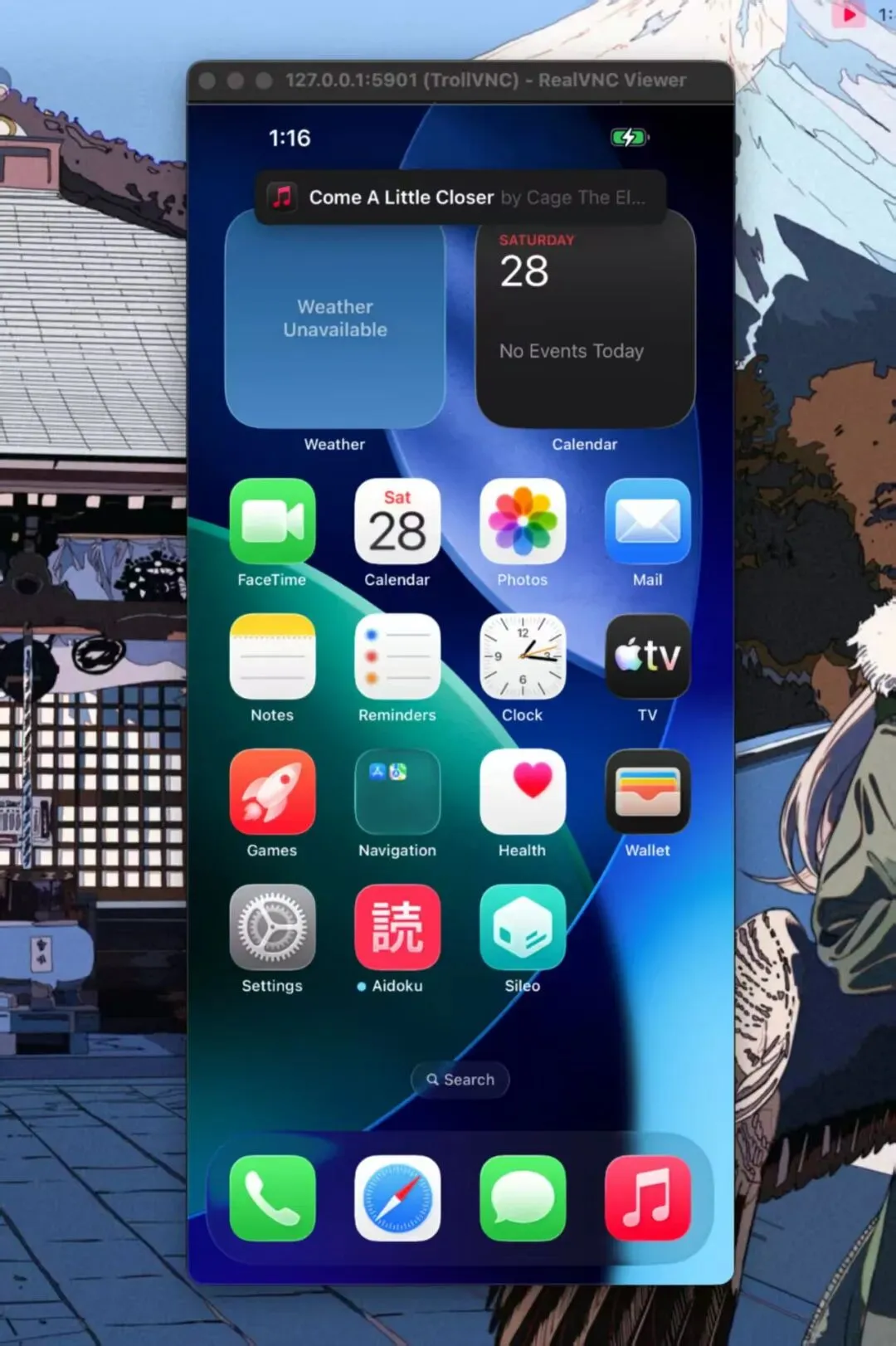
乐于分享
好东西不私藏

Mac运行虚拟iPhone实现越狱iOS26+巨魔功能+原理分析

Mac运行虚拟iPhone实现越狱iOS26+巨魔功能+原理分析

Apple Silicon Mac运行虚拟iPhone

实现越狱iOS26+巨魔安装IPA功能
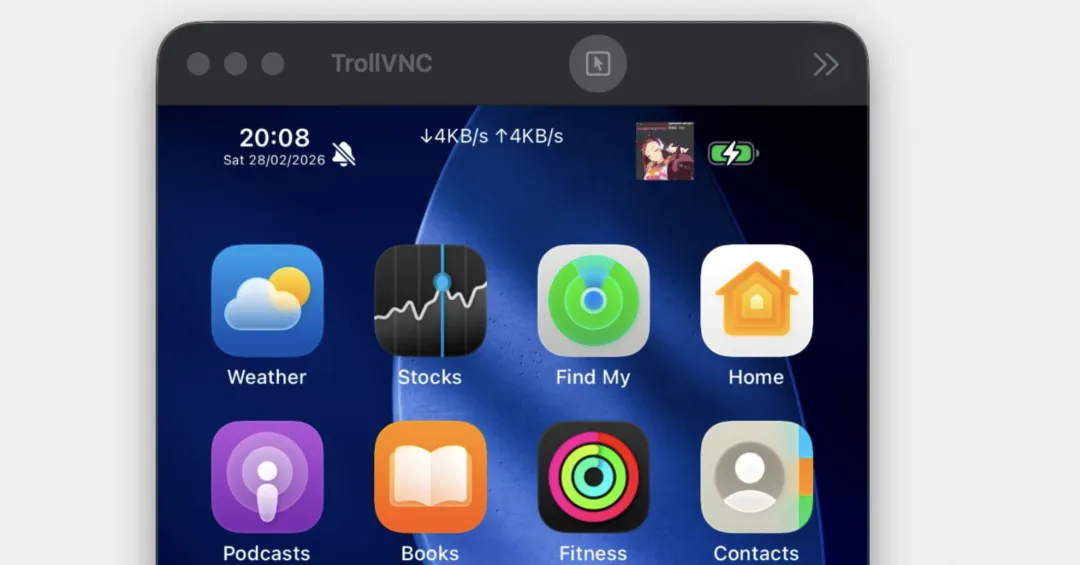
虚拟iPhone已知限制

仅支持Apple Silicon设备(ARM64虚拟化)需要禁用SIP和AMFI,影响宿主机安全性固件补丁基于iOS 26.1(23B85)的固定偏移,版本更新后需要重新适配部分硬件功能(蜂窝网络、GPS、NFC等)不可用SEP模拟并非完整,依赖安全飞地的功能可能异常性能开销来自虚拟化层,不适合性能敏感的测试

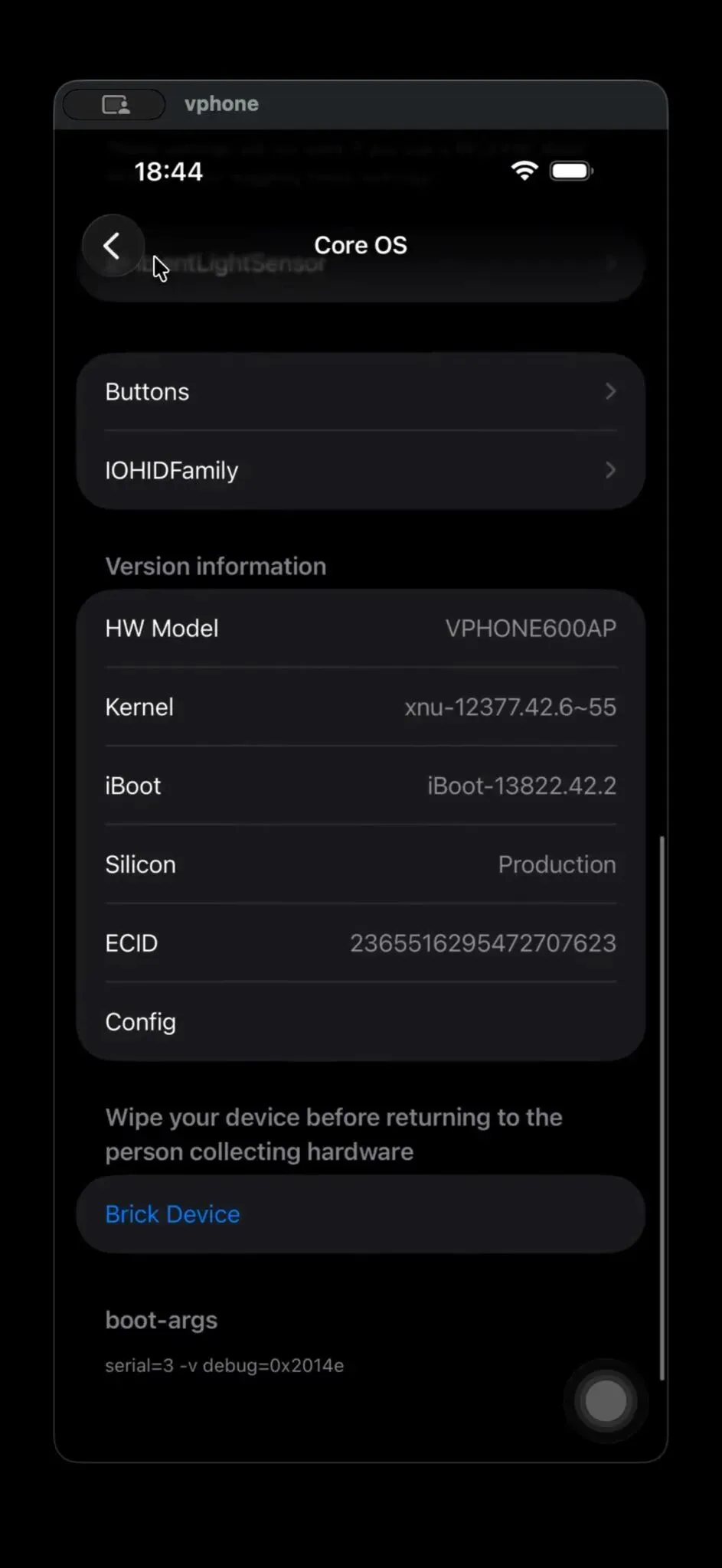
vphone-cli在 Apple Silicon Mac 上运行的

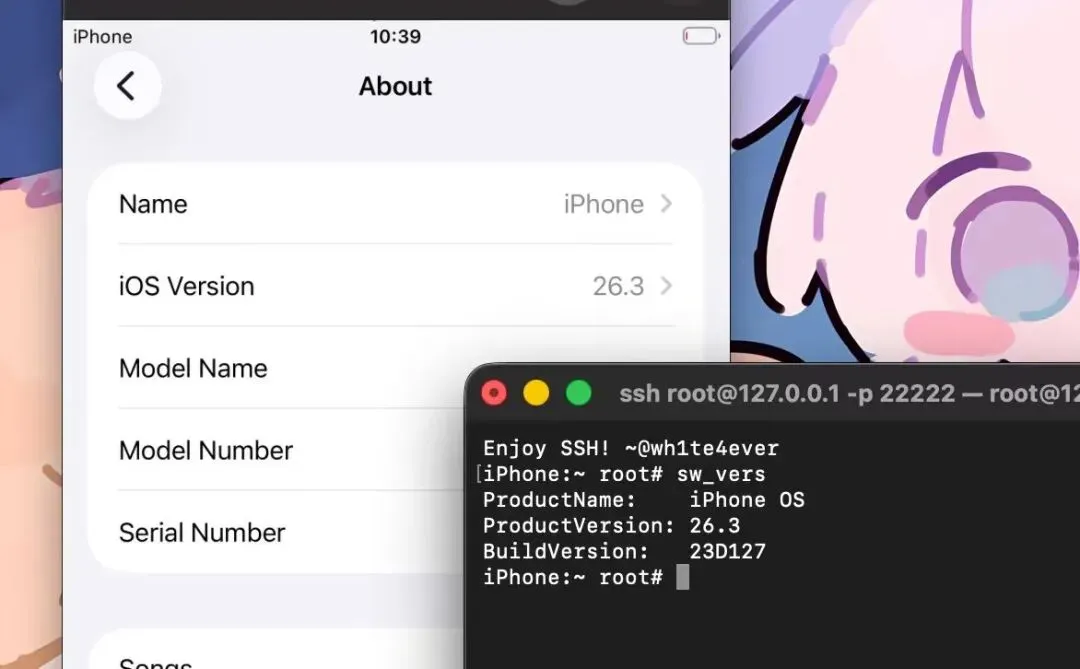
拥有 root 权限的真实 iOS 虚拟机可以安装任意IPA的真机

它不是 Xcode配套的模拟器 Simulator,不是传统意义上的iOS越狱

也不是 QEMU 模拟(性能接近原生)。

它是一个真正的 iOS 内核在 ARM64 虚拟化环境下运行的完整系统。

技术原理

1 同架构的基础优势

Apple Silicon(M 系列)和 iPhone(A 系列)使用相同的 ARM64 指令集。macOS 的 Virtualization.framework 提供近原生性能的 ARM 虚拟化支持。这两个条件叠加,意味着 Mac 在硬件层面完全有能力运行 iOS 内核。

Intel Mac 无法实现,这是架构层面的硬性限制。

2 私有 API:苹果留的后门

Virtualization.framework 的公开 API 只支持 macOS 和 Linux 虚拟机。

但框架内部有个未公开的私有类 _VZMacHardwareModelDescriptor,

它的 setPlatformVersion: 方法接受整数参数:

PV就是PlatformVersion 平台版本号

硬件模型的核心代码:

// 核心代码:VZMacHardwareModel *VPhoneCreateHardwareModel(void) {    _VZMacHardwareModelDescriptor *desc =         [[_VZMacHardwareModelDescriptor alloc] init];    [desc setPlatformVersion:3];   // PV=3 是 iOS    [desc setBoardID:0x90];        // vresearch101 板卡标识    [desc setISA:2];               // ARM64    return [VZMacHardwareModel _hardwareModelWithDescriptor:desc];}

PV =1  →  标准 macOS 虚拟机

PV =3  →  标准 iOS 虚拟机

虚拟iPhone由来时间线

2024 年底:苹果推出 Private Cloud ComputePCC,私有云计算),用于在 Apple Silicon 服务器上做安全的云端 AI 推理,并将源码开放给安全研究者审计。2025 年底:研究员 @matteyeux 在扫描 PCC 固件时发现,cloudOS 26 固件里悄悄藏着一个组件——vphone600ap,即"iPhone Research Environment Virtual Machine"的硬件平台标识符。苹果在服务器固件里预置了虚拟 iPhone 的骨架,原因至今存疑:或许是为内部安全研究准备的工具,或许是类似 2021 年 iOS 15 beta 里 DEVELOPMENT/KASAN 内核泄露的工程失误。2026 年 1 月:研究员 @_inside 发推展示了第一个基于 vphone600ap 组件成功 boot 起来的虚拟 iPhone 画面。

2026 年 1 月 31 日:wh1te4ever 看到后完全着迷,当天开始动手构建自己的版本。

2026 年 2 月 25 日 

00:34:wh1te4ever 正式发布 writeup 和工具代码,

推文获得 55.4K 次浏览。

同日,Lakr233 发布vphone-cli,将整套流程自动化封装,降低了使用门槛。

vphone-cli也带来了危险:

一台 Apple Silicon Mac,运行多个 虚拟iPhone,批量注册账号,批量操作,完成后抹掉清除痕迹。这套流程的成本极低,自动化程度极高,对iOS各种社交平台都有威胁。
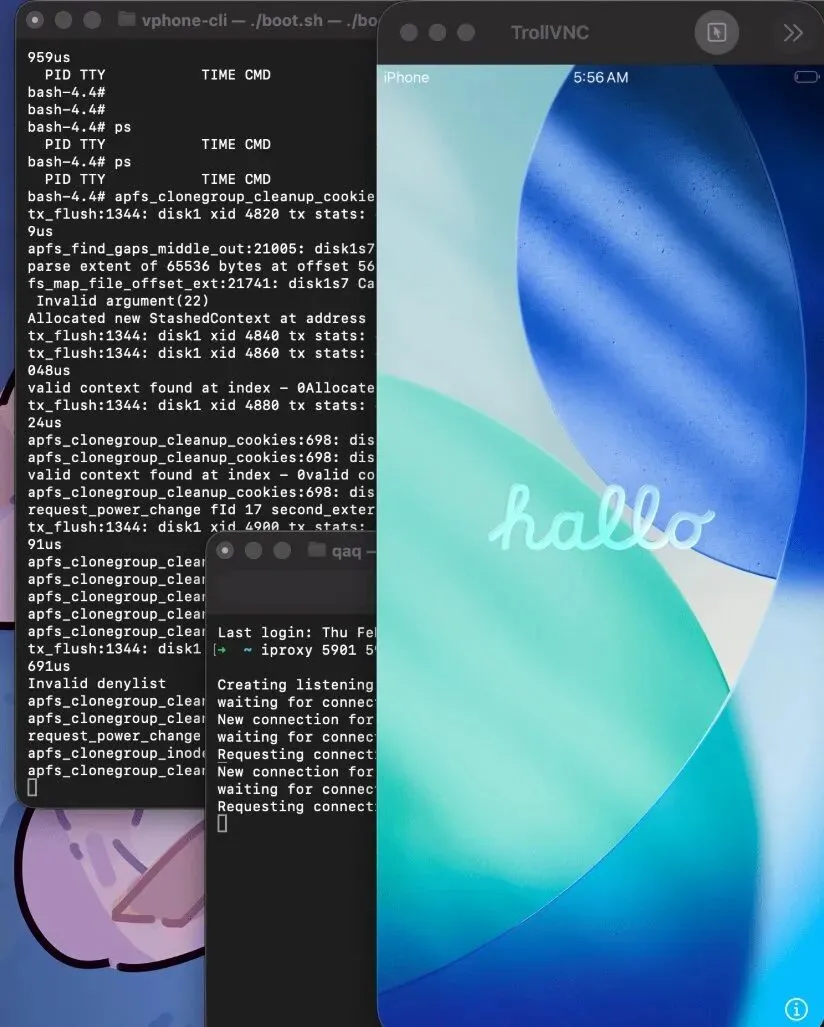
实现原理 参考资源

Apple Private Cloud Compute安全文档: https://security.apple.com/documentation/private-cloud-compute/wh1te4ever/super-tart-vphone-writeup: https://github.com/wh1te4ever/super-tart-vphone-writeupwh1te4ever/super-tart-vphone: https://github.com/wh1te4ever/super-tart-vphoneLakr233/vphone-cli: https://github.com/Lakr233/vphone-clicloudOS 26.1固件信息: https://appledb.dev/firmware/cloudOS/23B85.html
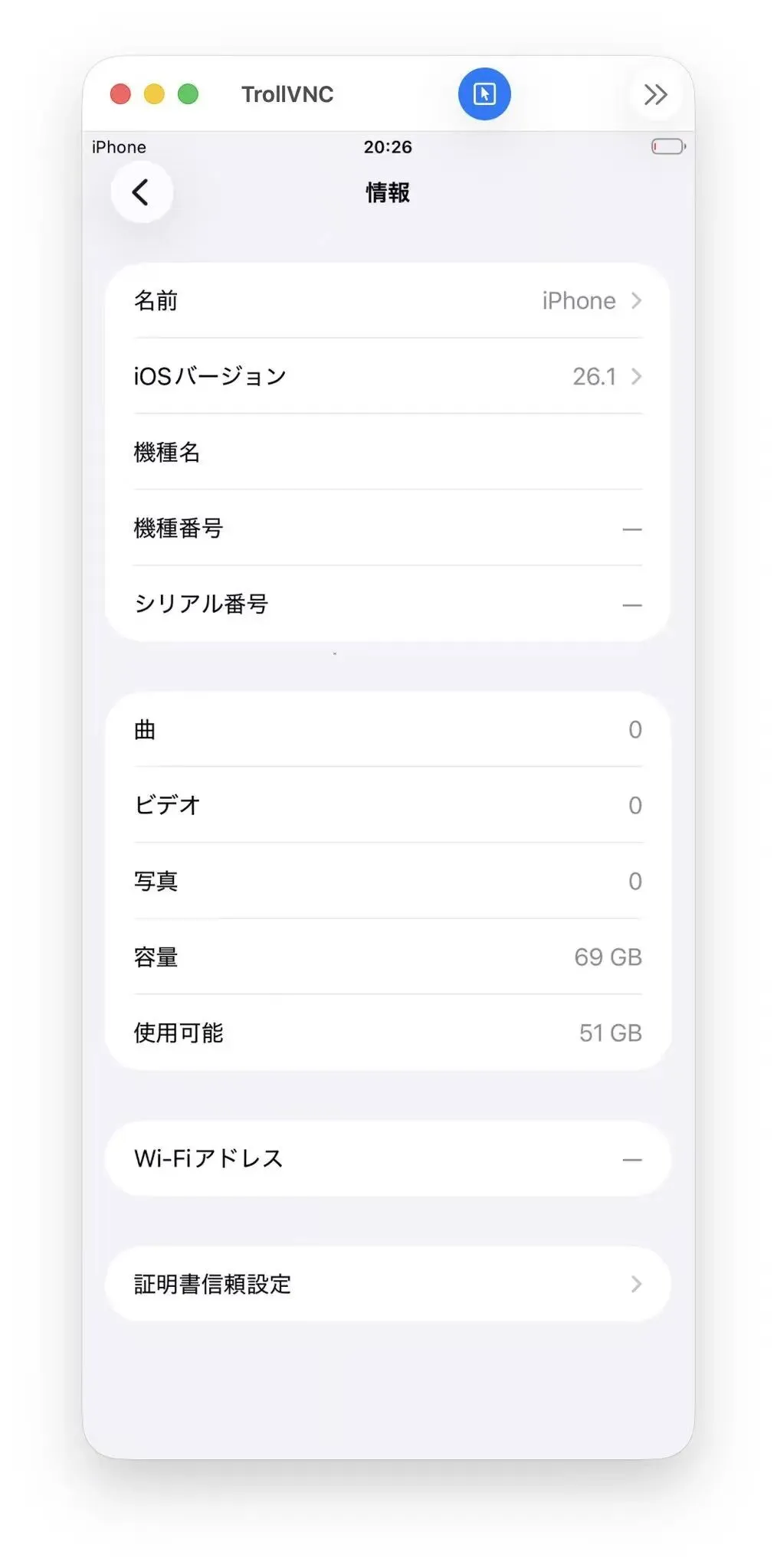
Prerequisites  前提条件

Disable SIP and AMFI
required for private Virtualization.framework entitlements.
禁用 SIP 和 AMFI——私有 Virtualization.framework 权限所需。
Boot into Recovery (long press power button), open Terminal:启动进入恢复(长按电源键),打开终端:
csrutil disable
csrutil allow-research-guestsenable
After restarting into macOS:重启进入 macOS 后:
sudo nvram boot-args="amfi_get_out_of_my_way=1 -v"
Restart once more.再重来一次。
Install dependencies:安装依赖:
make setup_libimobiledevice

build libimobiledevice toolchain

make setup_venv

create Python venv

source.venv/bin/activate

Quick Start  快速入门

make build

build + sign vphone-cli

make vm_new

create vm/ directory (ROMs, disk, SEP storage)

make fw_prepare

download IPSWs, extract, merge, generate manifest

make fw_patch

patch boot chain (6 components, 41+ modifications)

Restore  恢复
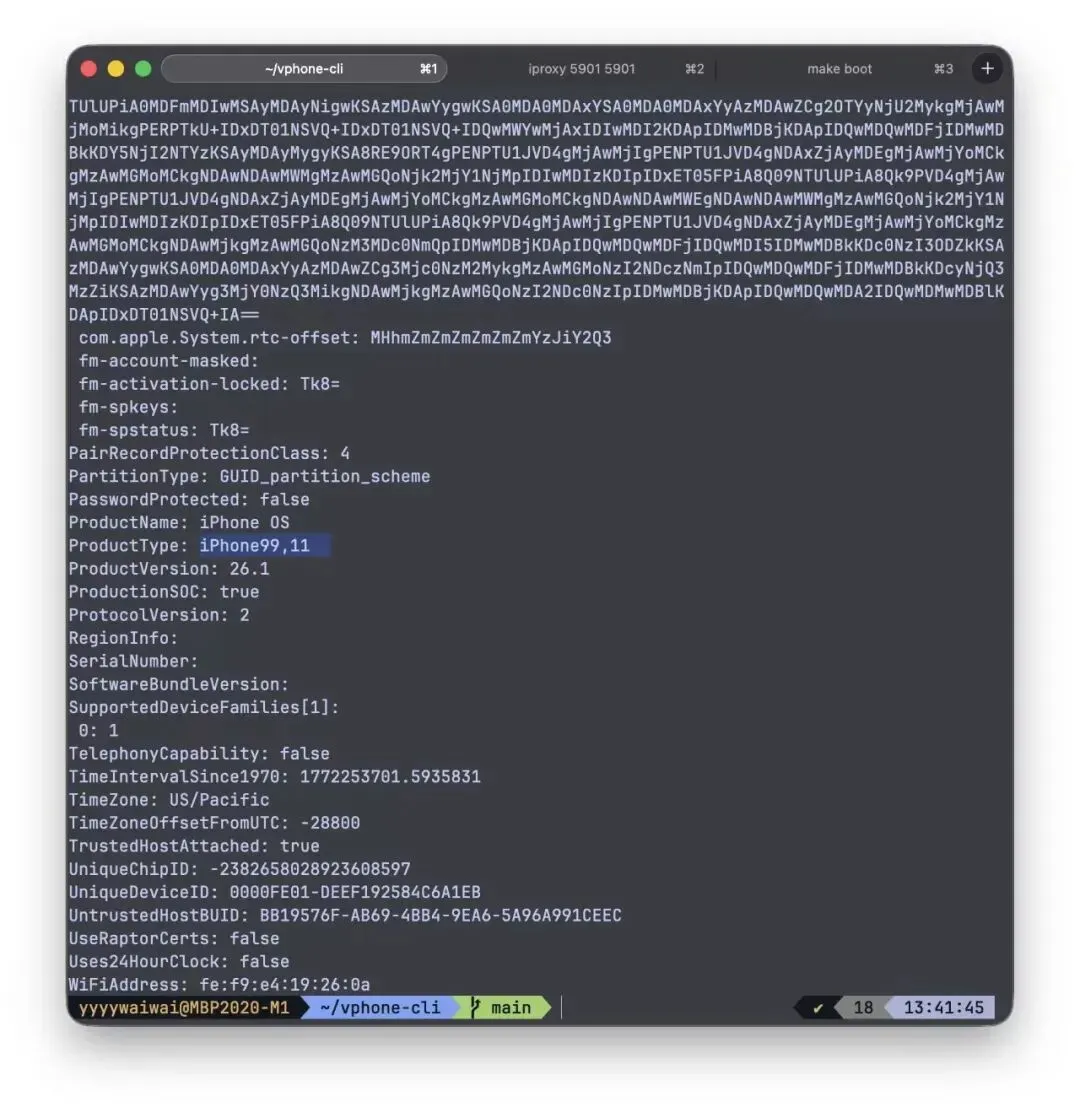
2.恢复过程中你需要两个终端。使用 2 号航站楼时保持 1 号航站楼运行。

terminal 1

make boot_dfu

boot VM in DFU mode (keep running)

terminal 2

make restore_get_shsh

fetch SHSH blob

make restore

flash firmware via idevicerestore

Ramdisk and CFWRamdisk 与 CFW

Stop the DFU boot in terminal 1 (Ctrl+C), then boot into DFU again for the ramdisk:在终端 1 停止 DFU 启动(Ctrl+C),然后再次启动 DFU 以获取内存盘:
# terminal 1make boot_dfu                 # boot VM in DFU mode (keep running)# terminal 2make restore_get_shsh         # fetch SHSH blobmake restore                  # flash firmware via idevicerestore
Once connected, install CFW:连接后,安装 CFW:

terminal 2

iproxy222222
make cfw_install

First Boot  首次被淘汰

Stop the DFU boot in terminal 1 (Ctrl+C), then:在终端 1 停止 DFU 启动(Ctrl+C),然后:
make boot
This gives you adirect consoleon the VM. When you see bash-4.4#, press Enter and run these commands to initialize the shell environment and generate SSH host keys:这样你就能直接在虚拟机上作控制台。当你看到 bash-4.4

时,按下回车键并执行以下命令来初始化 shell 环境并生成 SSH 主机密钥:

exportPATH='/usr/local/sbin:/usr/local/bin:/usr/sbin:/usr/bin:/sbin:/bin:/usr/bin/X11:/usr/games:/iosbinpack64/usr/local/sbin:/iosbinpack64/usr/local/bin:/iosbinpack64/usr/sbin:/iosbinpack64/usr/bin:/iosbinpack64/sbin:/iosbinpack64/bin'
mkdir -p /var/dropbear
cp /iosbinpack64/etc/profile /var/profile
cp /iosbinpack64/etc/motd /var/motd

generate SSH host keys (required for SSH to work)

dropbearkey -t rsa -f /var/dropbear/dropbear_rsa_host_key
dropbearkey -t ecdsa -f /var/dropbear/dropbear_ecdsa_host_key
shutdown -h now

Note: Without the host key generation step, dropbear (SSH server) will accept connections but immediately close them because it has no keys to perform the SSH handshake.注: 如果没有主机密钥生成步骤,Dropbear(SSH 服务器)会接受连接,但会立即关闭连接,因为它没有密钥来执行 SSH 握手。

Subsequent Boots  后续靴子
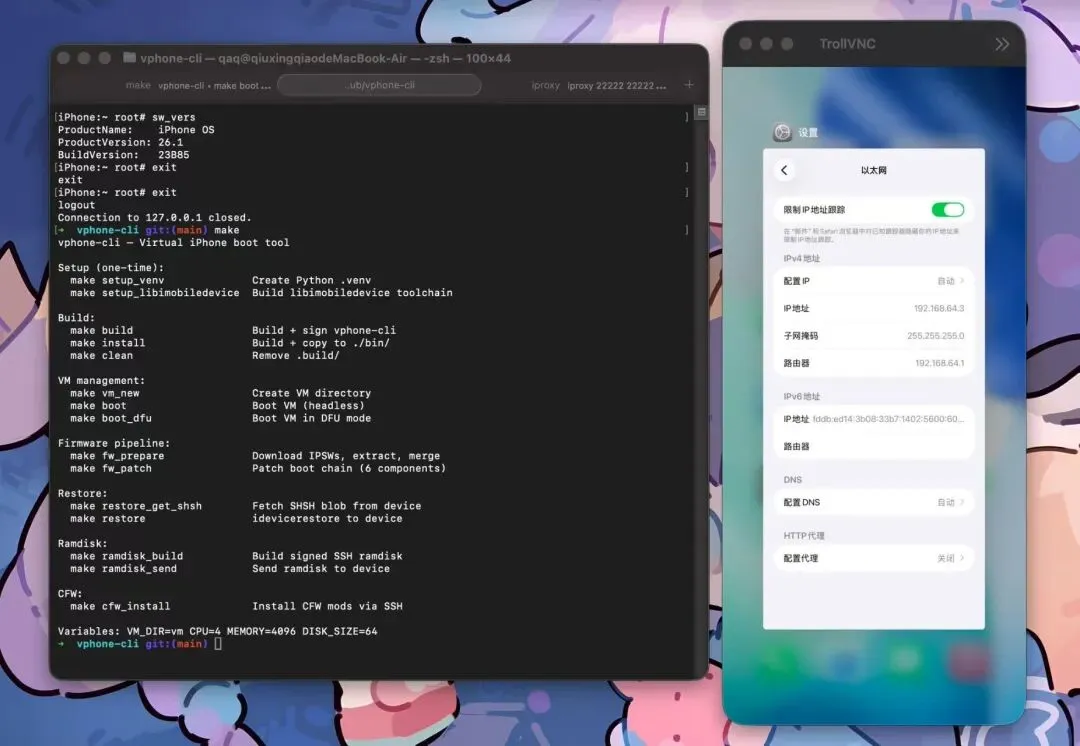
make boot
在独立终端中,启动 iproxy 隧道:
iproxy2222222222

SSH

iproxy59015901

VNC

Connect via:通过以下方式连接:
SSH:ssh -p 22222 root@127.0.0.1(密码:alpine)
VNC:vnc://127.0.0.1:5901

All Make Targets  全定目标

Run make help for the full list. Key targets:快去找帮助获取完整名单。主要目标:
Target目标
Description描述
build
Build + sign vphone-cli
vm_new
Create VM directory创建虚拟机目录
fw_prepare
Download/merge IPSWs下载/合并 IPSW
fw_patch
Patch boot chain补丁靴链
boot
 / boot_dfu启动 /boot_dfu
Boot VM (GUI / DFU headless)启动虚拟机(GUI / DFU 无头)
restore_get_shsh
Fetch SHSH blob取 SHSH blob
restore
Flash firmware闪存固件
ramdisk_build
Build SSH ramdisk构建 SSH 内存盘
ramdisk_send
Send ramdisk to device向设备发送 ramdisk
cfw_install
Install CFW mods安装自制自足武器的模组
clean
Remove build artifacts移除构建伪影

FAQ  常见问题

Before anything else — run git pull to make sure you have the latest version.在做其他事情之前——先运行 git pull,确保你用的是最新版本。

Q: I get zsh: killed ./vphone-cli when trying to run it.问:我运行时会被 zsh: killed ./vphone-cli。
AMFI is not disabled. Set the boot-arg and restart:AMFI 没有被禁用。设置 boot-arg 并重启:
sudo nvram boot-args="amfi_get_out_of_my_way=1 -v"
Q: I'm stuck on the "Press home to continue" screen.问:我卡在“按主页继续”界面。
Connect via VNC (vnc://127.0.0.1:5901) and right-click anywhere on the screen (two-finger click on a Mac trackpad). This simulates the home button press.通过 VNC(vnc://127.0.0.1:5901)连接,然后在屏幕上任意位置右键点击(Mac 触控板上用两指点击)。这模拟了主页按键的作。
Q: SSH connects but immediately closes (Connection closed by 127.0.0.1).问:SSH 连接后立即关闭( Connection closed by 127.0.0.1 )。
Dropbear host keys were not generated during first boot. Connect via VNC or the make boot console and run:Dropbear 主机密钥在第一次启动时并未生成。通过 VNC 或 make 启动控制台连接,然后运行:
exportPATH='/usr/local/sbin:/usr/local/bin:/usr/sbin:/usr/bin:/sbin:/bin:/usr/bin/X11:/usr/games:/iosbinpack64/usr/local/sbin:/iosbinpack64/usr/local/bin:/iosbinpack64/usr/sbin:/iosbinpack64/usr/bin:/iosbinpack64/sbin:/iosbinpack64/bin'
mkdir -p /var/dropbear
dropbearkey -t rsa -f /var/dropbear/dropbear_rsa_host_key
dropbearkey -t ecdsa -f /var/dropbear/dropbear_ecdsa_host_key
killall dropbear
dropbear -R -p22222
Q: Can I update to a newer iOS version?问:我可以更新到更新的 iOS 版本吗?
Yes. Override fw_prepare with the IPSW URL for the version you want:是的。用你想要的版本的 IPSW URL 覆盖 fw_prepare:
exportIPHONE_SOURCE=/path/to/some_os.ipsw
exportCLOUDOS_SOURCE=/path/to/some_os.ipsw
make fw_prepare
make fw_patch
Our patches are applied via binary analysis, not static offsets, so newer versions should work. If something breaks, ask AI for help.我们的补丁是通过二进制分析应用的,而不是静态偏移,所以新版本应该可以正常使用。如果出现故障,向 AI 求助。

Acknowledgements  致谢

wh1te4ever/super-tart-vphone-writeupwh1te4ever/超级酸味-vphone-writeup