 夜雨聆风
夜雨聆风


试下这个插件,鼠标定位坐标一键可视化
说在前面
>>>
平时做页面开发、交互动效调试的时候,你们都是怎么看鼠标坐标的?
要么在控制台疯狂打印 clientX/clientY,要么打开开发者工具一点点找位置,一顿操作下来很是麻烦。
最后干脆自己写了个书签小插件,点一下就能在页面上可视化显示鼠标定位和十字辅助线,坐标在哪、元素对不对齐,一眼就看明白,开发调试瞬间方便多了。
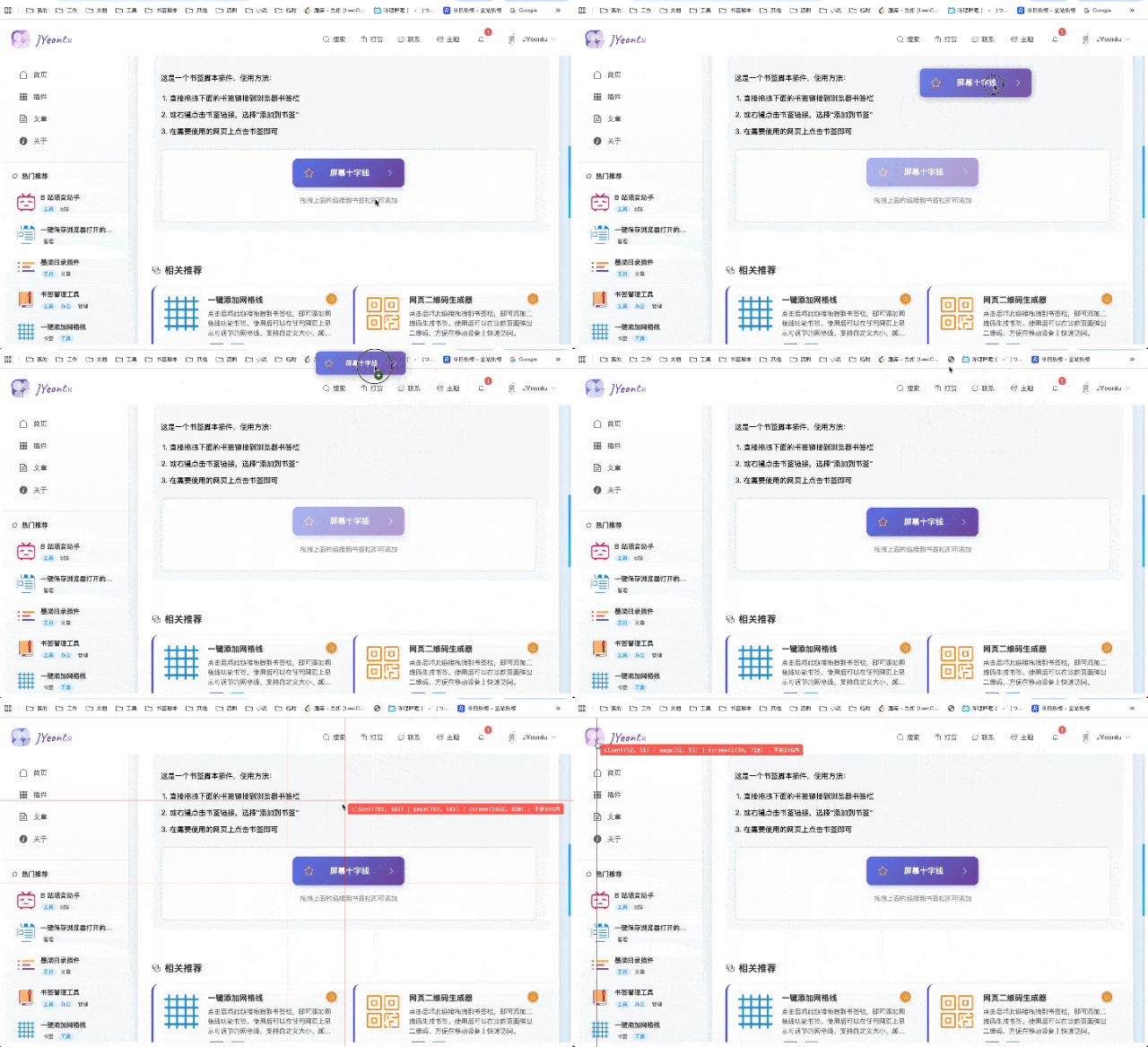
插件地址
http://jyeontu.xyz/JYeontuShop/#/plugin/16
功能介绍
1.一键可视化鼠标定位
点击书签,立刻在当前页面生成跟随鼠标的十字准星。
2.实时显示多套坐标信息
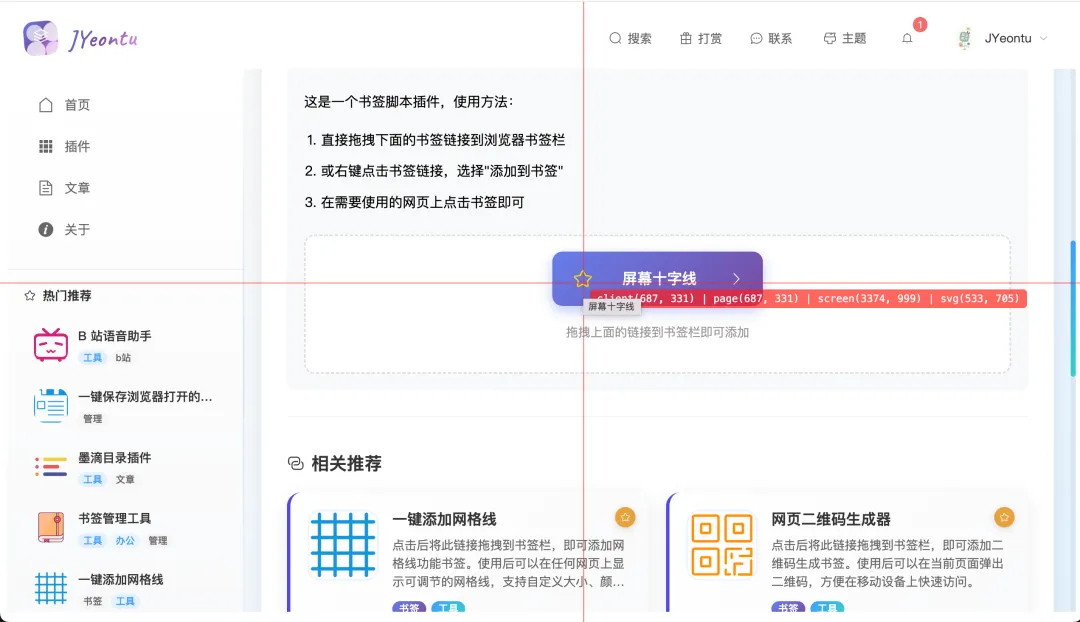
提示框里会自动显示 4 种常用坐标,一套满足所有调试场景:
-
client (X,Y) —— 可视区坐标 -
page (X,Y) —— 页面坐标(带滚动) -
screen (X,Y) —— 屏幕坐标 -
svg (X,Y) —— SVG 内部真实坐标
3.左键锁定坐标,方便对比
鼠标左键点一下,就能锁定当前鼠标定位,准星停在原地,方便反复核对位置。
4.退出功能
点击 exc 或者再次点击书签即可退出。
关键代码
1.十字准星与覆盖层创建
// 全屏透明覆盖层(核心:不影响页面点击)const overlay = document.createElement("div");overlay.id = "mouse-crosshair-overlay";overlay.style.cssText = ` position:fixed; top:0; left:0; width:100%; height:100%; pointer-events:none; z-index:999999; touch-action:none;`;// 水平线const hLine = document.createElement("div");hLine.style.cssText = ` position:absolute; width:100%; height:1px; background:rgba(255,0,0,0.7); top:50%;`;// 垂直线const vLine = document.createElement("div");vLine.style.cssText = ` position:absolute; height:100%; width:1px; background:rgba(255,0,0,0.7); left:50%;`;// 坐标显示面板const coordBox = document.createElement("div");coordBox.style.cssText = ` position:absolute; background:rgba(255,0,0,0.7); color:white; padding:4px 8px; font:12px monospace; border-radius:4px; pointer-events:auto;`;2.鼠标定位实时更新
functionupdateCrosshair(e) {if (isLocked && lockedPos) {// 锁定状态:固定在某个坐标 hLine.style.top = lockedPos.clientY + "px"; vLine.style.left = lockedPos.clientX + "px";return; }// 正常:跟随鼠标实时更新定位 hLine.style.top = e.clientY + "px"; vLine.style.left = e.clientX + "px"; updateCoordText(e);}3.SVG 内部坐标解析
functiongetSvgCoord(e) {const svgList = document.querySelectorAll("svg");// 判断鼠标是否在 SVG 内部// 再用 matrixTransform 转换成 SVG 内部坐标}怎么使用?
1.插件获取
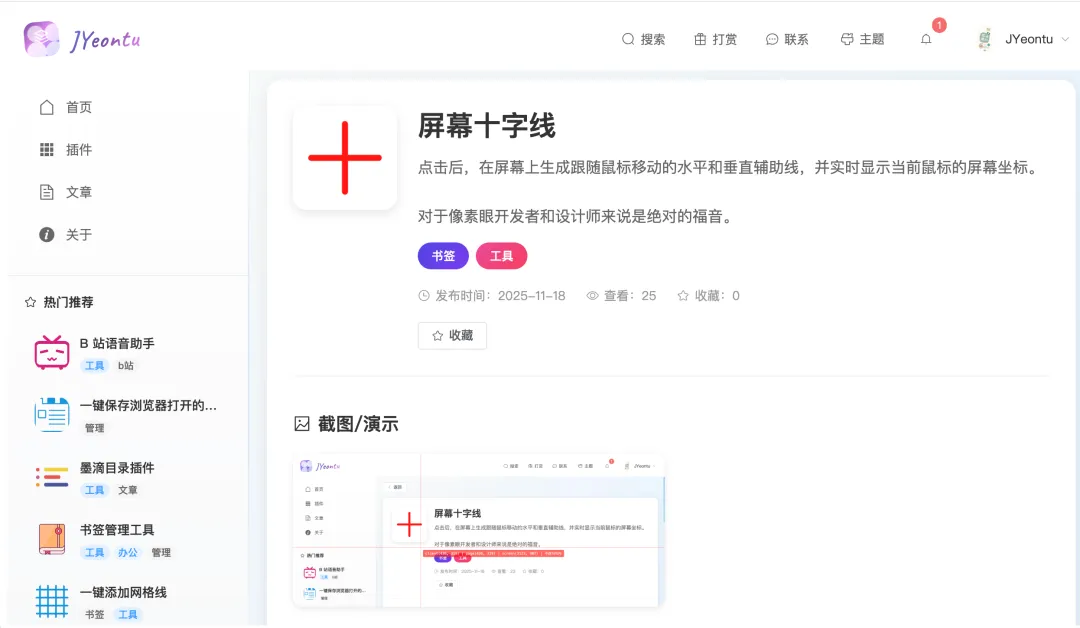
插件已经整理好
http://jyeontu.xyz/JYeontuShop/#/plugin/16
可以直接拖拽添加到书签栏。
2.添加插件
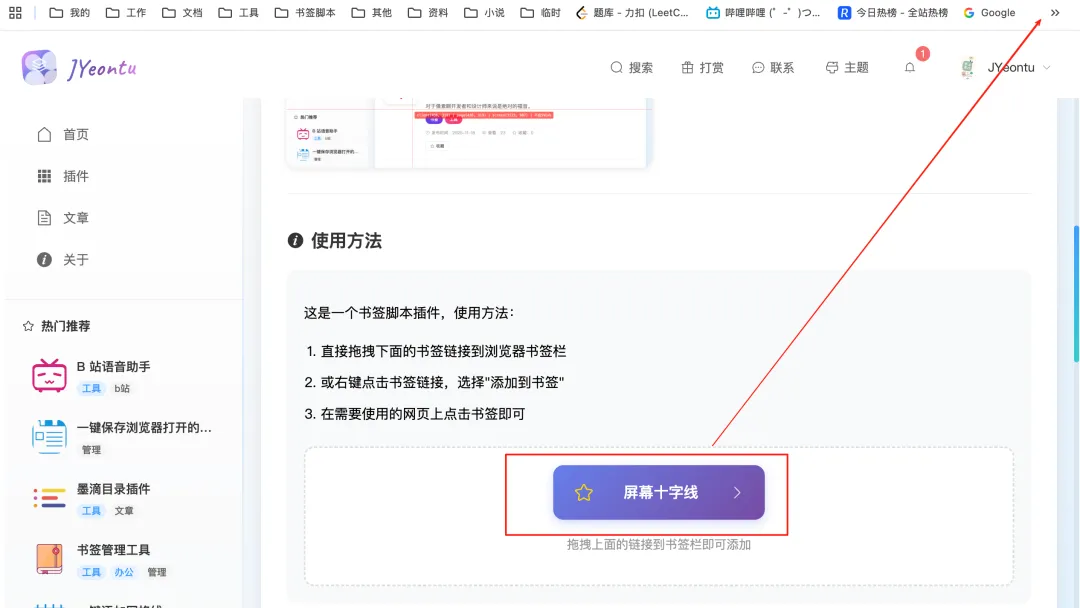
将红框框柱的内容拖拽到书签栏即可
3.使用
需要可视化鼠标坐标定位信息的时候点击保存的书签即可
>>>
点击 esc 或者再次点击书签可以隐藏十字线
完整格式化代码
对源码感兴趣,想自己改样式、加功能的同学可以看看~
javascript:(function() {const CONFIG = {id: "mouse-crosshair-overlay",colors: {light: "rgba(255,0,0,0.7)",dark: "rgba(0,200,255,0.7)" },lineWidth: 1,offset: 8,zIndex: 999999 };let state = {isLocked: false,lockedPos: null,currentColor: CONFIG.colors.light };const exist = document.getElementById(CONFIG.id);if (exist) { exist.remove();return; }const isDark = window.matchMedia("(prefers-color-scheme: dark)").matches; state.currentColor = isDark ? CONFIG.colors.dark : CONFIG.colors.light;const overlay = document.createElement("div"); overlay.id = CONFIG.id; overlay.style = ` position:fixed;top:0;left:0;width:100%;height:100%; pointer-events:none;z-index:${CONFIG.zIndex};touch-action:none; `;const hLine = document.createElement("div"); hLine.style = ` position:absolute;width:100%;height:${CONFIG.lineWidth}px; background:${state.currentColor};top:50%;transition:background 0.2s; `;const vLine = document.createElement("div"); vLine.style = ` position:absolute;height:100%;width:${CONFIG.lineWidth}px; background:${state.currentColor};left:50%;transition:background 0.2s; `;const coordBox = document.createElement("div"); coordBox.style = ` position:absolute;background:${state.currentColor};color:white; padding:4px 8px;font:12px monospace;border-radius:4px; cursor:pointer;pointer-events:auto;user-select:none; `; overlay.append(hLine, vLine, coordBox);document.body.appendChild(overlay);let lastEvent = null;functiongetSvgCoord(e) {const svgs = document.querySelectorAll("svg");if (!svgs.length) return"无SVG";let target = null, pt = null; svgs.forEach(svg => {const r = svg.getBoundingClientRect();if ( e.clientX >= r.left && e.clientX <= r.right && e.clientY >= r.top && e.clientY <= r.bottom ) {const p = svg.createSVGPoint(); p.x = e.clientX; p.y = e.clientY; pt = p.matrixTransform(svg.getScreenCTM().inverse()); target = svg; } });return pt ? `svg(${Math.round(pt.x)}, ${Math.round(pt.y)})` : "不在SVG内"; }functionupdateCoordBox(e) {if (!e) return;const top = e.clientY + CONFIG.offset;const left = e.clientX + CONFIG.offset; coordBox.style.top = `${top}px`; coordBox.style.left = `${left}px`;const lock = state.isLocked ? "🔒 " : "";const text = ` client(${e.clientX},${e.clientY}) | page(${e.pageX},${e.pageY}) | screen(${e.screenX},${e.screenY}) |${getSvgCoord(e)} `.replace(/\n/g, "").replace(/ /g, " "); coordBox.textContent = lock + text; }functionupdateCrosshair(e) {if (state.isLocked && state.lockedPos) { hLine.style.top = `${state.lockedPos.clientY}px`; vLine.style.left = `${state.lockedPos.clientX}px`;return; } hLine.style.top = `${e.clientY}px`; vLine.style.left = `${e.clientX}px`; lastEvent = e; updateCoordBox(e); }document.addEventListener("mousemove", updateCrosshair);document.addEventListener("touchmove", e => {const t = e.touches[0]; updateCrosshair(t); e.preventDefault(); }, { passive: false });document.addEventListener("mousedown", e => {if (e.button === 0 && !state.isLocked) { state.isLocked = true; state.lockedPos = lastEvent; updateCoordBox(lastEvent); } }); coordBox.addEventListener("click", e => { e.stopPropagation();if (state.isLocked) { state.isLocked = false; coordBox.textContent = "🔓 已解锁"; setTimeout(() => updateCoordBox(lastEvent), 1000); } else { navigator.clipboard.writeText(coordBox.textContent.replace("📋 ", "")).then(() => { coordBox.textContent = "📋 已复制!"; setTimeout(() => updateCoordBox(lastEvent), 1000); }); } });document.addEventListener("keydown", e => {if (e.key === "Escape") overlay.remove(); }); overlay.addEventListener("remove", () => {document.removeEventListener("mousemove", updateCrosshair);document.removeEventListener("touchmove", updateCrosshair); });const init = {clientX: innerWidth / 2,clientY: innerHeight / 2,pageX: innerWidth / 2,pageY: innerHeight / 2,screenX: screen.width / 2,screenY: screen.height / 2 }; lastEvent = init; updateCrosshair(init);})();更多有趣插件
还有其它有趣插件都已经整理到了这里:
http://jyeontu.xyz/JYeontuShop/#/plugins
有兴趣的同学可以看看有没有自己需要的插件~

公众号
关注公众号『 前端也能这么有趣 』,获取更多有趣内容~
发送 加群 还能加入前端交流群,和大家一起讨论技术、分享经验,偶尔也能摸鱼聊天~
说在后面
>>>
🎉 这里是 JYeontu,现在是一名前端工程师,有空会刷刷算法题,平时喜欢打羽毛球 🏸 ,平时也喜欢写些东西,既为自己记录 📋,也希望可以对大家有那么一丢丢的帮助,写的不好望多多谅解 🙇,写错的地方望指出,定会认真改进 😊,偶尔也会在自己的公众号『前端也能这么有趣』发一些比较有趣的文章,有兴趣的也可以关注下。在此谢谢大家的支持,我们下文再见 🙌。

