 夜雨聆风
夜雨聆风


哈喽商家端app 登录分析
声明
本文章中所有内容仅供学习交流使用,不用于其他任何目的,抓包内容、敏感网址、数据接口 等均已做脱敏处理,严禁用于商业用途和非法用途,否则由
此产生的一切后果均与作者无关!
def send_code():
"""测试发送实际请求"""
import requests

crypto = HelloCrypto()

# 先获取验证码
print("\n【步骤1: 获取验证码】")
print("-" * 80)
captcha_data = ......................

    request = crypto.build_request(captcha_data)

    url = "hellobike.com/api"
print(f"[*] URL: {url}")
print(f"[*] Headers:")
for k, v in request["headers"].items():
print(f"    {k}: {v}")
print(f"[*] Body: {request['body'][:50]}...")

try:
        response = requests.post(
            url,
headers=request["headers"],
data=request["body"],
verify=False,
timeout=10
)
print(response.cookies)
print(f"\n[*] 响应状态: {response.status_code}")
print(f"[*] 响应Headers: {dict(response.headers)}")

# 解密响应
encrypted_response = response.text
print(f"[*] 加密响应: {encrypted_response[:100]}...")

        decrypted = crypto.decrypt_body(encrypted_response)
if decrypted:
print(f"\n[*] 解密结果:")
try:
                json_data = json.loads(decrypted)
print(json.dumps(json_data, indent=2, ensure_ascii=False))
except:
print(decrypted)
else:
print("[-] 解密失败")

except Exception as e:
print(f"[-] 请求失败: {e}")
return ''
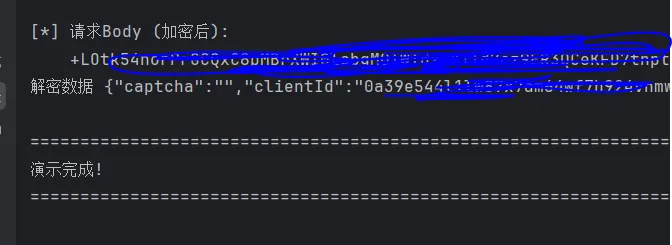
结果
 编辑
编辑
总结

