 夜雨聆风
夜雨聆风
👋前言
👀一、内网穿透
🌱二、内网穿透工具
巴比达官网
https://www.shenzhuohl.com/chuantou.html?bd_vid=12686741513710243326
十多种 五种永久免费 内网穿透傻瓜式使用
https://blog.csdn.net/qq_40739917/article/details/106001561?ops_request_misc=&request_id=&biz_id=102&utm_term=%E9%A3%9E%E9%B8%BD%E5%86%85%E7%BD%91%E7%A9%BF%E9%80%8F%E5%85%8D%E8%B4%B9&utm_medium=distribute.pc_search_result.none-task-blog-2~all~sobaiduweb~default-1-106001561.142%5Ev100%5Epc_search_result_base9&spm=1018.2226.3001.4187
💞️三、本地测试
3.1 环境准备
Nginx 的初步了解以及安装使用
https://blog.csdn.net/TM007_/article/details/138791806?spm=1001.2014.3001.5501
3.2 nginx 修改启动页面
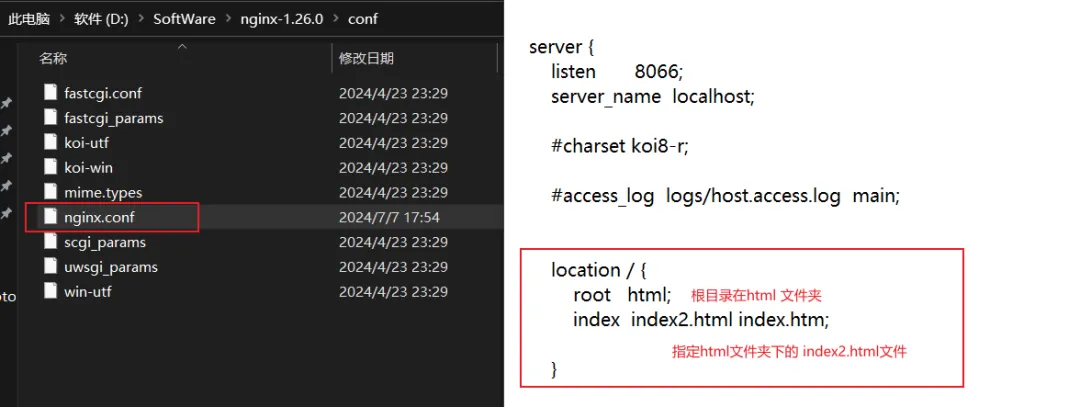
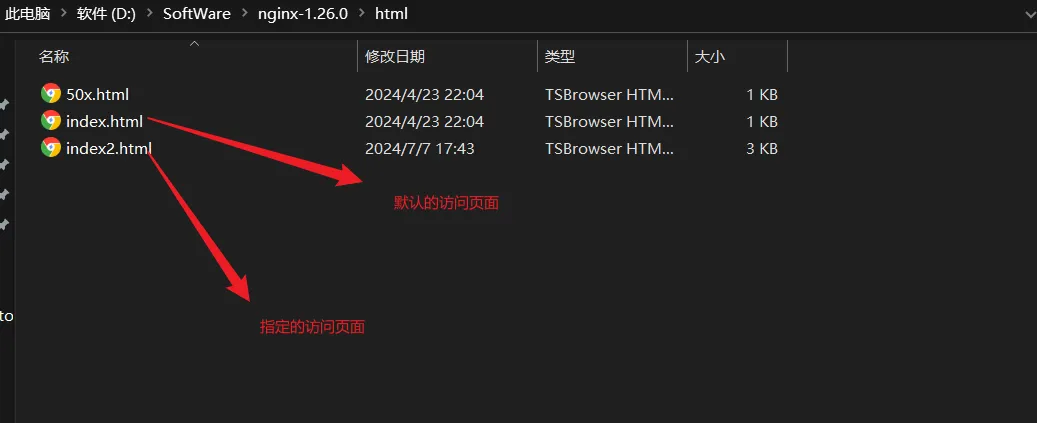
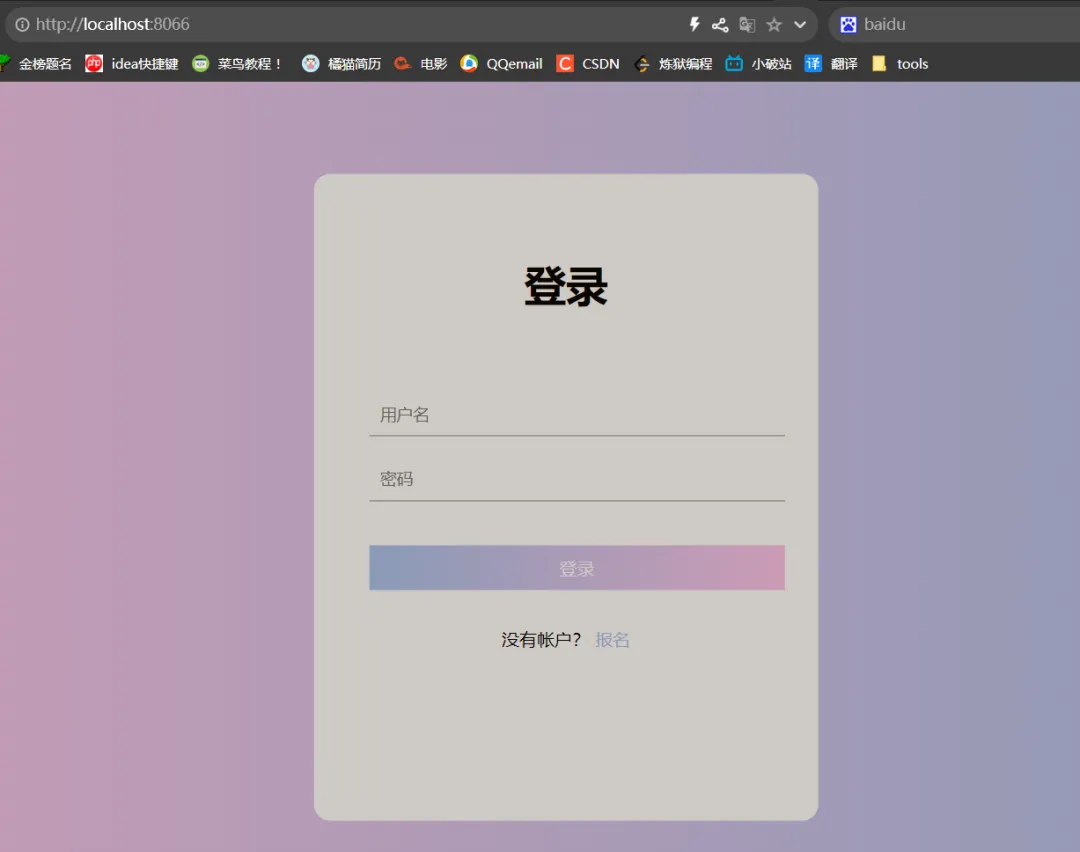
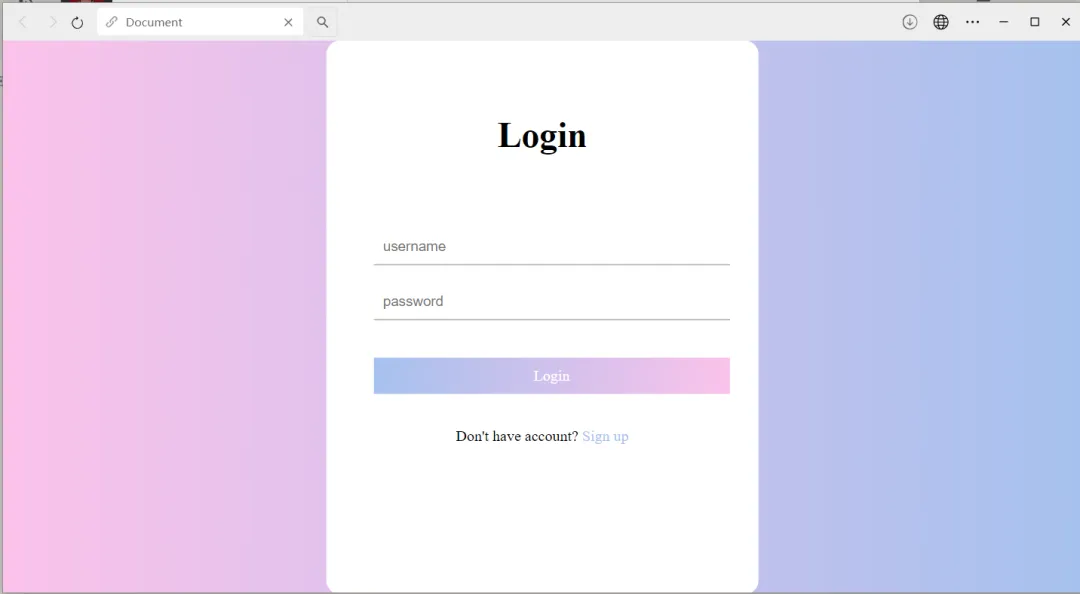
3.2.1 修改 nginx 默认访问页面,index2.html是一个简单的登录页面,html文件也可以简单通过创建 .txt 文件修改好之后再改为 .html 文件即可
<!DOCTYPE html><htmllang="en"><head><metacharset="UTF-8"><metaname="viewport"content="width=device-width, initial-scale=1.0"><title>Document</title><style>* {margin: 0;padding: 0;}html {height: 100%;}body {height: 100%;}.container {height: 100%;background-image: linear-gradient(to right, #fbc2eb, #a6c1ee);}.login-wrapper {background-color: #fff;width: 358px;height: 588px;border-radius: 15px;padding: 0 50px;position: relative;left: 50%;top: 50%;transform: translate(-50%, -50%);}.header {font-size: 38px;font-weight: bold;text-align: center;line-height: 200px;}.input-item {display: block;width: 100%;margin-bottom: 20px;border: 0;padding: 10px;border-bottom: 1px solid rgb(128, 125, 125);font-size: 15px;outline: none;}.input-item:placeholder {text-transform: uppercase;}.btn {text-align: center;padding: 10px;width: 100%;margin-top: 40px;background-image: linear-gradient(to right, #a6c1ee, #fbc2eb);color: #fff;}.msg {text-align: center;line-height: 88px;}a {text-decoration-line: none;color: #abc1ee;}</style></head><body><divclass="container"><divclass="login-wrapper"><divclass="header">Login</div><divclass="form-wrapper"><inputtype="text"name="username"placeholder="username"class="input-item"><inputtype="password"name="password"placeholder="password"class="input-item"><divclass="btn">Login</div></div><divclass="msg">Don't have account?<ahref="#">Sign up</a></div></div></div></body></html>
3.3 神卓互联注册,创建映射规则
官网如下,注册登录不做赘述:
神卓互联官网
https://www.shenzhuohl.com/
3.3.1 映射规则创建
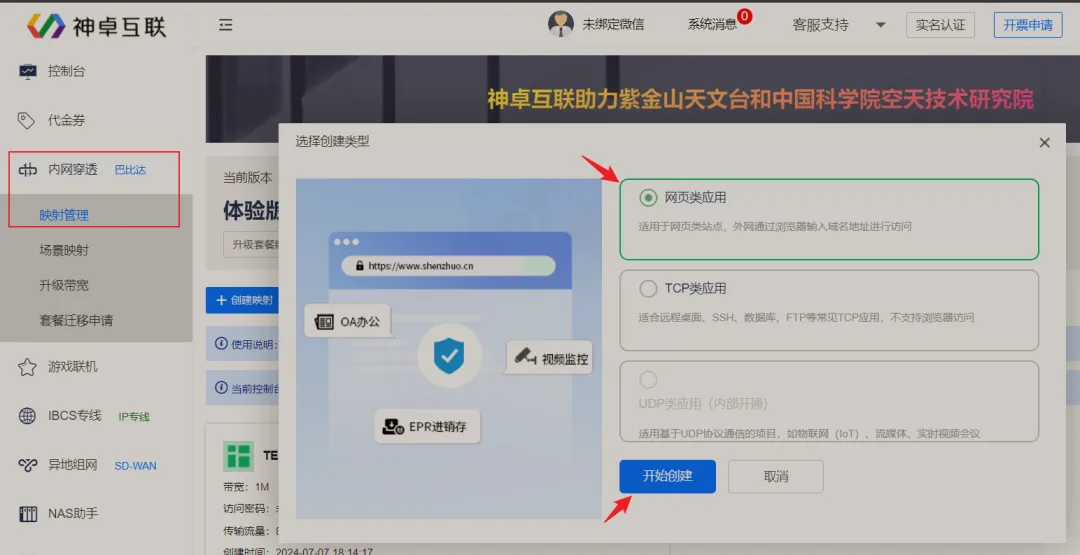
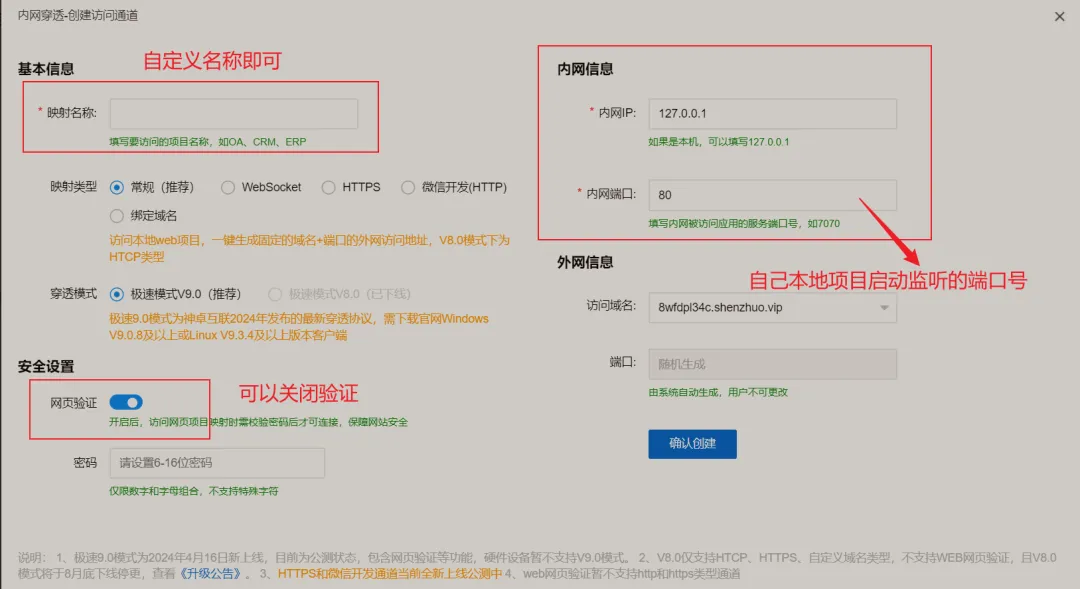
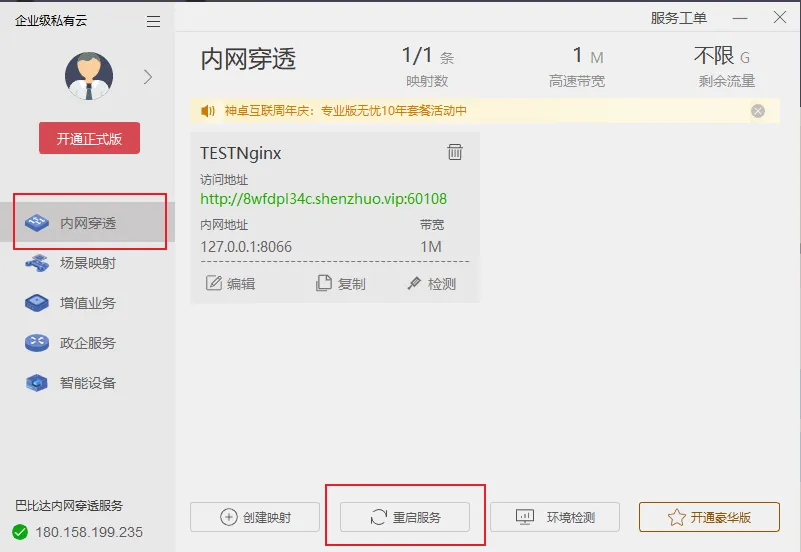
3.3.2 创建完成之后,会提示需要下载桌面版然后重启映射规则
按照提示下载安装包,安装完成之后使用自己的账号登录,然后重启映射规则
之后,就可以通过映射的公网地址,访问我们本地启动的项目了!

📫四、章末
用自己的电脑搭建服务器,整体比较简单,但是缺陷也很明显,对电脑的配置要求比较高,另外就是电脑要一直启动,并且项目也不能停止;总的来说,用来部署个人项目还可以!
文章到这里就结束了~