 夜雨聆风
夜雨聆风WeChat Article Assistant
微信公众号文章助手。
这个 Skill 让 OpenClaw 直接通过本地 Python 脚本完成微信公众号相关操作,不再依赖单独部署的 Web 服务。它适合放在 OpenClaw 工作流里,用来统一管理:
公众号登录
公众号搜索与添加
文章列表同步
单篇文章详情抓取
Markdown / JSON 导出
定时同步任务
本项目根据开源项目(web):https://github.com/wechat-article/wechat-article-exporter.git 进行的思路进行修改。大家也可以部署web进行使用,熟悉相关操作。clawhub项目地址:https://clawhub.ai/henryczq/wechat-article-assistant
依赖安装
在 Skill 目录下安装 Python 依赖:
pip install-r requirements.txt适用场景
当你希望在 OpenClaw 中完成下面这些事时,可以使用这个 Skill:
登录微信公众号后台并保存登录态
搜索并添加要跟踪的公众号
同步公众号最新文章到本地 SQLite
查看某个公众号最近发布的文章
抓取某篇公众号文章的正文、图片和 Markdown
为全部公众号配置每天自动同步任务
操作示例
1. 登录
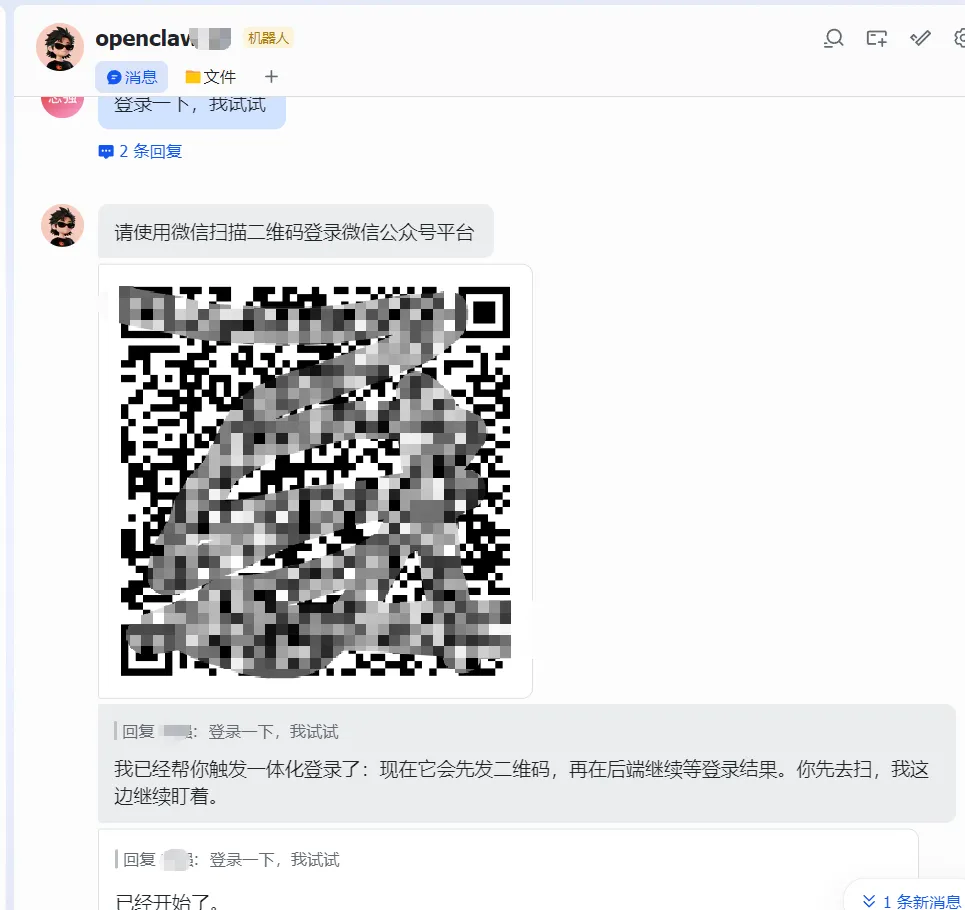
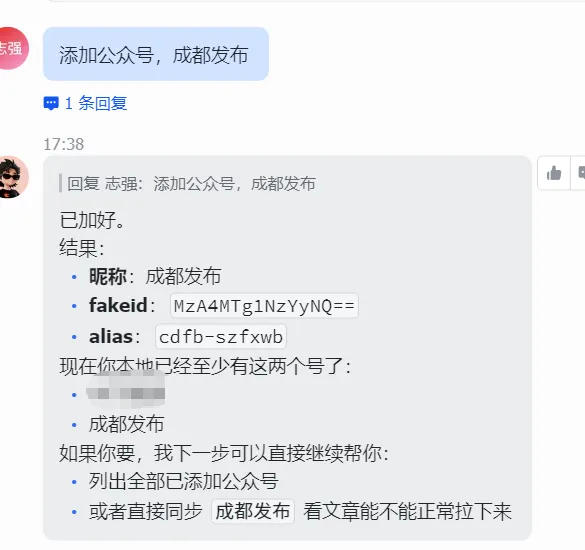
2. 搜索与添加公众号
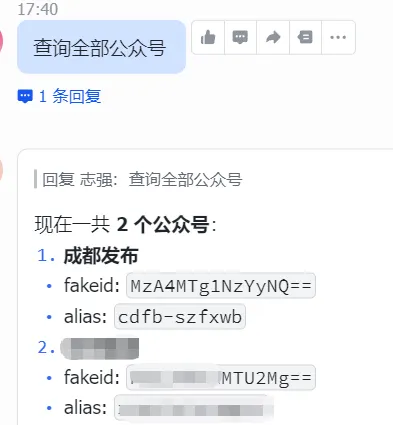
3. 查看本地公众号列表
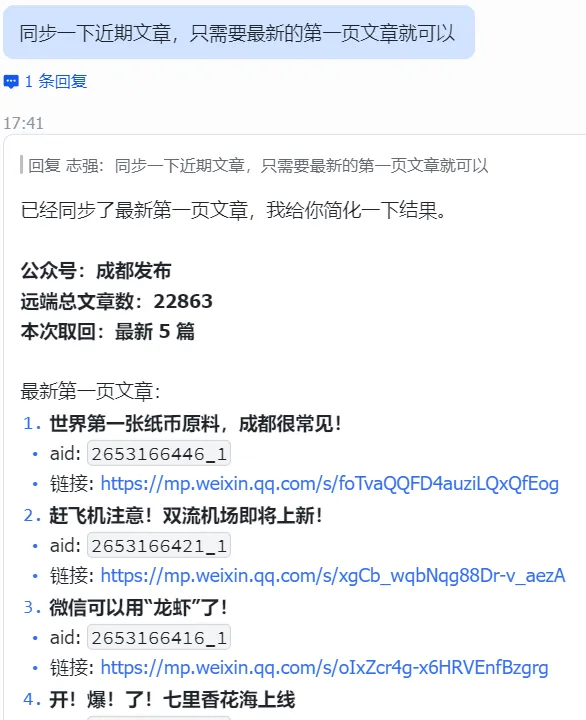
4. 同步公众号文章
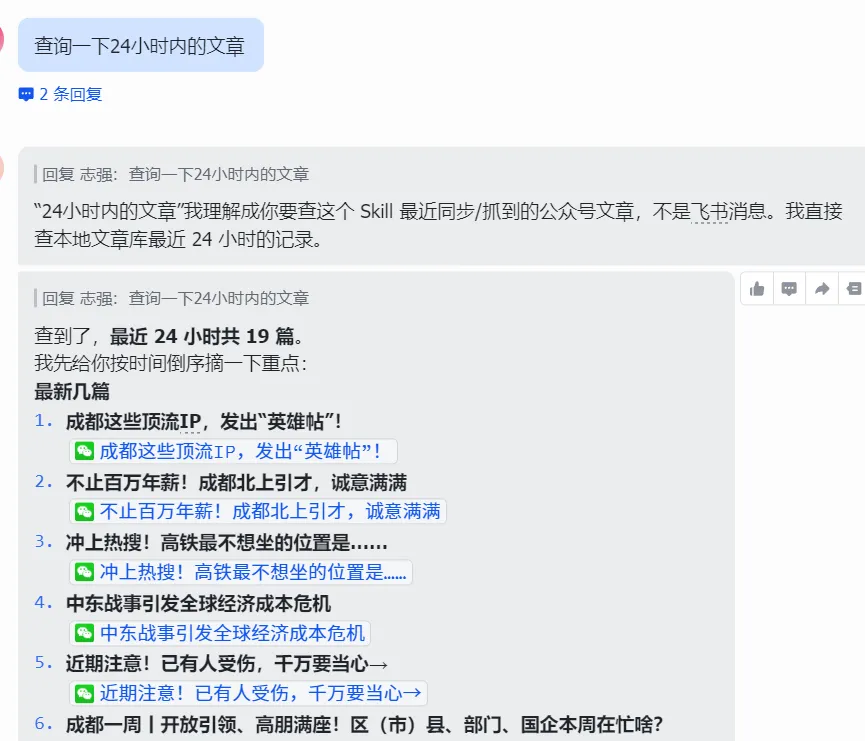
5. 查询最新文章清单
6. 配置代理
主要是为了防止被微信封禁。
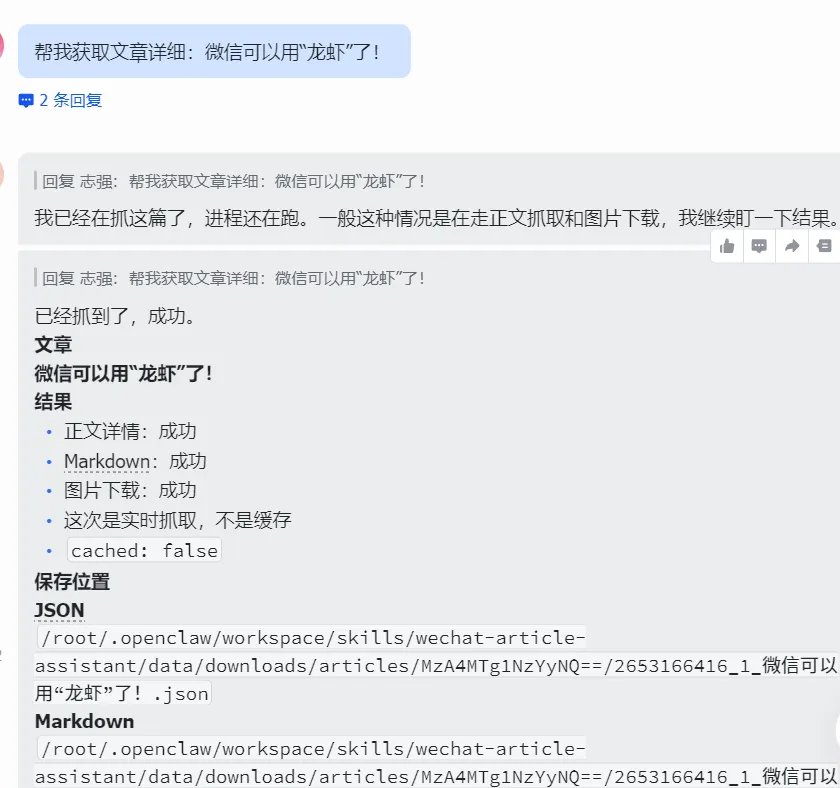
7. 抓取单篇文章详情
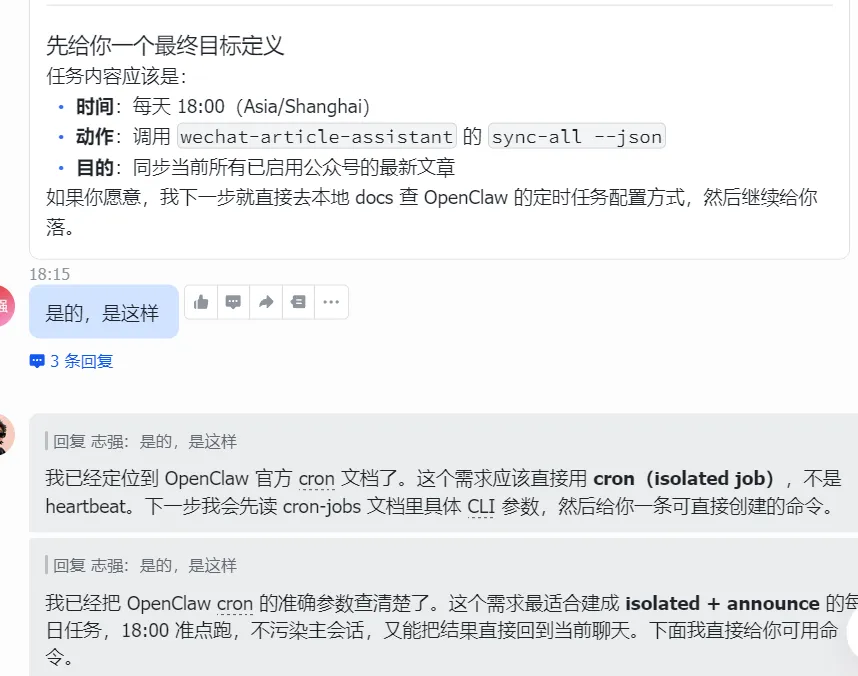
8. 定时同步任务
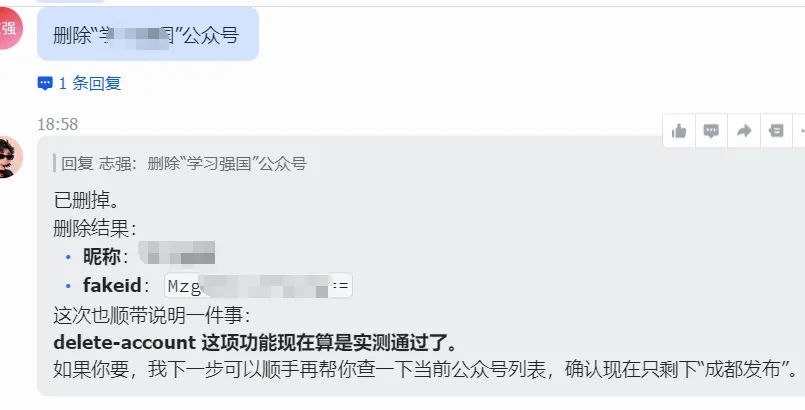
9. 删除公众号
主要功能
1. 登录微信公众号
生成二维码
发送二维码到当前聊天会话
扫码登录后自动保存 token / cookie
支持一体化等待登录完成并自动通知
2. 搜索与添加公众号
按关键词搜索公众号
自动添加唯一匹配公众号
根据文章链接反查公众号
根据文章链接自动添加公众号
查看本地公众号列表
删除公众号及其本地文章数据
3. 同步公众号文章
同步单个公众号
同步全部启用的公众号
支持不同公众号之间设置同步间隔,降低频控风险
支持 OpenClaw cron 定时调用
4. 查询文章清单
拉取远端最新文章列表
查看本地已同步文章
支持按公众号查看文章清单
5. 抓取单篇文章详情
按文章链接抓取正文
自动下载图片到本地
导出
article.json导出
article.md可选保存 HTML
目录结构
wechat-article-assistant/├── SKILL.md├── README.md├── requirements.txt├── scripts/│ ├── wechat_article_assistant.py│ ├── run_sync_all.sh│ └── ...├── references/└── data/安装依赖
在 Skill 目录下安装 Python 依赖:
pip install-r requirements.txt主入口
所有核心操作统一走:
python scripts/wechat_article_assistant.py --help主流程:从 0 到可用
第一步:登录微信公众号
推荐使用一体化登录方式:
python scripts/wechat_article_assistant.py login-start \--channel feishu \--target user:YOUR_OPEN_ID \--account default \--waittrue\--json这条命令会:
生成登录二维码
把二维码发到当前聊天会话
后端继续等待扫码结果
登录成功后自动通知
保存登录态到本地 SQLite
第二步:搜索并添加公众号
按关键词搜索
python scripts/wechat_article_assistant.py search-account "成都发布"--json按关键词直接添加
python scripts/wechat_article_assistant.py add-account-by-keyword "成都发布"--json查看当前公众号列表
python scripts/wechat_article_assistant.py list-accounts --json第三步:查看公众号最新文章
python scripts/wechat_article_assistant.py list-account-articles \--fakeid"MzA4MTg1NzYyNQ=="\--remotetrue\--count10\--json适合先确认:
登录态是否正常
远端文章列表是否能拉取
fakeid 是否正确
第四步:抓取文章详情
按文章链接抓取:
python scripts/wechat_article_assistant.py article-detail \--link"https://mp.weixin.qq.com/s/xxxxxxxx"\ --download-images true\ --include-html false\--json执行后通常会得到:
文章正文
图片下载结果
article.jsonarticle.md
如果你主要是做内容归档或后续转发,这一步最关键。
第五步:同步公众号文章
同步单个公众号
python scripts/wechat_article_assistant.py sync--fakeid"MzA4MTg1NzYyNQ=="--json同步全部启用公众号
python scripts/wechat_article_assistant.py sync-all --json如果公众号较多,建议增加间隔,降低频控风险:
python scripts/wechat_article_assistant.py sync-all --interval-seconds 180--json定时任务(推荐)
如果你想让 OpenClaw 每天自动同步一次全部公众号,推荐使用固定脚本入口:
bash${HOME}/.openclaw/workspace/skills/wechat-article-assistant/scripts/run_sync_all.sh这个脚本默认会调用:
python scripts/wechat_article_assistant.py sync-all --interval-seconds 180--json也就是:
同步全部启用公众号
不同公众号之间默认间隔 180 秒(3 分钟)
适合被 OpenClaw cron 或系统计划任务长期调用。
额外管理操作
查看当前登录状态
python scripts/wechat_article_assistant.py login-info --validatetrue--json导入旧登录态
python scripts/wechat_article_assistant.py login-import --file path/to/cookie.json --validatetrue--json清空当前登录态
python scripts/wechat_article_assistant.py login-clear --json删除公众号
python scripts/wechat_article_assistant.py delete-account --nickname"成都发布"--json查看同步日志
python scripts/wechat_article_assistant.py sync-logs --limit20--json查看最近文章
python scripts/wechat_article_assistant.py recent-articles --hours24--limit20--json数据说明
本 Skill 会把数据保存在本地,通常包括:
登录态(token / cookies)
公众号信息
文章元数据
文章正文缓存
图片下载文件
同步日志
常见导出内容:
article.jsonarticle.md本地图片目录
使用建议
推荐工作方式
最顺的日常流程通常是:
登录公众号后台
添加要关注的公众号
先看远端文章列表
再抓具体文章详情
最后配置定时同步
关于频控
当你连续同步多个公众号时,微信后台可能会出现频控。因此推荐:
批量同步时使用
--interval-seconds定时任务默认用
run_sync_all.sh
快速命令清单
登录
python scripts/wechat_article_assistant.py login-start --channel feishu --target user:YOUR_OPEN_ID --account default --waittrue--json添加公众号
python scripts/wechat_article_assistant.py add-account-by-keyword "成都发布"--json列公众号
python scripts/wechat_article_assistant.py list-accounts --json拉文章列表
python scripts/wechat_article_assistant.py list-account-articles --fakeid"MzA4MTg1NzYyNQ=="--remotetrue--count10--json抓文章详情
python scripts/wechat_article_assistant.py article-detail --link"https://mp.weixin.qq.com/s/xxxxxxxx"--json同步单个公众号
python scripts/wechat_article_assistant.py sync--fakeid"MzA4MTg1NzYyNQ=="--json同步全部公众号(带间隔)
python scripts/wechat_article_assistant.py sync-all --interval-seconds 180--json面向公开使用的说明
这个 README 主要面向“怎么用”。
如果你要了解更细的接口定义、参数说明、实现细节,请继续查看:
SKILL.mdreferences/interface-reference.mdreferences/design.md