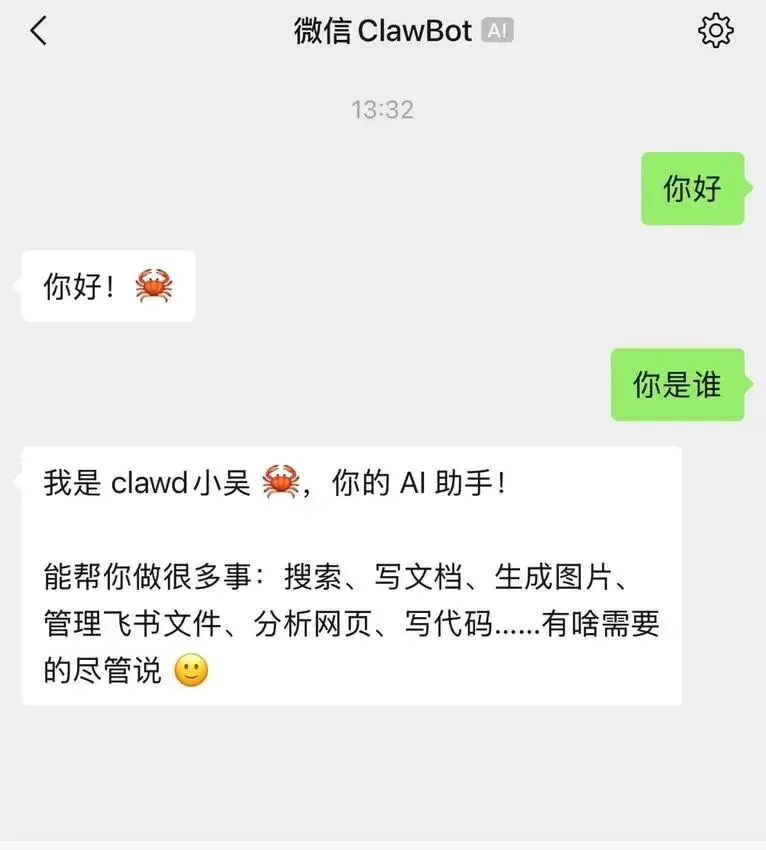
OpenClaw 微信插件(openclaw-weixin)是 OpenClaw 官方支持的微信接入方案,支持通过扫码授权登录,让 AI 与微信用户直接对话。
接入微信有两种部署方式,可根据是否需要24小时在线来选择:两种方式的安装和扫码登录完全相同,区别仅在于 OpenClaw 运行的环境不同。
适合需要 AI 全天候响应消息的用户,例如运营机器人、个人助手等。# SSH 登录服务器后,一键安装 OpenClaw
curl -sL https://openclaw.ai/install.sh | sh
# 前台运行(测试用)
openclaw gateway

# 后台运行(生产用)
openclaw gateway install && openclaw gateway start
# 安装插件
openclaw plugins install "@tencent-weixin/openclaw-weixin"

# 启用插件
openclaw config set plugins.entries.openclaw-weixin.enabled true
openclaw channels login --channel openclaw-weixin
- 终端需要支持 UTF-8 字符(推荐使用 FinalShell、Mobaxterm 等支持 UTF-8 的 SSH 客户端)
- 国内服务器若二维码显示乱码,需确保 SSH 客户端字符编码为 UTF-8
- 若终端不支持显示二维码,可通过跳板机或开启 Tmate 远程查看
# 查看渠道状态
openclaw channels list

# 查看 Gateway 状态
openclaw gateway status
服务器重启后 Gateway 自动启动,微信账号保持在线。
curl -sL https://openclaw.ai/install.sh | sh
openclaw plugins install"@tencent-weixin/openclaw-weixin"
openclaw config set plugins.entries.openclaw-weixin.enabled true
openclaw channels login --channel openclaw-weixin
扫码是微信授权的核心步骤,所有部署方式都要经过这一步:终端执行登录命令
↓
终端显示二维码(ASCII 字符或图片)
↓
用微信扫码(需要实名认证的账号)
↓
手机端确认授权
↓
登录凭证自动保存,完成
- 服务器在国外 → 微信接口有地域限制,建议用国内服务器
- 频繁切换登录地 → 被微信安全拦截,换常用设备扫码
# 登录第2个微信账号
openclaw channels login --channel openclaw-weixin

# 查看已登录账号
openclaw channels list
默认所有渠道共享同一个 AI 上下文,微信消息会互相影响。开启隔离:openclaw config set agents.mode per-channel-per-peer
效果:每个「微信账号 + 联系人」拥有独立 AI 记忆,互不干扰。
若需对接自建后端,实现以下 HTTP JSON API 接口:POST /sendmessage
{
"msg": {
"to_user_id": "<目标用户ID>",
"context_token": "<会话上下文token>",
"item_list": [
{ "type": 1, "text_item": { "text": "你好!" } }
]
}
}
消息类型:1=文本,2=图片,3=语音,4=文件,5=视频
openclawconfigsetplugins.entries.openclaw-weixin.enabledfalse
openclawgatewayrestart
- 官方文档:https://docs.openclaw.ai/channels
- GitHub:https://github.com/tencent-weixin/openclaw-weixin
- 一键安装:npx -y @tencent-weixin/openclaw-weixin-cli install
后续将分享微信openclaw使用体验,敬请期待~~~ 夜雨聆风
夜雨聆风