 夜雨聆风
夜雨聆风Office 文件(Word、Excel、PPT等)的预览是一个常见的需求。传统的解决方案往往需要依赖后端转换或第三方服务,不仅增加了系统复杂性,还可能带来性能和安全问题。vue-office 正是一个优雅解决这一痛点的前端解决方案。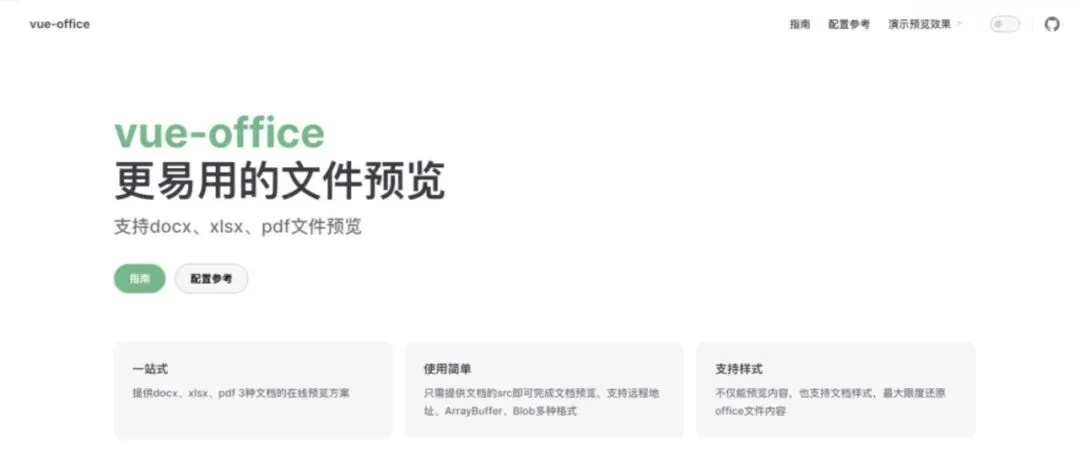
什么是vue-office?
vue-office 是一套基于 Vue.js 的 Office 文件预览组件集合,它包含:@vue-office/docx:Word文档预览组件@vue-office/excel:Excel文档预览组件@vue-office/pdf:PDF文档预览组件
Office 文件,无需后端参与,极大简化了文件预览功能的实现。核心特性:
- 纯前端实现:不依赖后端服务,所有解析在浏览器端完成
- 开箱即用:简单配置即可实现专业级预览效果
- 样式保留:最大程度保持原文档的样式和布局
- 高性能:基于 Web Worker 实现高效解析,避免界面卡顿
- 响应式设计:自动适应不同屏幕尺寸
类型支持:
- Word
: .docx格式 - Excel
: .xlsx,.csv格式 - PDF
:标准 .pdf格式
安装与使用
安装
# 根据需求安装对应组件npm install @vue-office/docx @vue-office/excel @vue-office/pdf# 或yarn add @vue-office/docx @vue-office/excel @vue-office/pdf基础使用示例
<template><div><vue-office-docx:src="docxFile"@rendered="renderedHandler"@error="errorHandler"/></div></template><script>import VueOfficeDocx from '@vue-office/docx'export default {components: {VueOfficeDocx},data() {return {docxFile: 'https://example.com/document.docx' // 支持URL或ArrayBuffer}},methods: {renderedHandler() {console.log('文档渲染完成')},errorHandler(e) {console.error('渲染失败', e)}}}</script>
进阶功能
1. 自定义样式
<vue-office-docx:src="file":options="{style: `body {font-family: 'Microsoft YaHei';}.docx-wrapper {background: #f5f5f5;padding: 20px;}`}"/>
2. 多组件切换预览
<template><div><button @click="currentComponent = 'docx'">Word</button><button @click="currentComponent = 'excel'">Excel</button><button @click="currentComponent = 'pdf'">PDF</button><component:is="'vue-office-' + currentComponent":src="file"/></div></template><script>import VueOfficeDocx from '@vue-office/docx'import VueOfficeExcel from '@vue-office/excel'import VueOfficePdf from '@vue-office/pdf'export default {components: {VueOfficeDocx,VueOfficeExcel,VueOfficePdf},data() {return {currentComponent: 'docx',file: '' // 根据类型设置对应文件}}}</script>
3. 本地文件上传预览
<template><div><inputtype="file" @change="handleFileChange" /><vue-office-docx:src="fileArrayBuffer"v-if="fileArrayBuffer" /></div></template><script>import VueOfficeDocx from '@vue-office/docx'export default {components: {VueOfficeDocx},data() {return {fileArrayBuffer: null}},methods: {handleFileChange(e) {const file = e.target.files[0]if (!file) returnconst reader = new FileReader()reader.readAsArrayBuffer(file)reader.onload = () => {this.fileArrayBuffer = reader.result}}}}</script>
性能优化建议
- 大文件处理:对于超大文件,建议先进行分片加载或压缩
- Web Worker:利用组件内置的 Web Worker 避免主线程阻塞
- 虚拟滚动:对于超长文档,可考虑实现虚拟滚动
- 缓存策略:对已解析的文件进行缓存,避免重复解析
常见问题解决方案
1. 样式不一致问题
// 在options中覆盖默认样式options: {style: `/* 自定义样式 */`,ignoreFonts: false // 是否忽略文档自带字体}
2. 中文乱码问题
确保文档使用标准字体或设置备用中文字体 :
options: {style: `* {font-family: 'Microsoft YaHei', sans-serif !important;}`}
3. 跨域问题
如果文件在 CDN 或不同域下,确保服务器配置了正确的 CORS 头,或通过后端代理获取文件。
与同类库对比
结语
vue-office 为 Vue 开发者提供了一套优雅、高效的 Office 文件预览解决方案,极大简化了这类功能的开发难度。无论是简单的文档展示,还是复杂的企业文档管理系统,它都能胜任。其纯前端的特性尤其适合需要快速实现、对后端依赖敏感的项目。