 夜雨聆风
夜雨聆风


rsql:一款功能强大的SQL命令行工具
rsql 是一款免费开源、功能丰富的 SQL 命令行客户端(CLI),可以为多种关系型数据库、本地文件、云数据服务提供统一的 SQL 查询接口。
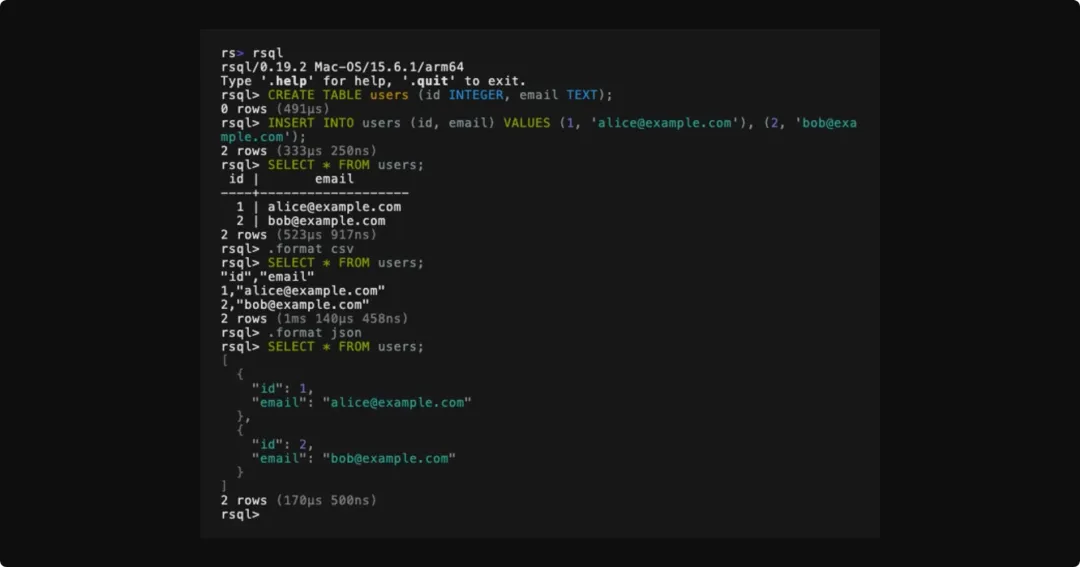
rsql 使用 Rust 语言开发,遵循 Apache 2.0 以及 MIT 双重开源协议,代码托管在 GitHub:
https://github.com/theseus-rs/rsql
功能特性
-
• 跨平台支持:包括 Windows、Linux 以及 macOS 操作系统。 -
• 丰富的数据源:支持数据库(ClickHouse、CockroachDB、CrateDB、DuckDB、DynamoDB、LibSQL/Turso、MySQL/ MariaDB、PostgreSQL、Redshift、Snowflake、SQL Server、SQLite)、文件(Arrow、Avro、CSV/TSV、Excel、JSON/JSONL、ODS、ORC、Parquet、XML、YAML)以及远程数据服务(FlightSQL、HTTP/HTTPS、S3),提供统一的 SQL 接口。 -
• 自动解压功能:可以自动处理压缩文件(Gzip、Brotli、Bzip2、LZ4、XZ、Zstd 等)。 -
• 交互式体验:提供语法高亮、自动补全、历史命令记录等功能,支持 emacs、vi 风格快捷键;也可以直接运行 SQL 脚本。 -
• 多种输出格式:查询结果的输出格式,包括 ascii、csv、expanded、html、json、jsonl、markdown、plain、psql、sqlite、tsv、unicode、xml、yaml。 -
• 内置数据库:rsql 内置嵌入式 PostgreSQL(运行时下载并安装 PostgreSQL,并且以独立进程的形式启动),用于快速执行 SQL。 -
• 多语言支持:rsql 界面支持 40+ 种语言,包括中文。
下载安装
Windows 平台安装命令如下:
irm https://github.com/theseus-rs/rsql/releases/latest/download/rsql_cli-installer.ps1 | iexLinux、macOS 平台安装命令如下:
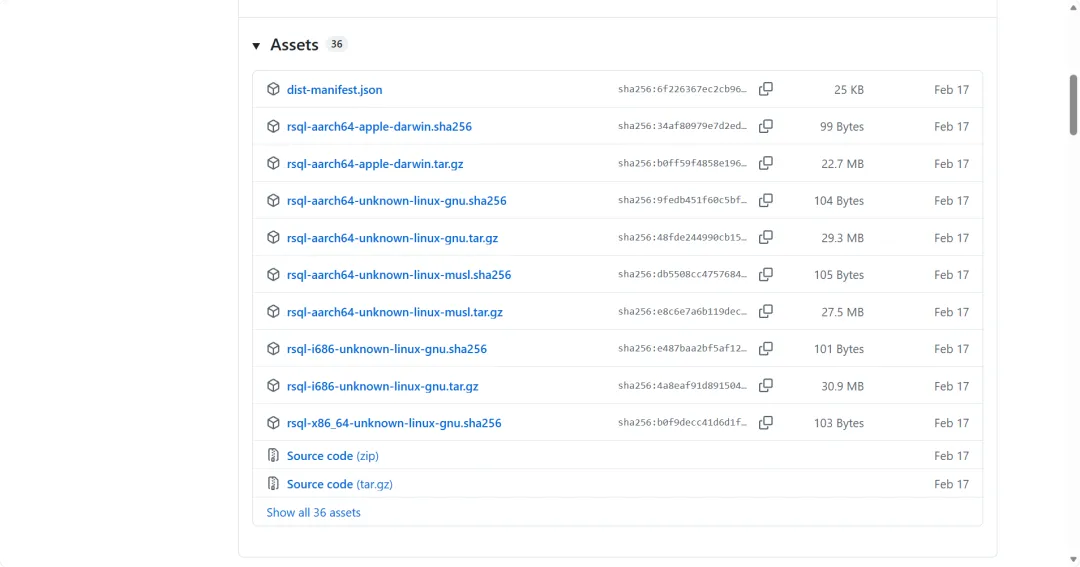
curl --proto '=https' --tlsv1.2 -LsSf https://github.com/theseus-rs/rsql/releases/latest/download/rsql_cli-installer.sh | sh或者,也可以通过 GitHub 下载安装文件:
https://github.com/theseus-rs/rsql/releases
使用示例
交互式命令模式:
# 连接数据库rsql --url "postgresql://user:pass@localhost/mydb"# 查询CSV文件rsql --url "csv://data.csv"# 使用DuckDB内存数据库rsql --url "duckdb://"查看帮助信息:
rsql> .help.bail on|off Stop after an error occurs.catalogs List the catalogs in the database.changes on|off Show number of rows changed.clear Clear the screen.color on|off Enable or disable color output.completions on|off Enable or disable smarter completions.describe [table] Describe a table in the schema.drivers Display available database drivers.echo on|prompt|off Enable or disable echoing commands.exit [code] Exit the application.footer on|off Enable or disable result footer.foreign [table] Display the foreign keys.format [format] Set the output format for the results.header on|off Enable or disable result header.help Show this help message.history on|off Show the command history.indexes [table] Display the indexes.limit [limit] Set the maximum number of results to return.locale [locale] Set the display locale.output clipboard|<file> Output contents to the system clipboard, <file> or the console.primary [table] Display the primary keys.print [string] Print the specified string.quit Quit the application.read [file] Read a SQL file and execute it.rows on|off Show number of rows returned.schemas List the schemas in the catalog.sleep [seconds] Sleep for a specified number of seconds.system command [args] Run command in a system shell.tables List the tables in the schema.tee clipboard|<file> Output contents to the system clipboard or a <file>, and the console.timer on|off Enable or disable query execution timerrsql>执行单个语句:
# 查询SQLite文件rsql --url "sqlite://database.db" -- "SELECT * FROM users LIMIT 10"# 查询Excel文件rsql --url "excel://report.xlsx" -- "SELECT * FROM table WHERE amount > 1000"# 查询Parquet文件rsql --url "parquet://data.parquet" -- "SELECT column1, COUNT(*) FROM table GROUP BY column1"执行数据转换操作:
# CSV转化为JSON文件rsql --url "csv://input.csv" --format json -- "SELECT * FROM input"# 查询压缩文件rsql --url "csv://data.csv.gz" -- "SELECT column1, column2 FROM data"# 组合查询多种格式rsql --url "duckdb://" -- " SELECT * FROM read_csv_auto('file1.csv') UNION ALL SELECT * FROM read_parquet('file2.parquet')"参考文档:https://theseus-rs.github.io/rsql/rsql_cli/