夜雨聆风
夜雨聆风





【瓦片下载】纯前端全免费V1版
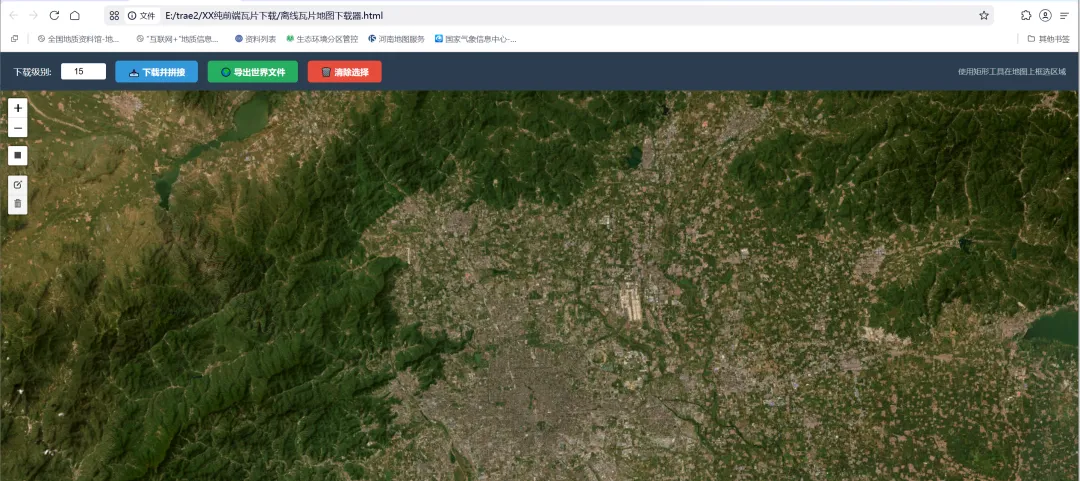
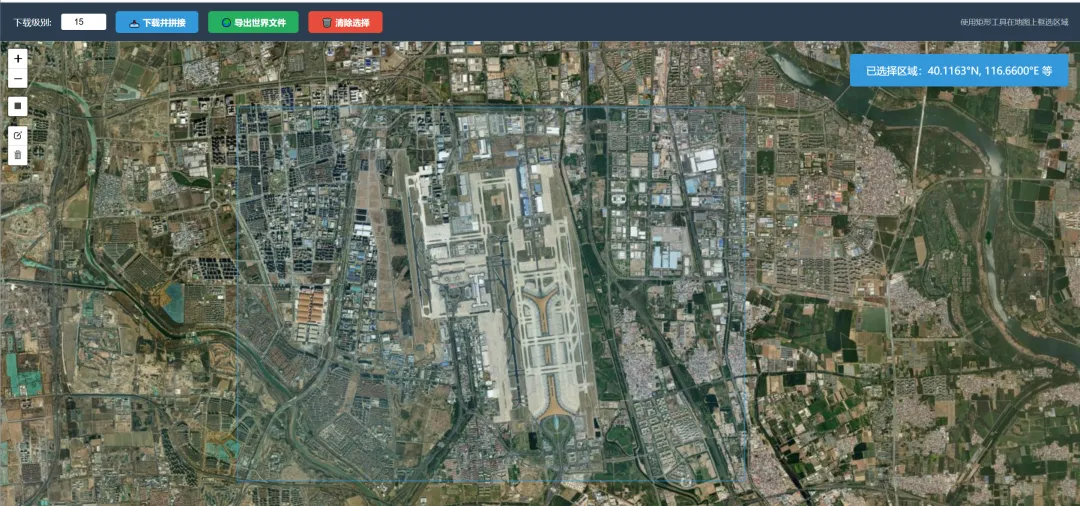
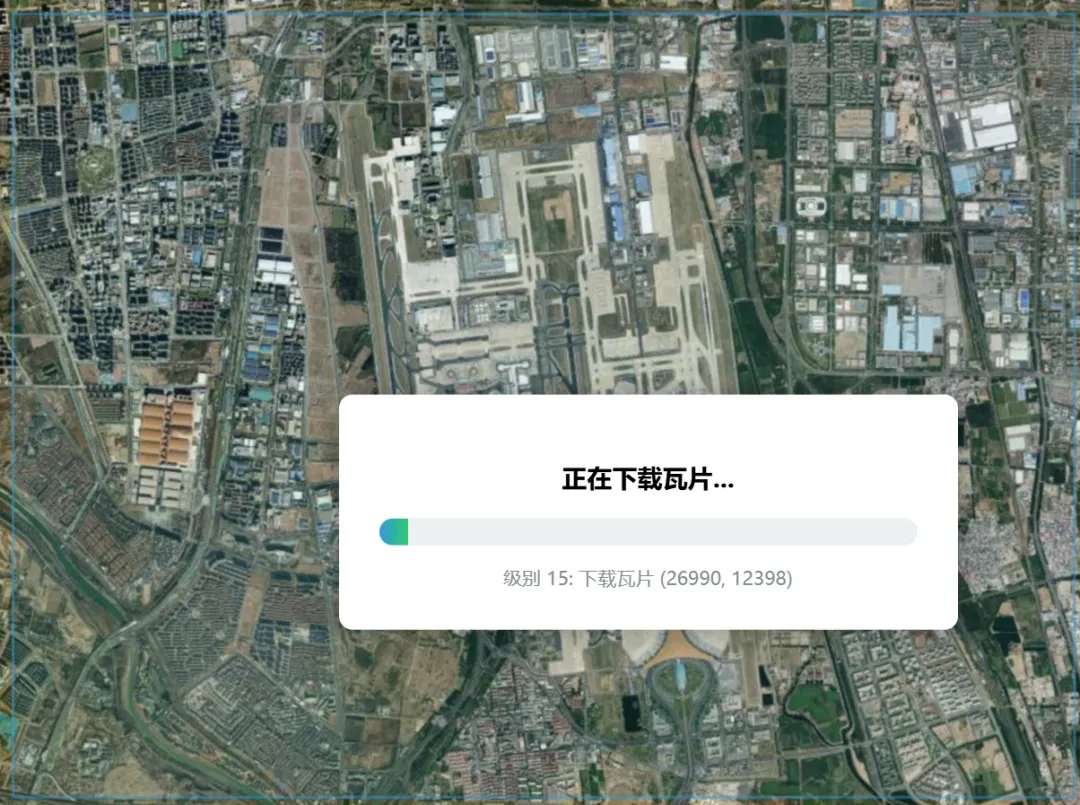
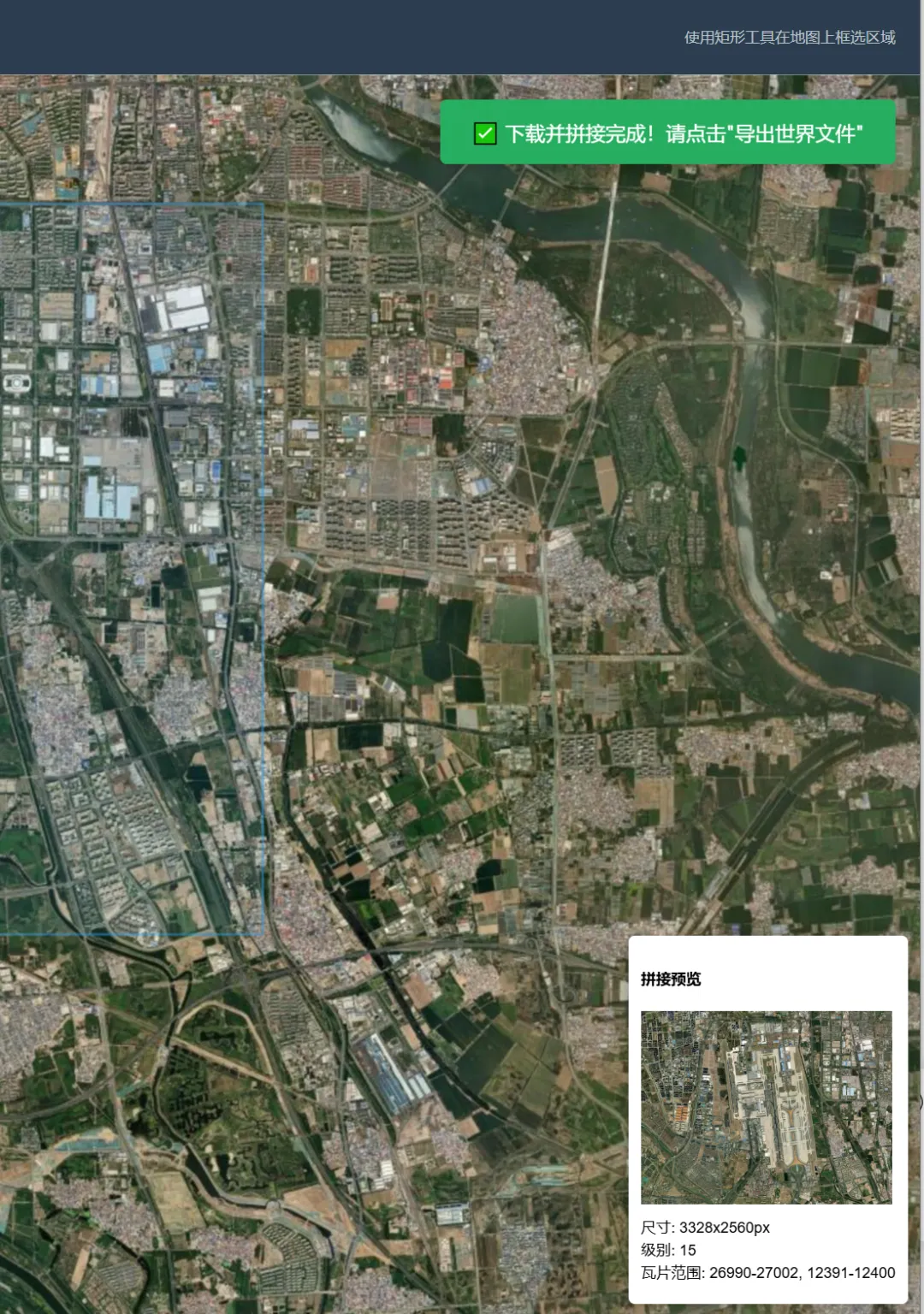
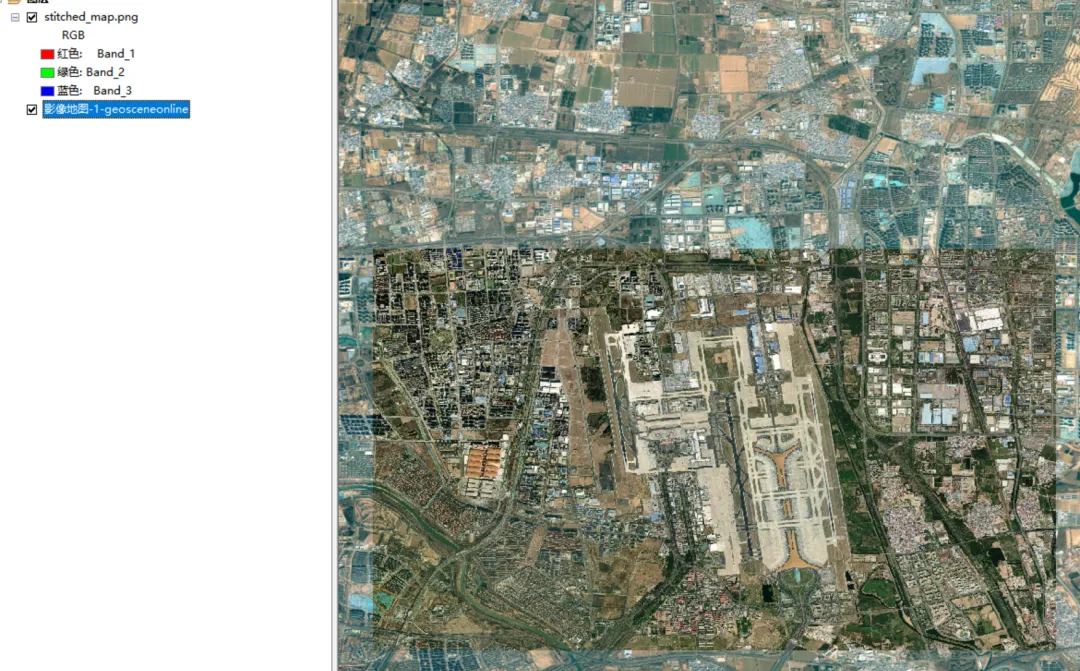
项目名称: 离线瓦片地图下载器 实现方式: 纯前端 HTML + JavaScript(无后端依赖)主要功能: 在地图上框选区域,下载瓦片并拼接为单张图片,导出带地理定位的世界文件
|
|
|
|
|---|---|---|
|
|
|
|
|
|
|
|
|
|
|
|
|
|
|
|
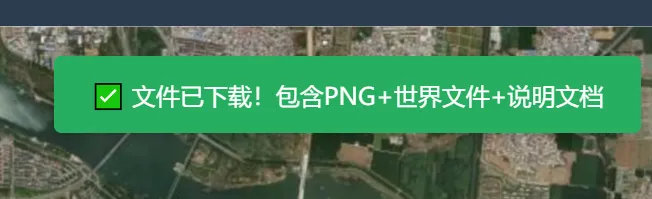
<!DOCTYPE html><htmllang="zh-CN"><head><metacharset="UTF-8"><metaname="viewport"content="width=device-width, initial-scale=1.0"><title>离线瓦片地图下载器 - 纯前端实现</title><linkrel="stylesheet"href="https://unpkg.com/leaflet@1.9.4/dist/leaflet.css" /><linkrel="stylesheet"href="https://unpkg.com/leaflet-draw@1.0.4/dist/leaflet.draw.css" /><style>body { margin: 0; padding: 0; font-family: 'Microsoft YaHei', sans-serif; }#map { width: 100%; height: calc(100vh - 60px); }.toolbar {height: 60px;background: #2c3e50;color: white;display: flex;align-items: center;padding: 0 20px;gap: 15px;flex-wrap: wrap;}.toolbar label { font-size: 14px; }.toolbar input[type="number"] {width: 60px;padding: 5px;border: none;border-radius: 3px;text-align: center;}.toolbar button {padding: 8px 20px;border: none;border-radius: 5px;cursor: pointer;font-weight: bold;transition: all 0.3s;}.btn-primary { background: #3498db; color: white; }.btn-primary:hover { background: #2980b9; }.btn-success { background: #27ae60; color: white; }.btn-success:hover { background: #219a52; }.btn-danger { background: #e74c3c; color: white; }.btn-danger:hover { background: #c0392b; }.btn-primary:disabled, .btn-success:disabled {background: #95a5a6;cursor: not-allowed;}.progress-container {display: none;position: fixed;top: 50%;left: 50%;transform: translate(-50%, -50%);background: white;padding: 30px;border-radius: 10px;box-shadow: 0 0 20px rgba(0,0,0,0.3);z-index: 10000;min-width: 400px;text-align: center;}.progress-bar {width: 100%;height: 20px;background: #ecf0f1;border-radius: 10px;overflow: hidden;margin: 15px 0;}.progress-fill {height: 100%;background: linear-gradient(90deg, #3498db, #2ecc71);width: 0%;transition: width 0.3s;}.status-text { font-size: 14px; color: #7f8c8d; margin-top: 10px; }.toast {position: fixed;top: 80px;right: 20px;padding: 15px 25px;border-radius: 5px;color: white;z-index: 10001;display: none;box-shadow: 0 2px 10px rgba(0,0,0,0.2);}.toast.success { background: #27ae60; }.toast.error { background: #e74c3c; }.toast.info { background: #3498db; }.instructions { font-size: 12px; color: #bdc3c7; margin-left: auto; }</style></head><body><divclass="toolbar"><label>下载级别:</label><inputtype="number"id="downloadZoom"value="15"min="0"max="19"><buttonclass="btn-primary"onclick="startDownload()">📥 下载并拼接</button><buttonclass="btn-success"onclick="exportWorldFile()">🌍 导出世界文件</button><buttonclass="btn-danger"onclick="clearSelection()">🗑️ 清除选择</button><spanclass="instructions">使用矩形工具在地图上框选区域</span></div><divid="map"></div><divclass="progress-container"id="progressContainer"><h3>正在下载瓦片...</h3><divclass="progress-bar"><divclass="progress-fill"id="progressFill"></div></div><divclass="status-text"id="statusText">准备中...</div></div><divclass="toast"id="toast"></div><scriptsrc="https://unpkg.com/leaflet@1.9.4/dist/leaflet.js"></script><scriptsrc="https://unpkg.com/leaflet-draw@1.0.4/dist/leaflet.draw.js"></script><scriptsrc="https://cdn.jsdelivr.net/npm/jszip@3.10.1/dist/jszip.min.js"></script><script>// ========================= 初始化地图 =========================const map = L.map('map').setView([39.9, 116.4], 10);// 使用ArcGIS卫星影像作为底图L.tileLayer('https://server.arcgisonline.com/ArcGIS/rest/services/World_Imagery/MapServer/tile/{z}/{y}/{x}', {attribution: '© Esri — Source: Esri, i-cubed, USDA, USGS, AEX, GeoEye, Getmapping, Aerogrid, IGN, IGP, UPR-EGP, and the GIS User Community',maxZoom: 19,crossOrigin: true}).addTo(map);// ========================= 绘图控制 =========================const drawnItems = new L.FeatureGroup();map.addLayer(drawnItems);const drawControl = new L.Control.Draw({position: 'topleft',draw: {polygon: false,polyline: false,circle: false,circlemarker: false,marker: false,rectangle: {shapeOptions: {color: '#3498db',weight: 2,fillOpacity: 0.1}}},edit: {featureGroup: drawnItems,remove: true}});map.addControl(drawControl);let currentBounds = null;// 存储下载的瓦片数据:downloadedTiles[zoom][`${x}_${y}`] = dataUrllet downloadedTiles = {};map.on('draw:created', function(e) {drawnItems.clearLayers();drawnItems.addLayer(e.layer);currentBounds = e.layer.getBounds();showToast('已选择区域:' +currentBounds.getNorth().toFixed(4) + '°N, ' +currentBounds.getEast().toFixed(4) + '°E 等', 'info');});map.on('draw:deleted', function() {currentBounds = null;downloadedTiles = {};});function clearSelection() {drawnItems.clearLayers();currentBounds = null;downloadedTiles = {};showToast('已清除选择', 'info');}// ========================= 核心功能:下载与拼接 =========================async function startDownload() {if (!currentBounds) {showToast('请先在地图上框选区域!', 'error');return;}const targetZoom = parseInt(document.getElementById('downloadZoom').value);// 显示进度条const progressContainer = document.getElementById('progressContainer');const progressFill = document.getElementById('progressFill');const statusText = document.getElementById('statusText');progressContainer.style.display = 'block';progressFill.style.width = '0%';try {downloadedTiles = {};// 计算总瓦片数(单个级别)const { minX, maxX, minY, maxY } = calculateTileRange(currentBounds, targetZoom);const totalTiles = (maxX - minX + 1) * (maxY - minY + 1);let completedTiles = 0;if (!downloadedTiles[targetZoom]) {downloadedTiles[targetZoom] = {};}// 下载指定级别的所有瓦片for (let x = minX; x <= maxX; x++) {for (let y = minY; y <= maxY; y++) {statusText.textContent = `级别 ${targetZoom}: 下载瓦片 (${x}, ${y})`;const tileData = await fetchTile(targetZoom, y, x);downloadedTiles[targetZoom][`${x}_${y}`] = tileData;completedTiles++;const progress = (completedTiles / totalTiles) * 100;progressFill.style.width = progress + '%';}}statusText.textContent = '下载完成!正在拼接图片...';// 执行拼接 - 使用实际瓦片范围await stitchTiles(targetZoom, minX, maxX, minY, maxY);progressContainer.style.display = 'none';showToast('✅ 下载并拼接完成!请点击"导出世界文件"', 'success');} catch (error) {console.error('下载失败:', error);progressContainer.style.display = 'none';showToast('❌ 下载失败:' + error.message, 'error');}}// 获取单个瓦片function fetchTile(z, y, x) {return new Promise((resolve, reject) => {const url = `https://server.arcgisonline.com/ArcGIS/rest/services/World_Imagery/MapServer/tile/${z}/${y}/${x}`;const img = new Image();img.crossOrigin = 'anonymous';img.onload = () => {const canvas = document.createElement('canvas');canvas.width = 256;canvas.height = 256;const ctx = canvas.getContext('2d');ctx.drawImage(img, 0, 0);resolve(canvas.toDataURL('image/png'));};img.onerror = () => reject(new Error(`无法加载瓦片: ${url}`));img.src = url;});}// 计算经纬度范围内的瓦片坐标function calculateTileRange(bounds, zoom) {// 经纬度转瓦片坐标(Web Mercator投影)function lonToTileX(lon, z) {return Math.floor((lon + 180) / 360 * Math.pow(2, z));}function latToTileY(lat, z) {const latRad = lat * Math.PI / 180;return Math.floor((1 - Math.log(Math.tan(latRad) + 1 / Math.cos(latRad)) / Math.PI) / 2 * Math.pow(2, z));}return {minX: lonToTileX(bounds.getWest(), zoom),maxX: lonToTileX(bounds.getEast(), zoom),minY: latToTileY(bounds.getNorth(), zoom),maxY: latToTileY(bounds.getSouth(), zoom)};}// --- 关键修正:通过瓦片坐标反算实际地理范围 ---function calculateActualTileBounds(minX, maxX, minY, maxY, zoom) {// 瓦片坐标转经纬度function tileToLonLat(x, y, z) {const n = Math.pow(2, z);const lon = (x / n) * 360 - 180;const latRad = Math.atan(Math.sinh(Math.PI * (1 - 2 * y / n)));const lat = latRad * 180 / Math.PI;return { lat, lon };}// 左上角:使用最小瓦片的左上角坐标const nw = tileToLonLat(minX, minY, zoom);// 右下角:使用最大瓦片的右下角(注意是maxX+1, maxY+1)const se = tileToLonLat(maxX + 1, maxY + 1, zoom);return {north: nw.lat,south: se.lat,west: nw.lon,east: se.lon};}// 拼接瓦片async function stitchTiles(zoom, minX, maxX, minY, maxY) {const tileWidth = 256;const tileHeight = 256;const cols = maxX - minX + 1;const rows = maxY - minY + 1;const canvas = document.createElement('canvas');canvas.width = cols * tileWidth;canvas.height = rows * tileHeight;const ctx = canvas.getContext('2d');// 拼接所有瓦片for (let x = minX; x <= maxX; x++) {for (let y = minY; y <= maxY; y++) {const key = `${x}_${y}`;if (downloadedTiles[zoom] && downloadedTiles[zoom][key]) {const img = new Image();await new Promise((resolve, reject) => {img.onload = resolve;img.onerror = reject;img.src = downloadedTiles[zoom][key];});ctx.drawImage(img, (x - minX) * tileWidth, (y - minY) * tileHeight);}}}// --- 关键修正:计算实际瓦片的地理范围 ---const actualBounds = calculateActualTileBounds(minX, maxX, minY, maxY, zoom);// 存储拼接结果(包含实际瓦片范围)window.stitchedImage = {dataUrl: canvas.toDataURL('image/png'),width: canvas.width,height: canvas.height,tileBounds: actualBounds, // 使用瓦片实际范围,不是框选范围zoom: zoom,minX, maxX, minY, maxY};// 显示预览showPreview();}// 显示拼接预览function showPreview() {if (!window.stitchedImage) return;const preview = L.control({position: 'bottomright'});preview.onAdd = function() {const div = L.DomUtil.create('div', 'preview-control');div.innerHTML = `<div style="background: white; padding: 10px; border-radius: 5px; box-shadow: 0 0 10px rgba(0,0,0,0.3);"><h4>拼接预览</h4><img src="${window.stitchedImage.dataUrl}" style="max-width: 200px; max-height: 200px;"><p style="font-size: 12px; margin: 5px 0;">尺寸: ${window.stitchedImage.width}x${window.stitchedImage.height}px<br>级别: ${window.stitchedImage.zoom}<br>瓦片范围: ${window.stitchedImage.minX}-${window.stitchedImage.maxX}, ${window.stitchedImage.minY}-${window.stitchedImage.maxY}</p></div>`;return div;};preview.addTo(map);}// ========================= 生成世界文件 =========================function exportWorldFile() {if (!window.stitchedImage) {showToast('请先下载并拼接瓦片!', 'error');return;}const img = window.stitchedImage;// --- 关键修正:使用实际瓦片范围计算世界文件 ---const tileBounds = img.tileBounds;// 计算像素分辨率(度/像素)const lonPerPixel = (tileBounds.east - tileBounds.west) / img.width;const latPerPixel = (tileBounds.north - tileBounds.south) / img.height;// 世界文件格式(.pngw 或 .pgw)// 第1行:X方向像素分辨率// 第2行:Y方向旋转(通常为0)// 第3行:X方向旋转(通常为0)// 第4行:Y方向像素分辨率(负值表示从上到下)// 第5行:左上角X坐标(使用瓦片实际西边界)// 第6行:左上角Y坐标(使用瓦片实际北边界)const worldFileContent = [lonPerPixel.toFixed(15), // X分辨率'0', // 旋转参数1'0', // 旋转参数2(-latPerPixel).toFixed(15), // Y分辨率(负值)tileBounds.west.toFixed(15), // 左上角经度(使用瓦片实际范围)tileBounds.north.toFixed(15) // 左上角纬度(使用瓦片实际范围)].join('\n');// 创建ZIP包下载const zip = new JSZip();// 添加图片const base64Data = img.dataUrl.split(',')[1];zip.file('stitched_map.png', base64Data, {base64: true});// 添加世界文件(文件名必须与图片匹配)zip.file('stitched_map.pgw', worldFileContent);// 添加坐标信息说明文件const infoContent = ['地图下载信息','============',`下载时间: ${newDate().toLocaleString()}`,`中心坐标: ${((tileBounds.north + tileBounds.south) / 2).toFixed(6)}°N, ${((tileBounds.east + tileBounds.west) / 2).toFixed(6)}°E`,`范围:`,` 北纬: ${tileBounds.north.toFixed(6)}°`,` 南纬: ${tileBounds.south.toFixed(6)}°`,` 东经: ${tileBounds.east.toFixed(6)}°`,` 西经: ${tileBounds.west.toFixed(6)}°`,`缩放级别: ${img.zoom}`,`图片尺寸: ${img.width} x ${img.height} 像素`,`分辨率: ${lonPerPixel.toFixed(10)}° x ${latPerPixel.toFixed(10)}°`,`瓦片范围: X(${img.minX}-${img.maxX}), Y(${img.minY}-${img.maxY})`,`坐标系: WGS84 (EPSG:4326)`,`投影: Web Mercator (EPSG:3857)`,``,`世界文件格式说明:`,` .pgw 文件包含6行:`,` 第1行: X方向分辨率(度/像素)`,` 第2行: Y方向旋转参数`,` 第3行: X方向旋转参数`,` 第4行: Y方向分辨率(度/像素,负值)`,` 第5行: 左上角X坐标(经度)`,` 第6行: 左上角Y坐标(纬度)`,``,`重要说明:`,` 世界文件使用的坐标是基于实际下载瓦片的精确范围,`,` 而非用户框选的大致范围,确保在GIS软件中精确定位。`,``,`数据来源: ArcGIS World Imagery (Esri)`].join('\n');zip.file('readme.txt', infoContent);// 生成并下载ZIPzip.generateAsync({type: 'blob'}).then(function(content) {const link = document.createElement('a');link.href = URL.createObjectURL(content);link.download = `map_${((tileBounds.north + tileBounds.south) / 2).toFixed(2)}_${((tileBounds.east + tileBounds.west) / 2).toFixed(2)}_z${img.zoom}.zip`;link.click();URL.revokeObjectURL(link.href);showToast('✅ 文件已下载!包含PNG+世界文件+说明文档', 'success');});}// ========================= 工具函数 =========================function showToast(message, type = 'info') {const toast = document.getElementById('toast');toast.textContent = message;toast.className = `toast ${type}`;toast.style.display = 'block';setTimeout(() => {toast.style.display = 'none';}, 3000);}</script></body></html>