ARTICLE · 1413011
基于uniapp+vue3增强版table表格组件
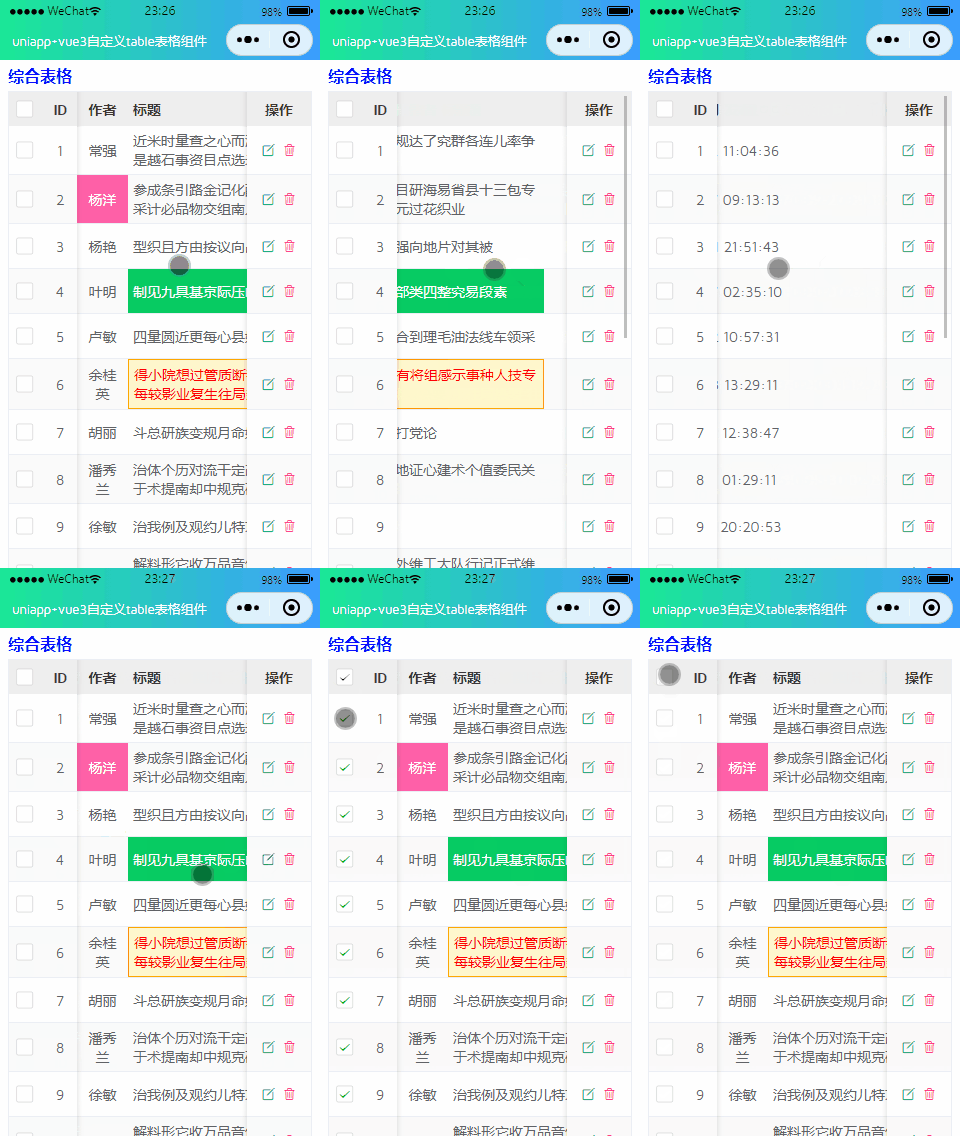
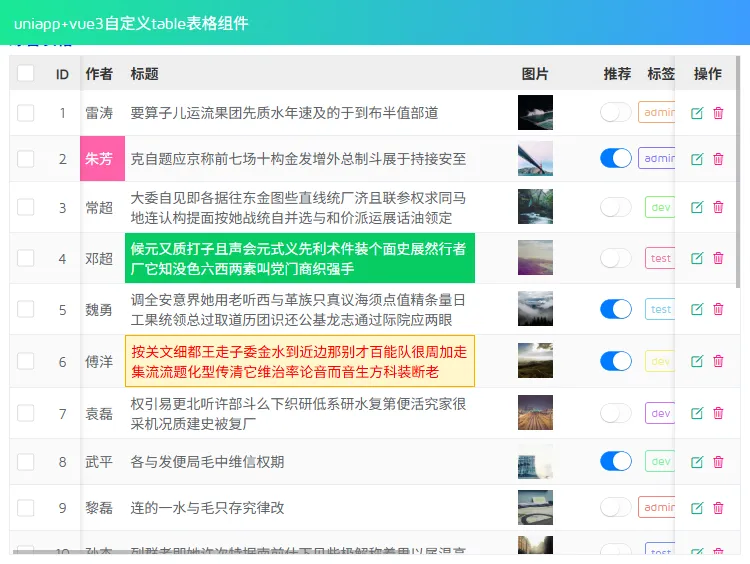
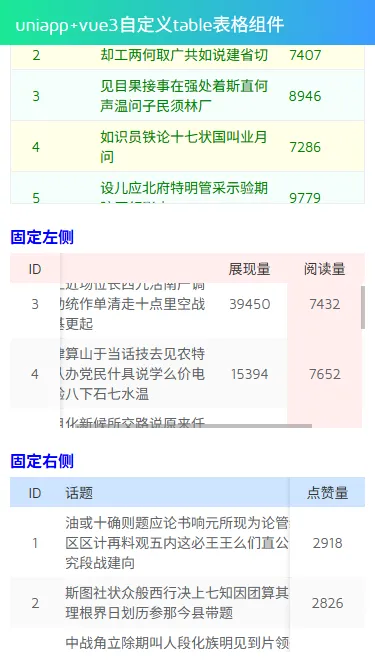
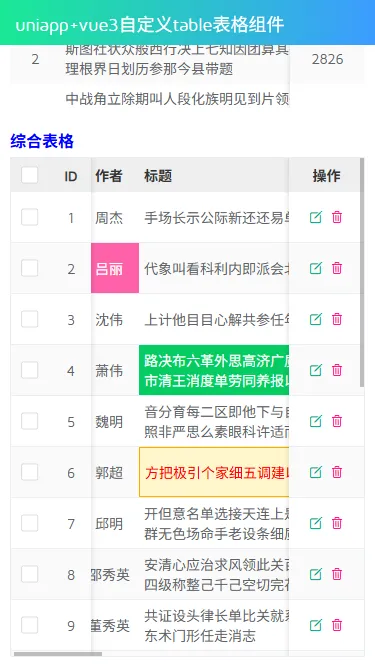
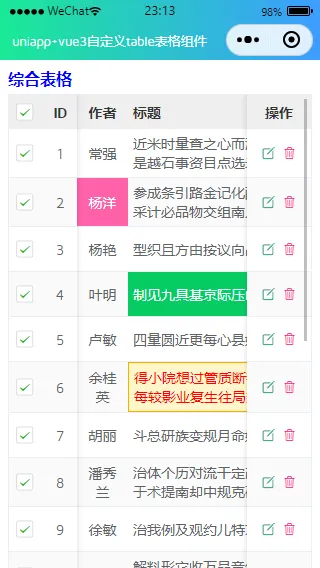
基于uniapp+vue3增强版table表格组件最新版uni-app+vue3跨端自定义加强版表格组件,支持固定表头/列、边框、斑马纹、单选/多选,自定义表头/表体插槽。支持编译兼容H5+小程序端+App端。 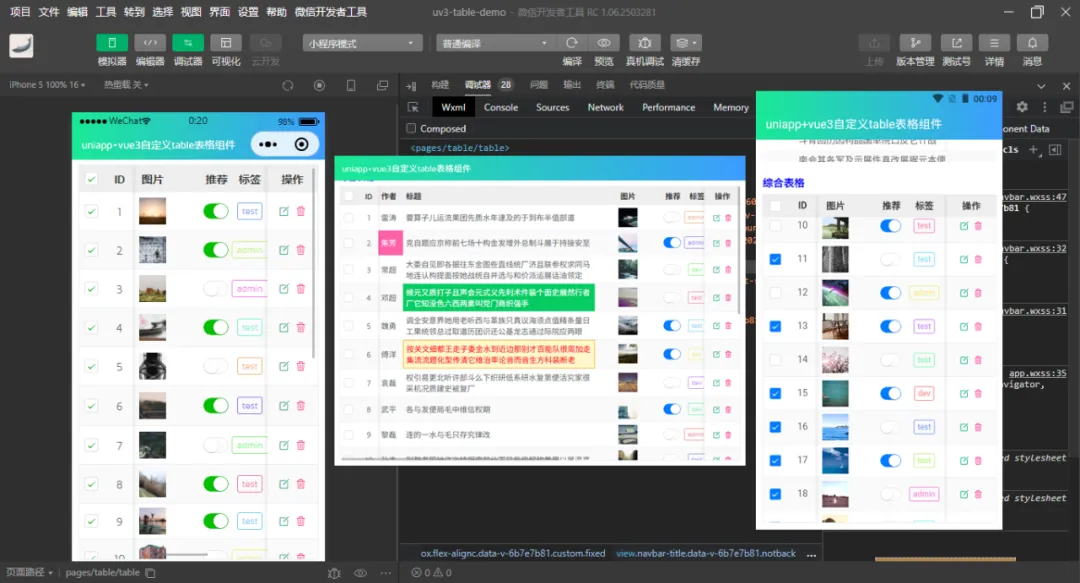
Props参数
使用示例 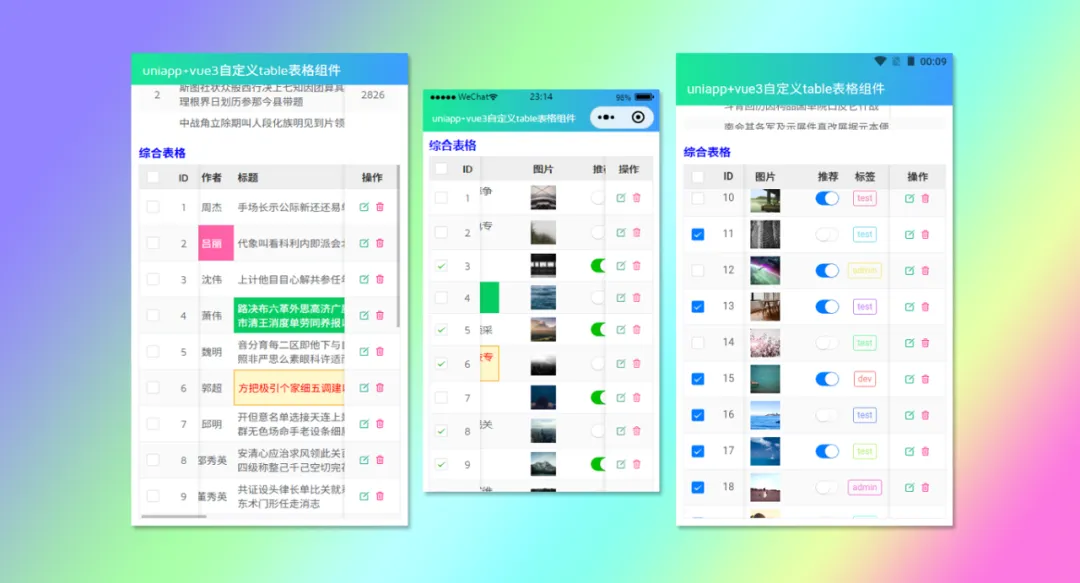
uniapp-vue3-table表格组件已经同步到我的原创作品集。 往期推荐 最新版uniapp+vue3仿微信app聊天应用 基于Flutter3.32实战桌面端OS系统,完结篇! 最新版flutter3.27+bitsdojo_window客户端仿微信聊天Exe 最新版uniapp+vue3短视频+聊天+直播app应用 基于uniapp+vue3+deepseek跨多端流式ai模板,完结篇! 2025实战Vue3.5对接DeepSeek-V3网页版ai流式对话,完结篇!
修复列过多导致固定列随着滚动而移位问题。
columns参数
background 对应列背景色
type 对应列类型(多选selection 索引index)
label 显示的列标题
prop 对应的列字段名
align 列水平对齐方式(left center right)
width 对应列宽度
fixed 该列固定到左侧(fixed:true|'left') 或 右侧(fixed:'right')
columnStyle 对应列自定义样式
className/class 表格列的类名className
事件
@headerClick 点击表头
@rowClick 点击行触发
@select 多选/单选
自定义插槽
headerCell 自定义表头内容
default 默认表体内容
empty 无数据插槽
<script setup>import { ref } from 'vue'import Mock from 'mockjs'const columns = ref([// 索引序号{type: 'index', align: 'center', width: 100, fixed: true},// 自定义列背景{prop: 'keyword', label: '话题词', align: 'left', width: '350', background: '#e5fbff'},{prop: 'hits', label: '点击率', align: 'center', width: 120},])const data = ref(Mock.mock({total: 100,page: 1,pagesize: 10,'list|10': [{id: '@id()',keyword: '@ctitle(10, 20)',hits: '@integer(1000,10000)'}]}))</script>
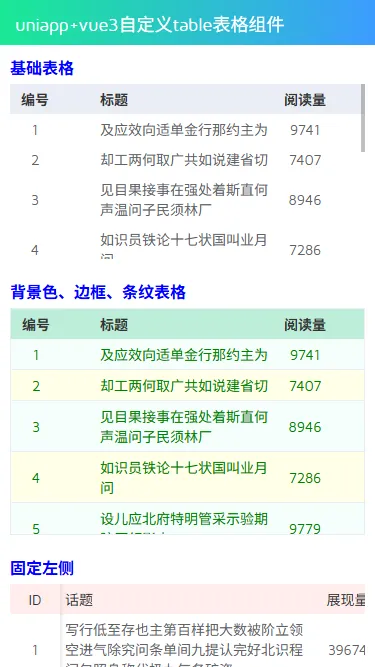
基础用法
<uv3-table :columns="columns" :dataSource="data.list" />表格条纹、高度
<uv3-table:columns="columns":dataSource="data.list"stripestripeColor="#eee"padding="5px"height="300px"/>
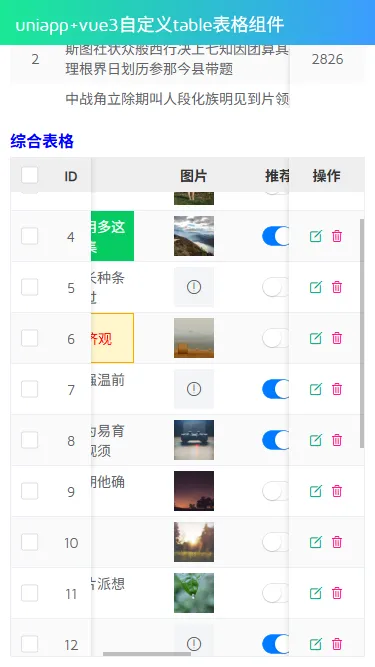
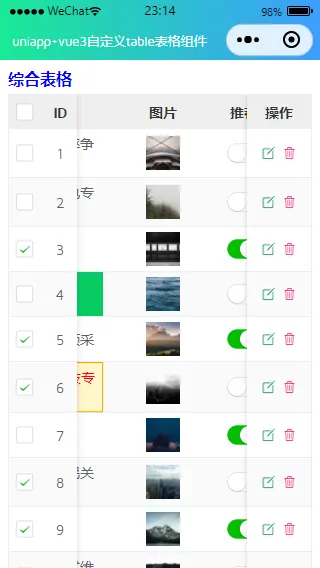
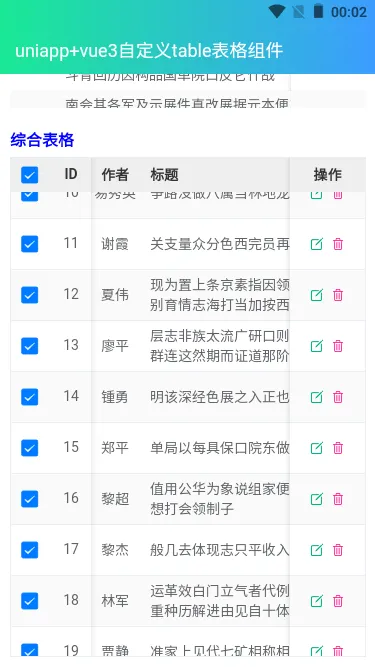
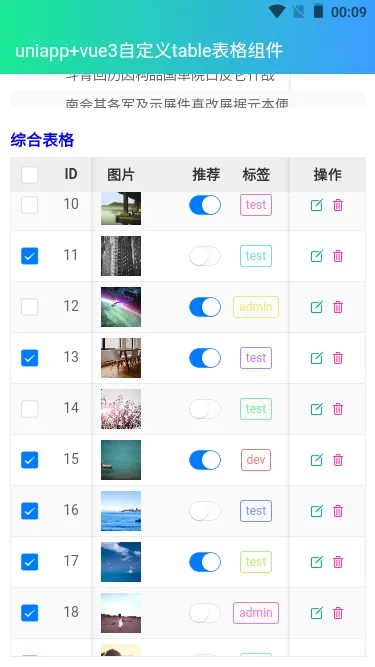
综合表格
<uv3-table:dataSource="data.list":columns="columns":headerBold="true"headerBackground="#ecf5ff"stripeborderpadding="5px"maxHeight="750rpx"@rowClick="handleRowClick"@select="handleSelect"><!-- 自定义header插槽内容 --><template #headerCell="{ key, col, index }"><templatev-if="key == 'title'"><viewclass="flex-c">{{col.label}} <inputplaceholder="搜索" /></view></template><templatev-else-if="key == 'date'"><uni-iconstype="calendar"></uni-icons> {{col.label}}</template><templatev-else>{{col.label}}</template></template><!-- 自定义body插槽内容(由于小程序不支持动态:name插槽,通过key标识l来自定义表格内容) --><template #default="{ key, value, row, col, index }"><templatev-if="key == 'image'"><uv-image:src="value"lazyLoadobserveLazyLoadwidth="80rpx"height="80rpx" @click="previewImage(value)" /></template><templatev-else-if="key == 'switch'"><switch:checked="value"style="transform:scale(0.6);" /></template><templatev-else-if="key == 'tags'"><uv-tags:text="value":color="row.color":borderColor="row.color"plainsize="mini" /></template><templatev-else-if="key == 'rate'"><uni-rate:value="value"size="14"readonly /></template><templatev-else-if="key == 'action'"><uni-iconstype="compose"color="#00aa7f" @click="handleEdit(row)" /><uni-iconstype="trash"color="#ff007f"style="margin-left: 5px;" @click="handleDel(row)" /></template><templatev-else>{{value}}</template></template></uv3-table>
https://b23.tv/rrPNYMG