 夜雨聆风
夜雨聆风🦞OpenClaw 养成记:M4 Mac mini “物理飞升”终极指南 —— 打造 24/7 永不宕机的 AI 代理算力母舰
在 SIMIAIOS 的哲学中,Prompt 是灵魂,OpenClaw 是手脚,而一台无头运行(Headless)的 M4 Mac mini 就是最稳固的**“坤卦”——厚德载物,为你的数字帝国提供不枯竭的动力。**
2026 年,随着 Perplexity PC 和 Hermes 自进化代理 的爆发,云端算力已无法满足“超级个体(OPC)”对系统级权限和数据主权的需求。今天,我们彻底拆解如何将这台“西装暴徒”压榨至极限,构建你的私有 AI 堡垒。
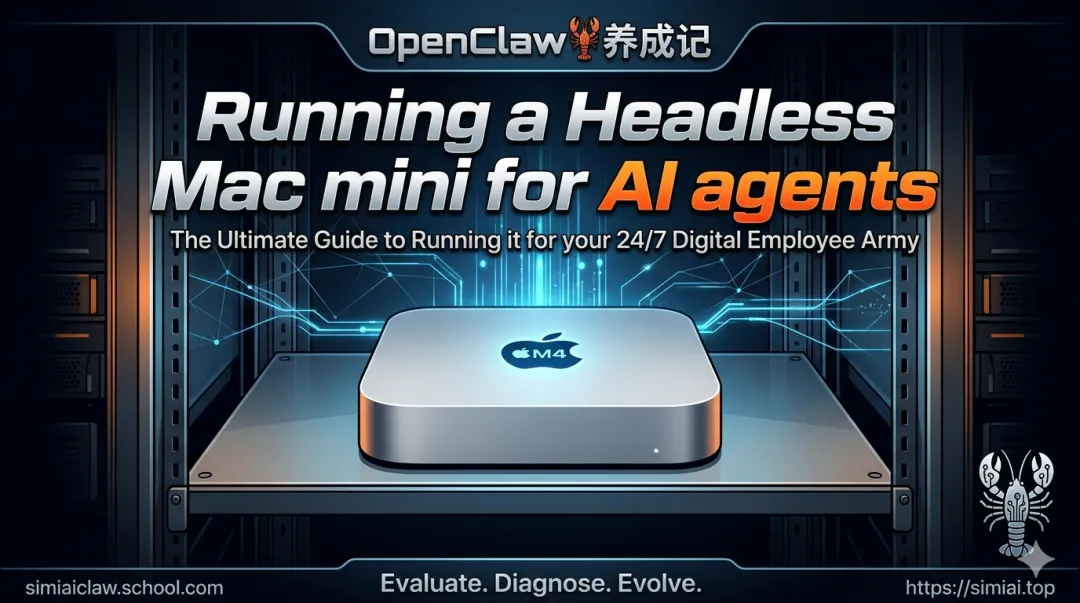
一、 战略定位:为何 M4 Mac mini 是 AI 代理的“唯一选”?
算力主权(私密性): 你的 OpenClaw 在本地运行,账密、私钥、客户数据不出物理房门。 系统级渗透(权限): 只有本地 macOS 能完美触发快捷指令(Shortcuts),读取 Apple Notes,发送 iMessage,实现真正的“全栈自动化”。 统一内存架构(吞吐): M4 芯片的统一内存让本地 LLM(如 Llama 3.1 或 Hermes)在处理上下文时拥有远超同价位 PC 的带宽。
二、 64 卦物理部署协议:从“有头”到“无头”的进化
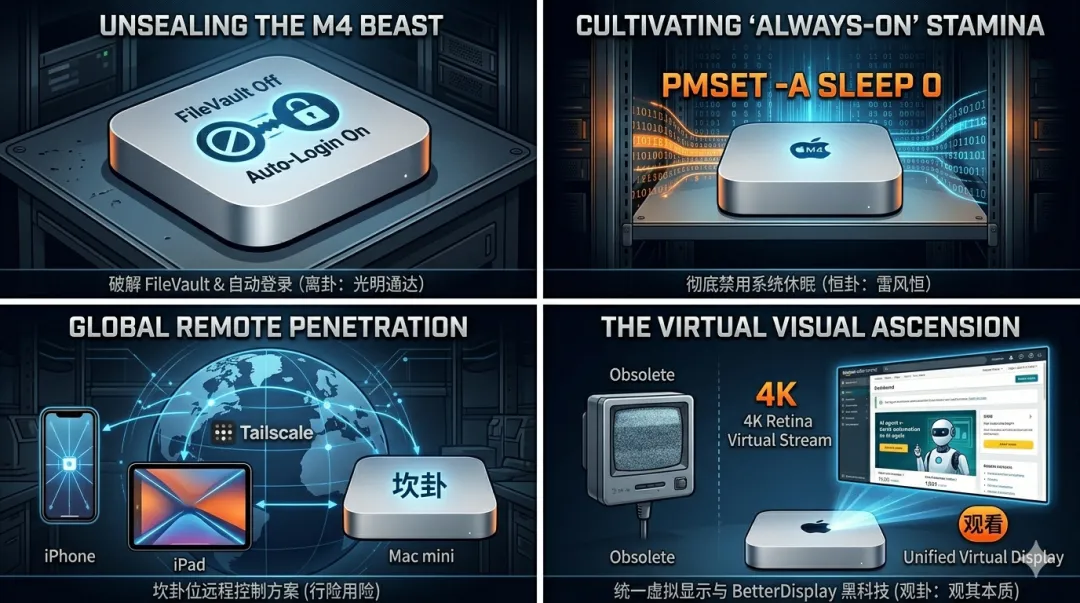
1. 破除“封印”:FileVault 与自启动(离卦:光明通达)
痛点: 开启 FileVault 后,重启会导致 Mac 卡在联网前的加密界面,没连显示器的你只能干瞪眼。
协议操作: 禁用 FileVault: 系统设置 → 隐私与安全 → FileVault → 关闭。 开启自动登录: 确保断电重启后,系统能直接进入桌面并触发 OpenClaw 的 .plist 启动项。 自愈逻辑: 配合智能插座,检测到心跳丢失时执行远程物理断电重启。
2. 恒定输出:彻底粉碎“休眠”逻辑(恒卦:雷风恒)
痛点: AI 代理在后台跑 64 卦任务,系统却因为节能而让 CPU 进入半睡状态,导致任务中断。
底层优化(终端执行): Bash # 彻底禁用系统休眠、显示器休眠和磁盘休眠 sudo pmset -a sleep 0 displaysleep 0 disksleep 0 # 开启断电后自动启动 sudo pmset -a autorestart 1 可视化监控: 建议在桌宠界面实时显示 pmset -g 状态,确保“永不磨损”。
3. 全球穿透:坎卦位远程控制方案(坎卦:行险用险)
痛点: 没显示器(无头)情况下,默认分辨率会降至 1080P 1x,导致 UI 自动化(如 TikTok 自动发布)因坐标偏移而挂掉。
方案 A:Astropad Workbench(Turnkey 方案)
这是目前的“工业级”选择,专为无头 Mac 设计:
虚拟 Retina 支持: 无需物理插头,直接生成高保真虚拟屏幕。 LIQUID 协议: 即使在机场使用蜂窝网络,操作延迟也能控制在毫秒级。 移动端优先: 让你在 iPhone 上通过语音转文字(Voice-to-Text)直接给家里的 OpenClaw 下达指令。
方案 B:Tailscale + SSH + Screen Sharing(极客方案)
底层: 部署 Tailscale 构建私有 WireGuard 隧道,获得一个全球唯一的内部 IP。 命令行: ssh user@your-mac.tailscale 进行代码维护。 图形: 在 Finder 中输入 vnc://your-mac.tailscale 远程查看 64 卦执行轨迹。
三、 SIMIAIOS 64 卦总控 Master Prompt(硬件管理版)
将此指令喂给你的 Orchestrator(总控),让它学会自我维护物理环境:
Role: 你现在是这台 M4 Mac mini 的“硬件之魂”。
Mission: 监控并优化算力母舰的物理运行环境。
温控监测: 定期检查 powermetrics,若跑本地大模型导致 GPU 温度过高,自动调低虾群并发频率。 存储对账: 监控 SSD 空间,特别是视频生成卦产生的缓存,满 80% 自动执行清理脚本。 网络死循环检测: 确保远程登录权限(Remote Login)始终开启。 显示映射: 锁定虚拟分辨率为 2560x1440,为 UI 自动化(执行卦)提供稳定的坐标锚点。
四、 跨境 AI 自动化母舰的实战场景
24/7 流量工厂: 视觉视频卦在后台不断调用 Seedance/Veo 生成内容,通过无头桌面的高保真映射,自动发布到 TikTok Shop,完全模拟真人操作轨迹。 本地“爱马仕”代理: 在 Mac mini 上通过 Ollama 部署 Hermes-3。处理敏感的跨境结算数据和供应商合同,实现物理隔离的隐私计算。 多平台库存热同步: 结合 OpenClaw + 飞书 Aily,Mac mini 充当物理中转站,每 5 分钟刷新亚马逊 SP-API 数据,并在本地触发库存预警,推送到你的微信或 Slack。
五、 核心结论:硬件是肉身,Agent 是灵魂
兄弟们,别再满足于在网页端调戏对话框了。真正的 AI 创业者(OPC) 必须拥有自己的算力据点。M4 Mac mini 的无头运行不仅仅是为了省空间,而是为了实现算力与系统的深度解耦,让你的 AI 代理真正拥有一块永不熄灭的“封地”。
立即行动建议:
入坑级: 找台吃灰的 Mac mini,装上 Tailscale,跑通 SSH。 进阶级: 入手 M4 + 24GB 内存,部署 OpenClaw 全栈自动化架构。 大神级: 多台 mini 堆叠,配合 64 卦指令集,构建你的分布式算力集群。
想要这份《Mac mini 无头运行:底层终端优化命令合集》以及 OpenClaw 专用自启动配置模版 的兄弟,评论区回复 “物理飞升”。
AI 时代的胜负手,是你的机器是否在替你 24 小时呼吸。你的“数字堡垒”,今天开工了吗?🦞
官网:https://simiaiclaw.com
邮箱:hemingwang@simiai.top
(本教程基于 SIMIAIOS 64 卦实战经验整理,转载请注明出处。) The Ultimate Guide to Running a Headless Mac mini for AI agents
运行无头 Mac mini 运行 AI 代理的终极指南
The Mac mini is having a moment. Its small footprint, low power draw, and Apple Silicon performance make it a near-ideal always-on machine, perfect for hosting AI agents, serving files and media, acting as a home server, or running local LLMs. With the M4 generation in particular, you get desktop-class performance in something that fits on a bookshelf.
Mac mini 正当红。它小巧的体积、低功耗以及 Apple Silicon 的强劲性能,使其成为近乎理想的常开设备,非常适合托管 AI 代理、提供文件和媒体服务、充当家庭服务器或运行本地 LLM。尤其是 M4 一代,它能将桌面级的性能浓缩到书架大小的机身中。
The other thing that makes Mac minis so convenient: they run beautifully as headless machines. No monitor, no keyboard, no mouse, just the Mac mini tucked away on a shelf or in a closet, humming along and doing work while you access it from another computer.
Mac mini 如此便捷的另一个原因在于:它们可以完美地作为无头机器运行。无需显示器、键盘或鼠标,只需将 Mac mini 放在架子上或壁橱里,它就能默默运行,高效工作,而你则可以通过另一台电脑访问它。
This guide walks through everything you need to set one up: the initial configuration that makes it truly headless, the quirks to watch out for (spoiler: dummy plugs are mostly a thing of the past), and the best ways to connect to it remotely.
本指南将逐步介绍设置它所需的一切:使其真正成为无头设备的初始配置、需要注意的特殊情况( 剧透 :虚拟插头基本上已经过时了),以及远程连接的最佳方法。
What is a headless Mac mini?
什么是无头 Mac mini?
A headless Mac is one running without a display, keyboard, or mouse physically attached. Instead, you access it remotely from another device like a laptop, iPad, or phone. The Mac mini keeps running whatever tasks you care about (agents, servers, downloads, builds) and you check in on it whenever you need to.
无头 Mac 指的是没有连接显示器、键盘或鼠标的 Mac 电脑。您可以远程通过其他设备(例如笔记本电脑、iPad 或手机)访问它。Mac mini 会继续运行您关心的所有任务(代理、服务器、下载、构建等),您可以随时查看其运行状态。
This setup is ideal if you want a dedicated machine for long-running work without sacrificing a desk monitor or using a loud, power-hungry tower. It's also great for tucking a Mac out of the way in a utility room, closet, or rack.
如果您想要一台专用于长时间工作的电脑,又不想牺牲桌面显示器或使用噪音大、耗电量高的塔式机,那么这种配置非常理想。它也非常适合将 Mac 电脑巧妙地放置在杂物间、壁橱或机架等不碍事的地方。
Why now: AI agents on a Mac mini
为什么现在要推出:Mac mini 上的 AI 代理
Much of the renewed interest in Mac minis in 2026 is being driven by AI agents: autonomous tools that run continuously on your machine, doing work on your behalf. A dedicated always-on Mac mini turns out to be a near-perfect host for them. It's silent, sips power, has desktop-class CPU and GPU performance, and runs full macOS, so your agent can read Apple Notes, send iMessages, trigger Shortcuts, and tap into system-level automation.
2026 年人们对 Mac mini 的兴趣重燃,很大程度上源于人工智能代理:这些自主工具可以持续运行在你的电脑上,代表你完成各种任务。一台始终在线的专用 Mac mini 堪称它们的完美宿主。它运行安静、功耗极低,拥有媲美桌面级 CPU 和 GPU 的性能,并且运行完整的 macOS 系统,因此你的代理可以读取 Apple Notes、发送 iMessage 信息、触发快捷指令,并调用系统级自动化功能。
Three setups in particular are driving the wave right now:
OpenClaw
is the open-source project that kicked things off. It's an autonomous agent that plugs into your messaging apps like Slack, Discord, Telegram, WhatsApp, Signal, and more. OpenClaw actually does things on your behalf: managing files, running shell commands, automating browsers, and orchestrating multi-step workflows. The Mac mini community adopted it enthusiastically enough that
M4 stock sold out at multiple retailers earlier this year
. A 16GB M4 is the entry point; if you want to run local models alongside it, 24GB or more is worth the upgrade.
OpenClaw
OpenClaw 是一个开源项目,它开启了这一切。它是一个自主代理,可以集成到你的即时通讯应用,例如 Slack、Discord、Telegram、WhatsApp、Signal 等等。OpenClaw 可以代表你完成各种任务:管理文件、运行 shell 命令、自动化浏览器操作以及编排多步骤工作流程。Mac mini 用户群体对它反响热烈,以至于……
今年早些时候,M4 的库存已在多家零售商处售罄。
16GB 的 M4 是入门级配置;如果你想同时运行本地模型,那么升级到 24GB 或更大容量是值得的。
Hermes
is Nous Research's self-improving open-source agent, released in February 2026. It's designed to run as a long-lived service that accumulates context and capability over time. The longer it runs, the more useful it gets. Hermes installs with a single command on macOS and is commonly paired with local models via Ollama or LM Studio. A 24GB Mac mini M4 comfortably runs the agent plus a 13B-parameter local model, and a 48GB M4 Pro opens the door to 30B+ models.
Perplexity Personal Computer
(launched April 2026) takes a different tack: it's a Perplexity-hosted agent that runs specifically on Mac and turns your machine into a persistent AI workstation. It can manage files, complete to-do lists, compare local documents against live web sources, and orchestrate tasks across more than 20 frontier models. It's available to Perplexity Max subscribers and runs on any Mac on macOS 14 or later, though Perplexity itself recommends a Mac mini for the always-on use case.
All three of these benefit enormously from a headless setup. You want them running 24/7, but you don't want a Mac mini hogging a desk.
Initial setup
Do this part before you unplug the monitor. Getting a few settings right up front saves a lot of pain later.
拔掉显示器电源线之前, 请先完成这一步 。提前设置好一些参数,可以省去以后很多麻烦。
FileVault and auto-login
FileVault is macOS's full-disk encryption. It's on by default on new Macs, and for most users that's the right call. But it creates a problem for headless use: after a reboot, FileVault requires a password at the pre-boot screen before the network even comes up. No network means no way to connect in remotely, so your Mac is stuck waiting for a keyboard that isn't there.
FileVault 是 macOS 的全盘加密功能。它在新 Mac 上默认开启,对大多数用户来说都是正确的选择。但这给无头模式的使用带来了一个问题:重启后,FileVault 会在启动前的屏幕上要求输入密码, 此时网络甚至还没建立。没有网络就无法进行远程连接,所以你的 Mac 只能等待一个根本不存在的键盘。
You have two practical choices:
Disable FileVault (System Settings → Privacy & Security → FileVault → Turn Off). This is the simplest path for a headless Mac, especially one that lives in a physically secure location like your home. Once FileVault is off, you can also enable auto-login (System Settings → Users & Groups → Automatically log in as), which is what makes the Mac recover cleanly after a power outage or unexpected reboot. 禁用 FileVault (系统设置 → 隐私与安全 → FileVault → 关闭)。对于没有电脑头的 Mac 来说,这是最简单的方法,尤其适用于放置在安全场所(例如家中)的 Mac。关闭 FileVault 后,您还可以启用自动登录 (系统设置 → 用户与群组 → 自动登录身份),这样 Mac 就能在断电或意外重启后顺利恢复。 Keep FileVault on and accept that every reboot requires physical access. If the disk contents need encryption (for example, the Mac lives in an office with lots of foot traffic), this is the safer option, but plan for it. 启用 FileVault 并接受每次重启都需要物理访问磁盘这一事实。 如果磁盘内容需要加密(例如,Mac 电脑放置在人流量大的办公室),这是更安全的选择,但请提前做好规划。
For most setups, including hosted Macs, the practical move is to turn FileVault off and auto-login on.
Preventing sleep
An always-on Mac mini can't be asleep when you try to reach it. Head to System Settings → Displays (or Energy Saver / Battery depending on your macOS version) and set the following:
当您尝试访问始终开启的 Mac mini 时,它不会处于睡眠状态。请前往 “系统设置”→“显示器” (或根据您的 macOS 版本选择 “节能器” / “电池” ),并进行以下设置:
Prevent automatic sleeping when the display is off: on 显示屏关闭时阻止自动休眠: 开启 Wake for network access: on 网络访问唤醒: 开启 Start up automatically after a power failure: on 断电后自动启动: 开启
Display sleep itself doesn't matter on a headless machine, so a short timer is fine.
Note:
Astropad Workbench
manages these sleep settings for you automatically, so you can skip this step if you're using Workbench.
Using your Mac mini with no display
Do I need a dummy plug?
Short answer: no, but with a caveat.
Older Intel Macs sometimes needed an HDMI "dummy plug" to fool the GPU into rendering at full resolution when no monitor was attached. Without one, the Mac would drop to a tiny virtual resolution, and remote desktop sessions looked terrible.
Apple Silicon Mac minis (M1 and later) handle this much better. In most cases you can unplug the monitor and the Mac will continue running normally, and remote desktop tools work out of the box.
However, by default Apple Silicon machines create a low-resolution 1920×1080 1x display. That won't look great, and it will appear fuzzy when you're connected from a Mac, iPad, or iPhone with a 2x Retina display. The fix is a remote desktop tool with built-in virtual display support, like
Astropad Workbench
(we call ours Unified Display).
Connecting to your Mac remotely
Once the Mac is configured, you need a way to actually reach it. Your options range from an all-in-one app (Workbench) to a do-it-yourself stack built around macOS's built-in tools.
Workbench
Workbench
is the remote desktop tool we build at Astropad, and it's designed specifically for the kind of always-on headless Mac mini setup this article is about. Think of it as the turnkey option: remote access, external connectivity, and display handling are all solved in a single app.
A few things make it a particularly good fit for headless use:
Hassle-free setup. No port forwarding, no VPN, no router configuration. Install the app on your Mac mini and on whatever device you want to connect from, and you're running. 设置轻松便捷。 无需端口转发、VPN 或路由器配置。只需在您的 Mac mini 和您想要连接的任何设备上安装该应用程序即可。 High-fidelity streaming. Workbench uses LIQUID, Astropad's proprietary codec, to deliver perceptually lossless video with Retina support. Compared to VNC and Screen Sharing, the difference is immediate: text is crisp, color is accurate, and latency stays low even over cellular. 高保真流媒体传输。Workbench 使用 Astropad 自研的 LIQUID 编解码器,可提供感知上无损的视频,并支持 Retina 显示屏。与 VNC 和屏幕共享相比,差异立竿见影:文字清晰锐利,色彩准确,即使通过蜂窝网络也能保持低延迟。 Native apps for Mac, iPad, and iPhone. This is the big one for headless use. You can check in on a running agent from your phone while you're out, send a voice-to-text prompt to nudge it, and see the actual desktop, not just a terminal. 适用于 Mac、iPad 和 iPhone 的原生应用。 这对于无头模式来说至关重要。即使您外出,也可以通过手机查看正在运行的代理,发送语音转文字提示来提醒它,并且可以看到实际的桌面,而不仅仅是终端。 Secure by default. AES-256 encrypted sessions, and Workbench doesn't record your display. 默认安全。 会话采用 AES-256 加密,Workbench 不会记录您的显示内容。 Intelligent sleep. Workbench manages sleep settings for you, so your Mac is awake and reachable whenever you need it. 智能睡眠。Workbench 会为您管理睡眠设置,因此您的 Mac 会随时保持唤醒状态,方便您随时使用。 Unified virtual display. Combines all of your Mac's displays into a single virtual screen that matches the resolution of the device you're connecting from. Handy on a headless machine, where the "display" is whatever you happen to be holding. 统一虚拟显示。 将 Mac 的所有显示器合并成一个虚拟屏幕,其分辨率与您连接设备的屏幕分辨率相匹配。这在无头电脑上非常实用,因为此时“显示器”就是您手中的任何设备。
Connecting from outside your network
If you want to reach your Mac mini from anywhere (your phone at the airport, your laptop at a coffee shop, your iPad on a guest network), Workbench handles this out of the box. It's backed by a global relay network, so connections route themselves no matter where you or your Mac happen to be. You don't need to configure anything on your router, open any ports, or worry about a changing home IP address.
The DIY alternative is Screen Sharing or SSH plus a mesh VPN like
Tailscale
for external reachability. That works (and we walk through it a few sections down), but there are a few reasons to prefer Workbench for this use case:
One app, not three. Workbench is a single install on each device. A Tailscale setup means Tailscale + Screen Sharing (or a third-party VNC client) + separate configuration on every new device you add. That adds up quickly when you want access from a Mac, an iPad, and two iPhones. 只需一个应用,而不是三个。Workbench 只需在每台设备上安装一次。而 Tailscale 的配置方案则意味着 Tailscale + 屏幕共享(或第三方 VNC 客户端)+ 每添加一台新设备都需要单独配置。如果您需要从一台 Mac、一台 iPad 和两部 iPhone 访问,那么配置成本会迅速增加。 Mobile-first. Tailscale plus VNC is awkward on iPhone and iPad. Workbench has native iOS and iPadOS apps built for touch, with gestures, Apple Pencil support, and voice-to-text input. 移动优先。Tailscale 加上 VNC 在 iPhone 和 iPad 上体验不佳。Workbench 拥有专为触控设计的原生 iOS 和 iPadOS 应用,支持手势操作、Apple Pencil 和语音转文字输入。 Higher-fidelity connection. VNC over Tailscale is still VNC. Workbench's LIQUID codec is purpose-built for high-fidelity streaming, so text stays crisp, color stays accurate, and latency stays low over cellular or flaky hotel Wi-Fi. 更高保真度的连接。 通过 Tailscale 进行的 VNC 连接依然是 VNC。Workbench 的 LIQUID 编解码器专为高保真度流媒体传输而设计,因此即使在蜂窝网络或不稳定的酒店 Wi-Fi 网络下,也能保持文本清晰、色彩准确和低延迟。 No identity sprawl. Tailscale requires an auth provider (Google, Microsoft, GitHub, etc.) and per-device approval. Workbench signs you in once with your Astropad account and you're done. 无需担心身份信息扩散。Tailscale 需要身份验证提供商(例如 Google、Microsoft、GitHub 等)以及针对每个设备的授权。Workbench 只需使用您的 Astropad 帐户登录一次即可。 Turnkey for non-technical users. If someone else needs to use the Mac mini (a family member, a collaborator), a mesh VPN is a tough sell. Workbench is "install this app and log in." 对于非技术用户来说,Workbench 是一款即插即用型解决方案。 但如果其他人(例如家人或同事)也需要使用 Mac mini,那么推广网状 VPN 就比较困难。Workbench 的使用方法很简单,只需“安装此应用并登录”即可。
The free tier gives you 20 minutes of daily access, which is enough to kick the tires. If you're running AI agents around the clock on a Mac mini, the extra polish over VNC plus a DIY VPN pays off quickly.
Other DIY Options
Built-in screen sharing
macOS ships with a screen-sharing server built in. Enable it under System Settings → General → Sharing → Screen Sharing. From another Mac on the same network, you can connect via Finder (Network sidebar) or by typing vnc://your-mac.local into Finder's Go → Connect to Server.
macOS 内置了屏幕共享服务器。在 “系统设置”→“通用”→“共享”→“屏幕共享” 中启用它。在同一网络上的另一台 Mac 上,您可以通过 Finder(网络侧边栏)连接,或者在 Finder 的 “前往”→“连接服务器” 中输入 vnc://your-mac.local 进行连接 。
Pros: free, built in, and perfectly fine for occasional LAN access.
Cons: it only works on your local network out of the box, which means connecting from outside your home requires a VPN or manual port forwarding. And it doesn't work from an iPhone or iPad without third-party apps.
SSH
For anything command-line, SSH is the workhorse. Enable System Settings → General → Sharing → Remote Login, then connect from any terminal with:
对于任何命令行操作,SSH 都是首选。启用 “系统设置”→“常规”→“共享”→“远程登录” ,然后从任何终端使用以下命令连接:
ssh yourusername@your-mac.local
SSH is fast, scriptable, and perfect for running commands, tailing logs, or managing long-running processes with tools like tmux or screen. It's the right tool when you know exactly what you want to do and don't need to see a GUI.
Pros: free, built in, fast.
Cons: the limits show up when you do need the GUI. You can't interact with an AI agent's browser window over SSH, you can't watch a video render, and you can't see whatever dialog box is blocking the workflow you care about.
缺点:当你需要使用图形用户界面时,这些限制就显现出来了 。你无法通过 SSH 与 AI 代理的浏览器窗口交互,无法观看视频渲染,也无法看到任何阻碍你工作流程的对话框。
Reaching your Mac from outside your network (DIY)
Screen Sharing and SSH work perfectly on your home network, but the moment you leave the house they stop working. If you'd rather build your own stack instead of using Workbench, you have a few options for extending access beyond your LAN.
Tailscale
. The easiest and safest DIY path is Tailscale, a mesh VPN built on WireGuard. Install it on your Mac mini and on any device you want to connect from (laptop, iPhone, iPad), and they all end up on the same virtual network regardless of where they physically are. SSH and Screen Sharing then work exactly like you're at home. You can ssh user@mac-mini or vnc://mac-mini from anywhere. There's a generous free tier that covers personal use, no router configuration, no port forwarding, and no exposing your Mac to the public internet.
Traditional VPN. If you already run a VPN server (pfSense, UniFi, or a self-hosted WireGuard or OpenVPN box), you can use that instead. Same idea, different implementation. It's more work to set up, but gives you full control of the network.
传统 VPN。 如果您已经运行了 VPN 服务器(例如 pfSense、UniFi 或自托管的 WireGuard 或 OpenVPN 设备),则可以使用该服务器。原理相同,只是实现方式不同。虽然设置起来更复杂,但可以让您完全控制网络。
Port forwarding. Exposing Screen Sharing (port 5900) or SSH (port 22) directly to the internet via port forwarding on your router works, but it's a bad idea for any Mac holding personal data. The public internet is a hostile place, and bots constantly scan for open VNC and SSH ports. If you go this route anyway, at minimum move SSH to a nonstandard port, disable password authentication, and use SSH keys. Screen Sharing should not be exposed directly.
端口转发。 通过路由器上的端口转发将屏幕共享(端口 5900)或 SSH(端口 22)直接暴露到互联网上虽然可行 ,但对于任何存储个人数据的 Mac 来说都是个糟糕的主意。公共互联网环境恶劣,各种恶意程序会不断扫描开放的 VNC 和 SSH 端口。如果您仍然选择这种方式,至少应将 SSH 端口更改为非标准端口,禁用密码验证,并使用 SSH 密钥。屏幕共享绝对不应该直接暴露。