夜雨聆风
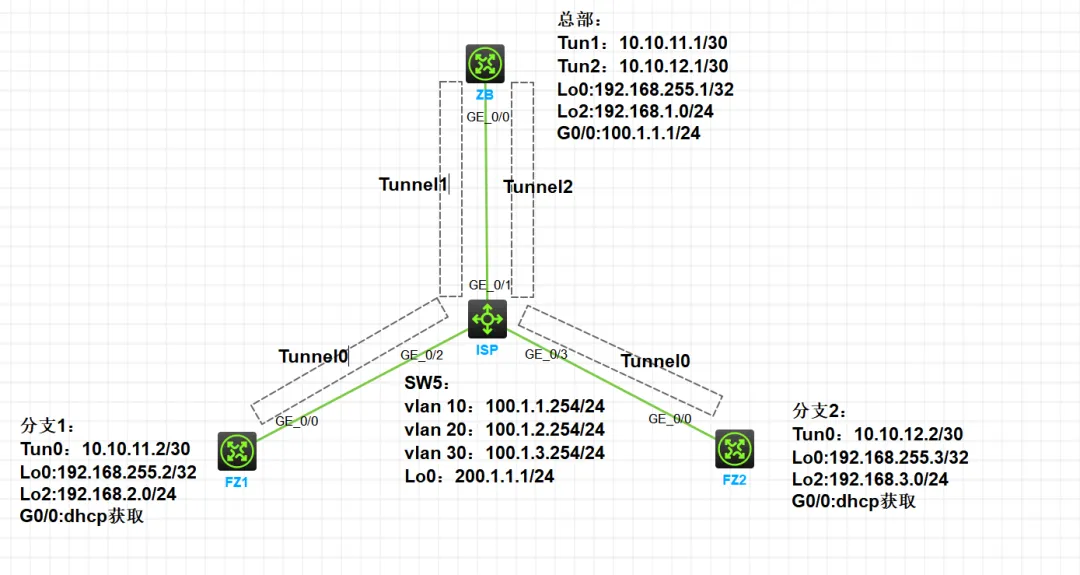
夜雨聆风1、分支1和分支2为企业分支网关(分支1和分钟2使用动态地址接入公网),ZB为企业总部网关,总部提供固定公网IP:100.1.1.1/24,分支与总部通过公网建立通信。
2、企业希望对分支与总部之间相互访问的流量进行安全保护,并且为了安全起见,总部网关能指定符合条件的分支网关接入。
3、由于分支与总部通过公网建立通信,可以在分支网关与总部网关之间建立IPSec隧道来实施安全保护。
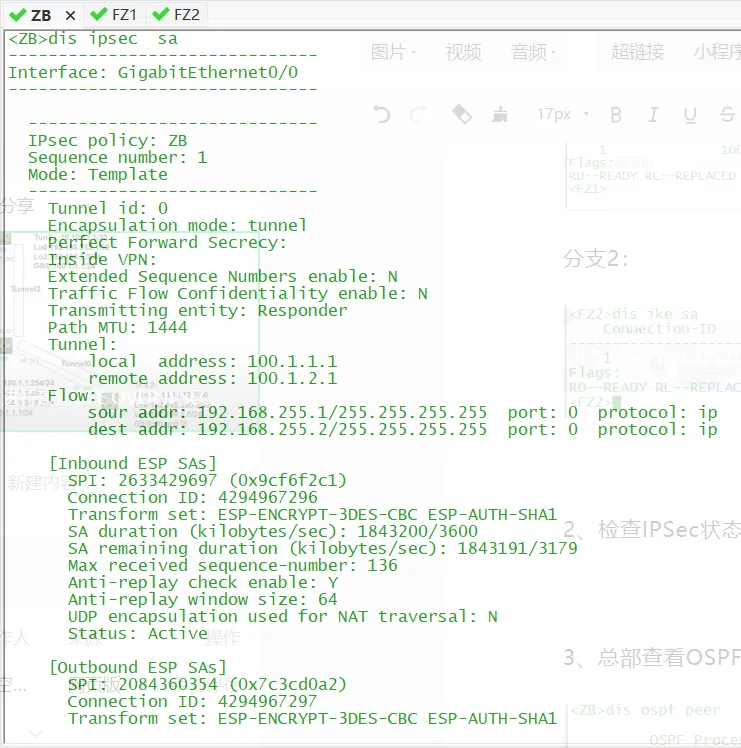
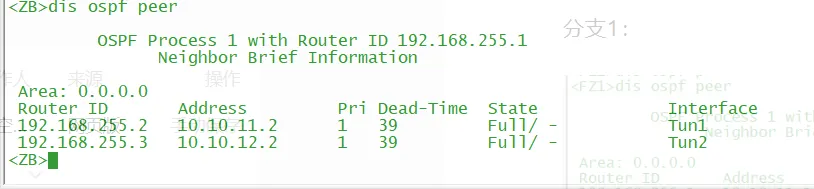
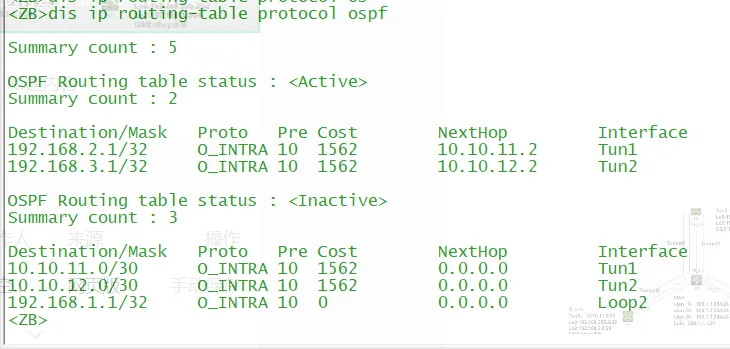
sysname ZB#ospf 1 router-id 192.168.255.1area 0.0.0.0network 10.10.11.0 0.0.0.3network 10.10.12.0 0.0.0.3network 192.168.1.0 0.0.0.255#interface LoopBack0ip address 192.168.255.1 255.255.255.255#interface LoopBack2ip address 192.168.1.1 255.255.255.0#interface GigabitEthernet0/0port link-mode routecombo enable copperip address 100.1.1.1 255.255.255.0nat outboundipsec apply policy ZB#interface Tunnel1 mode greip address 10.10.11.1 255.255.255.252source LoopBack0destination 192.168.255.2keepalive 10 3#interface Tunnel2 mode greip address 10.10.12.1 255.255.255.252source LoopBack0destination 192.168.255.3keepalive 10 3#ip route-static 0.0.0.0 0 100.1.1.254#ipsec transform-set ZBesp encryption-algorithm 3des-cbcesp authentication-algorithm sha1#ipsec policy-template FZ 1transform-set ZBike-profile FZ1#ipsec policy-template FZ 2transform-set ZBike-profile FZ2#ipsec policy ZB 1 isakmp template FZ#ike identity fqdn ZB#ike profile FZ1keychain FZ1exchange-mode aggressivelocal-identity fqdn ZBmatch remote identity fqdn FZ1proposal 1#ike profile FZ2keychain FZ2exchange-mode aggressivelocal-identity fqdn ZBmatch remote identity fqdn FZ2proposal 1#ike proposal 1 //IKE安全提议,可不配置encryption-algorithm 3des-cbcdh group14authentication-algorithm md5#ike keychain FZ1 //pre-shared-key hostname FZ1 key simple 123ike keychain FZ2 //pre-shared-key hostname FZ2 key simple 123return
sysname ISP#dhcp enable#lldp global enable#vlan 1#vlan 10#vlan 20#vlan 30#stp global enable#dhcp server ip-pool 20gateway-list 100.1.2.254network 100.1.2.0 mask 255.255.255.0dns-list 223.5.5.5#dhcp server ip-pool 30gateway-list 100.1.3.254network 100.1.3.0 mask 255.255.255.0dns-list 223.5.5.5#interface LoopBack0ip address 200.1.1.1 255.255.255.0description ISP#interface Vlan-interface10ip address 100.1.1.254 255.255.255.0#interface Vlan-interface20ip address 100.1.2.254 255.255.255.0dhcp server apply ip-pool 20#interface Vlan-interface30ip address 100.1.3.254 255.255.255.0dhcp server apply ip-pool 30#interface GigabitEthernet1/0/1port link-mode bridgeport access vlan 10combo enable fiber#interface GigabitEthernet1/0/2port link-mode bridgeport access vlan 20combo enable fiber#interface GigabitEthernet1/0/3port link-mode bridgeport access vlan 30combo enable fiber#ip route-static 0.0.0.0 0 100.1.1.1#return
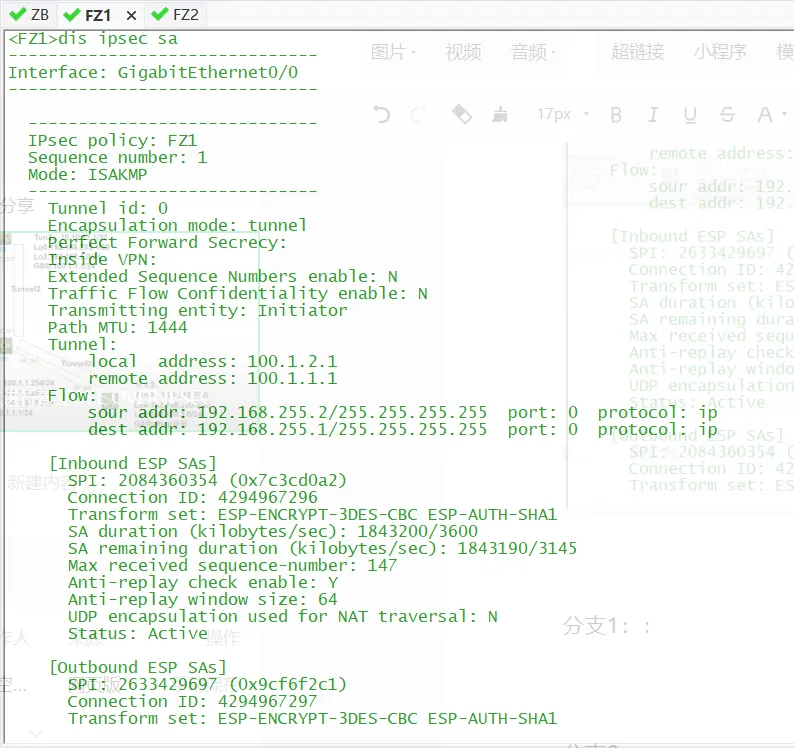
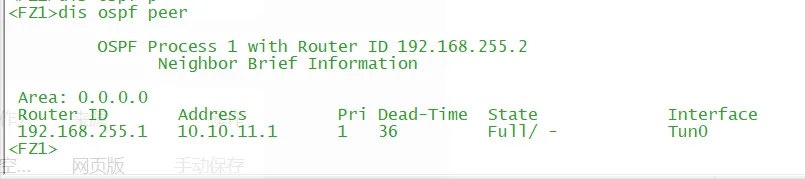
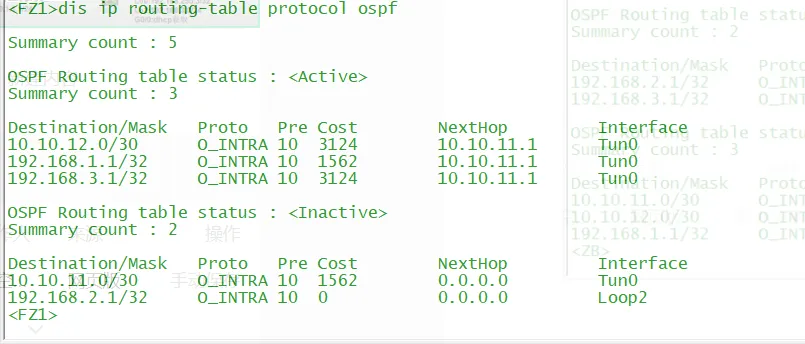
<FZ1>dis cu#sysname FZ1#ospf 1 router-id 192.168.255.2area 0.0.0.0network 10.10.11.0 0.0.0.3network 192.168.2.0 0.0.0.255#interface LoopBack0ip address 192.168.255.2 255.255.255.255#interface LoopBack2ip address 192.168.2.1 255.255.255.0#interface GigabitEthernet0/0port link-mode routecombo enable copperip address dhcp-allocipsec apply policy FZ1#interface Tunnel0 mode greip address 10.10.11.2 255.255.255.252source LoopBack0destination 192.168.255.1keepalive 10 3#acl advanced 3000rule 0 permit ip source 192.168.255.2 0 destination 192.168.255.1 0#ipsec transform-set FZ1esp encryption-algorithm 3des-cbcesp authentication-algorithm sha1#ipsec policy FZ1 1 isakmptransform-set FZ1security acl 3000remote-address 100.1.1.1ike-profile FZ1#ike identity fqdn FZ1#ike profile FZ1keychain FZ1exchange-mode aggressivelocal-identity fqdn FZ1match remote identity fqdn ZBproposal 1#ike proposal 1encryption-algorithm 3des-cbcdh group14authentication-algorithm md5#ike keychain FZ1pre-shared-key address 100.1.1.1 255.255.255.0 key simple 123
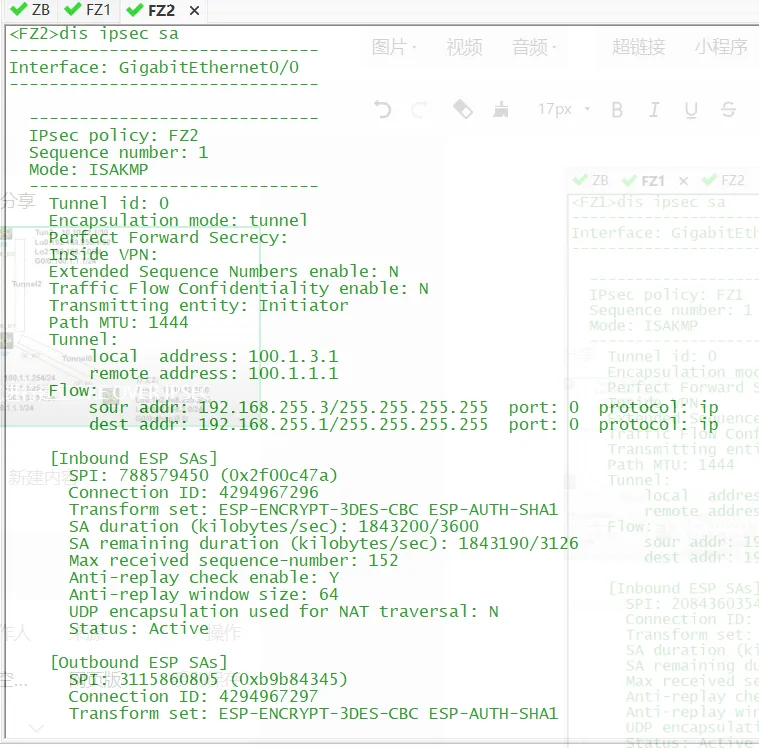
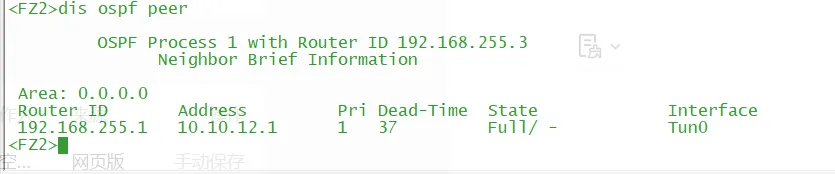
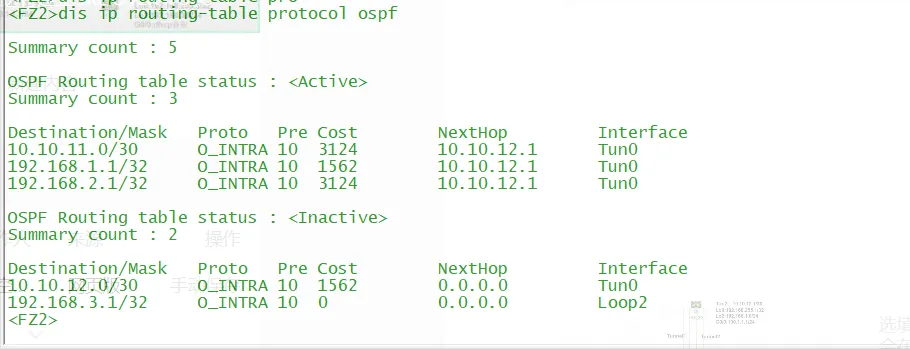
<FZ2>dis cu#sysname FZ2#ospf 1 router-id 192.168.255.3area 0.0.0.0network 10.10.12.0 0.0.0.3network 192.168.3.0 0.0.0.255#interface LoopBack0ip address 192.168.255.3 255.255.255.255#interface LoopBack2ip address 192.168.3.1 255.255.255.0#interface GigabitEthernet0/0port link-mode routecombo enable copperip address dhcp-allocipsec apply policy FZ2#interface Tunnel0 mode greip address 10.10.12.2 255.255.255.252source LoopBack0destination 192.168.255.1keepalive 10 3#acl advanced 3000rule 0 permit ip source 192.168.255.3 0 destination 192.168.255.1 0#ipsec transform-set FZ2esp encryption-algorithm 3des-cbcesp authentication-algorithm sha1#ipsec policy FZ2 1 isakmptransform-set FZ2security acl 3000remote-address 100.1.1.1ike-profile FZ2#ike identity fqdn FZ2#ike profile FZ2keychain FZ2exchange-mode aggressivelocal-identity fqdn FZ2match remote identity fqdn ZBproposal 1#ike proposal 1encryption-algorithm 3des-cbcdh group14authentication-algorithm md5#ike keychain FZ2pre-shared-key address 100.1.1.1 255.255.255.0 key simple 123#