夜雨聆风
夜雨聆风用户报告的 bug / User-reported bug
用户报告的 bug 通常缺少详细信息,标题为 "Screen flickered when reopening app from split screen",时间戳为 "Apr 18, 2024 3:51 PM GMT-04:00"。
User-reported bugs can be challenging to debug because they often lack detailed information. In our case study, the only information provided is the title Screen flickered when reopening app from split screen and an approximate timestamp of Apr 18, 2024 3:51 PM GMT-04:00.
请按以下步骤对用户报告的 bug 进行调试:
Follow these steps to debug a user-reported bug:
在 Winscope 中加载跟踪文件。Winscope 打开时会自动选择 SurfaceFlinger。
Load the trace file in Winscope. Winscope opens with SurfaceFlinger autoselected.
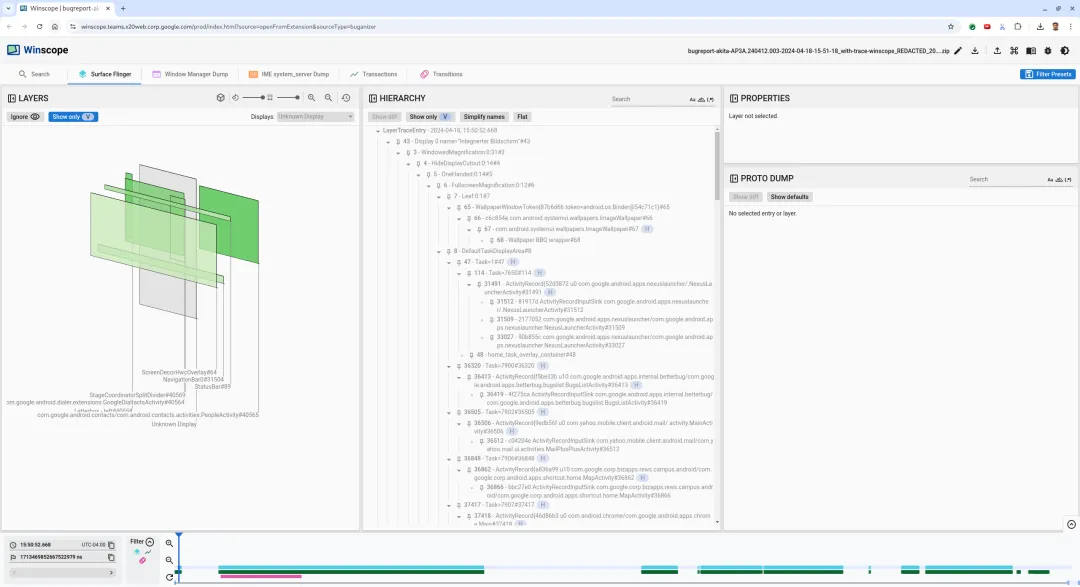
(图 6. 包含 SurfaceFlinger 视图的 Winscope 着陆页 / Figure 6. Winscope landing page with SurfaceFlinger view)
在人类可读的时间戳字段中输入
15:50:00,以找到用户报告的大致时间戳。Navigate to the approximate timestamp reported by the user by entering
15:50:00in the human-readable timestamp field.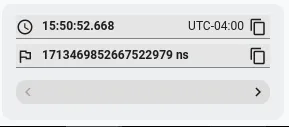
(图 7. 时间戳对话框 / Figure 7. Timestamp dialog)
使用矩形视图识别屏幕上绘制的内容。在层次结构视图中标记 Show only V 和 Flat。软件包名称如下:
Use the rects view to identify what was drawn on the screen. By marking Show only V and Flat in the Hierarchy view, the wallpaper, screen decor overlay, letterbox, launcher, contacts, and dialer surfaces are visible.
The package names are:
(图 8. 用户报告 / Figure 8. User report)
启动器 / Launcher: com.google.android.apps.nexuslauncher/...联系人 / Contacts: com.google.android.contacts/...拨号器 / Dialer: com.google.android.dialer/...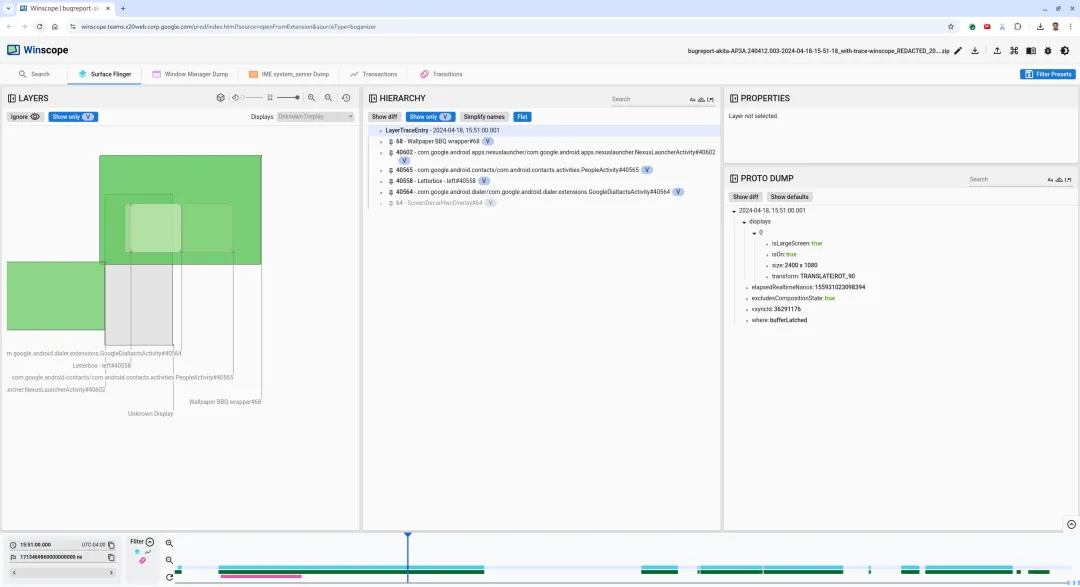
点击 Winscope 中的过渡标签页,以直观呈现已播放的过渡的列表:
Click the Transitions tab in Winscope to visualize the list of played transitions:
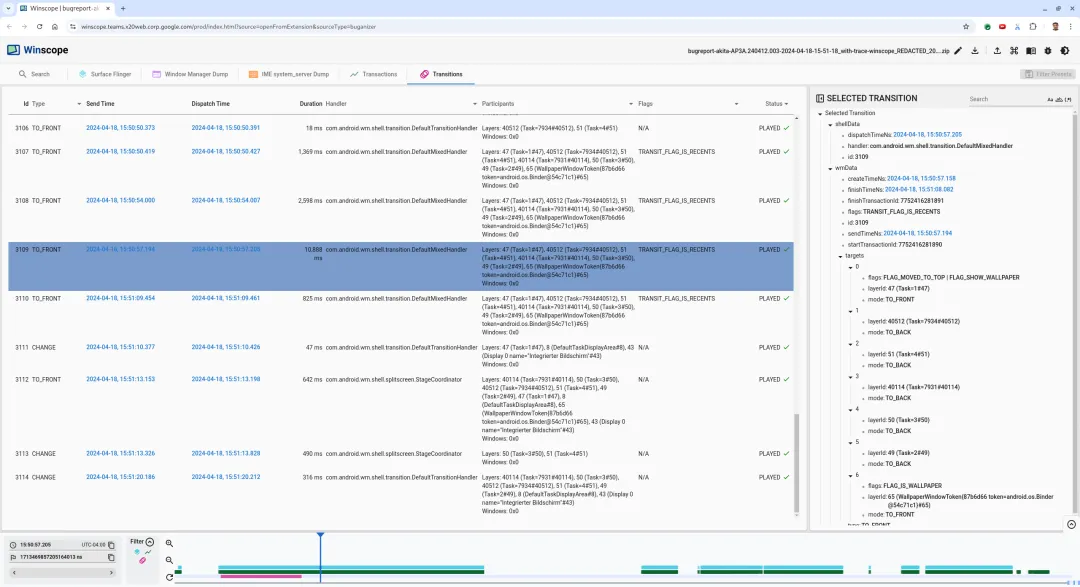
(图 9. 过渡 / Figure 9. Transitions)
在此帧中播放的过渡以蓝色突出显示。过渡标志包括
TRANSIT_FLAG_IS_RECENTS,表示用户正在进入最近使用的界面。The transition played during this frame is highlighted in blue. In this case, the transition flags include
TRANSIT_FLAG_IS_RECENTS, which indicates that the user is entering the recents screen.点击 Dispatch Time 列上的链接前往相应时间点,在 Surface Flinger 标签页中验证矩形,确认设备状态是否正确。壁纸在 15:50:57.278 时已可见,而在前一个帧 (15:50:57.212) 中壁纸不可见并显示分隔线。
Click the link on the Dispatch Time column to navigate to that point in time and verify the rects in the Surface Flinger tab. Confirm the correctness of the device's state during the transition by stepping through the transition with the right arrow key and observing the rects.
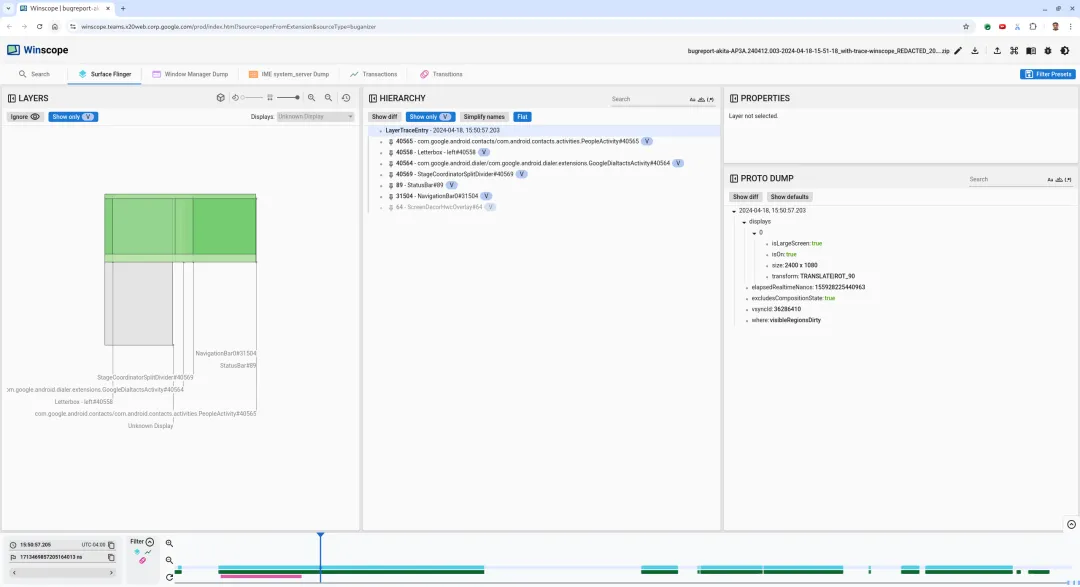
(图 10. 闪烁事件发生前的屏幕 / Figure 10. Screen before flicker event)
直接在时间轴上点击以查看下一个过渡。SurfaceFlinger 状态由浅蓝色块表示,过渡由粉色块表示。
To check out the next transition, click the timeline directly. SurfaceFlinger states are represented by a row of light blue blocks. Transitions are represented by a row of pink blocks.
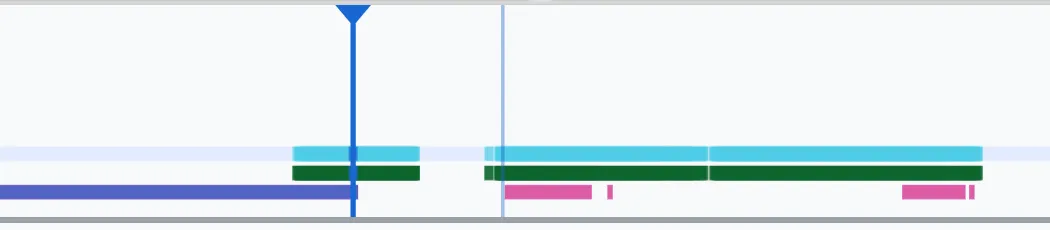
(图 11. 第一个过渡结束 / Figure 11. End of first transition)
跳过下一个短时过渡。点击 SurfaceFlinger 行内下一个较长过渡的起始位置处的时间轴:
Skip the next transition as its duration is very small, so it's unlikely to contain a flicker. Instead, click the timeline in the SurfaceFlinger row at the start position of the next longer transition.
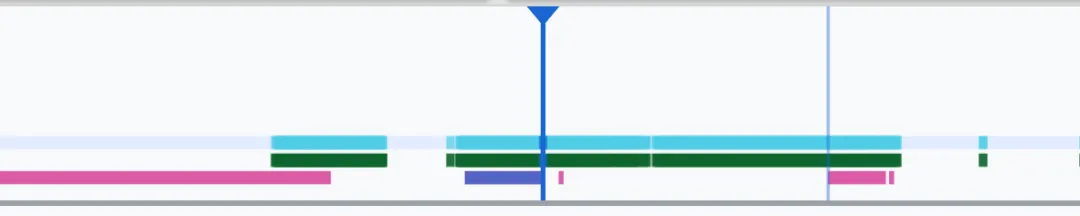
(图 12. 第二个过渡结束 / Figure 12. End of second transition)
在
15:51:13.239时,两个应用的Splash Screen层位于屏幕同一侧:During this transition, at
15:51:13.239, observe that theSplash Screenlayers for both apps are on the same side of the display: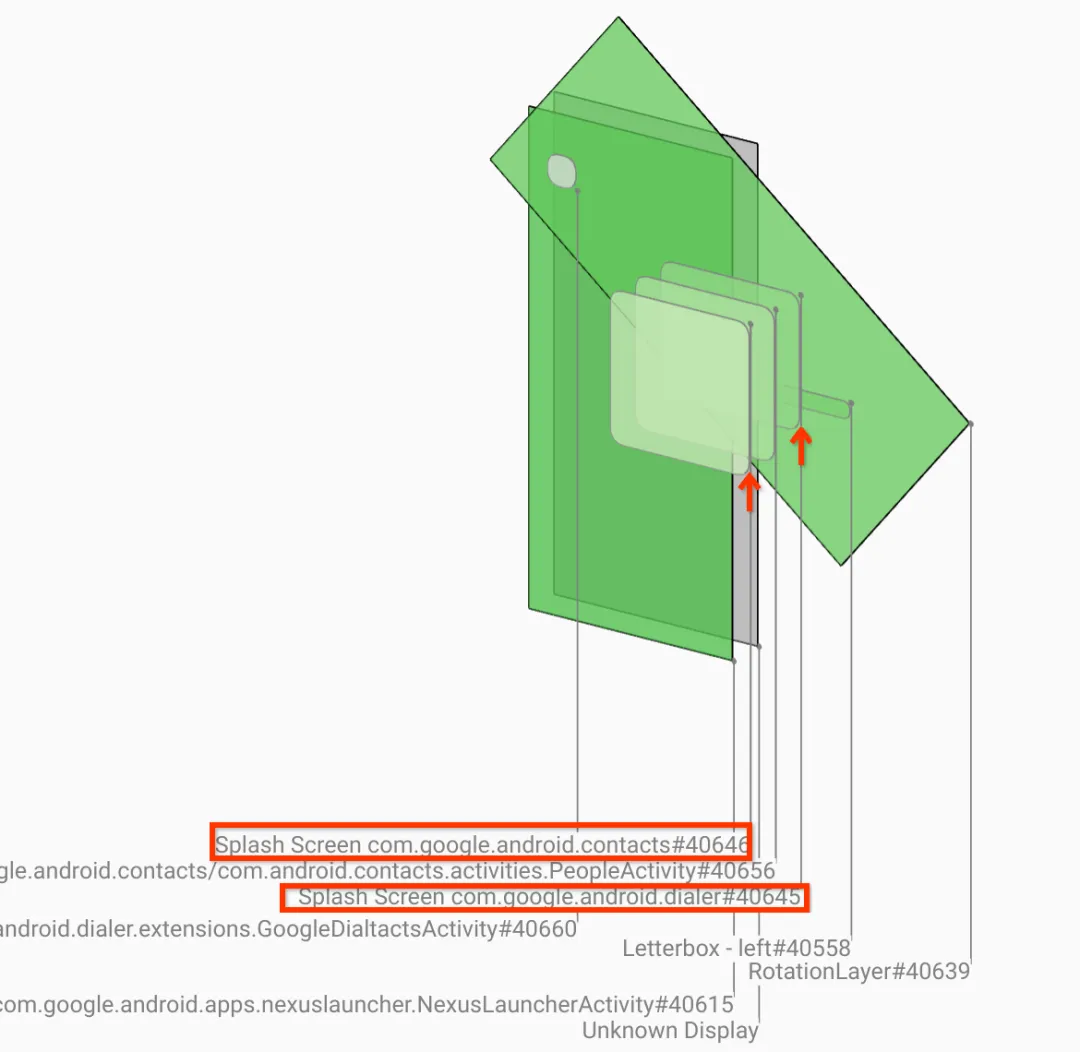
(图 13. 启动画面 / Figure 13. Splash screens)
点击 ns 输入字段旁边的标志图标为当前位置添加书签。
Add a bookmark to your current position by clicking the flag icon next to the ns input field.
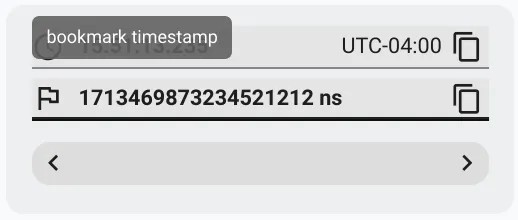
(图 14. 添加书签 / Figure 14. Add bookmark)
直接点击时间轴(例如
15:51:13.859)跳至过渡结束帧。此时两个应用已位于最终位置。Navigate to a frame at the end of the transition by clicking the timeline directly, for example, to
15:51:13.859. Here the two apps are now in their final position.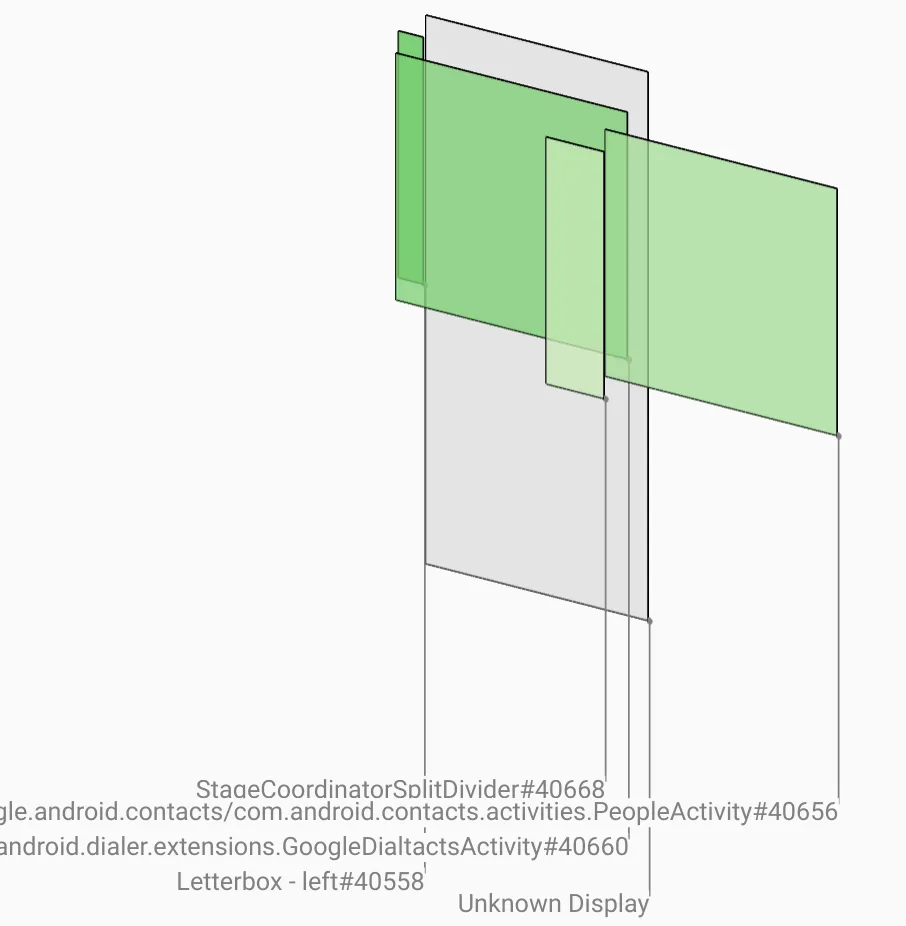
(图 15. 最终分屏 / Figure 15. Final split screen)
点击书签返回到闪烁的帧,确认拨号器处于错误位置。
Click the flag of the bookmark in the timeline to go back to the frame with the flicker.
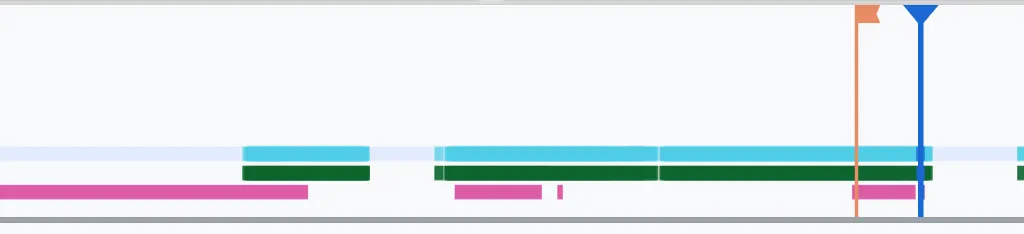
(图 16. 书签时间轴 / Figure 16. Bookmark timeline)
点击拨号器的启动画面,查看其转换属性:
Click the dialer's splash screen to view its properties. Look specifically at its transform properties in the curated Properties view.
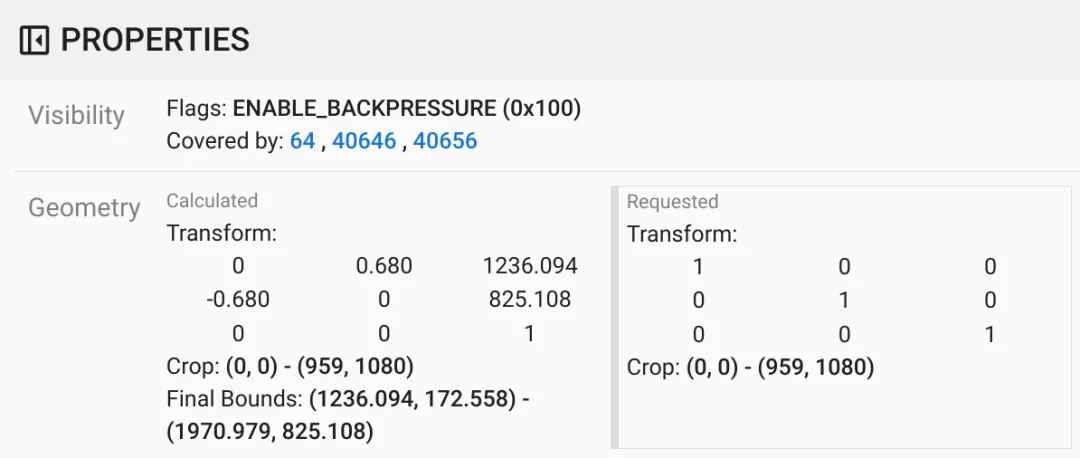
(图 17. 转换属性 / Figure 17. Transform properties)
计算出的转换与请求的列具有不同的值,表明转换是从父 surface 继承的。
The calculated and requested columns have different values, indicating that the transform is being inherited from a parent surface.
在层次结构视图中取消选择 Flat,导航到父级节点,直到找到
Surface(name=Task=7934)/@0x1941191_transition-leash#40670上正在请求的转换。Deselect Flat in the hierarchy view to show the entire hierarchy tree, and navigate to the parent nodes until both Calculated and Requested transforms are the same, showing the transform being requested on the
Surface(name=Task=7934)/@0x1941191_transition-leash#40670surface.在 Proto Dump 视图中选择 Show diff,输入
transform过滤属性:Select Show diff in the Proto Dump view to highlight the properties that are being changed in this frame. Type
transforminto the text search field to filter the properties.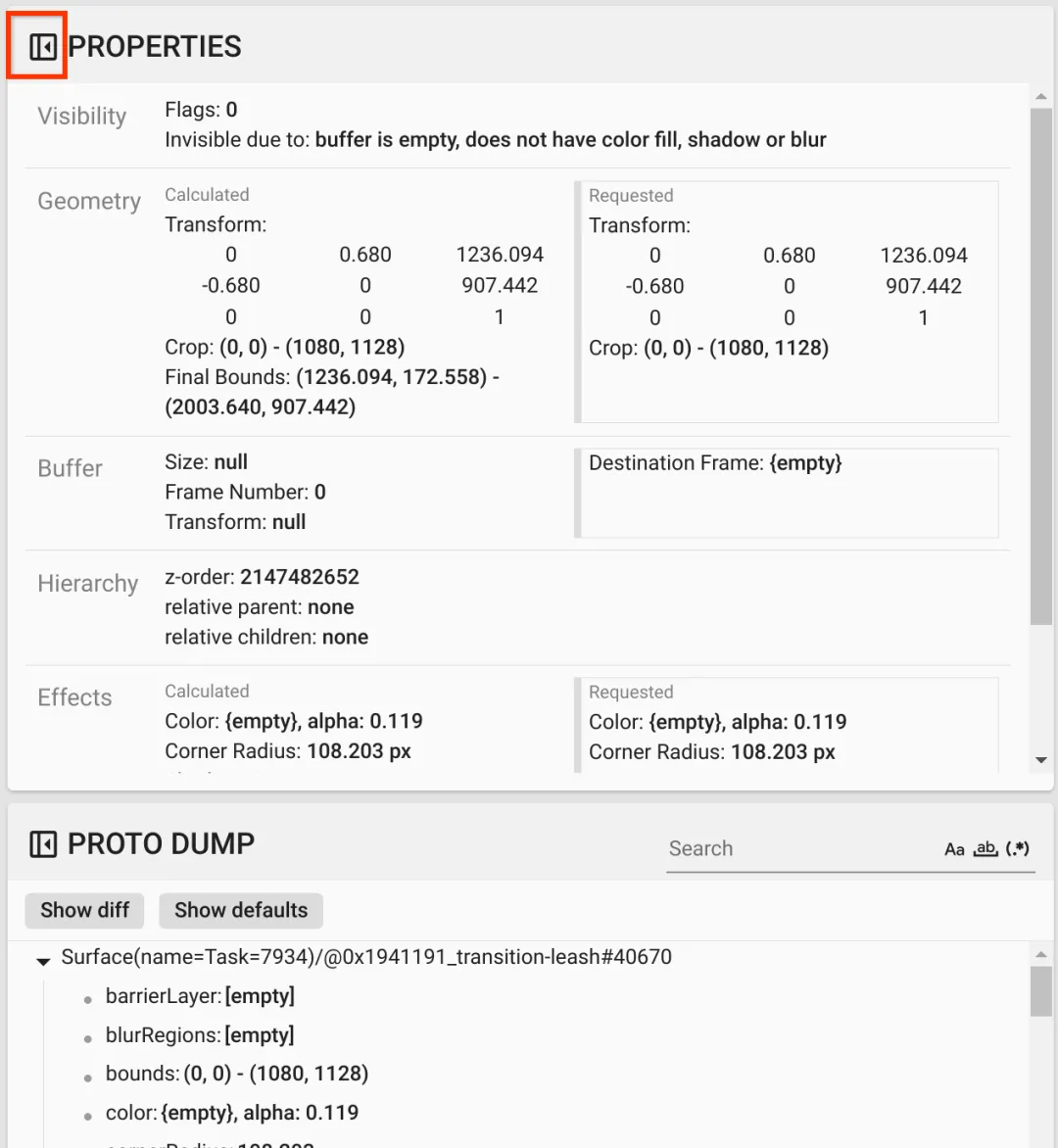
(图 18. 收起精选属性 / Figure 18. Collapse the curated properties)
在 Proto Dump 视图中选择 Show diff,以突出显示在此帧中更改的属性。在文本搜索字段中输入 transform,以过滤属性:
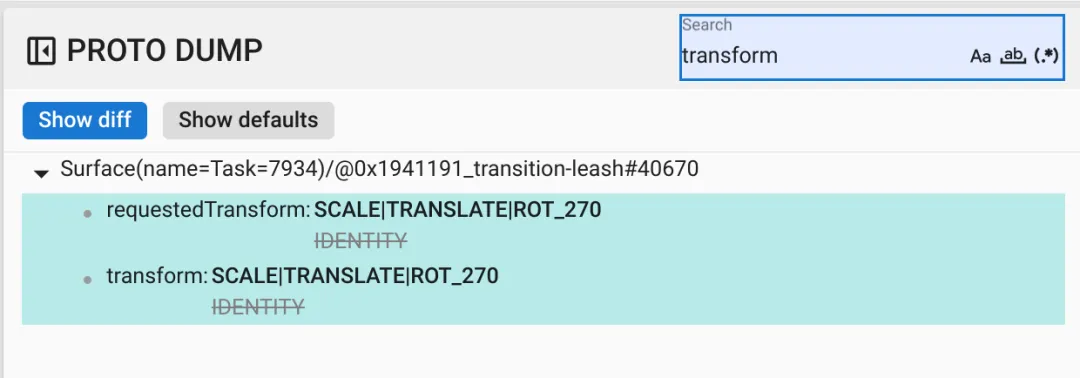
(图 19. Show diff / Figure 19. Show diff)

此帧中的 `transition-leash` 的转换从 `IDENTITY` 改设为 `SCALE|TRANSLATE|ROT_270`。

The transform is set from `IDENTITY` to `SCALE|TRANSLATE|ROT_270` in this frame for the `transition-leash`.
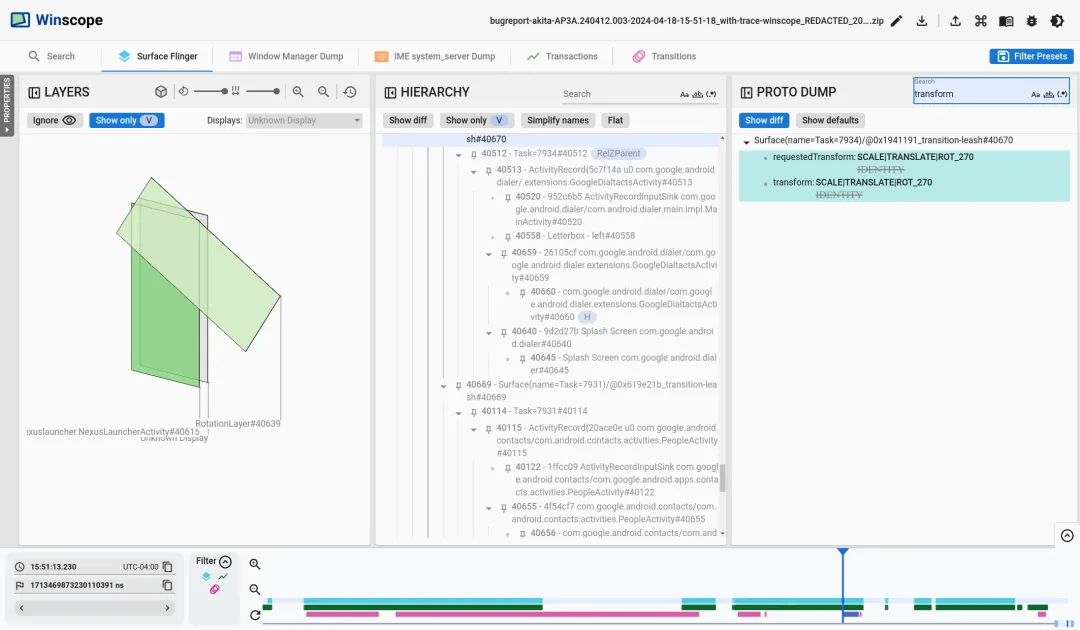
(图 20. 确定闪烁 / Figure 20. Identification of the flicker)
在代码中确定此转换为何设置为分屏过渡机制。
Identify in the code why this transform is set to the split screen transition leash.
https://source.android.com/docs/core/graphics/winscope/overview
其实发现安卓官方的文档教你闪黑,你读之后其实可能收益不太大,或者没有get到精华,这个应该是安卓官方文档的一些普遍问题,因为它不可能像马哥课程教你用Winscope分析闪屏,闪黑问题一样,以可以复现实战案例为基础,手把手教你去实战分析,而且实战修复。
学习fw课程和性能相关知识有啥疑问,请记得联系马哥本人或者在马哥vip群中进行讨论
更多vip干货独享知识,及面试定制指导上岸fw工程师服务,课程优惠购买成为vip学员进入vip群,积极讨论各种行业难点痛点疑难问题,答疑服务等。
请联系马哥微信: