 夜雨聆风
夜雨聆风


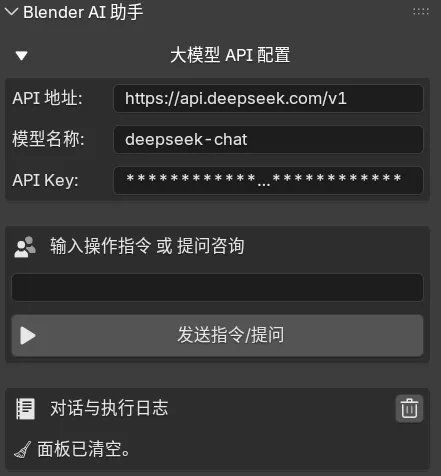
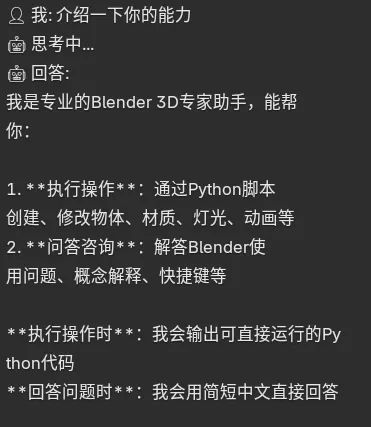
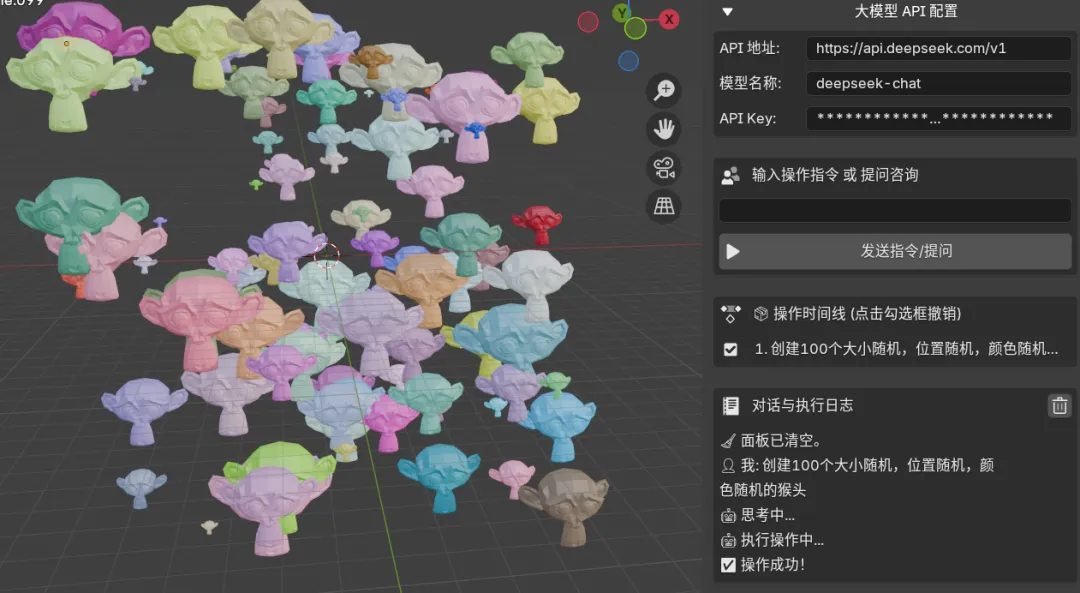
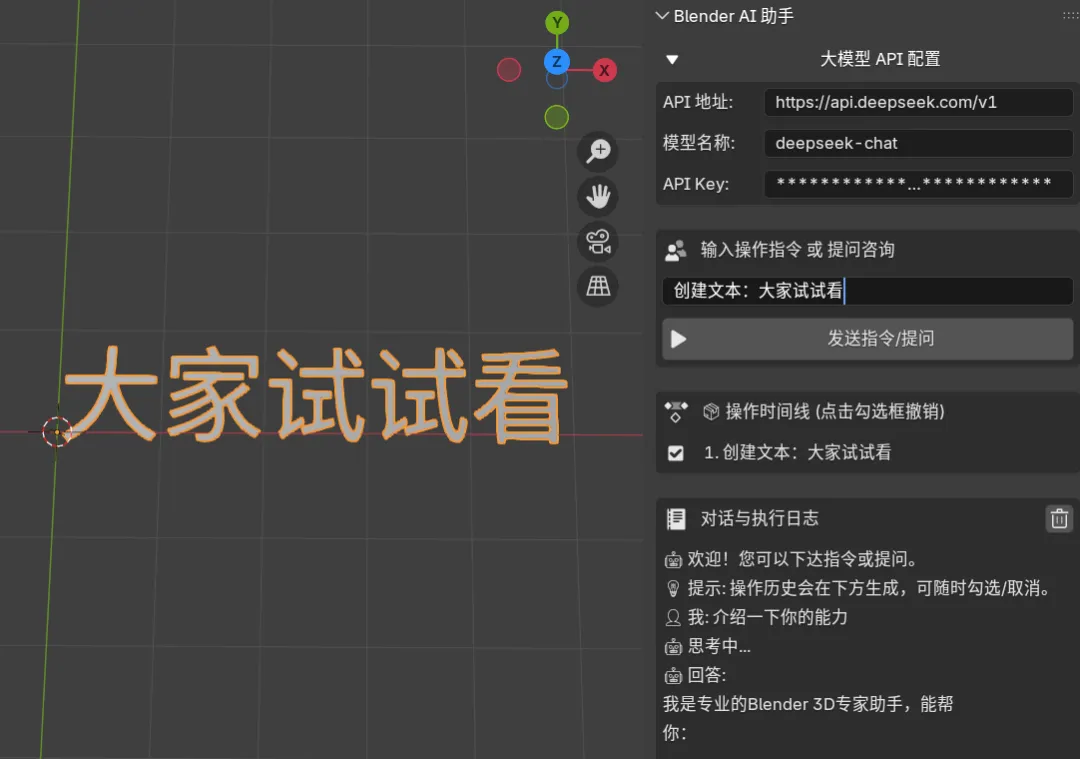
分享一个自制blender AI助手
bl_info = {"name": "Blender AI 智能助手 (时光机版)","author": "匹宙","version": (7, 0, 0),"blender": (4, 0, 0),"location": "3D视图 > 侧边栏 (快捷键N) > AI助手","description": "支持智能问答、代码执行,并带有带勾选框的可视化操作历史。","warning": "","doc_url": "","category": "3D View",}import bpyimport jsonimport urllib.requestimport threadingimport sysimport ioimport reimport traceback# --- 全局状态与日志管理 ---class ConsoleState:is_processing = Falselogs = ["🤖 欢迎!您可以下达指令或提问。","💡 提示: 操作历史会在下方生成,可随时勾选/取消。"]state = ConsoleState()def wrap_text_for_blender(text, max_chars=22):wrapped_lines = []for paragraph in str(text).split('\n'):if not paragraph.strip():wrapped_lines.append("")continuewhile len(paragraph) > max_chars:wrapped_lines.append(paragraph[:max_chars])paragraph = paragraph[max_chars:]wrapped_lines.append(paragraph)return wrapped_linesdef print_to_console(text, prefix=""):lines = wrap_text_for_blender(text)for line in lines:state.logs.append(prefix + line)if len(state.logs) > 30:state.logs = state.logs[-30:]# --- 数据结构: AI 历史记录项 ---class AIHistoryItem(bpy.types.PropertyGroup):prompt: bpy.props.StringProperty(name="指令")is_active: bpy.props.BoolProperty(name="生效状态", default=True)# --- 核心通信功能 ---def call_llm_async(system_prompt, user_prompt, context, callback):api_key = context.scene.ai_api_keybase_url = context.scene.ai_base_urlmodel_name = context.scene.ai_model_nameif not api_key:callback(None, "ERROR: 请先展开上方配置,填写 API Key!")returndef task():try:url = base_url.rstrip("/") + "/chat/completions"payload = {"model": model_name,"messages": [{"role": "system", "content": system_prompt},{"role": "user", "content": user_prompt}],"temperature": 0.1}data = json.dumps(payload).encode('utf-8')headers = {'Content-Type': 'application/json','Authorization': f'Bearer {api_key}'}req = urllib.request.Request(url, data=data, headers=headers)with urllib.request.urlopen(req, timeout=40) as response:result = json.loads(response.read().decode('utf-8'))reply_text = result["choices"][0]["message"]["content"]match = re.search(r'```(?:python)?\s*(.*?)\s*```', reply_text, re.DOTALL | re.IGNORECASE)if match:code = match.group(1).strip()bpy.app.timers.register(lambda: callback(code, None) or None)else:bpy.app.timers.register(lambda: callback(None, reply_text.strip()) or None)except Exception as e:bpy.app.timers.register(lambda: callback(None, f"ERROR: 网络错误 - {str(e)}") or None)thread = threading.Thread(target=task)thread.daemon = Truethread.start()# --- 算子 (Operators) ---class BLENDER_AI_OT_execute(bpy.types.Operator):"""执行 AI 指令或回答问题"""bl_idname = "blender_ai.execute_code"bl_label = "发送 (回车)"def execute(self, context):scene = context.sceneprompt = scene.ai_promptif not prompt:return {'CANCELLED'}state.is_processing = Trueprint_to_console(f"👤 我: {prompt}")print_to_console("🤖 思考中...")active_obj = context.active_object.name if context.active_object else "无"current_mode = context.modesystem_prompt = f"""你是一个专业的 Blender 3D 专家助手。【情况 1:执行操作】如要求创建、修改物体、材质等,请只输出可放入 exec() 运行的 Python 脚本,用 ```python 包裹。包含 import bpy。【情况 2:问答咨询】如提问快捷键、概念等,直接用简短纯中文回答,不要输出代码。[当前状态] 模式: {current_mode}, 选中: {active_obj}"""def handle_response(code, chat_reply):state.is_processing = Falseif chat_reply:if chat_reply.startswith("ERROR:"):print_to_console(f"❌ {chat_reply}")else:print_to_console("🤖 回答:")print_to_console(chat_reply)scene.ai_prompt = ""returnif code:# 核心逻辑:如果在历史中间插入新操作,需清除后面的撤销记录if scene.ai_history_index < len(scene.ai_history) - 1:# 删除当前指针之后的所有历史记录for _ in range(len(scene.ai_history) - 1, scene.ai_history_index, -1):scene.ai_history.remove(len(scene.ai_history) - 1)print_to_console("🤖 执行操作中...")old_stdout = sys.stdoutredirected_output = io.StringIO()sys.stdout = redirected_outputtry:# 执行代码前推入历史节点bpy.ops.ed.undo_push(message=f"AI 之前状态")exec(code, globals(), locals())bpy.ops.ed.undo_push(message=f"AI: {prompt}")# 记录到自定义的时间线列表new_item = scene.ai_history.add()new_item.prompt = promptnew_item.is_active = Truescene.ai_history_index = len(scene.ai_history) - 1print_to_console("✅ 操作成功!")scene.ai_prompt = ""except Exception as e:exc_type, exc_value, exc_traceback = sys.exc_info()tb_lines = traceback.format_exception(exc_type, exc_value, exc_traceback)print_to_console(f"❌ 报错:\n{''.join(tb_lines[-2:]).strip()}")finally:sys.stdout = old_stdoutcall_llm_async(system_prompt, prompt, context, callback=handle_response)return {'FINISHED'}class BLENDER_AI_OT_toggle_history(bpy.types.Operator):"""时光机:通过勾选框撤销或重做操作"""bl_idname = "blender_ai.toggle_history"bl_label = "切换历史状态"target_idx: bpy.props.IntProperty()def execute(self, context):scene = context.scenehistory = scene.ai_historycurrent_idx = scene.ai_history_indextarget_idx = self.target_idxtarget_item = history[target_idx]is_currently_active = target_item.is_active# 如果取消勾选当前项,意味着我们要回到当前项的【前一步】# 如果勾选当前项,意味着我们要来到【当前项】desired_state_idx = target_idx - 1 if is_currently_active else target_idx# 时光穿梭逻辑:调用原生的 Undo / Redoif desired_state_idx < current_idx:# 需要后退 (撤销)steps = current_idx - desired_state_idxfor _ in range(steps):bpy.ops.ed.undo()elif desired_state_idx > current_idx:# 需要前进 (重做)steps = desired_state_idx - current_idxfor _ in range(steps):bpy.ops.ed.redo()# 更新历史列表的 UI 显示状态scene.ai_history_index = desired_state_idxfor i, item in enumerate(history):item.is_active = (i <= desired_state_idx)return {'FINISHED'}class BLENDER_AI_OT_clear_history(bpy.types.Operator):"""清空列表"""bl_idname = "blender_ai.clear_history"bl_label = "清空历史与日志"def execute(self, context):state.logs = ["🧹 面板已清空。"]context.scene.ai_history.clear()context.scene.ai_history_index = -1return {'FINISHED'}# --- UI 面板 ---class BLENDER_AI_PT_main_panel(bpy.types.Panel):bl_label = "Blender AI 助手"bl_idname = "BLENDER_AI_PT_main_panel"bl_space_type = 'VIEW_3D'bl_region_type = 'UI'bl_category = 'AI助手'def draw(self, context):layout = self.layoutscene = context.scene# 1. 配置菜单 (折叠)row = layout.row()icon = 'TRIA_DOWN' if scene.ai_show_settings else 'TRIA_RIGHT'row.prop(scene, "ai_show_settings", text="大模型 API 配置", icon=icon, emboss=False)if scene.ai_show_settings:box = layout.box()box.prop(scene, "ai_base_url")box.prop(scene, "ai_model_name")box.prop(scene, "ai_api_key")layout.separator()# 2. 对话/指令输入box_input = layout.box()box_input.label(text="输入操作指令 或 提问咨询", icon='COMMUNITY')box_input.prop(scene, "ai_prompt", text="")row = box_input.row()row.scale_y = 1.5if state.is_processing:row.label(text="AI 正在处理...", icon='TIME')else:row.operator(BLENDER_AI_OT_execute.bl_idname, text="发送指令/提问", icon='PLAY')# 3. 创新点:AI 操作历史 (带勾选框)if len(scene.ai_history) > 0:layout.separator()box_history = layout.box()box_history.label(text="📦 操作时间线 (点击勾选框撤销)", icon='ACTION')for i, item in enumerate(scene.ai_history):row = box_history.row()icon = 'CHECKBOX_HLT' if item.is_active else 'CHECKBOX_DEHLT'# 点击图标即可触发撤销/重做op = row.operator(BLENDER_AI_OT_toggle_history.bl_idname, text="", icon=icon, emboss=False)op.target_idx = i# 如果被撤销了,文字变灰 (在Blender UI中通过禁用此行模拟)row_text = row.row()row_text.enabled = item.is_activerow_text.label(text=f"{i+1}. {item.prompt}")layout.separator()# 4. 对话文本日志区box_console = layout.box()row_hdr = box_console.row()row_hdr.label(text="对话与执行日志", icon='TEXT')row_hdr.operator(BLENDER_AI_OT_clear_history.bl_idname, text="", icon='TRASH')col = box_console.column(align=True)for line in state.logs:col.label(text=line)# --- 注册与卸载 ---classes = (AIHistoryItem,BLENDER_AI_OT_execute,BLENDER_AI_OT_toggle_history,BLENDER_AI_OT_clear_history,BLENDER_AI_PT_main_panel,)def register():for cls in classes:bpy.utils.register_class(cls)bpy.types.Scene.ai_history = bpy.props.CollectionProperty(type=AIHistoryItem)bpy.types.Scene.ai_history_index = bpy.props.IntProperty(default=-1)bpy.types.Scene.ai_show_settings = bpy.props.BoolProperty(name="显示设置", default=True)bpy.types.Scene.ai_base_url = bpy.props.StringProperty(name="API 地址", default="https://api.deepseek.com/v1")bpy.types.Scene.ai_model_name = bpy.props.StringProperty(name="模型名称", default="deepseek-chat")bpy.types.Scene.ai_api_key = bpy.props.StringProperty(name="API Key", default="", subtype='PASSWORD')bpy.types.Scene.ai_prompt = bpy.props.StringProperty(name="发送内容", default="")def unregister():for cls in reversed(classes):bpy.utils.unregister_class(cls)del bpy.types.Scene.ai_historydel bpy.types.Scene.ai_history_indexdel bpy.types.Scene.ai_show_settingsdel bpy.types.Scene.ai_base_urldel bpy.types.Scene.ai_model_namedel bpy.types.Scene.ai_api_keydel bpy.types.Scene.ai_promptif __name__ == "__main__":register()