 夜雨聆风
夜雨聆风


【2026.5最新】OpenClaw Windows 保姆级安装教程 | 依赖配置+报错解决一次搞定
1.安装node.js
1.1下载地址为https://nodejs.org/zh-cn/download/ https://nodejs.org/zh-cn/download/
-
选择 Windows 平台,推荐下载 Windows 安装程序 (.msi)(64 位系统对应 x64 版本,如 node-v24.16.0-x64.msi)1.2 准备安装 -
将下载好的 .msi文件放到一个无中文、无空格的路径下(例如D:\tool\nodejs\),避免后续因路径问题报错。
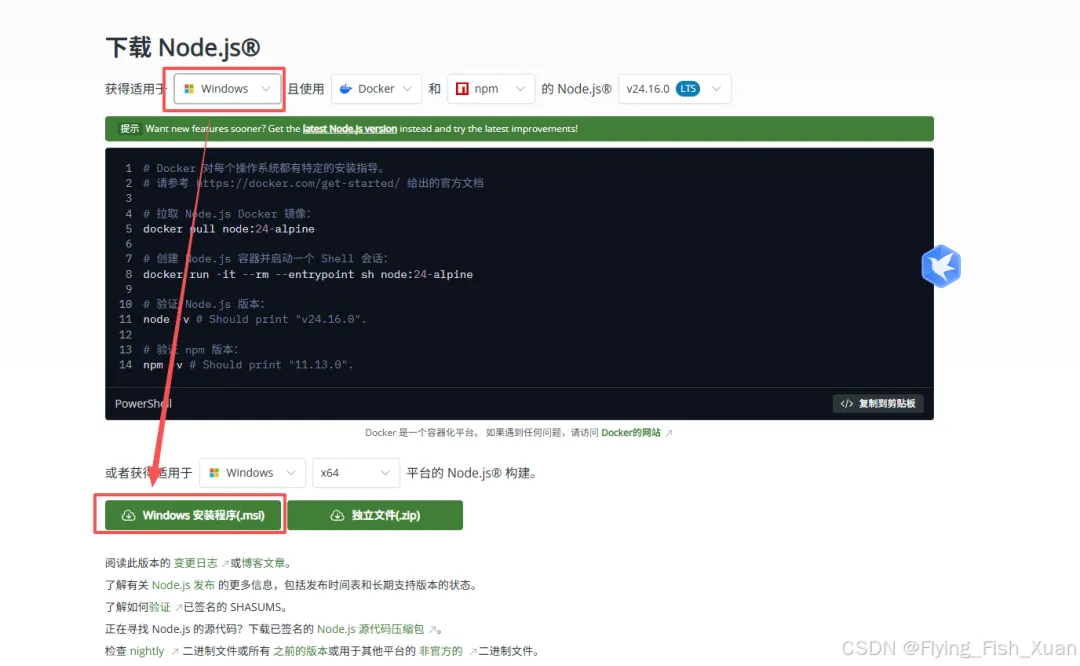
1.2.下载后放在自己特定的文件夹里面双击进行安装
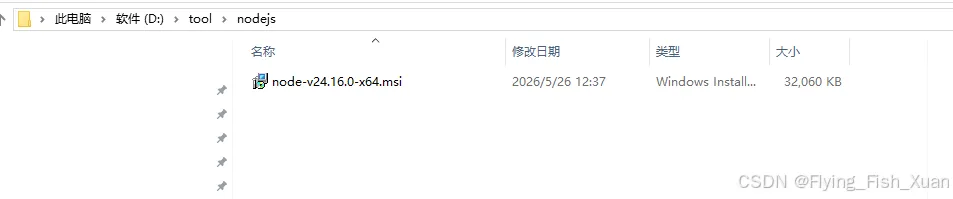
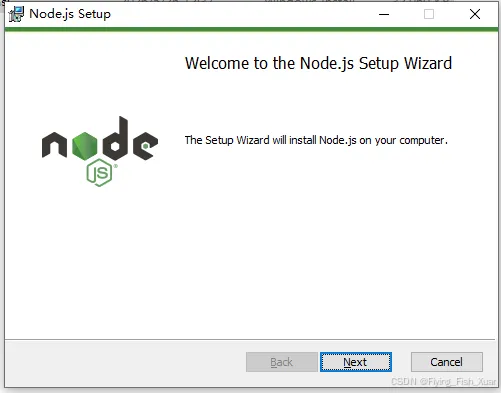
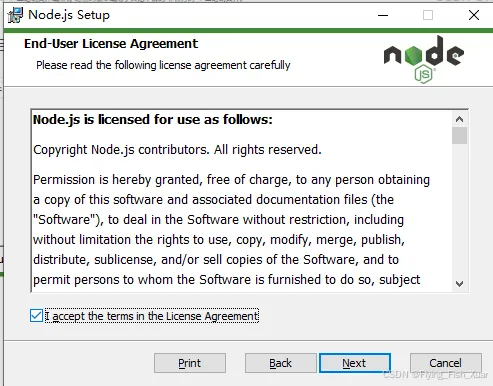
路径选择自己要安装到的路径,最好不要放在C盘,放到其他盘,我就放到了D盘
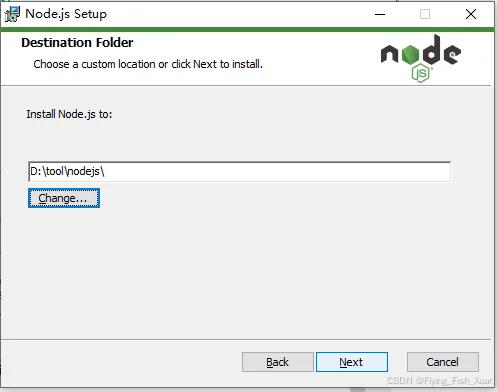
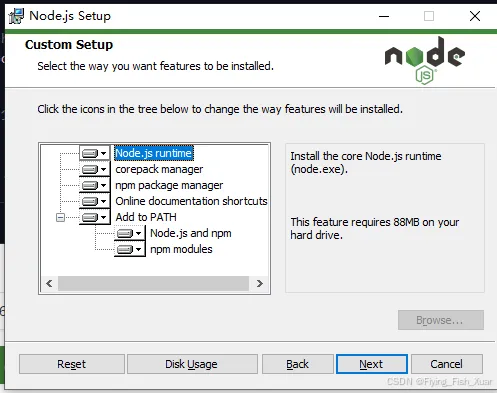
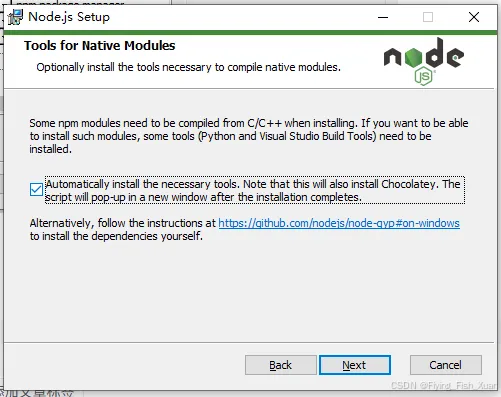
1.3 安装过程中会遇到一个「Tools for Native Modules」的步骤,这里有个选项一定要注意!
因为我们后续要安装「龙虾」这类需要编译原生模块的项目,必须勾选 「Automatically install the necessary tools」。
勾选后,程序会自动装好 Python、VS Build Tools 这些编译需要的环境,还会顺带装个 Windows 包管理器 Chocolatey,安装完会自动弹个窗口跑配置脚本,不用自己折腾。
要是不勾这个选项,后面装「龙虾」的时候大概率会报找不到编译工具的错误,新手就直接选自动安装就行~
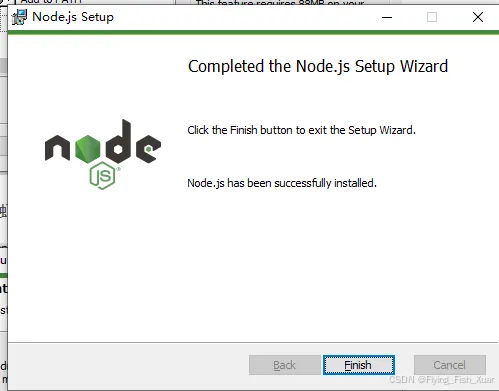
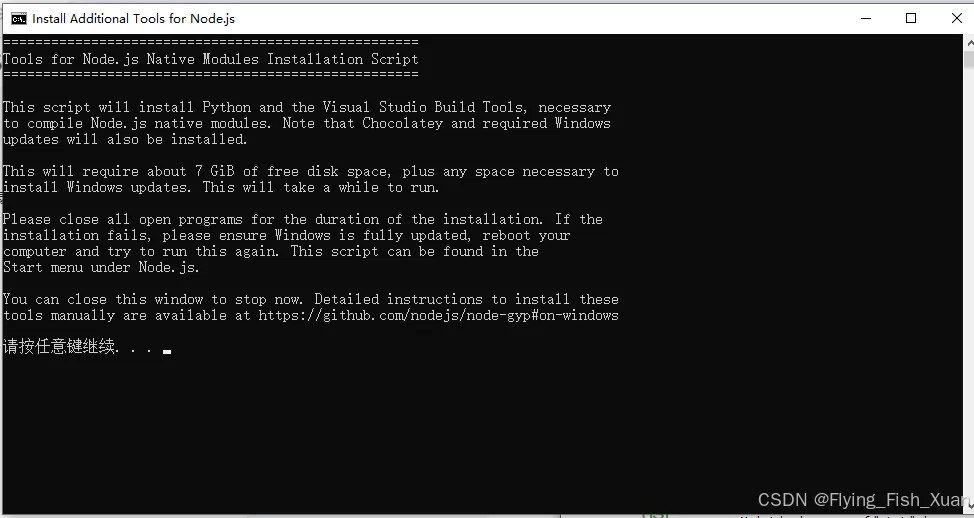
此时应该是会卡主,如果不是已管理身份运行
1.4 此时在开始,搜索nodejs
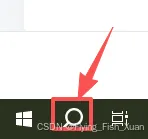
找到这个后以管理员身份运行
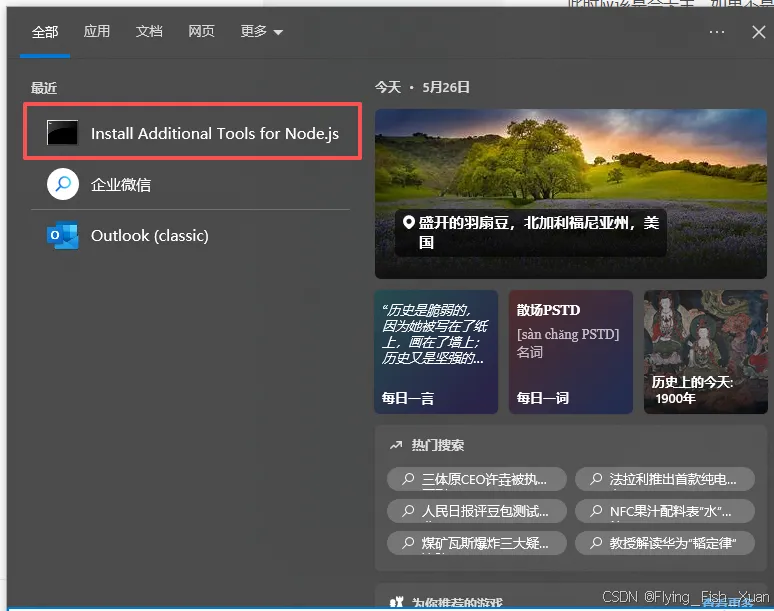
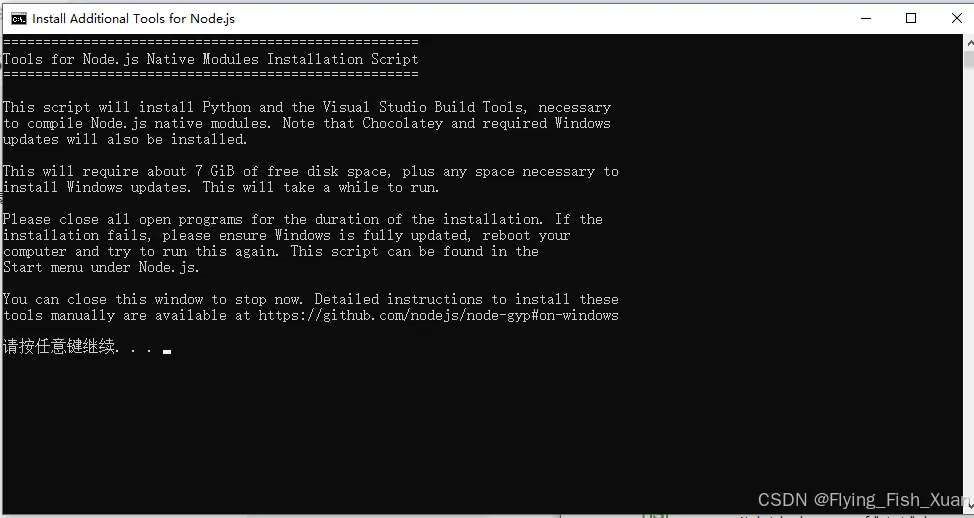
脚本安装详细内容解释
|
|
|
|
|
|---|---|---|---|
| Visual Studio Build Tools |
|
|
|
| Python |
|
node-gyp提供运行环境,执行构建配置脚本 |
node-gyp
|
| Chocolatey |
|
|
|
| Required Windows Updates |
|
|
|
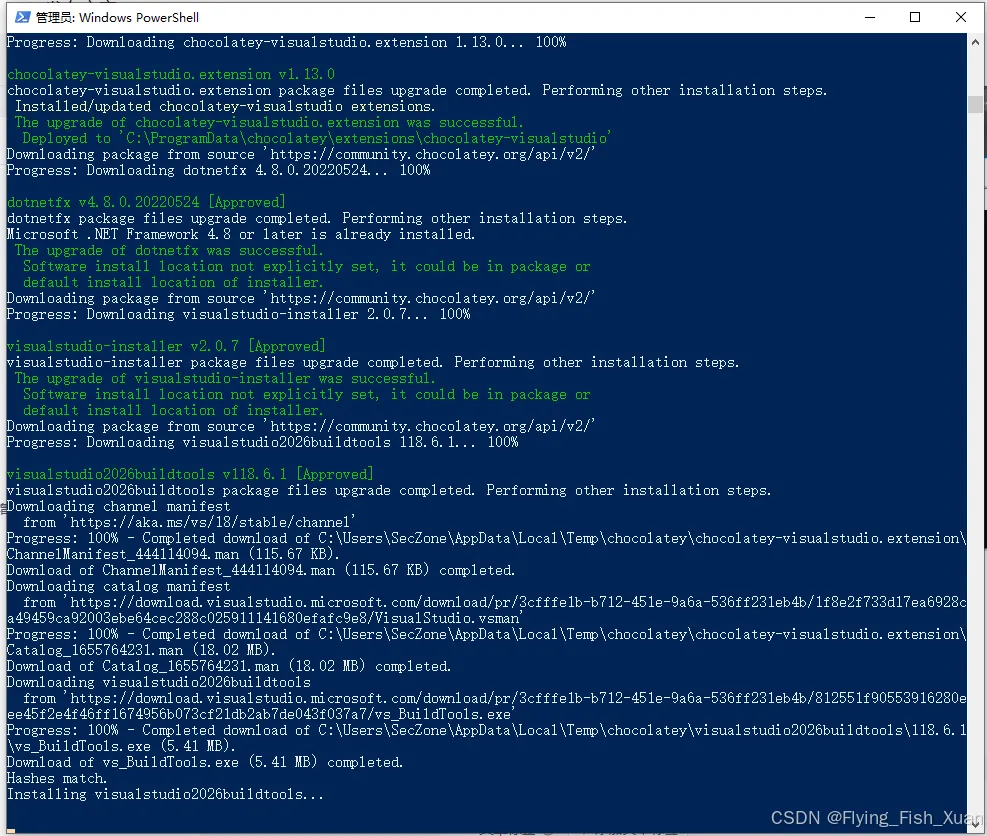
1.5 之后点击任意键,一直到弹出powershell为止,进行安装必要的文件,这个比较耗时要一直等
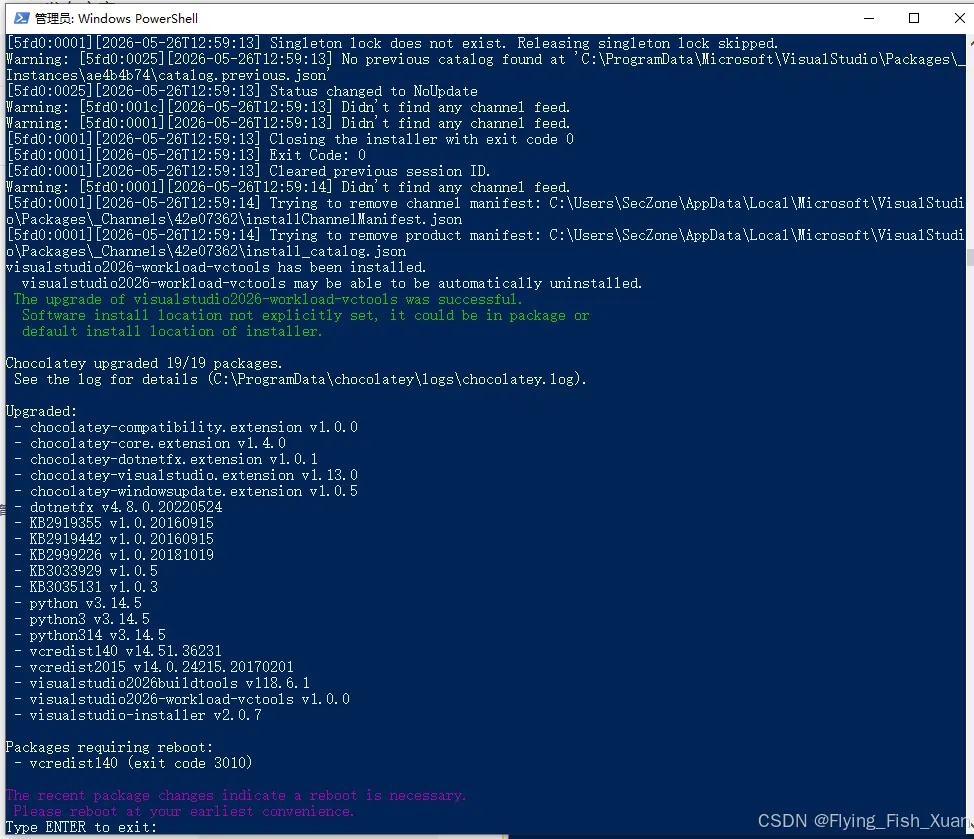
1.6 按enter键,结束
1.7 检查
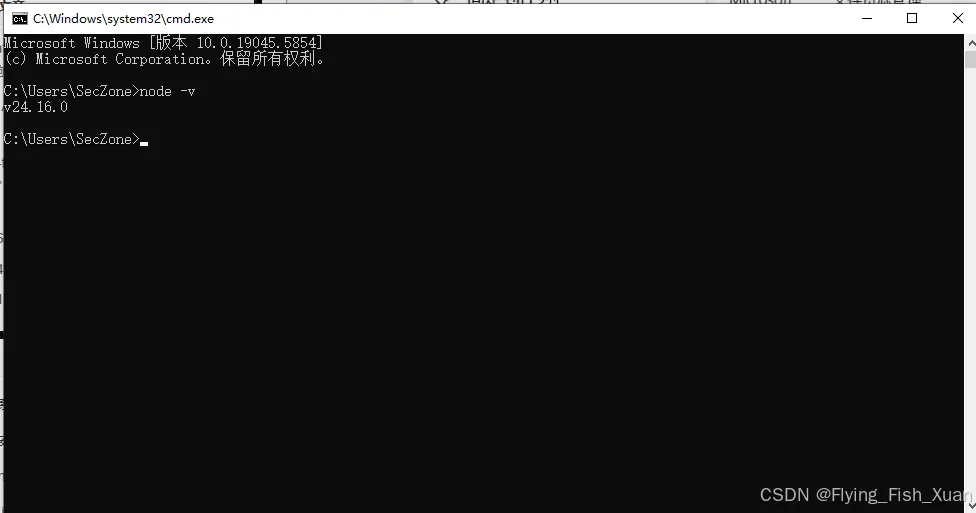
打开命令提示符,输入
node -v如果显示版本则显示安装好了
npm -v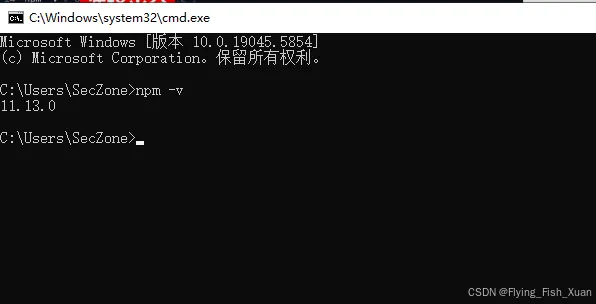
2. 安装OpenClaw
2.1打开powershell,并且已管理员身份运行
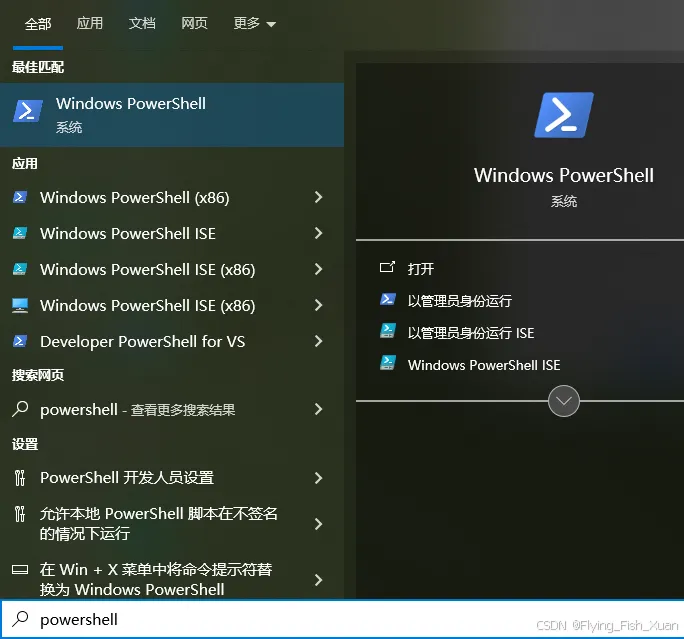
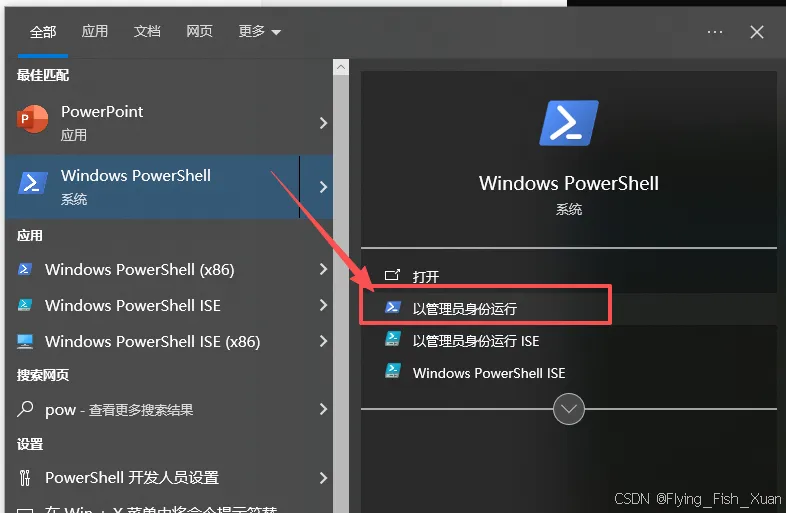
并且输入以下命令
Set-ExecutionPolicy RemoteSigned -Scope CurrentUser输入Y后回车
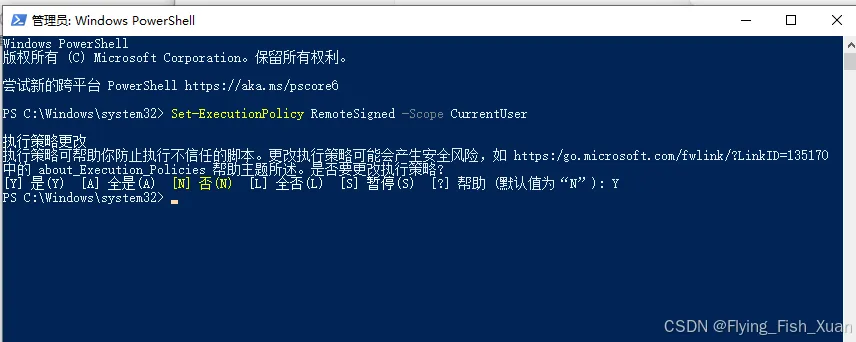
| 命令 | 全称 / 说明 | 核心作用 |
|---|---|---|
Set-ExecutionPolicy RemoteSigned -Scope CurrentUser |
|
RemoteSigned |
Set-ExecutionPolicy |
|
|
RemoteSigned |
|
|
-Scope CurrentUser |
|
|
|
|
|
|
Set-ExecutionPolicy -Scope Process -ExecutionPolicy Bypass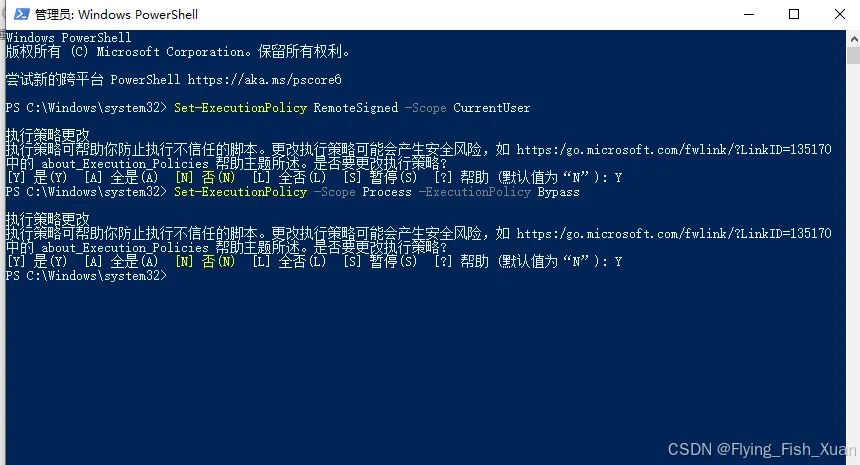
| 命令 | 全称 / 说明 | 核心作用 |
|---|---|---|
Set-ExecutionPolicy -Scope Process -ExecutionPolicy Bypass |
|
|
Set-ExecutionPolicy |
|
|
-Scope Process |
|
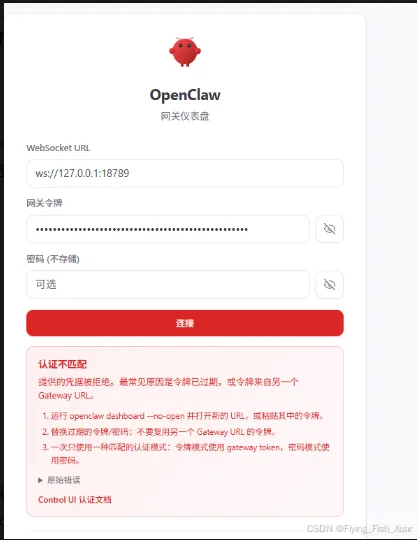
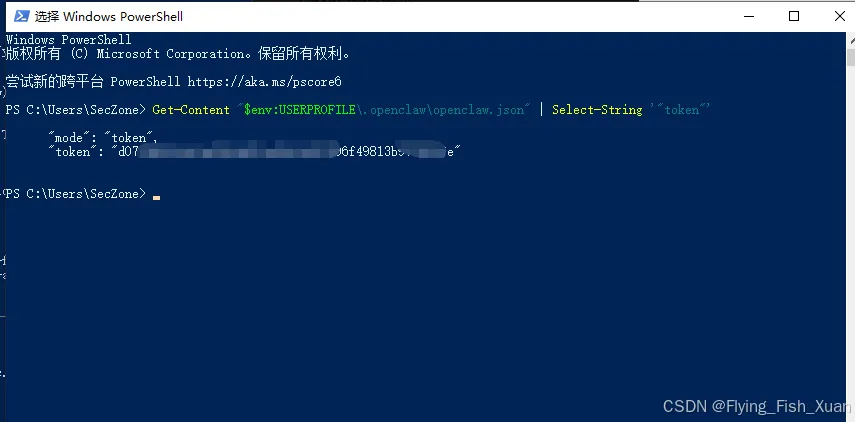
env:USERPROFILE\.openclaw\openclaw.json" | Select-String '"token"' |
将获取到的token填入到里面就可以了
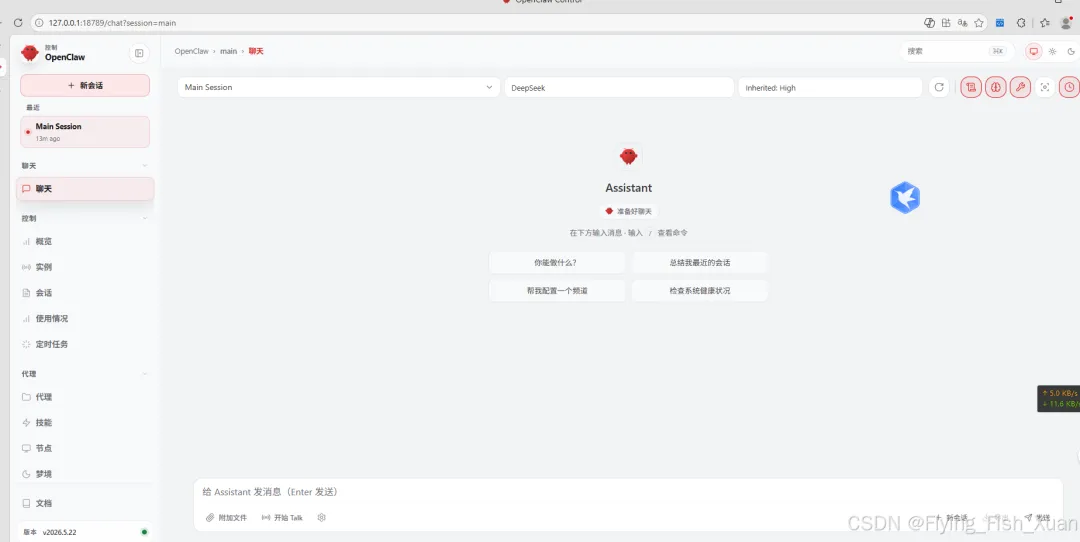
2.10 完美访问
http://127.0.0.1:18789/chat?session=agent%3Amain%3Amain http://127.0.0.1:18789/chat?session=agent%3Amain%3Amain
3. 附录-命令的详细解释
3.1 常用命令
|
|
|
|
|
|---|---|---|---|
openclaw onboard |
|
|
openclaw onboard
|
openclaw setup |
|
|
openclaw setup
|
openclaw configure |
|
|
openclaw configure
|
openclaw status |
|
|
openclaw status
|
openclaw doctor |
|
|
openclaw doctor --fix
openclaw doctor --deep(深度诊断) |
openclaw gateway |
|
|
openclaw gateway run --force
openclaw --dev gateway(开发模式) |
openclaw channels |
|
|
openclaw channels add
openclaw channels status(查看状态) |
openclaw models |
|
|
openclaw models status
|
openclaw chat
tui |
|
|
openclaw chat
openclaw tui(终端 UI) |
openclaw update |
|
|
openclaw update check
openclaw update apply(应用更新) |
3.2其他命令
|
|
|
|
|
|---|---|---|---|
acp |
|
|
openclaw acp run --task "编写Python脚本" |
agent |
|
|
openclaw agent --to +15555550123 --message "运行摘要" |
agents |
|
|
openclaw agents create --name "数据分析助手" |
approvals |
|
|
openclaw approvals list
|
backup |
|
|
openclaw backup create --path "D:\backup" |
capability
infer |
|
|
openclaw infer --model gpt-4 --prompt "解释量子计算" |
clawbot |
|
|
openclaw clawbot legacy-command |
commitments |
|
|
openclaw commitments list |
completion |
|
|
openclaw completion powershell
|
config |
|
|
openclaw config set gateway.port 19000 |
crestodian |
|
|
openclaw crestodian |
cron |
|
|
openclaw cron add --command "backup" --schedule "daily" |
daemon |
|
|
openclaw daemon start |
dashboard |
|
|
openclaw dashboard |
devices |
|
|
openclaw devices pair |
directory |
|
|
openclaw directory search --name "John" |
dns |
|
|
openclaw dns setup |
docs |
|
|
openclaw docs search "gateway" |
exec-policy |
|
|
openclaw exec-policy sync |
health |
|
|
openclaw health |
hooks |
|
|
openclaw hooks add --name "custom-hook" |
logs |
|
|
openclaw logs --tail 100
|
mcp |
|
|
openclaw mcp setup |
memory |
|
|
openclaw memory search "重要信息" |
message |
|
|
openclaw message send --channel telegram --target @mychat --message "Hi" |
migrate |
|
|
openclaw migrate import --source "old-agent-data" |
node |
|
|
openclaw node start |
nodes |
|
|
openclaw nodes pair |
pairing |
|
|
openclaw pairing approve |
plugins |
|
|
openclaw plugins install meeting-notes |
proxy |
|
|
openclaw proxy start |
qr |
|
|
openclaw qr |
reset |
|
|
openclaw reset |
sandbox |
|
|
openclaw sandbox create |
secrets |
|
|
openclaw secrets audit |
security |
|
|
openclaw security audit |
sessions |
|
|
openclaw sessions list |
skills |
|
|
openclaw skills install "数据分析" |
system |
|
|
openclaw system events |
tasks |
|
|
openclaw tasks list |
terminal |
|
|
openclaw terminal |
uninstall |
|
|
openclaw uninstall |
webhooks |
|
|
openclaw webhooks setup |
4. 参考链接
| 链接名称 | 链接地址 | 用途说明 |
|---|---|---|
|
|
|
|
|
|
|
|
|
|
|
iwr -useb https://openclaw.ai/install.ps1 | iex 命令的官方脚本地址 |
|
|
|
|
|
|
|
|
|
|
|
Set-ExecutionPolicy 命令的官方说明,解释执行策略的作用与参数 |