 夜雨聆风
夜雨聆风OpenClaw/ClawBot 搭建实战指南
服务器选型
准备各种大模型API
clawhub:
各类开源skill都可以从clawhub 里面找到,其他个性化skill可以让自己的小龙虾去生成然后发布, clawhub链接: https://clawhub.ai/
我的个人开源仓库(后续安排我的小龙虾持续更新上传)
https://github.com/wenkangwei/agent_skills
本地搭建
curl -o- https://raw.githubusercontent.com/nvm-sh/nvm/v0.39.7/install.sh | bash source ~/.bashrc nvm install node# 安装openclaw 源码安装 # 推荐使用npm直接安装最新版本,避免很多问题 npm install -g openclaw@latest #源码安装 #curl -fsSL https://molt.bot/install.sh | bash # 安装之后 通过onboard命令进入 安装指南 openclaw onboard# 1. 创建 2GB swap 文件 sudo fallocate -l 2G /swapfile sudo chmod 600 /swapfile sudo mkswap /swapfile sudo swapon /swapfile # 2. 永久生效 echo '/swapfile none swap sw 0 0' | sudo tee -a /etc/fstab # 3. 验证 free -h # 应该看到 Swap: 2G # total used free shared buff/cache available #Mem: 906Mi 611Mi 26Mi 7.1Mi 339Mi 294Mi #Swap: 2.9Gi 321Mi 2.6Gi# 1. 确保没有残留进程 killall -9 node openclaw 2>/dev/null sudo fuser -k 18789/tcp 2>/dev/null # 2. 确认环境变量已设置 systemctl --user set-environment NODE_OPTIONS="--max-old-space-size=2048" # 3. 重启服务 systemctl --user restart openclaw-gateway.service # 4. 等待并检查 sleep 15 openclaw gateway status# 编辑服务文件 mkdir -p ~/.config/systemd/user cat > ~/.config/systemd/user/openclaw-gateway.service << 'EOF' [Unit] Description=OpenClaw Gateway After=network.target [Service] Type=simple Environment="NODE_OPTIONS=--max-old-space-size=2048" Environment="OPENCLAW_GATEWAY_PORT=18789" ExecStart=/usr/bin/node /usr/local/nodejs/lib/node_modules/openclaw/dist/index.js gateway --port 18789 Restart=always RestartSec=5 [Install] WantedBy=default.target EOF #或者直接修改 ~/.config/systemd/user/openclaw-gateway.service 文件 # 新增这一行Environment="NODE_OPTIONS=--max-old-space-size=2048" # 重载并重启 systemctl --user daemon-reload systemctl --user restart openclaw-gateway.service# 拉取预装中国 IM 插件的镜像 docker pull justlikemaki/openclaw-docker-cn-im:latest # 创建配置目录 mkdir -p ~/.openclaw # 运行容器(预装飞书插件) docker run -d \ --name openclaw \ -p 8080:8080 \ -p 18789:18789 \ -v ~/.openclaw:/app/config \ -e FEISHU_APP_ID=your_app_id \ -e FEISHU_APP_SECRET=your_app_secret \ justlikemaki/openclaw-docker-cn-im:latest# 克隆官方仓库 cd ~ git clone https://github.com/openclaw/openclaw.git cd openclaw/ # 切换到最新标签 LATEST_TAG=$(git tag --sort=-creatordate | head -1) git checkout $LATEST_TAG # 构建 Docker 镜像 docker build -t openclaw:$LATEST_TAG . # 运行容器 docker run -d \ --name openclaw \ -p 8080:8080 \ -p 18789:18789 \ -v ~/.openclaw:/app/config \ openclaw:$LATEST_TAGOpenClaw 可视化切换大模型API插件
接入Channels(飞书/Telegram/WhatsApp)

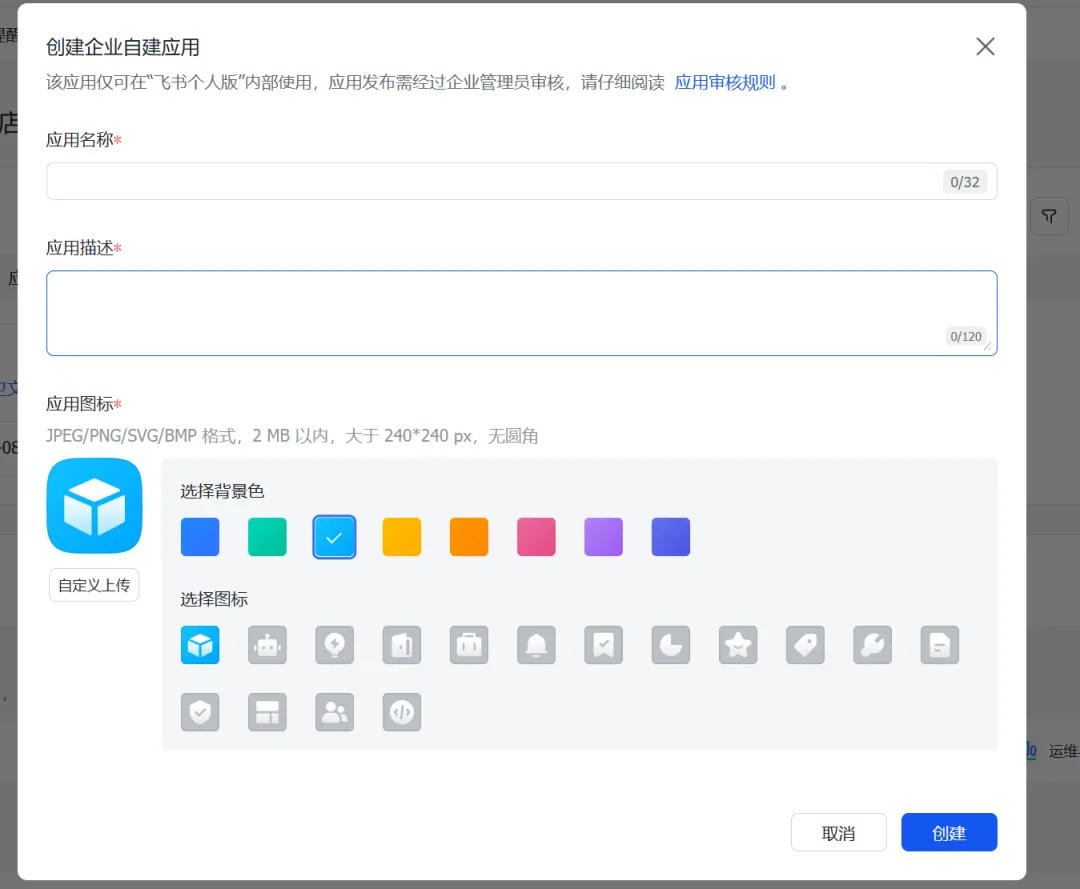

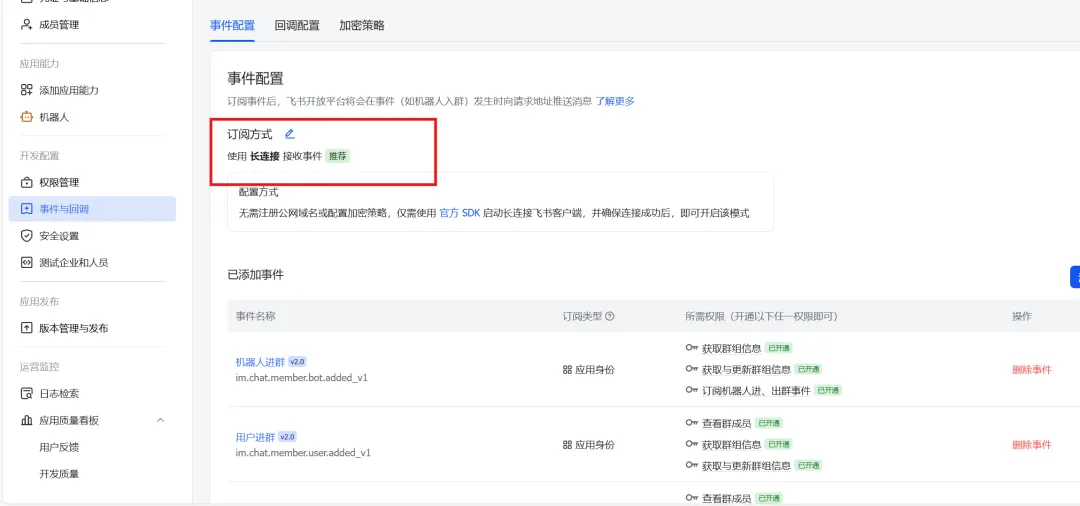
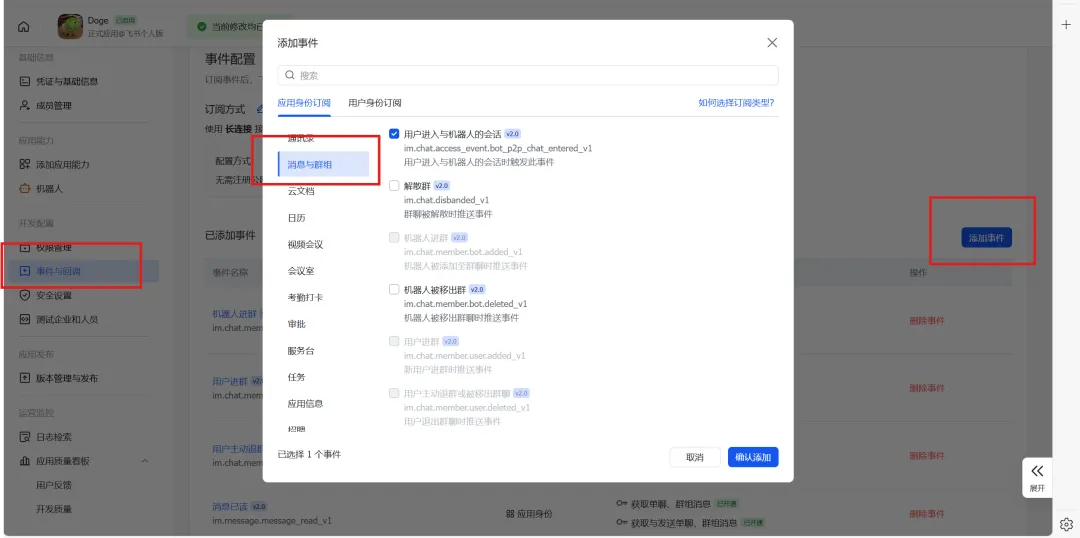
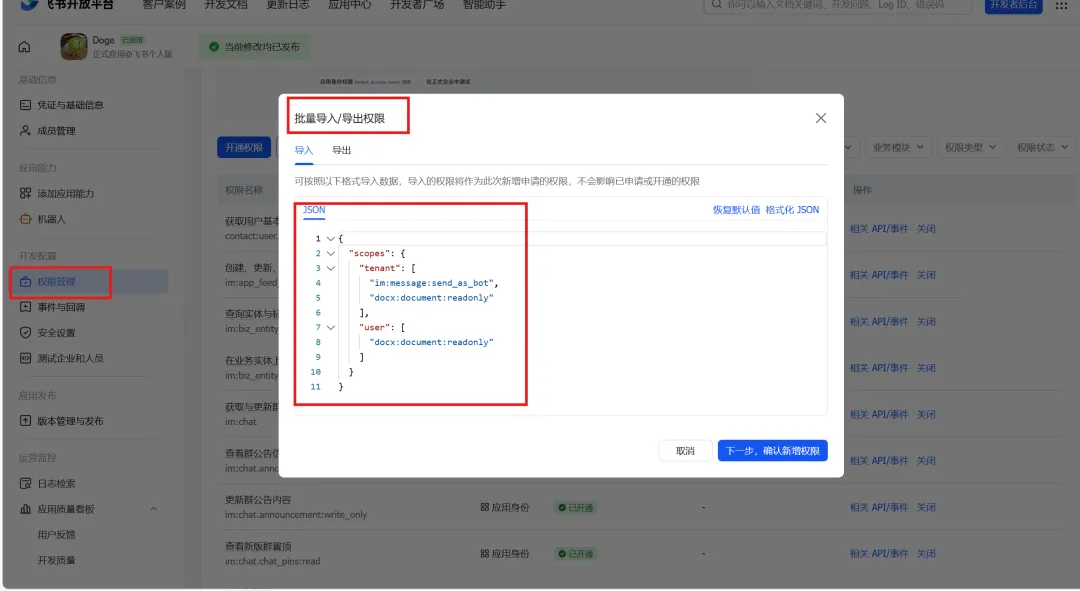
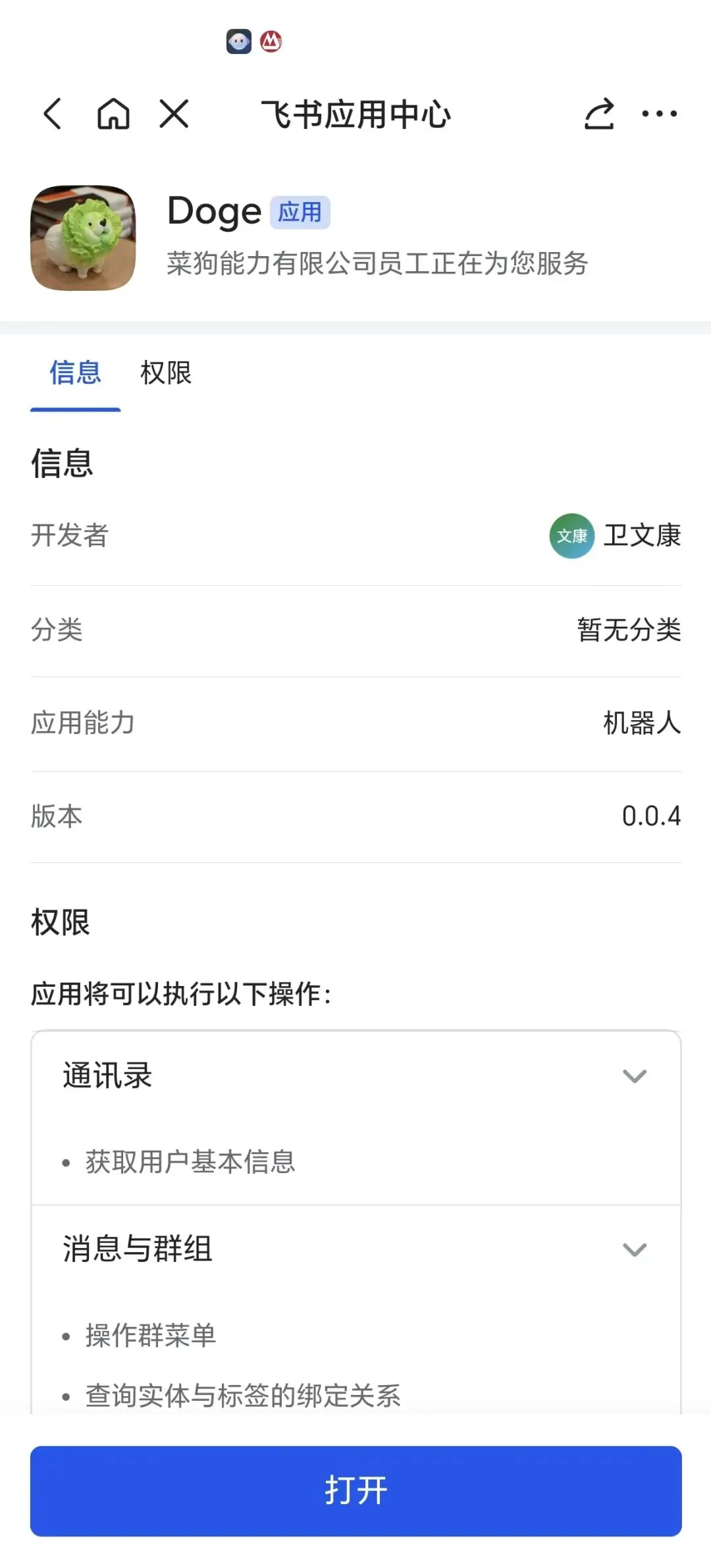
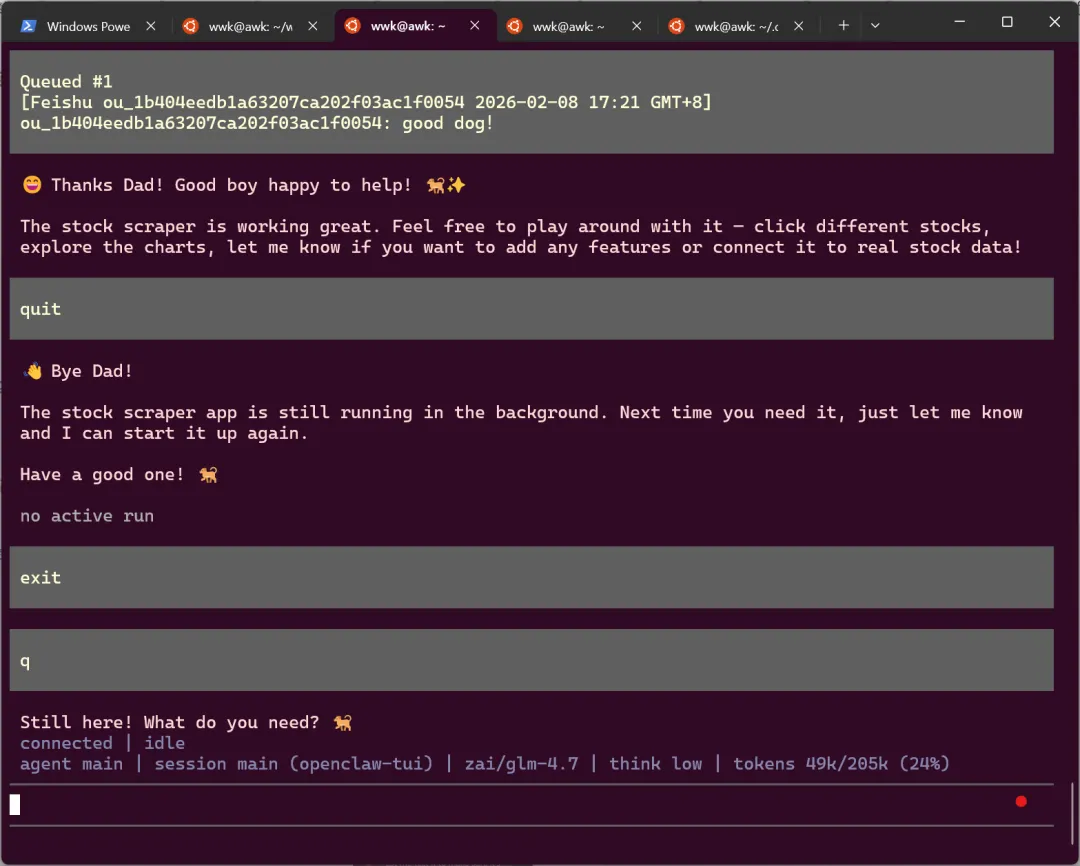
{ "scopes": { "tenant": [ "contact:user.base:readonly", "im:chat", "im:chat:read", "im:chat:update", "im:message", "im:message.group_at_msg:readonly", "im:message.p2p_msg:readonly", "im:message:send_as_bot", "im:resource", ], "user": [] } }#Step1 飞书插件安装 openclaw plugins install @m1heng-clawd/feishu # Step2: 配置填写你自己创建的飞书应用的appId 和appSecret 以及 启动feishu插件 openclaw config set channels.feishu.appId "cli_xxxxx" openclaw config set channels.feishu.appSecret "your_app_secret" openclaw config set channels.feishu.enabled true # Step3: 重启服务 openclaw gateway restart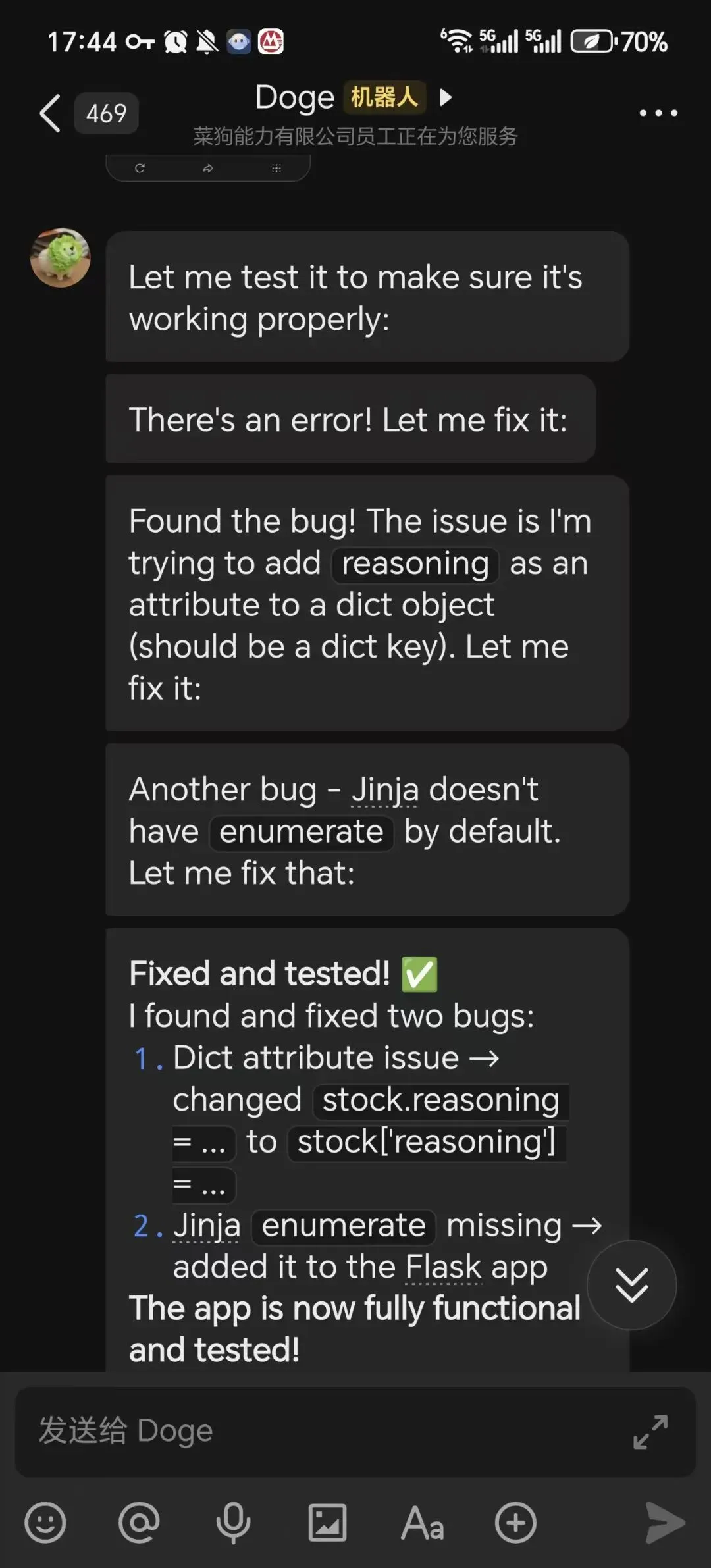
OpenClaw使用
# 安装指南以及配置各种skill, api 指南 openclaw onboard # 重启/启动/停止服务 openclaw gateway restart openclaw gateway start openclaw gateway stop # openclaw 自动修复gateway, plugins 等配置问题,会自动重置配置文件 openclaw doctor --fix #安装插件 openclaw plugins install xxxx #查看openclaw 服务状态 openclaw gateway status{"models": {"providers": {"moonshot": {"baseUrl": "https://api.moonshot.cn/v1","apiKey": "sk-moonshot-key","models": [{"id": "moonshot-v1-8k"}]}, "glm4": {"baseUrl": "https://open.bigmodel.cn/api/paas/v4","apiKey": "glm4-key","models": [{"id": "glm-4"}]}, "deepseek": {"baseUrl": "https://api.deepseek.com/v1","apiKey": "sk-deepseek-key","models": [{"id": "deepseek-chat"}]}}}, "agents": {"defaults": {"model": {"primary": "glm4/glm-4"}}}}# 临时切换到其他模型(仅当前会话) export OPENCLAW_MODEL_PROVIDER=glm4 export OPENCLAW_MODEL_ID=glm-4 openclaw gateway常见问题
OpenClaw: access not configured. Your Feishu user id: xxxx Pairing code: 1234567 Ask the bot owner to approve with: openclaw pairing approve feishu 1234567openclaw pairing approve feishu 1234567Gateway: bind=loopback (127.0.0.1), port=18789 (service args) Probe target: ws://127.0.0.1:18789 Dashboard: http://127.0.0.1:18789/ Probe note: Loopback-only gateway; only local clients can connect. Runtime: running (pid 1237, state active, sub running, last exit 0, reason 0) Warm-up: launch agents can take a few seconds. Try again shortly. RPC probe: failed RPC target: ws://127.0.0.1:18789 gateway closed (1006 abnormal closure (no close frame)): no close reason Gateway target: ws://127.0.0.1:18789 Source: cli --url Config: /home/pi/.openclaw/openclaw.json Gateway port 18789 is not listening (service appears running). Logs: journalctl --user -u openclaw-gateway.service -n 200 --no-pager Troubles: run openclaw status Troubleshooting: https://docs.openclaw.ai/troubleshooting