夜雨聆风
夜雨聆风大家好,我是五竹。一个探索自媒体副业的程序员,目前正在研究OpenClaw。
你有没有遇到过这种情况:明明照着教程配好了OpenClaw,结果AI就是不回复,折腾半天发现是配置文件里少了个逗号?openclaw.json是整个系统的"大脑",今天我把它彻底拆开,一个字段一个字段讲清楚。
文件位置
~/.openclaw/openclaw.json各系统的实际路径:
- Windows:
C:\Users\你的用户名\.openclaw\openclaw.json - macOS:
/Users/你的用户名/.openclaw/openclaw.json - Linux:
/home/你的用户名/.openclaw/openclaw.json
打开方式:
# Windows PowerShell
notepad "$env:USERPROFILE\.openclaw\openclaw.json"

# macOS / Linux
nano ~/.openclaw/openclaw.json
⚠️ 修改配置文件后,需要重启 Gateway 才能生效:openclaw gateway restart整体结构
一个典型的 openclaw.json 长这样(省略了部分内容):
{
  "agents": {
    "defaults": { ... },
    "list": [ ... ]
  },
  "channels": {
    "feishu": { ... },
    "telegram": { ... }
  },
  "tools": { ... },
  "messages": { ... },
  "gateway": { ... },
  "providers": { ... }
}
agents — 智能体配置
这是最重要的部分,控制你的 AI 助手怎么工作。
agents.defaults — 全局默认配置
所有 Agent 的"兜底配置"。如果某个 Agent 没有单独设置某项,就自动继承这里的值。
{
  "agents": {
    "defaults": {
      "model": { "primary": "custom-api-deepseek-com/deepseek-chat" },
      "workspace": "C:\\Users\\你的用户名\\.openclaw\\workspace",
      "compaction": { "mode": "safeguard" },
      "maxConcurrent": 4,
      "subagents": {
        "maxConcurrent": 8,
        "maxSpawnDepth": 2
      }
    }
  }
}
各字段含义:
model.primary— 默认使用的 AI 模型workspace— 默认工作目录,Agent 读写文件都在这里compaction.mode— 上下文压缩模式,safeguard是保守模式(推荐)maxConcurrent— 主 Agent 最大并发数,默认4够用subagents.maxSpawnDepth— Agent 嵌套调度深度,不用多 Agent 就不用管
agents.list — Agent 列表
一个数组,每个元素是一个 Agent 的配置。Agent 自身的配置优先级高于 defaults。
{
  "agents": {
    "list": [
      { "id": "main" },
      { "id": "wuzhu" },
      {
        "id": "wuzhu-write",
        "model": { "primary": "custom-api-deepseek-com/deepseek-reasoner" }
      }
    ]
  }
}
💡 涉及 agents.list 的修改,直接编辑 JSON 文件最靠谱。config set 命令对数组操作不太友好。
channels — 渠道配置
控制 OpenClaw 连接哪些聊天平台。不同渠道的配置字段不一样,飞书用 appId/appSecret,Telegram 用 botToken,企业微信和 QQ 通过插件接入。
{
  "channels": {
    "feishu": {
      "enabled": true,
      "dmPolicy": "pairing",
      "accounts": {
        "main": {
          "appId": "cli_你的AppID",
          "appSecret": "你的AppSecret",
          "botName": "我的AI助手"
        }
      },
      "groups": {
        "*": { "requireMention": true }
      }
    }
  }
}
⚠️ 群聊强烈建议开启 requireMention: true,否则群里每条消息都会触发 AI 回复,很烦人也很费钱。tools — 工具权限配置
{
  "tools": {
    "profile": "coding"
  }
}default— 基础权限,能读写文件、浏览网页,但不能执行 Shell 命令coding— 完整权限,额外开放 Shell 命令执行能力
⚠️ coding 模式下 Agent 可以在你的电脑上执行任意命令,有一定风险。建议只在信任的环境下开启。
gateway — 网关配置
{
  "gateway": {
    "port": 18789,
    "auth": {
      "token": "你的访问token"
    }
  }
}
如果忘了 token,可以查看:
openclaw config get gateway.auth.tokenproviders — 模型提供商配置
{
  "providers": {
    "custom-api-deepseek-com": {
      "type": "openai-compatible",
      "baseUrl": "https://api.deepseek.com",
      "apiKey": "sk-你的API Key"
    }
  }
}
通过 openclaw provider add 或初始化向导添加的提供商会自动写入这里。提供商的 key 会被用在模型标识里,比如 custom-api-deepseek-com/deepseek-chat。
修改配置的三种方式
方式一:命令行(适合改单个值)
# 查看某个配置
openclaw config get agents.defaults.model.primary

# 修改某个配置
openclaw config set agents.defaults.model.primary 'custom-api-deepseek-com/deepseek-chat'
方式二:直接编辑文件(适合批量修改)
用文本编辑器打开 openclaw.json 直接改。改完后建议用 JSON 校验工具检查格式。
方式三:Web UI(适合简单配置)
打开 http://127.0.0.1:18789,在设置页面修改。不是所有配置都能在 Web UI 里改。
⚠️ 不管用哪种方式,改完都要重启:openclaw gateway restart常见踩坑
JSON 格式错误
最常见的问题。少了逗号、多了逗号、引号不匹配,都会导致 Gateway 启动失败。
# 查看日志,通常会提示哪一行有问题
openclaw logs --follow
路径中的反斜杠
Windows 路径里的 \ 在 JSON 中需要转义为 \\:
// ❌ 错误
"workspace": "C:\Users\wl\.openclaw\workspace"

// ✅ 正确
"workspace": "C:\\Users\\wl\\.openclaw\\workspace"
改了配置没生效
99% 的情况是忘了重启 Gateway。改完配置后一定要:openclaw gateway restart
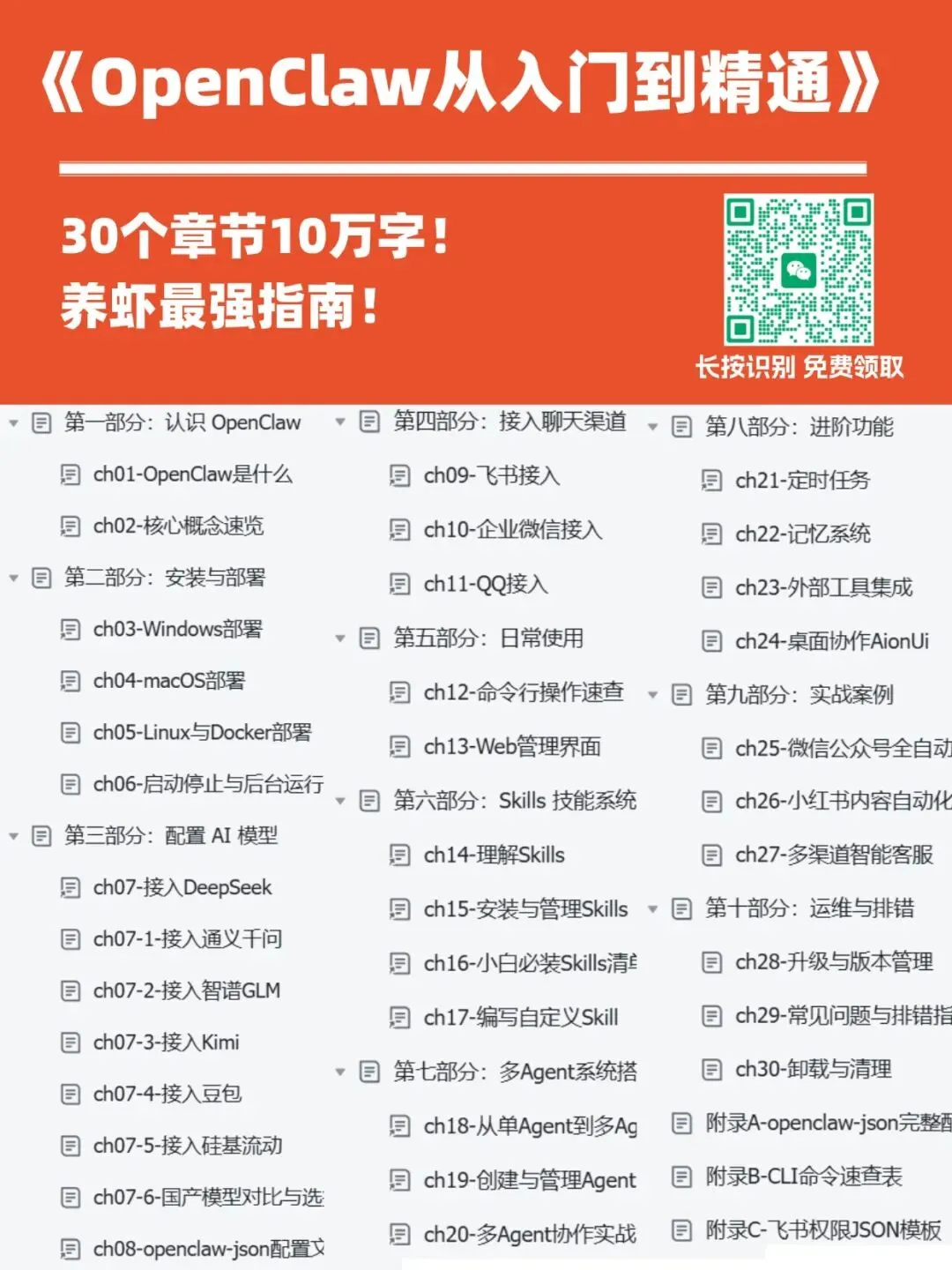
最近整理一份《OpenClaw从入门到精通》的白皮书,目前已更新30个章节,10万+字,养虾最强指南!
需要的🔍:wuzhuv2