 夜雨聆风
夜雨聆风
开源大猩探 第9期
你的 AI 编程助手,可能一直在「裸奔」
2026年6月14日 | GitHub 开源项目推荐
🔥 主推项目
agent-skills
⭐ 58,315 Stars | MIT License | by Google 工程师 Addy Osmani
🔗 github.com/addyosmani/agent-skills

我和身边不少程序员聊过,发现一个有趣的现象:大家用 Claude Code、Cursor、Windsurf 这些 AI 编程助手,用得挺嗨。但很多人遇到的问题是:AI 写出来的代码,风格飘忽、测试缺失、上线靠玄学。不是 AI 不够聪明,是缺一套工程规范来约束它。
agent-skills 就是来解决这个问题的——Google 工程师 Addy Osmani 维护的一个工程技能库,专门给 AI 编码代理使用。包含 24 个技能,覆盖整个开发周期:
/spec 定义要做什么(Spec before code) /plan 拆解任务(Small, atomic tasks) /build 增量实现(One slice at a time) /test 证明它能跑(Tests are proof) /review 代码审查(Improve code health) /ship 上线发布(Faster is safer)
装了 agent-skills 后,Claude Code 每次开工前会先问:「需要我先写测试吗?」「要不要生成 API 文档?」不是被约束了,是被引导到正确的工程路径上了。
支持的主流 AI 编程助手:Claude Code、Cursor、Windsurf、Gemini CLI、OpenCode、GitHub Copilot
📌 开源协议:MIT — 个人免费、商业免费、可修改、可闭源分发
⏰ 最近更新:2026-06-11 新增 Web Performance Auditor 技能 | 今日新增 1,507 Stars,增速榜第一
💡 副推项目
codegraph
⭐ ~15,000 Stars | MIT License | 今天刚发布 1.0 版本
🔗 github.com/colbymchenry/codegraph
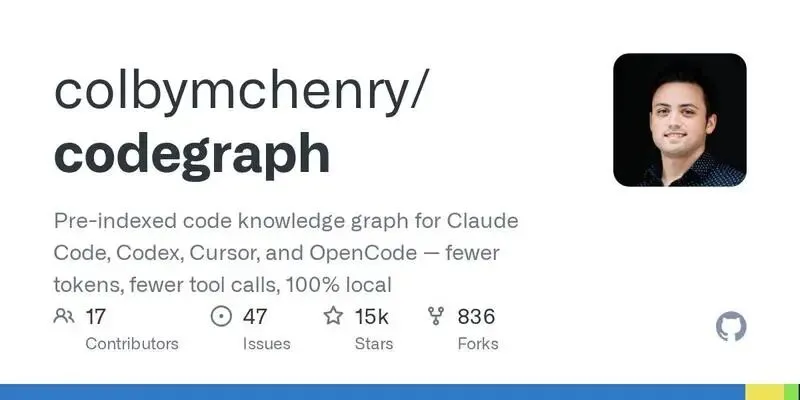
当你让 Claude Code 去理解一个大型代码库时,它会启动 Explore agents 扫描文件(grep、glob、Read),每个工具调用都消耗 token。大项目?烧钱如流水。
codegraph 的做法是:预先索引代码知识图谱,包括符号关系、调用图、代码结构。AI 问「这个函数被谁调用」,直接从图里查,不用再扫描文件。
📌 开源协议:MIT — 100% 本地运行,数据不出机器
🚀 安装方式
agent-skills
# Claude Code /plugin marketplace add addyosmani/agent-skills /plugin install agent-skills@addy-agent-skills # 或者本地安装 git clone https://github.com/addyosmani/agent-skills.git claude --plugin-dir /path/to/agent-skillscodegraph
# macOS / Linux curl -fsSL https://raw.githubusercontent.com/colbymchenry/codegraph/main/install.sh | sh # Windows irm https://raw.githubusercontent.com/colbymchenry/codegraph/main/install.ps1 | iex # 初始化 codegraph install cd your-project && codegraph init💬 结语
AI 编程助手越来越强,但工程纪律不会凭空出现。agent-skills 把 Google 级别的工程规范普惠化,让每个开发者都能用上。codegraph 把代码理解的成本降下来,让 AI 不再是「大项目烧钱机器」。开源的意义,不就是这样吗?
👇 关注公众号,回复「加群」加入开发者交流群
开源大猩探 · 每周日为你挖掘 GitHub 优质开源项目
© 2026 开源大猩探 | 内容基于 GitHub 开源项目整理