 夜雨聆风
夜雨聆风
一条命令,让三个 AI Agent 各司其职:OpenClaw 收需求,DSH 转译调度,herdr 里的 coding agent 干活。
01背景:为什么要三个 Agent
单个 Agent 再强也有边界。OpenClaw 擅长对话、渠道和任务编排,但它不在你的终端里跑长任务;DSH(DeepSeek Harness)自带 headless 模式,可以被任何进程一行命令调用;而 herdr 是一个 terminal workspace manager,把你的终端组织成 workspace / tab / pane,并识别 pane 里正在运行的 coding agent——pi、claude、codex、kimi、opencode 等。
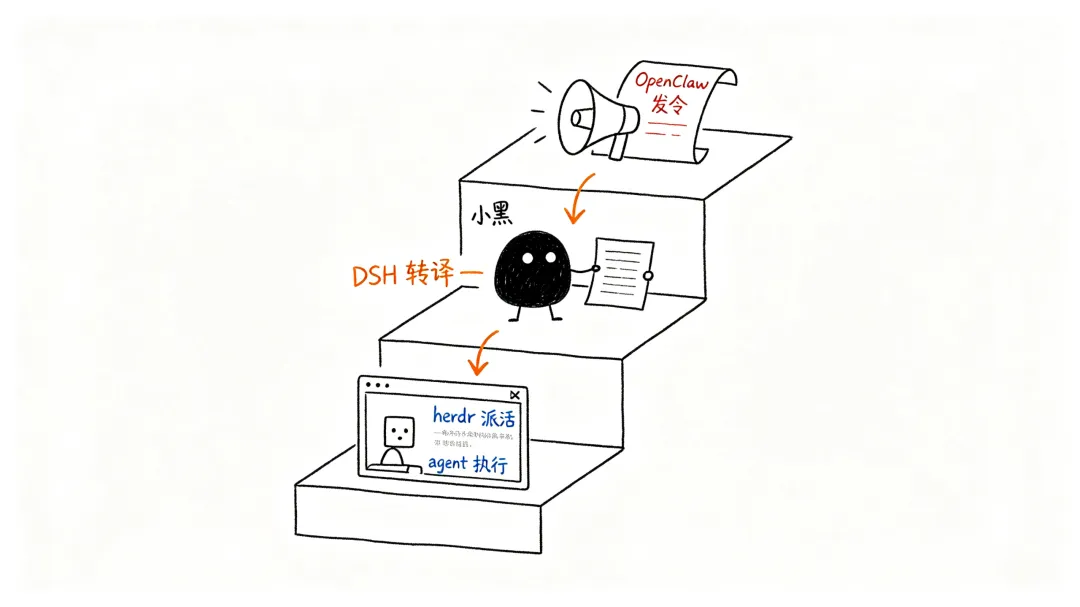
把三者接起来,就得到一条完整的指挥链:用户对 OpenClaw 说一句话 → OpenClaw 调 DSH → DSH 指挥 herdr 里的 agent 干活 → 结果一路汇报回来。
02架构总览
●●●CODE
┌─────────────┐ exec 白名单 ┌──────────────────┐ socket 白名单 ┌──────────────────┐│ OpenClaw │ ─────────────────► │ DSH (headless) │ ──────────────────► │ herdr ││ 收需求/编排 │ dsh --profile │ 单次会话·无记忆 │ herdr agent prompt│ w5:p3 codex 等 │└─────────────┘ headless "任务" └──────────────────┘ --wait --timeout └──────────────────┘- OpenClaw:人机接口。agent(如 main)通过 exec 执行
dsh --profile headless "任务"。 - DSH:一次调用 = 一个全新 headless 会话,最终回复打印到 stdout。它自己带一套 skills 和工具。
- herdr:DSH 通过 herdr CLI 经本地 socket 控制 pane 里的 coding agent:
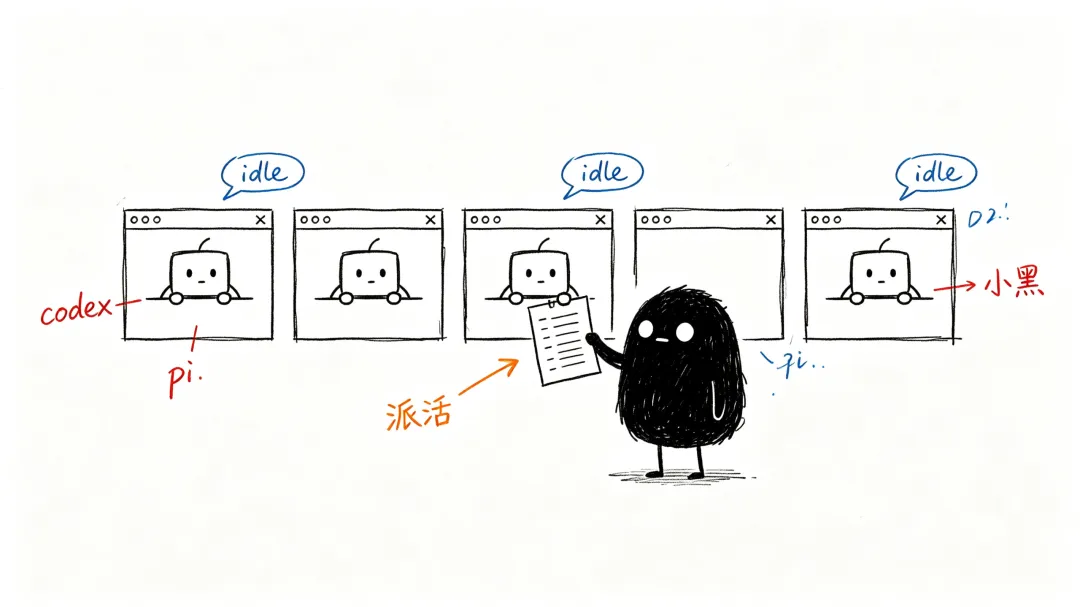
agent list盘点、agent read看现状、agent prompt派活并等待。
03第一步:让 OpenClaw 能调 DSH
全局安装 dsh,让它在任何 PATH 下可见:
●●●CODE
npm install -g @deepseek-ai/dsh# macOS Homebrew node 下会落到 /opt/homebrew/opt/node/bin/dsh(gateway PATH 第一项)加 exec 白名单(
~/.openclaw/exec-approvals.json,agent=*):●●●CODE
openclaw approvals allowlist add --agent "*" "dsh --profile headless*"openclaw approvals allowlist add --agent "*" "npm exec @deepseek-ai/dsh --profile headless*"给 OpenClaw 一个桥接 skill(
~/.agents/skills/dsh-bridge/SKILL.md),让它知道什么时候、怎么调 DSH,以及提示词要写清字段、查不到就写「未取得」。
⚠️ 踩坑:OpenClaw gateway 由 launchd 启动,exec 环境 PATH 不加载 shell rc 文件。
dsh只在 npx 缓存里时 agent 会报 command not found——所以必须全局安装,或把命令写全路径。
04第二步:让 DSH 能指挥 herdr
让 herdr 可被外部调用:herdr CLI 默认在
~/.local/bin(gateway PATH 外),软链进/opt/homebrew/bin:●●●CODE
ln -s ~/.local/bin/herdr /opt/homebrew/bin/herdr确认外部进程能控制 herdr:herdr 的 server 通过本地 socket(
~/.config/herdr/herdr.sock)接受任何进程的命令,不要求调用方在 pane 内。用干净环境验证:●●●CODE
env -i HOME=$HOME PATH='/opt/homebrew/bin:/usr/bin:/bin' herdr status给外部编排配 skill(
~/.agents/skills/herdr-orchestrator/SKILL.md):盘点 → 读取 → 派活 → 读回汇报,附安全规则(只动任务点名的 agent、绝不herdr server stop)。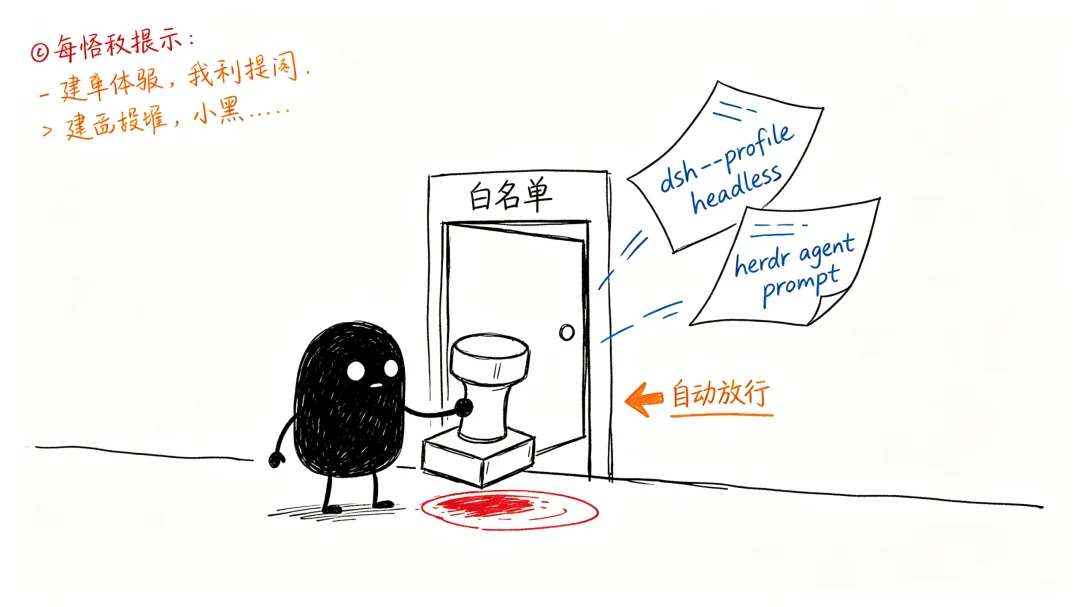
注意两个同名 skill 的分工:clawd 原版
herdrskill 要求HERDR_ENV=1(只给 pane 内的 agent 用);herdr-orchestrator是给 OpenClaw / DSH 这类外部 agent 用的授权版。
05第三步:用起来
派活的标准姿势(DSH 侧,或 OpenClaw 直接执行):
●●●CODE
herdr agent list # 盘点:谁在、什么状态herdr agent read w5:p3 --source recent-unwrapped --lines 120 # 看现状herdr agent prompt w5:p3 "要它做的事" --wait --timeout 300000 # 派活并等待herdr agent read w5:p3 --source recent-unwrapped --lines 200 # 读回结果再汇报OpenClaw 侧的触发措辞:
用 DSH 通过 herdr 让 codex 检查 /Users/xiaweite/code/deepseek 的 git 状态,完成后汇报它的输出。
 06排错笔记
dsh: command not found | ||
herdr: command not found | ~/.local/bin | /opt/homebrew/bin |
agent get codexagent_not_found | w5:p3 | |
HERDR_ENV |
07总结
三 Agent 编排的本质是把「会聊天的」「会转译的」「会干活的」拆开,各用所长。整套链路的关键不在模型,而在三个约定:
- PATH——每个二进制都要在 gateway 能看到的地方;
- 白名单——每条跨 Agent 命令都要显式放行;
- skill——每个 Agent 都要知道对方的存在和用法,且写清楚「什么时候用、怎么用、别乱碰什么」。
配置一次,之后所有 Agent 之间就能互相派活了。

