夜雨聆风
夜雨聆风Node.js 下载地址:https://nodejs.org/en/download Git 下载地址:https://git-scm.com/install/windows
# 这是一个 PowerShell 命令,用于修改 PowerShell 的脚本执行安全策略,专门解决 “无法运行脚本,因为在此系统上禁止运行脚本” 的报错。什么时候需要用这个命令?当你运行 PowerShell 脚本(比如之前 OpenClaw 安装过程中调用的 install.ps1)时,如果报错提示 “无法加载,因为在此系统上禁止运行脚本”,就需要先执行这个命令来放开限制。RemoteSigned 是一个兼顾安全和便利的推荐设置,既不会过度限制日常使用,也能防止未经验证的外网脚本随意运行。Set-ExecutionPolicy -ExecutionPolicy RemoteSigned -Scope CurrentUsernode -vnpm -vgit -v
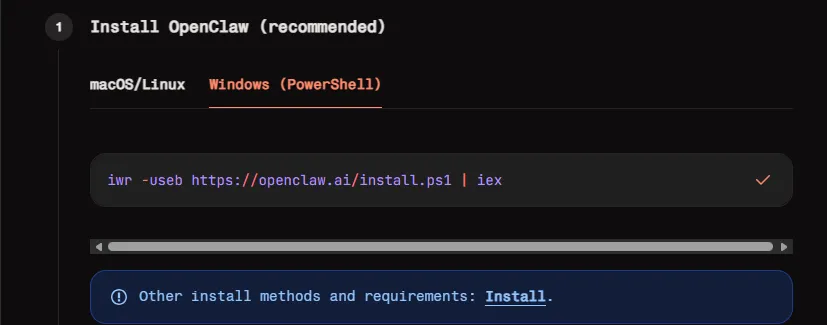
iwr -useb https://openclaw.ai/install.ps1 | iex
PS C:\WINDOWS\system32> Set-ExecutionPolicy -ExecutionPolicy RemoteSigned -Scope CurrentUser执行策略更改执行策略可帮助你防止执行不信任的脚本。更改执行策略可能会产生安全风险,如 https:/go.microsoft.com/fwlink/?LinkID=135170中的 about_Execution_Policies 帮助主题所述。是否要更改执行策略?[Y] 是(Y) [A] 全是(A) [N] 否(N) [L] 全否(L) [S] 暂停(S) [?] 帮助 (默认值为“N”): A
# 手动使用npm安装试一下npm install -g openclaw
# 先试用npm安装 pnpmnpm i-g pnpm# 检查pnpm 是否安装成功pnpm -v# 使用下面的命令可以自动的配置全局安装路径pnpm setup# 安装pnpm add -g openclaw@latest# 还需要看执行后的结果 如果提示 说忽略了一些包的构建脚本# 使用如下命令来批准 构建脚本pnpm approve-builds -g
# 这是一个 PowerShell 命令,用于修改 PowerShell 的脚本执行安全策略,专门解决 “无法运行脚本,因为在此系统上禁止运行脚本” 的报错。什么时候需要用这个命令?当你运行 PowerShell 脚本(比如之前 OpenClaw 安装过程中调用的 install.ps1)时,如果报错提示 “无法加载,因为在此系统上禁止运行脚本”,就需要先执行这个命令来放开限制。RemoteSigned 是一个兼顾安全和便利的推荐设置,既不会过度限制日常使用,也能防止未经验证的外网脚本随意运行。Set-ExecutionPolicy -ExecutionPolicy RemoteSigned -Scope CurrentUser
openclaw onboard --install-daemon
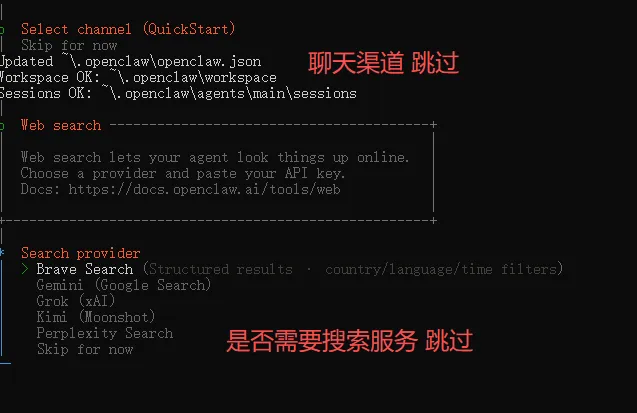
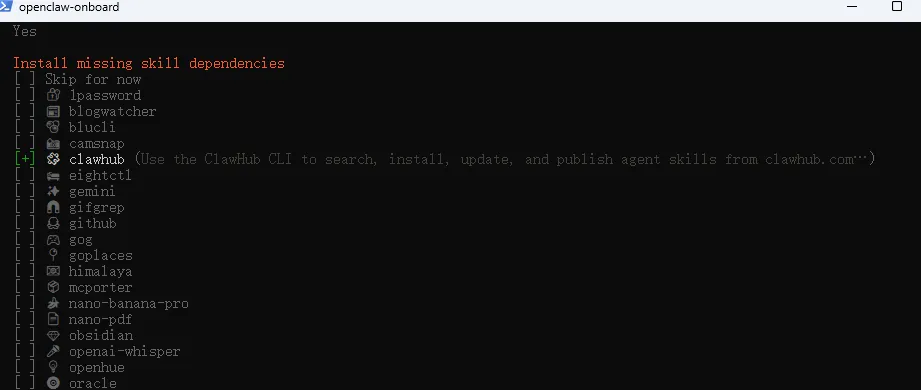
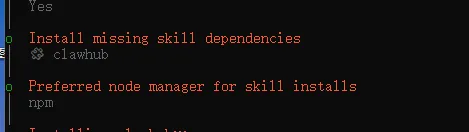
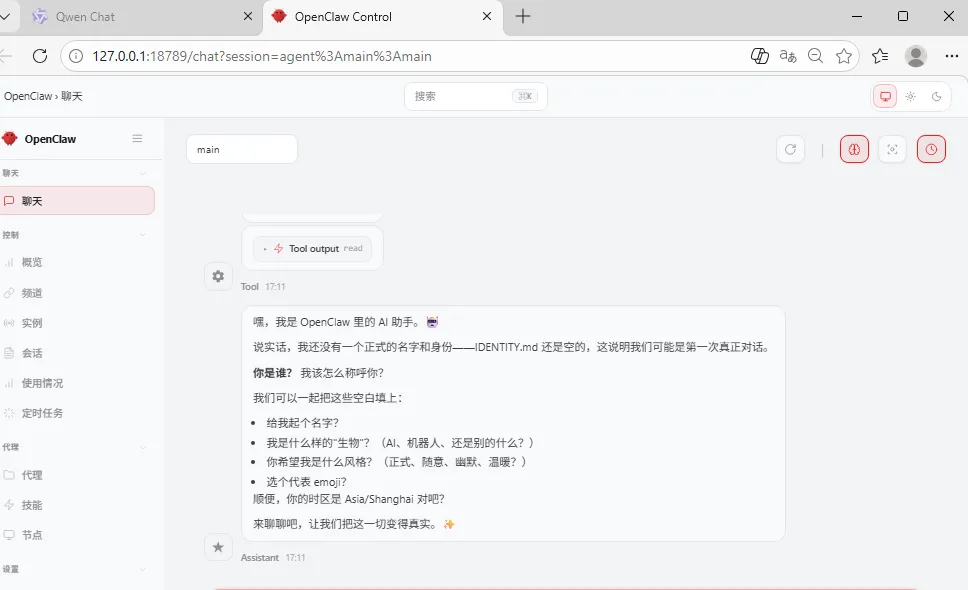
npm install -g openclaw@latest
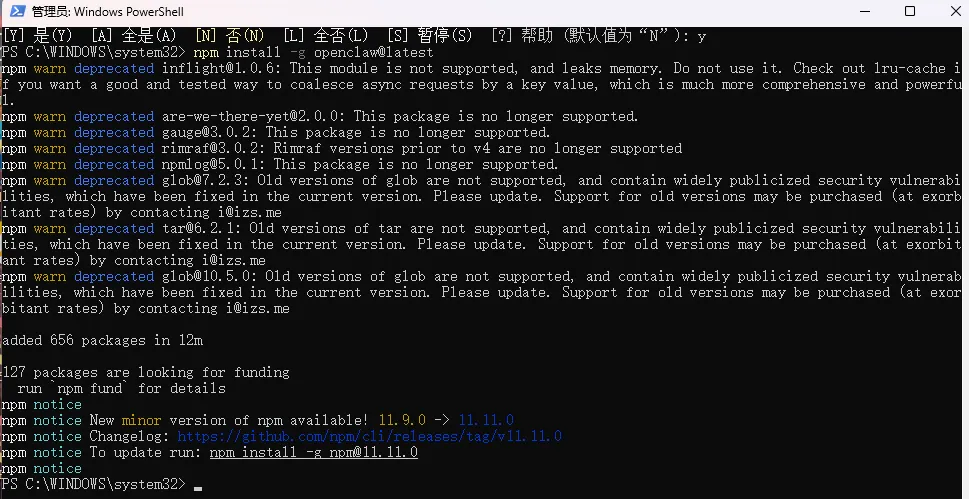
PS C:\WINDOWS\system32> Set-ExecutionPolicy -ExecutionPolicy RemoteSigned -Scope CurrentUser执行策略更改执行策略可帮助你防止执行不信任的脚本。更改执行策略可能会产生安全风险,如 https:/go.microsoft.com/fwlink/?LinkID=135170中的 about_Execution_Policies 帮助主题所述。是否要更改执行策略?[Y] 是(Y) [A] 全是(A) [N] 否(N) [L] 全否(L) [S] 暂停(S) [?] 帮助 (默认值为“N”): APS C:\WINDOWS\system32> npm install -g openclaw@latestnpm warn deprecated inflight@1.0.6: This module is not supported, and leaks memory. Do not use it. Check out lru-cache if you want a good and tested way to coalesce async requests by a key value, which is much more comprehensive and powerful.npm warn deprecated are-we-there-yet@2.0.0: This package is no longer supported.npm warn deprecated gauge@3.0.2: This package is no longer supported.npm warn deprecated rimraf@3.0.2: Rimraf versions prior to v4 are no longer supportednpm warn deprecated npmlog@5.0.1: This package is no longer supported.npm warn deprecated glob@7.2.3: Old versions of glob are not supported, and contain widely publicized security vulnerabilities, which have been fixed in the current version. Please update. Support for old versions may be purchased (at exorbitant rates) by contacting i@izs.menpm warn deprecated tar@6.2.1: Old versions of tar are not supported, and contain widely publicized security vulnerabilities, which have been fixed in the current version. Please update. Support for old versions may be purchased (at exorbitant rates) by contacting i@izs.menpm warn deprecated glob@10.5.0: Old versions of glob are not supported, and contain widely publicized security vulnerabilities, which have been fixed in the current version. Please update. Support for old versions may be purchased (at exorbitant rates) by contacting i@izs.meadded 656 packages in 12m127 packages are looking for funding run `npm fund` for detailsnpm noticenpm notice New minor version of npm available! 11.9.0 -> 11.11.0npm notice Changelog: https://github.com/npm/cli/releases/tag/v11.11.0npm notice To update run: npm install -g npm@11.11.0npm noticePS C:\WINDOWS\system32>
PS C:\WINDOWS\system32> openclaw -v2026.3.2PS C:\WINDOWS\system32>
openclaw onboard
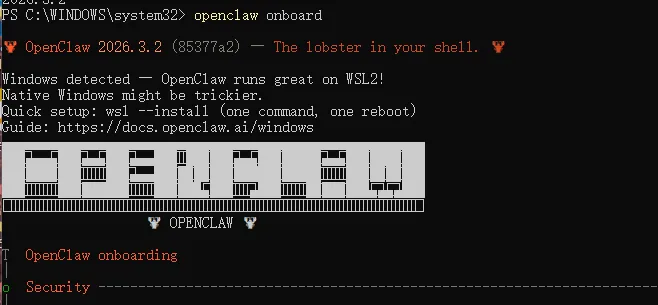
详细如下:
PS C:\WINDOWS\system32> openclaw onboard🦞 OpenClaw 2026.3.2 (85377a2) — The lobster in your shell. 🦞Windows detected — OpenClaw runs great on WSL2!Native Windows might be trickier.Quick setup: wsl --install (one command, one reboot)Guide: https://docs.openclaw.ai/windows▄▄▄▄▄▄▄▄▄▄▄▄▄▄▄▄▄▄▄▄▄▄▄▄▄▄▄▄▄▄▄▄▄▄▄▄▄▄▄▄▄▄▄▄▄▄▄▄▄▄▄▄██░▄▄▄░██░▄▄░██░▄▄▄██░▀██░██░▄▄▀██░████░▄▄▀██░███░████░███░██░▀▀░██░▄▄▄██░█░█░██░█████░████░▀▀░██░█░█░████░▀▀▀░██░█████░▀▀▀██░██▄░██░▀▀▄██░▀▀░█░██░██▄▀▄▀▄██▀▀▀▀▀▀▀▀▀▀▀▀▀▀▀▀▀▀▀▀▀▀▀▀▀▀▀▀▀▀▀▀▀▀▀▀▀▀▀▀▀▀▀▀▀▀▀▀▀▀▀▀🦞 OPENCLAW 🦞T OpenClaw onboarding|o Security ---------------------------------------------------------------------------------+| || Security warning — please read. || || OpenClaw is a hobby project and still in beta. Expect sharp edges. || By default, OpenClaw is a personal agent: one trusted operator boundary. || This bot can read files and run actions if tools are enabled. || A bad prompt can trick it into doing unsafe things. || || OpenClaw is not a hostile multi-tenant boundary by default. || If multiple users can message one tool-enabled agent, they share that delegated tool || authority. || || If you’re not comfortable with security hardening and access control, don’t run || OpenClaw. || Ask someone experienced to help before enabling tools or exposing it to the internet. || || Recommended baseline: || - Pairing/allowlists + mention gating. || - Multi-user/shared inbox: split trust boundaries (separate gateway/credentials, ideally || separate OS users/hosts). || - Sandbox + least-privilege tools. || - Shared inboxes: isolate DM sessions (`session.dmScope: per-channel-peer`) and keep || tool access minimal. || - Keep secrets out of the agent’s reachable filesystem. || - Use the strongest available model for any bot with tools or untrusted inboxes. || || Run regularly: || openclaw security audit --deep || openclaw security audit --fix || || Must read: https://docs.openclaw.ai/gateway/security || |+--------------------------------------------------------------------------------------------+|* I understand this is personal-by-default and shared/multi-user use requires lock-down. Continue?| Yes / > No—
5.进行交互式配置
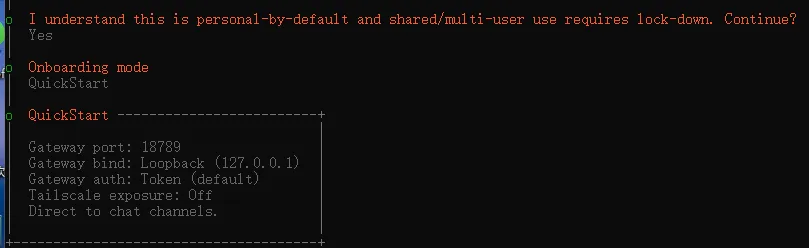
o I understand this is personal-by-default and shared/multi-user use requires lock-down. Continue?| Yes|* Onboarding mode| > QuickStart (Configure details later via openclaw configure.)| Manual—
openclaw status