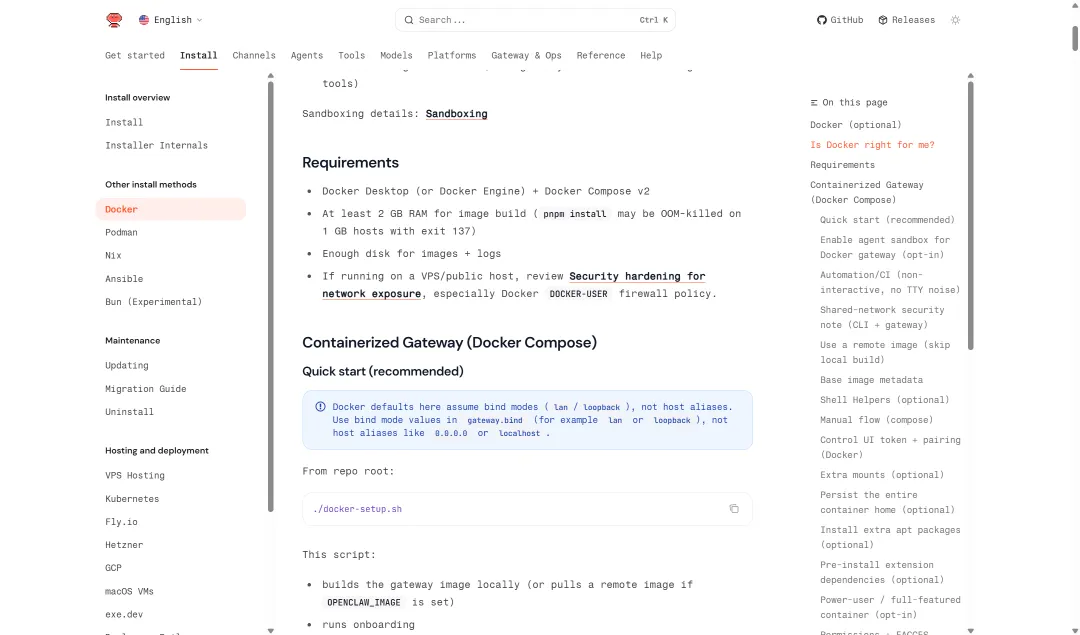
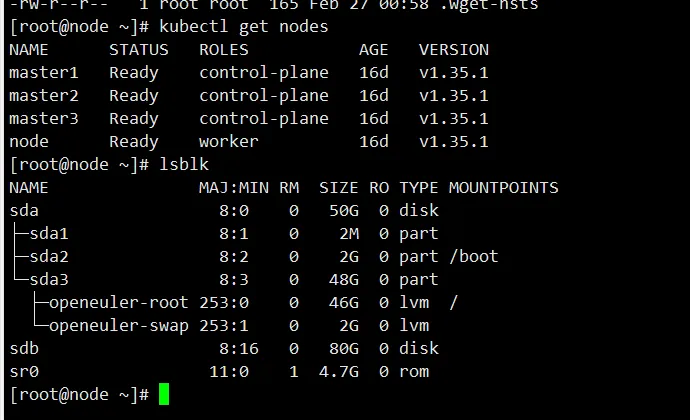
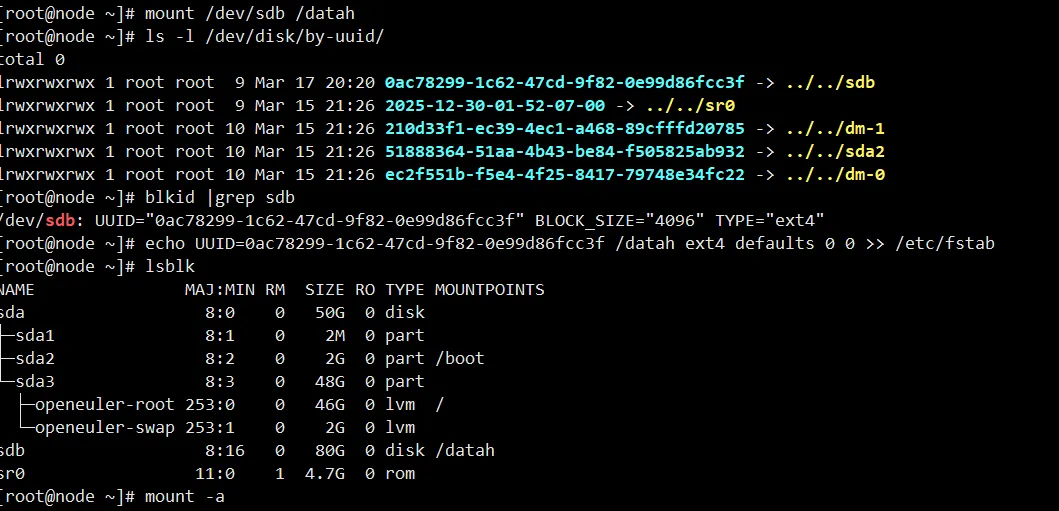
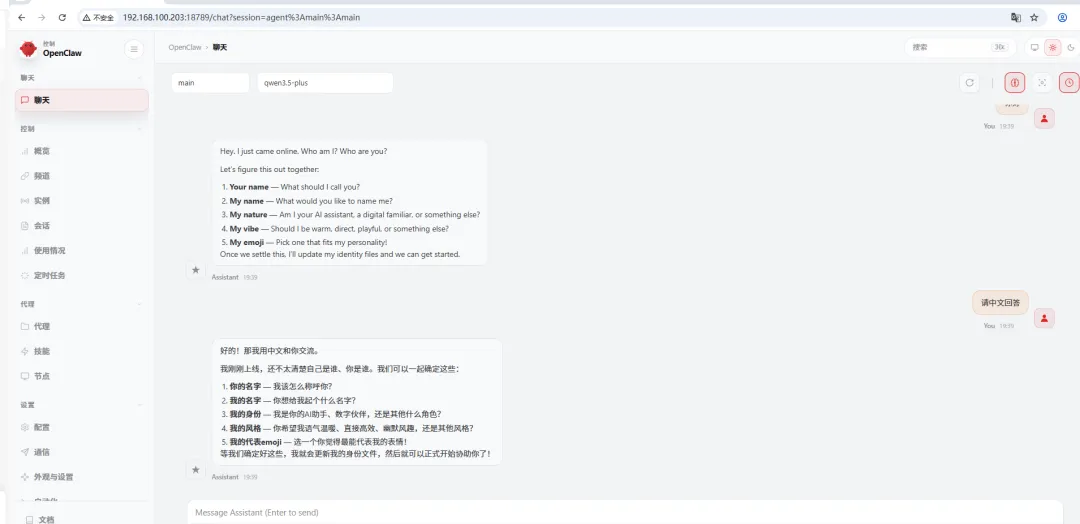
Linux 模式、Windows (WSL2) 模式、Windows依附模式都有了,怎么还能少了Docker版本的。mkdir /datahmkfs.ext4 /dev/sdbmount /dev/sdb /datahls -l /dev/disk/by-uuid/blkid |grep sdbecho UUID= /datah ext4 defaults 0 0 >> /etc/fstab
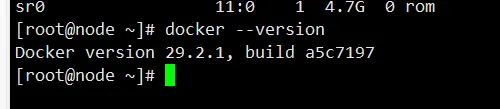
curl -L https://github.com/docker/compose/releases/download/v2.40.3/docker-compose-`uname -s`-`uname -m` -o /usr/local/bin/docker-composechmod +x /usr/local/bin/docker-composedocker-compose --version
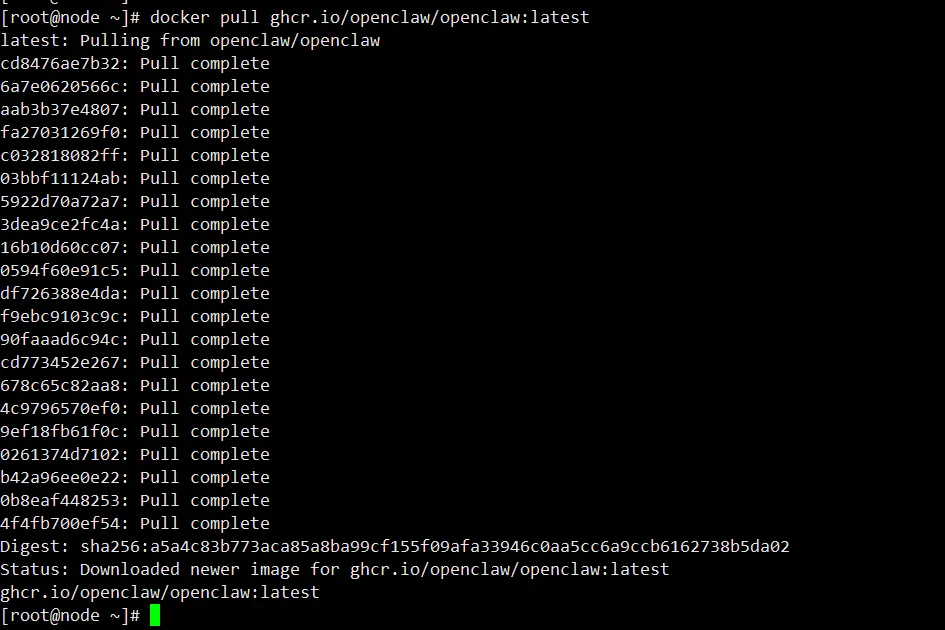
docker pull ghcr.io/openclaw/openclaw:latest
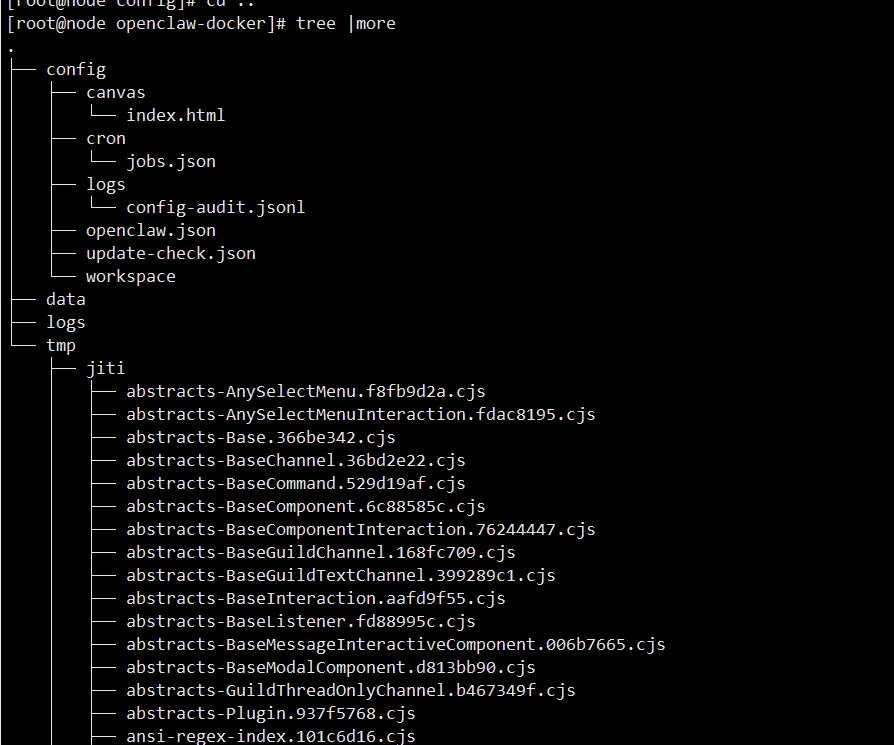
# docker 数据挂载目录mkdir -p /datah/openclaw-docker/{config,logs,data,tmp}chmod -R a+w /datah/openclaw-docker/# docker_compose.yml的存储目录mkdir -p /usr/local/docker/openclawcd /usr/local/docker/openclaw
cd /usr/local/docker/openclaw/
cat > /usr/local/docker/openclaw/docker-compose-openclaw.yml << "EOF"services: openclaw-gateway: image: ghcr.io/openclaw/openclaw:latest container_name: openclaw-gateway restart: unless-stopped ports: - "18789:18789" environment: - NODE_ENV=production - OPENCLAW_GATEWAY_BIND=lan - OPENCLAW_GATEWAY_MODE=local - LOG_LEVEL=info - TZ=Asia/Shanghai volumes: - /datah/openclaw-docker/config:/home/node/.openclaw - /datah/openclaw-docker/data:/home/node/.openclaw/workspace - /datah/openclaw-docker/logs:/home/node/logs - /datah/openclaw-docker/tmp:/tmp healthcheck: test: ["CMD", "curl", "-fsS", "http://127.0.0.1:18789/healthz"] interval: 30s timeout: 10s retries: 3 start_period: 60s networks: - openclaw-network security_opt: - no-new-privileges:true cap_drop: - NET_RAW - NET_ADMINnetworks: openclaw-network: driver: bridge name: openclaw-networkEOF
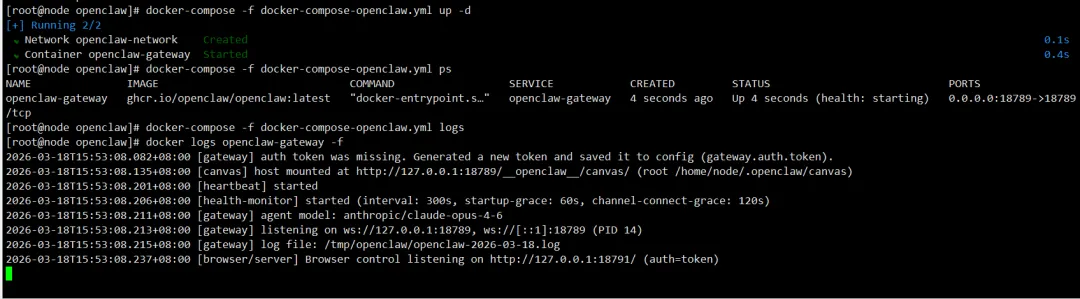
docker-compose -f docker-compose-openclaw.yml up -d
docker-compose -f docker-compose-openclaw.yml ps
docker exec -it openclaw-gateway curl http://127.0.0.1:18789/health
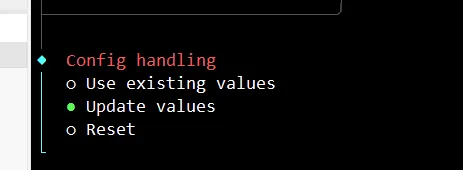
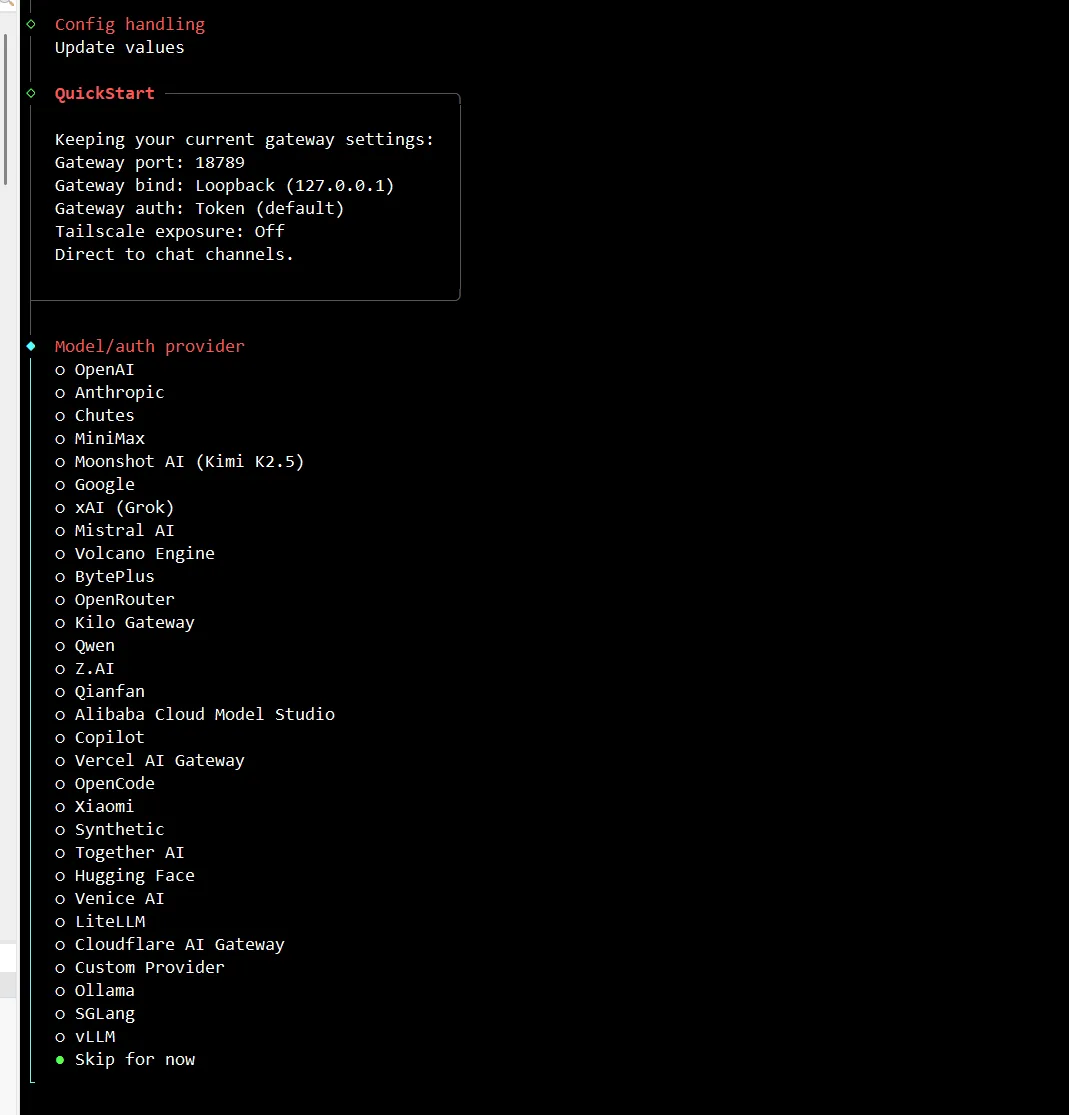
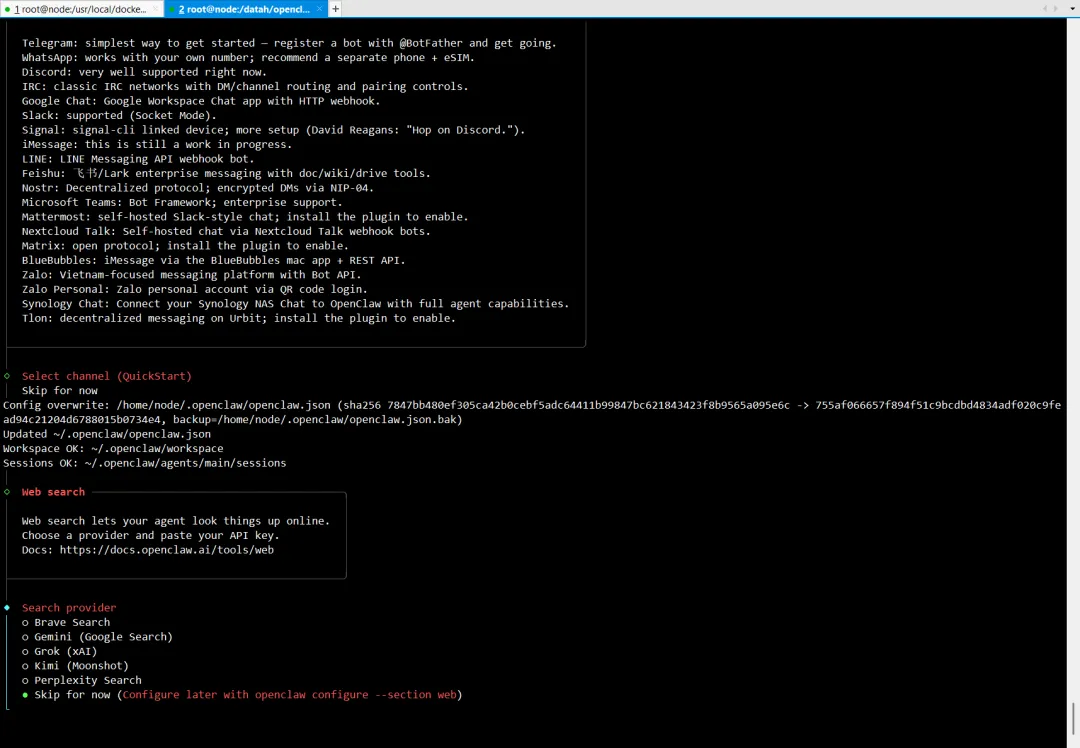
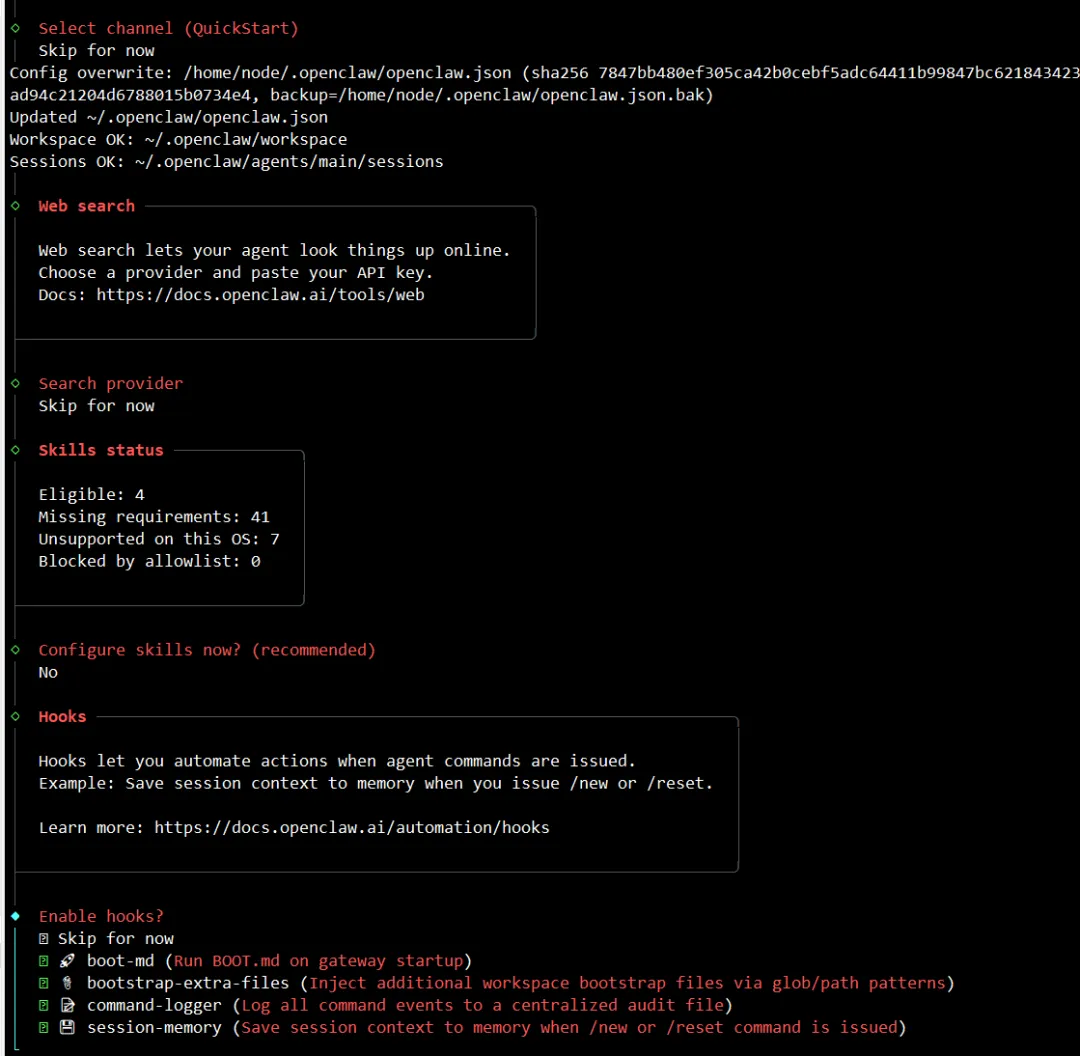
8、运行初始化向导
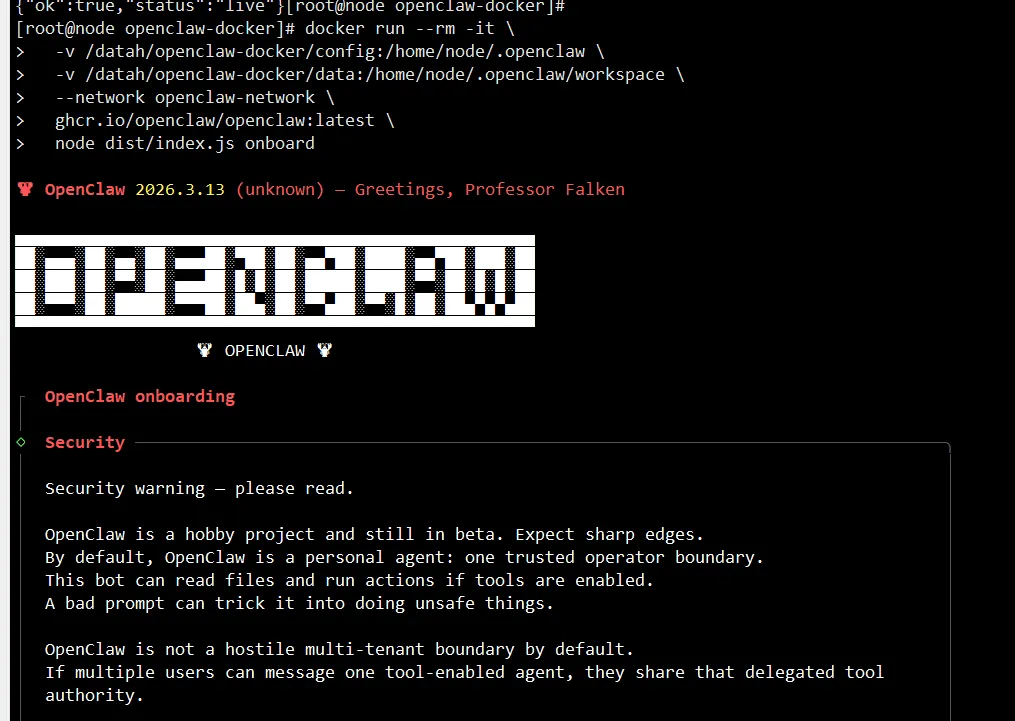
docker run --rm -it \ -v /datah/openclaw-docker/config:/home/node/.openclaw \ -v /datah/openclaw-docker/data:/home/node/.openclaw/workspace \ --network openclaw-network \ ghcr.io/openclaw/openclaw:latest \ node dist/index.js onboard
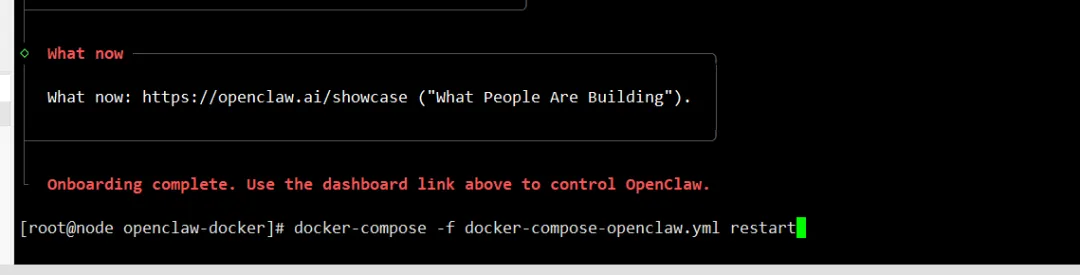
docker-compose -f /usr/local/docker/openclaw/docker-compose-openclaw.yml restart
CLI 命令修改配置:
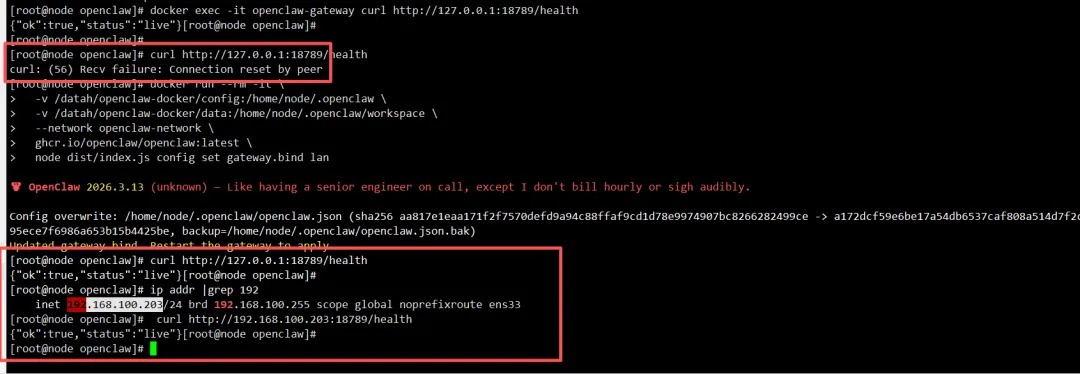
# 使用 CLI 修改配置docker run --rm -it \ -v /datah/openclaw-docker/config:/home/node/.openclaw \ -v /datah/openclaw-docker/data:/home/node/.openclaw/workspace \ --network openclaw-network \ ghcr.io/openclaw/openclaw:latest \ node dist/index.js config set gateway.bind lan# 重启容器docker-compose -f docker-compose-openclaw.yml restart
# 容器内测试docker exec openclaw-gateway curl http://127.0.0.1:18789/health# 宿主机测试curl http://127.0.0.1:18789/health
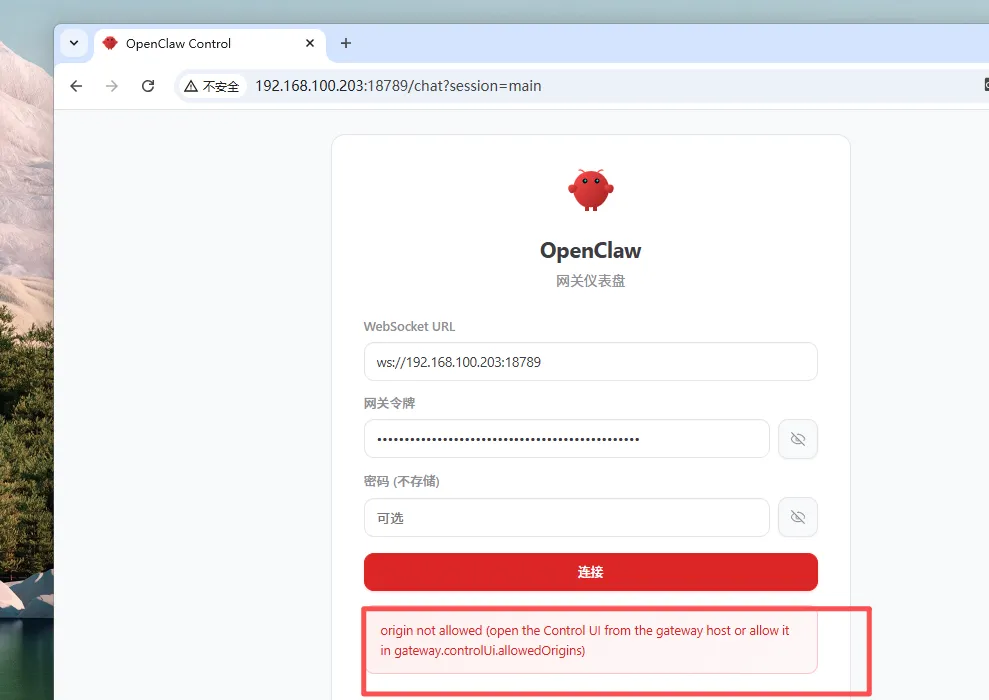
origin not allowed (open the Control UI from the gateway host or allow it in gateway.controlUi.allowedOrigins)# 使用 CLI 合并配置 ,添加一行:http://192.168.100.203:18789
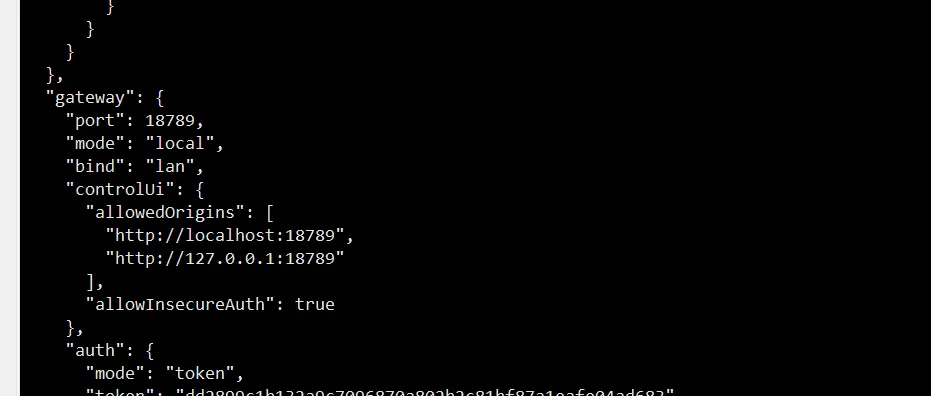
docker run --rm -it \ -v /datah/openclaw-docker/config:/home/node/.openclaw \ -v /datah/openclaw-docker/data:/home/node/.openclaw/workspace \ --network openclaw-network \ ghcr.io/openclaw/openclaw:latest \ node dist/index.js config set gateway.controlUi.allowedOrigins "[\"http://localhost:18789\",\"http://127.0.0.1:18789\",\"http://192.168.100.203:18789\"]"
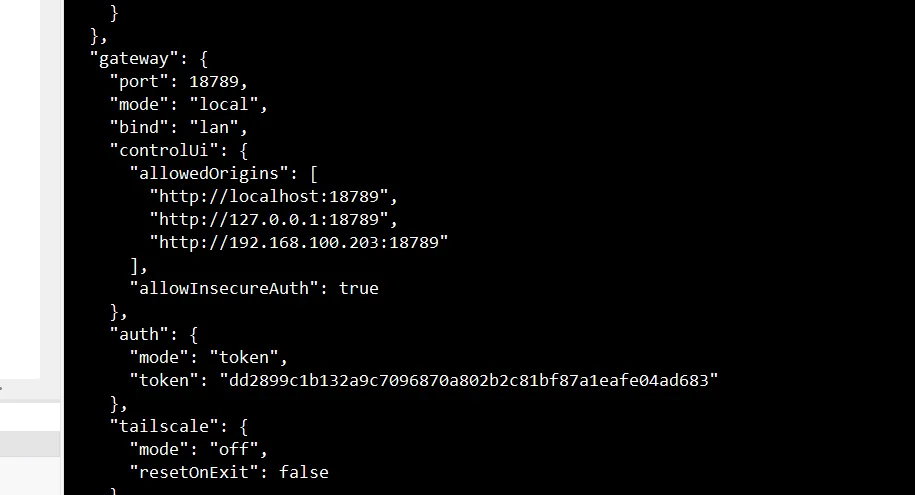
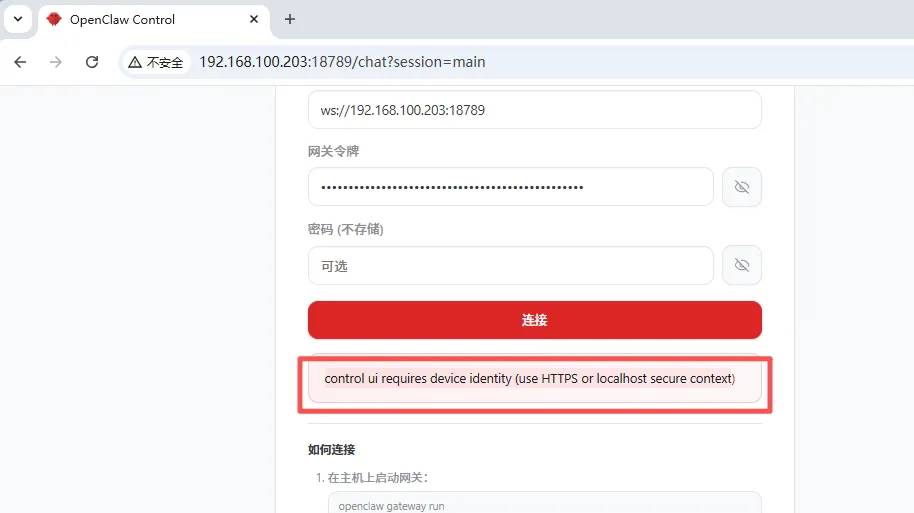
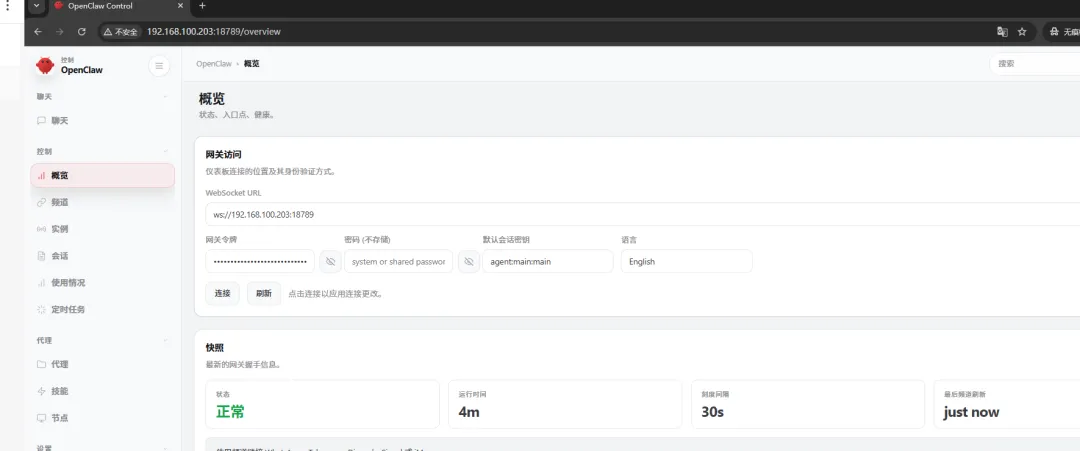
生产的话就用nginx去代理,我这里就不这样做了。control ui requires device identity (use HTTPS or localhost secure context)docker run --rm -it \ -v /datah/openclaw-docker/config:/home/node/.openclaw \ -v /datah/openclaw-docker/data:/home/node/.openclaw/workspace \ --network openclaw-network \ ghcr.io/openclaw/openclaw:latest \ sh -c 'node dist/index.js config set gateway.bind lan && \ node dist/index.js config set gateway.auth.mode token && \ node dist/index.js config set gateway.auth.token "dd2899c1b132a9c7096870a802b2c81bf87a1eafe04ad683" && \ node dist/index.js config set gateway.controlUi.allowInsecureAuth true && \ node dist/index.js config set gateway.controlUi.dangerouslyDisableDeviceAuth true'
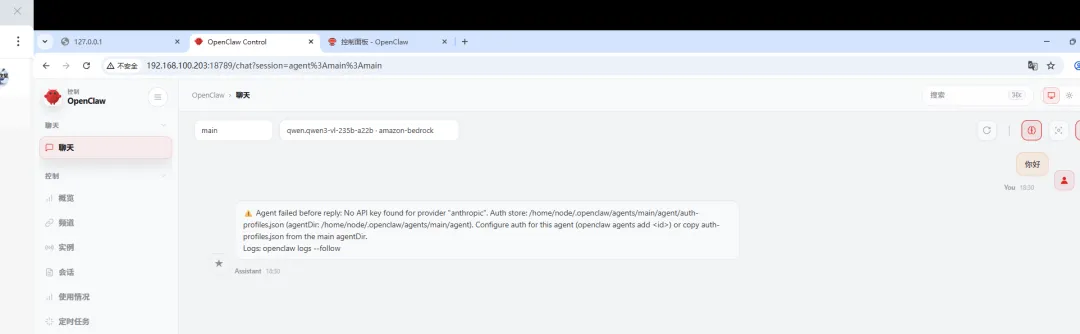
12、OpenClaw 智能体没有配置 Anthropic(Claude)的 API 密钥,无法调用 AI 模型生成回复:访问阿里云百炼控制台:https://bailian.console.aliyun.com/https://bailian.console.aliyun.com/cn-beijing?apiKey=1#/api-key
vim /datah/openclaw-docker/config/openclaw.json
"models": { "mode": "merge", "providers": { "bailian": { "baseUrl": "https://dashscope.aliyuncs.com/compatible-mode/v1", "apiKey": "YOUR_API_KEY", "api": "openai-completions", "models": [ { "id": "qwen3-max-2026-01-23", "name": "qwen3-max-thinking", "reasoning": false, "input": [ "text" ], "cost": { "input": 0, "output": 0, "cacheRead": 0, "cacheWrite": 0 }, "contextWindow": 262144, "maxTokens": 65536 } ] } } }, "agents": { "defaults": { "model": { "primary": "bailian/qwen3-max-2026-01-23" }, "models": { "bailian/qwen3-max-2026-01-23": { "alias": "qwen3-max-thinking" } }, "workspace": "/home/node/.openclaw/workspace", "compaction": { "mode": "safeguard" }, "maxConcurrent": 4, "subagents": { "maxConcurrent": 8 } } },
docker-compose -f /usr/local/docker/openclaw/docker-compose-openclaw.yml restartdocker logs openclaw-gateway -f
 夜雨聆风
夜雨聆风