 夜雨聆风
夜雨聆风一、安装飞书channel
打开openclaw的chat的GUI界面。在聊天输入框中输入如下内容:
ounter(line启用飞书channel,完成启用等待配置。
启用后查看channel
ounter(lineounter(lineounter(lineounter(lineounter(lineounter(lineounter(lineopenclaw channels list🦞 OpenClaw 2026.3.8 (3caab92) — I'm the reason your shell history looks like a hacker-movie montage.Chat channels:- Feishu default: not configured, enabled- Feishu main: not configured, enabled
发现多添加了一个飞书的channel,在聊天界面中输入如下内容:
ounter(line删除 Feishu main channel
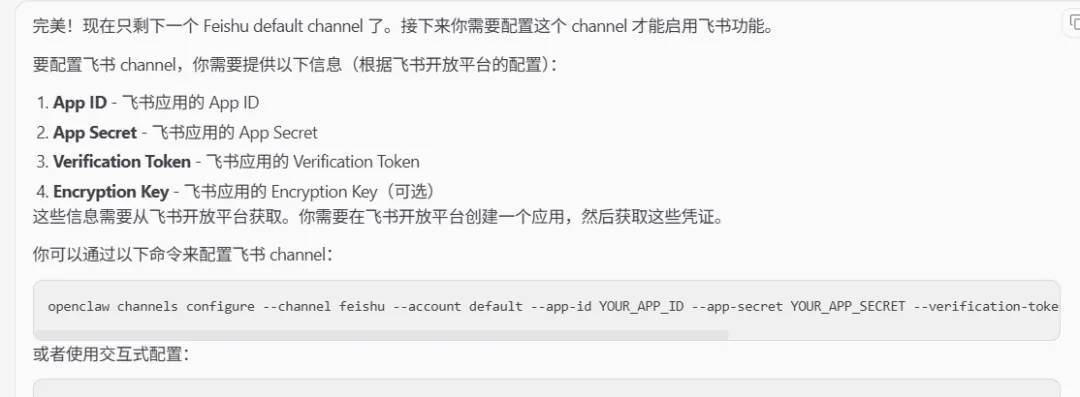
下面就要获取飞书的通信配置了。
二、飞书开发者平台
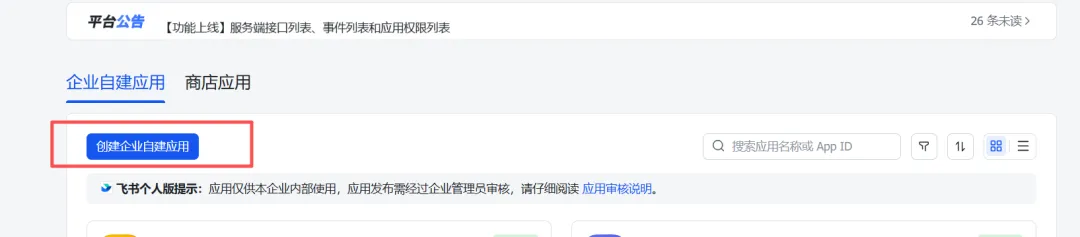
飞书开发者平台扫码登录后,进入”开发者后台“,在”企业自建应用“的tab中创建企业应用。
2.1 创建企业应用
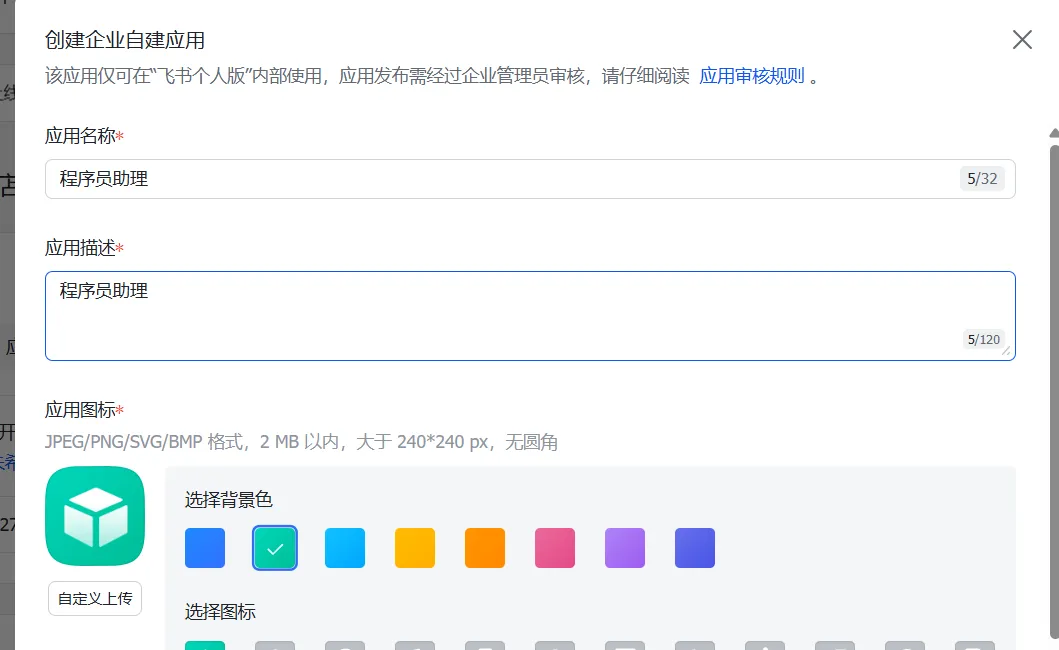
点击「创建企业自建应用」,填写应用名称和描述,上传应用图标。
2.2 添加应用能力
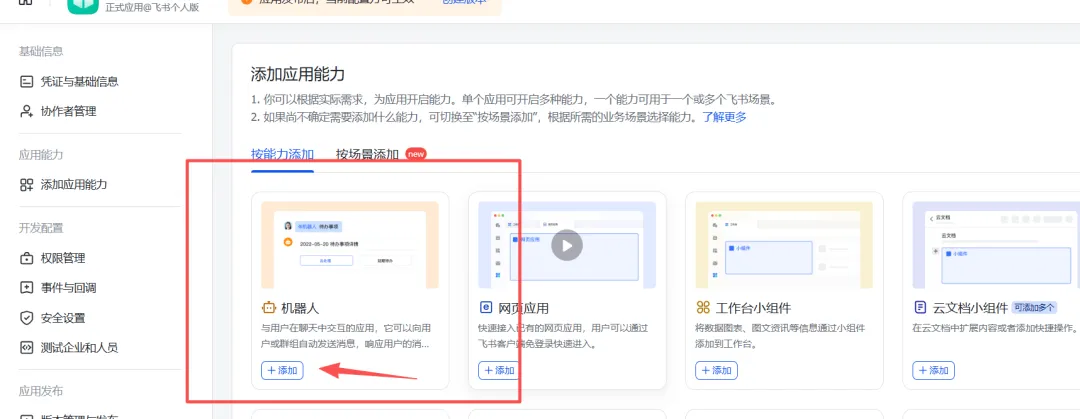
进入「应用能力」→「机器人」页面,开启机器人能力并配置名称。
2.3 导入权限配置
在「权限管理」页面,点击「批量导入」
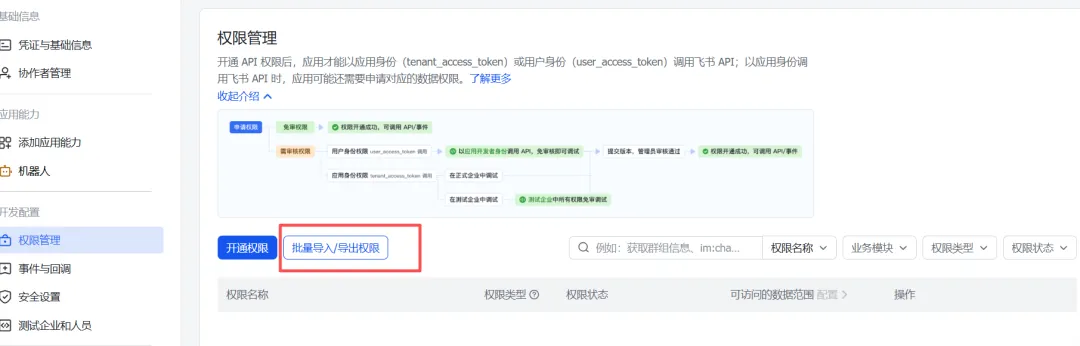
ounter(lineounter(lineounter(lineounter(lineounter(lineounter(lineounter(lineounter(lineounter(lineounter(lineounter(lineounter(lineounter(lineounter(lineounter(lineounter(lineounter(lineounter(lineounter(lineounter(lineounter(lineounter(lineounter(lineounter(lineounter(lineounter(lineounter(lineounter(lineounter(lineounter(lineounter(lineounter(lineounter(lineounter(lineounter(lineounter(lineounter(lineounter(lineounter(lineounter(lineounter(lineounter(lineounter(lineounter(lineounter(lineounter(lineounter(lineounter(lineounter(lineounter(lineounter(lineounter(lineounter(lineounter(lineounter(lineounter(lineounter(lineounter(lineounter(lineounter(lineounter(lineounter(lineounter(lineounter(lineounter(lineounter(lineounter(lineounter(lineounter(lineounter(lineounter(lineounter(lineounter(lineounter(lineounter(lineounter(lineounter(lineounter(lineounter(lineounter(line{"scopes": {"tenant": ["aily:file:read","aily:file:write","application:application.app_message_stats.overview:readonly","application:application:self_manage","application:bot.menu:write","cardkit:card:write","contact:contact.base:readonly","contact:user.employee_id:readonly","corehr:file:download","docs:document.content:read","event:ip_list","im:app_feed_card:write","im:biz_entity_tag_relation:read","im:biz_entity_tag_relation:write","im:chat","im:chat.access_event.bot_p2p_chat:read","im:chat.announcement:read","im:chat.announcement:write_only","im:chat.chat_pins:read","im:chat.chat_pins:write_only","im:chat.collab_plugins:read","im:chat.collab_plugins:write_only","im:chat.managers:write_only","im:chat.members:bot_access","im:chat.members:read","im:chat.members:write_only","im:chat.menu_tree:read","im:chat.menu_tree:write_only","im:chat.moderation:read","im:chat.tabs:read","im:chat.tabs:write_only","im:chat.top_notice:write_only","im:chat.widgets:read","im:chat.widgets:write_only","im:chat:create","im:chat:delete","im:chat:moderation:write_only","im:chat:operate_as_owner","im:chat:read","im:chat:readonly","im:chat:update","im:datasync.feed_card.time_sensitive:write","im:message","im:message.group_at_msg:readonly","im:message.group_msg","im:message.p2p_msg:readonly","im:message.pins:read","im:message.pins:write_only","im:message.reactions:read","im:message.reactions:write_only","im:message.urgent","im:message.urgent.status:write","im:message.urgent:phone","im:message.urgent:sms","im:message:readonly","im:message:recall","im:message:send_as_bot","im:message:send_multi_depts","im:message:send_multi_users","im:message:send_sys_msg","im:message:update","im:resource","im:tag:read","im:tag:write","im:url_preview.update","im:user_agent:read","sheets:spreadsheet","wiki:wiki:readonly"],"user": ["aily:file:read","aily:file:write","contact:contact.base:readonly","im:chat.access_event.bot_p2p_chat:read"]}}
2.4 机器人能力配置
进入「应用能力」→「机器人」页面,开启机器人能力并配置名称。
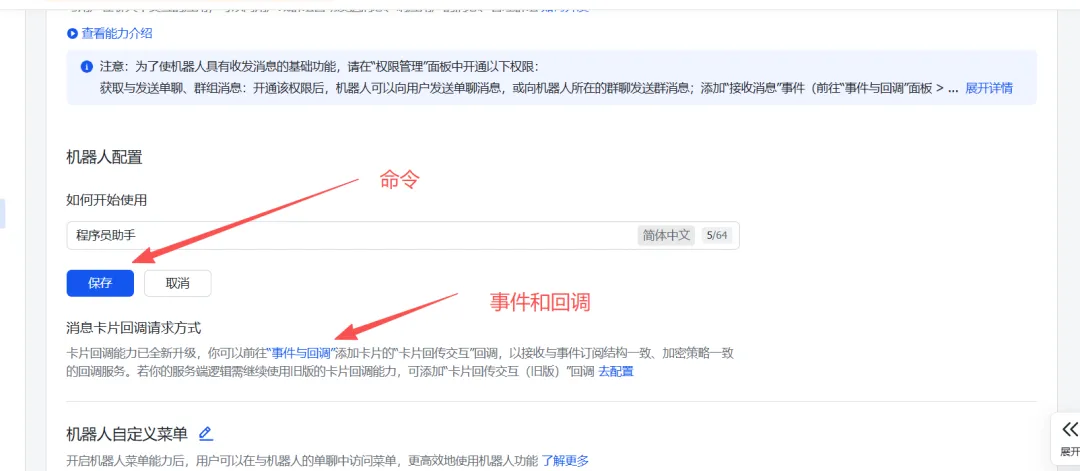
事件和回调中先配置加密策略
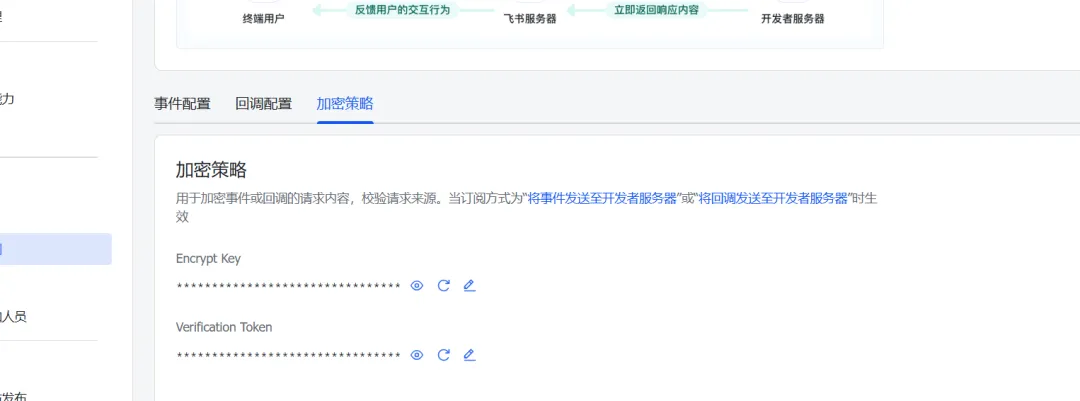
把[凭证和基础信息]中的appId和appSecret及加密策略中的Encrypt Key和Verification Token都妥善保存。粘贴到openclaw的聊天窗口中。
openclaw聊天中返回飞书channel配置完成说明。
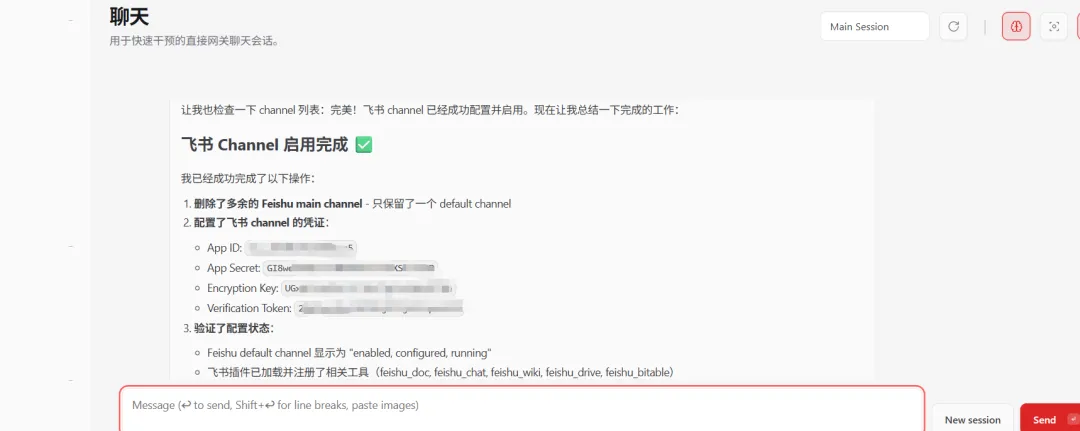
配置好openclaw并重启网关后,openclaw和飞书channel已经进行连接了。
2.5 事件和回调
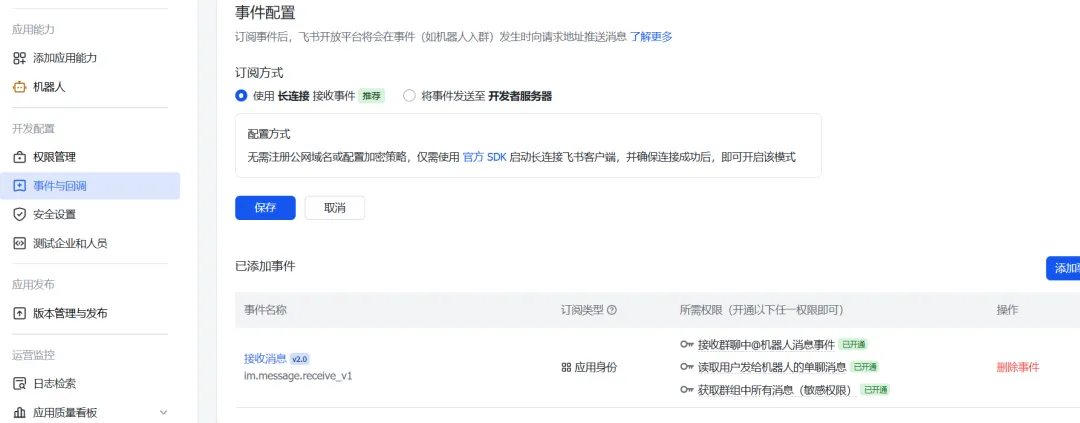
事件配置中[订阅]方式使用【长连接】,并添加事件im.message.receive_v1
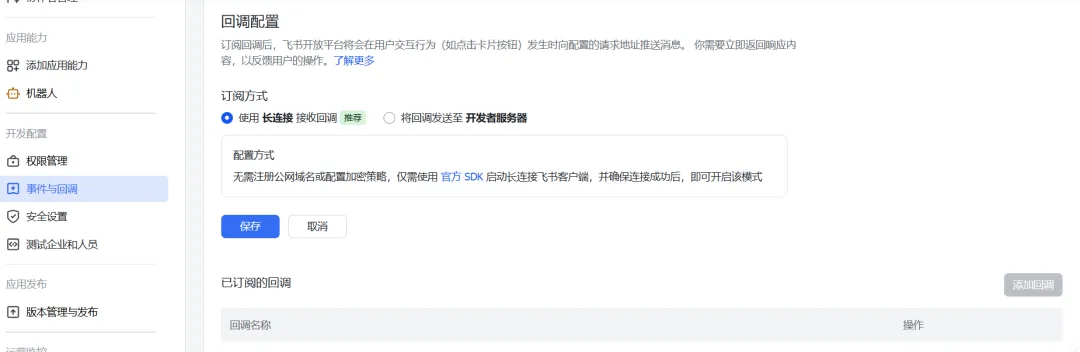
回调方式也使用【长连接】的方式
2.6 版本发布
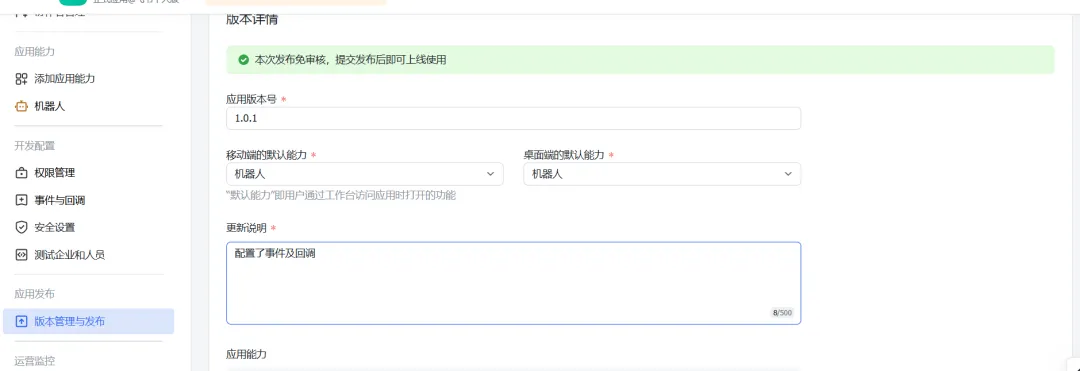
在[应用发布]下的[版本管理及发布]中,创建发布版本并上线。
三、配对激活
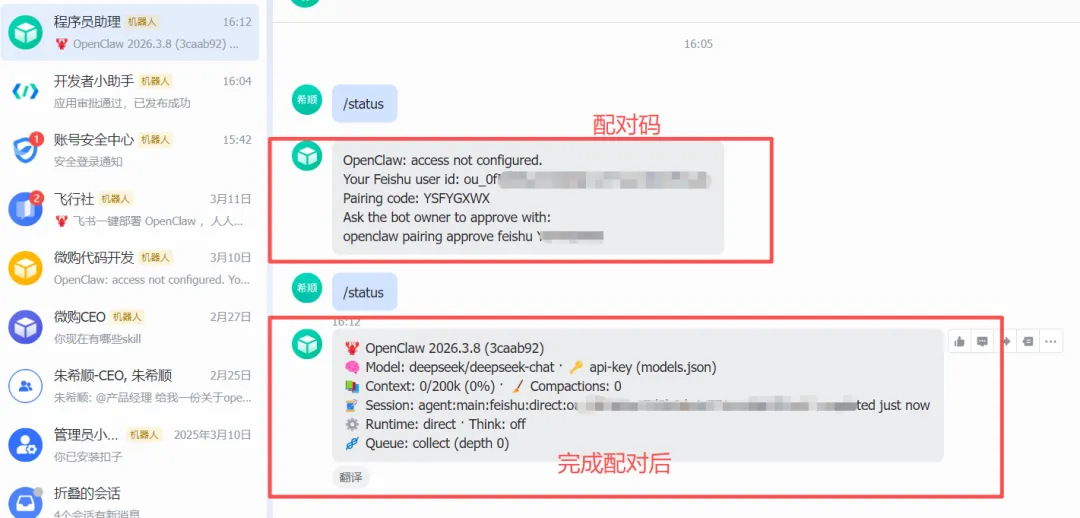
在飞书 App 中搜索 “程序员助理” 机器人 发送任意消息(如”/status”) 机器人回复配对信息
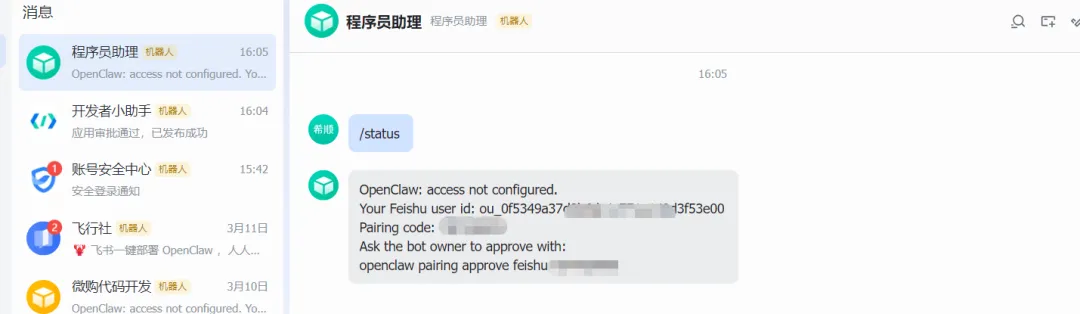
把机器人返回的内容直接粘贴到openclaw的聊天界面中。返回如下:
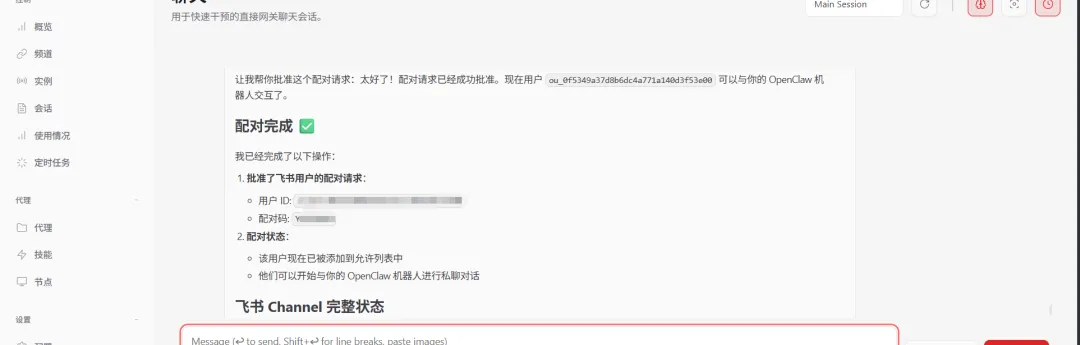
完成上面所有步骤,就能通过飞书机器人和openclaw完美通信了。
https://www.runoob.com/ai-agent/openclaw-feishu.html