 夜雨聆风
夜雨聆风"commit一下","push一下","帮我review这段代码"——这些话你是不是每天要说八百遍?
程序员最讨厌的两件事:一是自己的代码要 review,二是别人的代码要 review。二是一堆重复的 git 操作。
每次提交代码都要:git status → git add . → git commit -m "fix login bug" → git push
三个命令,一个都不能少。
直到我发现了 Claude Code 的斜杠命令。
🔥 斜杠命令是什么?让你的AI变成"令行禁止"的打工仔
先说个暴论:会用斜杠命令的人,和不会用的人,用的是两个完全不同的 Claude Code。
很多人把 Claude Code 当成一个"聊天窗口"——输入一句话,等 AI 回复。这没错,但只发挥了它 20% 的能力。
真正的效率神器,是斜杠命令(Slash Commands)。
1 2 3
你:帮我提交代码,消息是"fix login bug"
Claude:好的,我来执行 git add . && git commit -m "fix login bug" && git push
✓ 已提交:fix login bug (3 files changed)
一行命令,直达目标。
不需要每次都解释"先检查 git 状态,然后提交代码"。 你只需要说你要做什么,剩下的 Claude Code 帮你搞定。
🎯 两种 Skill:一个让你"知道",一个让你"做到"
在深入斜杠命令之前,先搞清楚 Claude Code 的 Skill 体系。
简单来说,Skill 分两种:
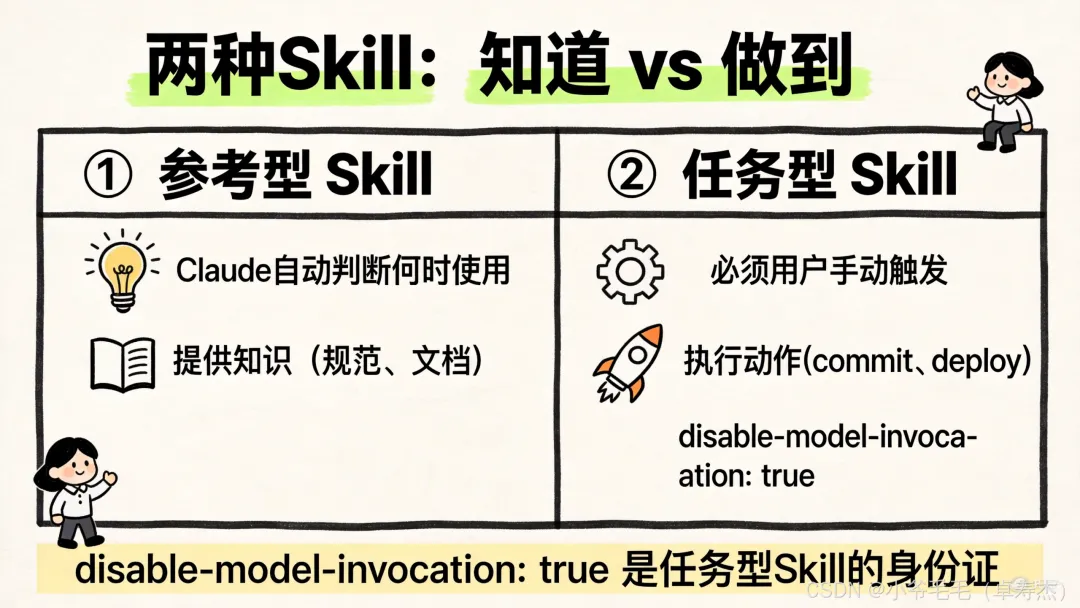
没有这句话,Claude 就可能"自作主张";有了这句话,Claude 绝不主动执行,除非你喊它。
💡 如果你写了某个 Skill,但不确定该不该让 Claude 自动触发,就问自己一个问题:
"Claude 自动执行这个操作,最坏情况是什么?"
如果答案让你觉得有点紧张的话,就加上
disable-model-invocation: true。
⚡ 动态上下文注入:让AI一启动就知道"现在什么情况"
斜杠命令最厉害的地方,不只是"一键执行",而是动态上下文注入。
什么意思?
当你输入 /pr-create "Add auth" 时,Claude 收到的是什么?
如果不用上下文注入:
Claude 收到的只是一个 Prompt 文本:"Create a pull request for Add auth"。它不知道你在哪个分支、有哪些 commit、改了什么文件。
所以 Claude 还得自己花 3-5 轮工具调用去收集这些信息。
1 2 3 4
Claude:让我先看看当前分支...
Claude:让我看看有哪些文件改了...
Claude:让我看看最近的 commit...
Claude:好的,现在我来创建 PR
4 轮工具调用,还没干活,先花了 4 次 API。
如果用了动态上下文注入:
Claude Code 会在发送 Prompt 之前,先执行预设的 shell 命令,把结果塞进 Prompt:
1 2 3 4 5 6 7 8 9 10 11 12 13 14 15 16 17 18 19 20 21
---
description: Create a pull request with auto-detected context
argument-hint: [title] [description]
disable-model-invocation: true
---
Create a pull request.
Title: $1
Description: $2
## Current Context (Auto-detected)
Current branch:
!`git branch --show-current`
Recent commits on this branch:
!`git log origin/main..HEAD --oneline 2>/dev/null || echo "No commits ahead of main"`
Files changed:
!`git diff --stat origin/main 2>/dev/null || git diff --stat HEAD~3`
Claude 实际收到的内容(命令执行后):
1 2 3 4 5 6 7 8 9 10 11 12 13 14 15 16 17 18 19 20
Create a pull request.
Title: Add auth
Description:
## Current Context (Auto-detected)
Current branch:
feature/auth
Recent commits on this branch:
a1b2c3d Add JWT middleware
d4e5f6g Add login endpoint
g7h8i9j Add user model
Files changed:
src/auth/middleware.ts | 45 +++
src/auth/login.ts | 82 +++
src/models/user.ts | 34 +++
3 files changed, 161 insertions(+)
Claude 启动时就拥有了完整上下文,直接生成 PR 标题和描述,0 次额外工具调用。
这就是动态上下文注入的威力:
!command | !command | |
|---|---|---|
| 快 | ||
| 高(固定注入相同信息) |
🛡️ Hooks:给危险操作装上"安全气囊"
任务型 Skill 执行的是有"副作用"的操作——提交代码、部署应用,这些操作会真实地改变系统状态。
你敢让 AI 自动执行这些操作吗?
反正我不敢。
但 Claude Code 的 Hooks 机制,给这些危险操作装上了"安全气囊"。
1 2 3 4 5 6 7 8 9 10 11 12 13 14 15 16 17 18 19
---
description: Safe deployment command
disable-model-invocation: true
allowed-tools: Bash(git:*), Bash(npm:*), Bash(ssh:*)
hooks:
PreToolUse:
- matcher: Bash
hooks:
- type: "command"
command: echo "About to run: $TOOL_INPUT" >> /tmp/deploy.log
PostToolUse:
- matcher: Edit
hooks:
- type: "command"
command: npx prettier --write "$FILE_PATH"
---
Deploy the application to staging environment.
PreToolUse:在执行命令之前记录日志,可以做额外检查
PostToolUse:在执行命令之后自动格式化代码
📦 实战:5 分钟打造你的专属命令集
说了这么多,来点实战干货。
命令一:智能提交 /commit
1 2 3 4 5 6 7 8 9 10 11 12 13 14 15 16 17 18 19 20 21 22 23 24 25 26 27 28
---
description: Quick git commit with auto-generated or specified message
argument-hint: [optional: commit message]
disable-model-invocation: true
allowed-tools: Bash(git status:*), Bash(git add:*),
Bash(git commit:*), Bash(git diff:*)
model: haiku
---
Create a git commit.
If a message is provided: $ARGUMENTS
- Use that as the commit message
If no message is provided:
- Analyze the changes with `git diff --staged`
- Generate a concise, meaningful commit message
## Steps
1. Check `git status` to see current state
2. If nothing staged, run `git add .` to stage all changes
3. Review what will be committed with `git diff --staged`
4. Create commit
5. Show the commit result
## Commit Message Format
- Start with type: `feat:`, `fix:`, `docs:`, `refactor:`
- Be concise but descriptive (max 72 chars for first line)
使用方式:
1 2
/commit # 自动生成 commit message
/commit fix: resolve login bug # 使用指定的 message
命令二:代码审查 /review
1 2 3 4 5 6 7 8 9 10 11 12 13 14 15 16
---
description: Review code for quality, bugs, and improvements
argument-hint: [optional: file path]
disable-model-invocation: true
allowed-tools: Read, Grep, Glob, Bash(git diff:*)
---
Review code and provide feedback.
Target: $ARGUMENTS (or current git diff if not specified)
## Review Focus Areas
1. **Bugs & Errors**: Logic errors, null checks, edge cases
2. **Security**: Input validation, injection risks
3. **Performance**: N+1 queries, memory leaks
4. **Readability**: Naming, complexity, documentation
使用方式:
1 2
/review # 审查当前 git diff
/review src/auth/login.ts # 审查特定文件
命令三:创建 PR /pr-create
1 2 3 4 5 6 7 8 9 10 11 12 13 14 15 16 17 18 19 20 21
---
description: Create a pull request with auto-detected context
argument-hint: [title] [description]
disable-model-invocation: true
allowed-tools: Bash(git:*), Bash(gh:*)
---
Create a pull request.
Title: $1
Description: $2
## Current Context (Auto-detected)
Current branch: !`git branch --show-current`
Recent commits: !`git log origin/main..HEAD --oneline 2>/dev/null || echo "No commits ahead of main"`
Files changed: !`git diff --stat origin/main 2>/dev/null || git diff --stat HEAD~3`
## Steps
1. Push current branch to remote
2. Create PR using `gh pr create`
3. Return the PR URL
使用方式:
1 2 3
/pr-create # 全自动生成
/pr-create "Add user auth" # 指定标题
/pr-create "Add auth" "JWT refresh" # 指定标题和描述
🏆 七步设计法:如何设计一个好的斜杠命令
最后送你一个设计清单,遇到不知道该怎么设计斜杠命令的场景,按这个顺序问自己:
commit、deploy、review | ||
disable-model-invocation: true | ||
allowed-tools | ||
! | ||
context: fork | ||
四大设计原则
① 单一职责原则:一个命令做一件事
1 2
✅ /commit, /push, /review
❌ /git-all-in-one
② 清晰命名原则:从名字就能知道它做什么
1 2
✅ /test:unit, /deploy:staging, /pr-create
❌ /do-stuff, /cmd1, /x
③ 权限最小化原则:严格控制每个任务的权限边界
1 2 3 4 5
# ✅ 精确授权——只允许 git 的特定子命令
allowed-tools: Bash(git status:*), Bash(git add:*), Bash(git commit:*)
# ❌ 过于宽泛——等于授权所有 shell 命令
allowed-tools: Bash(*)
④ 错误处理原则:显式处理错误路径
1 2 3 4 5 6
## Steps
1. Check if we're in a git repository
- If not, inform the user and stop
2. Check for uncommitted changes
- If none, inform the user that there's nothing to commit
3. Otherwise, proceed with the commit
📌 写在最后
程序员最宝贵的不是代码,是时间。
每次重复 git add . && git commit -m "xxx" && git push 都是对你时间的浪费。
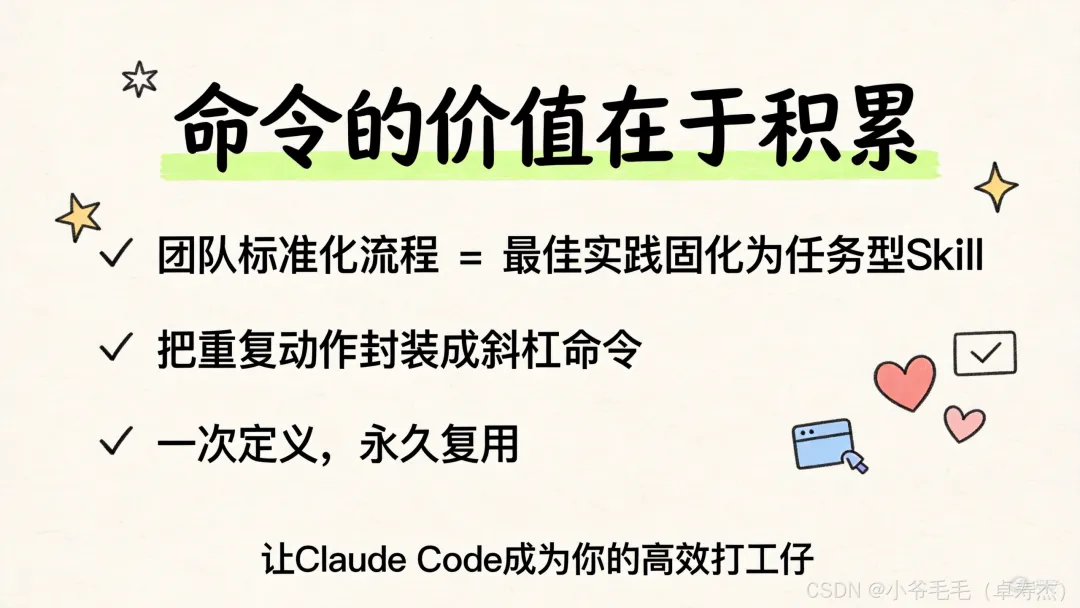
下次有人问你:"怎么提交代码?"
你直接甩他一个 /commit fix: resolve login bug。
让他感受一下什么叫令行禁止。
你在用 Claude Code 的斜杠命令吗?
有什么私藏的高效命令想分享?
评论区见 👇