 夜雨聆风
夜雨聆风


OpenClaw 调试与故障排查完全指南:从"虾"闹到"虾"顺的 5 步法

导语:OpenClaw 用久了难免遇到各种”虾”闹——Gateway 起不来、Agent 没反应、模型连不上、配置总报错。我把踩过的坑整理成 5 步排查法,让你从”虾”闹到”虾”顺。
一、为什么需要系统化的排查方法?
OpenClaw 是一个复杂的系统,涉及:
- • Gateway — 核心网关,连接所有渠道和 Agent
- • Agent — 执行具体任务的 AI 员工
- • 模型 — 本地或远程的大语言模型
- • 配置 — 复杂的 JSON 配置文件
- • 插件 — 扩展功能的模块
任何一个环节出问题,都会导致整个系统异常。没有系统化的排查方法,就像无头苍蝇一样到处乱撞。
常见”虾”闹场景:
- • Gateway 启动失败,报错信息看不懂
- • Agent 执行任务卡住,没有响应
- • 模型连接超时,不知道是哪一层的问题
- • 配置文件修改后,系统行为异常
- • 插件安装后,功能不生效
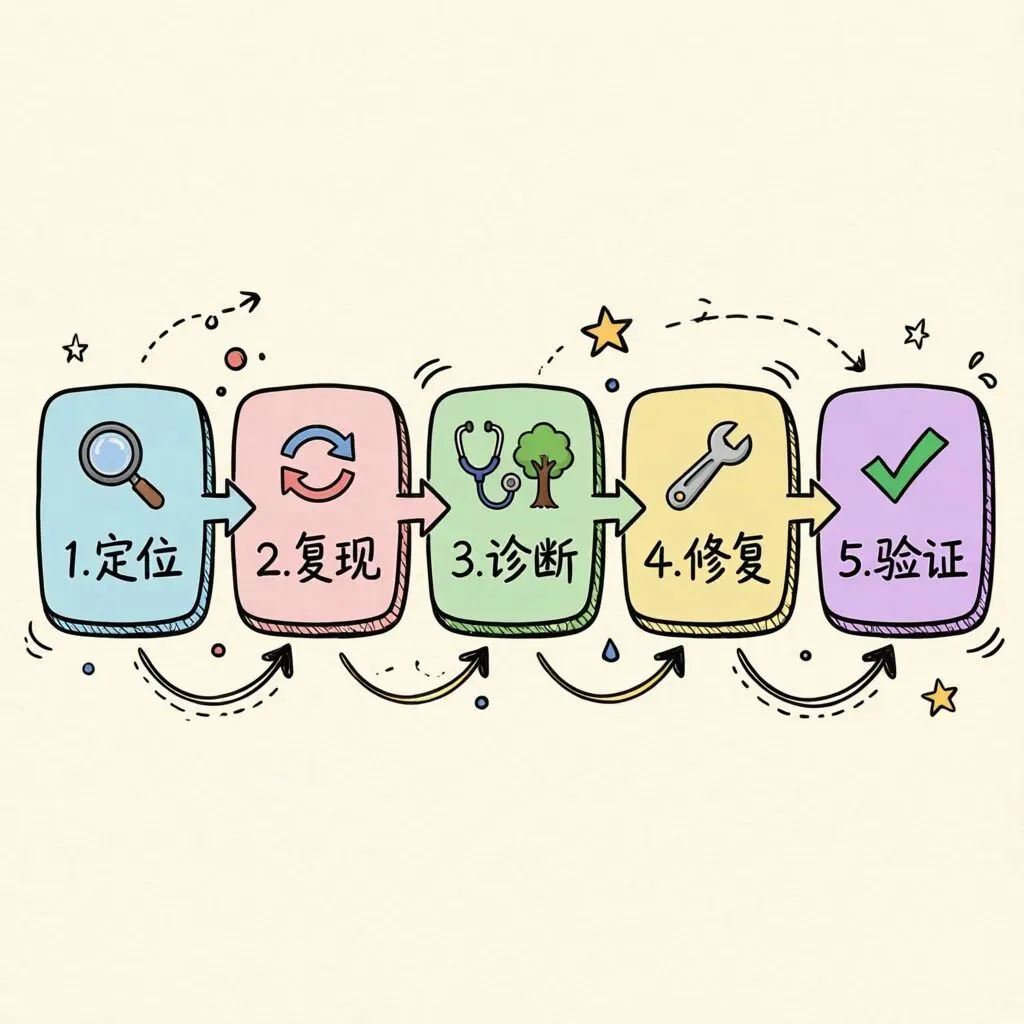
二、第 1 步:快速诊断(5 分钟定位问题范围)
2.1 检查 Gateway 状态
# 查看 Gateway 运行状态
openclaw status

# 预期输出:
# Gateway: running (pid: 12345)
# Version: 2026.5.28
# Uptime: 3d 12h
如果 Gateway 没运行:
# 启动 Gateway
openclaw gateway start

# 查看启动日志
openclaw logs --follow
2.2 检查 Agent 状态
# 列出所有 Agent
openclaw agents list

# 检查特定 Agent 状态
openclaw agent status <agent-id>
2.3 检查模型连接
# 测试模型连接
openclaw model test

# 查看模型配置
openclaw config get models
2.4 检查配置文件
# 验证配置文件语法
openclaw config validate

# 查看当前配置
openclaw config get
2.5 快速诊断清单
| 检查项 | 命令 | 正常状态 |
|---|---|---|
| Gateway 运行 | openclaw status |
running |
| Agent 加载 | openclaw agents list |
显示列表 |
| 模型连接 | openclaw model test |
success |
| 配置有效 | openclaw config validate |
valid |
| 插件加载 | openclaw plugins list |
显示列表 |
三、第 2 步:日志分析(找到错误根源)

3.1 日志级别设置
# 设置日志级别为 debug(最详细)
openclaw config set log.level debug

# 设置日志级别为 info(常规)
openclaw config set log.level info

# 设置日志级别为 warn(仅警告)
openclaw config set log.level warn
3.2 查看日志
# 查看最近 100 行日志
openclaw logs --tail 100

# 实时查看日志(调试用)
openclaw logs --follow

# 查看特定 Agent 的日志
openclaw logs --agent <agent-id>

# 查看特定时间段的日志
openclaw logs --since "2026-06-01T09:00:00" --until "2026-06-01T10:00:00"
3.3 日志关键词搜索
# 搜索错误日志
openclaw logs | grep ERROR

# 搜索警告日志
openclaw logs | grep WARN

# 搜索特定关键词
openclaw logs | grep "connection refused"
3.4 常见日志错误解析
| 错误关键词 | 含义 | 解决方案 |
|---|---|---|
connection refused |
连接被拒绝 | 检查端口/服务是否运行 |
timeout |
连接超时 | 检查网络/防火墙 |
authentication failed |
认证失败 | 检查 API Key/Token |
model not found |
模型未找到 | 检查模型配置 |
plugin load failed |
插件加载失败 | 检查插件依赖 |
config parse error |
配置解析错误 | 检查 JSON 语法 |
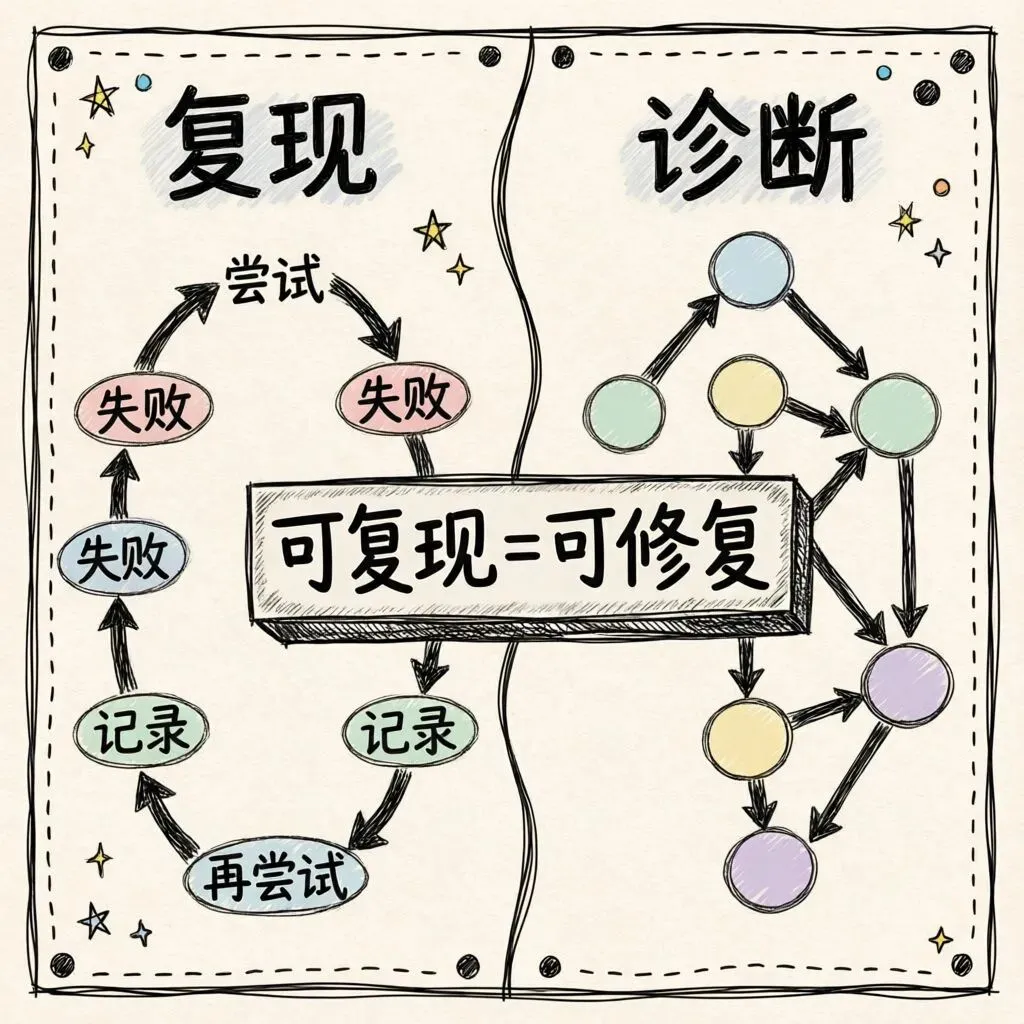
四、第 3 步:配置检查(排除配置问题)
4.1 配置文件位置
# 主配置文件
~/.openclaw/openclaw.json

# 环境变量配置
~/.openclaw/.env

# 插件配置目录
~/.openclaw/plugins/

# 日志目录
~/.openclaw/logs/
4.2 常见配置问题
问题 1:JSON 语法错误
// 错误示例:缺少逗号
{
  "gateway": {
    "enabled": true
    "port": 8080
  }
}

// 正确示例
{
  "gateway": {
    "enabled": true,
    "port": 8080
  }
}
问题 2:路径格式错误
// 错误示例:Windows 路径格式
{
  "workspace": "C:\\Users\\name\\workspace"
}

// 正确示例:macOS/Linux 路径格式
{
  "workspace": "/Users/name/workspace"
}
问题 3:模型配置错误
// 错误示例:缺少必要字段
{
  "models": {
    "default": {
      "provider": "openai"
    }
  }
}

// 正确示例
{
  "models": {
    "default": {
      "provider": "openai",
      "model": "gpt-4",
      "apiKey": "***"
    }
  }
}
4.3 配置验证工具
# 验证配置文件
openclaw config validate

# 检查特定配置项
openclaw config get gateway.enabled
openclaw config get models.default.provider

# 设置配置项
openclaw config set gateway.enabled true

# 重置配置为默认值
openclaw config reset
五、第 4 步:模型连接排查(解决 AI 不响应)

5.1 本地模型排查
# 检查本地模型服务
curl http://localhost:11434/api/tags

# 检查 llama-server
curl http://localhost:3323/health

# 检查 Atomic Chat
curl http://localhost:1337/health
5.2 远程模型排查
# 测试 OpenAI API
curl https://api.openai.com/v1/models \
  -H "Authorization: Bearer $OPENAI_API_KEY"

# 测试 Anthropic API
curl https://api.anthropic.com/v1/models \
  -H "x-api-key: $ANTHROPIC_API_KEY"
5.3 模型切换测试
# 切换到备用模型
openclaw config set models.default.provider anthropic
openclaw config set models.default.model claude-3-sonnet

# 测试新模型
openclaw model test

# 恢复原配置
openclaw config set models.default.provider openai
5.4 模型连接排查清单
| 检查项 | 本地模型 | 远程模型 |
|---|---|---|
| 服务运行 | curl localhost:11434 |
curl api.openai.com |
| 端口占用 | lsof -i :11434 |
无需检查 |
| API Key | 无需 | 检查环境变量 |
| 网络连接 | localhost | 外网访问 |
| 模型文件 | 检查磁盘空间 | 无需检查 |
六、第 5 步:插件和扩展排查
6.1 插件状态检查
# 列出所有插件
openclaw plugins list

# 查看插件详情
openclaw plugin info <plugin-name>

# 检查插件依赖
openclaw plugin check <plugin-name>
6.2 插件安装问题
# 重新安装插件
openclaw plugin install <plugin-name> --force

# 卸载插件
openclaw plugin uninstall <plugin-name>

# 清理插件缓存
openclaw plugin clean
6.3 常见插件问题
| 问题 | 原因 | 解决方案 |
|---|---|---|
| 插件加载失败 | 依赖缺失 | npm install 安装依赖 |
| 插件版本不兼容 | 版本冲突 | 升级/降级插件版本 |
| 插件配置错误 | 配置缺失 | 检查插件文档 |
| 插件权限不足 | 权限问题 | 检查文件权限 |
七、高级排查技巧
7.1 使用 doctor 命令
# 全面诊断
openclaw doctor

# 检查特定项目
openclaw doctor --check-config
openclaw doctor --check-models
openclaw doctor --check-plugins
openclaw doctor --check-network
7.2 网络排查
# 检查端口占用
lsof -i :8080
lsof -i :1337

# 检查网络连接
ping api.openai.com

# 检查 DNS 解析
nslookup api.openai.com

# 检查防火墙
sudo iptables -L | grep 8080
7.3 性能排查
# 查看 CPU/内存使用
top -p $(pgrep openclaw)

# 查看磁盘空间
df -h

# 查看进程详情
ps aux | grep openclaw
八、常见问题速查表
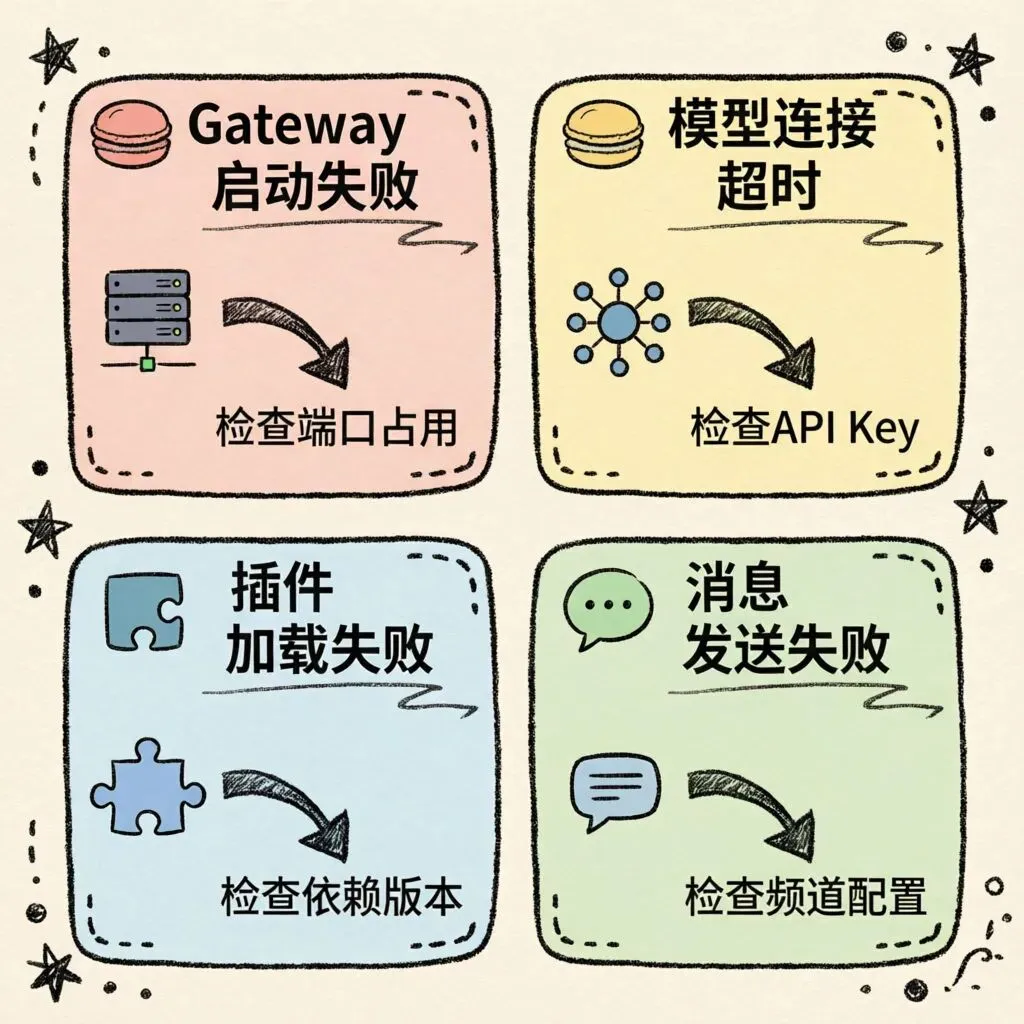
8.1 Gateway 启动失败
| 错误信息 | 原因 | 解决方案 |
|---|---|---|
port already in use |
端口被占用 | 更换端口或关闭占用程序 |
permission denied |
权限不足 | 使用 sudo 或修改权限 |
config not found |
配置缺失 | 运行 openclaw init |
plugin load failed |
插件错误 | 禁用问题插件 |
8.2 Agent 无响应
| 现象 | 原因 | 解决方案 |
|---|---|---|
| 任务卡住 | 模型超时 | 检查模型连接 |
| 返回错误 | 配置错误 | 检查 Agent 配置 |
| 无输出 | 日志级别高 | 设置 debug 级别 |
| 循环执行 | 逻辑错误 | 检查 Agent 提示词 |
8.3 模型连接失败
| 错误 | 原因 | 解决方案 |
|---|---|---|
401 Unauthorized |
API Key 错误 | 检查环境变量 |
429 Too Many Requests |
请求超限 | 降低请求频率 |
500 Internal Error |
服务端错误 | 稍后重试 |
timeout |
网络问题 | 检查网络连接 |
九、总结:5 步排查法
遇到问题
   ↓
第 1 步:快速诊断(5 分钟)
   - 检查 Gateway、Agent、模型、配置、插件状态
   ↓
第 2 步:日志分析
   - 设置 debug 级别,查看错误日志
   ↓
第 3 步:配置检查
   - 验证 JSON 语法,检查路径和模型配置
   ↓
第 4 步:模型排查
   - 测试本地/远程模型连接,尝试切换模型
   ↓
第 5 步:插件排查
   - 检查插件状态,重新安装问题插件
   ↓
问题解决 ✅
📌 行动清单
- • [ ] 收藏本文,遇到问题按图索骥
- • [ ] 运行
openclaw doctor做一次全面体检 - • [ ] 设置日志级别为 debug,熟悉日志格式
- • [ ] 备份当前配置文件(
cp ~/.openclaw/openclaw.json ~/.openclaw/openclaw.json.bak) - • [ ] 测试所有模型连接,确保备用方案可用
👇 互动话题
你在使用 OpenClaw 时遇到过最诡异的 bug 是什么?评论区聊聊,大家一起排查~
如果这篇文章对你有帮助,欢迎「在看」+「转发」给需要的朋友
作者:Alex(岸上程序员)\ 发布日期:2026-06-10\ 系列:OpenClaw 入门指南 第 32 篇