ARTICLE · 1041379
AI: From Chat to Work: A Practical Introduction to AI for Small and Mid-sized Businesses
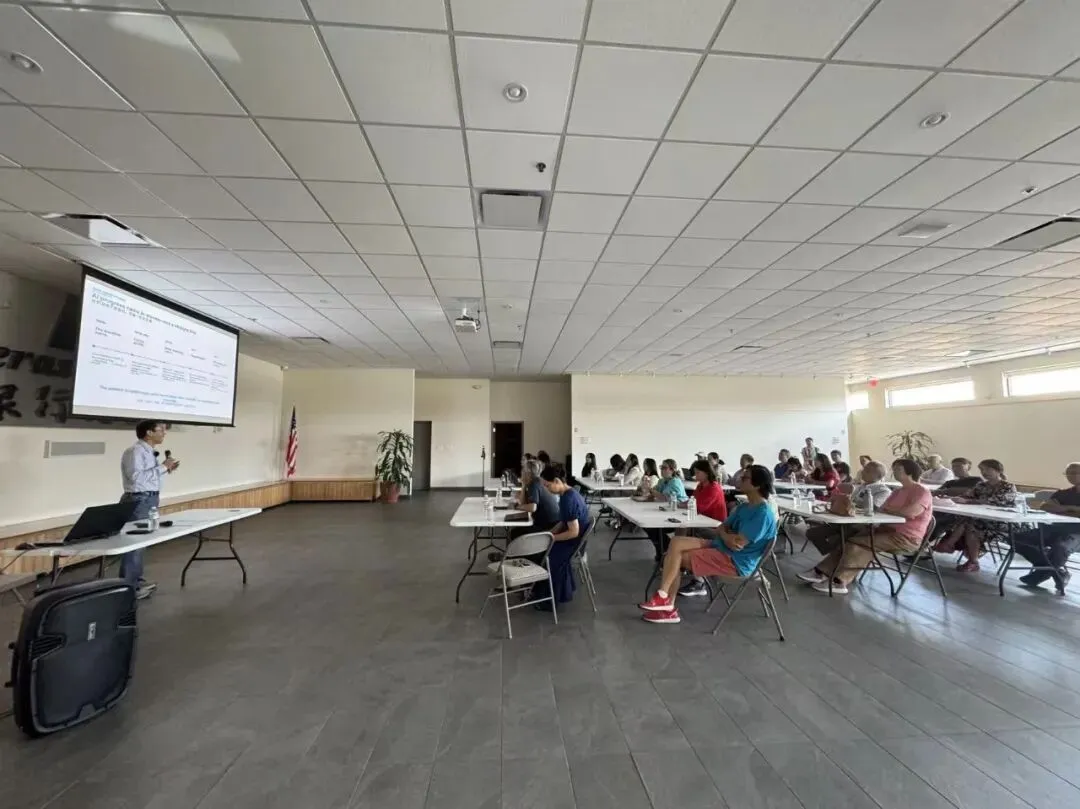
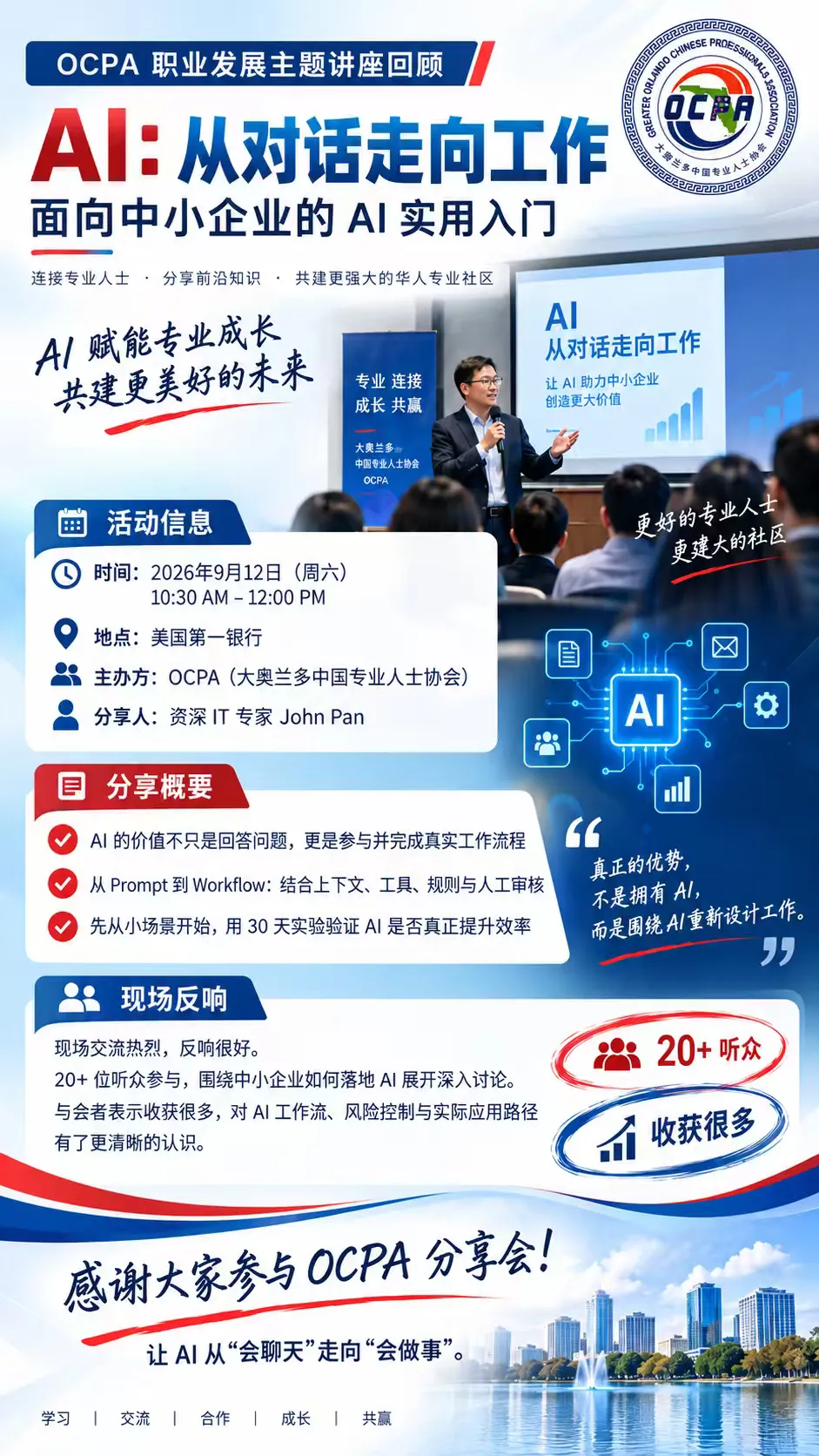
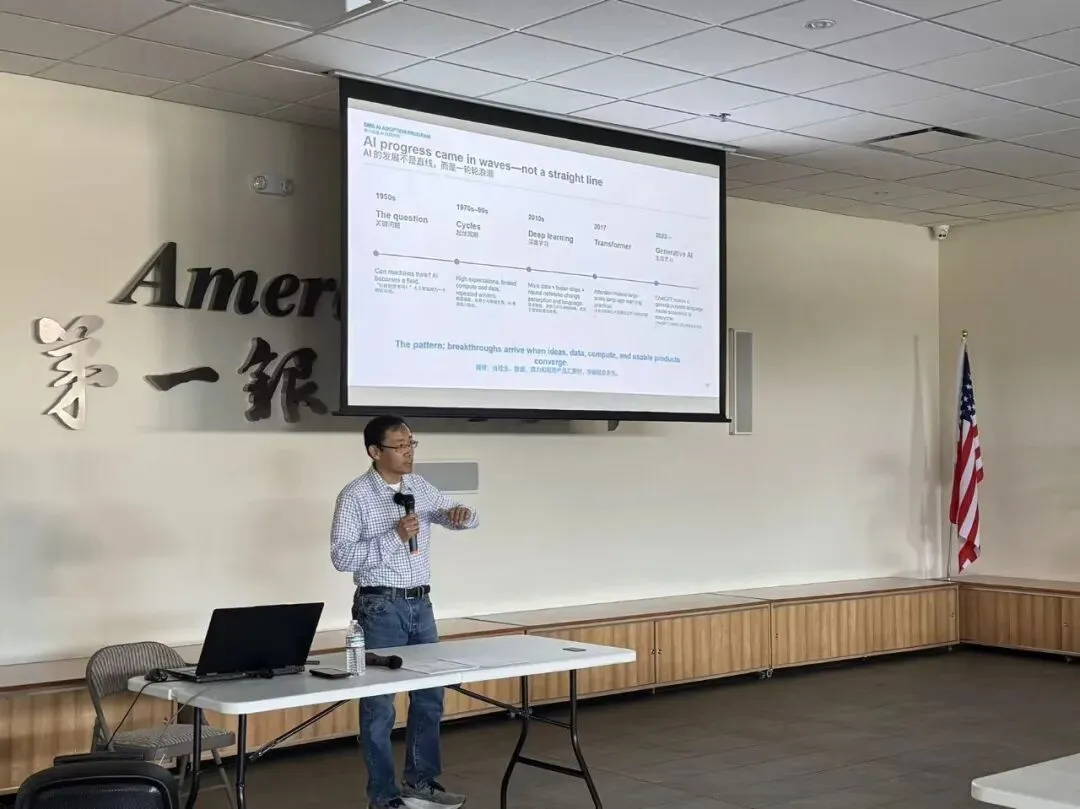
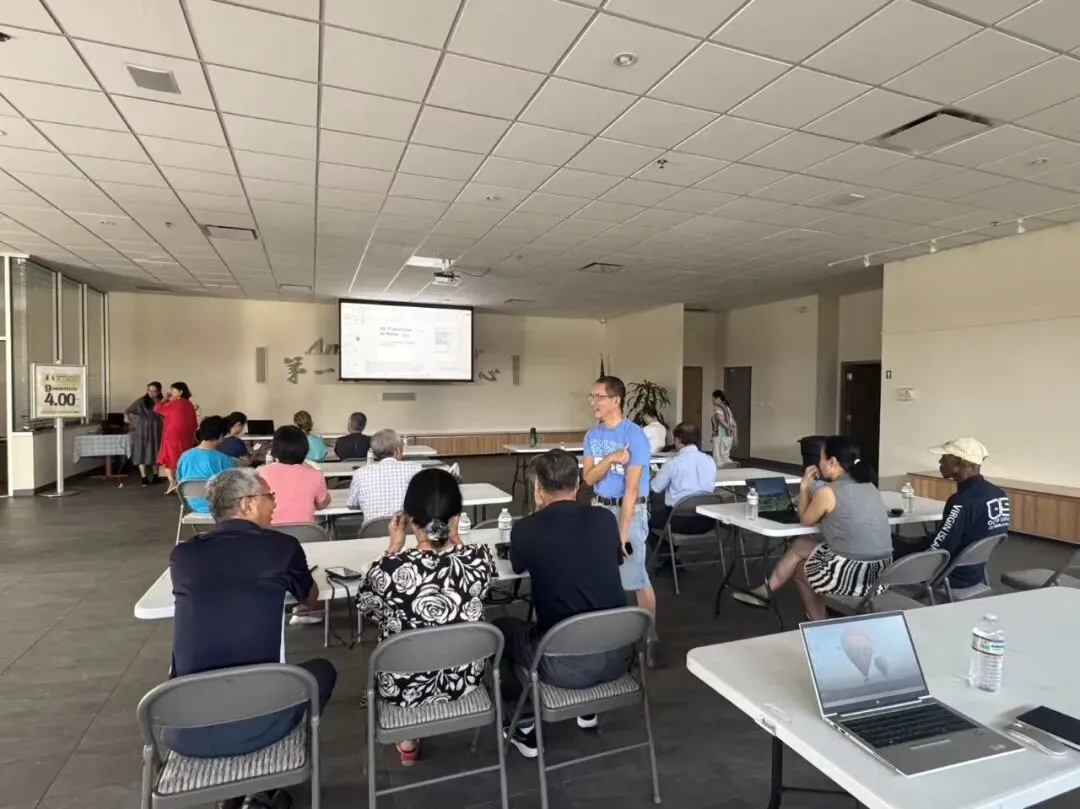
Editor's Note: On September 12, 2026, the Orlando Chinese Professionals Association (OCPA) successfully hosted a seminar as part of its Career Development Series. The event featured senior IT expert John Pan, who delivered a presentation titled "AI: From Chat to Work — A Practical Introduction to AI for Small and Mid-Sized Businesses."
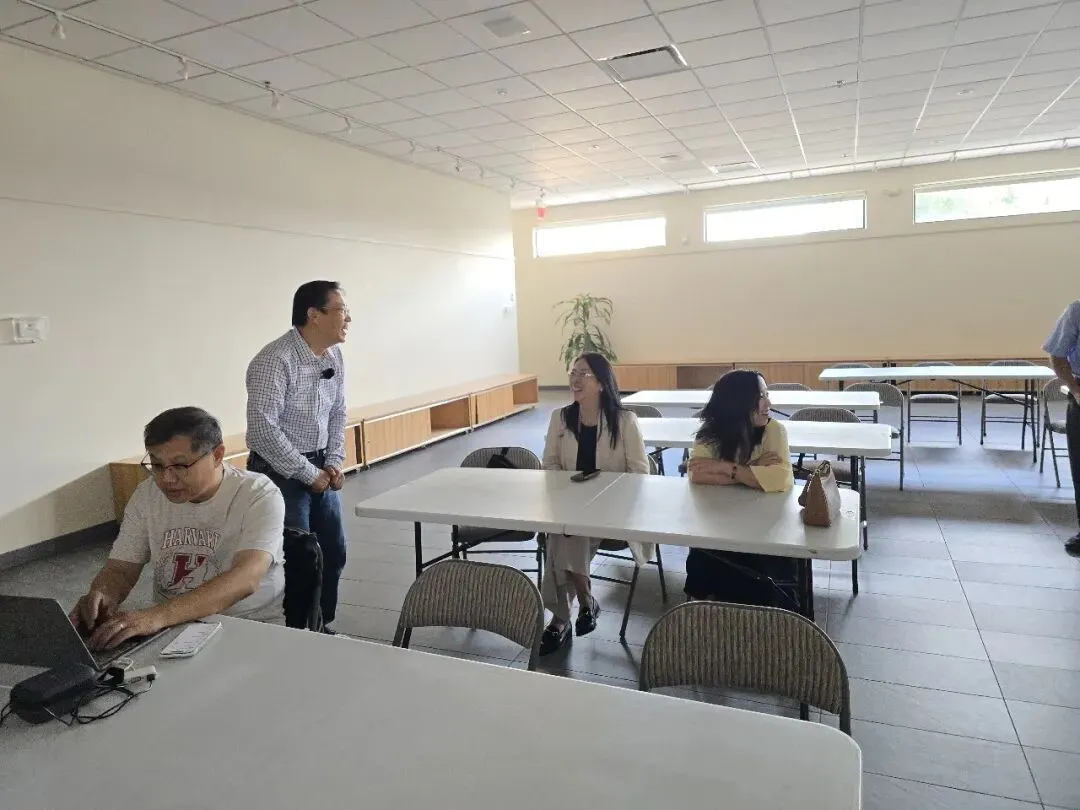
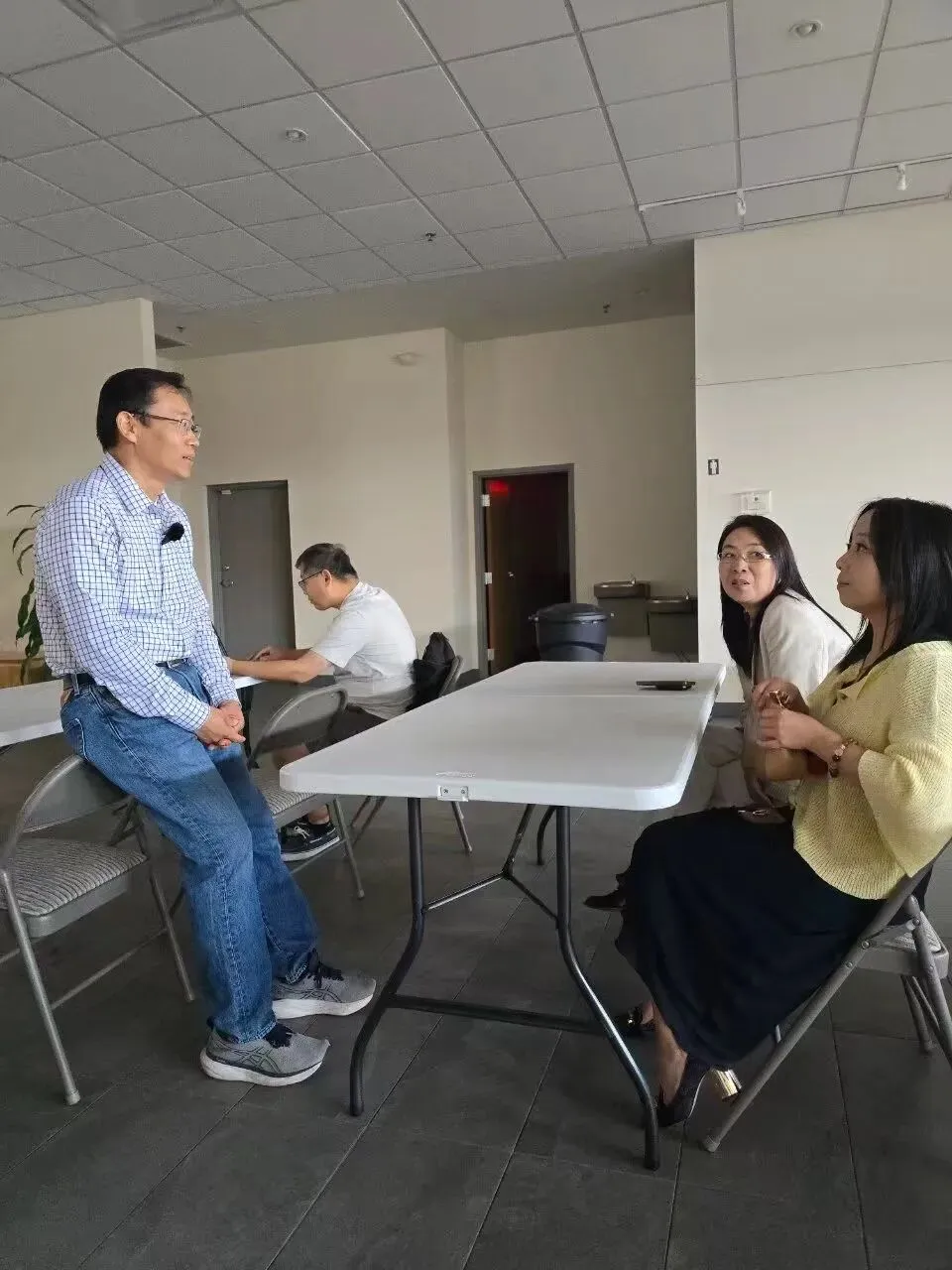
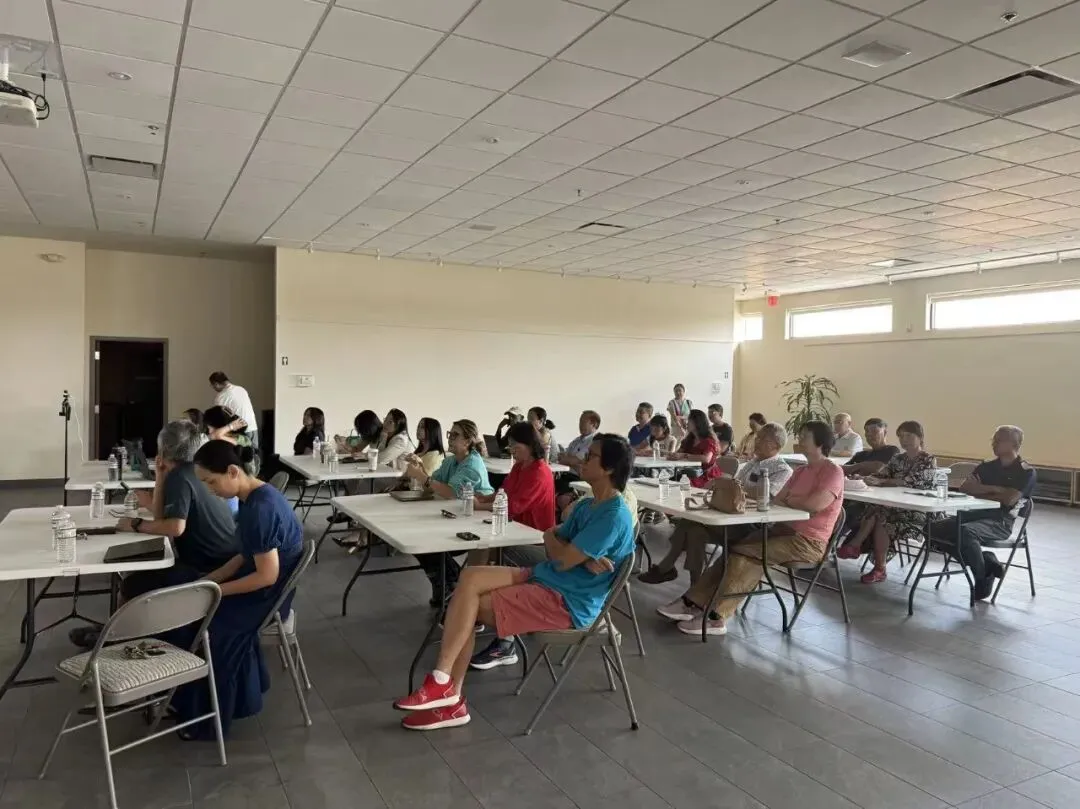
Unlike mainstream seminars that primarily focus on "tool recommendations," this session centered on "corporate division of labor and process re-engineering." It explored how to elevate AI from a one-off conversational tool into a real-world workflow complete with context, rules, human oversight, and measurable outcomes. The event was seamlessly organized and sparked lively interaction among attendees.
To assist members who were unable to attend—as well as small and mid-sized business (SMB) leaders—in reviewing and applying these insights, OCPA has compiled the key takeaways and practical frameworks from the session into the following summary for reference and implementation.
AI: From Chat to Work
A practical introduction to AI for small and mid-sized businesses
OCPA Career Development Seminar · Meeting Notes
Date | September 12, 2026 | Time | 10:30 AM – 12:00 PM |
Venue | First Bank of America | Host | OCPA |
Speaker | John Pan, Senior IT Specialist | Format | Talk, demos, hands-on, discussion |
Executive SummaryThis session was not about tools. It was about the division of labor.
The point of the session was not to add more AI tools to anyone’s stack. It was a more important shift: the real value of AI is not answering questions, but taking part in and completing real work, inside a defined context, with tools, rules, and human review.
John Pan started from the basics of generative AI and worked through the relationship between Prompt, Context, Tools, Skills, Agent, and Workflow. His recommendation was specific: when a business adopts AI, do not start by trying to automate a whole job. Start by finding one small piece of work that recurs, is already digital, has clear boundaries, can be reviewed, and is genuinely worth doing better.
The whole session comes down to three shifts. From chat to work. From a one-off prompt to a repeatable workflow. From wanting AI to look smart, to building a work system that can be verified, corrected, and owned by someone. |
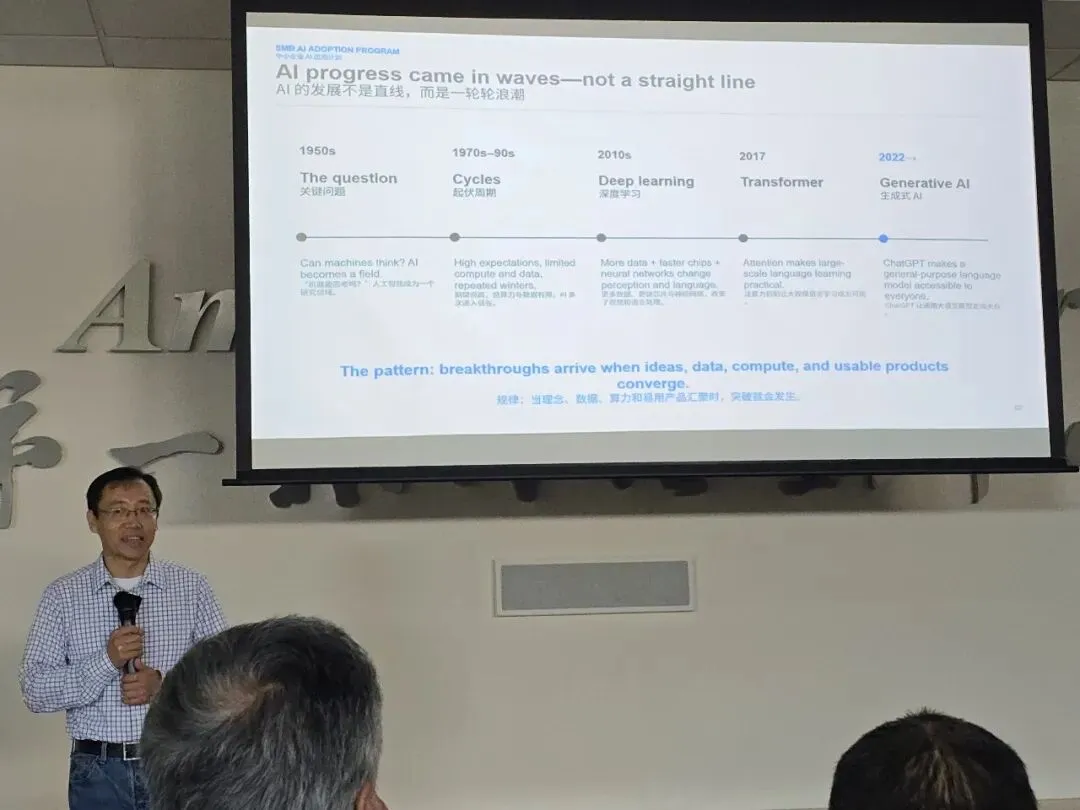
01AI did not arrive in a straight line. It arrived in waves.
The history section was brief. For a business owner, the point is not the dates but the pattern: breakthroughs happen when ideas, data, computing power, and usable products mature at the same time.
1950s | The founding question: can machines think? AI becomes a research field. |
1970s–90s | Boom and bust. High expectations, limited compute and data, several winters. |
2010s | Deep learning. More data, faster chips, and neural networks reshape vision and language. |
2017 | Transformer. Attention makes large-scale language learning possible. |
2022 → | Generative AI. ChatGPT puts general- purpose models in everyone’s hands. |
Machine learning inverts the traditional programming model
Traditional software | Machine learning |
Input + human-written rules ↓ Output | Input + desired output ↓ A learned model |
Developers no longer have to spell out every rule. They supply examples and let the system learn the mapping from input to output. Think of reading a W-2: rather than hand-coding every recognition rule, you show the system many examples along with the right answers.
Foundation models changed the economics
Before: one task, one model | Now: one general model, many tasks |
Detect fraud · Classify email · Recognize images · Forecast demand | Language · Images · Code · Reasoning Customized through instructions, context, tools, examples, and guardrails |
This is the change that matters: a business no longer trains a model from scratch for each use case. It customizes a general model with its own context and its own workflows.
02The prompt is only the start. Context is what makes AI understand your business.
A vague request | A better request |
“Write a marketing email.” The model has to guess: who it is for, what the selling point is, what tone to use, what evidence exists, and what the reader should do next. | Goal + audience + context + constraints + output format State what success looks like. Less guessing, and a better first draft. |
But no prompt, however good, can substitute for missing customer data, live systems, and a repeatable procedure. What moves AI from generic answers to business answers is context engineering.
General model General human knowledge | + Your context Client records · policies · past correspondence · company files | = Relevant answers For this client, this firm, this situation |
Supply only the data the system is cleared to use. Convenience is not a reason to widen a permission boundary.
03Tools, skills, and a harness that can actually do work
Tools: how AI reaches the real world
Search | Find current facts beyond the training data |
Query | Read business systems it is cleared to access |
Calculate | Use reliable engines and formulas |
Create | Produce files, reports, decks, and forms |
Execute | Update systems under authorization and approval |
The model does the reasoning. Tools bring real data, real reach, and real consequences. |
Skills: putting a proven method on file
A skill is not a prompt rewritten every time. It is a proven way of working, captured once as reusable instructions covering four things:
•When to use it: Recognize the right task
•How to do it: Follow a validated procedure
•What to use: Pick the tools, templates, and data
•How to verify: Check quality, safety, and completeness
Knowledge tells AI what is true. Tools give it capability. Skills organize how it works. |
The harness: what makes a model usable for business
Instructions | Context | Memory | Files |
Tools | Skills | Permissions | Evaluation |
The model (reasoning engine) Harness engineering: designing an environment where AI can work safely and succeed |
A stronger model helps. Business results still depend on these eight things around it.
Coding agents proved the approach works
Early: AI inside the editor | Agent-first: AI operating the whole environment |
Suggest a line of code Explain an error Draft a function | Read the codebase Use command-line tools Edit multiple files Run tests and iterate until they pass |
The breakthrough was not whether AI can write code. It was whether AI was given a workspace where it can act, get feedback, and verify the result. The same pattern is now moving from software into finance, sales, marketing, and operations: reconciling transactions, preparing the close, researching accounts, updating follow-ups, analyzing performance, monitoring change, preparing reports.
04Chat mindset, work mindset
Chat mindset | Work mindset |
“Tell me how to do it.” What you get: advice, drafts, explanations. | “Work with me to get it done.” What you get: finished output, updated systems, a procedure that has been verified. |
Throughout, three things stay with the human: setting the goal, exercising judgment, and approving anything with real consequences. The aim is not autonomy for its own sake. It is effective delegation under human control.
A practical maturity ladder
1 | Conversation | Answering and drafting | |
2 | Reasoning | Analysis and planning | |
3 | Agents | Using tools, completing workflows | ← today’s focus |
4 | Discovery | Independent research, new insight | |
5 | Organization | Coordinating work at enterprise scale |
Levels 1 and 2 are widely available, level 3 is becoming practical, and levels 4 and 5 are early and uneven. This is a teaching frame, not an industry standard.
There is still a wide gap between talking to AI and handing work to it. After six months of use, daily messages rise about 50 percent and the variety of tasks attempted roughly doubles. Codex has more than five million weekly users, over a million of them outside software development. People do expand what they use AI for, but adoption of deep agentic workflows still lags far behind everyday chat. That gap is the opening for a small business. |
05Do not automate a job. Pick one piece of work.
For a first AI workflow, do not start with “how do I replace a position.” Ask instead: which single thing do I repeat every week, and could AI do part of it for me?
Repetitive | Happens often enough to be worth capturing |
Digital | Inputs and outputs are already files or data |
Bounded | Clear start, clear finish, clear definition of done |
Reviewable | A person can check it before it has effect |
Valuable | Saves time, improves consistency, or surfaces insight |
Participants used a Workflow Card to get this onto paper: start with the business and the one job that comes back every week, then fill in the rest during each hands-on segment. The card describes work. It carries no names, firm names, or contact details.
06WORKS: five questions for designing an AI workflow
W | Work Outcome | What finished result do you need? |
O | Operating Context | Which files, facts, and systems matter? |
R | Rules | What constraints, permissions, and approvals apply? |
K | Knowledge + Tools | What expertise and capabilities does it take? |
S | Success Check | How do you verify quality and completeness? |
Workflow = Prompt + Environment + Procedure + Test |
The advantage is not owning AI. It is redesigning the work around it. Three steps: pick a task worth doing, build the harness with WORKS, keep human judgment and the final sign-off. |
07Three demos: what it looks like when AI actually does the work
Demo 1: organizing documents
The session opened on a messy Google Drive, then had AI sort the files into business categories: Product Plans, AI Workshop, Finance & Property, Research, Images & QR Codes. The point was not asking AI how to organize the files. It was having AI do the organizing. The before and after are on slides 21 and 22.
Demo 2: organizing the inbox
A crowded Gmail account became a labeled structure by business category: Banking, Legal, Insurance, Property, Newsletter. AI moved from reading email and offering suggestions to maintaining the working environment itself. Slides 23 and 24.
Demo 3: career planning
An AI skill applied to career and life planning. “Six Steps, Seven Skills” showed how to turn a one-off conversation into a structured process that can be repeated and that accumulates results.
A prompt is what you retype every time. A skill is a process you design once and run again and again. |
Three patterns that combine
Retrieval | Human in the loop | Routing |
Look at your own material before answering. Do not rely on the model’s memory. | The machine drafts. It only counts once a person signs. | Sort by type, then send each type down its own path. |
Put those three together and you have what is already on the market: invoice and receivables follow-up, receipt and expense capture, pre-close reconciliation. The session was explicit that these are capability categories only, with no pricing and no rankings.
08Case study: how Lakeside redrew the division of labor
The workshop used a fictional firm, Lakeside Tax & Advisory: two partners, three staff, about 220 returns a year, bilingual clients. Close enough in size to most people in the room that the bottlenecks are close too. All materials were synthetic. No real client was involved.
Before: five steps, four of them manual
Materials arrive trigger | Someone sorts manual | Someone checks gaps manual · painful | Someone chases manual | Someone reviews, sends manual |
After: three steps handed over, the last one kept
Materials arrive unchanged | Categorize AI | Check for gaps AI | Draft the notice AI | Review and send human gate |
This workflow uses two of the three patterns: retrieval plus human in the loop. The point is not removing the person. It is handing over the middle three steps and keeping the last one, which was never handed over and should not be.
Now your workflow: which step is the sorting? Which is the chasing? Which is the drafting? And which one should always need a person to nod?
09Drafting is fast. Checking is the work.
The line worth remembering from the whole session. In thirty seconds AI produced a memo with clean formatting, the right tone, plausible-looking citations, and the appearance of something you could send to a client as is.
The rule it cited does not exist. Catching that took ten seconds. The problem is that those ten seconds are due on every single one. |
The demo included a second failure of a completely different shape: a stack of receipts booked automatically, categories tidy, amounts tying out. You would wave it through. One entry is wrong, and the only way to see it is to go back to the source document.
Type one: falls apart when checked | Type two: invisible unless checked |
A fabricated citation. Cheap to verify, but you pay that cost on every item. | Looks entirely correct and is not. This is the shape to actually guard against. |
So when you size up the return on AI, do not count only the time saved on generation. Count the cost of verification. If checking each output takes about as long as writing it yourself, that workflow should not be handed over.
The session also described its own measurement discipline: volumedrafted, volume rejected in review, time from input to review-ready. Those are on record. Where there is no number, the answer is that there is no number. Nothing is invented. That is also why everyone is asked to set their own baseline.
10Four traps
Garbage in Without enough context, AI can only produce plausible-sounding filler. | Taking the human out of the loop Anything that goes out, carries a number, or makes a commitment keeps a human gate. |
Handing over what should not be handed over Client data going into a tool nobody vetted. | Ten tools, no redesigned workflow A pile of subscriptions is not productivity. |
11The data sensitivity ladder, and what happens when it is wrong
Public | Anyone can see it |
Internal | Your team only |
Confidential | Named people only |
Personal | About an identifiable individual |
Regulated | A law or a license governs it |
Take the highest rung that applies. One counterintuitive point that matters: having regulated data does not mean the workflow is off the table. Start with the least sensitive slice of it.
The real question is not whether it will be wrong. It is what happens when it is. Who catches it? How long does that take? Can it be pulled back? |
The things that cannot be pulled back, money, health, legal status, do not go down this path. That is also why the session demonstrated no investment advice and no tax position calls.
Responsible-use checklist
•The outcome this workflow should improve, and who owns the workflow, are written down
•Data is classified before it goes into any tool
•Confidential, personal, regulated, account, and client data stay out unless the environment and the rules expressly allow it
•The tool’s retention, training, sharing, and admin settings are understood
•Anything going outside, and any consequential decision, is reviewed by a person
•Where accuracy matters, claims can be traced to a source
•There is a written path for catching, escalating, and correcting errors
•The pilot has a baseline, one primary metric, a review date, and a stop condition
•Before the workflow expands, colleagues are briefed by role on how to use it
12Run a 30-day experiment, not a rollout
The goal is not to prove AI is impressive. It is to answer one specific question: is AI useful on this workflow of mine.
What you test | One slice of one workflow |
Today’s baseline | An estimate is fine; label it as one |
What counts as success | One metric, not three |
Who reviews | Name the role, not the person |
What makes you stop | The one people skip. Do not skip it. |
For this workflow, we will test ________________ for ____________. Today’s baseline is ________________. Success means ________________. Every output is reviewed by ____________ (role) before ____________. If ________________ happens, we stop or adjust. Lakeside example (fictional): Test automatic checklist comparison and a list of missing items, for four weeks. Baseline: roughly 3 out of every 10 returns need a second round of chasing (estimated). Success: down to 1 in 10. A partner reviews every chase notice before it goes out. If two consecutive weeks show no improvement, stop or adjust. |
Six paths, your choice
Run it yourself · Workflow clinic · Readiness assessment · Talk about a measured pilot · Better suited to another provider · Not now
A well-reasoned “not now” is a completed card, not a failed one.
13Three things to take away today
① A workflow card | ② A responsible-use checklist | ③ A 30-day experiment |
How your workflow runs today, which step hurts most, which suits AI, and which must stay human. | What data may go into AI, who reviews, and how errors get caught and corrected. | What you test, the baseline, the success bar, who reviews, and what makes you stop. |
Seven takeaways
•Stop treating AI as a chatbot: The next stage of value comes from AI taking part in real work.
•Prompts matter, and prompts are not enough: Context, tools, skills, rules, and validation together make a workflow stable.
•Do not automate a job, improve a task: Pick the one that is repetitive, digital, bounded, and reviewable.
•Keep the division of labor clear: AI carries the repeatable middle. People carry judgment and the final gate.
•Count verification cost:Fast generation is not higher productivity.
•Run a small experiment first: With a metric and a stop condition, before deciding whether to expand.
•Classify data before it enters a tool: What happens when it is wrong matters more than whether it will be.
The point of this session was not to get everyone using a few more AI tools. It was to move AI from a one-off conversation tool to a real workflow: with context, with tools, with rules, with human review, and with results you can measure. |
Notes compiled from the OCPA session record and the presentation deck “smb-ai-workshop-OCPA-2026-09-12” (49 slides). The firm, client records, and documents shown in the demos are synthetic. No real client was involved. Speaker: John Pan, jpan@nestpilot.net
AI:从对话走向工作
资深专家John Pan拆解中小企业AI落地路径
与市面上侧重“工具推介”的讲座不同,本次活动聚焦于“
为方便未能到场的会员及广大中小企业管理者复盘学习,OCPA 特将现场核心干货与实操框架整理为以下会议纪要,
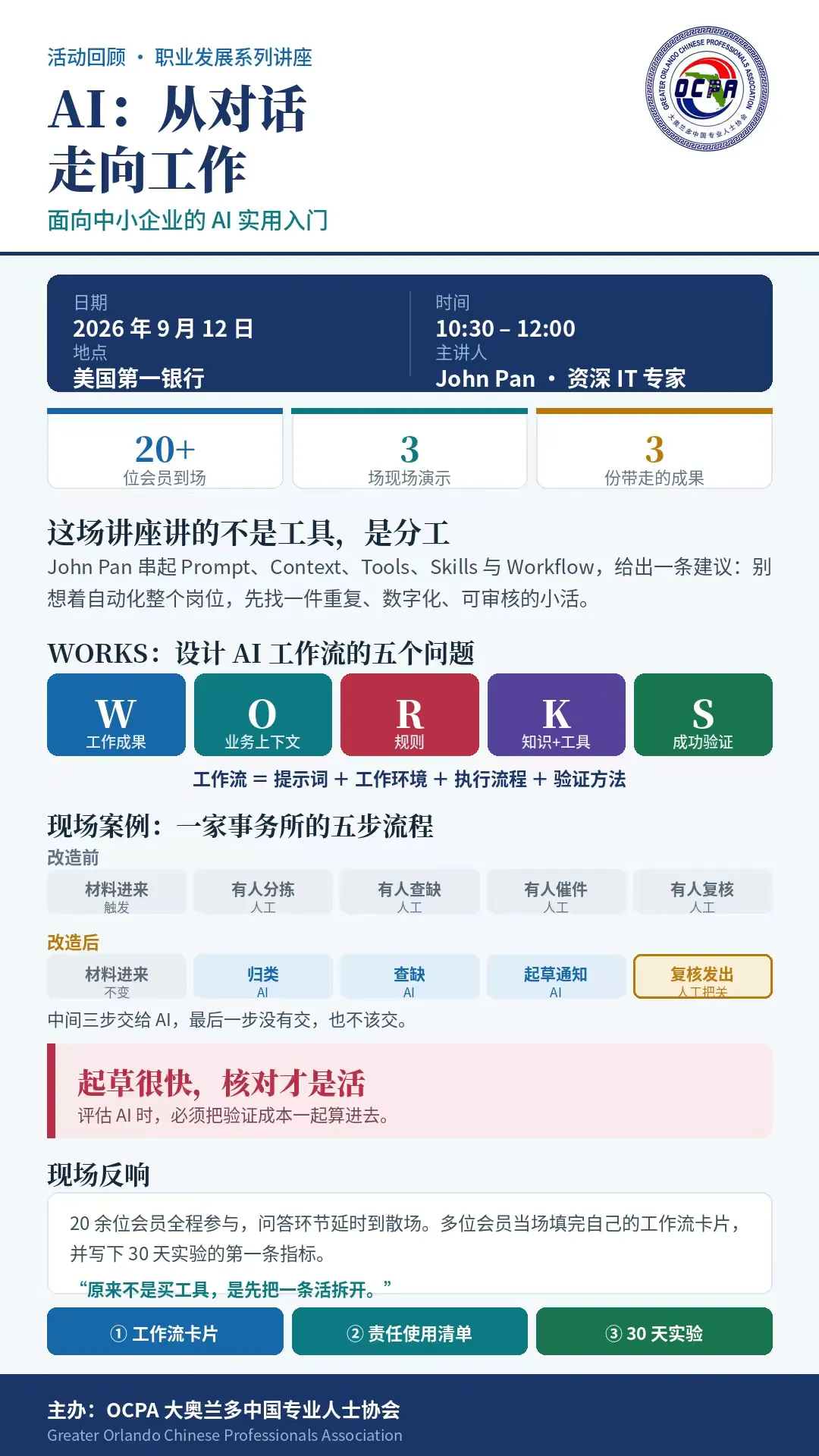
AI:从对话走向工作
面向中小企业的 AI 实用入门
OCPA 职业发展主题讲座 · 会议纪要
日期 | 2026 年 9 月 12 日 | 时间 | 10:30 AM – 12:00 PM |
地点 | 美国第一银行 | 主办方 | OCPA |
主讲人 | John Pan,资深 IT 专家 | 形式 | 讲解 + 演示 + 动手 + 讨论 |
核心摘要 这场讲座讲的不是工具,是分工
本次讲座的核心不是介绍更多 AI 工具,而是一个更重要的转变:AI 的真正价值不只是回答问题,而是在明确的上下文、工具、规则和人工审核机制下,参与并完成真实工作。
John Pan 从生成式 AI 的基本原理讲起,一路串起 Prompt、Context、Tools、Skills、Agent和 Workflow 之间的关系,并给出一条明确建议:企业用 AI,不要一上来就想自动化整个岗位,而应该先找到一件重复发生、已经数字化、边界清楚、可以审核、并且真正有价值的小型工作。
整场讲座,就是三个转变。 从 Chat 到 Work |从单次 Prompt 到可重复 Workflow |从追求 AI 看起来聪明, 到建立可验证、可纠错、有人负责的工作系统。 |
01 AI 的发展不是直线,是一轮轮浪潮
历史部分讲得很简洁。对企业经营者来说,重点不是记住年份,而是理解一条规律:当理念、数据、算力和易用产品同时成熟,突破就会发生。
1950s | 关键问题:机器能思考吗?人工智能成为一个研究领域。 |
1970s–90s | 起伏周期:期望很高,算力与数据有限,几次进入低谷。 |
2010s | 深度学习:更多数据、更快芯片与神经网络,改变了视觉和语言处理。 |
2017 | Transformer:注意力机制让大规模语言学习成为可能。 |
2022 → | 生成式 AI:ChatGPT 让通用大语言模型走向大众。 |
机器学习把传统编程模式反转了
传统软件 | 机器学习 |
输入 + 人写的规则 ↓ 输出 | 输入 + 期望输出 ↓ 学到的模型 |
开发者不再需要把每一条规则逐条写出来,而是提供样例,让系统学会输入与输出之间的映射。可以用W-2 识别作类比:与其手写每一条识别规则,不如给系统看大量样例和正确答案。
基础模型改变了 AI 的经济性
过去:一个任务,一个模型 | 现在:一个通用模型,多种任务 |
识别欺诈 · 分类邮件 · 识别图像 · 预测需求 | 语言 · 图像 · 代码 · 推理 通过指令、上下文、工具、样例和护栏进行定制 |
这是关键变化:企业不再需要为每个用例从头训练模型,而是用自己的上下文和工作流,去定制一个通用模型。
02 Prompt 只是起点,Context 才让 AI 懂业务
模糊的请求 | 更好的请求 |
“写一封营销邮件。” 模型只能自己猜:写给谁、卖点是什么、什么语气、有什么证据、希望对方下一步做什么。 | 目标 + 受众 + 上下文 + 约束 + 输出格式 明确成功标准,减少猜测,第一稿质量就更高。 |
但提示词再好,也补不上缺失的客户数据、实时系统和可重复流程。真正让AI 从通用答案转向业务答案的,是上下文工程(Context Engineering)。
通用模型 通用人类知识 | +您的上下文 客户资料 · 业务政策 · 历史沟通 · 企业文件 | =相关的答案 基于这个客户、这家公司、当前情境 |
只提供系统获准使用的数据。权限边界不能因为好用就放宽。
03 工具、技能,和一个能干活的工作框架
工具:让 AI 连接真实世界
搜索 | 查找训练数据之外的最新事实 |
查询 | 读取获准访问的业务系统 |
计算 | 调用可靠的计算引擎与公式 |
创建 | 生成文件、报告、演示文稿和表单 |
执行 | 在授权与审批下更新系统 |
模型负责推理;工具带来真实数据、行动范围与实际结果。 |
技能:把成熟的做法固化下来
Skill 不是每次重新写提示词,而是把一套经过验证的工作方法沉淀成可复用的指令,包含四件事:
•何时使用:识别合适的任务
•如何完成:遵循经过验证的流程
•使用什么:选择工具、模板与数据
•如何验证:检查质量、安全与完成度
知识告诉 AI 什么是真实的;工具赋予 AI 能力;技能组织 AI 如何工作。 |
工作框架(Harness):让模型真正能用于业务
指令 | 上下文 | 记忆 | 文件 |
工具 | 技能 | 权限 | 评测 |
模型(推理引擎) 框架工程=设计一个让 AI 安全、成功完成工作的环境 |
更强的模型有帮助,但业务成果同样依赖外围这八件事。
编程智能体证明了这条路走得通
早期:把 AI 加进编辑器 | 智能体优先:让 AI 操作整个工作环境 |
建议一行代码 解释错误 起草一个函数 | 读取代码库 使用命令行工具 编辑多个文件 运行测试,迭代到验证通过 |
真正的突破不是 AI 会不会写代码,而是有没有给它一个能行动、能拿到反馈、能验证结果的工作空间。同一模式正在从软件开发扩展到财务、销售、市场营销和运营:核对交易、准备月结、研究客户、更新跟进、分析效果、监控变化、准备报告。
04 对话思维,和工作思维
Chat mindset | Work mindset |
“告诉我怎么做。” 得到:建议、草稿、解释。 | “和我一起把它做完。” 得到:完成的成果、更新后的系统、 验证过的流程。 |
与此同时,人仍然负责三件事:定目标、做判断、审批会产生实际影响的行动。目标不是盲目追求自主,而是在人的控制下有效委派。
一个实用的成熟度阶梯
1 | 对话 | 回答与创作 | |
2 | 推理 | 分析与规划 | |
3 | 智能体 | 调用工具并完成工作流 | ← 今天的 实践重点 |
4 | 探索 | 自主研究并产生新洞见 | |
5 | 组织 | 在企业尺度协调持续工作 |
一、二级已经广泛可用,三级正逐步实用化,四、五级仍处早期且发展不均衡。这是教学框架,不是行业标准。
“与 AI 对话”和“把工作交给 AI”之间仍有巨大差距。 使用六个月后,日均消息量增加约 50%,尝试的任务种类翻倍;Codex 每周 用户超过 500 万,其中超过 100 万用在软件开发之外。人们会逐渐扩大 AI 的 用途,但深度智能体工作流的采用仍远少于日常对话。这个差距,就是中小企业 的机会。 |
05 不要自动化一个岗位,先选一件活
第一次做 AI 工作流,不要从“怎么用AI 替代一个岗位”开始,而要问:我每周都在重复做的哪一件事,可以让 AI 帮我完成其中一部分?
重复性 | 经常发生,值得沉淀和复用 |
数字化 | 输入输出已经是文件或数据 |
边界清晰 | 起点、终点、成功标准都说得清 |
可审核 | 产生实际影响前,人能检查 |
有价值 | 省时间、提升一致性,或发现洞见 |
现场用一张 Workflow Card 把这件事落到纸面:先填企业和那条每周重来一遍的活,其余栏目在每个动手环节逐步补齐。卡片写的是工作,不写姓名、公司名和联系方式。
06 WORKS:设计 AI 工作流的五个问题
W | 工作成果 Work Outcome | 您希望最终交付什么成果? |
O | 业务上下文 Operating Context | 哪些文件、事实和系统相关? |
R | 规则 Rules | 有哪些约束、权限和审批? |
K | 知识 + 工具 Knowledge + Tools | 需要哪些专业知识与能力? |
S | 成功验证 Success Check | 如何验证质量与完成度? |
工作流=提示词+工作环境+执行流程+验证方法 |
真正的优势,不是“拥有 AI”,而是围绕 AI 重新设计工作。 三步走:选一个有价值的任务,用 WORKS 构建工作框架,保留人的判断与把关。 |
07 三场演示:AI 怎样真正参与工作
演示一:整理文档
先看一个杂乱的 Google Drive,再由 AI 协助把文件重新归入业务类别:Product Plans、AI Workshop、Finance & Property、Research、Images & QR Codes。重点不是让 AI 告诉你怎么整理,而是让它实际动手整理。Before/After 对比在 Slides 第21 至 22 页。
演示二:整理邮箱
Gmail 从大量混杂邮件,变成按业务类别建立标签的结构:Banking、Legal、Insurance、Property、Newsletter。AI 从读邮件给建议,发展到帮你维护实际的工作环境。Slides第 23 至 24 页。
演示三:职业规划
把 AI Skill 用在职业与人生规划上,用 Six Steps, Seven Skills 展示如何把一次性对话变成可重复、能累积结果的结构化流程。
Prompt 是每次重新输入的东西;Skill 是设计一次、以后反复 执行的过程。 |
三种可以组合的工作流模式
取材核对 Retrieval | 人工把关 Human in the Loop | 分派路由 Routing |
先去看你自己的资料再回答,不靠模型记忆。 | 机器起草, 人签字才算数。 | 按类型分门别类, 各走各的处理。 |
这三种拼起来,就是市面上已经买得到的东西:发票与应收跟踪、票据与费用归集、月结前的核对。讲座特意说明这些只是能力类别,不谈价格、不做排名。
08 案例:某事务所怎样重新分工
Workshop 用一家虚构事务所作演示:2 位合伙人、3 名员工、每年约220 份申报、中英双语客户。规模跟在座很多人差不多,所以卡的地方也差不多。资料全部是合成的,不涉及任何真实客户。
改造前:五步,四步都要人
材料进来 触发 | 有人分拣 人工 | 有人核对缺件 人工 · 最痛 | 有人写信去催 人工 | 有人复核再发出 人工 |
改造后:三步交出去,最后一步不交
材料进来 不变 | 归类 AI 接手 | 核对缺什么 AI 接手 | 起草通知 AI 接手 | 复核再发出 人工把关 |
这条流程只用了三种模式里的两种:取材核对加人工把关。关键不是把人拿掉,而是把中间三步交出去,最后一步没有交,也不该交。
轮到你那条流程:哪一步是分拣?哪一步是追?哪一步是起草?哪一步永远该由人点头?
09 起草很快,核对才是活
这是整场讲座最值得记住的一句。AI 三十秒就能给出一份格式好、语气对、引用看起来也合理、几乎可以直接发给客户的备忘录。
它引的那条规定,根本不存在。 查出来只要十秒。问题是,这十秒,每一份都得花。 |
演示里还准备了第二种失败,形态完全不同:一叠收据自动记成了账,科目分得整整齐齐、金额也对得上,你会直接过。但其中有一笔是错的,只有翻回原件才看得出来。
第一种:查一下就露馅 | 第二种:不查就永远不知道 |
编造的引用。 核实成本低,但每份都得付。 | 看着全对,就是错的。 这一种才是真正要防的形态。 |
所以评估 AI 的投入产出时,不能只算生成节省了多少时间,必须把验证成本算进去。如果每一份产出核对起来都和自己写差不多久,这条流程就不该交出去。
讲座也谈了自己的测量纪律:起草的量、审掉的量、从输入到可审的时间,这些有记录;没量的就说没量,不编。这也是后面要求每个人给自己定基准的原因。
10 四个坑
喂进去的是垃圾 没有足够上下文,AI 只能产出听着像样的空话。 | 把人从环里拿掉 对外的话、有金额和承诺的事, 永远留一道人工。 |
把不该给的给出去 客户资料进了没查过的工具。 | 买了十个工具,没理顺一条流程 订阅一堆,工具多不等于生产力高。 |
11 数据敏感度阶梯,和“错了以后怎么办”
公开 | 谁看都行 |
内部 | 只限你团队 |
保密 | 只限指定的人 |
个人 | 关于某个可识别的个人 |
受监管 | 有法律或执照管着它 |
取适用的最高一档。反直觉但重要的一点:有受监管的数据,不等于这条流程不能做,从最不敏感的那一小块开始就是了。
真正的问题不是“会不会错”,是“错了以后怎么办”。 谁会发现?多久能发现?收得回来吗? |
收不回来的那些事,钱、健康、法律身份,不放进这条路。这也是为什么讲座不演示投资建议或税务立场判断。
责任使用清单
• 这条流程要改善的结果、谁是流程负责人,写下来了
•数据在进入任何工具之前先分类
•保密、个人、受监管、账号和客户资料,除非环境和规定明确允许,一律排除在外
•工具的留存、训练、共享和管理设置,弄清楚了
•对外发出的内容和重要决定,有人复核
•准确性要紧的地方,能追到出处
•出错、上报、纠正的路径,写明白了
•实验有基准、有一个主指标、有复盘日期和停止条件
•流程扩大之前,先给同事按岗位讲清楚怎么用
12 先做一个 30 天实验,不是先上一套系统
目标不是证明 AI 很厉害,而是回答一个具体问题:AI 对我这条流程,到底有没有用。
测什么 | 一条流程里的一小段 |
今天的基准 | 估的也行,标明是估的 |
怎么算成功 | 一个指标,不是三个 |
谁审 | 写岗位,不写姓名 |
什么情况下停 | 最容易漏的一条,别跳 |
针对这条流程,我们要试 ______________,为期 ____________。 当前基准是 ______________。成功的标准是 ______________。 每一份产出由 ____________(岗位)在 ____________ 之前审核。 出现 ______________ 时,我们就停下来或调整。 Lakeside 样例(虚构):试“自动比对清单、列出缺件”四周。基准:每 10 份约 3 份 要催第二轮(估的)。成功:降到 10 份里 1 份。由合伙人在发出之前审核每一封催件。 连续两周没有改善,就停下来或调整。 |
六条路径,自己选
自己做实验 · 流程门诊 · 就绪度评估· 聊聊有测量的试点 · 交给别的服务商更合适 · 暂时不做
一个想清楚了的“暂时不做”,是一张完成的卡片,不是失败的卡片。
13 今天带走三样东西
① 一张工作流卡片 | ② 一份责任使用清单 | ③ 一个 30 天实验 |
你这条流程今天怎么走、哪一步最痛、哪一步适合 AI、哪一步必须留人。 | 什么数据可以进 AI、谁负责审核、出错以后怎么发现和纠正。 | 测什么、当前基准、成功标准、谁审核、什么情况下停。 |
七条主要收获
•不要把 AI 只当聊天机器人:下一阶段的价值来自它参与真实工作。
•Prompt 很重要,但远远不够:Context、Tools、Skills、Rules 和Validation 合在一起,才形成稳定工作流。
•不要自动化岗位,先优化任务:先选重复、数字化、边界清晰、可审核的那一件。
•分工要清楚:AI 负责大量可重复的中间工作,人负责判断和最终把关。
•把验证成本算进去:生成快不等于效率高。
•先做小实验:有指标、有停止条件,再决定要不要扩大。
•数据先分级再进工具:错了以后怎么办,比会不会错更重要。
这场讲座的核心不是教大家多用几个 AI 工具。 而是把 AI 从一次性的对话工具,变成有上下文、有工具、有规则、有人审核、 能够测量效果的真实工作流程。 |
会议纪要整理自 OCPA 现场记录与讲座幻灯片《smb-ai-workshop-OCPA-2026-09-12-zh》(共 49 页)。演示中的事务所、客户资料与单据均为虚构合成素材,不涉及任何真实客户。主讲人:John Pan,jpan@nestpilot.net
(本报道及讲座笔记由AI整理)