 夜雨聆风
夜雨聆风输出示例:added 1 package in 414ms
windows安装会报错,需要手动修改,
电脑上找到这个路径:C:\Users\你的用户名\AppData\Roaming\npm\node_modules\@tencent-weixin\openclaw-weixin-cli
可能 AppData 是隐藏文件夹
点击上面菜单栏:查看 -- 显示 -- 隐藏的项目
这样就能看到 AppData 文件夹了
打开 openclaw-weixin-cli文件夹里面的 notepad cli.mjs文件。
右键 --- 用记事本打开
找到大概37行 which 函数:
把代码:
function which(bin) {try {return execSync(`which ${bin}`, { encoding: "utf-8", stdio: ["pipe", "pipe", "pipe"] }).trim();} catch {return null;}}
修改为:
function which(bin) {const cmd = process.platform === "win32" ? `where ${bin}` : `which ${bin}`;try {return execSync(cmd, { encoding: "utf-8", stdio: ["pipe", "pipe", "pipe"] }).trim();} catch {return null;}}
Ctrl+S,保存,关闭。
然后运行安装:weixin-installer install
就会弹出微信二维码
手机打开微信扫码,就能登录
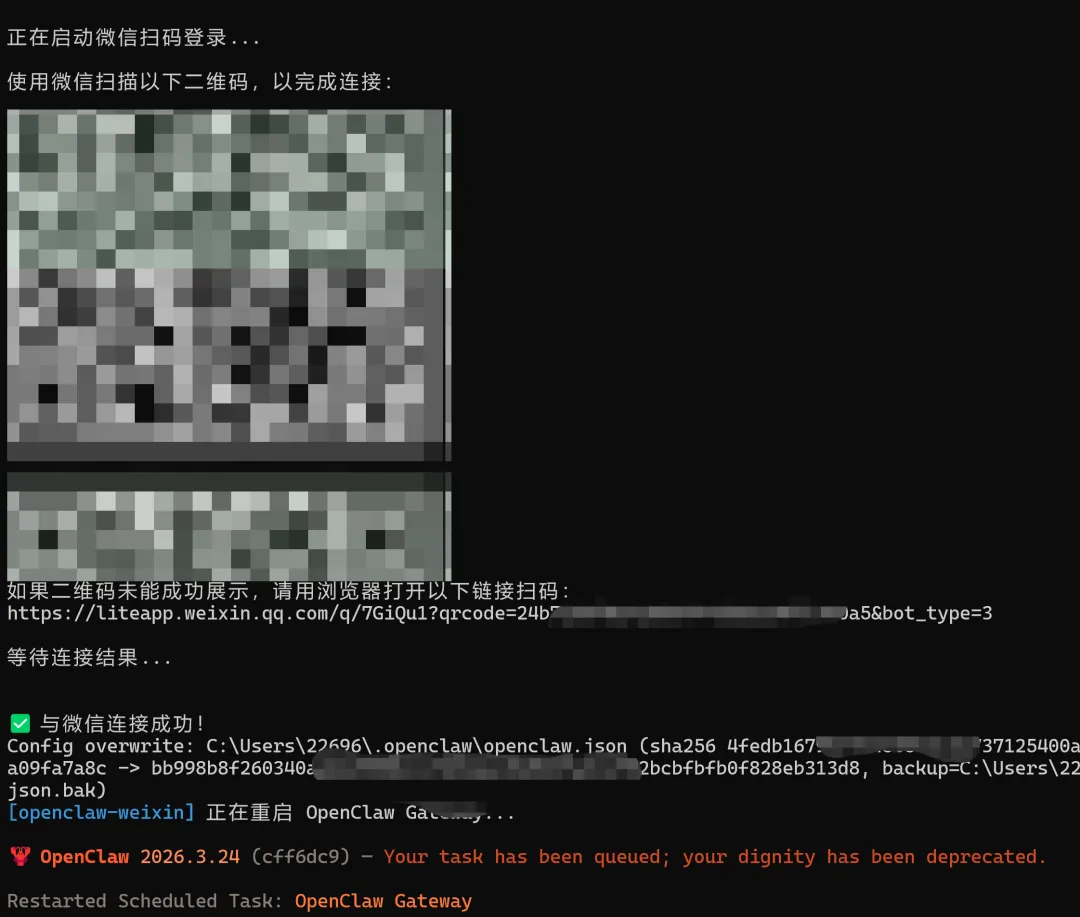
然后,重启 openclaw gateway restart
浏览器打开:http://127.0.0.1:18789
PS C:\Users\22696> openclaw channels status --probe
🦞 OpenClaw 2026.3.24 (cff6dc9) — Claws out, commit in—let's ship something mildly responsible.
Gateway reachable.
- openclaw-weixin 7dc8ceb7387e-im-bot: enabled, configured, running, in:53m ago
Tip: status --deep adds gateway health probes to status output (requires a reachable gateway).
就可以到微信上发:你好 测试看会不会正常回复你了。
如果你之前安装过微信clawbot插件,由于openclaw升级导致不兼容,
可以先卸载掉旧版本插件:
openclaw plugins uninstall openclaw-weixin或者直接删除extensions里面的openclaw-weixin文件夹
再安装新版本微信clawbot 插件
npx -y @tencent-weixin/openclaw-weixin-cli install
或者:openclaw plugins install "@tencent-weixin/openclaw-weixin"
再开启插件功能:openclaw config set plugins.entries.openclaw-weixin.enabled true
扫二维码登录:openclaw channels login --channel openclaw-weixin
重启网关:openclaw gateway restart