夜雨聆风
夜雨聆风最近做了个项目,遇到一个问题,就是在创建形状匹配模板时候,干扰太多,像麻绳一样。
使用自定义区域去消除吧,因为轮廓长,边缘干扰距离近,操作起来不方便;使用CAD图形创建模板吧,又因为产品随意性比较强,每次换产品都要从新画模板。
最终决定使用手绘模板的方式解决这个问题。
halcon手绘形状匹配模板
手绘形状匹配模板
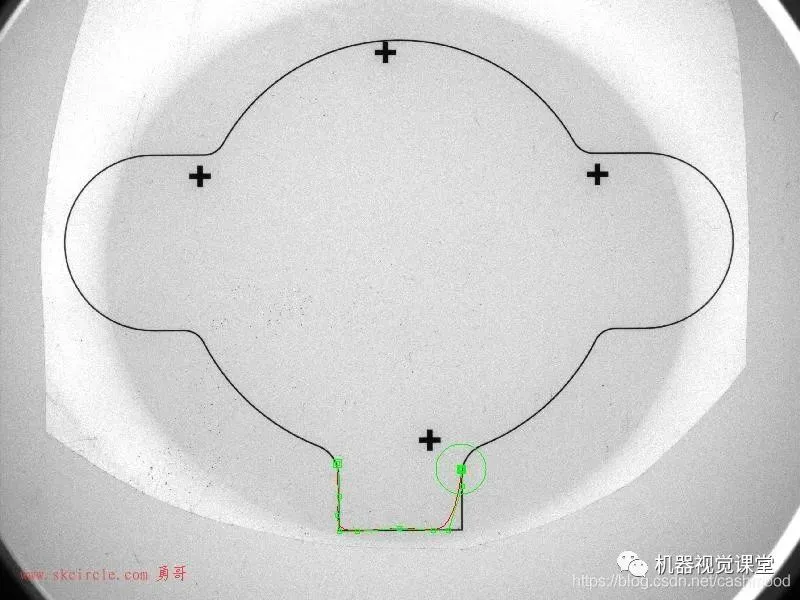
为了避免大家产生理解歧义,这里对手绘形状匹配模板做一个解释。所谓手绘形状匹配模板,就是在图像上画XLD轮廓,将这个XLD轮廓作为形状匹配模板。这样模板就由我们手绘而成,我们想让模板长什么样,就把模板画成什么样。
主要算子解析
draw_nurbs 绘制平滑曲线
draw_nurbs — 界面交互式绘制平滑曲线
draw_nurbs( : ContOut : WindowHandle, Rotate, Move, Scale, KeepRatio, Degree : Rows, Cols, Weights)
我们一般使用时参数设置如下:draw_nurbs (ContOut1, WindowHandle, ‘true’, ‘true’, ‘true’, ‘true’, 3, Rows, Cols, Weights)
参数解释
ContOut(output_object)xld_cont→对象与手绘轮廓近似的NURBS曲线。WindowHandle(input_control)窗口→(整数)窗口句柄。Rotate(input_control)字符串→(string)旋转使能,轮廓交互时可以旋转默认值:“ true”值列表:“ false”,“ true”Move (input_control)字符串→(string)移动使能,轮廓交互时可以使能默认值:“ true”值列表:“ false”,“ true”Scale(input_control)字符串→(string)缩放使能,轮廓交互时可以缩放默认值:“ true”值列表:“ false”,“ true”KeepRatio(input_control)字符串→(string)缩放时是否保持比例,是否等比例缩放默认值:“ true”值列表:“ false”,“ true”Degree(input_control)整数→(整数)NURBS曲线的曲度。合理的值是3到25。默认值:3建议值:2、3、4、5限制:Degree> = 2Rows(output_control)坐标.y数组→(真实)控件多边形的行坐标。Cols(output_control)坐标.x数组→(实数)控件多边形的列坐标。Weights (output_control)实数数组→(实数)权重向量。
create_shape_model_xld 使用XLD轮廓创建模板
create_shape_model_xld — 使用XLD轮廓创建模板
create_shape_model_xld(Contours : : NumLevels, AngleStart, AngleExtent, AngleStep, Optimization, Metric, MinContrast : ModelID)
我们一般使用时参数设置如下:create_shape_model_xld (Contours , ‘auto’,-rad(180), rad(360), ‘auto’, ‘auto’, ‘ignore_local_polarity’, 10, ModelID)
参数解释
Contours (input_object)xld_cont(-array)→对象输入将用于创建模型的轮廓。NumLevels(input_control)整数→(整数/字符串)金字塔等级的最大数量。默认值:“自动”值列表:1、2、3、4、5、6、7、8、9、10,“自动”AngleStart(input_control)angle.rad→(实数)模板的起始角度。默认值:-0.39建议值:-3.14,-1.57,-0.79,-0.39,-0.20、0.0AngleExtent(input_control)angle.rad→(实数)模板旋转角度的范围。默认值:0.79建议值:6.29、3.14、1.57、0.79、0.39限制:AngleExtent> = 0AngleStep(input_control)angle.rad→(真实/字符串)旋转角度的步长(分辨率)。默认值:“自动”建议值:“自动”,0.0175、0.0349、0.0524、0.0698、0.0873限制:(AngleStep> 0)&&(AngleStep <=(pi / 16))Optimization(input_control)字符串(-array)→(string)一种优化,以及用于生成模型的可选方法。默认值:“自动”值列表:“ auto”,“ no_pregeneration”,“ none”,“ point_reduction_high”,“ point_reduction_low”,“ point_reduction_medium”,“ pregeneration”Metric(input_control)字符串→(string)匹配指标。默认值:‘ignore_local_polarity’值列表:‘ignore_color_polarity’,‘ignore_global_polarity’,‘ignore_local_polarity’,‘use_polarity’MinContrast(input_control)编号→(整数)搜索图像中对象的最小对比度。默认值:5建议值:1、2、3、5、7、10、20、30、40ModelID(输出控制)shape_model→(整数)模板的句柄。
实例演示与解析
实例代码展示与解析
C#
*读入图片进行显示read_image (Image,'C:/Users/22967/Desktop/ZL2KB/1.bmp')dev_close_window ()dev_open_window_fit_image (Image,0,0,-1,-1, WindowHandle)dev_display (Image)*手绘模板draw_nurbs (ContOut1, WindowHandle,'true','true','true','true',3, Rows, Cols, Weights)*使用XLD轮廓创建模板create_shape_model_xld (ContOut1,'auto',-rad(180),rad(360),'auto','auto','ignore_local_polarity',10, ModelID)*得到模板轮廓get_shape_model_contours (ModelContours, ModelID,1)*查找模板find_shape_model (Image, ModelID,0,0,0.8,0,0.5,'least_squares',0,0.1, Row, Column, Angle, Score)*显示查找结果if(|Row|==0)dev_clear_window()dev_display(Image) set_tposition (WindowHandle,300,300) write_string (WindowHandle,'Not Find')stop()else gen_cross_contour_xld (CrossFind, Row, Column,200, Angle)endif运行过程与处理展示
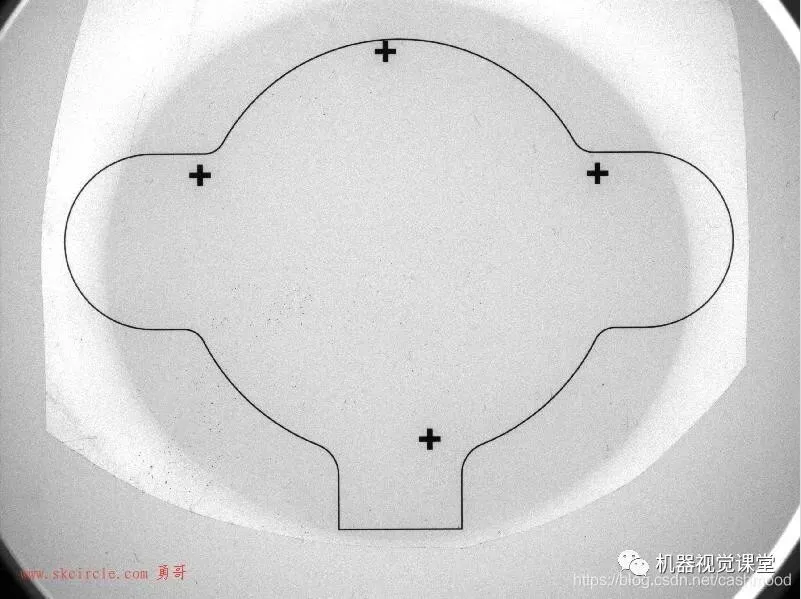
读入图像
绘制模板
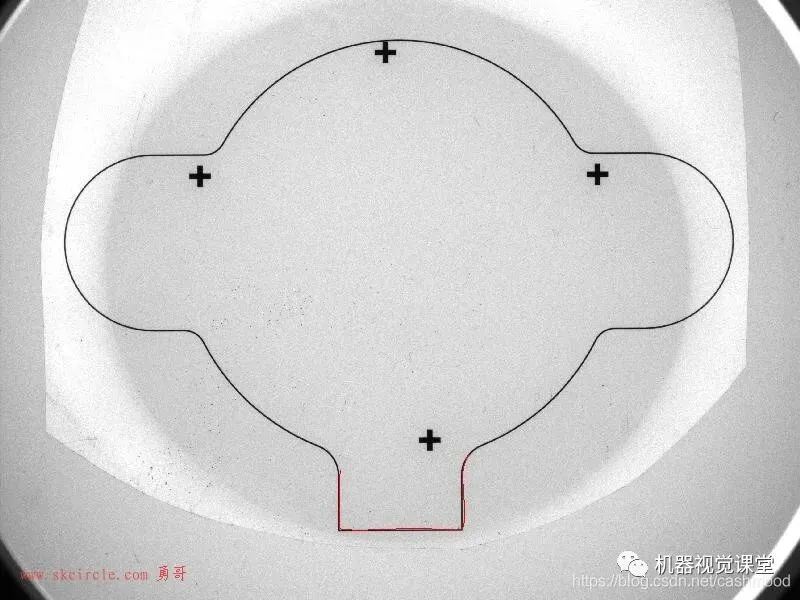
使用绘制的XLD创建模板
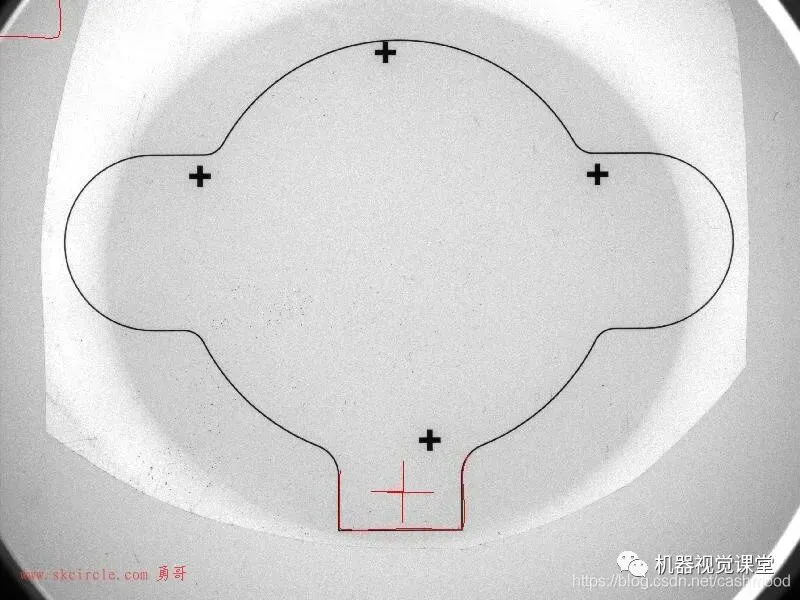
查找模板
转载自:
https://blog.csdn.net/cashmood/article/details/108378041
▼长按下方二维码识别免费关注