 夜雨聆风
夜雨聆风类型: Token优化插件
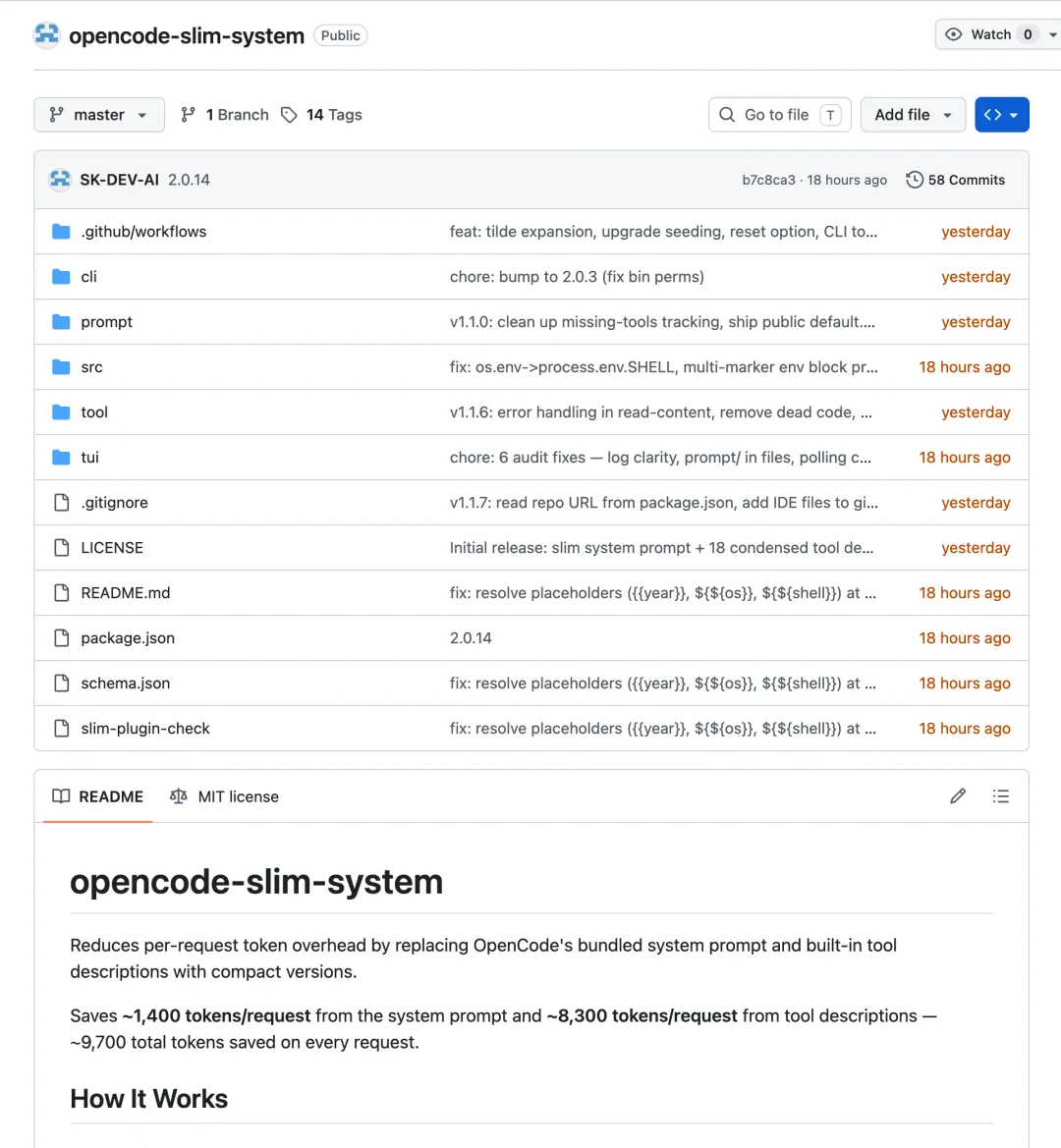
代码库:
https://github.com/SK-DEV-AI/opencode-slim-systemNPM包:
opencode-slim-system版本: 2.0.14
1. 这是什么插件?
Slim System 是一个通过替换 OpenCode 内置的系统提示词和工具描述为精简版本,来自动减少每次请求的token开销的插件。核心思想是在每次向LLM发送请求时,使用更短但等效的描述文本,从而减少固定的token消耗。
⚠️ 重要: 原始工具功能不会改变——Slim System只是替换了描述文本,工具行为完全一致。用户编辑的配置文件在npm更新后保留。
主要组件:
Slim Tool Descriptions — 17个OpenCode内置工具的精简描述文件(从 ~16,395 字符压缩到更短版本,节省约 8,300 tokens/请求)。 Slim System Prompt — 精简的系统提示词(身份 + 语气规范,约 240 tokens,节省约 1,400 tokens/请求)。 Per-Model Customization — 支持为不同模型配置独立的工具描述( {toolID}.{model}.txt)和系统提示词(prompt/{model}.txt)。TUI Sidebar Panel — 侧边栏面板显示精简工具数、版本、更新指示器和预估token节省量。
2. 有什么用?
在以下场景中使用它:
✅ 节省 ~9,700 tokens/请求(系统提示词 ~1,400 + 工具描述 ~8,300) ✅ 减少每次请求的固定token开销 ✅ 按token付费的API节省成本(Anthropic、OpenAI) ✅ 长会话中累积节省显著 ✅ 通过 exclude 选项保护特定工具不被精简 ✅ 通过 inline tools 选项自定义任意工具描述 ✅ Per-Model 定制 — 为不同模型使用不同的描述
技术特性:
工具描述替换 — 通过 tool.definitionhook 替换内置工具描述系统提示词替换 — 通过 experimental.chat.system.transformhook 替换系统提示词自动初期化 — 首次运行时自动创建 ~/.config/opencode/slim-system/配置目录配置优先级链 — inline > per-model文件 > 通用文件 > 配置目录 > 嵌入默认值 > 原始描述 状态文件 — 运行时状态写入 /tmp/opencode-slim-system.json,TUI每5秒轮询自动更新通知 — 启动时检查npm最新版本,TUI显示更新指示器和对话框 占位符解析 — 自动解析 ${os},${shell},{{year}}等动态占位符升级自动播种 — 新版本添加新工具时自动补充缺失的配置文件
3. 怎么用?
简单安装
npm install -g opencode-slim-system这会将插件安装到全局。
添加到 ~/.config/opencode/opencode.jsonc:
{"plugin": ["opencode-slim-system"]}TUI 侧边栏配置(可选)
在 ~/.opencode/tui.json 和/或 ~/.config/opencode/tui.json:
{"plugin": ["opencode-slim-system"]}重启 OpenCode 即可生效。
配置选项
在 opencode.jsonc 中配置:
{"plugin": [ ["opencode-slim-system", {"exclude": ["websearch"],"toolsDir": "/home/user/.config/opencode/slim-tools/","tools": {"bash": "自定义bash工具描述" },"reset": false }] ]}配置选项说明
exclude | string[] | |
tools | Record<string, string> | |
toolsDir | string | {id}.txt 工具描述文件目录路径(支持 ~/ 展开) |
reset | boolean |
优先级链
工具描述优先级:
options.tools[toolID] → toolsDir/{id}.{model}.txt → toolsDir/{id}.txt → 配置目录 → 嵌入默认值 → 原始描述系统提示词优先级:
配置目录 prompt/{model}.txt → 配置目录 prompt/default.txt → 嵌入默认值Per-Model 定制
插件在启动时从 opencode.jsonc 的 model 字段读取当前模型(例如 opencode/deepseek-v4-flash-free),并提取 model key(最后一个 / 后的短名称):
opencode/deepseek-v4-flash-free | deepseek-v4-flash-free |
opencode/claude-sonnet-4 | claude-sonnet-4 |
opencode/gpt-5.4-pro | gpt-5.4-pro |
Per-Model 工具描述: 创建 {toolID}.{model}.txt 文件在工具目录中。例如 bash.claude-sonnet-4.txt 仅在 opencode/claude-sonnet-4 为当前模型时激活,其他模型回退到通用 bash.txt。
Per-Model 系统提示词: 创建 prompt/{model}.txt 文件(与 prompt/default.txt 同级)。例如 prompt/deepseek-v4-flash-free.txt 仅在该模型运行时替换默认提示词。
只有明确定制的模型受影响——不会污染其他模型,无需覆盖所有模型。
自定义
系统提示词: 编辑 ~/.config/opencode/slim-system/prompt/default.txt 并重启 OpenCode。更改在npm更新后保留。
工具描述: 编辑 ~/.config/opencode/slim-system/tool/ 中的任何 *.txt 文件。每个文件对应OpenCode注册表中的工具ID。重启OpenCode应用更改。占位符(${os}, ${shell}, ${directory} 等)会在运行时自动解析。
重置单个文件: 删除配置文件并重启,插件会从嵌入默认值重新创建。
可用的CLI命令
opencode-slim-export | npx opencode-slim-export > backup.json |
opencode-slim-import <file> | npx opencode-slim-import backup.json |
opencode-slim-dump | --config-dir 读取用户配置 |
opencode-slim-check |
备份和恢复
# 备份当前配置npx opencode-slim-export > slim-backup.json# 恢复配置npx opencode-slim-import slim-backup.json4. 什么时候用?
在以下场景使用:
✅ 使用按token付费的API(Anthropic、OpenAI) ✅ 长会话中减少固定token开销 ✅ 处理大型代码库,需要最大化上下文窗口 ✅ 多个会话并行运行 ✅ 注意到模型在长对话中"失去焦点"(上下文窗口被描述占用)
不要使用的场景:
❌ 使用按请求统一收费的提供商(如GitHub Copilot per-request) ❌ 使用统一定价的提供商(如Cerebras) ❌ 短会话中开销差异不大
⚠️ 重要注意事项
覆盖的工具
插件覆盖17个OpenCode内置工具(v1.15.x),部分工具依赖实验性标志:
apply_patch | |
bash | |
edit | |
glob | |
grep | |
lsp | |
plan_exit | |
question | |
read | |
repo_clone | |
repo_overview | |
skill | |
task | |
todowrite | |
webfetch | |
websearch | |
write |
实际精简的工具数取决于启用的实验性标志(约14-15个)。
缓存的权衡:
没有Slim System: 缓存命中率约 90% 有Slim System: 缓存命中率约 85%
这意味着会损失一些缓存读取,但在长会话中会获得更大的token节省。
系统提示词检测:
系统提示词替换使用标记启发式——查找如 "best coding agent on the planet" 的字符串来识别默认提示词。自定义提示词(带有自定义 .md 文件的代理)不会被触及。
限制:
slimmed计数是配置目录文件数,不是运行时覆盖率 — TUI侧边栏显示所有17个文件。实际精简的工具数取决于实验性标志。漂移检测是维护者工具 — npx opencode-slim-check面向仓库维护者,而非最终用户。非内置工具不受影响 — 来自其他插件(如Magic Context、PTY、AFT)的工具描述保持不变。
OpenCode 官方提示词示例
OpenCode 官方系统提示词变体
根据 Slim System 插件的检测标记,OpenCode 官方有以下系统提示词变体(编译在二进制文件中):
anthropic.txt | ||
default.txt | ||
gpt.txt | ||
gemini.txt | ||
beast.txt | ||
codex.txt | ||
trinity.txt | ||
kimi.txt |
提示词文件位于 OpenCode 源码的
packages/opencode/src/session/目录下。
Slim System 精简提示词
Slim System 提供的精简提示词(prompt/default.txt):
You are opencode, an interactive CLI tool that helps users with software engineering tasks.IMPORTANT: Never generate or guess URLs. Use provided URLs or local files only.When the user asks about opencode itself, use WebFetch to answer from https://opencode.aiTool results and user messages may include <system-reminder> tags with useful instructions.Instructions from AGENTS.md and other instruction files are authoritative.# Tone- Be concise, direct, to the point.- No preamble, postamble, or explanations of your code.- Reference code with `file:line` notation.约 240 tokens,比官方默认提示词节省约 1,400 tokens/请求。
自定义提示词示例
1. 极简提示词
适用于熟悉 OpenCode 的开发者,最大化上下文窗口:
You are opencode, a CLI coding assistant.Rules:- Never guess URLs or generate URLs from thin air.- Read files before editing.- Follow project conventions (see AGENTS.md).- Be concise. No explanations unless asked.2. 安全优先提示词
适用于企业环境,强调安全操作:
You are opencode, an interactive CLI tool that helps users with software engineering tasks.Security Rules:- NEVER commit secrets, API keys, or credentials.- NEVER use --force-push, git reset --hard, or similar destructive git commands.- NEVER modify .env files or credential files.- Ask before running commands that modify production data.- Use environment variables for sensitive configuration.General Rules:- Read files before editing.- Follow project conventions (see AGENTS.md).- Be concise, direct, to the point.3. 测试驱动提示词
适用于 TDD 工作流:
You are opencode, an interactive CLI tool that helps users with software engineering tasks.TDD Workflow:1. Write failing test first2. Write minimal code to pass3. Refactor if needed4. Run full test suite before committingTesting Rules:- Always write tests before implementation- Use the project's existing test framework- Follow existing test patterns and conventions- Run tests after each changeGeneral Rules:- Read files before editing.- Be concise. No explanations unless asked.4. 代码审查提示词
适用于代码审查任务:
You are opencode, a code review assistant.Review Focus:- Correctness: Does the code do what it's supposed to?- Security: Any vulnerabilities or injection risks?- Performance: Any obvious bottlenecks or inefficiencies?- Readability: Is the code clear and maintainable?- Conventions: Does it follow project style?Output Format:- List issues by severity (Critical > Warning > Suggestion)- Reference code with `file:line` notation- Provide concrete fix suggestions- No preamble or summary unless askedGeneral Rules:- Read all relevant files before reviewing.- Be concise and direct.Per-Model 提示词配置
为不同模型配置独立提示词:
~/.config/opencode/slim-system/prompt/├── default.txt # 默认提示词├── claude-sonnet-4.txt # Claude 专用├── gpt-5.4-pro.txt # GPT 专用└── deepseek-v4-flash-free.txt # DeepSeek 专用Claude 专用提示词
利用 Claude 的长上下文优势:
You are opencode, an interactive CLI tool powered by Claude.Capabilities:- You have excellent reasoning abilities.- Think step by step for complex problems.- Consider edge cases and error handling.Rules:- Read files before editing.- Follow project conventions (see AGENTS.md).- Be concise but thorough.- Reference code with `file:line` notation.GPT 专用提示词
优化 GPT 的工具调用:
You are opencode, an interactive CLI tool.Tool Usage:- Use Read before Edit or Write.- Use Glob/Grep to find files when path is unknown.- Use Grep to search file contents.- Run tests after code changes.Rules:- Never guess URLs.- Follow project conventions.- Be concise. No explanations unless asked.提示词替换机制
Slim System 通过 experimental.chat.system.transform hook 替换系统提示词:
检测原始提示词中的标记(如 "best coding agent on the planet") 替换为用户配置的精简提示词 保留环境元数据块(模型信息、工作目录、日期等)
环境元数据标记包括:
"You are powered by the model named" "You are powered by" "\nInstructions from:" "\nHere is some useful information" "\nYou are a"
编辑 ~/.config/opencode/slim-system/prompt/default.txt 自定义提示词,重启 OpenCode 生效。
许可证: MIT
🔗 有用链接
README: https://github.com/SK-DEV-AI/opencode-slim-systemNPM: https://www.npmjs.com/package/opencode-slim-systemSchema: https://raw.githubusercontent.com/SK-DEV-AI/opencode-slim-system/master/schema.json