夜雨聆风
夜雨聆风


一款简易笔记软件
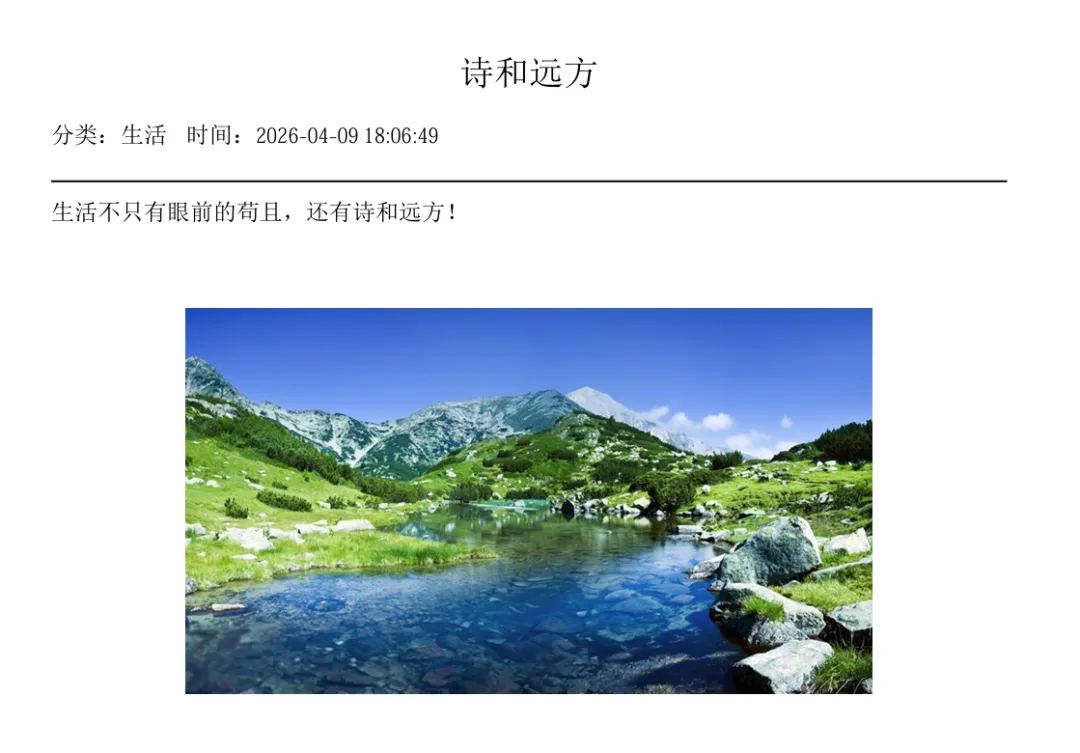
from flask import Flask, render_template, request, redirect, url_for, session, make_response, jsonifyimport sqlite3import osimport timeimport hashlibimport tracebackimport urllib.parsefrom datetime import datetime, timedeltafrom io import BytesIOfrom reportlab.pdfgen import canvasfrom reportlab.pdfbase import pdfmetricsfrom reportlab.pdfbase.cidfonts import UnicodeCIDFontfrom reportlab.lib.utils import ImageReaderfrom PIL import Imageapp = Flask(__name__)app.secret_key = 'very_secret_key_123456'app.config['UPLOAD_FOLDER'] = 'static/uploads'os.makedirs(app.config['UPLOAD_FOLDER'], exist_ok=True)def beijing_time():return (datetime.utcnow() + timedelta(hours=8)).strftime('%Y-%m-%d %H:%M:%S')def init_db():"""初始化数据库,如果已存在则自动迁移(安全保留数据)"""conn = sqlite3.connect('notes.db')c = conn.cursor()# 确保 users 表存在c.execute('''CREATE TABLE IF NOT EXISTS users (id INTEGER PRIMARY KEY AUTOINCREMENT,username TEXT UNIQUE NOT NULL,password TEXT NOT NULL)''')# 检查 notes 表结构c.execute("PRAGMA table_info(notes)")columns = [col[1] for col in c.fetchall()]# 如果 notes 表不存在,直接创建if not columns:c.execute('''CREATE TABLE notes (id INTEGER PRIMARY KEY AUTOINCREMENT,user_id INTEGER,title TEXT NOT NULL,content TEXT NOT NULL,category TEXT DEFAULT '未分类',created_at TIMESTAMP)''')else:# 存在旧表,需要迁移has_image = 'image' in columnshas_created_at = 'created_at' in columnsif has_image:# 创建 note_images 表c.execute('''CREATE TABLE IF NOT EXISTS note_images (id INTEGER PRIMARY KEY AUTOINCREMENT,note_id INTEGER NOT NULL,filename TEXT NOT NULL,original_name TEXT,uploaded_at TIMESTAMP DEFAULT CURRENT_TIMESTAMP,FOREIGN KEY (note_id) REFERENCES notes(id) ON DELETE CASCADE)''')# 迁移旧图片old_notes = c.execute("SELECT id, image FROM notes WHERE image IS NOT NULL AND image != ''").fetchall()for note_id, img_name in old_notes:if img_name:exists = c.execute("SELECT 1 FROM note_images WHERE note_id=? AND filename=?", (note_id, img_name)).fetchone()if not exists:c.execute("INSERT INTO note_images (note_id, filename, original_name) VALUES (?,?,?)",(note_id, img_name, img_name))# 创建新表结构(无 image 列)c.execute('''CREATE TABLE notes_new (id INTEGER PRIMARY KEY AUTOINCREMENT,user_id INTEGER,title TEXT NOT NULL,content TEXT NOT NULL,category TEXT DEFAULT '未分类',created_at TIMESTAMP)''')if has_created_at:c.execute('''INSERT INTO notes_new (id, user_id, title, content, category, created_at)SELECT id, user_id, title, content, category, created_at FROM notes''')else:c.execute('''INSERT INTO notes_new (id, user_id, title, content, category, created_at)SELECT id, user_id, title, content, category, ? FROM notes''', (beijing_time(),))c.execute("DROP TABLE notes")c.execute("ALTER TABLE notes_new RENAME TO notes")else:# 没有 image 列,但可能缺少 created_at 或类型不对if not has_created_at:c.execute("ALTER TABLE notes ADD COLUMN created_at TIMESTAMP")# 为现有记录设置默认时间(北京时间)c.execute("UPDATE notes SET created_at = ? WHERE created_at IS NULL", (beijing_time(),))# 确保 note_images 表存在(如果没有创建)c.execute('''CREATE TABLE IF NOT EXISTS note_images (id INTEGER PRIMARY KEY AUTOINCREMENT,note_id INTEGER NOT NULL,filename TEXT NOT NULL,original_name TEXT,uploaded_at TIMESTAMP DEFAULT CURRENT_TIMESTAMP,FOREIGN KEY (note_id) REFERENCES notes(id) ON DELETE CASCADE)''')# 修正所有 created_at 为北京时间(如果之前是 UTC)try:c.execute("UPDATE notes SET created_at = datetime(created_at, '+8 hours') WHERE created_at IS NOT NULL AND created_at < '2024-01-01'")except:pass# 创建默认管理员(如果不存在)c.execute("SELECT * FROM users WHERE username='admin'")if not c.fetchone():c.execute("INSERT INTO users (username, password) VALUES (?,?)", ("admin", "123456"))conn.commit()conn.close()@app.route('/login', methods=['GET','POST'])def login():if request.method=='POST':un=request.form['username']pw=request.form['password']conn=sqlite3.connect('notes.db')user=conn.execute("SELECT id FROM users WHERE username=? AND password=?",(un,pw)).fetchone()conn.close()if user:session['uid']=user[0]return redirect(url_for('index'))return "账号密码错误"return render_template('login.html')@app.route('/logout')def logout():session.clear()return redirect(url_for('login'))@app.route('/')def index():if 'uid' not in session:return redirect(url_for('login'))conn=sqlite3.connect('notes.db')notes=conn.execute("SELECT id, title, content, category, created_at FROM notes WHERE user_id=? ORDER BY created_at DESC", (session['uid'],)).fetchall()conn.close()return render_template('index.html', notes=notes)@app.route('/api/notes/<int:note_id>/images')def get_note_images(note_id):if 'uid' not in session:return jsonify([])conn = sqlite3.connect('notes.db')images = conn.execute("SELECT id, filename, original_name FROM note_images WHERE note_id=?", (note_id,)).fetchall()conn.close()return jsonify([{'id': img[0], 'filename': img[1], 'original_name': img[2]} for img in images])@app.route('/api/notes/<int:note_id>/add_image', methods=['POST'])def add_note_image(note_id):if 'uid' not in session:return jsonify({'error': '未登录'}), 401if 'image' not in request.files:return jsonify({'error': '没有图片'}), 400file = request.files['image']if file.filename == '':return jsonify({'error': '文件名为空'}), 400ext = file.filename.split('.')[-1] if '.' in file.filename else 'jpg'safe_name = f"{int(time.time())}_{hashlib.md5(file.filename.encode()).hexdigest()[:8]}.{ext}"filepath = os.path.join(app.config['UPLOAD_FOLDER'], safe_name)file.save(filepath)conn = sqlite3.connect('notes.db')conn.execute("INSERT INTO note_images (note_id, filename, original_name) VALUES (?,?,?)",(note_id, safe_name, file.filename))conn.commit()conn.close()return jsonify({'success': True, 'filename': safe_name})@app.route('/api/images/<int:image_id>', methods=['DELETE'])def delete_image(image_id):if 'uid' not in session:return jsonify({'error': '未登录'}), 401conn = sqlite3.connect('notes.db')img = conn.execute("SELECT filename FROM note_images WHERE id=?", (image_id,)).fetchone()if img:filepath = os.path.join(app.config['UPLOAD_FOLDER'], img[0])if os.path.exists(filepath):os.remove(filepath)conn.execute("DELETE FROM note_images WHERE id=?", (image_id,))conn.commit()conn.close()return jsonify({'success': True})@app.route('/api/images/<int:image_id>/replace', methods=['POST'])def replace_image(image_id):if 'uid' not in session:return jsonify({'error': '未登录'}), 401if 'image' not in request.files:return jsonify({'error': '没有图片'}), 400file = request.files['image']if file.filename == '':return jsonify({'error': '文件名为空'}), 400conn = sqlite3.connect('notes.db')old_img = conn.execute("SELECT filename FROM note_images WHERE id=?", (image_id,)).fetchone()if not old_img:conn.close()return jsonify({'error': '图片不存在'}), 404old_path = os.path.join(app.config['UPLOAD_FOLDER'], old_img[0])if os.path.exists(old_path):os.remove(old_path)ext = file.filename.split('.')[-1] if '.' in file.filename else 'jpg'safe_name = f"{int(time.time())}_{hashlib.md5(file.filename.encode()).hexdigest()[:8]}.{ext}"filepath = os.path.join(app.config['UPLOAD_FOLDER'], safe_name)file.save(filepath)conn.execute("UPDATE note_images SET filename=?, original_name=? WHERE id=?",(safe_name, file.filename, image_id))conn.commit()conn.close()return jsonify({'success': True, 'filename': safe_name})@app.route('/add', methods=['POST'])def add():if 'uid' not in session:return redirect(url_for('login'))title = request.form['title']content = request.form['content']cate = request.form.get('category', '未分类')conn = sqlite3.connect('notes.db')now = beijing_time()cursor = conn.execute("INSERT INTO notes (user_id, title, content, category, created_at) VALUES (?,?,?,?,?)",(session['uid'], title, content, cate, now))note_id = cursor.lastrowidfiles = request.files.getlist('images')for file in files:if file and file.filename:ext = file.filename.split('.')[-1] if '.' in file.filename else 'jpg'safe_name = f"{int(time.time())}_{hashlib.md5(file.filename.encode()).hexdigest()[:8]}.{ext}"file.save(os.path.join(app.config['UPLOAD_FOLDER'], safe_name))conn.execute("INSERT INTO note_images (note_id, filename, original_name) VALUES (?,?,?)",(note_id, safe_name, file.filename))conn.commit()conn.close()return redirect(url_for('index'))@app.route('/edit/<int:id>', methods=['GET', 'POST'])def edit(id):if 'uid' not in session:return redirect(url_for('login'))conn = sqlite3.connect('notes.db')if request.method == 'POST':title = request.form['title']content = request.form['content']cate = request.form.get('category', '未分类')conn.execute("UPDATE notes SET title=?, content=?, category=? WHERE id=? AND user_id=?",(title, content, cate, id, session['uid']))conn.commit()conn.close()return redirect(url_for('index'))note = conn.execute("SELECT * FROM notes WHERE id=? AND user_id=?", (id, session['uid'])).fetchone()conn.close()if not note:return redirect(url_for('index'))return render_template('edit.html', note=note)@app.route('/delete/<int:id>')def delete(id):if 'uid' not in session:return redirect(url_for('login'))conn = sqlite3.connect('notes.db')images = conn.execute("SELECT filename FROM note_images WHERE note_id=?", (id,)).fetchall()for img in images:filepath = os.path.join(app.config['UPLOAD_FOLDER'], img[0])if os.path.exists(filepath):os.remove(filepath)conn.execute("DELETE FROM notes WHERE id=? AND user_id=?", (id, session['uid']))conn.commit()conn.close()return redirect(url_for('index'))@app.route('/pdf/<int:id>')def export_pdf(id):if 'uid' not in session:return redirect(url_for('login'))try:conn = sqlite3.connect('notes.db')note = conn.execute("SELECT title, content, category, created_at FROM notes WHERE id=? AND user_id=?", (id, session['uid'])).fetchone()images = conn.execute("SELECT filename FROM note_images WHERE note_id=?", (id,)).fetchall()conn.close()if not note:return "笔记不存在", 404buffer = BytesIO()p = canvas.Canvas(buffer)try:pdfmetrics.registerFont(UnicodeCIDFont('STSong-Light'))font_cn = 'STSong-Light'except:font_cn = 'Helvetica'page_width = 595page_height = 842left_margin = 50right_margin = 50max_text_width = page_width - left_margin - right_margindef draw_wrapped_text(p, text, x, y, font_name, font_size, max_width):p.setFont(font_name, font_size)lines = []for para in text.split('\n'):if not para.strip():lines.append('')continueline = ''for ch in para:test_line = line + chif p.stringWidth(test_line, font_name, font_size) <= max_width:line = test_lineelse:lines.append(line)line = chif line:lines.append(line)for line in lines:if y < 40:p.showPage()p.setFont(font_name, font_size)y = page_height - 50p.drawString(x, y, line)y -= font_size + 4return yy = page_height - 50p.setFont(font_cn, 18)p.drawCentredString(page_width/2, y, note[0])y -= 30p.setFont(font_cn, 12)p.drawString(left_margin, y, f"分类:{note[2]} 时间:{note[3]}")y -= 20p.line(left_margin, y, page_width - right_margin, y)y -= 20y = draw_wrapped_text(p, note[1], left_margin, y, font_cn, 12, max_text_width)y -= 20for img in images:img_path = os.path.join(app.config['UPLOAD_FOLDER'], img[0])if not os.path.exists(img_path):continueif y < 200:p.showPage()y = page_height - 50try:with Image.open(img_path) as pil_img:w, h = pil_img.sizemax_w, max_h = 400, 200scale = min(max_w/w, max_h/h, 1.0)draw_w = w * scaledraw_h = h * scalex_center = (page_width - draw_w) / 2y -= draw_h + 10p.drawImage(img_path, x_center, y, width=draw_w, height=draw_h, preserveAspectRatio=True)y -= 10except:passp.save()pdf_data = buffer.getvalue()buffer.close()safe_filename = urllib.parse.quote(note[0] + ".pdf")response = make_response(pdf_data)response.headers["Content-Type"] = "application/pdf"response.headers["Content-Disposition"] = f"attachment; filename*=UTF-8''{safe_filename}"return responseexcept Exception as e:print(traceback.format_exc())return f"PDF 生成失败: {str(e)}", 500if __name__ == '__main__':init_db()app.run(host='0.0.0.0', port=5000, debug=True)
import customtkinter as ctkimport sqlite3import osimport shutilimport hashlibimport timefrom tkinter import messagebox, filedialogfrom datetime import datetime, timedeltafrom PIL import Image, ImageTkfrom reportlab.pdfgen import canvasfrom reportlab.pdfbase import pdfmetricsfrom reportlab.pdfbase.cidfonts import UnicodeCIDFontDB_PATH = "notes.db"UPLOAD_FOLDER = "static/uploads"os.makedirs(UPLOAD_FOLDER, exist_ok=True)ctk.set_appearance_mode("light")ctk.set_default_color_theme("blue")def beijing_time():return (datetime.utcnow() + timedelta(hours=8)).strftime('%Y-%m-%d %H:%M:%S')class NoteDesktopApp(ctk.CTk):def __init__(self):super().__init__()self.title("笔记系统 - 多图片版")self.geometry("1100x800")self.current_user = Noneself.selected_note_id = Noneself.selected_card = Noneself.main_frame = ctk.CTkFrame(self, fg_color="transparent")self.main_frame.pack(expand=True, fill="both", padx=24, pady=24)self.show_login_page()def get_db(self):return sqlite3.connect(DB_PATH)def clear_page(self):for w in self.main_frame.winfo_children():w.destroy()def show_login_page(self):self.clear_page()login_card = ctk.CTkFrame(self.main_frame, width=400, height=440, corner_radius=18)login_card.place(relx=0.5, rely=0.5, anchor="center")ctk.CTkLabel(login_card, text="账号登录", font=("Arial", 28, "bold")).pack(pady=40)self.username_input = ctk.CTkEntry(login_card, placeholder_text="账号", width=340, height=54, corner_radius=12)self.username_input.pack(pady=8)self.password_input = ctk.CTkEntry(login_card, placeholder_text="密码", show="*", width=340, height=54, corner_radius=12)self.password_input.pack(pady=8)ctk.CTkButton(login_card, text="登录", width=340, height=54, font=("Arial", 16, "bold"),command=self.login).pack(pady=24)def login(self):user = self.username_input.get().strip()pwd = self.password_input.get().strip()db = self.get_db()res = db.execute("SELECT id FROM users WHERE username=? AND password=?", (user, pwd)).fetchone()db.close()if res:self.current_user = res[0]self.show_main_page()else:messagebox.showerror("错误", "账号或密码错误")def show_main_page(self):self.clear_page()top_bar = ctk.CTkFrame(self.main_frame, height=70, corner_radius=14)top_bar.pack(fill="x", pady=(0, 18))ctk.CTkLabel(top_bar, text="我的笔记", font=("Arial", 22, "bold")).pack(side="left", padx=24)ctk.CTkButton(top_bar, text="导出PDF", width=130, height=46, corner_radius=10,fg_color="#059669", hover_color="#047857",command=self.export_pdf).pack(side="right", padx=10)ctk.CTkButton(top_bar, text="+ 新增笔记", width=150, height=46, corner_radius=10,fg_color="#2563eb", hover_color="#1d4ed8",command=self.show_add_page).pack(side="right", padx=10)ctk.CTkButton(top_bar, text="刷新", width=100, height=46, corner_radius=10,command=self.load_notes).pack(side="right", padx=10)self.note_list = ctk.CTkScrollableFrame(self.main_frame, corner_radius=16, fg_color="#f8fafc")self.note_list.pack(fill="both", expand=True, pady=6)self.load_notes()def load_notes(self):for w in self.note_list.winfo_children():w.destroy()self.selected_note_id = Noneself.selected_card = Nonedb = self.get_db()notes = db.execute("SELECT id, title, category, created_at, content FROM notes WHERE user_id=? ORDER BY created_at DESC",(self.current_user,)).fetchall()db.close()for n in notes:note_id, title, category, create_time, content = ncard = ctk.CTkFrame(self.note_list, height=160, corner_radius=16,fg_color="#ffffff", border_width=1, border_color="#e2e8f0")card.pack(fill="x", pady=10, padx=12)ctk.CTkLabel(card, text=title, font=("Arial", 20, "bold")).place(x=26, y=24)ctk.CTkLabel(card, text=f"{category} • {create_time}",font=("Arial", 13), text_color="#64748b").place(x=26, y=62)preview = content[:70] + "..." if len(content) > 70 else contentctk.CTkLabel(card, text=preview, font=("Arial", 14), text_color="#475569").place(x=26, y=94)btn_y = 55ctk.CTkButton(card, text="查看", width=78, height=36, corner_radius=10,command=lambda nid=note_id: self.show_detail(nid)).place(x=560, y=btn_y)ctk.CTkButton(card, text="编辑", width=78, height=36, corner_radius=10,fg_color="#1d4ed8", hover_color="#1e40af",command=lambda nid=note_id: self.show_edit_page(nid)).place(x=650, y=btn_y)ctk.CTkButton(card, text="删除", width=78, height=36, corner_radius=10,fg_color="#ef4444", hover_color="#dc2626",command=lambda nid=note_id: self.delete_note(nid)).place(x=740, y=btn_y)def select_this(nid=note_id, c=card):if self.selected_card:self.selected_card.configure(fg_color="#ffffff", border_color="#e2e8f0")c.configure(fg_color="#eff6ff", border_color="#3b82f6")self.selected_note_id = nidself.selected_card = ccard.bind("<Button-1>", lambda e, nid=note_id, c=card: select_this(nid, c))def show_detail(self, nid):self.clear_page()top = ctk.CTkFrame(self.main_frame, height=70, corner_radius=14)top.pack(fill="x", pady=(0, 18))ctk.CTkButton(top, text="← 返回", width=100, height=46, corner_radius=10,command=self.show_main_page).pack(side="left", padx=24)db = self.get_db()note = db.execute("SELECT title, content FROM notes WHERE id=?", (nid,)).fetchone()images = db.execute("SELECT filename FROM note_images WHERE note_id=?", (nid,)).fetchall()db.close()frame = ctk.CTkFrame(self.main_frame, corner_radius=16)frame.pack(fill="both", expand=True)ctk.CTkLabel(frame, text=note[0], font=("Arial", 24, "bold")).pack(pady=26)txt = ctk.CTkTextbox(frame, font=("Arial", 15), corner_radius=12)txt.pack(fill="both", expand=True, padx=26, pady=(0, 16))txt.insert("end", note[1])txt.configure(state="disabled")if images:img_frame = ctk.CTkFrame(frame, fg_color="transparent")img_frame.pack(pady=16, padx=26, fill="x")for img in images:img_path = os.path.join(UPLOAD_FOLDER, img[0])if os.path.exists(img_path):try:pil_img = Image.open(img_path)pil_img.thumbnail((200, 150))tk_img = ctk.CTkImage(light_image=pil_img, size=(200, 150))lbl = ctk.CTkLabel(img_frame, image=tk_img, text="")lbl.pack(side="left", padx=5)except:passdef show_add_page(self):self.clear_page()top = ctk.CTkFrame(self.main_frame, height=70, corner_radius=14)top.pack(fill="x", pady=(0, 18))ctk.CTkButton(top, text="← 返回", command=self.show_main_page).pack(side="left", padx=24)form = ctk.CTkScrollableFrame(self.main_frame, corner_radius=16)form.pack(fill="both", expand=True)ctk.CTkLabel(form, text="标题", font=("Arial", 16)).pack(anchor="w", padx=28, pady=(26, 6))self.add_title = ctk.CTkEntry(form, width=920, height=52, corner_radius=10)self.add_title.pack(padx=28)ctk.CTkLabel(form, text="分类", font=("Arial", 16)).pack(anchor="w", padx=28, pady=(18, 6))self.add_cate = ctk.CTkEntry(form, width=920, height=52, corner_radius=10)self.add_cate.pack(padx=28)ctk.CTkLabel(form, text="内容", font=("Arial", 16)).pack(anchor="w", padx=28, pady=(18, 6))self.add_content = ctk.CTkTextbox(form, width=920, height=200, corner_radius=10)self.add_content.pack(padx=28, pady=(0, 16))self.add_images_list = []ctk.CTkLabel(form, text="图片", font=("Arial", 16)).pack(anchor="w", padx=28, pady=(10, 6))self.add_images_frame = ctk.CTkFrame(form, fg_color="transparent")self.add_images_frame.pack(padx=28, pady=10, fill="x")ctk.CTkButton(form, text="选择图片 (可多选)", width=200, height=40,command=self.select_add_images).pack(padx=28, pady=10)ctk.CTkButton(form, text="💾 保存笔记", width=920, height=54, corner_radius=10,font=("Arial", 16, "bold"), command=self.save_add_note).pack(padx=28, pady=20)def select_add_images(self):files = filedialog.askopenfilenames(filetypes=[("图片文件", "*.jpg *.jpeg *.png *.gif *.bmp")])for f in files:self.add_images_list.append(f)self.refresh_add_images_preview()def refresh_add_images_preview(self):for w in self.add_images_frame.winfo_children():w.destroy()for idx, img_path in enumerate(self.add_images_list):try:pil_img = Image.open(img_path)pil_img.thumbnail((100, 80))tk_img = ctk.CTkImage(light_image=pil_img, size=(100, 80))lbl = ctk.CTkLabel(self.add_images_frame, image=tk_img, text="")lbl.pack(side="left", padx=5)def remove_img(i=idx):self.add_images_list.pop(i)self.refresh_add_images_preview()btn = ctk.CTkButton(self.add_images_frame, text="✖", width=30, height=30, command=remove_img)btn.pack(side="left", padx=2)except:passdef save_add_note(self):title = self.add_title.get().strip()cate = self.add_cate.get().strip() or "未分类"content = self.add_content.get("1.0", "end").strip()if not title:messagebox.showwarning("提示", "请填写标题")returnnow = beijing_time()db = self.get_db()cursor = db.execute("INSERT INTO notes (user_id, title, category, content, created_at) VALUES (?,?,?,?,?)",(self.current_user, title, cate, content, now))note_id = cursor.lastrowidfor img_path in self.add_images_list:if os.path.exists(img_path):ext = img_path.split('.')[-1]safe_name = f"{int(time.time())}_{hashlib.md5(img_path.encode()).hexdigest()[:8]}.{ext}"dest = os.path.join(UPLOAD_FOLDER, safe_name)shutil.copy2(img_path, dest)db.execute("INSERT INTO note_images (note_id, filename, original_name) VALUES (?,?,?)",(note_id, safe_name, os.path.basename(img_path)))db.commit()db.close()messagebox.showinfo("成功", "笔记已保存")self.show_main_page()def show_edit_page(self, edit_nid):self.current_edit_id = edit_nidself.clear_page()top = ctk.CTkFrame(self.main_frame, height=70, corner_radius=14)top.pack(fill="x", pady=(0, 18))ctk.CTkButton(top, text="← 返回", command=self.show_main_page).pack(side="left", padx=24)db = self.get_db()note = db.execute("SELECT title, category, content FROM notes WHERE id=?", (edit_nid,)).fetchone()self.edit_images = db.execute("SELECT id, filename, original_name FROM note_images WHERE note_id=?", (edit_nid,)).fetchall()db.close()form = ctk.CTkScrollableFrame(self.main_frame, corner_radius=16)form.pack(fill="both", expand=True)ctk.CTkLabel(form, text="标题", font=("Arial", 16)).pack(anchor="w", padx=28, pady=(26, 6))self.edit_title = ctk.CTkEntry(form, width=920, height=52, corner_radius=10)self.edit_title.insert(0, note[0])self.edit_title.pack(padx=28)ctk.CTkLabel(form, text="分类", font=("Arial", 16)).pack(anchor="w", padx=28, pady=(18, 6))self.edit_cate = ctk.CTkEntry(form, width=920, height=52, corner_radius=10)self.edit_cate.insert(0, note[1])self.edit_cate.pack(padx=28)ctk.CTkLabel(form, text="内容", font=("Arial", 16)).pack(anchor="w", padx=28, pady=(18, 6))self.edit_content = ctk.CTkTextbox(form, width=920, height=200, corner_radius=10)self.edit_content.insert("end", note[2])self.edit_content.pack(padx=28, pady=(0, 16))self.edit_images_frame = ctk.CTkFrame(form, fg_color="transparent")self.edit_images_frame.pack(padx=28, pady=10, fill="x")self.refresh_edit_images()ctk.CTkButton(form, text="添加图片", width=150, height=40,command=self.select_edit_images).pack(padx=28, pady=10)ctk.CTkButton(form, text="💾 保存修改", width=920, height=54, corner_radius=10,font=("Arial", 16, "bold"), command=self.save_edit_note).pack(padx=28, pady=20)def refresh_edit_images(self):for w in self.edit_images_frame.winfo_children():w.destroy()for idx, img in enumerate(self.edit_images):img_id, filename, orig_name = imgimg_path = os.path.join(UPLOAD_FOLDER, filename)if os.path.exists(img_path):try:pil_img = Image.open(img_path)pil_img.thumbnail((120, 90))tk_img = ctk.CTkImage(light_image=pil_img, size=(120, 90))frame = ctk.CTkFrame(self.edit_images_frame)frame.pack(side="left", padx=8, pady=5)lbl = ctk.CTkLabel(frame, image=tk_img, text="")lbl.pack()ctk.CTkLabel(frame, text=orig_name[:15], font=("Arial", 10)).pack()btn_frame = ctk.CTkFrame(frame, fg_color="transparent")btn_frame.pack()ctk.CTkButton(btn_frame, text="删除", width=50, height=28,command=lambda iid=img_id: self.delete_edit_image(iid)).pack(side="left", padx=2)ctk.CTkButton(btn_frame, text="更换", width=50, height=28,command=lambda iid=img_id: self.replace_edit_image(iid)).pack(side="left", padx=2)except:passdef delete_edit_image(self, image_id):if messagebox.askyesno("确认", "删除这张图片?"):db = self.get_db()img = db.execute("SELECT filename FROM note_images WHERE id=?", (image_id,)).fetchone()if img:filepath = os.path.join(UPLOAD_FOLDER, img[0])if os.path.exists(filepath):os.remove(filepath)db.execute("DELETE FROM note_images WHERE id=?", (image_id,))db.commit()db.close()db2 = self.get_db()self.edit_images = db2.execute("SELECT id, filename, original_name FROM note_images WHERE note_id=?", (self.current_edit_id,)).fetchall()db2.close()self.refresh_edit_images()def replace_edit_image(self, image_id):file_path = filedialog.askopenfilename(filetypes=[("图片文件", "*.jpg *.jpeg *.png *.gif *.bmp")])if not file_path:returndb = self.get_db()old_img = db.execute("SELECT filename FROM note_images WHERE id=?", (image_id,)).fetchone()if old_img:old_path = os.path.join(UPLOAD_FOLDER, old_img[0])if os.path.exists(old_path):os.remove(old_path)ext = file_path.split('.')[-1]safe_name = f"{int(time.time())}_{hashlib.md5(file_path.encode()).hexdigest()[:8]}.{ext}"dest = os.path.join(UPLOAD_FOLDER, safe_name)shutil.copy2(file_path, dest)db.execute("UPDATE note_images SET filename=?, original_name=? WHERE id=?",(safe_name, os.path.basename(file_path), image_id))db.commit()db.close()db2 = self.get_db()self.edit_images = db2.execute("SELECT id, filename, original_name FROM note_images WHERE note_id=?", (self.current_edit_id,)).fetchall()db2.close()self.refresh_edit_images()def select_edit_images(self):files = filedialog.askopenfilenames(filetypes=[("图片文件", "*.jpg *.jpeg *.png *.gif *.bmp")])if not files:returndb = self.get_db()for f in files:ext = f.split('.')[-1]safe_name = f"{int(time.time())}_{hashlib.md5(f.encode()).hexdigest()[:8]}.{ext}"dest = os.path.join(UPLOAD_FOLDER, safe_name)shutil.copy2(f, dest)db.execute("INSERT INTO note_images (note_id, filename, original_name) VALUES (?,?,?)",(self.current_edit_id, safe_name, os.path.basename(f)))db.commit()db.close()db2 = self.get_db()self.edit_images = db2.execute("SELECT id, filename, original_name FROM note_images WHERE note_id=?", (self.current_edit_id,)).fetchall()db2.close()self.refresh_edit_images()def save_edit_note(self):nid = self.current_edit_idtitle = self.edit_title.get().strip()cate = self.edit_cate.get().strip() or "未分类"content = self.edit_content.get("1.0", "end").strip()db = self.get_db()db.execute("UPDATE notes SET title=?, category=?, content=? WHERE id=?",(title, cate, content, nid))db.commit()db.close()messagebox.showinfo("成功", "修改已保存")self.show_main_page()def delete_note(self, nid):if not messagebox.askyesno("确认", "删除笔记及所有图片?"):returndb = self.get_db()images = db.execute("SELECT filename FROM note_images WHERE note_id=?", (nid,)).fetchall()for img in images:filepath = os.path.join(UPLOAD_FOLDER, img[0])if os.path.exists(filepath):os.remove(filepath)db.execute("DELETE FROM notes WHERE id=?", (nid,))db.commit()db.close()self.load_notes()def export_pdf(self):if not self.selected_note_id:messagebox.showwarning("提示", "请先点击笔记卡片选中(变蓝)再导出")returndb = self.get_db()note = db.execute("SELECT title, category, created_at, content FROM notes WHERE id=?",(self.selected_note_id,)).fetchone()images = db.execute("SELECT filename FROM note_images WHERE note_id=?", (self.selected_note_id,)).fetchall()db.close()path = filedialog.asksaveasfilename(defaultextension=".pdf", filetypes=[("PDF文件", "*.pdf")],initialfile=f"{note[0]}.pdf")if not path:returntry:pdfmetrics.registerFont(UnicodeCIDFont('STSong-Light'))font_cn = 'STSong-Light'except:font_cn = 'Helvetica'c = canvas.Canvas(path)page_width = 595page_height = 842left_margin = 50right_margin = 50max_text_width = page_width - left_margin - right_margindef draw_wrapped_text(c, text, x, y, font_name, font_size, max_width):c.setFont(font_name, font_size)lines = []for para in text.split('\n'):if not para.strip():lines.append('')continueline = ''for ch in para:test_line = line + chif c.stringWidth(test_line, font_name, font_size) <= max_width:line = test_lineelse:lines.append(line)line = chif line:lines.append(line)for line in lines:if y < 40:c.showPage()c.setFont(font_name, font_size)y = page_height - 50c.drawString(x, y, line)y -= font_size + 4return yy = page_height - 50c.setFont(font_cn, 18)c.drawCentredString(page_width/2, y, note[0])y -= 30c.setFont(font_cn, 12)c.drawString(left_margin, y, f"分类:{note[1]} 时间:{note[2]}")y -= 20c.line(left_margin, y, page_width - right_margin, y)y -= 20y = draw_wrapped_text(c, note[3], left_margin, y, font_cn, 12, max_text_width)y -= 20for img in images:img_path = os.path.join(UPLOAD_FOLDER, img[0])if not os.path.exists(img_path):continueif y < 200:c.showPage()y = page_height - 50try:pil_img = Image.open(img_path)w, h = pil_img.sizemax_w, max_h = 400, 200scale = min(max_w/w, max_h/h, 1)draw_w = w * scaledraw_h = h * scalex_center = (page_width - draw_w) / 2y -= draw_h + 10c.drawImage(img_path, x_center, y, width=draw_w, height=draw_h, preserveAspectRatio=True)y -= 10except:passc.save()messagebox.showinfo("成功", "PDF 导出完成!")if __name__ == "__main__":app = NoteDesktopApp()app.mainloop()
<!DOCTYPE html><html><head><metacharset="utf-8"><metaname="viewport"content="width=device-width, initial-scale=1.0"><title>登录</title><style>*{box-sizing:border-box}body{background:#f5f7fa;padding:20px}.box{max-width:360px;margin:50px auto;background:white;padding:28px;border-radius:14px}input{width:100%;padding:12px;margin:8px 0;border:1px solid #ddd;border-radius:8px}button{width:100%;padding:12px;background:#2563eb;color:white;border:none;border-radius:8px}</style></head><body><divclass="box"><h2>登录</h2><formmethod="post"><inputname="username"placeholder="账号"><inputname="password"type="password"placeholder="密码"><buttontype="submit">登录</button></form><divstyle="margin-top:10px;color:#666"></div></div></body></html>
<!DOCTYPE html><html><head><metacharset="utf-8"><metaname="viewport"content="width=device-width, initial-scale=1.0"><title>我的笔记</title><style>*{box-sizing:border-box;font-family:system-ui}body{background:#f5f7fa;padding:20px;margin:0}.container{max-width:1000px;margin:0 auto}.card{background:white;border-radius:16px;padding:24px;margin-bottom:20px;box-shadow:0 4px 12px rgba(0,0,0,0.05)}.btn{background:#2563eb;color:white;padding:10px 18px;border-radius:10px;text-decoration:none;display:inline-block;margin-top:10px;margin-right:8px;font-size:14px;border:none;cursor:pointer;transition:all 0.2s}.btn:hover{opacity:0.9;transform:translateY(-1px)}.del{background:#ef4444}.pdf{background:#059669}input,textarea{width:100%;padding:12px;border:1px solid #e2e8f0;border-radius:12px;margin-bottom:12px;font-size:15px}textarea{min-height:120px;resize:vertical}.head{display:flex;justify-content:space-between;align-items:center;margin-bottom:24px}.head a{color:#2563eb;text-decoration:none;font-weight:500}.cate{background:#e5e7eb;color:#374151;padding:4px 10px;border-radius:20px;font-size:12px}.time{color:#6b7280;font-size:12px;margin-left:10px}.note-title{font-size:20px;font-weight:600;margin:0 0 8px 0;color:#1e293b}.note-content{margin:14px 0;white-space:pre-wrap;color:#334155;line-height:1.6}.images-grid{display:flex;gap:12px;flex-wrap:wrap;margin:16px 0}.note-img{max-width:200px;max-height:150px;border-radius:12px;object-fit:cover;box-shadow:0 2px 6px rgba(0,0,0,0.1)}.image-item{position:relative}</style></head><body><divclass="container"><divclass="head"><h2>📒 我的笔记</h2><ahref="/logout">🚪 退出</a></div><divclass="card"><h3>✏️ 写新笔记</h3><formmethod="post"action="/add"enctype="multipart/form-data"><inputname="title"placeholder="标题"required><inputname="category"placeholder="分类"value="未分类"><textareaname="content"placeholder="内容"required></textarea><inputtype="file"name="images"multipleaccept="image/*"style="padding:8px"><buttonclass="btn"type="submit">💾 保存笔记</button></form></div>{% for n in notes %}<divclass="card"><h3class="note-title">{{ n[1] }}</h3><div><spanclass="cate">{{ n[3] }}</span><spanclass="time">{{ n[4] }}</span></div><divclass="note-content">{{ n[2] }}</div><divclass="images-grid"id="images-{{ n[0] }}"></div><div><ahref="/pdf/{{ n[0] }}"class="btn pdf">📄 导出PDF</a><ahref="/edit/{{ n[0] }}"class="btn">✏️ 编辑</a><ahref="/delete/{{ n[0] }}"class="btn del"onclick="return confirm('删除笔记及所有图片?')">🗑️ 删除</a></div></div>{% endfor %}</div><script>// 加载所有笔记的图片async function loadImages() {const noteCards = document.querySelectorAll('.card');for (const card of noteCards) {const editLink = card.querySelector('a[href*="/edit/"]');if (!editLink) continue;const noteId = editLink.getAttribute('href').split('/')[2];const container = document.getElementById(`images-${noteId}`);if (container) {const res = await fetch(`/api/notes/${noteId}/images`);const images = await res.json();container.innerHTML = images.map(img =>`<div class="image-item"><img class="note-img" src="/static/uploads/${img.filename}" alt="${img.original_name}"></div>`).join('');}}}loadImages();</script></body></html>
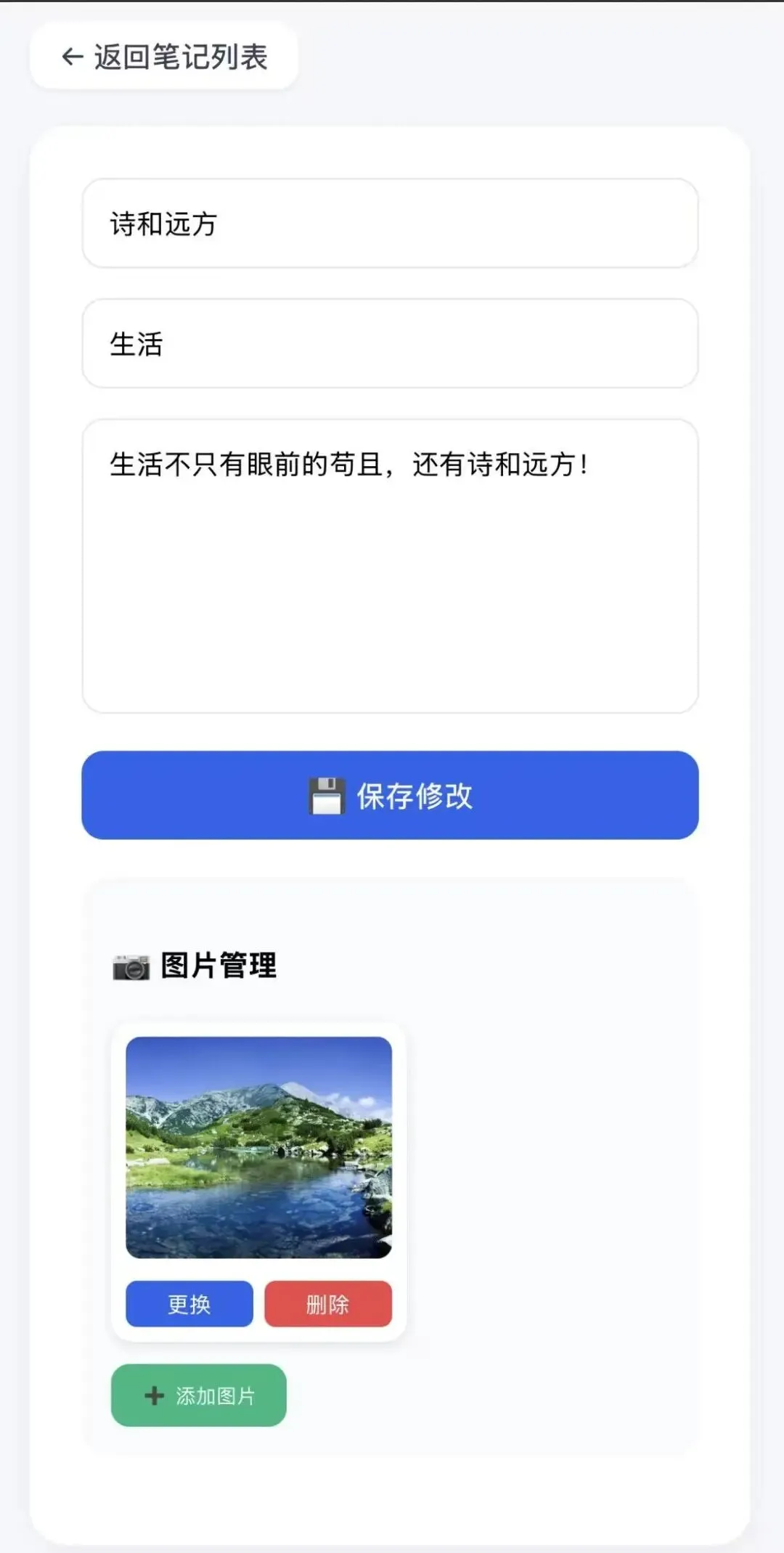
<!DOCTYPE html><htmllang="zh-CN"><head><metacharset="utf-8"><metaname="viewport"content="width=device-width, initial-scale=1.0"><title>编辑笔记</title><style>*{box-sizing:border-box;font-family:system-ui}body{background:#f5f7fa;padding:20px;margin:0}.container{max-width:800px;margin:0 auto}.back-btn{display:inline-flex;align-items:center;gap:6px;margin-bottom:20px;padding:8px 16px;background:white;border-radius:12px;text-decoration:none;color:#374151;font-weight:500;box-shadow:0 1px 3px rgba(0,0,0,0.08)}.card{background:white;border-radius:20px;padding:28px;box-shadow:0 4px 16px rgba(0,0,0,0.05)}input,textarea{width:100%;padding:14px;border:1px solid #e2e8f0;border-radius:12px;margin-bottom:16px;font-size:15px}textarea{min-height:160px;resize:vertical}.save-btn{width:100%;padding:14px;background:#2563eb;color:white;border:none;border-radius:12px;font-size:16px;font-weight:500;cursor:pointer}.images-section{margin:20px 0;padding:16px;background:#f8fafc;border-radius:16px}.images-grid{display:flex;gap:16px;flex-wrap:wrap;margin-top:12px}.image-card{position:relative;width:160px;background:white;border-radius:12px;padding:8px;box-shadow:0 2px 6px rgba(0,0,0,0.1)}.image-card img{width:100%;height:120px;object-fit:cover;border-radius:8px}.image-actions{display:flex;gap:6px;margin-top:8px}.img-btn{flex:1;padding:5px;border:none;border-radius:6px;cursor:pointer;font-size:12px}.del-img{background:#ef4444;color:white}.replace-img{background:#2563eb;color:white}.add-img-btn{background:#10b981;color:white;border:none;padding:10px 16px;border-radius:10px;cursor:pointer;margin-top:12px}</style></head><body><divclass="container"><ahref="/"class="back-btn">← 返回笔记列表</a><divclass="card"><formmethod="post"id="editForm"><inputname="title"value="{{ note[2] }}"requiredplaceholder="标题"><inputname="category"value="{{ note[4] }}"placeholder="分类"><textareaname="content"requiredplaceholder="内容">{{ note[3] }}</textarea><buttonclass="save-btn"type="submit">💾 保存修改</button></form><divclass="images-section"><h4>📷 图片管理</h4><divclass="images-grid"id="imagesGrid"></div><buttonclass="add-img-btn"id="addImageBtn">➕ 添加图片</button><inputtype="file"id="imageInput"accept="image/*"style="display:none"></div></div></div><script>const noteId = {{ note[0] }};let currentImages = [];async function loadImages() {const res = await fetch(`/api/notes/${noteId}/images`);currentImages = await res.json();renderImages();}function renderImages() {const grid = document.getElementById('imagesGrid');if (currentImages.length === 0) {grid.innerHTML = '<p style="color:#94a3b8">暂无图片,点击上方按钮添加</p>';return;}grid.innerHTML = currentImages.map(img => `<div class="image-card" data-id="${img.id}"><img src="/static/uploads/${img.filename}" alt="${img.original_name}"><div class="image-actions"><button class="img-btn replace-img" onclick="replaceImage(${img.id})">更换</button><button class="img-btn del-img" onclick="deleteImage(${img.id})">删除</button></div></div>`).join('');}async function deleteImage(imageId) {if (!confirm('确定删除这张图片?')) return;const res = await fetch(`/api/images/${imageId}`, { method: 'DELETE' });if (res.ok) {await loadImages();} else {alert('删除失败');}}function replaceImage(imageId) {const input = document.createElement('input');input.type = 'file';input.accept = 'image/*';input.onchange = async (e) => {const file = e.target.files[0];if (!file) return;const formData = new FormData();formData.append('image', file);const res = await fetch(`/api/images/${imageId}/replace`, { method: 'POST', body: formData });if (res.ok) {await loadImages();} else {alert('更换失败');}};input.click();}document.getElementById('addImageBtn').onclick = () => {document.getElementById('imageInput').click();};document.getElementById('imageInput').onchange = async (e) => {const file = e.target.files[0];if (!file) return;const formData = new FormData();formData.append('image', file);const res = await fetch(`/api/notes/${noteId}/add_image`, { method: 'POST', body: formData });if (res.ok) {await loadImages();} else {alert('添加失败');}e.target.value = '';};loadImages();</script></body></html>
<!DOCTYPE html><html><head><metacharset="utf-8"><style>body{font-family:sans-serif;line-height:1.6;margin:20px}h1{text-align:center}.meta{color:#666;margin-bottom:20px}.content{white-space:pre-wrap;margin-bottom:30px}img{max-width:100%;height:auto;margin:10px 0}</style></head><body><h1>{{ note[2] }}</h1><divclass="meta">分类:{{ note[4] }} | 时间:{{ note[6] }}</div><divclass="content">{{ note[3] }}</div>{% if note[5] %}<imgsrc="{{ base }}static/uploads/{{ note[5] }}">{% endif %}</body></html>
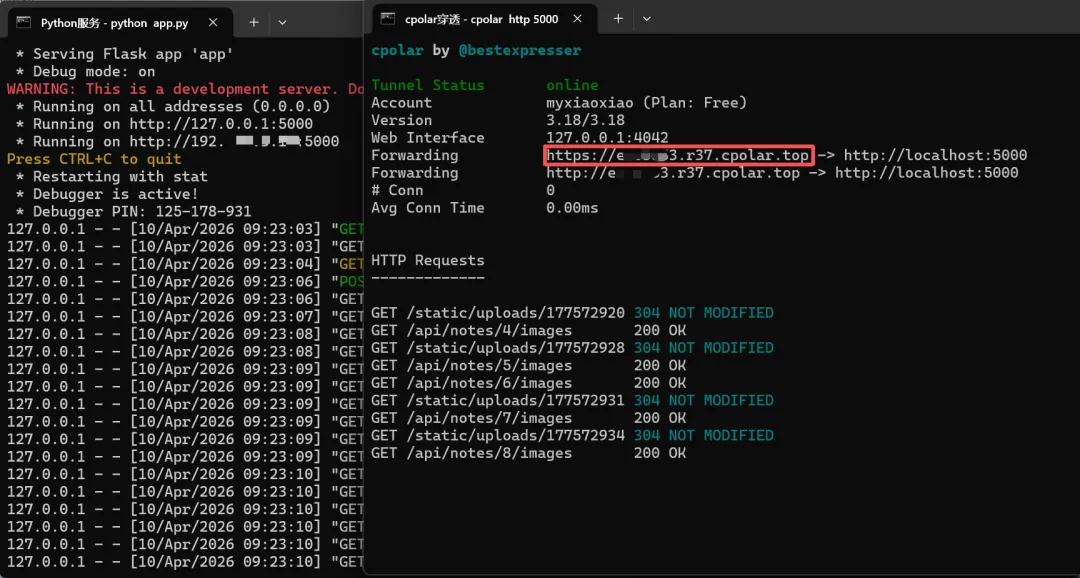
cd /d D:\note_web:: 先杀掉所有已运行的cpolar进程,解决并发限制taskkill /f /im cpolar.exe >nul 2>&1:: 打开第一个独立窗口:运行 Pythonstart "Python服务" cmd /k "python app.py":: 打开第二个独立窗口:运行 cpolarstart "cpolar穿透" cmd /k "cpolar http 5000"exit