 夜雨聆风
夜雨聆风


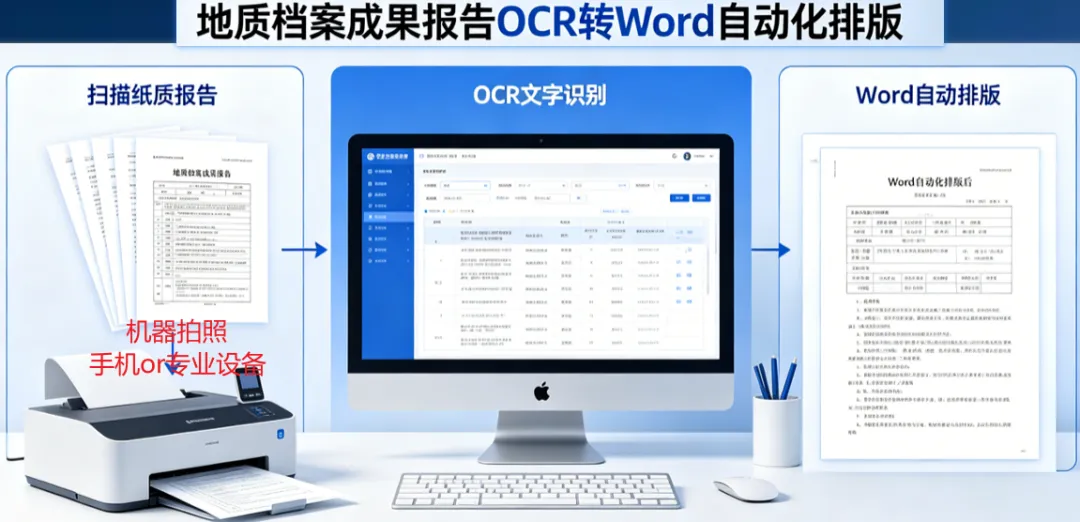
地质档案成果报告ocr转word自动化排版
Sub 设置标题正文模板样式1()'' 设置标题正文模板样式 宏' 设置2级标题、正文的字体段落、图片样式模板'With ActiveDocument.Styles(wdStyleHeading2).Font.NameFarEast = "宋体".NameAscii = "Times New Roman".NameOther = "Times New Roman".Name = "Times New Roman".Size = 22.Bold = False.Italic = False.Underline = wdUnderlineNone.UnderlineColor = wdColorAutomatic.StrikeThrough = False.DoubleStrikeThrough = False.Outline = False.Emboss = False.Shadow = False.Hidden = False.SmallCaps = False.AllCaps = False.Color = wdColorAutomatic.Engrave = False.Superscript = False.Subscript = False.Scaling = 100.Kerning = 1.Animation = wdAnimationNone.DisableCharacterSpaceGrid = False.EmphasisMark = wdEmphasisMarkNone.Ligatures = wdLigaturesNone.NumberSpacing = wdNumberSpacingDefault.NumberForm = wdNumberFormDefault.StylisticSet = wdStylisticSetDefault.ContextualAlternates = 0End WithWith ActiveDocument.Styles(wdStyleHeading2).ParagraphFormat.LeftIndent = CentimetersToPoints(0).RightIndent = CentimetersToPoints(0).SpaceBefore = 0.SpaceBeforeAuto = False.SpaceAfter = 0.SpaceAfterAuto = False.LineSpacingRule = wdLineSpaceSingle.Alignment = wdAlignParagraphCenter.WidowControl = False.KeepWithNext = False.KeepTogether = True.PageBreakBefore = True.NoLineNumber = False.Hyphenation = True.FirstLineIndent = CentimetersToPoints(0).OutlineLevel = wdOutlineLevel2.CharacterUnitLeftIndent = 0.CharacterUnitRightIndent = 0.CharacterUnitFirstLineIndent = 0.LineUnitBefore = 0.LineUnitAfter = 0.MirrorIndents = False.TextboxTightWrap = wdTightNone.CollapsedByDefault = False.AutoAdjustRightIndent = True.DisableLineHeightGrid = False.FarEastLineBreakControl = True.WordWrap = True.HangingPunctuation = True.HalfWidthPunctuationOnTopOfLine = False.AddSpaceBetweenFarEastAndAlpha = True.AddSpaceBetweenFarEastAndDigit = True.BaseLineAlignment = wdBaselineAlignAutoEnd WithActiveDocument.Styles(wdStyleHeading2).NoSpaceBetweenParagraphsOfSameStyle = FalseWith ActiveDocument.Styles(wdStyleHeading2).AutomaticallyUpdate = False.BaseStyle = wdStyleNormal.NextParagraphStyle = wdStyleNormalEnd With'新建 图片样式 判断是否存在On Error Resume Next ' 暂时禁用错误处理styleExists = Not (ActiveDocument.Styles("图片样式") Is Nothing)On Error GoTo 0 ' 恢复正常的错误处理If Not styleExists ThenActiveDocument.Styles.Add Name:="图片样式", Type:=wdStyleTypeParagraphEnd IfActiveDocument.Styles("图片样式").AutomaticallyUpdate = TrueWith ActiveDocument.Styles("图片样式").Font.NameFarEast = "宋体".NameAscii = "Times New Roman".NameOther = "Times New Roman".Name = "Times New Roman".Size = 10.5.Bold = False.Italic = False.Underline = wdUnderlineNone.UnderlineColor = wdColorAutomatic.StrikeThrough = False.DoubleStrikeThrough = False.Outline = False.Emboss = False.Shadow = False.Hidden = False.SmallCaps = False.AllCaps = False.Color = wdColorAutomatic.Engrave = False.Superscript = False.Subscript = False.Scaling = 100.Kerning = 1.Animation = wdAnimationNone.DisableCharacterSpaceGrid = False.EmphasisMark = wdEmphasisMarkNone.Ligatures = wdLigaturesNone.NumberSpacing = wdNumberSpacingDefault.NumberForm = wdNumberFormDefault.StylisticSet = wdStylisticSetDefault.ContextualAlternates = 0End WithWith ActiveDocument.Styles("图片样式").ParagraphFormat.LeftIndent = CentimetersToPoints(0).RightIndent = CentimetersToPoints(0).SpaceBefore = 0.SpaceBeforeAuto = False.SpaceAfter = 0.SpaceAfterAuto = False.LineSpacingRule = wdLineSpaceSingle.Alignment = wdAlignParagraphCenter.WidowControl = False.KeepWithNext = True.KeepTogether = True.PageBreakBefore = True.NoLineNumber = False.Hyphenation = True.FirstLineIndent = CentimetersToPoints(0).CharacterUnitLeftIndent = 0.CharacterUnitRightIndent = 0.CharacterUnitFirstLineIndent = 0.OutlineLevel = wdOutlineLevelBodyText.LineUnitBefore = 0.LineUnitAfter = 0.MirrorIndents = False.TextboxTightWrap = wdTightNone.CollapsedByDefault = False.AutoAdjustRightIndent = True.DisableLineHeightGrid = False.FarEastLineBreakControl = True.WordWrap = True.HangingPunctuation = True.HalfWidthPunctuationOnTopOfLine = False.AddSpaceBetweenFarEastAndAlpha = True.AddSpaceBetweenFarEastAndDigit = True.BaseLineAlignment = wdBaselineAlignAutoEnd WithActiveDocument.Styles("图片样式").NoSpaceBetweenParagraphsOfSameStyle = FalseActiveDocument.Styles("图片样式").ParagraphFormat.TabStops.ClearAllWith ActiveDocument.Styles("图片样式").ParagraphFormatWith .Shading.Texture = wdTextureNone.ForegroundPatternColor = wdColorAutomatic.BackgroundPatternColor = wdColorAutomaticEnd With.Borders(wdBorderLeft).LineStyle = wdLineStyleNone.Borders(wdBorderRight).LineStyle = wdLineStyleNone.Borders(wdBorderTop).LineStyle = wdLineStyleNone.Borders(wdBorderBottom).LineStyle = wdLineStyleNoneWith .Borders.DistanceFromTop = 1.DistanceFromLeft = 4.DistanceFromBottom = 1.DistanceFromRight = 4.Shadow = FalseEnd WithEnd WithActiveDocument.Styles("图片样式").Frame.DeleteMsgBox "标题正文模板样式设置完成"End SubSub 设置页面参数2()''设置初始化:取消所有样式、设置页边距、设置纸张大小、页眉页脚边距、每页行数、每行字数、设置所有段落为正文样式'Selection.WholeStorySelection.ClearFormattingSelection.Range.HighlightColorIndex = wdNoHighlightWith ActiveDocument.PageSetup.LineNumbering.Active = False.Orientation = wdOrientPortrait.TopMargin = CentimetersToPoints(2.54).BottomMargin = CentimetersToPoints(2.54).LeftMargin = CentimetersToPoints(3.17).RightMargin = CentimetersToPoints(3.17).Gutter = CentimetersToPoints(0).HeaderDistance = CentimetersToPoints(1.5).FooterDistance = CentimetersToPoints(1.75).PageWidth = CentimetersToPoints(21).PageHeight = CentimetersToPoints(29.7).FirstPageTray = wdPrinterDefaultBin.OtherPagesTray = wdPrinterDefaultBin.SectionStart = wdSectionNewPage.OddAndEvenPagesHeaderFooter = False.DifferentFirstPageHeaderFooter = False.VerticalAlignment = wdAlignVerticalTop.SuppressEndnotes = False.MirrorMargins = False.TwoPagesOnOne = False.BookFoldPrinting = False.BookFoldRevPrinting = False.BookFoldPrintingSheets = 1.GutterPos = wdGutterPosLeft.CharsLine = 39.LinesPage = 44.LayoutMode = wdLayoutModeGridEnd With' 设置正文样式Selection.Style = ActiveDocument.Styles(wdStyleNormal)Selection.HomeKey Unit:=wdStoryMsgBox "页面参数样式设置完成"End SubSub 删除空白行3()''先执行删除空白行(不可等设置完样式后再执行),再将全文所有空格删除'Dim para As ParagraphDim isBlank As BooleanFor Each para In ActiveDocument.ParagraphsisBlank = TrueIf Len(para.Range.text) <> 1 ThenisBlank = FalseEnd IfIf para.Range.Information(wdWithInTable) = False ThenIf isBlank Thenpara.Range.DeleteEnd IfEnd IfNextActiveDocument.Content.Find.Execute FindText:=" ", ReplaceWith:="", Replace:=wdReplaceAllMsgBox "已删除所有空白行(非表格内)、空格"End SubSub 删除分页符4_1()'chatgpt生成 需要去了解While .Execute用法、Collapse 等Application.ScreenUpdating = FalseApplication.DisplayAlerts = FalseSelection.HomeKey Unit:=wdStoryDim rng As RangeSet rng = ActiveDocument.ContentDim regEx As ObjectSet regEx = CreateObject("VBScript.RegExp")With regEx.Global = True.pattern = "\d+"End WithWith rng.Find.ClearFormatting.text = "^m".Forward = True.Wrap = wdFindStopWhile .ExecuteDim lineText As StringlineText = rng.Paragraphs(1).Range.textIf regEx.test(lineText) ThenDim matches As ObjectSet matches = regEx.Execute(lineText)If matches.Count > 0 Thenrng.Paragraphs(1).Range.DeleteEnd IfEnd Ifrng.Collapse Direction:=wdCollapseEndrng.MoveStart Unit:=wdCharacter, Count:=1WendEnd WithEnd SubSub 删除分节符4_2()Application.ScreenUpdating = FalseApplication.DisplayAlerts = FalseSelection.HomeKey Unit:=wdStoryDim rng As RangeSet rng = ActiveDocument.ContentDim regEx As ObjectSet regEx = CreateObject("VBScript.RegExp")With regEx.Global = True.pattern = "\d+"End WithWith rng.Find.ClearFormatting.text = "^b".Forward = True.Wrap = wdFindStopWhile .ExecuteDim lineText As StringlineText = rng.Paragraphs(1).Range.textIf regEx.test(lineText) ThenDim matches As ObjectSet matches = regEx.Execute(lineText)If matches.Count > 0 Thenrng.Paragraphs(1).Range.DeleteEnd IfEnd Ifrng.Collapse Direction:=wdCollapseEndrng.MoveStart Unit:=wdCharacter, Count:=1WendEnd WithActiveDocument.Content.Find.Execute FindText:="^b", ReplaceWith:="", Replace:=wdReplaceAll '删除分节符ActiveDocument.Content.Find.Execute FindText:="^m", ReplaceWith:="", Replace:=wdReplaceAll '删除分页符End SubSub 删除分页符分节符4()Call 删除分页符4_1Call 删除分节符4_2MsgBox "已删除所有分页符分节符"End SubSub 遍历设置各级段落样式5()''遍历每个段落 逐段落进行标题匹配设置样式'Application.ScreenUpdating = FalseApplication.DisplayAlerts = FalseSelection.HomeKey Unit:=wdStoryDim t2_reg, t3_reg, t4_reg, t5_reg, t6_reg, t7_reg, cankao_regSet t2_reg = CreateObject("vbscript.regexp")t2_reg.pattern = "^(第[一二三四五六七八九十 ]+篇[^\r]*)\r"Set t3_reg = CreateObject("vbscript.regexp")Dim para As ParagraphDim isSearched As BooleanDim pos As LongFor Each para In ActiveDocument.Paragraphs'用if-elseif更好-不想改了isSearched = FalseIf t2_reg.test(para.Range.text) And Not isSearched ThenisSearched = Truepara.Style = ActiveDocument.Styles(wdStyleHeading2)pos = InStr(para.Range.text, "篇") + 1para.Range.Characters(pos).InsertBefore " " '此段落一定有篇End IfNextSelection.HomeKey Unit:=wdStoryMsgBox "遍历设置各级段落样式完成"End SubSub 设置各级标题样式5()'不推荐-慢'采用正则匹配,然后查找设置对应的段落格式'https://devbox.cn/p/Zai_vba_Zhong_di_460e0cc1.html(非对象不使用set,需要提前Dim声明,对象需要set,可不Dim声明)'可简化成1个函数,传参遍历执行-但不想!'Application.ScreenUpdating = FalseApplication.DisplayAlerts = FalseDim t2_reg, t3_reg, t4_reg, t5_reg, t6_reg, t7_reg, strA$ '最后1个$ 只对strA有效strA = ActiveDocument.Content.textSet t2_reg = CreateObject("vbscript.regexp")'二级标题Selection.HomeKey Unit:=wdStoryt2_reg.pattern = "\r(第[一二三四五六七八九十 ]+篇[^\r]*)\r"t2_reg.Global = TrueSet t2_titles = t2_reg.Execute(strA)For Each t2_title In t2_titlesWith Selection.Find.ClearFormatting.text = t2_title.SubMatches(0).Execute Forward:=TrueEnd WithSelection.Style = ActiveDocument.Styles(wdStyleHeading2)Selection.HomeKey Unit:=wdStoryNextMsgBox "标题正文样式设置完成"End SubSub 设置图表样式6()''设置图表样式'Application.ScreenUpdating = FalseApplication.DisplayAlerts = FalseDim mytable As TableFor Each mytable In ActiveDocument.TablesWith mytable.TopPadding = PixelsToPoints(0, True).BottomPadding = PixelsToPoints(0, True).LeftPadding = PixelsToPoints(0, True).RightPadding = PixelsToPoints(0, True).Spacing = PixelsToPoints(0, True).AllowPageBreaks = True.AllowAutoFit = TrueWith .Rows.WrapAroundText = False.Alignment = wdAlignRowCenter.AllowBreakAcrossPages = False.HeightRule = wdRowHeightExactly.Height = CentimetersToPoints(0).LeftIndent = CentimetersToPoints(0)End WithWith .RangeWith .Font.Name = "宋体".Name = "Times New Roman".Color = wdColorAutomatic.Size = 7.5.Kerning = 0.DisableCharacterSpaceGrid = TrueEnd WithWith .ParagraphFormat.CharacterUnitFirstLineIndent = 0.FirstLineIndent = CentimetersToPoints(0).LineSpacingRule = wdLineSpaceSingle.Alignment = wdAlignParagraphCenter.AutoAdjustRightIndent = False.DisableLineHeightGrid = True.LeftIndent = CentimetersToPoints(0).RightIndent = CentimetersToPoints(0).FirstLineIndent = CentimetersToPoints(0).CharacterUnitLeftIndent = 0.CharacterUnitRightIndent = 0.CharacterUnitFirstLineIndent = 0End With.Cells.VerticalAlignment = wdCellAlignVerticalCenterEnd With.PreferredWidthType = wdPreferredWidthPoints.PreferredWidth = CentimetersToPoints(14.5)With .Borders.InsideLineStyle = wdLineStyleSingle.OutsideLineStyle = wdLineStyleSingle.InsideLineWidth = wdLineWidth025pt.OutsideLineWidth = wdLineWidth025pt.InsideColor = wdColorAutomatic.OutsideColor = wdColorAutomaticEnd WithEnd WithNextSelection.HomeKey Unit:=wdStoryDim ishape As InlineShapeFor Each ishape In ActiveDocument.InlineShapesWith ishapeIf .Type = wdInlineShapePicture Then.LockAspectRatio = msoTrue.Width = CentimetersToPoints(14.5)End IfEnd Withishape.Range.Style = ActiveDocument.Styles("图片样式")NextDim sh As ShapeFor Each sh In ActiveDocument.ShapesWith shIf .Type = msoPicture Then.LockAspectRatio = msoTrue.Width = CentimetersToPoints(14.5)End IfEnd WithWith Selection.ParagraphFormat.LeftIndent = CentimetersToPoints(0).RightIndent = CentimetersToPoints(0).FirstLineIndent = CentimetersToPoints(0)End WithNextSelection.HomeKey Unit:=wdStoryMsgBox "图表样式设置完成"End SubPrivate Sub SetSuperscriptAndSubscript(ByVal PrefixChr As String, ByVal SetChr As String, Optional ByVal PostChr As String, Optional ByVal SuperscriptMode As Boolean = True)'程序功能:设置文档中特定字符为上标或下标。'参数说明:'PrefixChr:必选参数,要设置为上、下标字符之前的字符;'SetChr:必选参数,要设置为上、下标的字符;'PostChr:必选,但可赋空字符串,若为了界定整个替换符号而包含的后缀,防止误替换,可加此参数'SuperscriptMode:可选参数,设置为 True 表示将 SetChr 设置为上标,设置为 False 表示将 SetChr 设置为下标,默认为 True。Selection.Start = ActiveDocument.Paragraphs(1).Range.StartSelection.Collapse wdCollapseStartWith Selection.Find.ClearFormatting.MatchCase = False.Replacement.ClearFormatting.text = PrefixChr & SetChr & PostChr.Replacement.text = .textIf SuperscriptMode Then.Replacement.Font.Superscript = TrueElse.Replacement.Font.Subscript = TrueEnd If.Execute Replace:=wdReplaceAll.ClearFormatting.Replacement.ClearFormatting.text = PrefixChrIf SuperscriptMode Then.Font.Superscript = TrueElse.Font.Subscript = TrueEnd If.Replacement.text = .textIf SuperscriptMode Then.Replacement.Font.Superscript = FalseElse.Replacement.Font.Subscript = FalseEnd If.Execute Replace:=wdReplaceAllIf Len(PostChr) > 0 Then.ClearFormatting.Replacement.ClearFormatting.text = PostChrIf SuperscriptMode Then.Font.Superscript = TrueElse.Font.Subscript = TrueEnd If.Replacement.text = .textIf SuperscriptMode Then.Replacement.Font.Superscript = FalseElse.Replacement.Font.Subscript = FalseEnd If.Execute Replace:=wdReplaceAllEnd IfEnd WithEnd SubSub 执行上下标7()''依靠SetSuperscriptAndSubscript来实现'Call SetSuperscriptAndSubscript("O", "+", "", True)Call SetSuperscriptAndSubscript("O", "-", "", True)Call SetSuperscriptAndSubscript("H", "2", "O", False)Call SetSuperscriptAndSubscript("TiO", "2", "", False)MsgBox "设置上下标完成"End SubSub 数字智能自动排版流程_遍历段落()MsgBox "这种遍历更快更好-NoWhy"Call 设置标题正文模板样式1Call 设置页面参数2Call 删除空白行3Call 删除分页符分节符4Call 遍历设置各级段落样式5Call 设置图表样式6Call 执行上下标7MsgBox "已全部设置完成-NoWhy"End Sub