ARTICLE · 1048096
[AI工程] Spring AI第三篇: 2.0实战,多模型、流式输出与工具调用怎么写?
💡 Spring AI 接入模型后,很多人第一反应是直接注入 ChatModel 然后调用 call()。当然可以,但当你开始加系统提示词、对话记忆、流式输出、工具调用和模型路由时,代码很快会变得零散。
Spring AI 2.0 提供的 ChatClient,更像 AI 场景下的 RestClient:它把模型调用过程组织成统一、链式、可扩展的 API。
这篇文章讲清楚 ChatClient 的基本使用、流式响应、默认配置、Tools 语义,以及 DeepSeek 与 Ollama 多模型动态切换。
1. ChatClient 和 ChatModel:到底该用哪个?
可以简单理解成:
ChatClient:面向业务开发的高层 API-->ChatModel:面向模型调用的底层抽象-->DeepSeek / Ollama / OpenAI / 百炼
ChatModel 更接近模型调用本身,适合设置模型特有参数、研究底层请求与响应;ChatClient 则负责把 Prompt、系统提示词、流式响应、Advisor、Memory、Tools 等能力组织成统一链路。我的建议很简单:
业务代码优先使用 ChatClient;需要模型特有能力或排查底层调用时,再直接使用 ChatModel。
Spring AI 的 ChatClient 支持同步和流式两种调用方式:
// 非流式String content = chatClient.prompt().system("你是一个友好的助手").user("Hello").call().content();// 流式Flux<String> stream = chatClient.prompt().user("Hello").stream().content();
官方文档:Spring AI ChatClient API。
2. 基础使用:从 Builder 创建 ChatClient
ChatClient 必须通过 ChatClient.Builder 创建。若项目中只有一个 ChatModel,Spring Boot 自动配置会注入可用的 Builder。
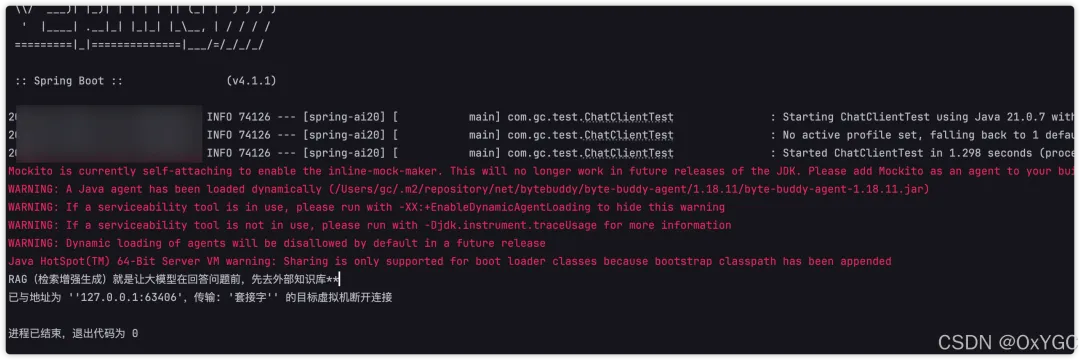
@SpringBootTestclass ChatClientTest {@Testvoid testChatClient(@Autowired ChatClient.Builder builder) {ChatClient chatClient = builder.build();String content = chatClient.prompt().user("用一句话解释什么是 RAG").call().content();System.out.println(content);}}
Q1:多个模型 Starter 同时存在时,为什么自动注入会失败?
因为 Spring 无法判断默认应该选 DeepSeek、Ollama 还是其他模型。这时不要依赖“默认模型”,而是显式指定 ChatModel:
@SpringBootTestclass ChatClientTest {@Testvoid testDeepSeek(@Autowired DeepSeekChatModel deepSeekChatModel) {ChatClient chatClient = ChatClient.builder(deepSeekChatModel).build();String content = chatClient.prompt().user("介绍一下 Spring AI 的作用").call().content();System.out.println(content);}}
3. 流式输出与默认配置:把公共能力收敛到 Builder
流式输出适合聊天窗口、AI 写作、代码生成等场景。
@Testvoid testStream(@Autowired ChatClient.Builder chatClientBuilder) {Flux<String> stream = chatClientBuilder.build().prompt().user("写一段关于 Java 虚拟线程的简介").stream().content();stream.toIterable().forEach(System.out::print);}
真实 Web 接口中,通常使用 SSE:
@RestController@RequestMapping("/ai")class AiController {private final ChatClient chatClient;AiController(ChatClient.Builder builder) {this.chatClient = builder.build();}@GetMapping(value = "/stream", produces = "text/event-stream")Flux<String> stream(@RequestParam String message) {return chatClient.prompt().user(message).stream().content();}}
如果系统提示词、温度参数、日志、记忆或工具是所有请求都要使用的能力,不应该每次调用时重复写。可以在构建 ChatClient 时统一配置:
@BeanChatClient customerServiceChatClient(ChatModel chatModel,ChatMemory chatMemory) {return ChatClient.builder(chatModel).defaultSystem("""你是程序员GC的智能技术助手。回答保持准确、简洁;信息不足时明确说明。""").defaultOptions(DeepSeekChatOptions.builder().temperature(0.5)).defaultAdvisors(new SimpleLoggerAdvisor(),MessageChatMemoryAdvisor.builder(chatMemory).build()).build();}
请求--> defaultSystem--> defaultAdvisors--> 当前请求的 Prompt / Tools / Options--> ChatModel
这种方式能保证公共规则集中管理,而不是散落在几十个 Controller 中。
4. .defaultTools() 和 .tools():一个容易踩坑的语义差异
Spring AI 2.0 中,两者不是同一个意思:
.defaultTools() | ||
.defaultToolCallbacks() | ||
.tools() | ||
ChatModel.toolCallbacks() |
示例:
ChatClient chatClient = ChatClient.builder(chatModel).defaultTools(weatherTools).build();String content = chatClient.prompt().user("查询北京今天的天气,并说明是否适合出门").tools(calendarTools).call().content();
上面的 calendarTools 是追加,不会覆盖 weatherTools。
ChatClient 的
.tools()是追加语义;直接操作 ChatModel 的工具回调时,要特别留意是否覆盖了原有配置。
当工具数量很多时,也不要把所有工具无脑塞给模型。工具描述会占用上下文,工具越多,模型选错工具的概率和 Token 成本都会上升。
5. 多模型动态切换:DeepSeek、推理模型与 Ollama
一个真实项目里经常需要多个模型:
deepseek-chat | |
deepseek-reasoner | |
当前 Spring AI 2.0 的配置项已进行调整。以 DeepSeek 为例,应使用 spring.ai.deepseek.api-key、spring.ai.deepseek.chat.model 等当前属性,不建议继续沿用旧版本中的嵌套 options 配置写法。
spring:ai:deepseek:api-key: ${DEEPSEEK_API_KEY}chat:model: deepseek-chatollama:base-url: http://localhost:11434chat:model: qwen3:4b
然后显式创建不同的 ChatClient:
package com.gc.config;import org.springframework.ai.chat.client.ChatClient;import org.springframework.ai.deepseek.DeepSeekChatModel;import org.springframework.ai.deepseek.DeepSeekChatOptions;import org.springframework.ai.deepseek.api.DeepSeekApi;import org.springframework.ai.ollama.OllamaChatModel;import org.springframework.ai.ollama.api.OllamaApi;import org.springframework.ai.ollama.api.OllamaChatOptions;import org.springframework.context.annotation.Bean;import org.springframework.context.annotation.Configuration;@Configurationclass MultiModelConfig {@Bean("deepseekReasonerClient")ChatClient deepseekReasonerClient() {DeepSeekApi api = DeepSeekApi.builder().apiKey(System.getenv("DEEP_SEEK_KEY")).build();// 1. Model 层只负责连接,不在这里设置 OptionsDeepSeekChatModel model = DeepSeekChatModel.builder().deepSeekApi(api).build();// 2. 在 ChatClient 层设置 defaultOptionsreturn ChatClient.builder(model).defaultOptions(DeepSeekChatOptions.builder().model("deepseek-reasoner")).build();}@Bean("deepseekChatClient")ChatClient deepseekChatClient() {DeepSeekApi api = DeepSeekApi.builder().apiKey(System.getenv("DEEP_SEEK_KEY")).build();DeepSeekChatModel model = DeepSeekChatModel.builder().deepSeekApi(api).build();return ChatClient.builder(model).defaultOptions(DeepSeekChatOptions.builder().model("deepseek-chat")).build();}@Bean("ollamaChatClient")ChatClient ollamaChatClient(OllamaApi ollamaApi) {OllamaChatModel model = OllamaChatModel.builder().ollamaApi(ollamaApi).options(OllamaChatOptions.builder().model("qwen3:4b").build()).build();return ChatClient.builder(model).build();}// @Bean("customerServiceChatClient")// ChatClient customerServiceChatClient(// @Qualifier("deepseekChatClient") ChatClient deepseekChatClient,// ChatMemory chatMemory) {// // 基于已有的 deepseekChatClient 进行增强,避免重复创建 Model// return deepseekChatClient.mutate()// .defaultSystem("""// 你是程序员GC的智能技术助手。// 回答保持准确、简洁;信息不足时明确说明。// """)// .defaultOptions(DeepSeekChatOptions.builder().temperature(0.5))// .defaultAdvisors(// new SimpleLoggerAdvisor(),// MessageChatMemoryAdvisor.builder(chatMemory).build())// .build();// }}
Controller 中按 Bean 名称进行路由:
@RestController@RequestMapping("/ai")class MultiModelController {private final Map<String, ChatClient> chatClients;MultiModelController(Map<String, ChatClient> chatClients) {this.chatClients = chatClients;}@GetMapping("/chat")String chat(@RequestParam String message,@RequestParam String model) {ChatClient chatClient = chatClients.get(model);if (chatClient == null) {throw new IllegalArgumentException("不支持的模型:" + model);}return chatClient.prompt().user(message).call().content();}}
调用示例:
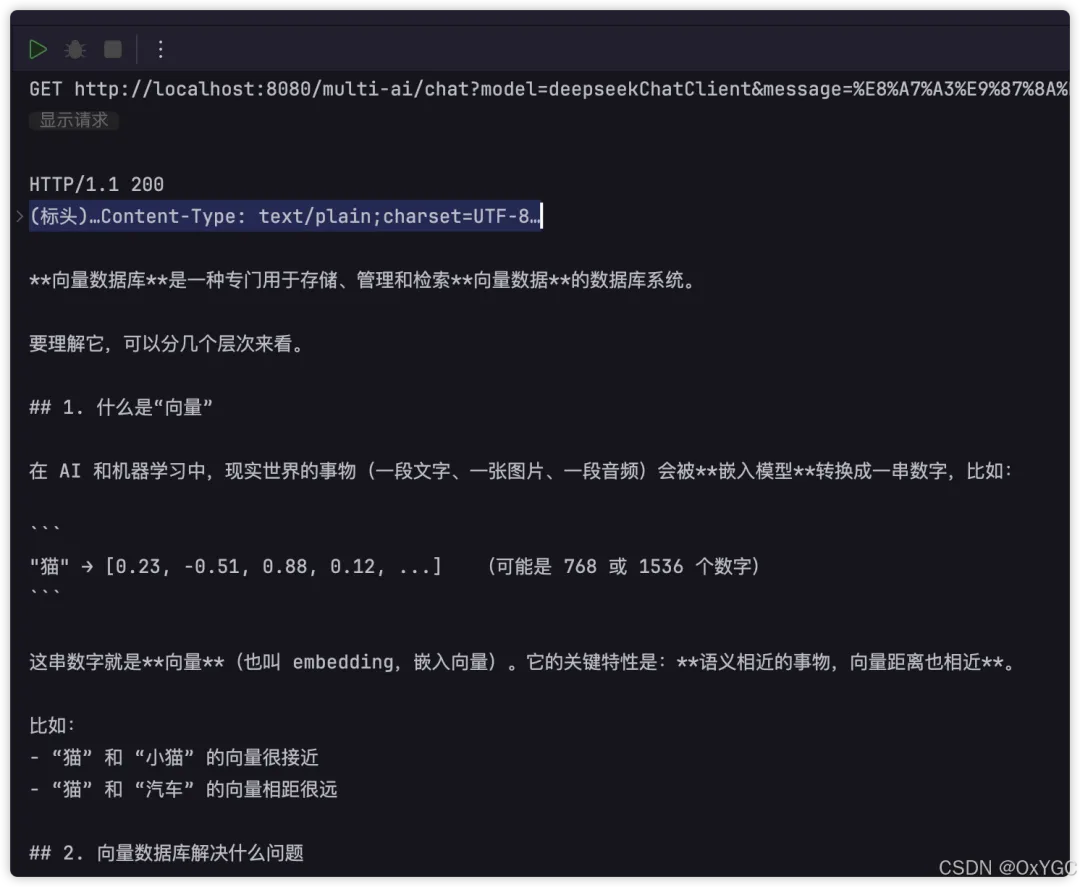
/ai/chat?model=deepseekChatClient&message=解释什么是向量数据库/ai/chat?model=deepseekReasonerClient&message=设计一个订单超时关闭方案/ai/chat?model=ollamaChatClient&message=总结这段内部文档
生产环境不要直接让前端传任意 Bean 名称。应维护一个模型白名单,并基于任务类型、成本、延迟、隐私等级做路由。
普通问答 --> deepseek-chat复杂推理 --> deepseek-reasoner敏感内部数据 --> ollama图片理解 --> 多模态模型
流式交互文本 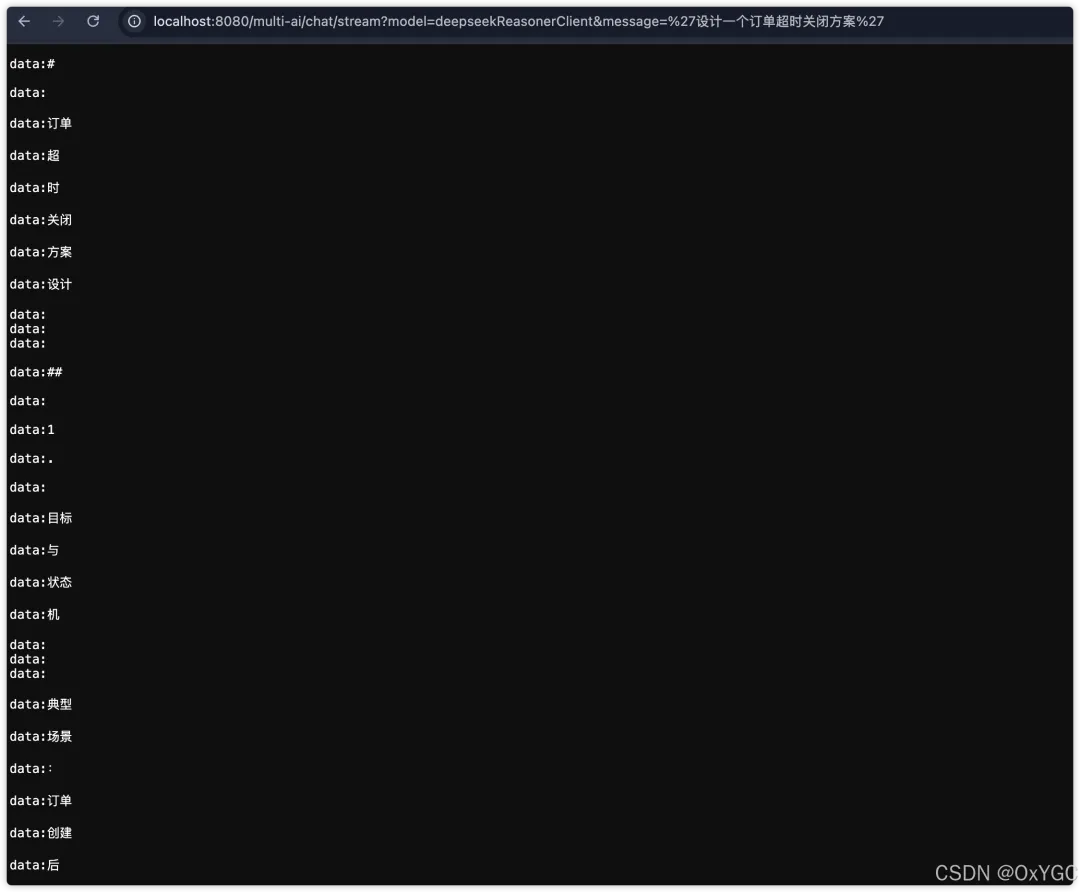
最后总结
如果只是单模型调用:
如果只是单模型调用:注入
ChatClient.Builder,用.prompt().user().call().content()即可;需要流式聊天时,改用.stream().content(),并通过 SSE 返回给前端。如果需要系统提示词、记忆、日志与工具:在 Builder 中通过
defaultSystem()、defaultAdvisors()、defaultTools()统一配置,避免散落在各处。如果使用推理模型等用时较长的模型,推荐使用流式接口进行交互
如果项目需要多个模型:显式创建多个 ChatClient,通过白名单与路由策略选择,而不是依赖自动注入碰运气。
ChatClient的价值在于:让业务代码不绑定某一个大模型 SDK。今天用 DeepSeek,明天换到 Ollama、百炼或其他模型,上层的 Prompt、Advisor、Tools 与业务流程依然可以复用。
参考资料 & 致谢
[1] Spring AI ChatClient 官方文档 [2] Spring AI DeepSeek Chat 文档 [3] Spring AI Ollama Chat 文档 [4] Spring AI 官方项目