 夜雨聆风
夜雨聆风
参考:
https://mp.weixin.qq.com/s/p_GfDHGCWH3A_wie2P9P8g
论文链接:https://doi.org/10.1016/j.cpc.2021.108179
软件下载:https://github.com/FourPhonon
FourPhonon的开发基于业内普遍使用的ShengBTE软件:它基于玻尔兹曼输运方程,求解晶格热导率。
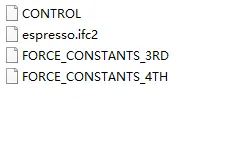
FourPhonon的使用步骤和流程都与ShengBTE保持一致:用户只需要准备一个参数设定文件CONTROL,以及力常数文件(二阶力常数,三阶力常数,四阶力常数)。
软件包附带一个Fourthorder.py,为用有限差分法结合第一性原理计算四阶力常数的小程序。它在原理和实现方法上都与之前计算三阶力常数的小程序thirdorder.py一致。
Fourthorder.py编译
与Thirdorder类似,参考shengbte中编译方法,在完成spglib编译后,修改setup.py
#!/usr/bin/env python# -*- encoding: utf-8 -*-import numpyfrom distutils.core import setupfrom distutils.extension import Extension# Add the location of the "spglib/spglib.h" to this list if necessary.# Example: INCLUDE_DIRS=["/home/user/local/include"]INCLUDE_DIRS=["/opt/software/spglib.1.6.4/include"]# Add the location of the spglib shared library to this list if necessary.# Example: LIBRARY_DIRS=["/home/user/local/lib"]LIBRARY_DIRS=["/opt/software/spglib.1.6.4/lib"]# Set USE_CYTHON to True if you want include the cythonization in your build process.USE_CYTHON=Falseext=".pyx" if USE_CYTHON else ".c"extensions=[Extension("Fourthorder_core",["Fourthorder_core"+ext],include_dirs=[numpy.get_include()]+INCLUDE_DIRS,library_dirs=LIBRARY_DIRS,runtime_library_dirs=LIBRARY_DIRS,libraries=["symspg"])]if USE_CYTHON:from Cython.Build import cythonizeextensions=cythonize(extensions)setup(name="Fourthorder",ext_modules=extensions)
然后执行
sh sh compile.sh或(注意,使用python2进行编译)
python2 setup.py build --build-lib=. --build-platlib=.完成后运行
Fourthorder_vasp.py返回:
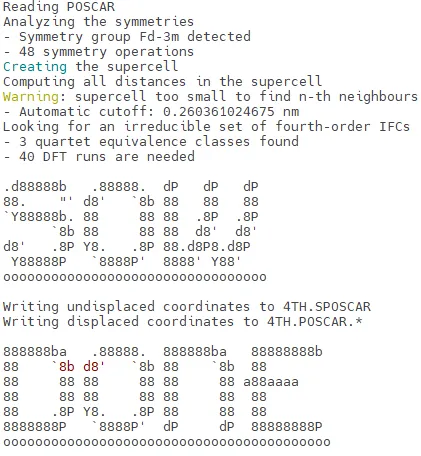
./Fourthorder_vasp.py sow|reap na nb nc cutoff[nm/-integer]
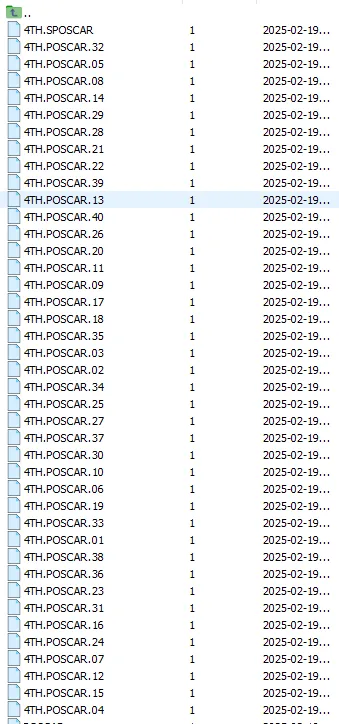
基于POSCAR和正确的指令,输出应为:
FourPhono编译
与ShengBTE类似,通过修改 arch.make进行编译,需要指定spglib的库文件libsymspg.a
export FFLAGS=-qopenmp -traceback -debug -O2 -static_intelexport LDFLAGS=-L/home/user/REPOSITORY/spglib/lib -lsymspgexport MPIFC=mpiifortMKL=$(MKLROOT)/lib/intel64/libmkl_lapack95_lp64.a -Wl,--start-group \$(MKLROOT)/lib/intel64/libmkl_intel_lp64.a \$(MKLROOT)/lib/intel64/libmkl_sequential.a \$(MKLROOT)/lib/intel64/libmkl_core.a -Wl,--end-group -lpthread -lmexport LAPACK=$(MKL)export LIBS=$(LAPACK)
修改完成后在Src文件夹中执行
make获得ShengBTE文件。
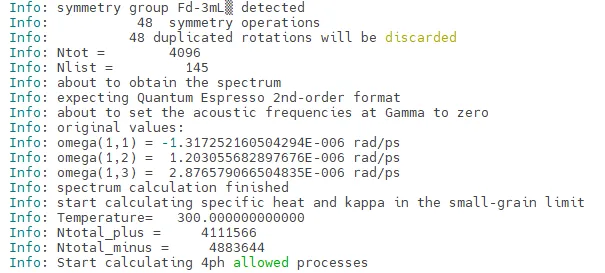
可在example中的Si进行测试
本公众号不定期发布有关DFT计算相关内容,主题多变且不固定。
欢迎分享本公众号推送,将教程与经验传播给需要的人。
如对教程内容有疑问,或者有需要咨询,可后台留言或微信联系作者:hn_87165
同时如想加入公众号交流群,也可添加作者并说明。
或扫描二维码添加
加交流群请主动说明 :所在单位 研究方向

最后,如果您有DFT计算相关经验,愿意写相关的教程,也可以联系作者投稿。
愿有所成

引喻失义 妄自菲薄