 夜雨聆风
夜雨聆风工作原理
- 打开任意网页
- 右键单击 → “.MD 此页面”(或按
Alt+M) - 立即获取干净的 Markdown
使用特征
- 一键转换:使用上下文菜单(右键单击)或键盘快捷键(
Alt+M)立即转换当前页面。 - 智能提取:由 Mozilla 的 Readability 库提供支持,以隔离主要内容并忽略广告、导航栏和不必要的元素。
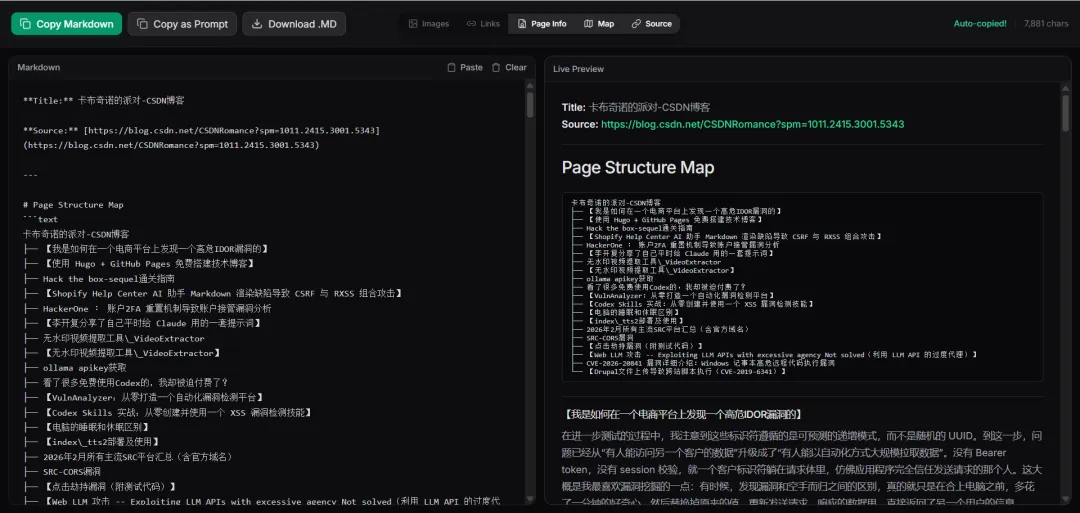
- 专用预览标签页:打开一个简洁的界面,您可以在其中查看和完善提取的 Markdown。
- 可自定义输出:切换各种元素,根据您的需要定制 Markdown:
- 移除/保留图片
- 移除/保留链接
- 显示/隐藏元数据(标题、作者、日期)
- 显示/隐藏源网址
- 生成文档结构/页面图
- 出口选项:
- 复制到剪贴板
- 下载为
.md文件
Prerequisites
Node.js pnpm (or npm, yarn)
Installation & Development
Clone the repository and navigate to the project directory:
cd md-this-page
Install dependencies:
pnpm installRun the development server:
pnpm devThis will run the Plasmo dev server and generate a
build/chrome-mv3-devdirectory.Load the extension in Chrome:
Go to chrome://extensions/Enable Developer mode Click Load unpacked Select the build/chrome-mv3-devdirectory from this project.
Building for Production
To create a production build of the extension:
pnpm buildThis will output the production-ready extension into build/chrome-mv3-prod.
https://github.com/Ademking/MD-This-Page#why-markdown-and-why-it-matters-for-llms