 夜雨聆风
夜雨聆风


修改GTranslate多语言插件语言默认切换效果

GTranslate是一个非常好用的多语言插件,一般网站用它免费版的前端实时翻译就可以了,我自己也经常用。但是GTranslate多语言插件语言默认切换效果不是太好。
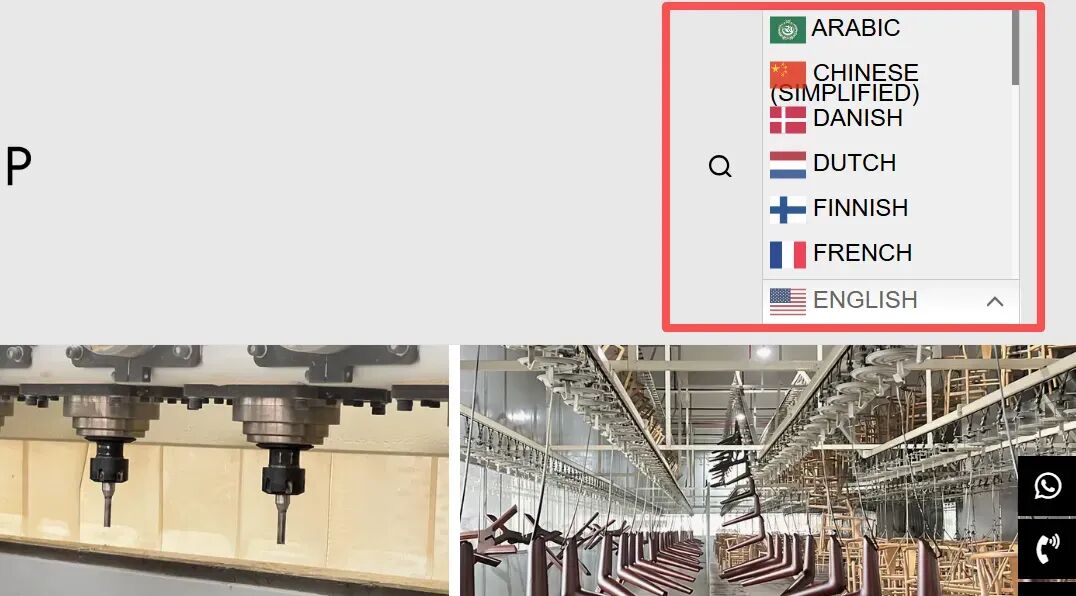
如上图所示,我把GTranslate多语言切换放到导航栏时,切换语言时,它会拉伸导航,感觉不是太好看。如果要求不高可以换一种预设将就用。或者是使用下面我提供的CSS来优化。
/* ========== GTranslate 多语言修复 - 不拉伸导航栏 + 正常显示下拉 ========== */.gt_switcher { position: relative !important; display: inline-block !important; vertical-align: middle !important; height: auto !important; overflow: visible !important;}.gt_switcher .gt_option { position: absolute !important; top: 100% !important; left: 0 !important; z-index: 99999 !important; width: 190px !important; max-height: 400px !important; overflow-y: auto !important; background: #ffffff !important; border: 1px solid #eee !important; box-shadow: 0 3px 10px rgba(0,0,0,0.1) !important; padding: 5px 0 !important; margin: 5px 0 0 !important; display: none !important;}.gt_switcher .gt_option[style*="block"],.gt_switcher .gt_option[style*="height: auto"] { display: block !important;}.gt_switcher .gt_option[style*="height"] { height: auto !important;}.gt_switcher .gt_option a,.gt_switcher .gt_selected a { font-size: 13px !important; line-height: 1.6 !important; padding: 6px 15px !important; display: block !important; color: #333 !important; text-decoration: none !important; white-space: nowrap !important; background: #fff;}/* 鼠标悬停效果 */.gt_switcher .gt_option a:hover { background-color: #f5f5f5 !important;}上面的CSS代码大家可以直接复制,也可以微调,比如颜色、字体大小等,然后粘贴到主题自定义设置的CSS中即可。
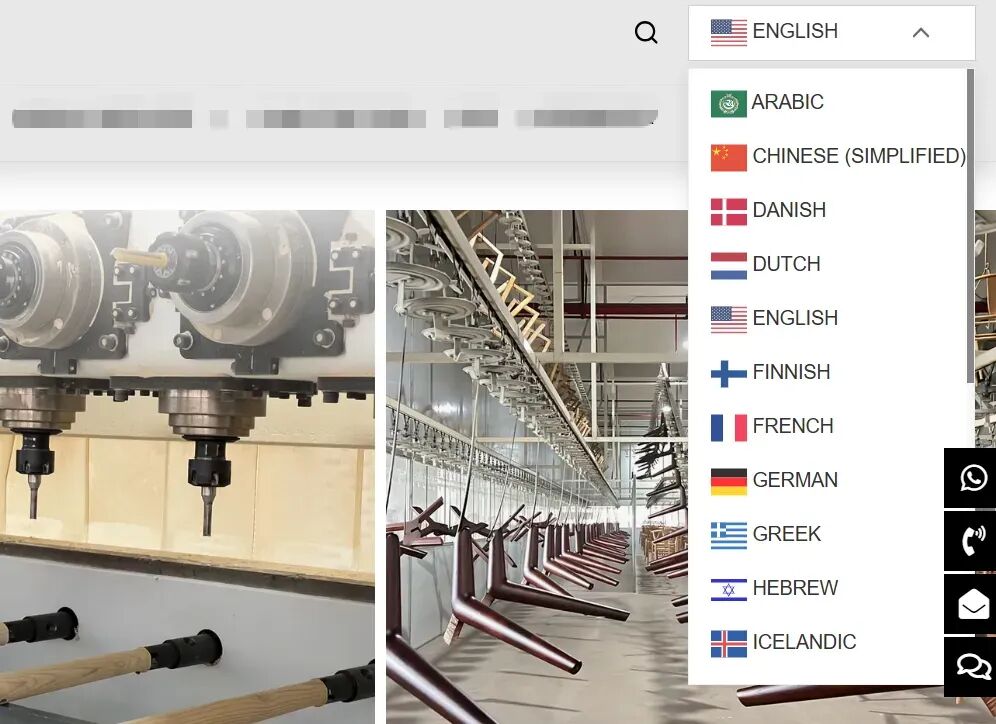
代码应用之后,当切换语言时它就不会拉伸导航栏了,效果如上图所示。
📚WordPress/Elementor建站服务 ↘YRWP模板购买
推荐阅读
如果觉得我分享的内容对您有所帮助
😘请帮忙分享、点赞、在看谢谢啦😘